
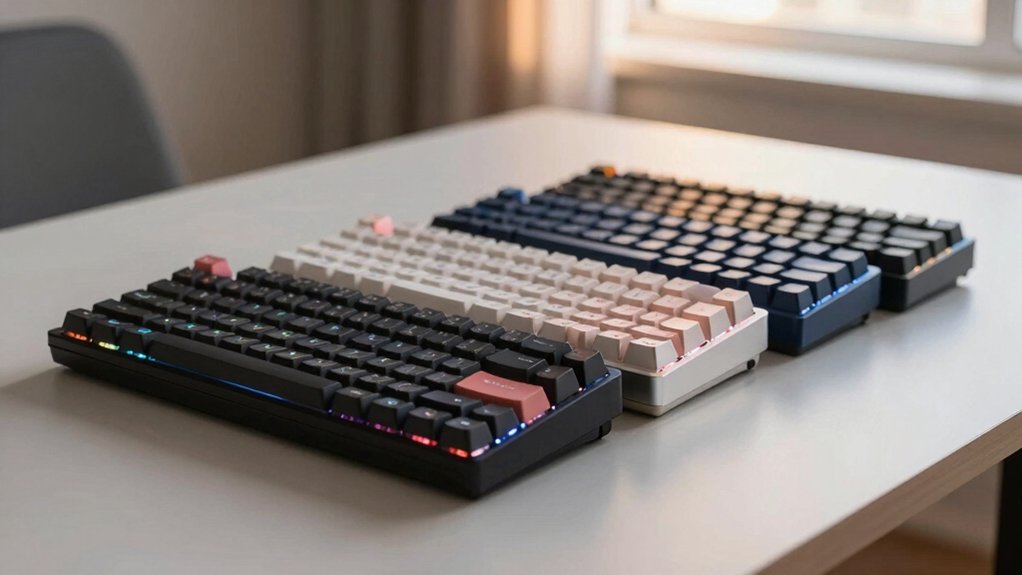

If you’re spending hours typing and experiencing finger fatigue or slower speeds, you might benefit from switching to an ortholinear keyboard. These keyboards arrange keys in straight columns instead of staggered rows, reducing finger movement and strain. You’ll find several models designed specifically for speed and comfort, each with distinct features like split designs, programmable keys, and adjustable angles. Understanding what separates these top options helps you choose the right fit for your needs.
| KBDcraft Israfel 50% Ergo-Split Mechanical Keyboard |

| Most Ergonomic | Layout Type: 50% Ortholinear | Hot-Swappable Switches: Yes (3-pin low-profile) | Programmability: Vial software; custom key mappings and macros | VIEW LATEST PRICE | Read Our Analysis |
| Keychron Q15 Max Mechanical Keyboard with Hot Swappable Keys |

| Best Wireless Option | Layout Type: 64-Key Ortholinear | Hot-Swappable Switches: Yes (Gateron Jupiter compatible) | Programmability: QMK programmable keys | VIEW LATEST PRICE | Read Our Analysis |
| KBDcraft Israfel 50% Ergo-Split Mechanical Keyboard |

| Most Customizable | Layout Type: 50% Ortholinear | Hot-Swappable Switches: Yes (3-pin low-profile) | Programmability: Vial software; QMK compatible | VIEW LATEST PRICE | Read Our Analysis |
| YIVU Corne V4.1 Split Ergonomic Mechanical Keyboard |
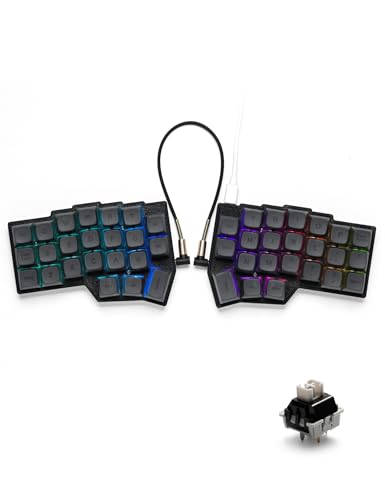
| Best Split Design | Layout Type: 3×6 Column Staggered Split | Hot-Swappable Switches: Yes (Cherry MX 3/5-pin compatible) | Programmability: VIAL; fully programmable keys and layers | VIEW LATEST PRICE | Read Our Analysis |
| YIVU CORNE V4 Wired Split Mechanical Keyboard |
| Budget-Friendly Pick | Layout Type: 3×6 Column Staggered Split | Hot-Swappable Switches: Yes (Cherry MX 3/5-pin compatible) | Programmability: VIAL or QMK; fully programmable keys and layers | VIEW LATEST PRICE | Read Our Analysis |
More Details on Our Top Picks
KBDcraft Israfel 50% Ergo-Split Mechanical Keyboard
Are you spending hours typing code, writing documents, or managing repetitive text tasks? The KBDcraft Israfel 50% offers an ortholinear layout that aligns keys vertically and horizontally with your finger movement, reducing accuracy errors and fatigue. Its hinge-split design provides seven tilt angles you adjust to match your ergonomic needs, lowering wrist and shoulder strain. The Core56 Low-Profile System uses hot-swap 3-pin switches compatible with custom keycaps, letting you customize your setup. Use Vial software to reprogram keys, create macros, and adjust RGB lighting. The adaptive gasket mount minimizes vibrations and noise while delivering consistent tactile feedback. This keyboard suits programmers and writers requiring compact, portable equipment with extensive customization options.
- Layout Type:50% Ortholinear
- Hot-Swappable Switches:Yes (3-pin low-profile)
- Programmability:Vial software; custom key mappings and macros
- RGB Lighting:Inline RGB lighting support
- Ergonomic Adjustability:Hinge-split with 7 tilt options
- Connectivity:Wired connection
- Additional Feature:Lego-compatible modular case
- Additional Feature:Low-profile compact design
- Additional Feature:Vial software customization
Keychron Q15 Max Mechanical Keyboard with Hot Swappable Keys
If you’re looking for a compact mechanical keyboard that doesn’t sacrifice customization or performance, the Keychron Q15 Max delivers with its 64-key ortholinear layout and hot-swappable design. The grid-pattern key arrangement reduces finger movement and improves typing accuracy. You’ll benefit from dual connectivity: 2.4 GHz wireless at 1000 Hz polling or Bluetooth 5.1 for three devices simultaneously. The CNC-machined aluminum body paired with acoustic foam layers creates a responsive typing experience. Hot-swappable Gateron Jupiter switches let you swap keys without soldering. The keyboard includes programmable keys, RGB backlighting, and a rechargeable battery. You receive all necessary tools, stabilizers, and XDA PBT keycaps for immediate use. One year warranty covers manufacturer defects.
- Layout Type:64-Key Ortholinear
- Hot-Swappable Switches:Yes (Gateron Jupiter compatible)
- Programmability:QMK programmable keys
- RGB Lighting:RGB backlighting
- Ergonomic Adjustability:Fixed ortholinear design
- Connectivity:Wireless (2.4 GHz/Bluetooth 5.1) and wired
- Additional Feature:Wireless 2.4 GHz connectivity
- Additional Feature:CNC aluminum construction
- Additional Feature:Includes rotary knob
KBDcraft Israfel 50% Ergo-Split Mechanical Keyboard
The KBDcraft Israfel 50% Ergo-Split Mechanical Keyboard delivers the core benefits you’re seeking if you spend hours daily typing—whether you’re a programmer, writer, or professional who demands both speed and comfort. Its exclusive 50% ortholinear layout aligns keys vertically and horizontally to match your natural finger movement, reducing fatigue and improving accuracy. The adjustable hinge-split design offers up to seven tilt options, letting you position each half ergonomically to minimize wrist and shoulder strain. Hot-swappable 3-pin low-profile switches accommodate custom keycaps, while the adaptive gasket mount eliminates vibrations and delivers consistent tactile feedback. You’ll configure key mappings and macros through Vial software, customizing every function to match your workflow.
- Layout Type:50% Ortholinear
- Hot-Swappable Switches:Yes (3-pin low-profile)
- Programmability:Vial software; QMK compatible
- RGB Lighting:RGB-capable
- Ergonomic Adjustability:Hinge-split with 7 tilt options
- Connectivity:Wired connection
- Additional Feature:Lego-compatible modular case
- Additional Feature:Low-profile compact design
- Additional Feature:Vial software customization
YIVU Corne V4.1 Split Ergonomic Mechanical Keyboard
For those spending hours typing daily—whether you’re a remote worker, programmer, or content creator—does your current keyboard contribute to wrist pain or fatigue? The YIVU Corne V4.1 addresses this through its split ergonomic layout with thumb-accessible keys that reduce strain. You’ll adjust spacing, tilt, and rotation angles to match your posture. The hot-swappable design accepts Cherry MX switches, letting you swap components without tools. VIAL software lets you reprogram all keys and customize RGB lighting across 45 modes. Connect via USB-C or TRS cable—use only one port simultaneously to avoid damage. This setup supports independent or side-by-side use for maximum flexibility.
- Layout Type:3×6 Column Staggered Split
- Hot-Swappable Switches:Yes (Cherry MX 3/5-pin compatible)
- Programmability:VIAL; fully programmable keys and layers
- RGB Lighting:16.8 million colors; 45 preset modes
- Ergonomic Adjustability:Adjustable spacing, tilt, and rotation
- Connectivity:Wired (USB-C and TRS cable)
- Additional Feature:45 preset lighting modes
- Additional Feature:Column staggered split layout
- Additional Feature:Two-in-one shaft puller
YIVU CORNE V4 Wired Split Mechanical Keyboard
You’ll benefit most from this keyboard if you’re experiencing wrist strain or seeking to improve your typing posture, since its ergonomic split layout with 3×6 column staggered arrangement and adjustable spacing, tilt angle, and rotation directly reduces wrist fatigue and repetitive stress. The dual-thumb keys on each side place commonly used functions within easy reach, minimizing awkward hand movements. Hot-swappable 3/5-pin switches let you customize your setup without soldering. RGB backlighting with 45 preset modes and VIAL adjustment support help you identify keys in dim conditions. Fully programmable keys via VIAL or QMK enable you to create custom layers that match your workflow. The wired connection uses a 1.5m USB-C cable and 28cm TRS cable, allowing you to use both halves together or independently.
- Layout Type:3×6 Column Staggered Split
- Hot-Swappable Switches:Yes (Cherry MX 3/5-pin compatible)
- Programmability:VIAL or QMK; fully programmable keys and layers
- RGB Lighting:16.8 million colors; 45 preset modes
- Ergonomic Adjustability:Adjustable spacing, tilt, and rotation
- Connectivity:Wired (USB-C and TRS cable)
- Additional Feature:45 preset lighting modes
- Additional Feature:Column staggered split layout
- Additional Feature:Two-in-one shaft puller
Factors to Consider When Choosing an Ortholinear Keyboard
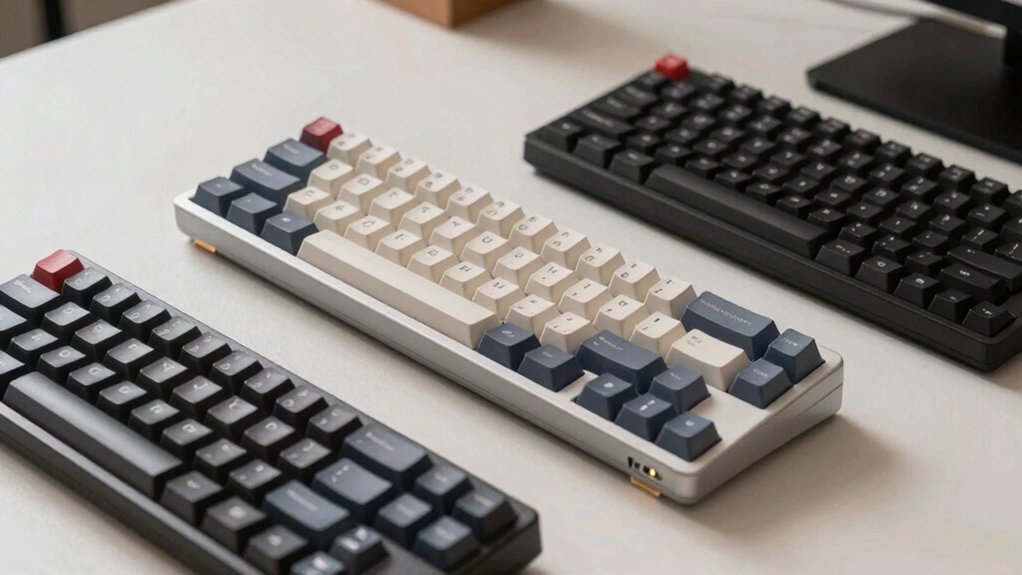
When selecting an ortholinear keyboard, you’ll need to assess five key factors: the layout and key alignment that matches your typing style, the ergonomic design features that support your wrists and hands during extended use, the switch compatibility and quality that determine durability and feel, the programmability and customization options that let you personalize your setup, and the connectivity options available that fit your devices. Start by assessing your layout preference—whether you want a standard grid or a staggered arrangement—then check if the keyboard’s ergonomic features like tilt angles and palm rests align with your comfort needs. Finally, confirm that the switches meet your quality standards, the firmware allows the customization you want, and the connection type (wired or wireless) works for your workspace.
Layout and Key Alignment
Why does key alignment matter so much in an ortholinear keyboard? Because proper alignment directly reduces finger travel distance and increases typing consistency. In ortholinear layouts, keys align in a strict grid pattern, matching your finger movements vertically and horizontally rather than following staggered rows.
When you’re selecting an ortholinear keyboard, examine the grid structure first. Standard full-size ortholinear boards expand the accessible grid area per row, giving you a complete function set in a compact space. For portability, 50% condensed models preserve grid alignment while reducing overall size.
Next, consider pairing options. Many ortholinear keyboards incorporate gasket or split designs that optimize typing angle and minimize strain from keyboard tilt. Finally, verify hot-swappable switch compatibility and QMK/Vial programmability so you can customize layout without rewiring hardware.
Ergonomic Design Features
Beyond key alignment, the physical structure of your ortholinear keyboard shapes how your hands and wrists perform during extended typing sessions. Hinge-split designs let you adjust tilt across up to seven positions, customizing your wrist posture to reduce strain. Adaptive gasket mounts cushion each keypress and dampen vibrations, delivering consistent tactile feedback throughout your session. Hot-swappable switches let you experiment with different actuation weights and feels without soldering, helping you fine-tune comfort and responsiveness. Select a 50% ortholinear model if you prioritize portability without sacrificing grid-based alignment. Test each adjustment and switch combination to identify what reduces fatigue for your hands and improves your typing consistency over long work periods.
Switch Compatibility and Quality
How do you know which switches will actually work with your ortholinear keyboard? First, check whether your board uses hot-swappable sockets, which let you swap switches without soldering. Next, verify the switch type: 3-pin low-profile switches affect keycap and lighting compatibility differently than standard switches. Third, confirm actuation force—40g linear switches suit long typing sessions well. Fourth, review your keyboard’s documentation for specific warnings about mixing USB ports or hot-swapping while powered. Finally, if your keyboard supports QMK or Vial, you can customize switch behavior and macros after installation. Testing compatibility before purchasing prevents wasted money and frustration. Always power down before swapping components to avoid damaging your board.
Programmability and Customization
Once you’ve selected switches that fit your board, you’ll want to contemplate what software tools let you reprogram your keys and create custom layers. Most ortholinear keyboards support QMK or Vial firmware, which enables per-key remapping and macro commands. QMK offers deeper customization but requires coding knowledge. Vial provides a graphical interface for easier configuration without programming experience.
With these tools, you can assign functions to any key, stack multiple key layouts across layers, and program macros to execute complex command sequences. RGB lighting can sync with your layer changes, providing visual confirmation of your current layout. Hot-swappable designs let you test different switch types without soldering, refining your typing experience. Choose firmware that matches your technical comfort level and desired customization depth.
Connectivity Options Available
What connection type will best serve your workflow—wired, wireless, or a combination of both? Wired models use USB-C connections and may include extension cables for flexible desk setups. Wireless options include 2.4 GHz and Bluetooth 5.1, allowing multi-device switching. Consider polling rates: wired and 2.4 GHz typically offer 1000 Hz, while Bluetooth operates at lower rates like 90 Hz. If you choose wireless, most kits include a 2.4 GHz receiver for immediate plug-and-play use. Split or detachable keyboards require attention to connection methods between halves—some use shared wireless, others use wired bridges. Evaluate your devices and desk layout, then select wired for stability, 2.4 GHz for responsiveness, or Bluetooth for multi-device convenience.
Build Materials and Durability
When you’re evaluating an ortholinear keyboard’s construction, you’ll want to examine three key elements: the enclosure material, the internal damping system, and the switch mounting method. Look for CNC aluminum or metal bodies like 6063 aluminum, which provide rigidity and a premium feel that resists warping. Next, check the internal damping layers—IXPE, PET, and latex foams reduce vibrations and noise while improving your typing experience. Finally, verify the switch mounting system. Hot-swappable designs with dedicated 3-pin sockets let you replace switches without soldering, saving time and effort. Gasket-mounted or adaptive gasket schemes further reduce vibrations and enhance durability. These combined elements determine how well your keyboard performs over time and how comfortable it feels during extended typing sessions.
Portability and Form Factor
Beyond durability and build quality, you’ll need to contemplate how your ortholinear keyboard fits into your mobile lifestyle. Consider the 50% compact layout, which eliminates the number pad and reduces your keyboard’s footprint for easier transport. Evaluate wireless versus wired options based on your setup flexibility—wireless variants offer untethered convenience, while wired models provide reliable connectivity without battery concerns. Assess modular or Lego-compatible casings that let you customize your board on-the-go without sacrificing portability. Review hollow or gasket-mounted designs that maintain stable typing feel during mobile use while preserving compact size. Calculate your actual carry distance and frequency to determine whether a pocketable profile matters for your work style. Match these factors to your daily mobility requirements.
Final Thoughts
You’ve reviewed five ortholinear keyboards that reduce finger strain and boost typing speed. To choose the right one, compare your priorities: split ergonomic design, connectivity options, and programmability features. Consider your budget and switch preferences. Test models if possible before purchasing. Once you select a keyboard, customize key mappings through Vial or QMK software to match your workflow. Start with default settings, then adjust gradually.

Meet Ry, “TechGuru,” a 36-year-old technology enthusiast with a deep passion for tech innovations. With extensive experience, he specializes in gaming hardware and software, and has expertise in gadgets, custom PCs, and audio.
Besides writing about tech and reviewing new products, he enjoys traveling, hiking, and photography. Committed to keeping up with the latest industry trends, he aims to guide readers in making informed tech decisions.