
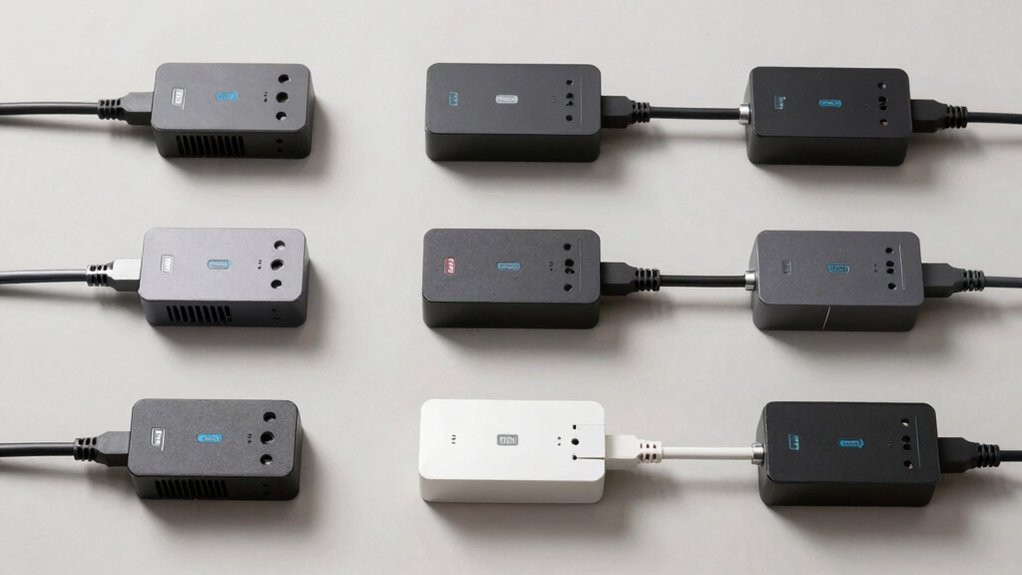

When you’re managing multiple devices and tangled cords, you’ll want a wall-mounted surge protector that handles your power needs without cluttering your space. The right model combines adequate outlets, USB ports, and robust surge protection—but finding one that actually fits your setup takes strategy. We’ll walk you through seven top performers and show you exactly what features matter most, so you can stop wasting outlet space and start keeping your cables organized.
| QINLIANF 5 Outlet Surge Protector with 4 USB Ports |
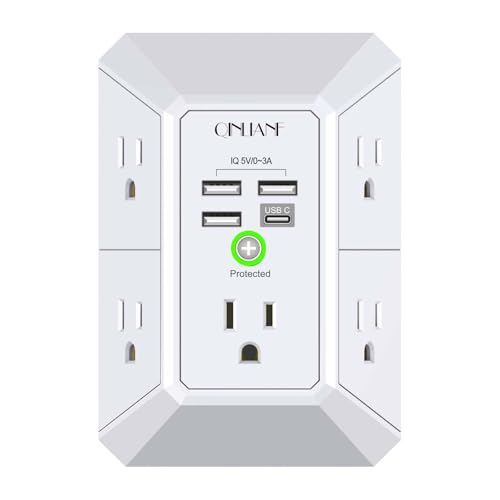
| Compact Travel Essential | AC Outlets: 5 outlets | USB Ports: 4 USB ports (2.4A USB-A, 3A USB-C) | Surge Protection Rating: 1680 Joules | VIEW LATEST PRICE | Read Our Analysis |
| JcBlaon 6 Outlet Surge Protector with 4 USB Ports |

| Maximum Port Density | AC Outlets: 6 outlets | USB Ports: 4 USB ports (2 USB-A, 2 USB-C at 2.4A) | Surge Protection Rating: 1050 Joules | VIEW LATEST PRICE | Read Our Analysis |
| Belkin 6-Outlet Surge Protector Power Strip with USB Ports |

| Premium Safety Leader | AC Outlets: 6 outlets | USB Ports: 2 USB ports (22.5W USB-C PD, USB-A) | Surge Protection Rating: 1680 Joules | VIEW LATEST PRICE | Read Our Analysis |
| TROND Surge Protector Power Strip with USB-C Ports |

| Heavy-Duty Powerhouse | AC Outlets: 13 outlets | USB Ports: 4 USB ports (17W total output) | Surge Protection Rating: 4000 Joules | VIEW LATEST PRICE | Read Our Analysis |
| Anker Power Strip with 6 AC and USB Ports |

| Fast-Charging Champion | AC Outlets: 6 outlets | USB Ports: 4 USB ports (20W USB-C fast charging) | Surge Protection Rating: 300 Joules | VIEW LATEST PRICE | Read Our Analysis |
| TROND Power Strip Surge Protector with USB Ports |

| Best Overall Value | AC Outlets: 5 outlets | USB Ports: 4 USB ports (2.4A USB-A, 3A USB-C) | Surge Protection Rating: 1300 Joules | VIEW LATEST PRICE | Read Our Analysis |
| GE Pro 6-Outlet Surge Protector Wall Tap Adapter |

| Space-Saving Design | AC Outlets: 6 outlets | USB Ports: No USB ports | Surge Protection Rating: 1200 Joules | VIEW LATEST PRICE | Read Our Analysis |
More Details on Our Top Picks
QINLIANF 5 Outlet Surge Protector with 4 USB Ports
Are you juggling multiple devices in a cramped workspace and struggling to find enough charging ports? The QINLIANF HR-519D offers five AC outlets and four USB ports in a compact design. Its 1680-joule surge protection uses three-level circuitry to safeguard your equipment. The outlets space 2.1 inches apart, accommodating larger plugs without blocking adjacent sockets. Mount it flush against your wall using the back groove and middle screw. The USB ports deliver up to 4.8 amps total, with individual USB-A ports providing 2.4 amps and the USB-C port supplying 3 amps. Smart technology optimizes charging for each device automatically.
- AC Outlets:5 outlets
- USB Ports:4 USB ports (2.4A USB-A, 3A USB-C)
- Surge Protection Rating:1680 Joules
- Maximum Power/Current:15 Amps, 125V
- Wall Mounting:Back groove design with screw securing for duplex outlets
- Safety Certifications:ETL Certified
- Additional Feature:3-level complementary surge circuit
- Additional Feature:Wide 2.1-inch outlet spacing
- Additional Feature:Back groove flush mounting
JcBlaon 6 Outlet Surge Protector with 4 USB Ports
The JcBlaon 6 Outlet Surge Protector with 4 USB Ports works best for you if you need multiple charging options in a compact space without blocking adjacent outlets. Its 2.15-inch spacing between outlets prevents large plugs from interfering with each other. You get 6 AC outlets, 2 USB-A ports, and 2 USB-C ports for simultaneous charging. The device delivers 5V/2.4A per USB port with automatic device detection that optimizes charging speed. It provides 1050 Joules of surge protection and handles up to 1875W. The UL94 V-0 flame-retardant material ensures safety. Simply plug it into your wall outlet and secure it with the included screw port. An 18-month replacement warranty covers defects.
- AC Outlets:6 outlets
- USB Ports:4 USB ports (2 USB-A, 2 USB-C at 2.4A)
- Surge Protection Rating:1050 Joules
- Maximum Power/Current:15 Amps, 1875W max
- Wall Mounting:Fits duplex outlet with screw port to secure
- Safety Certifications:UL94 V-0 flame-retardant material
- Additional Feature:Dual USB-C ports included
- Additional Feature:UL94 V-0 flame-retardant material
- Additional Feature:2.15-inch wide-space design
Belkin 6-Outlet Surge Protector Power Strip with USB Ports
If you’re looking to streamline charging and power access without cluttering your desk or nightstand, Belkin’s 6-outlet surge protector delivers a compact solution with dual USB ports built directly into the unit. Mount it on your wall to free up floor space and organize multiple devices simultaneously. The unit offers 1,680 joules of surge protection through a 14-point safety system that guards against overload, short circuits, and overvoltage. Use the USB-C PD port for fast charging at 22.5W, or connect standard USB-A devices to the second port. The fire-resistant construction and auto-shutdown feature provide additional protection. ETL certification and a $25,000 Connected Equipment Warranty ensure reliability. The lightweight design and built-in mounts accommodate various installation locations throughout your home or workspace.
- AC Outlets:6 outlets
- USB Ports:2 USB ports (22.5W USB-C PD, USB-A)
- Surge Protection Rating:1680 Joules
- Maximum Power/Current:15 Amps, 125V, 1875W max
- Wall Mounting:Wall-mountable with built-in mounts
- Safety Certifications:ETL-certified, 14-point safety system
- Additional Feature:14-point safety system
- Additional Feature:22.5W USB-C PD charging
- Additional Feature:72% recycled content material
TROND Surge Protector Power Strip with USB-C Ports
Looking to power multiple devices from a single wall outlet without cluttering your entertainment center or workspace? The TROND Surge Protector Power Strip offers 13 AC outlets and 4 USB ports in a compact, wall-mountable design. Its 4000 Joules of surge protection shields your electronics from power disturbances. The widely spaced outlets—38mm apart—prevent large adapters from blocking adjacent plugs. Mount it behind your TV, on your desk, or in your garage using the included screw tabs. The 5-foot extension cord provides flexible placement options. With a maximum capacity of 1875W, you can safely connect multiple devices including computers, monitors, printers, and streaming equipment simultaneously.
- AC Outlets:13 outlets
- USB Ports:4 USB ports (17W total output)
- Surge Protection Rating:4000 Joules
- Maximum Power/Current:15 Amps, 125V, 1875W max
- Wall Mounting:Wall-mountable with 4 screw-mounting tabs
- Safety Certifications:ETL Listed, UL94 V-0 flame-retardant material
- Additional Feature:4000 Joules protection rating
- Additional Feature:13 AC outlets total
- Additional Feature:5-foot extension cord included
Anker Power Strip with 6 AC and USB Ports
Need a compact outlet solution that doesn’t sacrifice charging capacity? The Anker 10-in-1 power strip delivers six AC outlets and four USB ports in an ultra-thin 1.19-inch design. Its 15° angled outlets simplify plug insertion, while 300 Joules of surge protection safeguards your devices. The C1 USB-C port provides 20W fast charging, reaching 53% battery on an iPhone 15 in thirty minutes. Mount it directly to your wall or position it in tight spaces like dorms and travel setups. The power strip handles up to 15 Amps, supporting various electronics simultaneously. You’ll receive an 18-month warranty plus lifetime connected equipment protection for added peace of mind.
- AC Outlets:6 outlets
- USB Ports:4 USB ports (20W USB-C fast charging)
- Surge Protection Rating:300 Joules
- Maximum Power/Current:15 Amps
- Wall Mounting:Wall mounting capability with angled outlets
- Safety Certifications:Not specified
- Additional Feature:20W USB-C fast charging
- Additional Feature:Ultra-thin 1.19-inch profile
- Additional Feature:15° angled outlets design
TROND Power Strip Surge Protector with USB Ports
The TROND Power Strip Surge Protector with USB Ports works best for you if you’re powering multiple devices in tight spaces while keeping cords organized. Mount it behind your TV, desk, or workbench using the included screws. The five widely-spaced outlets accommodate larger adapters without blocking adjacent plugs. Connect your PC, monitor, printer, and phone simultaneously through five AC outlets and four USB ports. The 1300-Joule surge protection safeguards your equipment from power spikes. With 14 AWG heavy-duty wiring and a 5-foot cord, you’ll handle demanding devices reliably. The angled flat plug minimizes clutter while keeping the bottom receptacle accessible for additional plugging needs.
- AC Outlets:5 outlets
- USB Ports:4 USB ports (2.4A USB-A, 3A USB-C)
- Surge Protection Rating:1300 Joules
- Maximum Power/Current:15 Amps, 125V, 1875W max
- Wall Mounting:Wall mountable with screw mounting design
- Safety Certifications:ETL-listed, UL94 V-0 flame-retardant material
- Additional Feature:1.5-inch widely spaced outlets
- Additional Feature:14 AWG heavy-duty wiring
- Additional Feature:5-foot extension cord included
GE Pro 6-Outlet Surge Protector Wall Tap Adapter
If you’re working in tight spaces where standard surge protectors won’t fit, the GE Pro 6-Outlet Surge Protector‘s side access design solves that problem directly. This wall tap adapter plugs into your outlet and extends six grounded outlets sideways, letting you connect devices without blocking adjacent outlets. The 1200-joule surge protection rating shields your electronics from voltage spikes, while automatic shutdown technology activates when protection expires or surges exceed capacity. You’ll find side-to-lock safety covers on unused outlets for added protection. The compact rectangular design measures 5 inches long and 3.4 inches wide, making it ideal for apartments and offices where space is limited. UL listing confirms safety standards compliance.
- AC Outlets:6 outlets
- USB Ports:No USB ports
- Surge Protection Rating:1200 Joules
- Maximum Power/Current:15 Amps, 120V
- Wall Mounting:Not wall-mountable (side access wall tap design)
- Safety Certifications:UL Listed
- Additional Feature:Side access design layout
- Additional Feature:Automatic shutdown technology feature
- Additional Feature:Safety outlet covers included
Factors to Consider When Choosing Wall Mounted Surge Protectors
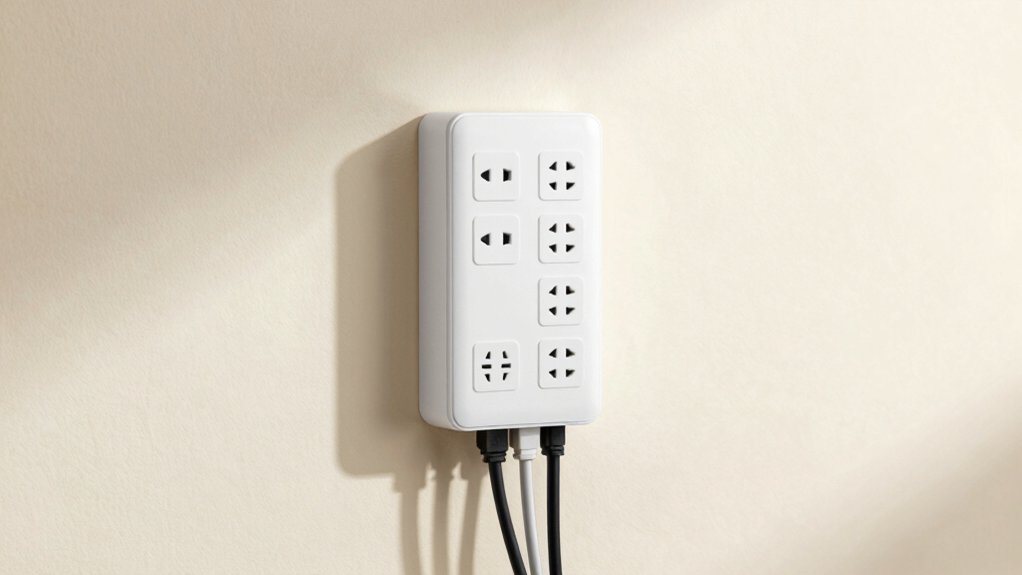
When you’re selecting a wall mounted surge protector, you’ll need to evaluate several key factors: the surge protection rating (measured in joules), the spacing and arrangement of outlets for your devices, USB port options for charging, safety certifications like UL listing, and the unit’s ability to mount securely to your wall. Check the joule rating first—higher ratings provide better protection against power spikes—then confirm that the outlet spacing won’t block adjacent plugs when you insert larger adapters or power cords. Finally, verify that the model includes any USB ports you need, carries recognized safety certifications, and features a mounting system compatible with your wall type and electrical setup.
Surge Protection Rating Matters
How do you know which surge protector will actually protect your electronics? Check the joule rating first. This number tells you how much energy the protector absorbs before failing. Compare ratings: 1680J offers longer-lasting protection than 1300J. However, joules alone don’t guarantee speed. Look for additional protective elements like TVS, MOV, and GDT, which create a 3-level protection circuit for faster response. Next, examine the clamp voltage—lower is better, as it reduces voltage reaching your devices. Verify whether the unit has an auto-shutdown feature that activates after absorbing a surge. Finally, balance the joule rating against your actual needs and available outlet space, since higher ratings often mean bulkier designs and higher costs.
Outlet Spacing and Design
The physical layout of your surge protector’s outlets determines whether you’ll actually be able to plug in all your devices without conflicts. Look for models with 1.5 to 2.15 inches of spacing between outlets—this prevents bulky adapters from blocking adjacent sockets. Choose designs featuring 3-sided outlet arrangements, which maximize usable sockets while keeping everything accessible. Most strips offer 5 to 6 outlets, though some models include up to 13 or 14 total outlets with USB ports integrated. Select units with evenly distributed outlet placement to reduce crowding. Back or side mounting options, including screw-secured designs, enable flush wall installation. This approach saves counter space and keeps cords organized. Verify that your chosen model accommodates the specific devices you need to connect simultaneously.
USB Port Compatibility
Which USB ports does your surge protector actually need? Check what devices you’ll charge. USB-A ports deliver around 2.4A per port, while USB-C ports provide about 3A each. Verify your devices’ charging requirements first. Don’t assume USB-C ports support high-voltage standards like Quick Charge 3.0—most deliver only 5V output, so confirm compatibility with your phone or tablet specifications. Calculate total USB amperage capacity by adding all ports together; models range from 3A to 15A combined output. Review the surge protector’s smart charging technology, which automatically recognizes connected devices and adjusts power delivery accordingly. Match port placement to your device sizes, ensuring USB ports don’t block access to AC outlets. This prevents management headaches and ensures efficient charging.
Safety Certifications and Features
Once you’ve confirmed USB compatibility with your devices, you’ll need to verify the surge protector’s safety credentials and built-in protection features. Look for UL or ETL certification marks, which confirm the unit meets recognized safety standards. Check the joule rating—models rated 1200–4000J absorb more energy before protection fails. Verify the device uses flame-retardant materials rated UL94 V-0 to reduce fire risk during internal faults. Confirm it includes a protective indicator light or auto-shutdown feature that signals when protection’s exhausted. Ensure the plug is grounded Type B, matching standard North American outlets. Finally, check the maximum current rating, typically 15A, to confirm compatibility with your electrical system.
Wall Mounting Capability
How’ll you actually mount your surge protector to the wall? First, check your unit’s built-in mounting options—back grooves, screw ports, or included brackets. Locate studs or use appropriate wall anchors for secure placement. Install mounting hardware by inserting screws through the designated ports into your wall or furniture. For flush mounting, select models with flat or low-profile plugs and slim profiles that sit close to the surface. Position the unit where outlet spacing aligns with your needs and existing duplex outlets. Verify that your configuration prevents plug crowding by using 3-sided outlet arrangements. Once mounted, confirm stability before plugging in devices. Check that all connections sit firmly and no stress appears on cords or the unit itself.
Final Thoughts
You should select a wall-mounted surge protector based on your specific needs. Count how many outlets and USB ports you require, then verify the joule rating meets 1200–4000J for adequate surge protection. Check for UL/ETL certification and flame-retardant materials. Confirm the model fits your space without blocking adjacent outlets. Install it securely using included brackets, ensuring proper grounding for safety and optimal cord management.

Meet Ry, “TechGuru,” a 36-year-old technology enthusiast with a deep passion for tech innovations. With extensive experience, he specializes in gaming hardware and software, and has expertise in gadgets, custom PCs, and audio.
Besides writing about tech and reviewing new products, he enjoys traveling, hiking, and photography. Committed to keeping up with the latest industry trends, he aims to guide readers in making informed tech decisions.