
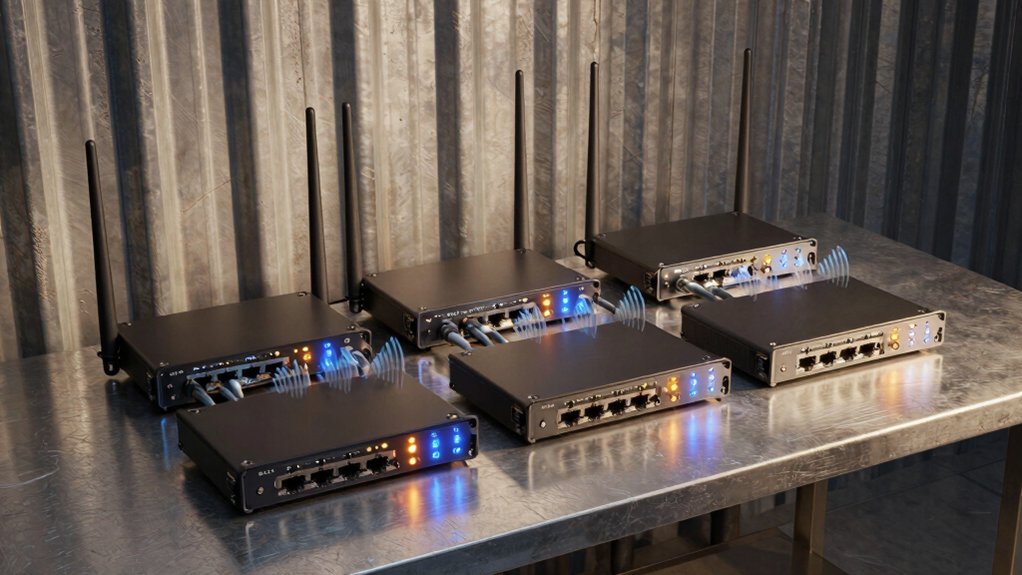

When you’re dealing with weak WiFi signals inside metal buildings, standard extenders often fail because metal walls block wireless transmission. You’ll need specialized equipment designed specifically for this challenge—devices with outdoor-rated enclosures, PoE power options, and advanced features like WiFi 6 technology. The right extender positioned strategically can dramatically improve your coverage. Here’s what you need to know to select the best option for your specific situation.
| TP-Link AC1200 WiFi Extender (RE315) |

| Budget-Friendly Pick | Coverage Area: Up to 1,500 sq. ft. | Maximum Data Speed: 1.2 Gbps (867 Mbps 5GHz + 300 Mbps 2.4GHz) | Operating Modes: Extender with Adaptive Path Selection | VIEW LATEST PRICE | Read Our Analysis |
| UeeVii CPE450 Wireless Bridge WiFi Router Kit (5.8G) |

| Best For Outbuildings | Coverage Area: Up to 3 km barrier-free transmission range | Maximum Data Speed: Up to 300 Mbps point-to-point | Operating Modes: Point-to-point bridge with dual-band WiFi 6 router integration | VIEW LATEST PRICE | Read Our Analysis |
| Wireless Bridge 5.8G Outdoor CPE 3KM Range (CPE660) |

| Long-Range Professional | Coverage Area: Up to 3 km point-to-point range | Maximum Data Speed: Up to 300 Mbps | Operating Modes: PtP, PtMP, AP, Bridge, CPE, client bridge modes | VIEW LATEST PRICE | Read Our Analysis |
| AX1800 Outdoor WiFi 6 Extender with PoE Power |

| Best All-Weather | Coverage Area: Up to 300 m outdoor coverage | Maximum Data Speed: 1.775 Gbps (1,201 Mbps 5GHz + 574 Mbps 2.4GHz) | Operating Modes: AP, Router, Repeater modes | VIEW LATEST PRICE | Read Our Analysis |
| C. Crane CC Vector Extended Range WiFi Receiver System |

| Maximum Range Option | Coverage Area: Up to ~0.5 mile typical; max ~3 miles with conditions | Maximum Data Speed: Up to 40 Mbps | Operating Modes: Receiver/Repeater system | VIEW LATEST PRICE | Read Our Analysis |
| WiFi Extender Signal Booster with Ethernet Port |

| Best Value | Coverage Area: Up to 15,588 sq. ft. | Maximum Data Speed: 6X faster than standard extenders (specific speed not stated) | Operating Modes: Repeater, Bridge, Access Point, Router, Client modes | VIEW LATEST PRICE | Read Our Analysis |
| TP-Link BE3200 Wi-Fi 7 Range Extender RE223BE |
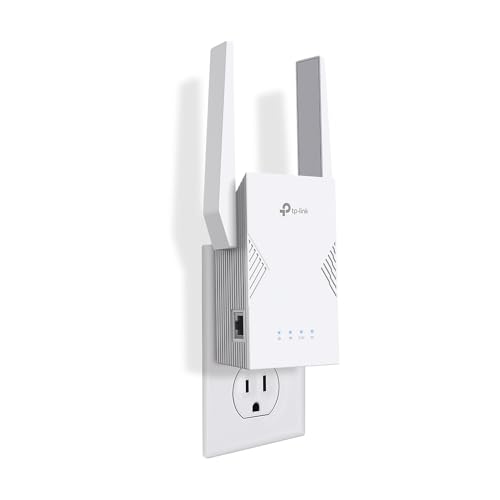
| Cutting-Edge Performance | Coverage Area: Up to 2,400 sq. ft. | Maximum Data Speed: 3.2 Gbps (2,594 Mbps 5GHz + 688 Mbps 2.4GHz) | Operating Modes: Access Point Mode, Guest Mode, EasyMesh compatibility | VIEW LATEST PRICE | Read Our Analysis |
| 2026 WiFi 6 Extender Signal Booster |

| Most Versatile | Coverage Area: Up to 18,899 sq. ft. | Maximum Data Speed: 2.4 Gbps (1,800 Mbps 5GHz + 600 Mbps 2.4GHz) | Operating Modes: Repeater/AP/Router modes | VIEW LATEST PRICE | Read Our Analysis |
| WiFi Extender Signal Booster AC1200Mbps Dual Band |

| Best Entry-Level | Coverage Area: Up to 10,000 sq. ft. | Maximum Data Speed: 1.2 Gbps (dual-band) | Operating Modes: Repeater, AP, Ethernet Port modes | VIEW LATEST PRICE | Read Our Analysis |
| Amazon eero 6 Mesh WiFi Add-On Extender |

| Best For Mesh Systems | Coverage Area: Up to 1,500 sq. ft. | Maximum Data Speed: AX1800 (best for up to 500 Mbps internet) | Operating Modes: Mesh extender with TrueMesh routing | VIEW LATEST PRICE | Read Our Analysis |
More Details on Our Top Picks
TP-Link AC1200 WiFi Extender (RE315)
If you’re struggling with dead zones in a metal building where WiFi signals can’t penetrate effectively, the TP-Link RE315 offers a practical solution that won’t strain your budget. This dual-band extender delivers 1.2Gbps total bandwidth with 867 Mbps on 5GHz and 300 Mbps on 2.4GHz, covering up to 1,500 square feet for 30 devices. Setup takes minutes using the TP-Link Tether app on Android or iOS. Position the unit using the intelligent signal indicator to find optimal placement, then connect it to your existing router. The external antennas and Adaptive Path Selection strengthen coverage in problem areas. Note that extenders optimize coverage rather than increase core internet speed—your throughput depends on signal quality where you place it.
- Coverage Area:Up to 1,500 sq. ft.
- Maximum Data Speed:1.2 Gbps (867 Mbps 5GHz + 300 Mbps 2.4GHz)
- Operating Modes:Extender with Adaptive Path Selection
- Ethernet Ports:One Ethernet port
- Security Standards:WPA/WPA2 with CISA Secure-by-Design pledge
- Device Capacity:Supports up to 30-32 devices
- Additional Feature:One-Touch setup simplicity
- Additional Feature:Adaptive Path Selection roaming
- Additional Feature:EasyMesh network expansion
UeeVii CPE450 Wireless Bridge WiFi Router Kit (5.8G)
The UeeVii CPE450 works best for you if you’re extending WiFi to distant structures like barns, garages, shops, or old houses where running cables isn’t practical. This kit includes two outdoor bridges that transmit data up to 300Mbps across 3km of barrier-free distance. You’ll mount the units using hoops or wall brackets, positioning them face-to-face with clear line of sight. The 14dBi directional antenna requires proper orientation. The included WR3000K WiFi 6 router broadcasts dual-band coverage from the slave unit. You connect devices through the bridge’s dual 10/100Mbps ports. The IP65-rated enclosure protects against rain, dust, and freezing conditions, making it reliable for outdoor metal buildings.
- Coverage Area:Up to 3 km barrier-free transmission range
- Maximum Data Speed:Up to 300 Mbps point-to-point
- Operating Modes:Point-to-point bridge with dual-band WiFi 6 router integration
- Ethernet Ports:Dual 10/100 Mbps RJ45 ports
- Security Standards:WPA/WPA2 support
- Device Capacity:Supports multiple devices via 6-antenna WiFi 6 router
- Additional Feature:Up to 3km transmission range
- Additional Feature:Point-to-point wireless bridging
- Additional Feature:IP65 weatherproof outdoor rated
Wireless Bridge 5.8G Outdoor CPE 3KM Range (CPE660)
Need to extend your network across a farm, warehouse, or between separate buildings without running expensive cable? The CPE660 delivers 300 Mbps across 3 kilometers using 5.8 GHz frequency and a 14 dBi antenna. You’ll mount it outdoors with included brackets, connect two 100 Mbps Ethernet ports, and power it via PoE adapter. The unit supports point-to-point and point-to-multipoint configurations, so you can link multiple locations or bridge to your Starlink router. Its IP65 weatherproofing handles dust and water. Set it up in WDS mode without GUI access, apply WPA2 security, and you’re operational. The package includes everything needed: two bridges, adapters, and mounts.
- Coverage Area:Up to 3 km point-to-point range
- Maximum Data Speed:Up to 300 Mbps
- Operating Modes:PtP, PtMP, AP, Bridge, CPE, client bridge modes
- Ethernet Ports:2 x 100 Mbps LAN ports
- Security Standards:WPA/WPA2, 802.1x, firewall features
- Device Capacity:No specific device limit stated
- Additional Feature:Pre-programmed WDS mode setup
- Additional Feature:Multiple operation mode support
- Additional Feature:Lifetime technical support included
AX1800 Outdoor WiFi 6 Extender with PoE Power
Are you struggling to maintain reliable WiFi coverage across a large outdoor property or metal structure where signal drops occur frequently? The AX1800 Outdoor WiFi 6 Extender delivers dual-band speeds (5GHz at 1201Mbps, 2.4GHz at 574Mbps) with six high-gain antennas for extended range up to 300 meters. Its IP67 waterproof housing withstands extreme temperatures from -14°F to 122°F. You’ll install it using Power over Ethernet through a single cable, eliminating separate power lines. Choose from three modes: Repeater to extend existing networks, AP to create new access points, or Router for independent operation. Connect up to 256 devices simultaneously without performance degradation, making it ideal for properties with numerous outdoor cameras, smart devices, and Starlink systems.
- Coverage Area:Up to 300 m outdoor coverage
- Maximum Data Speed:1.775 Gbps (1,201 Mbps 5GHz + 574 Mbps 2.4GHz)
- Operating Modes:AP, Router, Repeater modes
- Ethernet Ports:Dual Gigabit Ethernet ports
- Security Standards:WPA/WPA2/WPA3 and WPA-PSK/WPA2-PSK/WPA3-SAE protocols
- Device Capacity:Supports up to 256 devices
- Additional Feature:Power over Ethernet capable
- Additional Feature:Lightning protection included
- Additional Feature:Dual Gigabit Ethernet ports
C. Crane CC Vector Extended Range WiFi Receiver System
If you’re extending WiFi to a remote barn, shop, or metal-sided office building more than a quarter-mile from your main router, the C. Crane CC Vector delivers reliable signal across distances up to three miles. You’ll mount its directional 15 dBi parabolic antenna outdoors, then connect it to the CC Vector repeater indoors. This setup receives distant WiFi and rebroadcasts it to multiple devices—phones, tablets, smart TVs, and gaming consoles. The system supports 802.11n with speeds up to 40 Mbps on the 2.4 GHz band, though performance decreases with distance and obstructions. Two Ethernet jacks let you hardwire additional computers. Expect typical capability for two Netflix users or several browsers simultaneously.
- Coverage Area:Up to ~0.5 mile typical; max ~3 miles with conditions
- Maximum Data Speed:Up to 40 Mbps
- Operating Modes:Receiver/Repeater system
- Ethernet Ports:Two Ethernet jacks
- Security Standards:802.11n with broad device compatibility
- Device Capacity:Supports multiple consumer devices simultaneously
- Additional Feature:15 dBi parabolic antenna
- Additional Feature:Two Ethernet jacks included
- Additional Feature:U.S.-based customer support
WiFi Extender Signal Booster with Ethernet Port
This extender works especially well for those who need to strengthen WiFi signals across large metal buildings where wireless signals typically weaken or break up. The device extends coverage up to 15,588 square feet and supports 65 simultaneous devices. You’ll appreciate its five operational modes: Repeater, Bridge, Access Point, Router, and Client. Setup takes minutes—plug in the unit, press the WPS button on both your extender and router, and you’re connected. The Ethernet port lets you hardwire devices for stable streaming and gaming. Security features include WPA2/WPA/WEP protocol support. You get 24-month technical support via US-based phone team available weekdays 8 AM to 4 PM PST.
- Coverage Area:Up to 15,588 sq. ft.
- Maximum Data Speed:6X faster than standard extenders (specific speed not stated)
- Operating Modes:Repeater, Bridge, Access Point, Router, Client modes
- Ethernet Ports:Ethernet port included
- Security Standards:WPA2/WPA/WEP protocols
- Device Capacity:Supports up to 65 devices
- Additional Feature:Five operational modes available
- Additional Feature:24-month support included
- Additional Feature:One-tap WPS setup
TP-Link BE3200 Wi-Fi 7 Range Extender RE223BE
You’ll want the TP-Link BE3200 Wi-Fi 7 Range Extender RE223BE if you’re managing a larger home with multiple streaming devices, gaming systems, or work-from-home setups that demand consistent connectivity across 2400 square feet. This dual-band extender delivers up to 3.2 Gbps total bandwidth, with 5 GHz reaching 2594 Mbps and 2.4 GHz at 688 Mbps. It supports up to 64 devices simultaneously, so you won’t experience bottlenecks during peak usage. The built-in 1 Gbps Ethernet port lets you connect wired devices directly, improving stability for critical applications. Smart Adaptive Roaming automatically switches your devices to the strongest signal as you move throughout your space. Set it up through the Tether app, which also provides parental controls, firmware updates, and network monitoring for ongoing management and security.
- Coverage Area:Up to 2,400 sq. ft.
- Maximum Data Speed:3.2 Gbps (2,594 Mbps 5GHz + 688 Mbps 2.4GHz)
- Operating Modes:Access Point Mode, Guest Mode, EasyMesh compatibility
- Ethernet Ports:1 Gbps Ethernet port
- Security Standards:WPA3, 2FA, IP/MAC filtering, CISA Secure-by-Design pledge
- Device Capacity:Supports up to 64 devices
- Additional Feature:Multi-Link Operation (MLO)
- Additional Feature:Smart Adaptive Roaming technology
- Additional Feature:CISA Secure-by-Design pledge
2026 WiFi 6 Extender Signal Booster
Need robust coverage across a sprawling metal building without complicated installation? The 2026 WiFi 6 Extender delivers up to 18,899 square feet of coverage using four high-gain directional antennas that penetrate walls and floors effectively. Setup takes seconds: press WPS on your router and extender to connect instantly. You’ll get dual-band speeds reaching 1800 Mbps on 5 GHz and 600 Mbps on 2.4 GHz. The dedicated Gigabit port maintains low-latency performance for demanding tasks. It supports 200+ simultaneous devices, handling gaming, 4K streaming, and video conferencing without slowdowns. WPA3 security provides enterprise-grade protection against unauthorized access and data breaches.
- Coverage Area:Up to 18,899 sq. ft.
- Maximum Data Speed:2.4 Gbps (1,800 Mbps 5GHz + 600 Mbps 2.4GHz)
- Operating Modes:Repeater/AP/Router modes
- Ethernet Ports:Gigabit port
- Security Standards:WPA3 protocol with advanced encryption
- Device Capacity:Simultaneously connects 200+ devices
- Additional Feature:Beamforming directional antenna technology
- Additional Feature:Anti-interference advanced technology
- Additional Feature:Bank-level financial security
WiFi Extender Signal Booster AC1200Mbps Dual Band
The 2026 WiFi Extender AC1200Mbps Dual Band works well if you’re struggling with weak signals in metal buildings and need flexible setup options. You’ll choose from three operation modes: WiFi Repeater Mode to extend your existing network, AP Mode to create a new access point, or Ethernet Port Mode for wired connections. Its dual-band system operates on 2.4GHz and 5GHz frequencies, delivering 1200 Mbps data transfer. Four high-performance antennas provide coverage up to 10,000 square feet with 360-degree awareness. Setup is straightforward, and WPA/WPA2 security protocols protect your data. The device includes a one-year warranty and supports a 30-day return guarantee.
- Coverage Area:Up to 10,000 sq. ft.
- Maximum Data Speed:1.2 Gbps (dual-band)
- Operating Modes:Repeater, AP, Ethernet Port modes
- Ethernet Ports:RJ45 Ethernet port
- Security Standards:WPA/WPA2 protocols
- Device Capacity:No specific device limit stated
- Additional Feature:360-degree coverage awareness
- Additional Feature:Three operation modes available
- Additional Feature:LED status indicators included
Amazon eero 6 Mesh WiFi Add-On Extender
Looking to expand your existing eero network’s reach in a metal building? The Amazon eero 6 Add-On Extender extends coverage by up to 1,500 square feet using Wi-Fi 6 technology. First, ensure you’ve got an active eero router already installed. Next, download the eero app on your iOS or Android device and follow the setup instructions—it takes just minutes. Position the extender centrally between your router and dead zones to maximize signal strength. The AX1800 speed rating works best for internet speeds up to 500 Mbps. You can add multiple extenders to your network if needed. TrueMesh routing minimizes signal drop-offs and supports 4K streaming and video conferencing. Metal building interference may reduce actual coverage, so adjust placement accordingly.
- Coverage Area:Up to 1,500 sq. ft.
- Maximum Data Speed:AX1800 (best for up to 500 Mbps internet)
- Operating Modes:Mesh extender with TrueMesh routing
- Ethernet Ports:Integrated Ethernet connection
- Security Standards:WPA3/WPA2 with TLS v1.2+, AES, SHA-256
- Device Capacity:Dual-band concurrent 2:2 (802.11ax) capacity
- Additional Feature:TrueMesh routing technology
- Additional Feature:Automatic software security updates
- Additional Feature:Free 7-day support weekly
Factors to Consider When Choosing a Wifi Extender for Metal Building
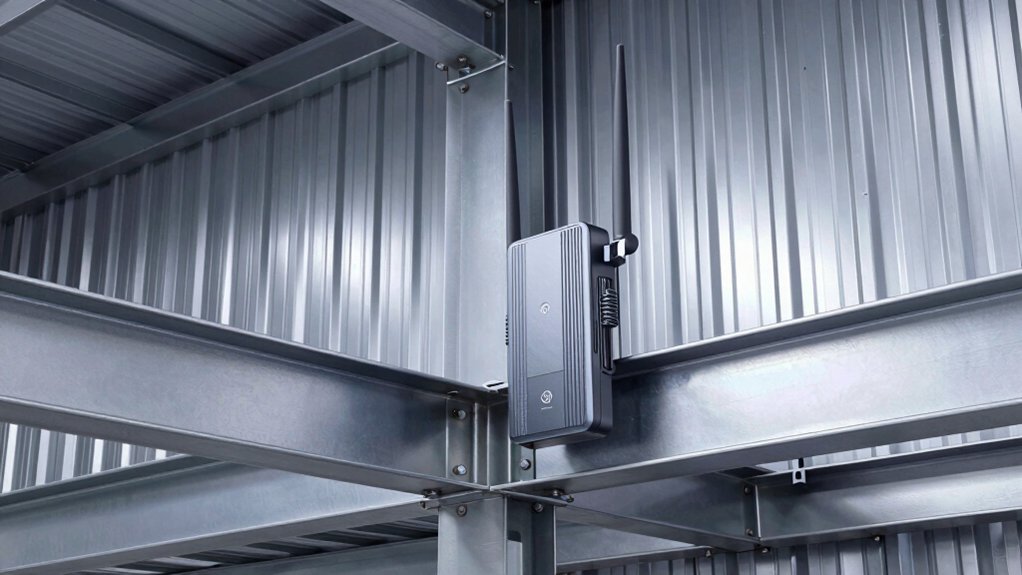
When selecting a WiFi extender for your metal building, you’ll need to evaluate five critical factors that directly impact performance and functionality. First, assess the extender’s ability to penetrate metal walls and obstacles, examine its outdoor durability rating if you’re placing it in exposed areas, determine whether point-to-point bridge technology suits your building layout, verify that its power supply options match your available outlets or infrastructure, and calculate whether its device capacity can handle your number of connected devices. Making these evaluations upfront ensures you choose an extender that’ll deliver reliable coverage rather than disappointing performance in your specific metal building environment.
Signal Penetration Through Metal
How do metal structures affect your WiFi signal? Metal walls and panels reflect and absorb radio waves, creating significant signal loss and dead zones throughout your building. Lower frequencies like 2.4 GHz penetrate metal better than higher frequencies, but thick metal still blocks signals effectively.
To improve signal penetration, position external antennas for optimal reach and maintain line-of-sight placement whenever possible. Avoid routing signals through interior metal obstructions, as they severely reduce through-wall performance. Instead of relying on a single extender, deploy a mesh or bridge architecture with multiple access points positioned around your building’s metal envelope. This distributed approach maintains consistent coverage by routing signals around obstacles rather than forcing them through metal barriers.
Outdoor Durability Requirements
While positioning your extenders strategically around metal structures solves coverage problems, you’ll also need equipment that can survive the outdoor environment itself. Look for devices with an IP65 rating or higher to protect against dust and water. Check the operating temperature range—your extender should function in your region’s climate, whether that’s -14°F to 122°F or beyond. Select models with weatherproof enclosures and outdoor-rated antennas designed to resist wind, rain, and corrosion. Verify power delivery options; PoE (Power over Ethernet) eliminates the need for exterior electrical wiring. Finally, examine warranty details and ruggedness specifications, including waterproof seals, lightning protection, and corrosion-resistant hardware. These durability factors directly determine how long your extender performs reliably in harsh outdoor conditions near metal buildings.
Point-To-Point Bridge Technology
Why settle for standard extenders when you’re trying to connect distant locations around metal buildings? Point-to-point bridge technology uses two directional wireless devices positioned with clear line-of-sight to create a dedicated link between separate areas. You’ll achieve up to 300 Mbps at 5.8 GHz, depending on distance and interference levels. Each device features a high-gain directional antenna, typically 14 dBi, that focuses the signal along a fixed path to maximize throughput and reduce multipath loss. Install weatherproof, IP65-rated equipment on properly mounted poles or structures. Align both antennas precisely toward each other. This setup eliminates obstacles that degrade standard extender performance, making it ideal for connecting metal buildings hundreds of meters to kilometers apart.
Power Supply Flexibility Options
Once you’ve positioned your point-to-point bridge devices with proper antenna alignment, you’ll need to address how to power them reliably in a metal building environment. PoE (Power over Ethernet) support simplifies installation by transmitting both data and power through a single cable, eliminating the need for nearby outlets. You can choose between passive PoE or active PoE (802.3AF/AT) depending on your extender model and required hardware. For distant mounting points, long-range PoE adapters extend power delivery beyond standard distances. If PoE isn’t available, select extenders with weatherproof housings and alternative power options. Verify that your injector or switch supports your chosen PoE standard before purchasing. This approach ensures your extenders stay powered consistently without relying on convenient outlet placement.
Device Capacity Considerations
How many devices will your metal building actually need to support at once? Start by counting all active connections: smartphones, laptops, tablets, IoT devices, and security cameras. Look for extenders explicitly rated for 64 to 256 simultaneous connections to handle crowded environments without congestion.
Check the maximum client capacity per band—2.4 GHz versus 5 GHz—to prevent overloading either frequency. Choose models with MU-MIMO and OFDMA technology, which distribute bandwidth efficiently across multiple devices.
Select extenders with robust processors and flexible QoS settings to maintain stable performance during peak usage. Prioritize Wi-Fi 6 (AX) or newer standards to sustain multiple simultaneous streams through metal walls.
Verify specifications match your actual device count, then add 20 percent capacity buffer for future growth and unexpected spikes.
Final Thoughts
You’ll want to select an extender based on your metal building’s size and layout. Choose WiFi 6 models with PoE power and IP65+ ratings for durability. Position devices centrally between your router and dead zones. Prioritize point-to-point bridges for better penetration through metal. Verify WPA3 security support. Test coverage before finalizing installation. Confirm your extender handles your building’s metal interference effectively.

Meet Ry, “TechGuru,” a 36-year-old technology enthusiast with a deep passion for tech innovations. With extensive experience, he specializes in gaming hardware and software, and has expertise in gadgets, custom PCs, and audio.
Besides writing about tech and reviewing new products, he enjoys traveling, hiking, and photography. Committed to keeping up with the latest industry trends, he aims to guide readers in making informed tech decisions.