
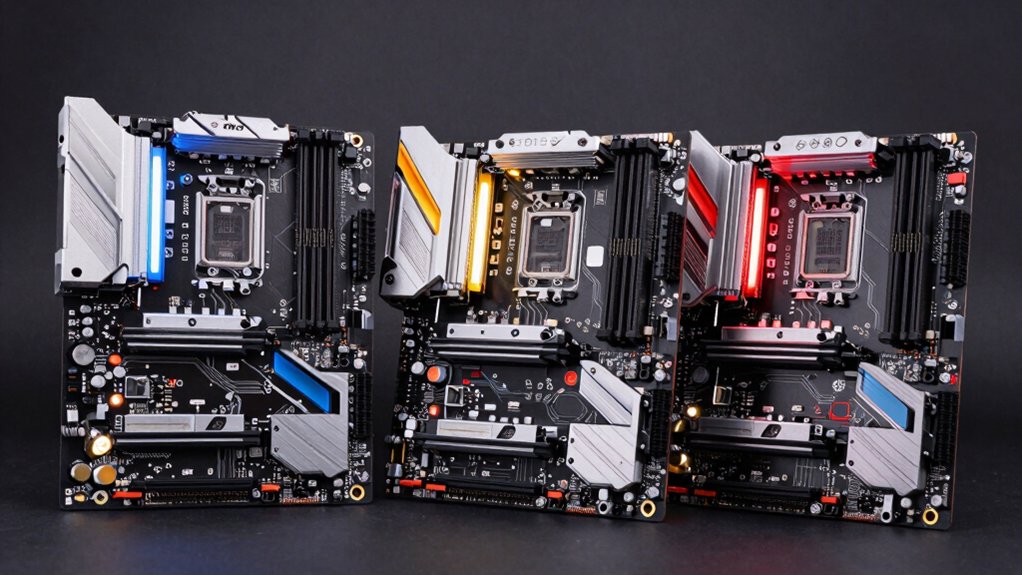

You’re building a system around Intel’s Core Ultra 9 285K, and your motherboard choice directly affects performance, expandability, and future upgrades. The socket LGA1851 platform offers you several strong options with PCIe Gen 5 support, multiple M.2 slots, and AI-ready features. Each board serves different needs—from budget-conscious builds to high-end configurations. Understanding what each motherboard delivers will help you find the right fit for your specific requirements. Let’s explore your options.
| Micro Center CPU Motherboard Combo Ultra 9 285K |

| Best Bundle Value | PCIe 5.0 M.2 Storage: 1 onboard PCIe 5.0 M.2 slot with cooling | Wi-Fi Standard: Wi-Fi 7 (802.11be) | Thunderbolt 4 Connectivity: Thunderbolt 4 USB Type-C port | VIEW LATEST PRICE | Read Our Analysis |
| ASUS TUF Gaming Z890-PRO WiFi Motherboard |

| Best for DIY Enthusiasts | PCIe 5.0 M.2 Storage: 1 onboard PCIe 5.0 M.2 slot with cooling solution | Wi-Fi Standard: Wi-Fi 7 (802.11be) | Thunderbolt 4 Connectivity: Thunderbolt 4 USB Type-C ports | VIEW LATEST PRICE | Read Our Analysis |
| MSI PRO Z890-P WiFi Motherboard (LGA 1851) |

| Best Mid-Range Option | PCIe 5.0 M.2 Storage: PCIe 5.0 support | Wi-Fi Standard: Wi-Fi 7 (320MHz channel, up to 5.8Gbps) | Thunderbolt 4 Connectivity: Thunderbolt 4 | VIEW LATEST PRICE | Read Our Analysis |
| MSI MEG Z890 Unify-X ATX Motherboard Intel LGA1851 |

| Best High-Performance Build | PCIe 5.0 M.2 Storage: 1 x M.2 Gen5 x4 128Gbps | Wi-Fi Standard: Wi-Fi 7 | Thunderbolt 4 Connectivity: Thunderbolt 4 Type-C 40Gbps with display output | VIEW LATEST PRICE | Read Our Analysis |
| GIGABYTE Z590 AORUS Ultra Intel Z590 Express LGA 1200 ATX Motherboard |

| Not Recommended | PCIe 5.0 M.2 Storage: Not specified | Wi-Fi Standard: 2 x WiFi-AP antenna jack | Thunderbolt 4 Connectivity: Not specified | VIEW LATEST PRICE | Read Our Analysis |
| ASUS Prime H570-PLUS LGA1200 ATX Motherboard |
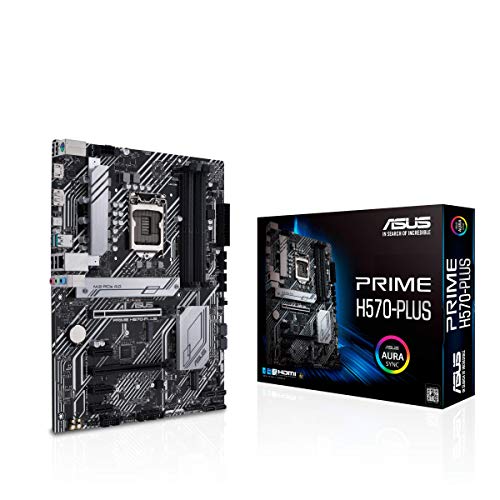
| Not Recommended | PCIe 5.0 M.2 Storage: Not specified | Wi-Fi Standard: Not specified | Thunderbolt 4 Connectivity: Thunderbolt 4 support | VIEW LATEST PRICE | Read Our Analysis |
More Details on Our Top Picks
Micro Center CPU Motherboard Combo Ultra 9 285K
Looking for a high-performance build that doesn’t require you to source components separately? Micro Center’s combo pairs the Intel Core Ultra 9 285K processor with the ASUS TUF GAMING Z890-PLUS WIFI motherboard. The processor delivers 24 cores and 16 E-cores running up to 5.7 GHz with 40MB cache for demanding tasks. The motherboard features robust 16+1+2+1 power delivery, PCIe 5.0 M.2 support, and Wi-Fi 7 connectivity. Its 8-layer PCB design and optimized thermal management handle sustained performance reliably. You’ll get Thunderbolt 4, 2.5 Gb Ethernet, and all-encompassing cooling solutions included. This bundle eliminates compatibility concerns while offering excellent value for high-end computing needs.
- PCIe 5.0 M.2 Storage:1 onboard PCIe 5.0 M.2 slot with cooling
- Wi-Fi Standard:Wi-Fi 7 (802.11be)
- Thunderbolt 4 Connectivity:Thunderbolt 4 USB Type-C port
- Power Delivery Phases:16+1+2+1 DrMOS power stages
- PCIe 4.0 M.2 Slots:3 PCIe 4.0 M.2 slots
- Form Factor:ATX (implied standard)
- Additional Feature:24 cores with 8 P-cores
- Additional Feature:Integrated Intel Graphics
- Additional Feature:Performance unlocked to 5.7GHz
ASUS TUF Gaming Z890-PRO WiFi Motherboard
Are you building an AI-focused PC that demands cutting-edge power delivery and connectivity? The ASUS TUF Gaming Z890-PRO WiFi motherboard delivers robust performance through its 16+1+2+1 80A DrMOS power stages and 8-layer PCB design. You’ll get one PCIe 5.0 M.2 slot plus three PCIe 4.0 M.2 slots for storage expansion. The board includes Wi-Fi 7 networking, Thunderbolt 4 ports, and 2.5 Gb Ethernet for fast connectivity. You can customize RGB lighting through three Addressable Gen 2 headers using ASUS Aura Sync. The DIY-friendly features—including M.2 Q-Release and PCIe Q-Release—simplify component installation and upgrades.
- PCIe 5.0 M.2 Storage:1 onboard PCIe 5.0 M.2 slot with cooling solution
- Wi-Fi Standard:Wi-Fi 7 (802.11be)
- Thunderbolt 4 Connectivity:Thunderbolt 4 USB Type-C ports
- Power Delivery Phases:16+1+2+1 80A DrMOS power stages
- PCIe 4.0 M.2 Slots:3 PCIe 4.0 M.2 slots
- Form Factor:Standard ATX
- Additional Feature:DIY-friendly Q-Release design
- Additional Feature:Aura Sync RGB lighting
- Additional Feature:Pre-mounted I/O shield
MSI PRO Z890-P WiFi Motherboard (LGA 1851)
The MSI PRO Z880-P WiFi delivers the connectivity and cooling features you’ll need if you’re building a high-performance system around the Intel Core Ultra 9 285K. This ATX motherboard supports dual-channel DDR5 memory up to 256GB and includes PCIe 5.0 for fast expansion. You’ll get Wi-Fi 7 with speeds up to 5.8Gbps, Thunderbolt 4, and 5Gbps LAN for multiple connection options. The Frozr AI cooling system automatically adjusts fan speeds based on CPU and GPU temperatures, maintaining optimal performance. Pre-installed I/O shielding protects against electromagnetic interference, simplifying your build process.
- PCIe 5.0 M.2 Storage:PCIe 5.0 support
- Wi-Fi Standard:Wi-Fi 7 (320MHz channel, up to 5.8Gbps)
- Thunderbolt 4 Connectivity:Thunderbolt 4
- Power Delivery Phases:Not specified
- PCIe 4.0 M.2 Slots:3 PCIe 4.0 M.2 slots
- Form Factor:ATX
- Additional Feature:Frozr AI Cooling technology
- Additional Feature:Up to 256GB DDR5 memory
- Additional Feature:Pre-installed EMI shielding
MSI MEG Z890 Unify-X ATX Motherboard Intel LGA1851
If you’re building a high-end system and need premium power delivery with extensive storage connectivity, the MSI MEG Z890 Unify-X deserves your consideration. This motherboard delivers 20-phase power delivery designed for Intel Core Ultra 9 processors with advanced cooling via aluminum covers and direct-touch heat pipes. You’ll access six M.2 slots—one Gen5 and five Gen4—enabling multiple high-speed storage drives simultaneously. The board supports DDR5 memory up to 9600+ MT/s for extreme overclocking. Features include PCIe 5.0 support, Thunderbolt 4, Wi-Fi 7, and user-friendly EZ DIY design elements that simplify component installation and swapping.
- PCIe 5.0 M.2 Storage:1 x M.2 Gen5 x4 128Gbps
- Wi-Fi Standard:Wi-Fi 7
- Thunderbolt 4 Connectivity:Thunderbolt 4 Type-C 40Gbps with display output
- Power Delivery Phases:Direct 20 phases (TLVR, 110A, SPS)
- PCIe 4.0 M.2 Slots:5 x M.2 Gen4 x4 64Gbps
- Form Factor:ATX
- Additional Feature:Sextuple M.2 connectors total
- Additional Feature:20-phase power design
- Additional Feature:Extreme memory overclocking (9600+ MT/s)
GIGABYTE Z590 AORUS Ultra Intel Z590 Express LGA 1200 ATX Motherboard
You’ll want to ponder the GIGABYTE Z590 AORUS Ultra if you’re building a system that demands extensive connectivity and reliable performance, since it delivers thorough USB options across multiple generations alongside built-in WiFi support. This ATX motherboard uses the Intel Z590 Express chipset and LGA 1200 socket, accommodating up to 128GB of dual-channel memory for multitasking and intensive workloads. You get four USB 3.2 Gen 2 Type-A ports, one USB 3.2 Gen 2 Type-C port, four USB 3.2 Gen 1 Type-A ports, and four USB 2.0 ports for connecting peripherals. The integrated Ethernet and dual WiFi antenna jacks provide wired and wireless network options. A three-year manufacturer warranty protects your investment against defects.
- PCIe 5.0 M.2 Storage:Not specified
- Wi-Fi Standard:2 x WiFi-AP antenna jack
- Thunderbolt 4 Connectivity:Not specified
- Power Delivery Phases:Not specified
- PCIe 4.0 M.2 Slots:Not specified
- Form Factor:ATX
- Additional Feature:128GB dual channel memory
- Additional Feature:3-year manufacturer warranty
- Additional Feature:Multiple USB 3.2 generations
ASUS Prime H570-PLUS LGA1200 ATX Motherboard
ASUS Prime H570-PLUS works best for builders who need solid performance without premium pricing, especially those upgrading from older Intel systems or building budget-conscious rigs. You’ll get an LGA 1200 socket compatible with 11th Gen Intel Core processors. The motherboard delivers stable power through eight power stages with alloy chokes and durable capacitors. You benefit from PCIe 4.0 support, dual M.2 slots for storage, and Thunderbolt 4 connectivity. For networking, you receive 1Gb Ethernet and rear USB 3.2 Gen 2 Type-C ports. ASUS OptiMem technology optimizes trace routing and vias to enhance signal integrity and memory stability. The 5X Protection III system safeguards your components with multiple hardware safeguards throughout the board.
- PCIe 5.0 M.2 Storage:Not specified
- Wi-Fi Standard:Not specified
- Thunderbolt 4 Connectivity:Thunderbolt 4 support
- Power Delivery Phases:8 power stages
- PCIe 4.0 M.2 Slots:Dual M.2
- Form Factor:ATX
- Additional Feature:8 power stage delivery
- Additional Feature:OptiMem signal integrity routing
- Additional Feature:5X Protection III safeguards
Factors to Consider When Choosing a Motherboard for Intel Core Ultra 9 285K
You’ll need to verify socket compatibility first, as the Intel Core Ultra 9 285K requires an LGA1851 socket motherboard, and then assess the power delivery specifications to ensure the VRM (voltage regulator module) can handle the processor’s power demands. Next, you should evaluate thermal management solutions like heatsink mounting options and VRM cooling, alongside PCIe generation support—particularly PCIe 5.0 for NVMe SSDs and graphics cards—to match your expansion needs. Finally, check the memory capacity capabilities to confirm the motherboard supports your desired RAM configuration, whether you’re planning 32GB, 64GB, or higher for your workload requirements.
Socket Compatibility Requirements
What’s the first thing to check when picking a motherboard for the Intel Core Ultra 9 285K? Verify the socket type. Your motherboard must explicitly support LGA 1851, the dedicated socket for Core Ultra 9 processors. Don’t assume compatibility based on general “Intel Core Ultra” labeling. Boards with LGA 1200 or LGA 1700 sockets won’t physically fit your CPU, regardless of features or price.
Next, confirm BIOS support. Check the motherboard manufacturer’s CPU support list for Core Ultra Series 2 validation. Some boards require a firmware update to recognize your processor properly. Contact the manufacturer if documentation’s unclear. Finally, avoid boards that claim multi-socket support without explicit LGA 1851 confirmation. Mismatched sockets waste time and money, so verify specifications before purchasing.
Power Delivery Specifications
Once you’ve confirmed socket compatibility and BIOS support, examine the motherboard’s power delivery system. Look for designs with 16+1+2+1 DrMOS or higher configurations, which distribute power efficiently across multiple phases. Check the amperage rating per phase—aim for 110A or higher to handle the Core Ultra 9 285K’s sustained load. Verify the board includes ProCool connectors and large VRM heatsinks with heat-pipes for effective cooling. Inspect the PCB construction; an 8-layer design with quality capacitors and chokes improves stability under demanding workloads. These specifications work together to maintain stable voltages during turbo boost operations. Strong power delivery prevents throttling, reduces heat generation, and extends component lifespan when running intensive AI applications or processing tasks.
Thermal Management Solutions
How does a motherboard manage the heat generated by a high-performance CPU like the Core Ultra 9 285K? You need multiple cooling components working together. Large VRM heatsinks and PCH heatsinks dissipate power delivery heat efficiently. Double-sided or actively cooled M.2 slots with dedicated fins prevent NVMe throttling during heavy workloads. Direct-touch heat-pipes and premium MOSFET cooling solutions target CPU hotspots directly. High-quality alloy chokes and durable capacitors improve heat tolerance throughout the board’s 8-layer PCB. Hybrid fan headers paired with AI Cooling II and Fan Xpert 4 automate temperature management by adjusting fan speeds based on CPU, GPU, and system temperatures in real time. These combined solutions maintain stable power delivery and reduce thermal throttling during sustained performance demands.
PCIe Generation Support
To maximize your Intel Core Ultra 9 285K system’s performance, you’ll want to evaluate the motherboard’s PCIe generation support across all available slots and ports. Check whether the M.2 slots support PCIe 5.0 or PCIe 4.0, since faster generations deliver higher SSD bandwidth for storage-intensive tasks. Verify the primary PCIe x16 slot generation—PCIe 5.0 suits high-end GPUs and multi-GPU configurations, while PCIe 4.0 handles current mainstream graphics cards adequately. Review secondary PCIe slots to confirm they won’t bottleneck additional expansion cards. Additionally, examine Thunderbolt 4 USB-C ports on the motherboard, as they offer PCIe data tunneling capabilities that expand your connectivity options. Confirm CPU PCIe lane compatibility with the motherboard’s slot generations to prevent performance limitations.
Memory Capacity Capabilities
While PCIe generation support handles your data transfer speeds, memory capacity determines how much information your system can actively process at once. Most Z890 boards support DDR5 memory configurations up to 256GB, giving you significant headroom for multitasking and demanding workloads. If you’re planning AI applications or content creation, prioritize boards offering maximum capacity. Some models cap memory at lower speeds to enable overclocking beyond 9600+ MT/s—you’ll need to decide whether you prioritize raw speed or total capacity. Check your specific board’s manual for dual-channel support specifications. DDR5 technology on these platforms delivers faster performance than previous generations, so you’re gaining both speed and capacity advantages simultaneously.
Connectivity Options Available
When you’re selecting a Z890 motherboard for the Core Ultra 9 285K, you’ll want to evaluate the ports and wireless capabilities that match your peripherals and network setup. All listed boards include Thunderbolt 4 USB-C ports and front-panel 20Gbps USB Type-C connections for external devices. Check if your board offers Wi-Fi 7 (802.11be) for wireless speeds or Intel 2.5 Gb Ethernet for faster wired networking than standard Gigabit LAN. Verify the number of M.2 slots—ranging from three to six across models—to determine your storage expansion capacity. Additionally, confirm Thunderbolt (USB4) header support for connecting high-speed external peripherals. Match these connectivity options to your specific workflow requirements before purchasing.
Storage Expansion Slots
Beyond wireless speed and port variety, your motherboard’s storage capacity determines how many drives you can install and what performance levels you’ll achieve. Check the number of M.2 slots available—look for at least two or three slots to expand storage without using SATA ports. Verify whether slots support PCIe 5.0 for the fastest NVMe drives, ensuring future compatibility. Examine if heatsinks or cooling solutions protect M.2 slots from thermal throttling during sustained use. Confirm RAID configuration support if you need data redundancy or performance gains. Review whether your motherboard offers SATA Express or U.2 alternatives for legacy drives. Count total available slots to match your storage expansion plans and performance requirements before purchasing.
AI Computing Readiness
If you’re planning to run AI workloads on your Intel Core Ultra 9 285K system, you’ll need a motherboard equipped with specific connectivity and cooling features that support high-speed data processing. Look for built-in Wi-Fi 7 and 2.5 Gb Ethernet to handle rapid data transfers. Verify PCIe 5.0 M.2 slot availability and multiple PCIe 4.0/5.0 slots for storage drives and AI accelerators. Check that the motherboard includes AI Cooling II or hybrid cooling systems to manage sustained thermal output from intensive workloads. Review firmware features like BIOS FlashBack and AI-driven Fan Xpert software for performance tuning. These specifications ensure your system can efficiently process AI tasks without thermal throttling or connectivity bottlenecks.
Final Thoughts
You’ll find the right motherboard by matching your needs to these options. If you want reliability and value, choose the MSI PRO Z890-P WiFi. For premium features, select the MSI MEG Z890 Unify-X. Check your budget first, then verify PCIe Gen 5 support and M.2 slots match your requirements. Compare memory speed capabilities and cooling solutions. Make your final decision based on expansion needs and whether you need Wi-Fi 7.

Meet Ry, “TechGuru,” a 36-year-old technology enthusiast with a deep passion for tech innovations. With extensive experience, he specializes in gaming hardware and software, and has expertise in gadgets, custom PCs, and audio.
Besides writing about tech and reviewing new products, he enjoys traveling, hiking, and photography. Committed to keeping up with the latest industry trends, he aims to guide readers in making informed tech decisions.