
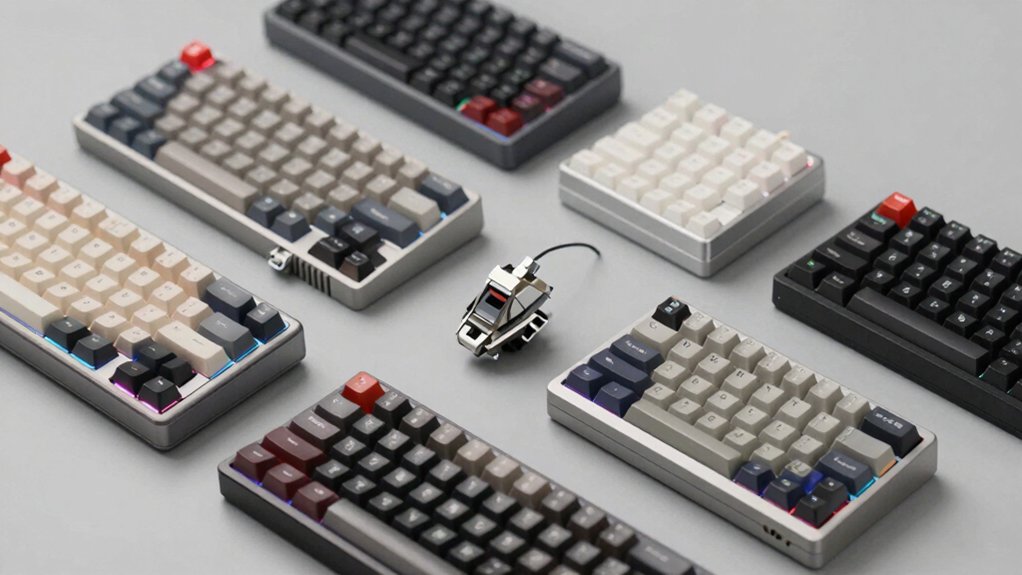

If you spend hours typing and want to boost your productivity, a mechanical numpad deserves your attention. You’ll find these compact keyboards offer faster number entry, programmable keys, and customizable switches that standard numpads can’t match. Whether you need wireless connectivity, RGB lighting, or software compatibility for macros, the right choice depends on your specific workflow demands. Understanding what features matter most to you will help you select the ideal numpad.
| 8BitDo Retro 18 Mechanical Numpad Bluetooth/Wired |

| Retro Design Champion | Connectivity Options: Bluetooth, 2.4G, USB wired | Key Count: 18 keys | Hot-Swappable Switches: Yes (Kailh Box White Switches V2) | VIEW LATEST PRICE | Read Our Analysis |
| KN17 Wired Mechanical Number Pad with Backlight |

| Budget-Friendly Pick | Connectivity Options: USB-C wired only | Key Count: 17 keys | Hot-Swappable Switches: Yes (Outemu brown switches) | VIEW LATEST PRICE | Read Our Analysis |
| EPOMAKER EK21 VIA Gasket Number Pad Numpad |

| Best Programmability | Connectivity Options: Bluetooth 5.0, 2.4GHz, USB-C wired | Key Count: 20 keys | Hot-Swappable Switches: Yes (Zebra switch) | VIEW LATEST PRICE | Read Our Analysis |
| Gasket Creamy Mechanical Numpad Wireless RGB Backlit |

| Most Versatile | Connectivity Options: Bluetooth 5.0, 2.4G wireless, USB-C wired | Key Count: 19 keys | Hot-Swappable Switches: Yes (creamy linear Ice switches) | VIEW LATEST PRICE | Read Our Analysis |
| Rottay Mechanical USB Numeric Keypad with Blue LED |

| Classic Mechanical Feel | Connectivity Options: USB wired only | Key Count: 22 keys | Hot-Swappable Switches: No (mechanical blue switches, non-swappable) | VIEW LATEST PRICE | Read Our Analysis |
| Womier SK30 Mechanical Numpad with Screen & Knob |

| Feature-Rich Display | Connectivity Options: Bluetooth 5.0, 2.4GHz, USB-C wired | Key Count: 30 keys | Hot-Swappable Switches: Yes (POM linear switches) | VIEW LATEST PRICE | Read Our Analysis |
| Redragon K733 PRO Wireless Mechanical Numpad RGB |

| Best Dampening System | Connectivity Options: Bluetooth 3.0/5.0, 2.4GHz, USB-C wired | Key Count: 22 keys | Hot-Swappable Switches: Yes (creamy custom linear switch) | VIEW LATEST PRICE | Read Our Analysis |
| FD17 Wireless Mechanical Number Pad (Linear Switch) |

| Portable Wireless Option | Connectivity Options: Bluetooth 5.0, 2.4G dual-mode wireless | Key Count: 17 keys | Hot-Swappable Switches: Yes (Bsun linear switches) | VIEW LATEST PRICE | Read Our Analysis |
| Keychron Q0 Max Wireless Mechanical Numpad RGB |

| Premium Build Quality | Connectivity Options: Bluetooth 5.1, 2.4GHz, USB-C wired | Key Count: 26 keys | Hot-Swappable Switches: Yes (Gateron Jupiter Banana switches) | VIEW LATEST PRICE | Read Our Analysis |
| MOTOSPEED Mechanical Numeric Keypad RGB Red Axis |
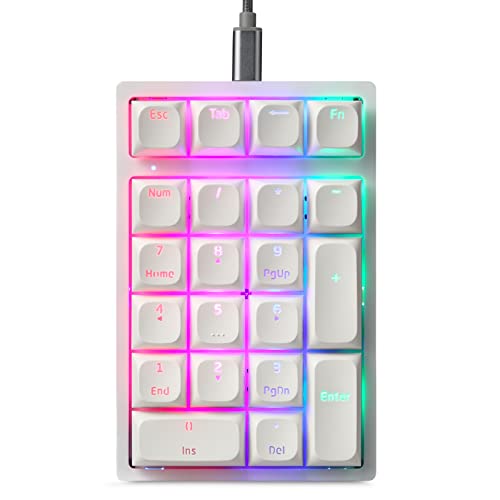
| Best For Programmers | Connectivity Options: USB-C/USB-A wired only | Key Count: 21 keys | Hot-Swappable Switches: Yes (Gateron red axis switches) | VIEW LATEST PRICE | Read Our Analysis |
More Details on Our Top Picks
8BitDo Retro 18 Mechanical Numpad Bluetooth/Wired
Want a numpad that doubles as a standalone calculator without taking up extra desk space? The 8BitDo Retro 18 offers you exactly that. You’ll get 18 keys with Kailh Box White mechanical switches in a hot-swappable setup. Connect via Bluetooth, 2.4G, or USB to Windows or Android devices. Switch between PC numpad mode and calculator mode using the independent control panel. The dye-sub PBT keycaps support N-key rollover for reliable input. Battery power keeps you mobile, and the retro LED display adds aesthetic appeal. You’ll appreciate the ambidextrous layout and top-mount design. The manufacturer provides a one-year warranty through customer service.
- Connectivity Options:Bluetooth, 2.4G, USB wired
- Key Count:18 keys
- Hot-Swappable Switches:Yes (Kailh Box White Switches V2)
- Programmability/Customization:Limited (calculator shortcut only)
- RGB Backlighting:Yes (retro LED display)
- Compatible Operating Systems:Windows, Android
- Additional Feature:Standalone calculator mode
- Additional Feature:Retro LED display
- Additional Feature:Ambidextrous 18-key layout
KN17 Wired Mechanical Number Pad with Backlight
If you’re spending hours entering data, managing spreadsheets, or traversing numeric-heavy workflows, the Kisnt KN17 offers a dedicated solution that frees up space on your main keyboard. This 17-key pad features hot-swappable Outemu brown switches with pre-installed tactile feedback and multi-layer silencing for quieter operation. White backlighting illuminates keys for visibility in dim environments. The compact 4.41 x 3.39 x 1.38-inch design fits beside gaming keyboards or on your left side for ambidextrous use. Connect via USB-C to USB-A for universal Windows, Mac, and Android compatibility. PBT dye-sub keycaps resist legend wear during extended use. Note that this pad cannot be programmed and lacks calculator shortcuts on some systems.
- Connectivity Options:USB-C wired only
- Key Count:17 keys
- Hot-Swappable Switches:Yes (Outemu brown switches)
- Programmability/Customization:None (cannot be programmed)
- RGB Backlighting:Yes (white backlighting)
- Compatible Operating Systems:Windows, Mac, Android
- Additional Feature:Multi-layer silencing structure
- Additional Feature:White edge backlighting
- Additional Feature:2-year manufacturer warranty
EPOMAKER EK21 VIA Gasket Number Pad Numpad
The EPOMAKER EK21 VIA Gasket Number Pad delivers a compact, highly customizable numpad for professionals and gamers who need fast number input without sacrificing desk space. You’ll access VIA software to remap keys and create macros tailored to your workflow. The hot-swappable design lets you swap switches without soldering. Connect via USB-C, 2.4GHz wireless, or Bluetooth 5.0—choose what suits your setup. The 1000mAh battery supports extended wireless sessions. RGB lighting adjusts through VIA, and the aluminum knob controls volume or custom functions. You receive a cable, wireless dongle, keycap puller, and one-year warranty for reliable daily use.
- Connectivity Options:Bluetooth 5.0, 2.4GHz, USB-C wired
- Key Count:20 keys
- Hot-Swappable Switches:Yes (Zebra switch)
- Programmability/Customization:Full VIA programmability with macros
- RGB Backlighting:Yes (RGB customizable)
- Compatible Operating Systems:Windows, Mac, Android
- Additional Feature:Aluminum alloy volume knob
- Additional Feature:1000mAh battery capacity
- Additional Feature:CNC-cut PC plate
Gasket Creamy Mechanical Numpad Wireless RGB Backlit
For professionals who spend hours entering data or managing spreadsheets, the Gasket Creamy Mechanical Numpad offers dedicated numeric input without sacrificing desk space or portability. This 19-key device connects via wireless 2.4G, Bluetooth 5.0, or USB-C wired mode, adapting to your setup. The gasket-mount construction with creamy linear switches delivers consistent tactile feedback during extended typing sessions. You’ll program 18 keys with custom shortcuts, macros, or multimedia functions through the driver software. The metal knob controls volume and brightness; press it for escape or toggle brightness adjustment. A 1500mAh battery sustains 30–60 days per charge with auto-sleep features preserving power. The numpad supports Windows, MacOS, iOS, and Android across laptops, tablets, and smartphones seamlessly.
- Connectivity Options:Bluetooth 5.0, 2.4G wireless, USB-C wired
- Key Count:19 keys
- Hot-Swappable Switches:Yes (creamy linear Ice switches)
- Programmability/Customization:Full programmability (18 programmable keys, macros)
- RGB Backlighting:Yes (RGB backlit, customizable)
- Compatible Operating Systems:Windows, MacOS, iOS, Android
- Additional Feature:1500mAh rechargeable battery
- Additional Feature:30-60 day usage duration
- Additional Feature:Metal knob brightness control
Rottay Mechanical USB Numeric Keypad with Blue LED
You’ll find the Rottay’s mechanical blue switches most valuable if you’re a typist, programmer, or strategy gamer who values tactile feedback and audible confirmation with every keystroke. This 22-key USB numpad requires no drivers—just plug it in and start working. Control the three backlight modes (full, breathing, off) by pressing Esc + Del. The 15° tilt and stepped keys reduce wrist fatigue during extended use. ABS keycaps resist fading after 50 million keystrokes. Gold-plated connectors ensure stable data transmission. Note that it’s fully compatible with Windows but has limited MacBook and Chromebook support, with function keys remaining non-functional on those systems.
- Connectivity Options:USB wired only
- Key Count:22 keys
- Hot-Swappable Switches:No (mechanical blue switches, non-swappable)
- Programmability/Customization:None (not programmable)
- RGB Backlighting:Yes (blue LED, 3 modes)
- Compatible Operating Systems:Windows 2000/XP/Vista/7/8/10/11
- Additional Feature:50 million keystroke durability
- Additional Feature:3 backlight mode options
- Additional Feature:15° ergonomic tilt design
Womier SK30 Mechanical Numpad with Screen & Knob
Want a numpad that does more than just input numbers? The Womier SK30 combines a 30-key mechanical pad with a color display screen and rotary knob. You’ll customize all keys through programmable software to suit your workflow. The tri-mode connectivity—Bluetooth 5.0, 2.4GHz wireless, or USB-C—lets you switch between devices seamlessly. You can visualize custom GIFs on the display, monitor connection status, and control volume using the metal knob. Its hot-swappable design means you’ll replace switches easily. The 3000mAh battery supports extended sessions, while RGB lighting offers 1680 million colors across multiple effects, making it practical for work, gaming, and study environments.
- Connectivity Options:Bluetooth 5.0, 2.4GHz, USB-C wired
- Key Count:30 keys
- Hot-Swappable Switches:Yes (POM linear switches)
- Programmability/Customization:Fully remappable with software
- RGB Backlighting:Yes (dynamic RGB, 1680 million colors)
- Compatible Operating Systems:Windows, Mac, iOS, Android
- Additional Feature:Color multimedia display screen
- Additional Feature:3000mAh battery capacity
- Additional Feature:GIF visualization capability
Redragon K733 PRO Wireless Mechanical Numpad RGB
The Redragon K733 PRO works best if you’re a typist who needs reliable number entry without sacrificing desk space or typing comfort. This 22-key numpad connects three ways: USB-C wired, Bluetooth 3.0/5.0, or 2.4GHz wireless. You’ll get creamy linear switches with a gasket-based dampening system that reduces noise through five layers: PO foam, IXPE switch foam, PET sound pad, bottom socket foam, and silicone padding. The hot-swappable design means you can replace switches easily. A built-in calculator display and knob control add functionality for spreadsheet work or data entry tasks requiring quick calculations.
- Connectivity Options:Bluetooth 3.0/5.0, 2.4GHz, USB-C wired
- Key Count:22 keys
- Hot-Swappable Switches:Yes (creamy custom linear switch)
- Programmability/Customization:Inline calculator mode only
- RGB Backlighting:Yes (RGB backlit)
- Compatible Operating Systems:PC, laptop, tablet
- Additional Feature:10-digit calculator display
- Additional Feature:5-layer noise dampening
- Additional Feature:Gasket-out body design
FD17 Wireless Mechanical Number Pad (Linear Switch)
If you’re a typist who needs quick numeric input without tethering yourself to a desk, the FD17 Wireless Mechanical Number Pad delivers a portable solution with dual connectivity options. Connect via Bluetooth 5.0 for Mac OS 10.10+ and Windows 8+, or use 2.4G mode for older Windows versions. The 17-key layout includes independent Backspace, ESC, Tab, and Calculator shortcuts for complete numeric work. Pre-lubed Bsun linear switches provide smooth keystrokes at 45–50 gf actuation. Hot-swappable 3-pin and 5-pin compatibility lets you customize switches easily. PBT dye-sub keycaps resist wear better than standard alternatives. Powered by one AAA battery with auto-sleep mode, it fits drawers or desk sides. Kisnt backs it with a two-year warranty covering quality issues.
- Connectivity Options:Bluetooth 5.0, 2.4G dual-mode wireless
- Key Count:17 keys
- Hot-Swappable Switches:Yes (Bsun linear switches)
- Programmability/Customization:None (not programmable)
- RGB Backlighting:None (no backlight)
- Compatible Operating Systems:Windows, Mac, iOS, Linux, Android
- Additional Feature:AAA battery powered
- Additional Feature:Gasket-mounted design
- Additional Feature:Independent backspace key
Keychron Q0 Max Wireless Mechanical Numpad RGB
For typists who need faster number entry without sacrificing desk space, the Keychron Q0 Max delivers a compact 26-key numeric keypad with wireless connectivity and programmable controls. You’ll connect via 2.4 GHz wireless, Bluetooth 5.1, or USB-C wired modes, supporting up to three devices simultaneously. The hot-swappable design lets you customize switches without soldering. Use QMK/VIA software to program the dedicated macro column and rotary encoder for frequently used functions. The aluminum construction with double-gasket design minimizes noise during extended typing sessions. Durable PBT keycaps resist oils and maintain sharp legends over time. RGB backlighting enables visual feedback across different applications and workspaces.
- Connectivity Options:Bluetooth 5.1, 2.4GHz, USB-C wired
- Key Count:26 keys
- Hot-Swappable Switches:Yes (Gateron Jupiter Banana switches)
- Programmability/Customization:QMK/VIA support with macro column
- RGB Backlighting:Yes (RGB-enabled)
- Compatible Operating Systems:Windows, Mac, Linux, laptop
- Additional Feature:CNC 6063 aluminum body
- Additional Feature:Left-side rotary encoder
- Additional Feature:26-key macro column
MOTOSPEED Mechanical Numeric Keypad RGB Red Axis
Who needs a separate numeric keypad? You do, if you’re typing numbers constantly. The MOTOSPEED K24PRO gives you 21 programmable keys with red mechanical switches rated for 50 million keystrokes. Install it via USB-C connection and adjust RGB brightness using FN combinations. Program macros for banking or finance tasks directly into each key. The PBT keycaps resist wear during extended sessions. Enable NumLock independently without affecting your main keyboard. Works across Windows XP through 11 plus Android and Linux systems. The stepped ergonomic design reduces hand fatigue when entering data repeatedly throughout your workday.
- Connectivity Options:USB-C/USB-A wired only
- Key Count:21 keys
- Hot-Swappable Switches:Yes (Gateron red axis switches)
- Programmability/Customization:Full macro definition programming
- RGB Backlighting:Yes (RGB, 14 backlight models)
- Compatible Operating Systems:Windows XP/Vista/7/8/10/11, Android, Linux
- Additional Feature:21-key mini numpad
- Additional Feature:14 backlight models
- Additional Feature:Full-key macro programming
Factors to Consider When Choosing Mechanical Numpads
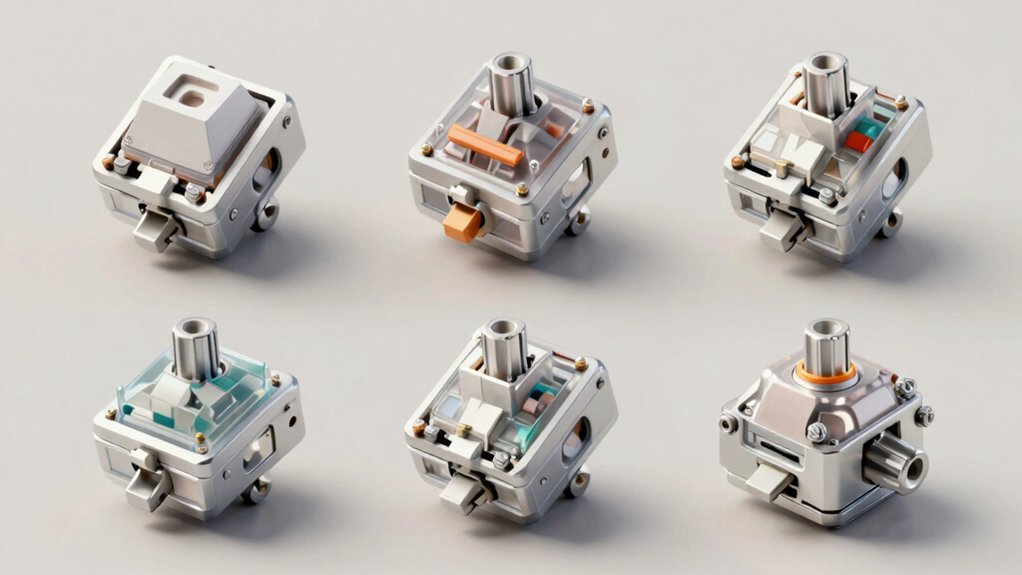
When you’re selecting a mechanical numpad, you’ll need to evaluate five key factors: connectivity options (wired, wireless, or Bluetooth), switch type and feel (linear, tactile, or clicky), programmability and customization features (macro support, key remapping), build quality materials (aluminum, plastic, or steel construction), and battery life duration for wireless models. Start by identifying whether you need a wired connection for consistent performance or wireless capability for desk flexibility, then determine which switch type matches your typing preference and noise tolerance. Finally, assess whether you want customizable features and how long you need the device to operate between charges if you choose a wireless option.
Connectivity Options Available
What connectivity mode you choose determines which devices your mechanical numpad will work with and how you’ll power it. You’ll find three main options: USB-C wired connections for direct power and data, Bluetooth wireless for pairing with multiple devices, and 2.4GHz wireless for stable connections with a USB receiver. Some models offer tri-mode operation, letting you switch between all three simultaneously. Wired models eliminate battery concerns but restrict movement. Bluetooth works across PCs, laptops, tablets, and some phones, though pairing steps vary by device. The 2.4GHz option provides reliable range without pairing delays but requires a USB port and battery management. Consider your desk setup, device types, and how often you’ll move your numpad before selecting your connectivity mode.
Switch Type And Feel
The switch you choose determines how your numpad feels with every keystroke, affecting comfort and performance during long typing sessions. Linear switches provide smooth, quiet travel with consistent actuation force, typically around 45–60 grams of force. Tactile and clicky switches offer feedback at the actuation point, helping you confirm each keystroke. Consider your work environment: linear switches suit shared spaces, while tactile or clicky switches work better in private offices. Most modern numpads feature hot-swappable PCBs, letting you test different switches before committing. Evaluate actuation force carefully—lighter switches reduce fatigue during extended sessions, while heavier switches prevent accidental presses. Gasket and tray mounting styles further influence how switches feel at bottom-out, so test multiple combinations to find your ideal setup.
Programmability And Customization
Customization options separate basic numpads from advanced tools that adapt to your specific workflow. Check if the numpad supports VIA or QMK software, which lets you remap keys and create macros without soldering. These tools enable you to assign shortcuts for productivity apps or reassign keys to match your habits. Programmable layers expand functionality, letting you switch between different key configurations instantly. Verify that the software interface persists your custom profiles across sessions and devices. Confirm compatibility with your operating system—Windows, Mac, Android, and Linux support vary by model. Hot-swappable PCBs complement programmability by letting you test different switch types without permanent changes. Review whether the numpad stores settings locally or requires cloud synchronization for your preferred workflow management approach.
Build Quality Materials
After you’ve customized your numpad’s key mappings and layers, you’ll want to examine the physical materials that’ll determine how long your investment lasts and how it feels during daily use. Choose between aluminum or CNC-machined enclosures for superior rigidity and premium feel, or accept plastic polycarbonate shells for budget options. Select PBT keycaps with dye-sub legends—they resist wear longer than ABS caps and maintain legibility through years of typing. Prioritize hot-swappable PCBs so you can switch switches without soldering, protecting against damage during customization. Evaluate gasket-mount designs that reduce sound and vibration. Finally, verify multi-layer dampening systems using Poron IXPE foam, silicone pads, or PET sound pads to enhance acoustics and stabilize your typing experience.
Battery Life Duration
How long you’ll go between charging your wireless mechanical numpad depends on battery capacity, backlight settings, and power management features you choose. Models with 1500–3000 mAh batteries typically last 30–60 days on a single charge under light use. Smaller 300–600 mAh batteries require charging every 1–2 weeks. To extend battery life, reduce backlight intensity or enable auto-off timers that shut down the device after periods of inactivity. Wireless modes like Bluetooth and 2.4 GHz consume more power than wired connections, so consider your usage pattern. Check if the model includes power-saving firmware or dedicated chips that optimize energy consumption. Review manufacturer specifications for realistic charging intervals based on your backlight preferences and daily typing volume.
Layout And Key Count
What size numpad actually fits your workflow? Standard mechanical numpads range from 17 to 22 keys, with layout variations affecting functionality. Consider your primary use: basic number entry requires fewer keys, while accounting work demands full layouts with operators and decimal functions. Ambidextrous designs let you position the numpad on either side of your keyboard, reducing arm strain. Some 2-in-1 models compress numpads into compact designs by embedding calculator modes, maintaining functionality with fewer physical keys. Hot-swappable boards allow you to adjust switch counts and types without replacing the entire unit. Evaluate whether you need dedicated macro keys or calculator displays beyond standard numeric keys. Match your key count and layout directly to your typing tasks and desk setup for optimal efficiency and comfort.
Cross-Platform Compatibility Support
Before you buy a mechanical numpad, you’ll need to confirm it works with your devices—whether you’re using Windows, macOS, Android, iOS, or Linux. Check the product specifications for connection type: USB-C wired connections offer the most universal compatibility across all platforms with plug-and-play operation. Wireless options like Bluetooth or 2.4G provide flexibility but require verifying pairing stability on each OS you’ll use. Review OS-level limitations in the manual, as some numpads have restricted Mac support or non-functional keys on certain systems. If you plan to customize keys using VIA or QMK software, confirm these tools support your operating system—desktop platforms typically have full support while mobile environments often lack it. Match the numpad’s connectivity to your primary devices first, then verify secondary platform compatibility.
Final Thoughts
You’ve now reviewed ten mechanical numpads with different features. Choose based on your priorities: pick wired models for reliability and no charging, or wireless options for desk flexibility. Prioritize hot-swappable switches if you want customization, and select numpads with VIA software for programmable macros. Consider your switch preference—linear for speed, tactile for feedback. Verify connectivity matches your devices. Test ergonomics before purchasing to ensure comfortable typing for extended sessions.

Meet Ry, “TechGuru,” a 36-year-old technology enthusiast with a deep passion for tech innovations. With extensive experience, he specializes in gaming hardware and software, and has expertise in gadgets, custom PCs, and audio.
Besides writing about tech and reviewing new products, he enjoys traveling, hiking, and photography. Committed to keeping up with the latest industry trends, he aims to guide readers in making informed tech decisions.