

You’re protecting a valuable asset every time you step away from your laptop. A good security lock combines essential features—durable cable, versatile locking head, and reliable mechanism—to stop theft before it happens. You’ll find options ranging from portable combination locks to desk-mounted systems, each with specific advantages. Understanding which features matter most for your situation determines whether your laptop stays secure or becomes an easy target.
| Kensington Nano Laptop Lock with Resettable Combination (K60214WW) |

| Best for Ultrabooks | Lock Type: Resettable 4-digit combination | Cable Length: 5 feet (1.5 m) | Compatible Slot Types: Nano, standard, wedge-shaped slots | VIEW LATEST PRICE | Read Our Analysis |
| Kensington Combination Cable Lock for Laptops (K64673AM) |

| Most Versatile Cable | Lock Type: Resettable 4-digit combination | Cable Length: 6 feet | Compatible Slot Types: Standard T-bar security slot | VIEW LATEST PRICE | Read Our Analysis |
| Kensington Universal 3-in-1 Combination Laptop Lock |

| Universal Compatibility Leader | Lock Type: Resettable 4-digit combination | Cable Length: 6 feet (1.8 m) | Compatible Slot Types: Standard, nano, wedge-shaped slots | VIEW LATEST PRICE | Read Our Analysis |
| Kensington N17 Dell Laptop Security Lock (K68008WW) |

| Dell-Specific Solution | Lock Type: Resettable 4-digit combination | Cable Length: 6 feet | Compatible Slot Types: Dell/Alienware wedge-type slot | VIEW LATEST PRICE | Read Our Analysis |
| AboveTEK Locking Laptop Security Desk Mount (12″-16″) |

| Best Desk Mount | Lock Type: Keyed lock | Cable Length: 78.7 inches (2 m) | Compatible Slot Types: Universal laptop mount (no security slot required) | VIEW LATEST PRICE | Read Our Analysis |
| Laptop Security Lock Anti-Theft Holder Adjustable Width |

| Retail-Grade Security | Lock Type: Keyed lock with screw base | Cable Length: Fixed desk mount (no cable) | Compatible Slot Types: Desk-mounted holder (no security slot required) | VIEW LATEST PRICE | Read Our Analysis |
| I3C Laptop Cable Lock Security (2-Pack) |

| Budget 2-Pack | Lock Type: Key lock with anchor plates | Cable Length: 5 mm thick cable (length not specified) | Compatible Slot Types: Standard security slot or adhesive anchor plates | VIEW LATEST PRICE | Read Our Analysis |
| AboveTEK Laptop Lock Security Cable with Keys |

| Premium Cable Lock | Lock Type: Key lock with adhesive anchors | Cable Length: 6 feet | Compatible Slot Types: Adhesive anchor plates (no security slot required) | VIEW LATEST PRICE | Read Our Analysis |
| 2 Pcs Laptop Lock Security Cable with Combination |
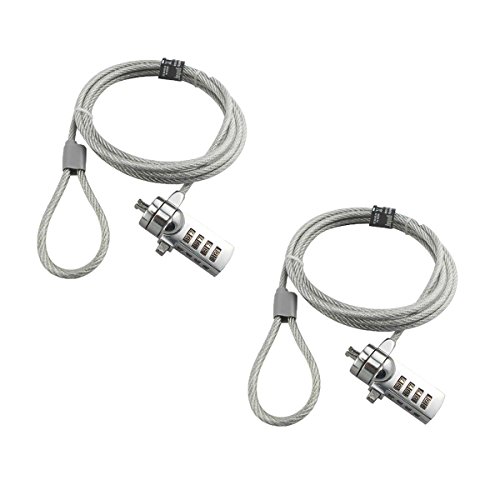
| Best Value Bundle | Lock Type: Resettable 4-digit combination | Cable Length: 6 feet | Compatible Slot Types: 3 × 7mm keyholes | VIEW LATEST PRICE | Read Our Analysis |
More Details on Our Top Picks
Kensington Nano Laptop Lock with Resettable Combination (K60214WW)
How do you secure a thin laptop without bulky equipment? The Kensington Nano Laptop Lock offers a practical solution. This resettable combination lock features a 5-foot carbon steel cable that resists cutting, paired with an anti-shearing plastic sleeve protecting your device’s surfaces. The slim lock head pivots and rotates 360°, allowing your laptop to lie flat while you access ports freely. You’ll set a custom 4-digit code from 10,000 possible combinations, then attach it one-handed using the hidden pin technology. The cable rotates 90°, accommodating various positions. Compatible with nano, standard, and wedge lock slots, this 87-gram lock suits shared workspaces, cafes, and travel situations where security matters without sacrificing stability or functionality.
- Lock Type:Resettable 4-digit combination
- Cable Length:5 feet (1.5 m)
- Compatible Slot Types:Nano, standard, wedge-shaped slots
- Device Compatibility Range:Thin laptops with nano/standard/wedge slots
- Cable Material:Carbon steel with anti-shearing plastic sleeve
- Warranty:1 year
- Additional Feature:360° rotatable lock tip
- Additional Feature:One-handed attachment design
- Additional Feature:Patent Hidden Pin Technology
Kensington Combination Cable Lock for Laptops (K64673AM)
You’ll want the Kensington Combination Cable Lock if you’re securing a laptop with a standard Kensington Security Slot and you prefer keyless operation with a resettable password. This lock features a 6-foot carbon steel cable with a 3.0/4.4mm diameter, offering cut resistance. The T-bar design attaches directly to your laptop while the cable tethers to a fixed structure like a desk. You can set one of 10,000 possible four-digit combinations and engage it one-handed. The lock works with HP, Lenovo, Acer, and Asus devices, though it won’t fit certain Dell models requiring the K68008WW alternative. Installation takes minutes: thread the cable through your desk, attach the T-bar to your laptop’s security slot, and set your combination.
- Lock Type:Resettable 4-digit combination
- Cable Length:6 feet
- Compatible Slot Types:Standard T-bar security slot
- Device Compatibility Range:HP, Lenovo, Acer, Asus, and others (not some Dell models)
- Cable Material:Carbon steel (cut-resistant)
- Warranty:2 years (limited)
- Additional Feature:Push-button one-handed engagement
- Additional Feature:Independently verified torque/pull testing
- Additional Feature:T-bar lock design
Kensington Universal 3-in-1 Combination Laptop Lock
If your laptop features a security slot that’s different from your colleague’s or older than your current device, the Kensington Universal 3-in-1 Combination Laptop Lock eliminates the need to buy multiple locks. This model (K62316WW) includes three adapters—standard slot, nano slot, and wedge-shaped—so you’ll fit virtually any laptop across brands and generations. The 1.8-meter carbon steel cable resists cutting, while the resettable 4-number dial offers 10,000 combinations. You can swap lock tips easily and use the included tether to store unused adapters. Register your combination through Kensington’s Register & Retrieve program for secure retrieval if forgotten. The manufacturer backs this lock with a five-year warranty.
- Lock Type:Resettable 4-digit combination
- Cable Length:6 feet (1.8 m)
- Compatible Slot Types:Standard, nano, wedge-shaped slots
- Device Compatibility Range:All brands with standard, nano, or wedge slots
- Cable Material:Carbon steel with plastic sheath
- Warranty:5 years
- Additional Feature:Interchangeable lock tip adapters
- Additional Feature:Register & Retrieve program
- Additional Feature:5-year manufacturer warranty
Kensington N17 Dell Laptop Security Lock (K68008WW)
Dell and Alienware laptop owners need a security lock that fits their specific wedge-type slot, which is where the Kensington N17 excels. This combination lock features a resettable 4-wheel design offering 10,000 possible codes for personalized security. You’ll engage the lock using a one-handed push-button mechanism that quickly attaches to your device. The six-foot carbon steel cable resists cutting and anchors securely to desks or tables. Independent testing verifies the lock’s strength across torque, foreign implements, lifecycle durability, corrosion resistance, and environmental conditions, meeting industry-leading standards. This targeted design creates the strongest connection between lock head and slot.
- Lock Type:Resettable 4-digit combination
- Cable Length:6 feet
- Compatible Slot Types:Dell/Alienware wedge-type slot
- Device Compatibility Range:Dell and Alienware laptops
- Cable Material:Carbon steel (cut-resistant)
- Warranty:Not specified
- Additional Feature:Dell/Alienware wedge-slot specific
- Additional Feature:Push-button one-handed engagement
- Additional Feature:Industry-leading strength standards
AboveTEK Locking Laptop Security Desk Mount (12″-16″)
The AboveTEK mount works best for anyone who needs portable security in shared workspaces—coffee shops, libraries, coworking spaces—without sacrificing ergonomic comfort. You’ll fit laptops 12–16 inches using adjustable arms that accommodate widths from 11.1–15.7 inches. The dual lock clips (6.8 mm and 9.8 mm) secure various laptop thicknesses. You position your device at viewing angles between 45° and 125° using the pivot hinge. The keyed lock and 78.7-inch cable tether your laptop to fixed structures. The zinc alloy and ABS construction weighs only 0.94 pounds, making it genuinely portable. The non-slip surface and heat-dissipating design keep your setup stable and cool.
- Lock Type:Keyed lock
- Cable Length:78.7 inches (2 m)
- Compatible Slot Types:Universal laptop mount (no security slot required)
- Device Compatibility Range:Laptops 12–16 inches (MacBook, Surface Pro, Chromebooks)
- Cable Material:N/A (desk mount, no cable)
- Warranty:Not specified
- Additional Feature:45° to 125° pivot hinge
- Additional Feature:Dual lock clips included
- Additional Feature:Heat-dissipating design
Laptop Security Lock Anti-Theft Holder Adjustable Width
For environments where you’ll need to secure laptops across multiple device sizes, an adjustable metal holder offers straightforward protection without requiring different locks for each model. This all-metal construction resists cutting and breaking attempts. The base screws permanently to your desk, anchoring the device securely. You adjust the width from 29.5 cm to 45 cm to fit laptops from 12″ to 16″, including MacBooks, Surface Pro units, and Chromebooks. The rear lock mechanism keeps your device retained once positioned. Each unit includes one base, one screw, and two keys for access control. Deploy this holder in retail stores, exhibition centers, offices, schools, or libraries where you need reliable anti-theft protection across varying laptop models.
- Lock Type:Keyed lock with screw base
- Cable Length:Fixed desk mount (no cable)
- Compatible Slot Types:Desk-mounted holder (no security slot required)
- Device Compatibility Range:Laptops 12–16 inches (MacBook, Surface Pro, Chromebook)
- Cable Material:All-metal construction (no cable)
- Warranty:Not specified
- Additional Feature:All-metal construction/anti-cut
- Additional Feature:Fixed desk screw mounting
- Additional Feature:Includes 2 keys
I3C Laptop Cable Lock Security (2-Pack)
Looking for a straightforward security solution that works with most laptops and tablets? The I3C cable lock offers two installation methods. First, locate your device’s security slot and thread the 5mm carbon steel cable through it. The cable’s multiple twisted wires resist cutting. Second, if your device lacks a slot, use the self-adhesive anchor plate instead, pressing it firmly to your device’s surface. Insert the lock into either the slot or plate, then attach the cable to an immovable object. Turn your key to secure the connection, which freely rotates for flexibility. You’ll receive two keys and two anchor plates, making this 2-pack ideal for protecting multiple devices in offices or public spaces.
- Lock Type:Key lock with anchor plates
- Cable Length:5 mm thick cable (length not specified)
- Compatible Slot Types:Standard security slot or adhesive anchor plates
- Device Compatibility Range:Laptops, tablets, smartphones, monitors, projectors, TVs
- Cable Material:Carbon steel (5mm thick, multiple twisted wires)
- Warranty:Not specified
- Additional Feature:Self-adhesive anchor plates
- Additional Feature:5mm carbon steel cable
- Additional Feature:2-pack quantity included
AboveTEK Laptop Lock Security Cable with Keys
Need a straightforward security solution that works across multiple devices without complicated installation? The AboveTEK Laptop Lock uses a 6-foot galvanized steel cable with a stainless steel lock to secure laptops, tablets, and smartphones. Installation takes seconds: clean the target surface, apply the industrial-grade 3M adhesive anchor plate, then attach your device’s cable to the anchor. The kit includes two keys and two adhesive sets, allowing you to secure multiple devices in different locations. The system works in shops, cafes, libraries, and display environments. Simply loop the cable around your device, insert the key, and lock it in place.
- Lock Type:Key lock with adhesive anchors
- Cable Length:6 feet
- Compatible Slot Types:Adhesive anchor plates (no security slot required)
- Device Compatibility Range:iPad, iPhone, tablets, smartphones, notebooks, monitors, MacBook
- Cable Material:Galvanized steel cable
- Warranty:Manufacturer warranty (specific duration not stated)
- Additional Feature:Industrial-grade 3M adhesive
- Additional Feature:2 adhesive sticker sets
- Additional Feature:Universal device compatibility
2 Pcs Laptop Lock Security Cable with Combination
The AOMGD 2 Pcs 6-Foot Laptop Lock works best for you if you own a laptop with a 3 × 7mm keyhole and want a keyless security option that doesn’t require carrying a physical key. You’ll receive two locks with galvanized steel cable and hardened stainless steel bodies. Set your own 4-digit combination from 10,000 possible codes using a small flat-head screwdriver. Thread the cable through your laptop’s keyhole, insert the lock, and push the locking ring to secure. When you need to change your code, push the recoding screw, rotate vertically to set your new combination, then rotate horizontally to save. Test your combination before relying on it. Before purchasing, verify your laptop’s keyhole matches the 3 × 7mm specification, as older MacBook Pros and certain Dell and Lenovo models won’t work with this lock.
- Lock Type:Resettable 4-digit combination
- Cable Length:6 feet
- Compatible Slot Types:3 × 7mm keyholes
- Device Compatibility Range:Notebooks/laptops with 3 × 7mm keyholes (excludes some Lenovo, Acer, Dell, Apple models)
- Cable Material:Galvanized steel wire rope
- Warranty:30-day return guarantee
- Additional Feature:Resettable 4-number combination
- Additional Feature:Hardened stainless steel lock
- Additional Feature:2-pack quantity included
Factors to Consider When Choosing Laptop Security Locks
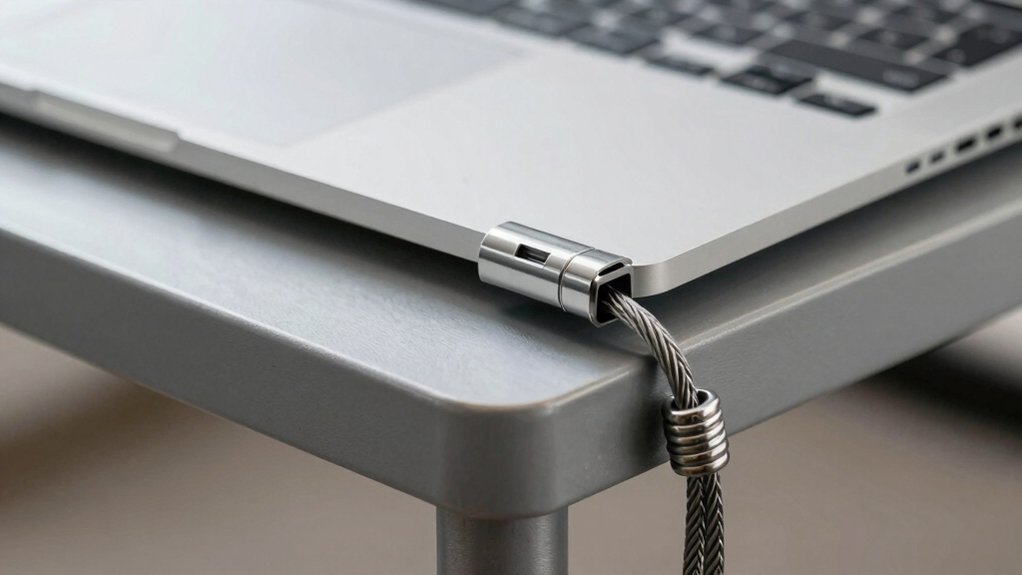
You’ll need to check your laptop’s compatibility with the lock before purchasing, as not all devices have security slots or accept the same cable types. Consider the cable length and flexibility you’ll need for your workspace, the lock mechanism type that fits your preference—whether combination, key, or digital—and how portable you want the lock to be for travel. Finally, verify that your laptop has the required security slot, typically a Kensington lock slot, since some newer ultrabooks and certain models lack this standard feature.
Compatibility With Your Device
Before purchasing any laptop security lock, you’ll need to identify which slot type your device has, as locks won’t work with mismatched keyhole designs. Check your laptop’s manual or manufacturer website to determine if you have a nano, standard, wedge, or N17/Dell-specific slot. Next, verify compatibility with your brand—certain Dell, Alienware, and Noble models use exclusive configurations that exclude standard locks. Measure your device’s dimensions and review the lock’s cable length and thickness (typically 3.0 to 4.4 mm) to ensure it meets your security setup. If you own multiple devices with different slot types, consider universal 3-in-1 adapter solutions that cover standard, nano, and wedge slots. Finally, cross-reference your exact model against any incompatibility warnings listed by the lock manufacturer before purchasing.
Cable Length And Flexibility
How much space exists between your laptop and the nearest fixed anchor point? Cable length directly determines where you can position your device. Standard laptop locks offer cables between 5 and 6 feet long. A 5-foot cable works well for standard desks with nearby anchor points. A 6-foot cable provides greater reach, accommodating larger desks and public spaces where anchor points sit farther away. Consider cable diameter and construction material—carbon steel with protective sheaths offers strength while remaining maneuverable. Thicker cables resist cutting but may be harder to thread around port edges. Evaluate your workspace layout first. Measure distances from your typical work location to available anchors. Select a cable length that reaches without excess slack. Longer cables add weight, so balance reach against portability for your needs.
Lock Mechanism Type
What type of locking mechanism works best for your situation? You’ll encounter two primary options: combination locks and keyless designs. Combination locks use a resettable 4-digit code offering 10,000 possible combinations, giving you security without carrying a key. You simply dial or input your chosen code to lock or unlock. Keyless designs employ push-button or dial engagement, allowing one-handed operation for quick attachment and removal. Consider your workflow: if you frequently secure and release your laptop, keyless mechanisms save time. If you prioritize maximum security and don’t mind the extra seconds, combination locks provide reliable protection. Evaluate your environment and access frequency, then select the mechanism that matches your practical needs and security requirements.
Portability And Weight
Once you’ve settled on your preferred locking mechanism, you’ll need to balance security features with how easily you can carry the lock itself. Portable laptop locks typically weigh between 80 and 250 grams, so consider your travel frequency when selecting. Lighter options sacrifice some durability, while heavier all-metal cables offer better cut-resistance. Cable lengths range from 5 to 6 feet, giving you flexibility in various environments. Slim lock heads fit thin laptops without bulk, making them ideal for frequent travelers. Check that your chosen lock includes features like 360° rotation and 90° cable pivots—these allow easy port access while keeping weight manageable. Prioritize locks that match your portability needs without compromising security standards for your specific usage patterns.
Security Slot Requirements
Before you purchase any laptop security lock, you’ll need to identify which security slot your device has, since locks aren’t universally compatible across all slot types. Check your laptop’s manual or manufacturer’s website to determine whether you have a nano, standard, wedge-shaped, or Dell N17 slot. Each slot type requires a lock with compatible adapters or slot-specific designs. Once you’ve identified your slot type, verify that your chosen lock includes the appropriate attachment mechanism—whether that’s a T-bar or Hidden Pin Technology. Additionally, examine the lock’s head orientation and pivot features to ensure it attaches while your laptop lies flat and keeps ports accessible. These compatibility checks prevent purchasing incompatible locks and wasted money.
Material Quality And Durability
The foundation of any effective laptop security lock rests on the materials used in its construction, since cheap or weak components will fail against determined theft attempts. You’ll want to prioritize carbon steel cables and alloy steel components, which resist cutting and tampering better than standard materials. Check that protective coatings or plastic sleeves cover the cable to prevent surface damage during regular use. Examine any adapters or connection points carefully—universal compatibility shouldn’t introduce weak spots where thieves can exploit the design. Verify the locking mechanism itself uses quality construction that won’t crack or break under pressure. When you inspect a lock, bend and flex the cable slightly to assess its rigidity and overall build quality before purchasing.
Mounting And Installation Options
How you’ll mount your laptop security lock depends on your device’s design and your workspace setup. If your laptop has a security slot, you’ll use a T-bar head to secure the lock directly. For devices without a slot, you’ll apply adhesive anchor plates to create a mounting point. You can also anchor the lock to your desk or table for added stability. Some models feature rotating lock heads and cables that pivot up to 90 degrees, allowing you to access ports while the device remains secured. Choose one-handed engagement systems for quick setup in busy environments. Universal locks include adapter sets for standard, nano, and wedge-shaped slots, ensuring compatibility across different devices. Select your mounting method based on your device type and workspace requirements.
Final Thoughts
You’ll protect your laptop by selecting a lock that matches your needs. Choose a cable lock with a 5–6 foot carbon-steel cable and resettable combination for portability. Pick a mounting option—T-bar or adhesive anchors—based on your workspace. Verify the locking head fits your laptop’s slot type. Test one-handed operation before purchasing. Check the warranty. Install the lock properly to deter theft effectively.

Meet Ry, “TechGuru,” a 36-year-old technology enthusiast with a deep passion for tech innovations. With extensive experience, he specializes in gaming hardware and software, and has expertise in gadgets, custom PCs, and audio.
Besides writing about tech and reviewing new products, he enjoys traveling, hiking, and photography. Committed to keeping up with the latest industry trends, he aims to guide readers in making informed tech decisions.