
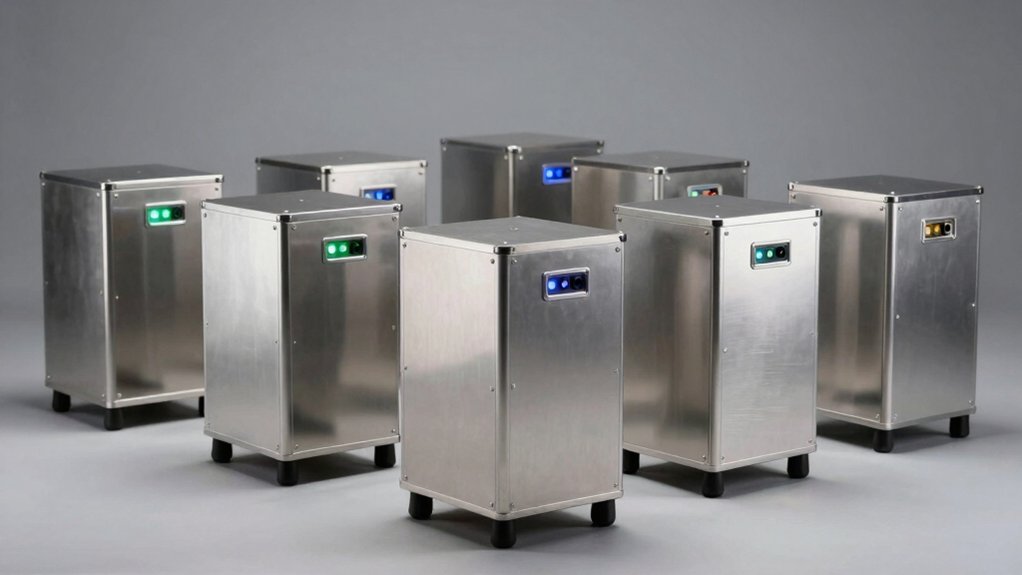

When you’re managing critical data, you need a RAID enclosure that balances capacity, speed, and reliability. You’ll find options ranging from compact 2-bay units to expansive 5-bay systems, each supporting different RAID configurations—RAID 0, 1, 5, and 10—plus JBOD and cloning modes. These enclosures connect via USB 3.0, USB-C, or Thunderbolt, delivering 10 Gbps+ speeds across Windows, macOS, and Linux platforms. But which enclosure actually fits your specific needs?
| Aluminum 2 Bay RAID Hard Drive Enclosure with USB 3.0 |
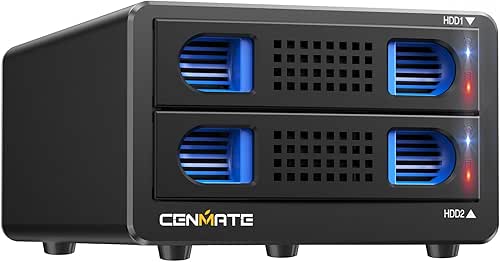
| Best Budget Option | Bay Count: 2 bays | RAID Modes: RAID 0, 1, Normal, JBOD | Interface/Speed: USB 3.0 (5 Gbps) | VIEW LATEST PRICE | Read Our Analysis |
| TERRAMASTER D4-320 4-Bay External Hard Drive Enclosure |

| Best for Speed | Bay Count: 4 bays | RAID Modes: No RAID (individual disks only) | Interface/Speed: USB 3.2 Gen 2 (10 Gbps) | VIEW LATEST PRICE | Read Our Analysis |
| Aluminum 4 Bay Hard Drive RAID Enclosure USB 3.0 |

| Most Versatile RAID | Bay Count: 4 bays | RAID Modes: RAID 0, 1, 3, 5, 10, CLONE, LARGE, NORMAL | Interface/Speed: USB 3.0/eSATA (5 Gbps) | VIEW LATEST PRICE | Read Our Analysis |
| TERRAMASTER D2-320 USB RAID Enclosure 2-Bay Storage |

| Best Compact Storage | Bay Count: 2 bays | RAID Modes: RAID 0, 1, SINGLE, JBOD | Interface/Speed: USB 3.2 Gen 2 (10 Gbps) | VIEW LATEST PRICE | Read Our Analysis |
| QNAP TR-004 4 Bay USB Type-C Storage (DAS) |

| Best Enterprise Solution | Bay Count: 4 bays | RAID Modes: RAID 0, 1, 5, JBOD, individual disks | Interface/Speed: USB Type-C 3.0 (375 MB/s) | VIEW LATEST PRICE | Read Our Analysis |
| TERRAMASTER D5-310 5-Bay HDD Enclosure with RAID Support |
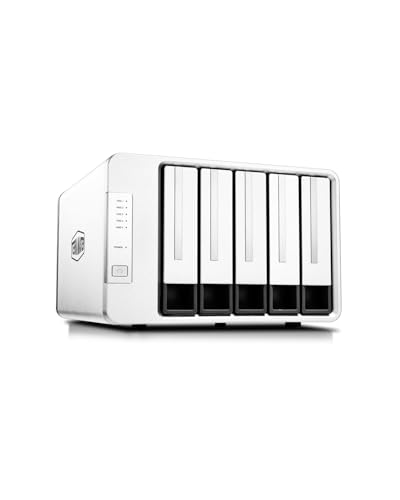
| Best for Backup | Bay Count: 5 bays | RAID Modes: RAID 0, 1, 5, 10, Single | Interface/Speed: USB 3.1 Gen 1 (5 Gbps) | VIEW LATEST PRICE | Read Our Analysis |
| Hybrid SATA HDD/SSD M.2 NVMe Enclosure USB 3.2 |

| Best Hybrid Storage | Bay Count: 2 SATA + 3 NVMe bays | RAID Modes: RAID 0, 1, Normal, JBOD | Interface/Speed: USB 3.2 Gen 2 (10 Gbps) | VIEW LATEST PRICE | Read Our Analysis |
| Vantec Nexstar GX USB 3.0 Dual RAID Enclosure (NST-272S3-BK) |

| Best for SSDs | Bay Count: 2 bays | RAID Modes: RAID 0, 1, Auto RAID 1 rebuild | Interface/Speed: USB 3.0 (5 Gbps) | VIEW LATEST PRICE | Read Our Analysis |
More Details on Our Top Picks
Aluminum 2 Bay RAID Hard Drive Enclosure with USB 3.0
Looking for a compact external storage solution that doesn’t sacrifice performance or flexibility? This aluminum enclosure holds two SATA drives up to 20TB each, giving you 40TB total capacity. You’ll get USB 3.0 speeds up to 5 Gbps with the JMS561 chip and UASP support. Choose from four RAID modes—RAID 0, RAID 1, Normal, or JBOD—to match your needs. The tool-free design lets you swap drives without tools. A cooling fan keeps temperatures down during operation. It’s compatible with Windows 7+, Mac 9.1+, and Linux. Before reconfiguring RAID settings, understand that redesigning your array can cause data loss. Reset the enclosure by holding the Reset button for five seconds if needed.
- Bay Count:2 bays
- RAID Modes:RAID 0, 1, Normal, JBOD
- Interface/Speed:USB 3.0 (5 Gbps)
- Drive Compatibility:2.5″/3.5″ SATA HDD/SSD
- Maximum Capacity:40TB
- Installation Type:Tool-free, plug-and-play
- Additional Feature:40-50 decibel cooling fan
- Additional Feature:Up to 40TB total capacity
- Additional Feature:Compatible with Windows/Mac/Linux
TERRAMASTER D4-320 4-Bay External Hard Drive Enclosure
Need a straightforward storage solution without the complexity of a full NAS system? The TERRAMASTER D4-320 offers a direct approach to expanding your storage capacity. This four-bay external enclosure connects via USB 3.2 Gen2 and supports up to 120TB total capacity using 3.5″ or 2.5″ SATA drives. You’ll achieve data transfer speeds up to 10 Gbps with multiple drives installed. The enclosure features hot-swappable drive trays with tool-free installation, allowing you to replace drives without powering down. An intelligent temperature-controlled fan maintains efficient cooling while keeping noise below 21 dB(A) during standby. Compatible with Windows, Mac, and Linux systems, this diskless DAS (direct-attached storage) device requires no drivers and includes a two-year warranty.
- Bay Count:4 bays
- RAID Modes:No RAID (individual disks only)
- Interface/Speed:USB 3.2 Gen 2 (10 Gbps)
- Drive Compatibility:3.5″ and 2.5″ SATA HDD/SSD
- Maximum Capacity:120TB
- Installation Type:Tool-free, hot-swappable, plug-and-play
- Additional Feature:Up to 120TB total capacity
- Additional Feature:Hot swappable disk replacement
- Additional Feature:50% noise reduction design
Aluminum 4 Bay Hard Drive RAID Enclosure USB 3.0
The Aluminum 4 Bay Hard Drive RAID Enclosure USB 3.0 works best for users who need flexible storage that fits in tight spaces and want multiple RAID configurations without building a full NAS system. You’ll get eight RAID modes—RAID 0/1/3/5/10, CLONE, LARGE, and NORMAL—plus USB 3.0 and eSATA connectivity supporting up to 80TB capacity. The aluminum chassis includes a cooling fan and accepts both 2.5″ and 3.5″ drives. To switch RAID modes, power off the unit, use a screwdriver and paddle toggle to access the reset button, then select your desired configuration. Remember to revert to NORMAL mode first before changing settings. Plan for potential data loss when altering RAID, so maintain backups. The 40–50 decibel fan operates quietly enough for most environments.
- Bay Count:4 bays
- RAID Modes:RAID 0, 1, 3, 5, 10, CLONE, LARGE, NORMAL
- Interface/Speed:USB 3.0/eSATA (5 Gbps)
- Drive Compatibility:2.5″/3.5″ SATA HDD/SSD
- Maximum Capacity:80TB
- Installation Type:Tool-free, plug-and-play
- Additional Feature:8 RAID modes available
- Additional Feature:Up to 80TB total capacity
- Additional Feature:USB 3.0 and eSATA
TERRAMASTER D2-320 USB RAID Enclosure 2-Bay Storage
For users who need rapid file transfers and reliable data redundancy without network setup, the TerraMaster D2-320 USB RAID Enclosure delivers both in a compact 2-bay design. You’ll connect via USB 3.2 Gen 2 Type-C for 10Gbps speeds. Choose RAID 0 for maximum capacity—achieving 521 MB/s with HDDs or 1075 MB/s with SSDs—or select RAID 1 to mirror data across both drives for automatic recovery. The enclosure supports drives up to 22TB each and features tool-free trays with push-lock mechanisms. An intelligent fan maintains ideal temperatures. You install drives, select your RAID mode, and immediately gain either performance or protection based on your priority.
- Bay Count:2 bays
- RAID Modes:RAID 0, 1, SINGLE, JBOD
- Interface/Speed:USB 3.2 Gen 2 (10 Gbps)
- Drive Compatibility:3.5″ and 2.5″ SATA HDD/SSD
- Maximum Capacity:44TB
- Installation Type:Tool-free, hot-swappable, plug-and-play
- Additional Feature:Hardware RAID enclosure support
- Additional Feature:Up to 44TB total capacity
- Additional Feature:Temperature-controlled low-noise fan
QNAP TR-004 4 Bay USB Type-C Storage (DAS)
If you’re looking to expand your existing NAS system or create a dedicated backup storage solution without installing additional applications, the QNAP TR-004 offers a straightforward approach through its USB Type-C connection. You’ll install up to four 3.5-inch SATA drives and configure them using hardware RAID levels: 0, 1, 5, JBOD, or individual disks. The enclosure delivers read speeds up to 375 MB/s, making it suitable for external backups and capacity expansion. Note that you can’t combine the TR-004 with your NAS storage pool or run NAS applications on it. Verify your NAS model supports QTS 4.3.6 or later before connecting, as older models like the TS-128 and TS-228 aren’t compatible.
- Bay Count:4 bays
- RAID Modes:RAID 0, 1, 5, JBOD, individual disks
- Interface/Speed:USB Type-C 3.0 (375 MB/s)
- Drive Compatibility:3.5″ SATA HDD
- Maximum Capacity:Not specified
- Installation Type:Lockable drive bays with keys
- Additional Feature:Lockable drive bays included
- Additional Feature:2-year manufacturer warranty
- Additional Feature:Up to 6 Gbps read speed
TERRAMASTER D5-310 5-Bay HDD Enclosure with RAID Support
Looking for a RAID enclosure that combines hardware-based protection with multi-platform compatibility? The TERRAMASTER D5-310 delivers both. You’ll access five bays supporting up to 120TB total capacity across 3.5-inch and 2.5-inch drives. The dedicated hardware RAID knob lets you configure RAID 5, 0, 1, 10, or Single modes without software. You’ll benefit from hot spare functionality that automatically replaces failed drives in RAID configurations. USB 3.1 Gen 1 connectivity provides ~220MB/s transfer speeds. You’ll install drives tool-free, enable temperature-controlled fans, and activate hard drive sleep mode for energy savings. Windows users gain TPC Backupper for scheduled backups. Full compatibility spans Windows, macOS, and Linux platforms.
- Bay Count:5 bays
- RAID Modes:RAID 0, 1, 5, 10, Single
- Interface/Speed:USB 3.1 Gen 1 (5 Gbps)
- Drive Compatibility:3.5″ and 2.5″ SATA HDD/SSD
- Maximum Capacity:120TB
- Installation Type:Tool-free, plug-and-play
- Additional Feature:Hot spare disk auto-replacement
- Additional Feature:Free TPC Backupper software
- Additional Feature:Up to 120TB total capacity
Hybrid SATA HDD/SSD M.2 NVMe Enclosure USB 3.2
You’ll want this hybrid enclosure if you’re managing multiple storage types and need flexibility without replacing your entire backup system. This unit holds two 2.5″ or 3.5″ SATA drives plus three M.2 NVMe SSDs, reaching up to 68TB total capacity. It supports RAID 0, RAID 1, Normal, and JBOD modes—press and hold the Reset button for five seconds to configure your setup. The USB 3.2 Gen 2 connection delivers 200–300 MB/s read speeds. Built-in aluminum cooling with silent fans protects your drives during continuous operation.
- Bay Count:2 SATA + 3 NVMe bays
- RAID Modes:RAID 0, 1, Normal, JBOD
- Interface/Speed:USB 3.2 Gen 2 (10 Gbps)
- Drive Compatibility:2.5″/3.5″ SATA HDD/SSD + M.2 NVMe
- Maximum Capacity:68TB
- Installation Type:Tool-free, plug-and-play
- Additional Feature:3 M.2 NVMe slots
- Additional Feature:Up to 68TB total capacity
- Additional Feature:Lifetime technical support included
Vantec Nexstar GX USB 3.0 Dual RAID Enclosure (NST-272S3-BK)
The Vantec Nexstar GX works best for users who need portable, dual-drive data protection without sacrificing speed or flexibility. This enclosure holds two 2.5″ SATA drives, supporting capacities over 2TB each. You’ll choose between RAID 0 for combined speed or RAID 1 for automatic backup protection. Connect via USB 3.0 at 5Gbps for fast transfers, or add the DC 5V/2A adapter for drives requiring extra power. The aluminum housing dissipates heat effectively. Compatible with Windows, Mac, and Linux systems, it handles SSDs exceptionally well for rapid performance.
- Bay Count:2 bays
- RAID Modes:RAID 0, 1, Auto RAID 1 rebuild
- Interface/Speed:USB 3.0 (5 Gbps)
- Drive Compatibility:2.5″ SATA HDD/SSD
- Maximum Capacity:Not specified
- Installation Type:Tool-free, plug-and-play
- Additional Feature:Auto RAID 1 rebuild
- Additional Feature:LED activity indicators included
- Additional Feature:Aluminum housing with vents
Factors to Consider When Choosing RAID Enclosures
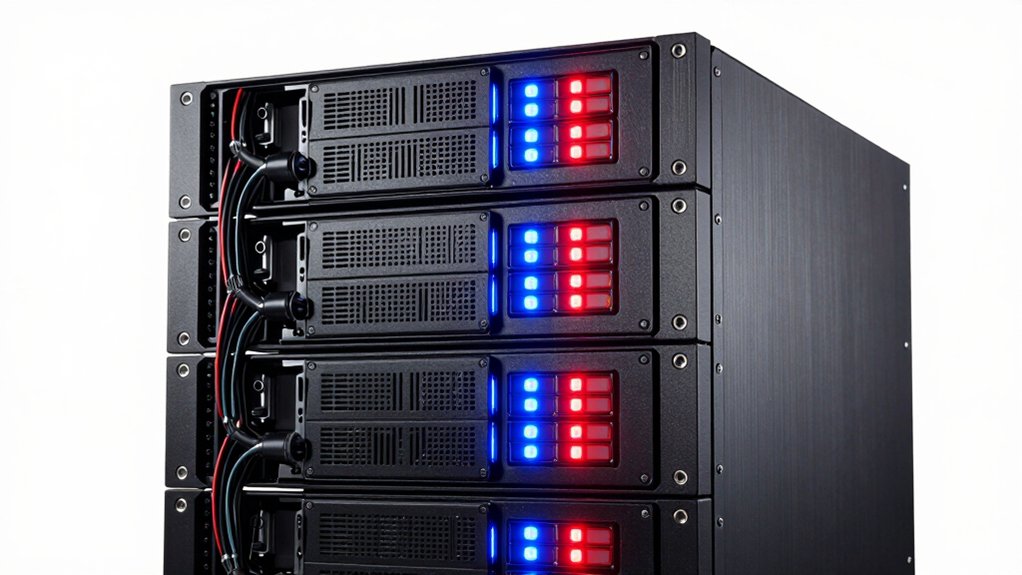
When you’re selecting a RAID enclosure, you’ll need to evaluate your storage capacity requirements, determine which RAID configuration options (such as RAID 0, 1, 5, or 6) match your data protection needs, and verify that the interface speed—whether USB 3.0, Thunderbolt, or eSATA—aligns with your system’s capabilities. Next, you should confirm that the enclosure supports your specific drive types and sizes, whether 2.5-inch, 3.5-inch, or NVMe drives, and check the thermal management solutions, including fan systems and ventilation design, to ensure your drives operate within safe temperature ranges. These five factors work together to determine whether an enclosure will reliably protect your data and integrate smoothly with your existing setup.
Storage Capacity Requirements
How much storage capacity do you actually need? Start by calculating your current data volume, then add 20–30% for growth. Next, examine your enclosure’s bay count and per-drive limits. A 4-bay unit supports drives up to 20 TB each, yielding 80 TB total capacity. A 5-bay setup can reach 120 TB with 24 TB drives. Then account for your RAID mode. RAID 0 uses full capacity, while RAID 5 reduces usable space by one drive’s worth. Finally, consider whether you’ll upgrade drives later without data loss. Choose an enclosure that accommodates larger drives in the future, allowing you to expand capacity by replacing existing drives incrementally as your needs grow.
RAID Configuration Options
Once you’ve settled on your storage capacity, you’ll need to decide which RAID configuration best matches your performance and protection needs. Most enclosures offer RAID 0 for speed, RAID 1 for mirroring, and JBOD for independent drives. Some models include RAID 5 or 10 for parity-based redundancy or striped mirrors across multiple drives. Hardware RAID implementations deliver lower latency and higher reliability than software alternatives, with hot-swap and auto-recovery features. Switching between modes requires power cycling and specific reset procedures, so plan ahead. Back up your data before making changes, as configuration shifts risk data loss. Choose based on whether you prioritize speed, redundancy, or flexibility.
Interface Speed Standards
What interface you choose directly determines your enclosure’s maximum data transfer rate and real-world performance. USB 3.0 supports up to 5 Gbps, while USB 3.2 Gen 2 delivers 10 Gbps through USB-C connectors. If you need faster speeds, Thunderbolt 3 and 4 interfaces reach 40 Gbps. However, your actual throughput depends on more than interface bandwidth. The drive type, RAID configuration, and enclosure controller all affect speed. For example, a single SSD may saturate USB 3.0, but multiple drives in RAID modes require higher bandwidth. Check whether your enclosure supports UASP, which reduces CPU overhead and improves sustained transfers. Match your interface choice to your expected workload and drive count.
Drive Compatibility Types
Which drive types does your enclosure actually support? You’ll encounter three main categories: 2.5″ and 3.5″ SATA HDDs, SSDs, or M.2 NVMe drives in hybrid models. Check whether your enclosure handles mixed drive types in the same unit, as not all models allow combining HDDs and SSDs simultaneously. Verify the maximum capacity per drive your enclosure supports—options range from 20TB to 30TB depending on the model. Additionally, confirm whether your enclosure functions as DAS (direct-attached storage) or NAS, since this affects how systems recognize and access drives across your network. Review the manufacturer’s specifications for each bay to ensure your chosen drives match the enclosure’s requirements before purchasing.
Thermal Management Solutions
Beyond matching your drives to the right enclosure, you’ll need to address how that enclosure handles the heat generated during operation. Consider whether you want active cooling with built-in fans or passive designs relying on chassis materials. Built-in fans, typically 2-inch models, actively dissipate heat during sustained workloads and RAID operations but generate 40–50 decibels of noise. If quiet operation matters in your environment, evaluate temperature-controlled fans that adjust speed based on drive temperature, balancing cooling effectiveness with noise levels. For optimal heat dissipation, choose aluminum or heavy-metal chassis over plastic enclosures. Heat management directly impacts drive longevity, especially under high I/O demands. Review your specific workload intensity and noise tolerance before selecting an enclosure’s cooling approach.
Physical Size Constraints
How’ll you know if a RAID enclosure actually fits your workspace? Start by measuring your available desk or rack space in length, width, and height. Most enclosures range from 7.9–8.7 inches long, 5.2–7.1 inches wide, and 3.5–6 inches tall. Next, determine how many bays you need: 2-bay models occupy less desktop space than 4-bay or 5-bay units. Then check the enclosure’s material—aluminum designs require more depth for heat sinking, while plastic models may be more compact. Finally, account for cable clearance and airflow space around the unit. Verify whether you’ll place it flat on a desk or mount it in a rack, as this affects your actual space requirements and cable routing options.
Data Protection Features
When you’re selecting a RAID enclosure, what matters most is understanding which data protection features’ll actually safeguard your drives during failures. Start by identifying your redundancy needs. RAID 1 offers dual-drive mirroring for essential data. RAID 5 and 6 provide parity-based protection across multiple drives, with RAID 6 protecting against two simultaneous failures. Avoid RAID 0 if protection matters—it offers no redundancy. Next, evaluate automatic rebuild capabilities. Quality enclosures automatically recover failed drives without manual intervention. Check for hot-spare support, which maintains standby drives ready for immediate activation. Finally, confirm power-on recovery features that protect data during unexpected shutdowns. Before reconfiguring any RAID setup, back up everything, as configuration changes risk complete data loss.
Platform Compatibility Needs
What operating systems’ll your RAID enclosure need to support? Check compatibility with Windows, macOS, and Linux versions you’re currently running. Verify whether the enclosure requires vendor drivers or operates driverless across your systems. Some models demand specific software installation, while others work immediately upon connection.
Next, confirm USB interface generation matches your computer’s ports. USB 3.0, 3.1, and 3.2 Gen 1 or Gen 2 offer different speeds, so match the enclosure’s capability to your system’s actual ports. Examine power and connectivity options carefully. USB-C, USB-A, eSATA, and Thunderbolt connections vary by enclosure and computer model.
Finally, determine whether RAID support is hardware-based or software-based. Hardware RAID maintains data accessibility across different platforms independently, while software RAID depends on your operating system for functionality.
Final Thoughts
You’ve reviewed eight RAID enclosures offering different capacities and features. Choose based on your needs: pick 2-bay models for basic backup, 4-bay for balanced storage and redundancy, or 5-bay for maximum capacity. Match the interface (USB 3.0, USB-C, or Thunderbolt) to your computer’s ports. Verify RAID levels support your protection strategy. Confirm compatibility with your operating system before purchasing.

Meet Ry, “TechGuru,” a 36-year-old technology enthusiast with a deep passion for tech innovations. With extensive experience, he specializes in gaming hardware and software, and has expertise in gadgets, custom PCs, and audio.
Besides writing about tech and reviewing new products, he enjoys traveling, hiking, and photography. Committed to keeping up with the latest industry trends, he aims to guide readers in making informed tech decisions.