
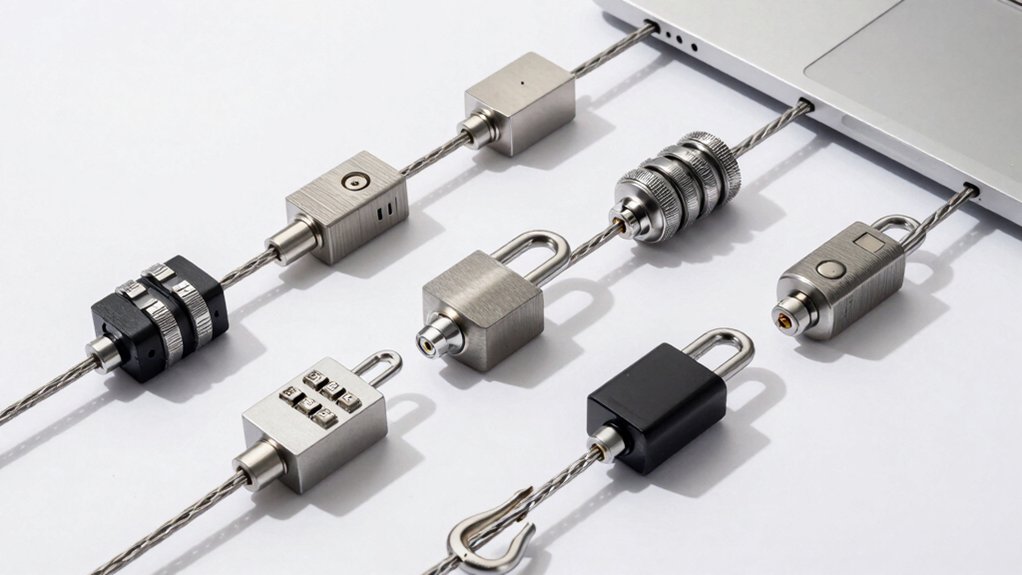

You need to protect your MacBook from theft, and the right laptop lock makes that straightforward. Seven proven options exist: universal cables with resettable combinations, desk-mount systems, keyed locks, and security-slot adapters. Each type offers different benefits depending on where you work and how much security you require. Your choice depends on your MacBook model, port accessibility, and whether you prioritize speed or maximum protection. Understanding these differences helps you decide which solution fits your situation.
| Universal Laptop Security Lock with Anti-Theft Cable |

| Universal Cable Lock | Lock Type: 4-digit combination lock | Cable Length: 1.7 metres (5.6 feet) | Mounting Style: Audio port adapter with cable tether | VIEW LATEST PRICE | Read Our Analysis |
| AboveTEK Laptop Locking Security Desk Mount (12″-16″) |

| Premium Desk Mount | Lock Type: Keyed lock | Cable Length: 78.7 inches (2 metres) | Mounting Style: Desk mount with adjustable arms | VIEW LATEST PRICE | Read Our Analysis |
| Kensington MacBook and Surface Laptop Locking Station (K64453WW) |

| Professional Station | Lock Type: Keyed lock | Cable Length: 6 feet | Mounting Style: Locking station with cable tether | VIEW LATEST PRICE | Read Our Analysis |
| Laptop Lock Adapter Security Slot for MacBook & Laptops |

| Adapter-Style Lock | Lock Type: T-shaped bar lock slot adapter | Cable Length: N/A (adapter only, requires separate lock) | Mounting Style: Audio port adapter | VIEW LATEST PRICE | Read Our Analysis |
| AboveTEK Laptop Locking Cable for MacBook Pro |

| MacBook-Specific Cable | Lock Type: Keyed lock | Cable Length: 6.56 feet | Mounting Style: MacBook vent slot attachment | VIEW LATEST PRICE | Read Our Analysis |
| 2 Pcs Laptop Lock Security Cable with Combination |
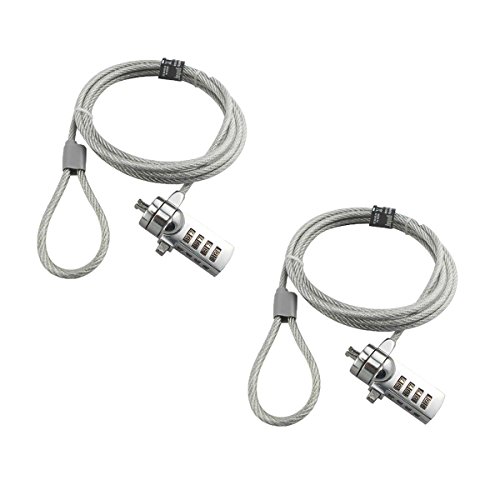
| Budget Two-Pack | Lock Type: 4-digit combination lock | Cable Length: 6 feet | Mounting Style: Standard keyhole insertion | VIEW LATEST PRICE | Read Our Analysis |
| Security Hardware Cable Lock Kit with 3 Keys |
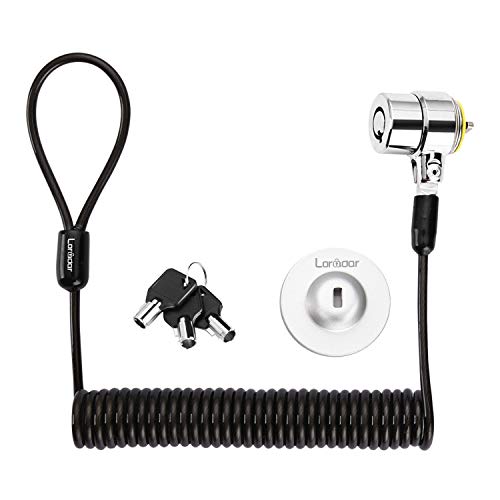
| Retractable Cable Lock | Lock Type: Keyed lock | Cable Length: 6.2 feet (1.8 metres) | Mounting Style: Keyhole insertion or adhesive anchor plate | VIEW LATEST PRICE | Read Our Analysis |
More Details on Our Top Picks
Universal Laptop Security Lock with Anti-Theft Cable
Looking for a laptop lock that works with your MacBook without requiring a dedicated lock slot? This universal security lock plugs directly into your device’s 3.5mm audio port, making it compatible with MacBooks, Surface laptops, Dell, Lenovo, and other major devices. The 1.7-metre cut-resistant steel cable tethers your laptop to desks, tables, or fixed structures. Installation takes seconds: insert the anchor adapter into your audio port, screw it in place, and attach the 4-digit combination lock. The resettable lock offers 10,000 possible combinations and features an easy flick switch for quick locking and unlocking. This versatile solution works for tablets and smartphones too, making it ideal for offices, cafes, schools, and retail environments.
- Lock Type:4-digit combination lock
- Cable Length:1.7 metres (5.6 feet)
- Mounting Style:Audio port adapter with cable tether
- Device Compatibility Range:Universal (all devices with 3.5mm audio port)
- Cable Material:Cut-resistant steel
- Portability:Portable (9.5 oz)
- Additional Feature:10,000 combination possibilities
- Additional Feature:Works with tablets/smartphones
- Additional Feature:Installs in seconds
AboveTEK Laptop Locking Security Desk Mount (12″-16″)
If you’re working in public spaces like coffee shops or libraries and need a portable security solution that doesn’t sacrifice comfort, the AboveTEK Laptop Locking Security Desk Mount offers both protection and ergonomic flexibility. This mount fits laptops ranging from 12 to 16 inches, including MacBooks, Surface Pro, and Chromebooks. The adjustable arms accommodate widths between 11.1 and 15.7 inches, while dual lock clips support various laptop thicknesses. You’ll secure your device with a keyed lock and a 78.7-inch cable for tethering to fixed structures. The pivot hinge lets you adjust viewing angles from 45 to 125 degrees for comfortable work positions. Made from durable zinc alloy and ABS with a non-slip surface, it weighs only 0.94 pounds, making it genuinely portable.
- Lock Type:Keyed lock
- Cable Length:78.7 inches (2 metres)
- Mounting Style:Desk mount with adjustable arms
- Device Compatibility Range:12-16 inch laptops
- Cable Material:Durable zinc alloy and ABS construction
- Portability:Lightweight and portable (0.94 lb)
- Additional Feature:45° to 125° viewing angles
- Additional Feature:Dual lock clip sizes
- Additional Feature:Heat-dissipating design
Kensington MacBook and Surface Laptop Locking Station (K64453WW)
The Kensington MacBook and Surface Laptop Locking Station (K64453WW) secures thin laptops—including MacBook Air, MacBook Pro, Surface Laptop models 1 and 2, and Chromebooks—making it ideal for anyone who works in shared spaces or travels frequently and needs reliable device protection. The brushed aluminum design accommodates widths from 11 to 15 inches, fitting laptops up to approximately 16-inch diagonal. Adjustable security arms hold your device firmly while preserving side port access and minimizing interference with the MacBook touch bar. A keyed lock and 6-foot cable tether provide dual security layers. Installation requires securing the cable to your desk using included mounting holes and screws, anchoring your laptop against theft or accidental displacement during work sessions.
- Lock Type:Keyed lock
- Cable Length:6 feet
- Mounting Style:Locking station with cable tether
- Device Compatibility Range:11-15 inch width (up to ~16-inch diagonal)
- Cable Material:Standard cable tether
- Portability:Fixed locking station (not portable)
- Additional Feature:Brushed aluminum construction
- Additional Feature:Side port access preserved
- Additional Feature:Touch Bar interference minimized
Laptop Lock Adapter Security Slot for MacBook & Laptops
For MacBook owners and users of other laptops without a built-in security slot, the Laptop Lock Adapter by Multplx adds a locking mechanism to devices that’d otherwise lack one. You’ll plug the adapter into your laptop’s 3.5mm audio jack, then tighten the screw to secure it. The adapter features a 7mm x 3mm slot that accommodates standard T-shaped bar cable locks, which you’ll purchase separately. This patented design doesn’t damage or modify your laptop body since it doesn’t use adhesive. Once installed, you’ll attach your compatible lock to protect your device from theft while you’re away.
- Lock Type:T-shaped bar lock slot adapter
- Cable Length:N/A (adapter only, requires separate lock)
- Mounting Style:Audio port adapter
- Device Compatibility Range:Universal (all devices with 3.5mm audio port)
- Cable Material:N/A (adapter only)
- Portability:Highly portable (0.704 oz)
- Additional Feature:Patent-protected design
- Additional Feature:Non-adhesive installation method
- Additional Feature:7mm x 3mm slot dimensions
AboveTEK Laptop Locking Cable for MacBook Pro
Need a straightforward security solution that works with your MacBook Pro 14 or 16 (2021–2024) without compromising port access? The AboveTEK Laptop Locking Cable delivers exactly that. Attach the rotatable lock housing to your MacBook’s bottom-side vent slot, then route the 6.56 ft cut-resistant steel cable around a desk or fixed object. Use the keyed lock system—no codes to remember—and secure your device. The soft silicone contact protects your aluminum finish. Keep both included keys accessible for backup. This setup works in offices, cafés, classrooms, and shared workspaces, deterring grab-and-go theft while remaining portable for travel and hybrid work environments.
- Lock Type:Keyed lock
- Cable Length:6.56 feet
- Mounting Style:MacBook vent slot attachment
- Device Compatibility Range:MacBook Pro 14/16 (2021-2024)
- Cable Material:Cut-resistant steel with silicone protection
- Portability:Portable (5.2 oz, designed for travel)
- Additional Feature:Rotatable lock housing design
- Additional Feature:Soft silicone contact protection
- Additional Feature:Includes two backup keys
2 Pcs Laptop Lock Security Cable with Combination
Want keyless security without managing physical keys? The AOMGD 2 Pcs Laptop Lock offers a 4-digit combination system with 10,000 possible codes. You’ll receive two locks featuring 6-foot galvanized steel cables and hardened stainless steel bodies. To set your combination, use a small flat-head screwdriver to push the internal screw, rotate to vertical, then rotate back to horizontal to save. The locks fit 3 × 7mm keyholes. Before purchasing, verify compatibility with your MacBook model, as older pre-2014 MacBook Pros aren’t supported. Thread the cable through your device’s keyhole and a fixed object, then tighten the locking ring for secure attachment.
- Lock Type:4-digit combination lock
- Cable Length:6 feet
- Mounting Style:Standard keyhole insertion
- Device Compatibility Range:Devices with 3×7mm keyholes
- Cable Material:Galvanized steel wire rope
- Portability:Portable (0.22 kg per lock)
- Additional Feature:Twin lock package included
- Additional Feature:Resettable 4-digit combination
- Additional Feature:Hardened stainless steel body
Security Hardware Cable Lock Kit with 3 Keys
This retractable cable lock works best if your MacBook has a Kensington 3x7mm security lock hole—a feature found on older MacBook Pro models with a DVD drive. Insert the lock head directly into the hole without needing an anchor plate. The stainless steel head rotates 360 degrees and only opens with your three included keys. The cable stretches up to 6.2 feet and resists cutting with its twisted steel construction and TPU coating. If your MacBook lacks the standard hole, you’ll need to attach the strong adhesive anchor plate first, allowing 48 hours for maximum holding strength. Check compatibility before purchasing, as newer MacBook models may not have the required lock hole.
- Lock Type:Keyed lock
- Cable Length:6.2 feet (1.8 metres)
- Mounting Style:Keyhole insertion or adhesive anchor plate
- Device Compatibility Range:Kensington 3×7mm hole devices
- Cable Material:Cut-resistant twisted steel with TPU coat
- Portability:Portable and compact (retractable design)
- Additional Feature:360-degree rotating lock head
- Additional Feature:Self-rolling retractable cable
- Additional Feature:1100N tensile force rating
Factors to Consider When Choosing MacBook Laptop Locks
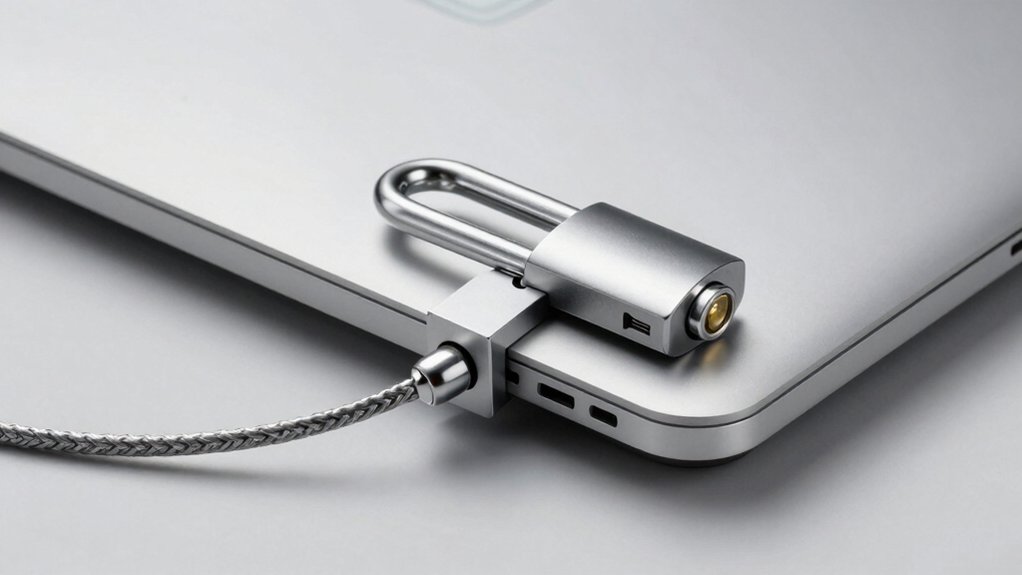
When you’re selecting a MacBook lock, you’ll need to verify compatibility with your specific model, as older MacBooks have Kensington slots while newer models require cable wraps or case-integrated options. Check the cable length and tether design to ensure the lock reaches your anchor point—whether that’s a desk, table leg, or security bar—and confirm the lock mechanism type that suits your needs, such as combination locks for convenience or keyed locks for higher security. Finally, examine the installation method by testing how quickly and easily you can attach and remove the lock, since a complicated setup defeats the purpose of portable security.
Factors to Consider When Choosing Macbook Laptop Locks
How’ll you know which lock actually works with your specific MacBook? First, check your MacBook’s attachment points—newer models use dedicated Kensington-style slots, while older models may have non-standard holes. Next, verify cable length and thickness for your desk setup; options range from 1.7 meters to 6.56 feet. Then, decide between a resettable 4-digit combination or keyed mechanism based on your access needs in shared spaces. Consider mounting options: desk anchors suit permanent setups, while non-adhesive installation works for portable use. Finally, cross-reference your MacBook variant against compatibility notes to confirm the lock won’t bypass or modify your device’s body. These steps ensure you’ll select a lock that genuinely secures your specific model without compatibility issues.
Compatibility With MacBook Models
Which attachment points does your specific MacBook model have available? Different MacBook generations—whether you own a MacBook Pro 14/16, MacBook Air, or older 11–15 inch models—feature different securing options. Some locks use anchor plates that require specific holes, while others attach via the 3.5mm audio port or bottom vent. Before purchasing, identify your exact MacBook model and verify the lock’s compatibility list. Check that the solution doesn’t block USB-C ports, HDMI outlets, speakers, or the Touch Bar. Certain models may need non-standard configurations. Review the manufacturer’s specifications and hole measurements to ensure proper fit. Universal claims covering 11–16 inches require confirmation for your device. This verification step prevents purchasing incompatible locks and wasted money.
Cable Length And Tether Options
What cable length you’ll need depends on your workspace setup and where you’ll secure your MacBook. Standard lengths range from 1.7 meters to 2 meters, offering different reach capabilities. Shorter cables work well in confined desk areas where you’ll anchor your device immediately nearby. Longer cables provide flexibility for public or shared spaces, letting you secure your MacBook farther from anchoring points. Consider whether you’ll use desk mounts or anchor plates to extend effective security beyond your laptop’s immediate vicinity. Check your lock’s specifications—many specify standard lengths like 6-foot options that determine maximum distance from anchoring points. Evaluate cable construction too: cut-resistant steel, TPE coating, and braided designs affect durability and tampering resistance across your chosen length. Match cable length to your actual security needs, not just maximum specifications.
Lock Mechanism Type Selection
Once you’ve determined your cable length and mounting setup, the next decision centers on how you’ll actually secure and release your MacBook. You’ll choose between two main mechanisms: keyed locks and resettable combination locks. Keyed locks offer stronger security but require you to carry and manage physical keys across multiple users. Resettable four-digit combination locks provide 10,000 possible codes, eliminating key management while allowing quick, code-based access. Consider your usage environment: combination locks suit shared workspaces where multiple people need access, while keyed locks work better for individual users prioritizing maximum security. Evaluate whether you prefer the convenience of remembering a code or the reliability of a physical key system.
Installation Method And Ease
Several installation approaches exist for MacBook laptop locks, each offering different trade-offs between security and convenience. Some locks plug directly into your laptop’s 3.5mm audio port or security slot, then you tighten a screw to secure the anchor—this requires minimal setup. Others use cable tethers (typically 1.7 to 2 meters long) that you attach to desks or fixed structures for stable installation. Tool-free options feature rotatable heads or quick-lock switches, allowing you to secure your device without additional equipment. Fixed installations use mounting holes and screws for permanent desk attachment, providing maximum stability but reduced portability. Check your MacBook’s compatibility: standard models accept 3x7mm Kensington slots, while non-compatible devices require adapters or plates for connection.
Final Thoughts
You’ll protect your MacBook effectively by matching the lock type to your environment. If you’re in a shared office, choose a desk-mount system for stationary security. For mobile use, select a cable lock with cut-resistant steel and a resettable combination. Verify your MacBook’s slot compatibility before purchasing. Combine multiple locks—cable plus desk-mount—for maximum protection in high-risk areas.

Meet Ry, “TechGuru,” a 36-year-old technology enthusiast with a deep passion for tech innovations. With extensive experience, he specializes in gaming hardware and software, and has expertise in gadgets, custom PCs, and audio.
Besides writing about tech and reviewing new products, he enjoys traveling, hiking, and photography. Committed to keeping up with the latest industry trends, he aims to guide readers in making informed tech decisions.