
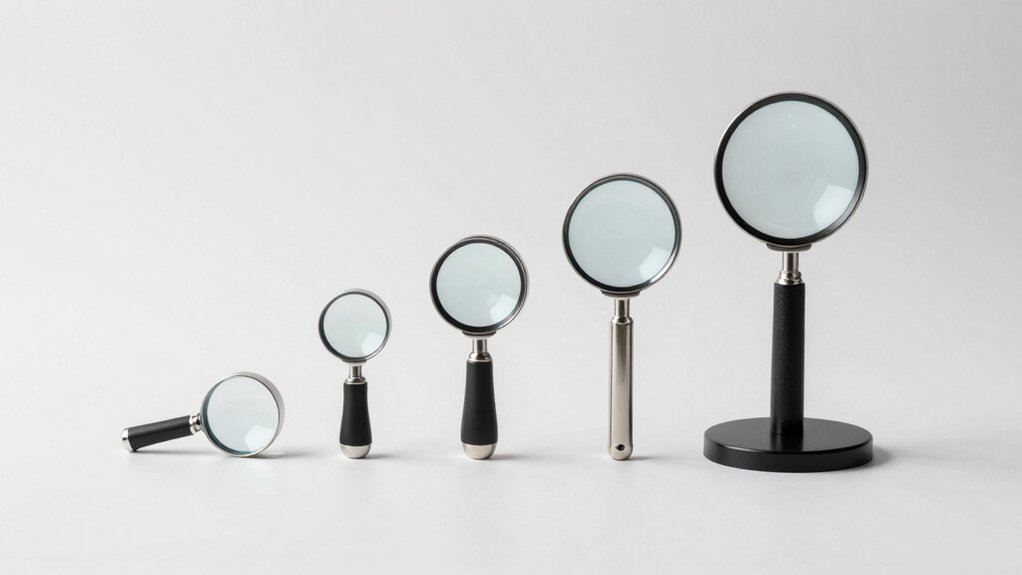

You’ll find that screen magnifiers come in various styles, each designed for different needs and devices. Some magnifiers attach directly to monitors, while others work as standalone lenses for printed materials. The magnification strength ranges from 2x to 5x, and many include features like blue-light protection and portability. To select the right option for your situation, you’ll need to understand what each type offers.
| 21″ Screen Magnifier for Laptop and Gaming |

| Best for Gaming | Magnification Strength: 3–5x | Lens Material: Acrylic | Device Compatibility: Laptop, tablet, gaming screens | VIEW LATEST PRICE | Read Our Analysis |
| Kantek MAXVIEW LCD Monitor Screen Magnifier 27-Inch (MAG27WL) |

| Best for Desktop Monitors | Magnification Strength: Up to 2x | Lens Material: Optical grade acrylic (Fresnel) | Device Compatibility: 27-inch LCD monitors only | VIEW LATEST PRICE | Read Our Analysis |
| 3D 21 Inch Laptop Screen Magnifier Projector |

| Best Portable Option | Magnification Strength: 4x | Lens Material: Glass | Device Compatibility: Laptop, tablet, mobile screens | VIEW LATEST PRICE | Read Our Analysis |
| 21 inch Screen Magnifier for Laptop and Gaming |

| Best Budget Pick | Magnification Strength: 3–5x | Lens Material: Acrylic | Device Compatibility: Laptop and tablet screens | VIEW LATEST PRICE | Read Our Analysis |
| 2 Pack Full Page 3X Magnifier Fresnel Lens |

| Best for Reading | Magnification Strength: 3x | Lens Material: Optical PVC (Fresnel) | Device Compatibility: Books, maps, menus (not computer screens) | VIEW LATEST PRICE | Read Our Analysis |
More Details on Our Top Picks
21″ Screen Magnifier for Laptop and Gaming
Are you struggling to read text on your laptop screen or having trouble seeing details while gaming? The 21″ Screen Magnifier by Mahensy enlarges your display 3–5x without requiring power or batteries. Simply position the acrylic lens between your eyes and screen, then adjust the angle using its four pivot points that rotate over 180 degrees. The design aligns with your eye’s natural curvature, reducing visual fatigue and blue-light exposure. You’ll gain a larger viewing area for clearer detail whether reading, watching videos, or gaming. The lightweight, collapsible construction folds flat for storage in your bag, making it portable for home, camping, or travel use.
- Magnification Strength:3–5x
- Lens Material:Acrylic
- Device Compatibility:Laptop, tablet, gaming screens
- Power Required:None
- Screen Size:21 inches
- Eye Comfort Features:Reduces visual fatigue and radiation exposure; blue-light protection
- Additional Feature:4-point 180-degree rotation
- Additional Feature:Collapsible/portable design
- Additional Feature:Blue-light protection included
Kantek MAXVIEW LCD Monitor Screen Magnifier 27-Inch (MAG27WL)
If you’ve got a 27-inch widescreen monitor and need to enlarge on-screen text without switching devices, the Kantek MAXVIEW LCD Monitor Magnifier (MAG27WL) is designed for you. This acrylic Fresnel lens magnifier doubles your image size and mounts directly to your monitor using an adjustable attachment mechanism. The visual area spans 23-1/2″ wide by 13-1/4″ high, matching most 27-inch displays. Installation follows the included instructions, and you’ll adjust the lens distance to achieve your preferred magnification level. Weighing just 2.74 pounds and fully assembled, you’ll position it in normal office lighting for optimal clarity. Note that this magnifier isn’t suitable for laptops or visually impaired users requiring stronger magnification.
- Magnification Strength:Up to 2x
- Lens Material:Optical grade acrylic (Fresnel)
- Device Compatibility:27-inch LCD monitors only
- Power Required:None
- Screen Size:27 inches
- Eye Comfort Features:Designed for general office use in normal ambient light
- Additional Feature:Fresnel lens technology
- Additional Feature:Adjustable lens distance mechanism
- Additional Feature:Patent-protected optical design
3D 21 Inch Laptop Screen Magnifier Projector
The 3D 21 Inch Laptop Screen Magnifier Projector from SMIXLVY works best for you if you spend extended time viewing small screens on laptops, tablets, or phones and want to reduce eye strain without purchasing a new display. This magnifier uses 4x magnification strength with high-definition optical glass lenses to enlarge content clearly. Position the projector between your screen and eyes, then adjust the viewing angle to your comfort level. The 21-inch screen size accommodates various devices, while the plastic handle allows easy repositioning. Its simple design fits any workspace. Use this magnifier when reading documents, watching videos, or browsing for extended periods to relieve visual fatigue from constant small-screen focus.
- Magnification Strength:4x
- Lens Material:Glass
- Device Compatibility:Laptop, tablet, mobile screens
- Power Required:None
- Screen Size:21 inches
- Eye Comfort Features:Relieves visual fatigue; high-definition optical technology
- Additional Feature:Works with multiple devices
- Additional Feature:3D vision technology
- Additional Feature:Adjustable viewing angles
21 inch Screen Magnifier for Laptop and Gaming
Consider this 21-inch screen magnifier if you’re spending extended hours reading small text on your laptop or gaming screen and want to reduce eye strain without purchasing new equipment. The device magnifies content 3-5 times, fitting your eye’s natural curvature to minimize visual fatigue. Its high-definition optical lens preserves picture details while blocking blue light radiation. The magnifier requires no batteries and features four pivot points rotating 180 degrees for adjustable viewing angles. Compatible with most laptops and tablets, it works for reading newspapers, viewing piano scores, or gaming. Simply position the magnifier at your preferred angle and distance to enhance clarity instantly.
- Magnification Strength:3–5x
- Lens Material:Acrylic
- Device Compatibility:Laptop and tablet screens
- Power Required:None
- Screen Size:21 inches
- Eye Comfort Features:Reduces visual fatigue; blue radiation protection
- Additional Feature:4 pivot points rotate
- Additional Feature:Versatile multi-purpose usage
- Additional Feature:Reduces radiation exposure
2 Pack Full Page 3X Magnifier Fresnel Lens
For readers who need affordable magnification without digital screens, the 2 Pack Full Page 3X Magnifier Fresnel Lens delivers practical enlargement of printed materials. Hold the flexible PVC lens several inches above your page to activate the 3X magnification, which enlarges text to 300 percent of original size. Maximum magnification occurs at approximately ten inches from the surface. The lightweight, shatterproof design measures 7 by 10 inches and weighs only 26 grams, making it portable for reading books, maps, and menus. You can trim the lens with scissors or a paper cutter to fit specific needs. This two-pack set works well for reading fine print in newspapers and magazines.
- Magnification Strength:3x
- Lens Material:Optical PVC (Fresnel)
- Device Compatibility:Books, maps, menus (not computer screens)
- Power Required:None
- Screen Size:7 x 10 inches
- Eye Comfort Features:Lightweight and flexible design for comfortable handheld reading
- Additional Feature:Flexible/trimmable material
- Additional Feature:Light-focusing solar applications
- Additional Feature:Shatterproof design included
Factors to Consider When Choosing a Screen Magnifier for Computers
When you’re shopping for a screen magnifier, you’ll need to evaluate magnification strength to match your vision needs, check display size compatibility with your monitor, and assess lens material quality since poor optics can cause distortion. You should also consider portability if you move between locations and prioritize eye comfort by selecting magnifiers that reduce blue light exposure to prevent strain during extended use. These factors work together to determine whether a magnifier will actually improve your reading experience or create new problems like glare, discomfort, or limited functionality.
Magnification Strength And Power
How much you’ll magnify your screen depends on understanding what magnification ratings actually mean and how they’ll perform in your specific setup. Most laptop magnifiers range from 3x to 5x magnification, but actual results vary based on lens type, viewing distance, and screen alignment. Fresnel lenses offer lighter, thinner options but may produce uneven clarity requiring careful positioning. Higher magnification reduces your usable viewing field and can exaggerate screen imperfections or reflections under bright lighting. Test any magnifier at your typical viewing distance before purchasing. Adjustable magnification designs depend heavily on lens quality and mounting stability for real-world performance. Match magnification strength to your specific vision needs and workspace conditions rather than selecting the highest available power.
Display Size Compatibility Matching
Once you’ve settled on the magnification strength that suits your vision needs, you’ll need to match that magnification power to your specific display size. Check your monitor’s diagonal measurement in inches, then verify that the magnifier’s visual area covers your entire screen. Manufacturers provide compatibility charts mapping monitor dimensions to appropriate models. Confirm whether your device is an LCD/LED monitor or laptop, since magnifiers support different screen types. Position the lens at the distance specified by the manufacturer—incorrect spacing reduces magnification effectiveness. For example, a 24-inch monitor typically requires a different magnifier than a 15-inch laptop screen. Compare your screen’s height and width against the magnifier’s coverage area to ensure complete display coverage without black borders or gaps.
Lens Material And Optical Quality
What material’s best for your screen magnifier’s lens? You’ll choose between acrylic and glass. Acrylic lenses weigh less and resist impact damage, making them practical for frequent use. Glass lenses deliver superior clarity and scratch resistance, though they’re heavier and more fragile.
Next, evaluate the lens type. Solid lenses provide consistent optical quality across the viewing area with minimal distortion. Fresnel lenses are thinner and lighter but produce grooves that can cause glare under certain lighting conditions.
Finally, assess optical quality by examining magnification specifications and focal consistency. Look for lenses offering 3x–5x magnification with proven HD vision rather than vague “HD optical” claims. Test how the lens performs at various distances from your display to confirm sharpness remains steady throughout your reading range.
Portability And Storage Convenience
When you’re shopping for a screen magnifier, consider whether the unit’ll fit your lifestyle and living space. Look for models that fold or collapse to reduce bulk when stored in drawers or bags. Check the weight—units around 0.86 kg transport easily between rooms without strain. Examine the viewing area size, typically 21–27 inches, to ensure it fits standard storage spaces. Verify that components detach and pivots adjust, allowing compact packing for travel. Choose magnifiers that require no batteries, eliminating charging demands and improving portability. These features combine to create a magnifier you can store conveniently and transport whenever needed, whether moving between home locations or traveling away from home.
Eye Comfort And Blue Light Protection
Beyond storing your magnifier conveniently, you’ll want to focus on how the device affects your eyes during use. Screen magnifiers with blue-light protection filters reduce eye discomfort during extended screen time by blocking harmful wavelengths. Check whether your magnifier includes this feature, as it directly impacts visual fatigue.
Magnification levels between 2x and 5x typically preserve clarity while minimizing strain. Higher magnification can reduce sharpness and increase fatigue if viewing distance becomes too close.
Non-powered magnifiers using optical lenses maintain image quality without the strain caused by powered displays. Adjustable angles allow you to position the device to eliminate glare and prevent awkward head postures that contribute to neck and eye fatigue.
Select a magnifier matching your typical viewing distance and lighting conditions.
Final Thoughts
You’ll want to pick a magnifier based on your specific needs. Consider your screen size—laptops work with 21″ models, while monitors need 27″ options. Decide between portable foldable designs or fixed desk setups. Choose your magnification strength: 2x for subtle enlargement, 3–5x for significant zoom. Check for blue-light protection to reduce eye strain. Match the magnifier type to your material—projectors for screens, Fresnel lenses for printed pages.

Meet Ry, “TechGuru,” a 36-year-old technology enthusiast with a deep passion for tech innovations. With extensive experience, he specializes in gaming hardware and software, and has expertise in gadgets, custom PCs, and audio.
Besides writing about tech and reviewing new products, he enjoys traveling, hiking, and photography. Committed to keeping up with the latest industry trends, he aims to guide readers in making informed tech decisions.