
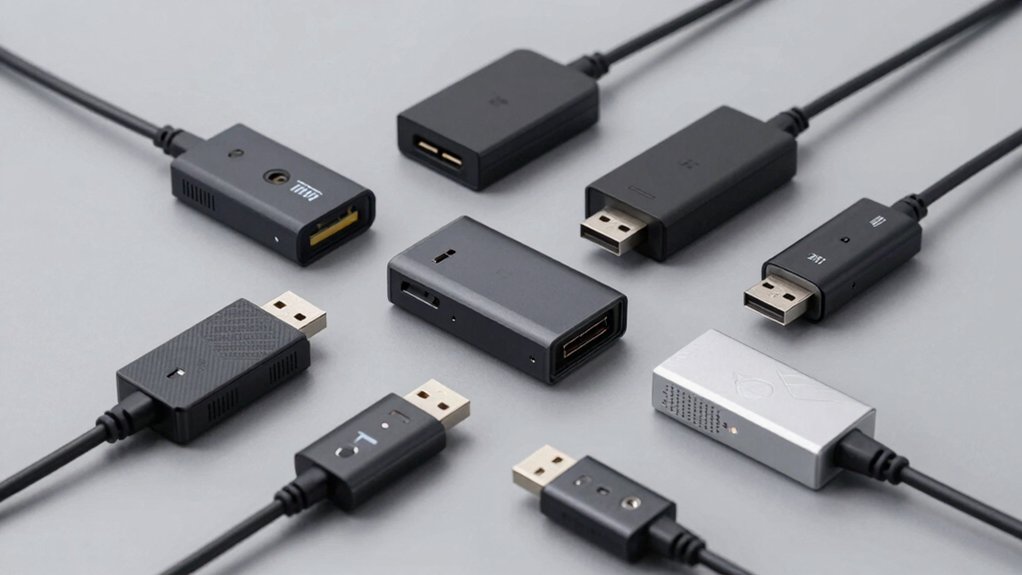

When you need to expand your PC’s USB capacity, you’ll find reliable extenders fall into two main categories: powered hubs and extension cables. Powered hubs like the Anker USB 3.0 and FORIDA aluminum models give you multiple ports at once, while cables like the Cable Matters 10ft option stretch your reach without adding bulk. Each type serves different needs—but which one actually delivers the performance you require?
| Anker USB 3.0 Hub 4 Ports Splitter |

| Best Overall | Data Transfer Speed: Up to 5 Gbps (USB 3.0) | Number of Ports: 4 ports | Enclosure Material: Plastic | VIEW LATEST PRICE | Read Our Analysis |
| USB Hub 3.0 with 7-Port and Individual On/Off Switches |

| Most Versatile | Data Transfer Speed: Up to 5 Gbps (USB 3.0) | Number of Ports: 7 ports | Enclosure Material: Plastic | VIEW LATEST PRICE | Read Our Analysis |
| VIENON 4-Port USB 3.0 Hub Splitter |

| Ultra-Compact Design | Data Transfer Speed: Up to 5 Gbps (USB 3.0) | Number of Ports: 4 ports | Enclosure Material: Plastic | VIEW LATEST PRICE | Read Our Analysis |
| FORIDA Aluminum 8 Port USB Hub with Type-C Power |

| Premium Build Quality | Data Transfer Speed: Up to 5 Gbps (USB 3.0) | Number of Ports: 8 ports (7 data + 1 power) | Enclosure Material: Aluminum alloy | VIEW LATEST PRICE | Read Our Analysis |
| 4Ft 7-Port USB 3.0 Hub Aluminum Extender |

| Best Cable Length | Data Transfer Speed: Up to 5 Gbps (USB 3.0) | Number of Ports: 7 ports (plus 15W Type-C power) | Enclosure Material: Aluminum alloy | VIEW LATEST PRICE | Read Our Analysis |
| VIENON 4-Port USB 3.0 Hub with USB-C PD |
![VIENON 4-Port USB 3.0 Hub [90°/180° Degree Rotatable], USB Splitter](https://m.media-amazon.com/images/I/31KyAOXX0TL._SL500_.jpg)
| Best For Travel | Data Transfer Speed: Up to 5 Gbps (USB 3.0) | Number of Ports: 4 ports (3 USB-A + 1 USB-C) | Enclosure Material: Plastic | VIEW LATEST PRICE | Read Our Analysis |
| Wenter 11-Port USB 3.0 Powered Hub with Smart Charging |

| Best With Charging | Data Transfer Speed: Up to 5 Gbps (USB 3.0) | Number of Ports: 11 ports (10 data + 1 smart charging) | Enclosure Material: Not specified | VIEW LATEST PRICE | Read Our Analysis |
| AINOPE USB 3.0 Extension Cable 10FT Male to Female |

| Best Extension Cable | Data Transfer Speed: Up to 10 Gbps equivalent (USB 3.0 extension) | Number of Ports: Single 10ft extension cable | Enclosure Material: Aluminum alloy connector with nylon braided exterior | VIEW LATEST PRICE | Read Our Analysis |
| Anker USB-C Hub 4 Ports with 5Gbps Data Transfer |

| Best USB-C Option | Data Transfer Speed: Up to 5 Gbps (USB-C) | Number of Ports: 4 ports (USB-C hub) | Enclosure Material: Plastic/compact design | VIEW LATEST PRICE | Read Our Analysis |
| Cable Matters 10ft USB 3.0 Extension Cable |

| Most Durable Cable | Data Transfer Speed: Up to 5 Gbps (USB 3.0) | Number of Ports: Single 10ft extension cable | Enclosure Material: Gold-plated connectors with molded strain relief | VIEW LATEST PRICE | Read Our Analysis |
More Details on Our Top Picks
Anker USB 3.0 Hub 4 Ports Splitter
Need to connect multiple USB devices to your PC but don’t have enough ports? The Anker USB 3.0 Hub 4 Ports Splitter expands a single USB port into four, letting you connect keyboards, mice, flash drives, and other devices simultaneously. This compact hub transfers data at up to 5 Gbps using USB 3.0 technology. The plastic enclosure measures 27.68 inches long and weighs just 0.11 pounds, making it portable for laptops and desktops. It’s compatible with Windows XP through Windows 10 and Linux systems. The hub includes an 18-month warranty and 30-day return policy through Amazon. Simply plug it into your PC’s USB port and attach your devices to the four available ports.
- Data Transfer Speed:Up to 5 Gbps (USB 3.0)
- Number of Ports:4 ports
- Enclosure Material:Plastic
- Plug-and-Play / Driver Requirements:Plug-and-play (no driver required)
- Operating System Compatibility:Windows XP/Vista/10, Linux
- Warranty Period:18 months
- Additional Feature:Expands single port into four
- Additional Feature:Heat resistant durable design
- Additional Feature:Not designed for charging
USB Hub 3.0 with 7-Port and Individual On/Off Switches
If you’re working with multiple USB devices simultaneously—such as a mouse, keyboard, printer, and external hard drive—this 7-port USB 3.0 hub delivers the connectivity you need without cluttering your workspace. Each port has an individual on/off switch and indicator light, allowing you to control power to specific devices. The hub transfers data at 5 Gbps, fast enough to move HD movies in seconds. Its compact design and 1-meter cable make it portable for laptops, desktops, and gaming consoles. Connect it to your computer, plug in your peripherals, and toggle switches to manage power consumption. The hub supports Windows, Mac, and Linux systems, and works with USB 2.0 devices too. Use an external power supply when connecting power-hungry equipment.
- Data Transfer Speed:Up to 5 Gbps (USB 3.0)
- Number of Ports:7 ports
- Enclosure Material:Plastic
- Plug-and-Play / Driver Requirements:Plug-and-play (no driver required)
- Operating System Compatibility:Windows XP/Vista/7/8/8.1/10, Mac OS X, Linux, Chrome OS
- Warranty Period:Product warranty (duration not specified)
- Additional Feature:Individual on/off port switches
- Additional Feature:3.2ft long cable included
- Additional Feature:Built-in high-performance chip safety
VIENON 4-Port USB 3.0 Hub Splitter
The VIENON 4-Port USB 3.0 Hub Splitter works best for you if you’re running multiple peripherals on a single USB port and need instant expansion without software installation. Simply plug the hub into your computer’s USB port and connect up to four devices simultaneously—flash drives, keyboards, mice, or external hard drives. The ultra-slim 1 cm design fits easily into tight spaces, and the spaced ports accommodate standard flash drives without blocking adjacent slots. You’ll achieve 5 Gbps transfer speeds for quick file transfers, though note that this hub doesn’t support device charging, only data transfer and peripheral connectivity.
- Data Transfer Speed:Up to 5 Gbps (USB 3.0)
- Number of Ports:4 ports
- Enclosure Material:Plastic
- Plug-and-Play / Driver Requirements:Plug-and-play (no driver required)
- Operating System Compatibility:USB 2.0/1.0/3.0 backward compatible (OS not specified)
- Warranty Period:No warranty information provided
- Additional Feature:Ultra-slim 1cm body design
- Additional Feature:Space between ports accommodates
- Additional Feature:Blue LED power indicator
FORIDA Aluminum 8 Port USB Hub with Type-C Power
Looking for a reliable hub that’ll handle both data transfer and device charging without cluttering your workspace? The FORIDA Aluminum 8 Port USB Hub delivers exactly that. You’ll get seven USB 3.0 data ports running at 5 Gbps speeds, plus a dedicated Type-C power port supplying up to 3A charging. Connect your peripherals—mice, keyboards, printers—to the data ports while powering devices through the Type-C connection. The 47-inch cable gives you flexibility in placement. You won’t need software installation; it’s plug-and-play compatible with MacBooks, Windows PCs, and Linux systems. The aluminum enclosure stays durable, and the 18-month warranty protects your investment.
- Data Transfer Speed:Up to 5 Gbps (USB 3.0)
- Number of Ports:8 ports (7 data + 1 power)
- Enclosure Material:Aluminum alloy
- Plug-and-Play / Driver Requirements:Plug-and-play (no software needed)
- Operating System Compatibility:MacBook Air/Pro 2021-2024, Windows, Linux
- Warranty Period:18 months
- Additional Feature:7 data ports plus power
- Additional Feature:Type-C delivers 3A charging
- Additional Feature:47-inch extended cable length
4Ft 7-Port USB 3.0 Hub Aluminum Extender
Need to expand your PC’s connectivity without replacing your entire setup? The 7-Port USB 3.0 Hub Aluminum Extender delivers reliable expansion through seven USB 3.0 ports supporting 5Gbps speeds. You’ll connect keyboards, mice, and external drives simultaneously while maintaining a clean desktop. The 4ft cable provides flexible positioning, and the aluminum construction ensures proper heat management. A 15W Type-C power port supplies stable energy for high-demand devices like external hard drives. The dual-chip processor enhances compatibility with Windows, Mac OS, and Linux systems. Plug it in directly to your computer—no drivers needed. This hub handles multitasking and large file transfers effectively without performance drops.
- Data Transfer Speed:Up to 5 Gbps (USB 3.0)
- Number of Ports:7 ports (plus 15W Type-C power)
- Enclosure Material:Aluminum alloy
- Plug-and-Play / Driver Requirements:Plug-and-play
- Operating System Compatibility:Windows, Mac OS, Linux
- Warranty Period:No warranty information provided
- Additional Feature:Premium aluminum heat dissipation
- Additional Feature:4ft cable maximum flexibility
- Additional Feature:15W Type-C power port
VIENON 4-Port USB 3.0 Hub with USB-C PD
Want to expand your PC’s USB capacity without installing software or dealing with complex setup? The VIENON 4-Port Hub delivers exactly that. This device transforms one USB port into four working ports simultaneously—three USB-A and one USB-C. Simply plug it in; no drivers required. The hub features one USB 3.0 port reaching 5 Gbps and two USB 2.0 ports at 480 Mbps. The USB-C port accepts 5W power input to run the hub itself and supports data transfer to USB-C devices. The rotatable design (90°/180°) fits tight spaces easily. Weighing 0.7 ounces with a plastic enclosure, it works with Mac and Windows systems. Compatibility extends to certain Tesla models for car use.
- Data Transfer Speed:Up to 5 Gbps (USB 3.0)
- Number of Ports:4 ports (3 USB-A + 1 USB-C)
- Enclosure Material:Plastic
- Plug-and-Play / Driver Requirements:Plug-and-play (no driver needed)
- Operating System Compatibility:Windows 7/Vista/XP/2000/ME/98/8/10, Mac OS 8.6-9.2/OSX-10.6, Linux
- Warranty Period:6 months
- Additional Feature:90°/180° rotatable connector design
- Additional Feature:5W USB-C power input
- Additional Feature:Suitable for Tesla car use
Wenter 11-Port USB 3.0 Powered Hub with Smart Charging
If you’re connecting multiple devices to your PC and need dedicated charging for phones or tablets simultaneously, the Wenter 11-Port USB 3.0 Powered Hub delivers both capabilities in a single solution. You get 10 data ports supporting 5 Gbps transfer speeds plus one smart-charging port delivering up to 2.4A. Individual on/off switches let you control power to each port independently, while LED indicators show status. The included 12V/3A power adapter handles all ports. Plug in your keyboard, mouse, printer, and external drives to data ports, then connect your phone or tablet to the dedicated charging port. The hub supports Windows XP through 10, Mac OS, and Linux 9 and above, with full backward compatibility for USB 2.0 and 1.x devices.
- Data Transfer Speed:Up to 5 Gbps (USB 3.0)
- Number of Ports:11 ports (10 data + 1 smart charging)
- Enclosure Material:Not specified
- Plug-and-Play / Driver Requirements:Plug-and-play (no driver required)
- Operating System Compatibility:Windows XP/Vista/7/8/10, Mac OS, Linux 9+
- Warranty Period:24 months
- Additional Feature:1 dedicated smart charging port
- Additional Feature:Individual on/off port switches
- Additional Feature:12V/3A power adapter included
AINOPE USB 3.0 Extension Cable 10FT Male to Female
The AINOPE USB 3.0 Extension Cable’s 10-foot length makes it ideal for users who can’t position their devices close to their PC’s USB ports. This cable supports data transfer speeds up to 10 times faster than USB 2.0 and charges devices at 2A. The reinforced nylon braided exterior withstands over 20,000 bends without damage. Gold-plated connectors minimize signal interference, while the all-metal aluminum alloy design ensures durability. Use the included sticky buckles to organize excess cable length. The cable works with webcams, keyboards, flash drives, hard drives, and printers, maintaining backward compatibility with USB 2.0 and USB 1.1 devices.
- Data Transfer Speed:Up to 10 Gbps equivalent (USB 3.0 extension)
- Number of Ports:Single 10ft extension cable
- Enclosure Material:Aluminum alloy connector with nylon braided exterior
- Plug-and-Play / Driver Requirements:Plug-and-play
- Operating System Compatibility:Windows/Mac/Linux compatible (not specified in detail)
- Warranty Period:No warranty information provided
- Additional Feature:10FT length with sticky buckles
- Additional Feature:Armored nylon braided exterior
- Additional Feature:Gold-plated aluminum alloy connectors
Anker USB-C Hub 4 Ports with 5Gbps Data Transfer
You’ll find this hub especially useful if you’re working with a USB-C equipped laptop or desktop that needs immediate port expansion without sacrificing speed. This Anker hub delivers 5Gbps data transfer rates, allowing you to sync files in seconds rather than minutes. The compact design measures 4.2 × 1.2 × 0.4 inches, fitting easily into bags or desk spaces. Its 2-foot cable provides flexible positioning for connecting devices where you need them. Setup requires no drivers or software—simply plug it into your USB-C port and start transferring data immediately. The hub supports seamless file transfers across multiple devices simultaneously, making it practical for productivity tasks.
- Data Transfer Speed:Up to 5 Gbps (USB-C)
- Number of Ports:4 ports (USB-C hub)
- Enclosure Material:Plastic/compact design
- Plug-and-Play / Driver Requirements:Plug-and-play
- Operating System Compatibility:Windows/Mac/Linux compatible (not specified in detail)
- Warranty Period:18 months
- Additional Feature:2ft long cable included
- Additional Feature:Sleek compact portable design
- Additional Feature:True plug-and-play connectivity
Cable Matters 10ft USB 3.0 Extension Cable
For anyone connecting VR headsets, external hard drives, or other high-speed peripherals at a distance from your PC, this Cable Matters extension cable delivers the performance you need. The 10ft male-to-female USB 3.0 cable supports data transfer speeds up to 5 Gbps—ten times faster than USB 2.0—while maintaining backward compatibility with older devices. Gold-plated connectors ensure error-free transmission, and foil-and-braid shielding protects against interference. Molded strain relief connectors and grip treads provide durability and ease of use during repeated plugging and unplugging. This cable works reliably with printers, mice, keyboards, flash drives, and USB hubs.
- Data Transfer Speed:Up to 5 Gbps (USB 3.0)
- Number of Ports:Single 10ft extension cable
- Enclosure Material:Gold-plated connectors with molded strain relief
- Plug-and-Play / Driver Requirements:Plug-and-play
- Operating System Compatibility:Windows tablets, VR headsets, peripherals (OS not specified)
- Warranty Period:No warranty information provided
- Additional Feature:10ft male to female extension
- Additional Feature:Molded strain relief connectors
- Additional Feature:Grip treads for easy unplugging
Factors to Consider When Choosing a USB Extender for PC
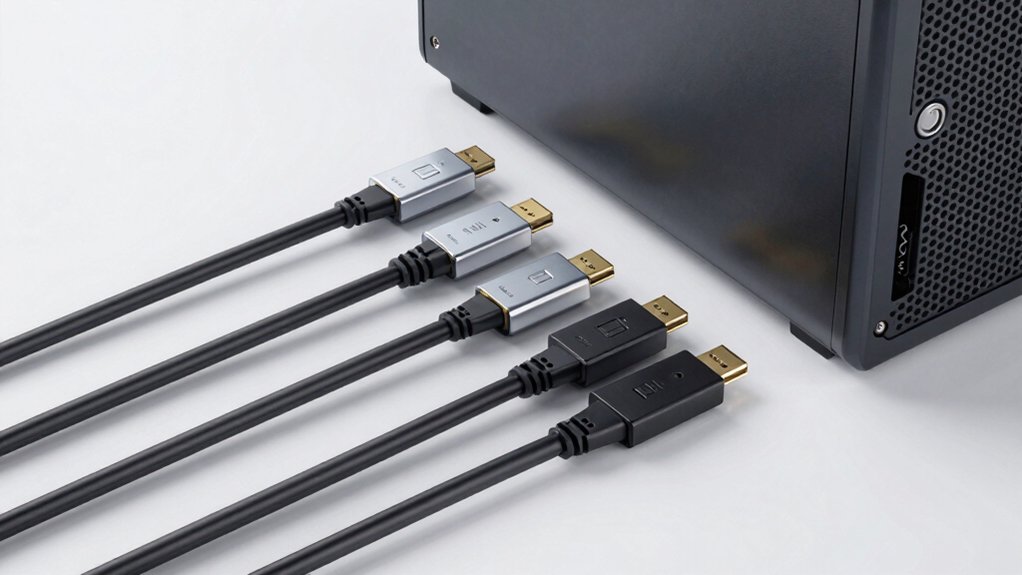
Before you buy a USB extender, you need to check your data transfer speed requirements, power delivery capabilities, and port count to match your devices’ needs. Next, measure the cable length you need and verify that the extender’s configuration—whether it’s a single port, hub, or multi-port design—fits your workspace and system compatibility. Finally, confirm that the extender works with your PC’s operating system and USB version to avoid connection problems.
Data Transfer Speed Requirements
What speed does your workflow actually demand? Identify your primary tasks first. If you transfer HD videos or large files regularly, you need a 5 Gbps USB 3.0 extender to minimize wait times. For basic tasks like connecting keyboards or mice, slower speeds suffice. Check your devices’ compatibility next. Some extenders work with USB 3.0, 2.0, and 1.x, but performance drops to 480 Mbps on older ports. Verify the extender’s total bandwidth when using multiple ports simultaneously. High-bandwidth devices require sufficient power delivery alongside speed. Confirm the extender maintains 5 Gbps data rates while powering demanding peripherals. Match your extender’s speed capability to your actual needs, not theoretical maximums.
Power Delivery Capabilities
Speed alone won’t solve your setup’s problems if your extender can’t supply adequate power to your connected devices. Check your extender’s power delivery specifications first. Determine whether it offers dedicated charging ports or USB-C PD inputs rated at 5V/3A or higher. These features let you charge devices directly through the hub without draining power from data ports. Next, assess your device requirements. Power-hungry peripherals like external hard drives or multiple simultaneous connections demand external power sources. Review whether the extender supports this capability. Finally, verify charging functionality. Confirm that USB-C or USB-A ports actually deliver power to connected devices, not just pass data. Matching power delivery to your device needs ensures stable, reliable operation across your entire setup.
Port Count and Configuration
You’ll want to start by determining how many devices you need to connect simultaneously, since port count directly limits your setup’s capacity. Common hubs range from 4-port to 11-port configurations, so assess your current needs plus future expansion plans. Next, decide your port mix: you’ll need both USB-A and USB-C ports for device compatibility. Then consider whether you require individual on/off switches per port for selective power management of connected peripherals. Finally, evaluate power delivery requirements—higher port counts demand dedicated power inputs or PD capabilities to maintain stability across all devices. Some hubs restrict charging to specific ports while others support it universally, so verify this feature matches your usage pattern before purchasing.
Cable Length and Flexibility
Once you’ve determined your port configuration and power needs, cable length becomes your next practical decision point. Available options range from 4 ft to 10 ft, each serving different workspace layouts. Choose shorter cables for desk-mounted peripherals near your PC, and longer cables for devices positioned across the room. Remember that longer runs risk signal degradation unless you select cables with high-quality shielding and connectors. A braided nylon or armored exterior protects against wear at bending points during extended use. USB 3.0 extension cables deliver up to 5 Gbps, matching most hub and device speeds. Match your cable length to actual distance needs—avoid excessive length that creates clutter or compromises signal integrity.
Compatibility With Your System
What operating system does your PC run, and which USB version do your ports support? These details determine which extenders work for you. Check your system settings to identify whether you’re using Windows XP through Windows 10 or macOS/Linux, since some extenders specify older OS ranges. Next, verify your USB port version—USB 3.0, 3.1, or 3.2—to ensure you achieve your needed data transfer speeds up to 5 Gbps. Examine your device’s connector type: USB-A or USB-C. Then confirm whether the extender requires external power or operates bus-powered. Some hubs need drivers; others work plug-and-play. Check if hot-swapping matters for your workflow. Finally, review power delivery specifications if you’re connecting power-hungry peripherals. Matching these factors prevents compatibility issues and ensures reliable performance.
Build Quality and Durability
How durable is the extender you’re considering, and will it withstand your daily usage patterns? Check the enclosure material first. Aluminum housings provide superior rigidity and heat dissipation compared to plastic alternatives, which deteriorate faster under heavy use. Next, examine the cable construction. Look for reinforced joints and braided or armored sleeves that resist bending damage across thousands of flex cycles. Verify connector quality by confirming gold-plated contacts, which resist corrosion and maintain signal integrity longer. For multi-port hubs, prioritize heat-resistant designs with integrated protective chips to reduce thermal stress during extended transfers. Finally, review published durability specifications. Manufacturers should provide tested bend radii, shielding details, and confirmed data rates like 5 Gbps. These concrete specs indicate confidence in long-term reliability.
Individual Port Controls
Do you need to manage power distribution across multiple USB devices without constantly unplugging cables? Individual port controls let you turn each USB port on or off independently, preventing power overload and device interference. When selecting a hub, verify that on/off switches cover all ports you plan to control, not just some. Switched ports include LED status indicators showing which ports are powered, helping you troubleshoot connection issues quickly. Independent switches simplify hot-swapping by isolating devices that may cause conflicts or wake-from-sleep problems. This feature proves especially valuable when sharing a hub among several peripherals that demand separate power management. Check product specifications carefully to confirm port-by-port control availability before purchasing.
Final Thoughts
You’ll want to pick a USB extender based on your specific needs. If you need multiple ports, choose a hub with individual switches and external power. For longer distances, grab a 10-foot extension cable. Check that your option supports USB 3.0 at 5 Gbps, has an aluminum housing, and works with your devices. Verify compatibility with your operating system before purchasing to ensure hassle-free setup.

Meet Ry, “TechGuru,” a 36-year-old technology enthusiast with a deep passion for tech innovations. With extensive experience, he specializes in gaming hardware and software, and has expertise in gadgets, custom PCs, and audio.
Besides writing about tech and reviewing new products, he enjoys traveling, hiking, and photography. Committed to keeping up with the latest industry trends, he aims to guide readers in making informed tech decisions.