
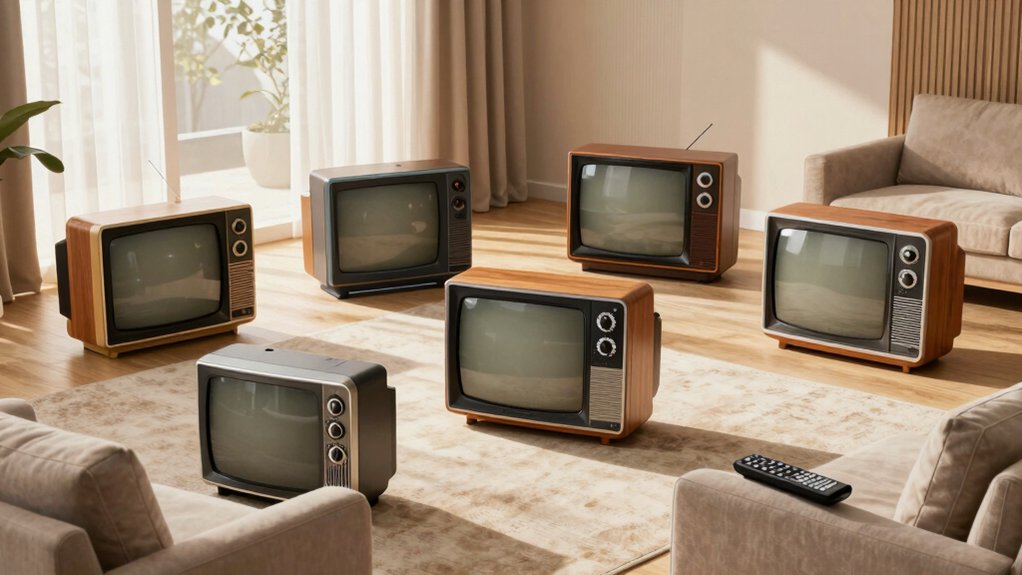

You’re looking for a TV that works without confusing smart features, built-in apps, or constant updates. Non-smart televisions offer straightforward operation: a simple remote, clear picture quality, and reliable connections through HDMI or coax inputs. These sets skip internet requirements entirely, making them ideal for seniors who want dependable viewing without technical complications. The right model depends on your space, preferred inputs, and whether you’d benefit from added features like DVD players or tuners—factors we’ll break down next.
| Westinghouse 32 Inch HD LED Flat Screen Television |

| Best for Versatility | Screen Size: 32 inches | Resolution: 720p HD | Streaming Device Compatibility: Fire Stick, Roku, Apple TV, TiVo, Xumo | VIEW LATEST PRICE | Read Our Analysis |
| Westinghouse 24 Inch HD LED Small Flat Screen TV |

| Most Compact | Screen Size: 24 inches | Resolution: 720p HD | Streaming Device Compatibility: Fire Stick, Roku, Apple TV, TiVo, Xumo | VIEW LATEST PRICE | Read Our Analysis |
| Westinghouse 24 Inch TV with Built-in DVD Player |
| Best DVD Combo | Screen Size: 24 inches | Resolution: 720p HD | Streaming Device Compatibility: Fire Stick, Roku, Apple TV, TiVo, Xumo | VIEW LATEST PRICE | Read Our Analysis |
| Hisense 32-Inch A4 Series Smart Fire TV (32A4NF) |
| Best Overall | Screen Size: 32 inches | Resolution: 1080p Full HD | Streaming Device Compatibility: Built-in Fire TV with Alexa | VIEW LATEST PRICE | Read Our Analysis |
| Westinghouse 32 Inch HD LED TV with DVD Player |

| Best Value | Screen Size: 32 inches | Resolution: 720p HD | Streaming Device Compatibility: Fire Stick, Roku, Apple TV, TiVo, Xumo | VIEW LATEST PRICE | Read Our Analysis |
| TuTu 32-inch 720P HD LED Flat Screen TV |

| Budget-Friendly Pick | Screen Size: 32 inches | Resolution: 720p HD | Streaming Device Compatibility: Fire TV, Apple TV, Google TV compatible | VIEW LATEST PRICE | Read Our Analysis |
More Details on Our Top Picks
Westinghouse 32 Inch HD LED Flat Screen Television
The Westinghouse 32 Inch HD LED Flat Screen Television (Model WD32HX1201) is an excellent choice for seniors who want a straightforward, easy-to-use TV without complicated smart features. You’ll connect streaming devices like Fire Stick or Roku through its three HDMI ports to access your favorite shows. The 32-inch display offers clear 720p HD resolution suitable for typical viewing distances in bedrooms or living rooms. You can also plug in an antenna or cable box using the coax input for broadcast programming. The TV includes stereo speakers with 8 watts per channel, delivering adequate sound for most rooms. Setup takes minutes—attach the power cable, insert batteries into your remote, and select your input source. The limited warranty covers defects, and you have 30 days to return it if needed.
- Screen Size:32 inches
- Resolution:720p HD
- Streaming Device Compatibility:Fire Stick, Roku, Apple TV, TiVo, Xumo
- Parental Controls:Not specified
- Built-in Features:None (basic TV only)
- HDMI Port Count:3 HDMI ports
- Additional Feature:Three HDMI ports included
- Additional Feature:Mobile to TV content sharing
- Additional Feature:VGA PC monitor capability
Westinghouse 24 Inch HD LED Small Flat Screen TV
Westinghouse’s 24-inch model WD24HX1201 works best for seniors who want a compact, uncomplicated TV without built-in smart features that can confuse or frustrate. This non-smart television delivers 720p HD resolution and connects to external streaming devices like Fire Stick or Roku through its single HDMI port. You’ll also find a USB port, VGA input for computers, and composite video connections for older equipment. The V-chip parental control lets you restrict content by rating. At 23.6 inches, it fits small spaces—bedrooms, kitchens, or offices. Power consumption is modest at 40W. Mount it using the VESA 100x100mm standard bracket for wall installation.
- Screen Size:24 inches
- Resolution:720p HD
- Streaming Device Compatibility:Fire Stick, Roku, Apple TV, TiVo, Xumo
- Parental Controls:Built-in V-chip
- Built-in Features:None (basic TV only)
- HDMI Port Count:1 HDMI port
- Additional Feature:Built-in V-chip parental control
- Additional Feature:178° wide viewing angle
- Additional Feature:Space-saving compact design
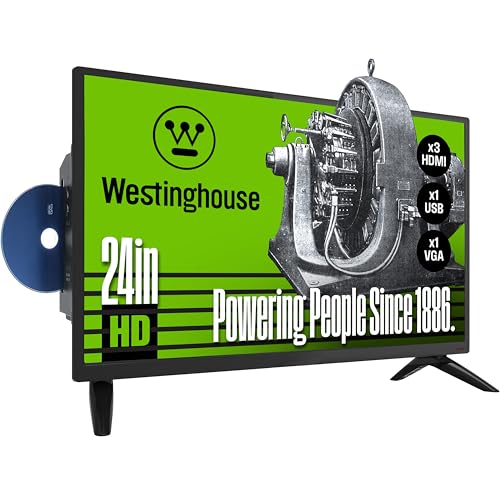
Westinghouse 24 Inch TV with Built-in DVD Player
Want a straightforward TV that doesn’t require you to learn new technology? This Westinghouse model combines a 24-inch HD display with a built-in DVD player, eliminating the need for separate devices. You’ll connect external streaming boxes like Fire Stick or Roku through HDMI ports, or plug in a computer via VGA for PC monitor functionality. The V-chip parental control feature lets you block programs by rating without navigating complex menus. Its compact size fits bedrooms, kitchens, or RVs efficiently. You can operate it on a 12V inverter while traveling. For basic viewing without smart TV complications, this model delivers dependable performance through familiar disc playback and straightforward input connections.
- Screen Size:24 inches
- Resolution:720p HD
- Streaming Device Compatibility:Fire Stick, Roku, Apple TV, TiVo, Xumo
- Parental Controls:Built-in V-chip
- Built-in Features:Built-in DVD player
- HDMI Port Count:Not specified
- Additional Feature:Built-in DVD player included
- Additional Feature:12V inverter RV compatible
- Additional Feature:Built-in V-chip parental control
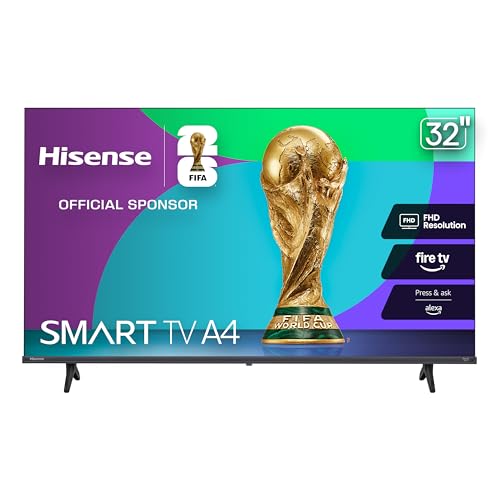
Hisense 32-Inch A4 Series Smart Fire TV (32A4NF)
If you’re looking for a straightforward TV that doesn’t overwhelm you with unnecessary features, Hisense’s 32-inch A4 Series offers a compact 1080p display with built-in Fire TV and Alexa voice control—making it ideal for seniors who want to access streaming apps like Netflix, Disney+, and Prime Video without maneuvering complex menus. The TV weighs just 8.4 pounds and fits easily into smaller spaces. You’ll get three HDMI ports for connecting devices like cable boxes or Blu-ray players. The 2.0 channel audio with DTS Virtual:X delivers adequate sound for most viewing. Setup takes minutes: plug in the TV, connect to Wi-Fi, and link your streaming accounts. Voice commands let you search content hands-free through Alexa.
- Screen Size:32 inches
- Resolution:1080p Full HD
- Streaming Device Compatibility:Built-in Fire TV with Alexa
- Parental Controls:Not specified
- Built-in Features:Built-in Fire TV, Alexa voice control
- HDMI Port Count:3 HDMI ports
- Additional Feature:Alexa voice control built-in
- Additional Feature:DTS Virtual:X surround sound
- Additional Feature:Full Array LED backlight
Westinghouse 32 Inch HD LED TV with DVD Player
This 32-inch HD LED model works well for seniors who want a straightforward TV without smart features—especially those who’d rather use external streaming devices like Fire Stick or Roku. You’ll connect your preferred streamer through the HDMI port in minutes. The built-in DVD player lets you watch physical discs without additional equipment. The TV includes parental controls via V-chip software if you’re setting it up for grandchildren. At 4.4 pounds with wall-mount capability, installation is manageable. The matte screen reduces glare, and the 178-degree viewing angle suits multiple seating positions. Power consumption stays modest at 50 watts, keeping energy costs down for everyday use.
- Screen Size:32 inches
- Resolution:720p HD
- Streaming Device Compatibility:Fire Stick, Roku, Apple TV, TiVo, Xumo
- Parental Controls:V-chip software
- Built-in Features:Built-in DVD player
- HDMI Port Count:1 HDMI port
- Additional Feature:Built-in DVD player included
- Additional Feature:250 nit brightness output
- Additional Feature:VESA 200x200mm wall mountable
TuTu 32-inch 720P HD LED Flat Screen TV
The TuTu 32-inch 720P HD LED Flat Screen TV works best if you’re looking for a straightforward, budget-friendly display that doesn’t require you to navigate complex smart TV menus. Connect external devices like Fire TV, Apple TV, or Google TV through its three HDMI ports to stream content. The TV includes a digital tuner for broadcast channels and supports wall mounting with VESA 100x100mm compatibility. Its 720P resolution delivers clear picture quality with 178-degree viewing angles suitable for multiple seating positions. The dual 2.0 speakers provide adequate audio for everyday viewing. At 11 pounds with modest power consumption, it’s portable enough for RVs when paired with a 12V inverter, making it practical for various living spaces without unnecessary features.
- Screen Size:32 inches
- Resolution:720p HD
- Streaming Device Compatibility:Fire TV, Apple TV, Google TV compatible
- Parental Controls:V-Chip parental lock
- Built-in Features:None (basic TV only)
- HDMI Port Count:3 HDMI ports
- Additional Feature:3D noise reduction technology
- Additional Feature:Three HDMI ports included
- Additional Feature:Dolby Digital sound integrated
Factors to Consider When Choosing Non-Smart TVs for Seniors
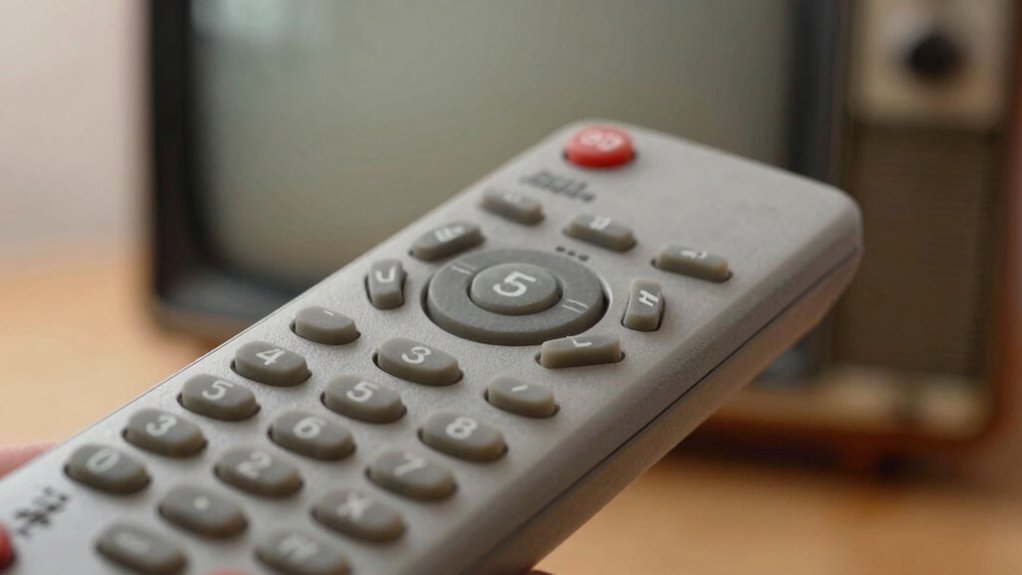
When you select a non-smart TV for seniors, you’ll want to prioritize a simple remote control with large, clearly labeled buttons, a bright display screen with high contrast for easy viewing, and straightforward input options like HDMI and coaxial connections that don’t require technical knowledge. You should verify that the TV includes reliable built-in features such as volume and brightness controls that work consistently, without requiring software updates or internet connectivity that could cause complications. Finally, you’ll compare affordable price points across models, since non-smart TVs typically cost less than smart TVs while delivering the same basic viewing experience without unnecessary features.
Simple Remote Control Design
Why do so many seniors struggle with their TV remotes? Overly complex designs with excessive buttons and nested menus create confusion and frustration. You’ll benefit from remotes featuring large, clearly labeled buttons with high contrast between text and background. Look for models that include only essential controls: power, volume, channel, and source selection. Avoid universal remotes with complicated layouts or multiple shortcut buttons that complicate operation. Opt for wireless remotes with long-range infrared or simple Bluetooth pairing to ensure reliable performance throughout your room, regardless of distance from the TV. Test the tactile feel of buttons before purchasing—you want oversized, responsive buttons that require minimal pressure. This straightforward approach eliminates unnecessary distractions and keeps your focus on enjoying television rather than deciphering remote controls.
Large, Clear Display Screen
How do you choose a display that won’t strain your eyes during hours of viewing? Start by selecting a 32-inch screen, which lets you read on-screen text from typical seating distances without difficulty. Next, verify the display offers 720p HD resolution, sufficient for clear video and simple menus. Then, check that the screen has a 178° viewing angle so you can see readable images from different positions in your room. Additionally, confirm the screen finish is matte or anti-glare to reduce reflections in bright environments. Finally, look for a TV with a built-in DVD player or external streaming device compatibility for straightforward content access. These specifications combine to eliminate eye strain and deliver practical viewing comfort.
Easy Input Connectivity Options
For seniors choosing a non-smart TV, prioritizing the right input connections makes setup and daily use considerably simpler. HDMI ports let you connect streaming devices and DVD players with a single cable, eliminating complicated wiring. VGA inputs allow you to use a computer as a monitor for reading emails or accessing larger menus. USB ports enable you to play media directly from flash drives without configuring networks. Optical, coax, and AV outputs ensure your TV works with existing audio systems, whether they’re modern or older models. Check which connections your current devices use, then select a TV with matching ports. This approach guarantees compatibility and reduces frustration during setup and regular use.
Reliable Built-In Features
Built-in features determine how much you’ll actually use your TV and whether you’ll need additional equipment cluttering your entertainment setup. Start by checking for an ATSC tuner, which captures free local channels over the air without internet or subscriptions. Next, look for V-chip parental controls if you share viewing with grandchildren—these let you restrict content by rating without buying separate devices. Consider models with built-in DVD players, eliminating the need for external disc players and extra remote controls. Finally, verify HDMI and USB ports for simple streaming stick connections if desired. These features work together to create a straightforward system requiring minimal setup, fewer cables, and less learning curve for daily use.
Affordable Price Point
What’s your budget for a non-smart TV? Start by looking at basic 720p LED models, which typically cost significantly less than smart TVs. You’ll find these units priced competitively while still delivering clear picture quality for everyday viewing.
Check whether the TV includes essential accessories like cables and a remote—this saves you money on extra purchases. Verify the return policy offers at least 30 days, protecting your investment if the TV doesn’t meet your needs.
Look for models with simple connections: HDMI, USB, and optional VGA ports. These straightforward setups eliminate expensive adapter costs and complicated installation procedures.
Review power consumption specifications. Units drawing 33–50 watts during active use keep your electricity bills predictable and low. Built-in parental controls or V-chip technology add valuable features without inflating the price, maximizing your spending efficiency.
Final Thoughts
You’ll find that choosing a non-smart TV for seniors comes down to matching three key features: a simple remote you can operate easily, multiple input ports for streaming devices, and a built-in tuner or DVD player for flexibility. Compare the models’ screen sizes—24 inches works for bedrooms, 32 inches for living rooms. Check energy ratings and wall-mount compatibility. Test the remote’s button layout before purchasing to assure comfort and usability.

Meet Ry, “TechGuru,” a 36-year-old technology enthusiast with a deep passion for tech innovations. With extensive experience, he specializes in gaming hardware and software, and has expertise in gadgets, custom PCs, and audio.
Besides writing about tech and reviewing new products, he enjoys traveling, hiking, and photography. Committed to keeping up with the latest industry trends, he aims to guide readers in making informed tech decisions.