
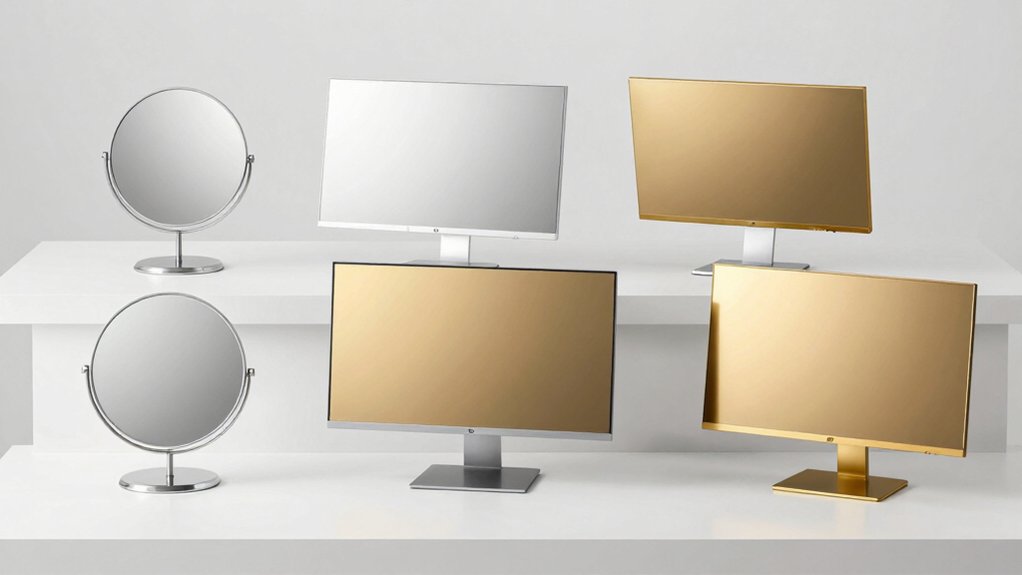

You can expand your workspace awareness and eliminate blind spots by installing a clip-on convex mirror on your monitor. These mirrors reduce interruptions in open offices, improve your peripheral vision, and mount securely without tools. They rotate 360° for precise positioning and work across single or dual-display setups. But selecting the right mirror requires understanding specific features that match your workspace needs—which we’ll cover next.
| Peleg Design Watch-It Monitor Mirror Convex Rear-View |

| Compact & Portable | Mirror Type: Convex rear-view mirror | Mounting Method: Clip-on design | Adjustability: Adjustable mirror angle | VIEW LATEST PRICE | Read Our Analysis |
| Clampable Convex Safety Mirror 6.4″ for Workspace Security |
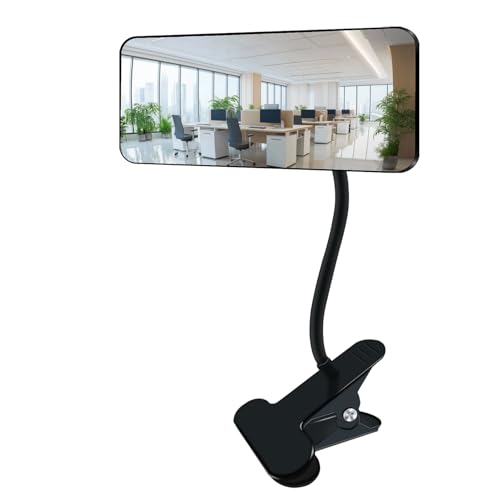
| Professional Grade | Mirror Type: Glass convex safety mirror | Mounting Method: Clampable with sponge pad | Adjustability: 360° direction adjustment | VIEW LATEST PRICE | Read Our Analysis |
| Clip On Convex Rear View Mirror for Computer Monitor |

| Budget-Friendly Pick | Mirror Type: Convex mirror | Mounting Method: Universal clip-on design | Adjustability: Adjustable viewing angle | VIEW LATEST PRICE | Read Our Analysis |
| Ampper Glass Clip-On Security Mirror Convex Rectangle |

| Best Overall | Mirror Type: Glass convex rectangle mirror | Mounting Method: Clip-on with sponge mat | Adjustability: 360° adjustable | VIEW LATEST PRICE | Read Our Analysis |
| 2 Pcs Office Cubicle Privacy Mirrors with 360° Swivel |

| Best Value | Mirror Type: Convex see-behind mirror | Mounting Method: Stick-on adhesive | Adjustability: 360° swivel capability | VIEW LATEST PRICE | Read Our Analysis |
More Details on Our Top Picks
Peleg Design Watch-It Monitor Mirror Convex Rear-View
If you’re working at a desk in an open office, cubicle, or shared workspace where you can’t see who’s approaching from behind, the Peleg Design Watch-It Monitor Mirror offers a practical solution for maintaining awareness of your surroundings. You’ll clip this convex mirror directly onto your monitor, desk, or cabinet using its foam-padded clamp that won’t scratch your equipment. The convex design expands your field of vision, letting you monitor blind spots and rear environments simultaneously with your regular work. You can adjust the mirror’s angle in any direction to capture exactly what you need to see. Since it’s portable and clip-on, you’ll move it between your office, car, or home as needed. This setup reduces unexpected interruptions and helps you stay alert throughout your workday without constantly turning around.
- Mirror Type:Convex rear-view mirror
- Mounting Method:Clip-on design
- Adjustability:Adjustable mirror angle
- Mirror Dimensions:Not specified
- Primary Use Case:Desk/cubicle/car monitoring
- Frame Material:High-quality plastic
- Additional Feature:Extra-thick foam clamp protection
- Additional Feature:Portable multi-location adaptability
- Additional Feature:Blind spot awareness enhancement
Clampable Convex Safety Mirror 6.4″ for Workspace Security
You’re working at your desk or in a warehouse and need to monitor your surroundings without constantly turning around—that’s where the Clampable Convex Safety Mirror 6.4” becomes essential. This mirror features a 6.4″ x 3″ glass convex surface that delivers a wider field of vision than standard mirrors. The 9.84″ metal stem rotates 360 degrees, allowing you to adjust angles for optimal viewing. Simply clamp the 3″-wide sponge-padded clip onto your desk or monitor without scratching surfaces. The curved black frame prevents accidental cuts. You’ll enhance workspace awareness, protect privacy, and boost productivity by eliminating blind spots efficiently.
- Mirror Type:Glass convex safety mirror
- Mounting Method:Clampable with sponge pad
- Adjustability:360° direction adjustment
- Mirror Dimensions:6.4″ x 3″
- Primary Use Case:Workspace and office security
- Frame Material:Black curved glass frame
- Additional Feature:Extended 9.84″ metal stem
- Additional Feature:Silicone stem material construction
- Additional Feature:Included dust-proof cleaning cloth
Clip On Convex Rear View Mirror for Computer Monitor
Working in an open office or shared cubicle space presents a common challenge: you can’t see who’s approaching from behind without turning away from your monitor. This clip-on convex rear view mirror solves that problem directly. The adjustable clip attaches securely to your monitor’s top edge, fitting most display sizes without adhesives. Its convex design expands your field of view, eliminating blind spots behind your workspace. You’ll rotate the mirror to your preferred angle for optimal visibility. The compact size maintains your professional appearance while keeping your desk uncluttered. Use this mirror to monitor approaching coworkers, enhancing your awareness and reducing unexpected interruptions throughout your workday.
- Mirror Type:Convex mirror
- Mounting Method:Universal clip-on design
- Adjustability:Adjustable viewing angle
- Mirror Dimensions:Small/compact profile
- Primary Use Case:Office cubicle privacy and safety
- Frame Material:Not specified
- Additional Feature:Universal monitor/laptop compatibility
- Additional Feature:Compact discreet profile design
- Additional Feature:Professional workspace appearance maintenance
Ampper Glass Clip-On Security Mirror Convex Rectangle
The Ampper Glass Clip-On Security Mirror suits anyone who needs better visibility of their workspace without a permanent installation. This convex rectangle mirror measures 6.69″ x 2.95″ and features a durable glass construction with a black frame. You’ll clip it onto your monitor, desk, or cabinet using its sponge-padded attachment to prevent scratching. The adjustable metal stem allows you to rotate the mirror 360 degrees to view your workspace or monitor surroundings. Since it’s movable, you can reposition it as your needs change throughout your workday.
- Mirror Type:Glass convex rectangle mirror
- Mounting Method:Clip-on with sponge mat
- Adjustability:360° adjustable
- Mirror Dimensions:6.69″ x 2.95″ rectangle
- Primary Use Case:Computer monitor and cubicle mirror
- Frame Material:Black glass frame with metal stand
- Additional Feature:Heavy-duty all-metal construction
- Additional Feature:Sponge mat scratch prevention
- Additional Feature:Multi-surface clipping capability
2 Pcs Office Cubicle Privacy Mirrors with 360° Swivel
If you’re managing an open workspace where distractions and privacy concerns affect your focus, these 2 Pc office cubicle privacy mirrors with 360° swivel capability offer a straightforward solution. Install the stick-on mirrors on your monitor or partition wall without tools. Adjust each mirror to your preferred angle, eliminating blind spots behind you. The 360° swivel feature lets you rotate the mirrors for optimal viewing positions throughout your day. You’ll gain comprehensive rear-view awareness, reducing interruptions and awkward situations. The compact, concealed design blends seamlessly into your workspace. This setup enhances your sense of security and control in shared environments, directly supporting sustained concentration and productivity.
- Mirror Type:Convex see-behind mirror
- Mounting Method:Stick-on adhesive
- Adjustability:360° swivel capability
- Mirror Dimensions:Not specified
- Primary Use Case:Open office and cubicle privacy
- Frame Material:Not specified
- Additional Feature:Two-piece bundle value
- Additional Feature:Stick-on installation method
- Additional Feature:Minimalist concealed design aesthetic
Factors to Consider When Choosing a Mirror for Computer Monitor
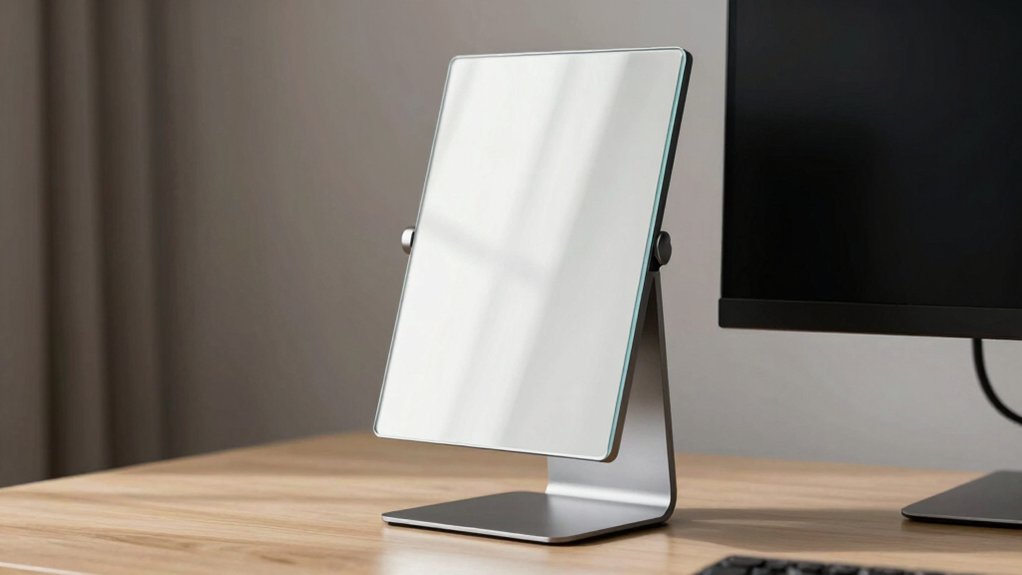
When you’re selecting a mirror for your computer monitor, you’ll need to evaluate several key factors: mirror size and dimensions relative to your desk space, the mounting and installation method that works with your setup, and the field of view coverage you require for your workspace. You should also examine the material quality and durability to ensure the mirror withstands regular use without warping or clouding, and confirm that the adjustability and rotation range allow you to position the mirror at angles that eliminate blind spots. Taking time to assess each of these factors prevents you from purchasing a mirror that doesn’t fit your monitor configuration or workspace needs.
Mirror Size And Dimensions
How do you know what mirror dimensions‘ll actually work for your setup? Measure your monitor’s width and bezel first—this determines maximum mirror size. Common monitor mirror dimensions range from 6.4″ × 3″ to 6.69″ × 2.95″, fitting most standard displays. Check whether you need a rectangular or convex shape; convex mirrors expand your viewing angle without increasing raw size. Next, verify your clip or clamping width matches your monitor bezel or desk edge—typically 3″ clips accommodate standard bezels. Ensure the mirror’s overall footprint doesn’t obstruct your screen view or consume excess desk space. Finally, confirm the mounting hardware won’t interfere with your workspace. Select dimensions that provide adequate rear-view coverage while maintaining compatibility with your existing setup.
Mounting And Installation Method
The mounting mechanism you choose determines how easily you’ll install and adjust your monitor mirror. Clip-on designs attach directly to your screen without adhesive or tools, making them ideal for portable setups or rental spaces. These mirrors feature adjustable clip mechanisms that accommodate different monitor sizes and allow you to change viewing angles by tilting them to your preferred position.
Check the clamp width compatibility before purchasing to ensure the mirror fits your monitor’s thickness or edge type. Some models include foam pads or sponge materials on the clip area to protect your screen from scratches during installation.
For maximum flexibility, select mirrors with 360-degree rotation or hinge joints. These features enable you to adjust the mirror in multiple directions, providing full rear-view visibility from various angles.
Field Of View Coverage
What’s the actual range you’ll see behind your monitor? Convex mirrors expand your rear visibility by reducing blind spots, and the coverage depends on three factors: mirror size, curvature, and placement. A larger surface like 6.69″ x 2.95″ covers more area than smaller options. The mirror’s distance from you also affects effectiveness—closer placement captures wider angles. Evaluate your mirror’s viewing angle, which ranges from partial rear coverage to near 360-degree awareness. If your monitor-mounted mirror includes 360° rotation capability, you can swivel it to capture angles from multiple directions without repositioning. Test the angle adjustability to confirm it delivers the rear visibility you need during actual desk work before committing to a purchase.
Material Quality And Durability
Durability hinges on the materials you choose, since a mirror that degrades quickly won’t serve you well at your desk. Glass convex mirrors deliver clearer reflections and last longer than plastic alternatives, making them the superior choice for workspace setups. Examine the stem and joints—sturdy metal construction maintains stable angles and supports weight better than plastic. Check for foam or sponge padding on clips to prevent monitor scratches while improving grip reliability. Opt for full metal stands and frames over plastic-only designs, as metal resists wear and accidental impacts more effectively. Finally, verify that your mirror has a protective, scratch-resistant coating or finish applied to the surface. This coating reduces abrasion from daily handling and extends your mirror’s lifespan considerably. These material choices directly affect how long your monitor mirror remains functional and clear.
Adjustability And Rotation Range
How much flexibility do you need when positioning your monitor mirror? Look for models with 360° rotation capability that let you adjust angles in any direction. Choose a clip-on or clamp-on mount that supports both horizontal and vertical pivoting for complete rear-view visibility. Verify the joint or hinge quality maintains stable positioning after you adjust it, preventing drift during work. Test that the mechanism allows precise adjustments to eliminate blind spots without blocking your screen. Select mirrors offering quick, tool-free adjustment so you can switch viewing angles easily between different tasks or seating positions. This flexibility ensures you’ll capture the rear-view coverage you need without repositioning your entire setup repeatedly.
Compatibility With Display Types
You’ll want to verify that your monitor mirror attaches securely to your specific display without obstructing the screen or causing damage. Universal clip-on designs work across most monitor sizes and laptop screens, eliminating compatibility concerns. Check whether your setup uses a desktop monitor, laptop, or dual-display configuration, then confirm the mirror’s specifications match your display type. Measure your monitor’s bezel thickness to ensure the clip accommodates it properly. Padded clips with foam or sponge lining protect various monitor materials from scratches. If you use a portrait-oriented monitor, select a mirror with 360° rotation capability. For cubicle or multi-monitor environments, verify the mirror doesn’t interfere with adjacent screens or workspace equipment. Testing the attachment on your actual monitor before purchasing ensures proper fit and functionality.
Scratch Protection Features
What’s the best way to keep your monitor safe from scratches when installing a mirror? You’ll want to select a clip-on mirror design that includes protective padding. Look for models featuring foamized or padded clamps that create a cushioned barrier between the mirror and your monitor surface. Sponge pads and foam clips specifically prevent direct contact with your screen bezel, desk, or cabinet. When choosing your mirror, prioritize clips with soft protective pads made from silicone stems or sponge materials. These materials reduce scratch risk during both installation and repositioning. Check that compatibility hinges include foam protection elements. Durable designs minimize abrasions when you adjust or move the mirror. This protective approach preserves your screen integrity and prevents surface damage while maintaining full functionality.
Portability And Workspace Flexibility
Beyond protecting your monitor from damage, a clip-on mirror’s design directly impacts how easily you can move it between different work environments. Choose mirrors with quick-release mechanisms that require no tools for attachment or removal. This feature lets you relocate the mirror from your desk to a cubicle or portable workstation in seconds. Lightweight models under one pound reduce the effort needed for frequent repositioning. Compact sizes fit atop most monitors without adding bulk to your setup. Verify that your selected mirror works with multiple monitor types and sizes before purchasing. Test the clamp’s grip strength to ensure it holds securely during transport. Portable mirrors support hybrid work arrangements, allowing you to maintain consistent viewing angles across home, office, and shared spaces.
Final Thoughts
You’ve reviewed five effective mirror options for your monitor setup. Select based on your specific needs: choose convex mirrors for expanded visibility, prioritize scratch-resistant materials for durability, and confirm the clamp fits your monitor size. Install tool-free mirrors quickly without equipment. Position your chosen mirror at 360° angles to eliminate blind spots in shared workspaces. This setup directly reduces interruptions and improves your productivity.

Meet Ry, “TechGuru,” a 36-year-old technology enthusiast with a deep passion for tech innovations. With extensive experience, he specializes in gaming hardware and software, and has expertise in gadgets, custom PCs, and audio.
Besides writing about tech and reviewing new products, he enjoys traveling, hiking, and photography. Committed to keeping up with the latest industry trends, he aims to guide readers in making informed tech decisions.