
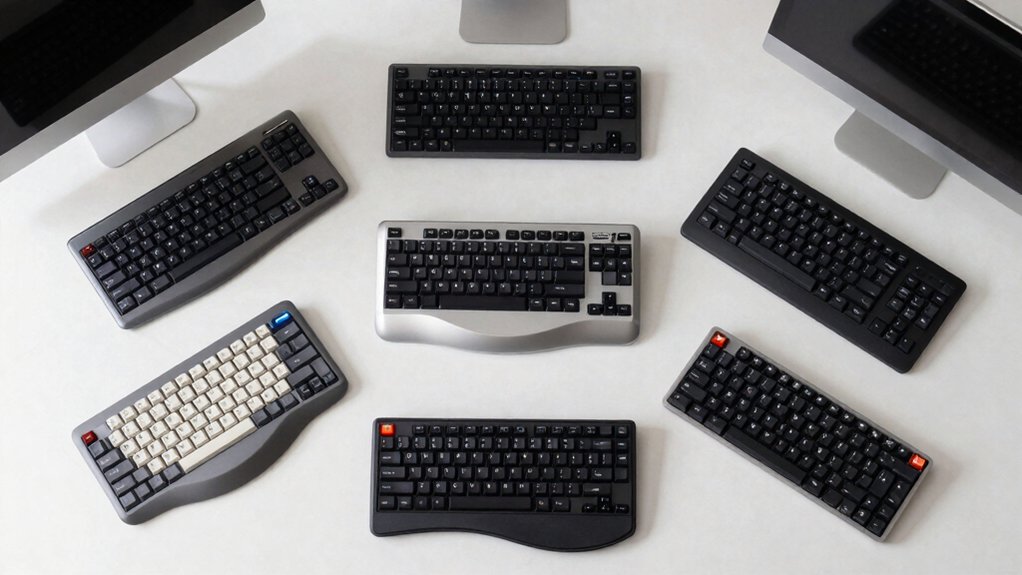

If you spend hours typing on your Mac, you’ve likely noticed hand strain or wrist fatigue setting in. Split keyboards address this problem by separating the key layout, allowing you to position each half at a comfortable angle for your hands. You’ll find models offering adjustable separation, tenting angles, and ergonomic features like palm supports. But choosing the right one depends on specific factors—and there are nine strong contenders worth considering.
| KINESIS Freestyle2 Ergonomic Keyboard for Mac |
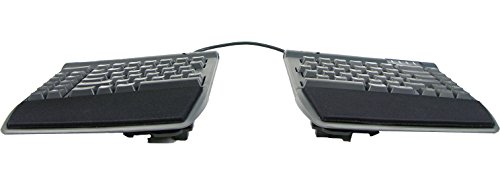
| Mac-Native Excellence | Split Design: Rotatable/separable up to 9″ with VIP3 tenting | Connectivity: Wired USB with 2-port hub | Key Technology: Low-force custom membrane switches with tactile feedback | VIEW LATEST PRICE | Read Our Analysis |
| Macally Bluetooth Ergonomic Split Keyboard for Mac |

| Best Wireless Choice | Split Design: Split ergonomic design with padded wrist support | Connectivity: Wireless Bluetooth, multi-device (3 Apple devices) | Key Technology: Membrane switches with Mac layout and shortcuts | VIEW LATEST PRICE | Read Our Analysis |
| Logitech Ergo K860 Wireless Ergonomic Keyboard |

| Most Supported Features | Split Design: Split curved keyframe with memory foam wrist rest | Connectivity: Bluetooth and USB receiver (wireless) | Key Technology: Scooped keys, quiet, full-size layout with numeric pad | VIEW LATEST PRICE | Read Our Analysis |
| Kinesis Freestyle2 Ergonomic Keyboard w/ V3 Lifters for Mac (9″ Separation) |

| Award-Winning Split Design | Split Design: Rotatable/separable up to 9″ with V3 tenting | Connectivity: Wired USB-A | Key Technology: Low-force custom membrane switches with tactile feedback | VIEW LATEST PRICE | Read Our Analysis |
| EPOMAKER Split70 Wireless Ergonomic Mechanical Keyboard RGB |

| Gaming-Focused Ergonomics | Split Design: Detachable halves or linked via cable, gasket-mounted | Connectivity: Tri-mode (Bluetooth 5.0, 2.4GHz wireless, USB-C wired) | Key Technology: Hot-swappable creamy linear mechanical (Wisteria Linear V2) | VIEW LATEST PRICE | Read Our Analysis |
| RK Royal Kludge RKS70 Ergonomic Split Mechanical Keyboard |

| Compact & Programmable | Split Design: Split design with 8 adjustable feet, fixed wrist rest | Connectivity: Bluetooth, 2.4GHz wireless, USB-C wired | Key Technology: Hot-swappable pre-lubed linear mechanical switches | VIEW LATEST PRICE | Read Our Analysis |
| OMOTON Wired Keyboard for Mac with Numeric Keypad |

| Budget-Friendly Pick | Split Design: Full-size wired keyboard (non-split) | Connectivity: Wired USB/USB-C | Key Technology: Scissor-foot design with function keys and numeric pad | VIEW LATEST PRICE | Read Our Analysis |
| Keychron Q11 QMK/VIA TKL Split Mechanical Keyboard |

| Premium Mechanical Split | Split Design: Split TKL layout, bridgeable with cable | Connectivity: Wired USB-C | Key Technology: Hot-swappable mechanical (Keychron Super Red, pre-lubed) | VIEW LATEST PRICE | Read Our Analysis |
| Nulea Wireless Ergonomic Split Keyboard with Wrist Rest |

| Best Value Wireless | Split Design: Split ergonomic design with adjustable tilt angles | Connectivity: Dual-mode Bluetooth and 2.4GHz, USB-C rechargeable | Key Technology: Membrane switches, 101-key QWERTY layout | VIEW LATEST PRICE | Read Our Analysis |
More Details on Our Top Picks
KINESIS Freestyle2 Ergonomic Keyboard for Mac
If you’re spending hours typing on a standard keyboard and noticing wrist pain or finger fatigue, the KINESIS Freestyle2 Ergonomic Keyboard for Mac addresses these problems through its adjustable split design and low-force key switches. You can rotate and separate the two keyboard modules up to 9 inches apart to match your natural hand and wrist positions. The included VIP3 tenting accessory lets you adjust the keyboard angle to 5, 10, or 15 degrees, and integrated palm supports cushion your wrists during typing. Low-force membrane switches reduce the activation effort needed per keystroke, cutting down finger strain. Since the keyboard comes pre-assembled with all accessories installed and requires no software or drivers, you’ll start typing immediately. The built-in 2-port hub provides convenient device connectivity.
- Split Design:Rotatable/separable up to 9″ with VIP3 tenting
- Connectivity:Wired USB with 2-port hub
- Key Technology:Low-force custom membrane switches with tactile feedback
- Wrist Support:Integrated cushioned palm supports with VIP3 tenting
- Programmability:No software/drivers required, plug-and-play
- Battery/Power:Wired (no battery required)
- Additional Feature:9-inch maximum separation
- Additional Feature:VIP3 tenting (5/10/15°)
- Additional Feature:2-port USB hub included
Macally Bluetooth Ergonomic Split Keyboard for Mac
Are you experiencing wrist pain or discomfort during long typing sessions? The Macally Bluetooth Ergonomic Split Keyboard for Mac addresses this through its split design and padded wrist support. The keyboard features 4 adjustable kickstands that let you customize angles for your preferred typing position. Its 100-key MacOS layout includes 13 built-in shortcuts, streamlining your workflow. The backlit keys offer three brightness settings to match your lighting conditions. You’ll pair this keyboard with up to 3 Apple devices simultaneously using multi-sync Bluetooth. The 2000 mAh rechargeable battery provides extended wireless operation, and the included USB-C cable handles charging efficiently.
- Split Design:Split ergonomic design with padded wrist support
- Connectivity:Wireless Bluetooth, multi-device (3 Apple devices)
- Key Technology:Membrane switches with Mac layout and shortcuts
- Wrist Support:Padded wrist support, 4 adjustable kickstands
- Programmability:Mac-specific layout with 13 shortcuts
- Battery/Power:2000 mAh rechargeable battery, USB-C charging
- Additional Feature:Multi-sync 3 Apple devices
- Additional Feature:Backlit keys with 3 settings
- Additional Feature:2000 mAh rechargeable battery
Logitech Ergo K860 Wireless Ergonomic Keyboard
The Logitech Ergo K860 works best for typists who spend extended hours at their Mac and want measurable ergonomic improvements without sacrificing a full keyboard layout. You’ll get 54% more wrist support and 25% less wrist bending compared to standard keyboards. The split design pairs with a memory foam wrist rest and adjustable tilt legs set at 0, -4, or -7 degrees to match your preferred position. Connect via Bluetooth or USB receiver, and you’ll access both Windows and Mac compatibility. The two-year battery life and quiet keys keep your workspace distraction-free while you work.
- Split Design:Split curved keyframe with memory foam wrist rest
- Connectivity:Bluetooth and USB receiver (wireless)
- Key Technology:Scooped keys, quiet, full-size layout with numeric pad
- Wrist Support:Pillowed memory foam wrist rest, 54% more support
- Programmability:Logitech Options software for customization
- Battery/Power:2x AAA batteries, 2-year battery life
- Additional Feature:Memory foam pillowed wrist rest
- Additional Feature:Two-year battery life
- Additional Feature:Waterproof keyboard design
Kinesis Freestyle2 Ergonomic Keyboard w/ V3 Lifters for Mac (9″ Separation)
For Mac users who need substantial hand separation and customizable positioning, Kinesis’s Freestyle2 with V3 Lifters delivers an award-winning split design that lets you adjust your keyboard setup to match your natural hand, wrist, and forearm alignment. You’ll find the keyboard separates up to 9 inches, giving you flexibility for positioning each half independently. The V3 tenting accessory comes pre-installed and adjusts to 5, 10, or 15 degrees without requiring palm supports. Low-force key switches reduce finger fatigue and strain during extended typing sessions. The standard Mac layout includes Mac-specific hotkeys and multimedia keys, requiring no software installation. Simply connect via USB and start typing immediately.
- Split Design:Rotatable/separable up to 9″ with V3 tenting
- Connectivity:Wired USB-A
- Key Technology:Low-force custom membrane switches with tactile feedback
- Wrist Support:V3 tenting accessory (no palm supports)
- Programmability:No software/drivers required, plug-and-play
- Battery/Power:Wired (no battery required)
- Additional Feature:V3 tenting (5/10/15°)
- Additional Feature:94-key layout
- Additional Feature:2.1 pound lightweight design
EPOMAKER Split70 Wireless Ergonomic Mechanical Keyboard RGB
If you’re looking to reduce wrist and forearm strain while typing on your Mac, the EPOMAKER Split70 delivers an ergonomic split layout with detachable halves that you can position to match your natural shoulder width. The keyboard features gasket mounting with five-layer padding to minimize impact noise and vibration. You’ll get creamy linear switches with hot-swappable support, so you can customize your typing feel. The tri-mode wireless connectivity—Bluetooth 5.0, 2.4GHz, or USB-C—lets you switch between your Mac and four other devices instantly. Configure keys and RGB lighting through QMK/VIA software to match your workflow. The rotary knob controls volume and brightness hands-on. With a 3000mAh battery and 1000Hz low-latency performance, you maintain productivity throughout your day.
- Split Design:Detachable halves or linked via cable, gasket-mounted
- Connectivity:Tri-mode (Bluetooth 5.0, 2.4GHz wireless, USB-C wired)
- Key Technology:Hot-swappable creamy linear mechanical (Wisteria Linear V2)
- Wrist Support:5-layer padding (gasket-mounted, latex/IXPE/PET)
- Programmability:QMK/VIA support with real-time JSON configuration
- Battery/Power:3000 mAh rechargeable, tri-mode wireless
- Additional Feature:Tri-mode wireless connectivity
- Additional Feature:5-layer gasket-mounted padding
- Additional Feature:Rotary knob multimedia control
RK Royal Kludge RKS70 Ergonomic Split Mechanical Keyboard
Looking for a split keyboard that works as a standalone one-handed device? The RKS70 delivers exactly that. Its built-in left-half battery allows you to use just the left side independently, making it practical for gaming or programming with one hand while managing other tasks. The 75% compact layout preserves all essential keys without consuming excessive desk space. You’ll find five programmable macro keys on the left side for customizing your workflow. Connect via 2.4GHz wireless, Bluetooth, or USB-C—all three options work seamlessly with Mac. The hot-swappable PCB accepts both 3-pin and 5-pin switches, letting you swap your pre-lubed linear switches whenever you prefer. Eight adjustable feet let you customize your typing angle for comfort during extended sessions.
- Split Design:Split design with 8 adjustable feet, fixed wrist rest
- Connectivity:Bluetooth, 2.4GHz wireless, USB-C wired
- Key Technology:Hot-swappable pre-lubed linear mechanical switches
- Wrist Support:Fixed wrist rest, 8 adjustable feet for angles
- Programmability:RK software for key remapping, macros, RGB (Windows)
- Battery/Power:3150 mAh built-in battery, up to 2 weeks
- Additional Feature:One-handed keyboard capability
- Additional Feature:5 programmable macro keys
- Additional Feature:8 adjustable feet angles
OMOTON Wired Keyboard for Mac with Numeric Keypad
The OMOTON Wired Keyboard delivers full Mac compatibility with a practical design suited for users who need a complete keyboard setup including a numeric keypad. This 99-key keyboard features an 8° ergonomic lift that reduces wrist strain during extended typing sessions. The scissor-foot design ensures smooth, responsive keystrokes across all keys. Setup requires connecting the Type-C end to your Mac first, then inserting the USB-A adapter into your device’s port. The green power indicator confirms successful connection. Built-in media keys provide quick access to common functions. At 14.3 by 4.9 inches, the keyboard fits standard desk spaces. OMOTON backs this model with a 12-month warranty covering manufacturing defects.
- Split Design:Full-size wired keyboard (non-split)
- Connectivity:Wired USB/USB-C
- Key Technology:Scissor-foot design with function keys and numeric pad
- Wrist Support:8° ergonomic lift for wrist comfort
- Programmability:Plug-and-play with media keys
- Battery/Power:Wired (no battery required)
- Additional Feature:Numeric keypad included
- Additional Feature:8-degree ergonomic lift
- Additional Feature:Dual USB/Type-C interface
Keychron Q11 QMK/VIA TKL Split Mechanical Keyboard
Want a split keyboard that you can customize down to individual keys without technical expertise? The Keychron Q11 delivers exactly that. You get a 91-key split layout with full QMK and VIA support, meaning you can reprogram any key using an intuitive graphical interface. The aluminum frame houses pre-lubed Keychron Super Red switches rated for 50 million clicks. You’ll appreciate the south-facing RGB backlighting, hot-swappable design for switch changes, and premium PBT keycaps that resist oil and shine. The split halves connect via cable, letting you position them ergonomically or bridge them together. USB-C wired connectivity ensures stable Mac compatibility, while the programmable volume roller and open-source firmware unlock shortcuts and lighting effects tailored to your workflow.
- Split Design:Split TKL layout, bridgeable with cable
- Connectivity:Wired USB-C
- Key Technology:Hot-swappable mechanical (Keychron Super Red, pre-lubed)
- Wrist Support:Split ergonomic layout with programmable features
- Programmability:Full QMK/VIA support, programmable per-key remapping
- Battery/Power:Wired USB-C (no battery)
- Additional Feature:Full aluminum frame construction
- Additional Feature:Volume roller knob included
- Additional Feature:50 million click lifecycle
Nulea Wireless Ergonomic Split Keyboard with Wrist Rest
If you’re experiencing wrist pain or fatigue during long typing sessions on your Mac, the Nulea Wireless Ergonomic Split Keyboard with Wrist Rest addresses these concerns through its split design and cushioned wrist support. The keyboard features an oversized leatherette wrist rest and adjustable tilt with three angles, allowing you to customize your typing position for optimal comfort. You’ll connect via Bluetooth, 2.4G wireless, or USB wired mode depending on your needs. The rechargeable battery provides up to 200 hours of use per charge. The 101-key QWERTY layout works seamlessly with Mac and Windows devices. Its ambidextrous design accommodates both left and right-handed typists, making it a versatile option for various users seeking ergonomic keyboard solutions.
- Split Design:Split ergonomic design with adjustable tilt angles
- Connectivity:Dual-mode Bluetooth and 2.4GHz, USB-C rechargeable
- Key Technology:Membrane switches, 101-key QWERTY layout
- Wrist Support:Oversized soft leatherette wrist rest, adjustable angles
- Programmability:Standard layout, no programmable features noted
- Battery/Power:Rechargeable, up to 200 hours battery life
- Additional Feature:Oversized leatherette wrist rest
- Additional Feature:200-hour battery life
- Additional Feature:Three adjustable tilt angles
Factors to Consider When Choosing a Split Keyboard for Mac
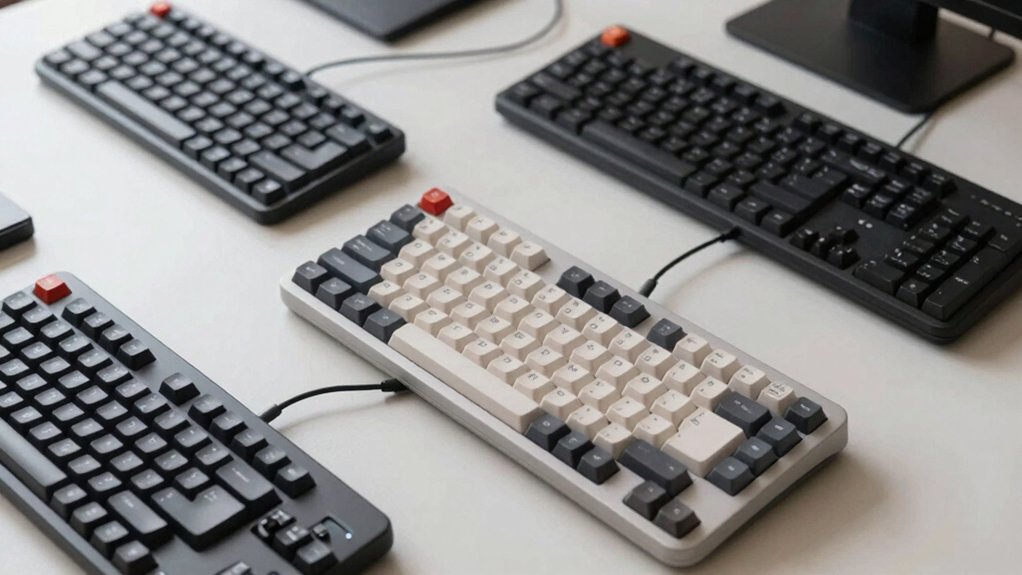
When selecting a split keyboard for your Mac, you’ll need to evaluate five key factors: ergonomic design and support to reduce strain, connectivity and compatibility to ensure it works with your system, key technology and feel to match your typing preference, battery life and power to fit your usage patterns, and adjustability and customization to personalize your setup. Start by determining which features matter most to your work style—for example, if you type for eight hours daily, prioritize excellent wrist support and long battery life over advanced customization options. Next, verify that any keyboard you’re considering connects via Bluetooth or USB and supports macOS, then test the key switches if possible to confirm the tactile response suits you.
Ergonomic Design And Support
How you position your hands and wrists while typing directly affects your comfort during long Mac sessions, making ergonomic design a critical factor in choosing a split keyboard. Look for keyboards with adjustable tenting between 5–15 degrees to reduce forearm pronation and wrist bending. Check whether the design includes integrated palm supports or cushioned wrist rests that maintain neutral wrist posture. Split keyboards allow you to position each half independently, aligning them with your natural hand and forearm angles. Choose models with low-force or tactile feedback switches to minimize finger fatigue during extended use. Select ambidextrous layouts with modular components if you need to customize splay and alignment for your specific Mac setup.
Connectivity And Compatibility
Beyond positioning your hands correctly, you’ll also need to verify that your split keyboard connects reliably to your Mac and supports the features you use daily. Check whether the keyboard offers Bluetooth, USB-C, or USB-A connectivity—Bluetooth provides wireless freedom, while USB-C and USB-A offer stable wired connections. If you use multiple Apple devices, prioritize keyboards with multi-device pairing capabilities to switch seamlessly between your Mac and iOS devices. Confirm the keyboard includes Mac-specific layouts and macOS shortcuts for native functionality. For advanced customization, look for models with QMK or VIA firmware, allowing you to remap keys and create custom shortcuts tailored to your workflow. These connectivity and compatibility factors ensure your split keyboard integrates smoothly into your existing Mac setup.
Key Technology And Feel
What makes a split keyboard comfortable for extended Mac typing sessions? The key technology and feel of your keyboard directly impact finger fatigue and typing endurance.
Look for low-force key switches that reduce strain during long work periods. These switches require minimal pressure to activate, allowing you to type lighter and longer without exhaustion.
Choose models featuring tactile feedback combined with reduced activation force. This combination gives you physical response confirmation while keeping keystroke effort minimal.
Evaluate the keyboard’s tenting adjustment range, typically 5–15 degrees. Proper tenting aligns your wrists and forearms to your natural typing position, decreasing strain on joints and muscles.
Verify Mac-specific layout compatibility. You’ll retain familiar shortcuts and system controls essential for efficient Mac workflows.
Battery Life And Power
Battery life directly affects your keyboard’s reliability during work sessions, and you’ll want to understand how different models perform before committing to a purchase. Most wireless split keyboards use rechargeable batteries ranging from 2000–3150 mAh, offering varying runtimes. The RK Royal Kludge RKS70 provides up to two weeks with backlight enabled, while the Nulea HD315 delivers up to 200 hours on a full charge. Your usage patterns determine actual battery longevity. Disabling backlighting or reducing brightness significantly extends runtime. Check whether your keyboard supports USB-C charging for convenient recharging. Evaluate models based on your typical work duration between charges, considering Bluetooth, 2.4 GHz, or wired modes you’ll use most frequently.
Adjustability And Customization
How you position your hands while typing directly impacts your comfort and injury prevention, which is why split keyboards offer adjustable separation and tenting features you should evaluate carefully. You can adjust the separation between keyboard halves up to about 9 inches to match your natural hand and forearm positions. Tenting options—typically 5°, 10°, or 15°—modify your wrist angle and reduce forearm strain. Some models include pre-installed palm supports and pads for immediate ergonomic support. Additionally, hot-swappable switches and programmable keys via VIA/QMK support let you customize key mapping and macros for your workflow. Modular designs allow you to combine or separate halves while maintaining Mac hotkey layouts, giving you flexibility to adjust your setup as your needs change.
Final Thoughts
You’ll find a split keyboard that fits your Mac setup by evaluating separation distance, tenting angle, and switch type. Wireless models offer convenience, while wired options provide stability. Check Mac compatibility and layout support before purchasing. Test your preferred key feel—low-force switches reduce fatigue for extended typing. Consider your desk space and budget. Compare battery life on wireless models. Select based on your ergonomic needs and workflow demands.

Meet Ry, “TechGuru,” a 36-year-old technology enthusiast with a deep passion for tech innovations. With extensive experience, he specializes in gaming hardware and software, and has expertise in gadgets, custom PCs, and audio.
Besides writing about tech and reviewing new products, he enjoys traveling, hiking, and photography. Committed to keeping up with the latest industry trends, he aims to guide readers in making informed tech decisions.