
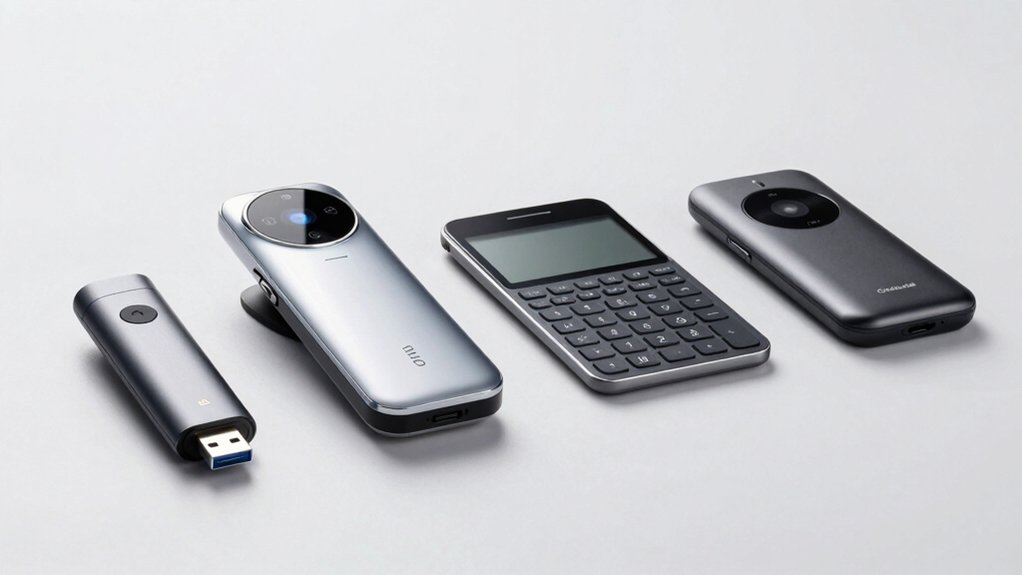

When you’re setting up biometric security on your Mac, you’ll find that not all fingerprint scanners work equally well. You’ve got four solid options to evaluate: the Kensington VeriMark Desktop, the DigitalPersona URU4500, the Yoidesu USB-C Reader, and the Adesso USB Reader. Each one handles compatibility and driver support differently, which directly affects how smoothly they’ll integrate with your system. Before you choose, you’ll need to understand what makes each scanner distinct.
| Kensington VeriMark Desktop USB Fingerprint Reader (K62330WW) |
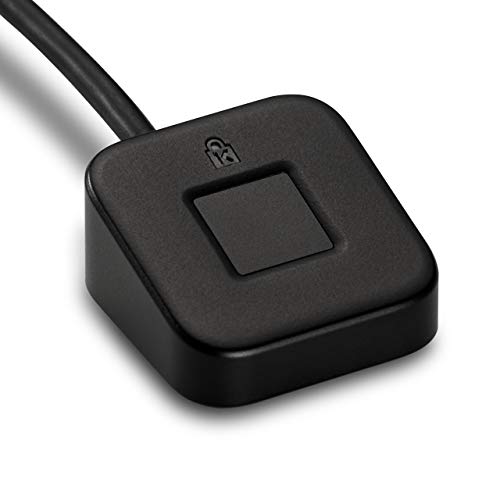
| Enterprise-Grade Security | Authentication Type: Single-factor (passwordless), dual, multi-factor authentication | Connection Type: USB-A (3.9 ft cable) | Sensor Resolution: Not specified | VIEW LATEST PRICE | Read Our Analysis |
| DigitalPersona URU4500 Fingerprint Reader USB Scanner |

| Rugged Professional Choice | Authentication Type: Biometric authentication with encryption | Connection Type: USB 2.0 | Sensor Resolution: 512 dpi, 8-bit grayscale | VIEW LATEST PRICE | Read Our Analysis |
| USB-C Fingerprint Reader Biometric Security Scanner |

| Most Portable Option | Authentication Type: Fingerprint-based secure login and data protection | Connection Type: USB-C | Sensor Resolution: 508 dpi | VIEW LATEST PRICE | Read Our Analysis |
| Adesso USB Fingerprint Reader Windows Hello Compatible |

| Windows Hello Certified | Authentication Type: Biometric security with 360° detection | Connection Type: USB-A | Sensor Resolution: Not specified | VIEW LATEST PRICE | Read Our Analysis |
More Details on Our Top Picks
Kensington VeriMark Desktop USB Fingerprint Reader (K62330WW)
Looking for a fingerprint scanner that works seamlessly with your Mac while meeting federal security standards? The Kensington VeriMark Desktop USB Fingerprint Reader offers Windows Hello certification and FIDO2 WebAuthn compatibility. You’ll get passwordless authentication with 360° readability and anti-spoofing technology. The 3.9-foot USB cable provides flexible desktop placement. Note that this device supports Windows ARM-based computers aren’t compatible; verify your system requirements first. You’ll benefit from encrypted end-to-end security and a two-year warranty. This scanner meets GDPR, BIPA, and CCPA compliance standards, making it suitable for federal government use and enterprise environments requiring strong authentication protocols.
- Authentication Type:Single-factor (passwordless), dual, multi-factor authentication
- Connection Type:USB-A (3.9 ft cable)
- Sensor Resolution:Not specified
- Detection Capability:360° readability with anti-spoofing technology
- Encryption & Security:Encrypted end-to-end with Match-in-Sensor Technology
- Warranty:2-year warranty
- Additional Feature:FIDO2/WebAuthn certified compatibility
- Additional Feature:Windows Hello for Business support
- Additional Feature:Match-in-Sensor encryption technology
DigitalPersona URU4500 Fingerprint Reader USB Scanner
Need a fingerprint scanner that works reliably with your Mac without compatibility headaches? The DigitalPersona URU4500 offers solid biometric authentication through its 512 dpi CMOS sensor and encrypted fingerprint data handling. You’ll connect it via USB 2.0 to your Mac and capture fingerprints in 8-bit grayscale across dry, moist, or rough finger conditions. The device features rotation invariance, meaning you don’t need perfect finger positioning each time. Its compact metal casing measures 2.55 inches deep and weighs just 0.12 kilograms, making it portable for different workspaces. You’ll benefit from an LED indicator confirming successful captures and ESD resistance protecting against electrical damage. The 1-year warranty covers manufacturer defects during that period.
- Authentication Type:Biometric authentication with encryption
- Connection Type:USB 2.0
- Sensor Resolution:512 dpi, 8-bit grayscale
- Detection Capability:Rotation invariant, latent print rejection
- Encryption & Security:Encrypted fingerprint data with ESD resistance
- Warranty:1-year warranty
- Additional Feature:Latent print rejection capability
- Additional Feature:Supports dry/moist/rough fingerprints
- Additional Feature:Rotation invariant sensor design
USB-C Fingerprint Reader Biometric Security Scanner
The Yoidesu USB-C Fingerprint Reader works best for Mac users who want quick, hands-free login without remembering passwords. This portable scanner plugs directly into your USB-C port and recognizes your fingerprint in 0.5 seconds from any angle. You can enroll up to 10 different fingerprints across multiple accounts, and the device learns your fingerprint patterns with each use. It integrates with password managers like 1Password, LastPass, and Dashlane, automating login to supported websites. The optical sensor delivers 508 dpi resolution for accurate identification. With its compact design and self-learning algorithm, you get reliable biometric authentication that improves over time.
- Authentication Type:Fingerprint-based secure login and data protection
- Connection Type:USB-C
- Sensor Resolution:508 dpi
- Detection Capability:360° detection, 0.5s recognition speed
- Encryption & Security:Self-learning algorithm with secure login
- Warranty:2-year manufacturer warranty
- Additional Feature:Self-learning adaptive algorithm
- Additional Feature:0.5-second recognition speed
- Additional Feature:10 fingerprints per account
Adesso USB Fingerprint Reader Windows Hello Compatible
If you’re working on a Windows system and want biometric security without complexity, Adesso’s USB Fingerprint Reader offers straightforward fingerprint authentication through its Windows Hello compatibility. This device stores up to 10 fingerprint IDs and uses AES-256 encryption for protection. Simply plug the USB-A connector into your computer’s port and enroll your fingerprints through Windows Hello settings. The 360-degree detection reads fingerprints from any angle, eliminating positioning frustration. Matching occurs on the chip itself, keeping your biometric data local. The compact design measures 5.75 by 4.49 inches and weighs just 0.317 ounces, making it portable for multiple devices or workspaces.
- Authentication Type:Biometric security with 360° detection
- Connection Type:USB-A
- Sensor Resolution:Not specified
- Detection Capability:360° all-round detection
- Encryption & Security:AES-256/SHA256/ECC256 encryption
- Warranty:Product warranty (details not specified)
- Additional Feature:AES-256/SHA256/ECC256 encryption
- Additional Feature:Matching-on-chip technology
- Additional Feature:10 fingerprint ID storage
Factors to Consider When Choosing a Fingerprint Scanner for Mac
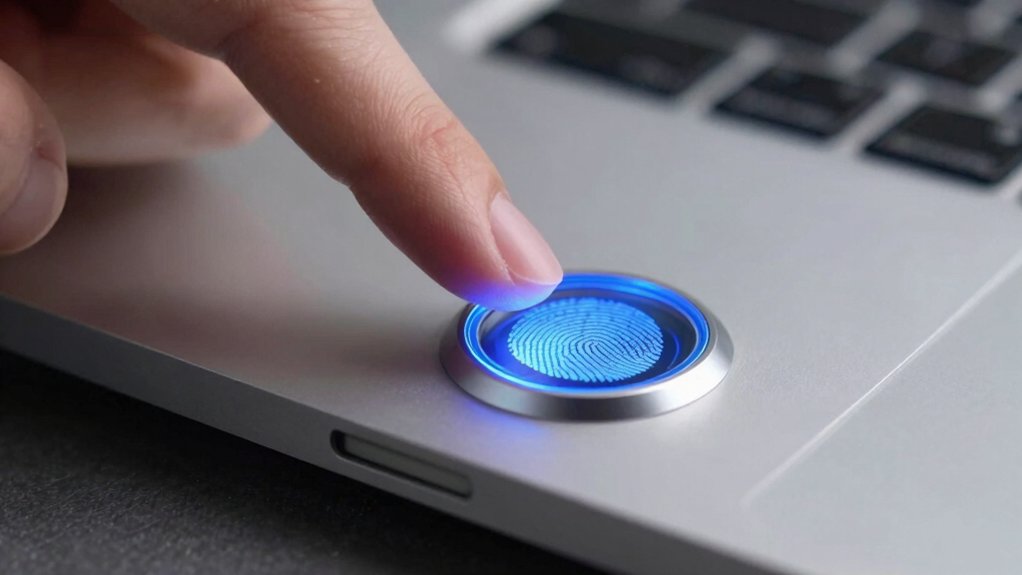
When you’re selecting a fingerprint scanner for Mac, you’ll want to verify operating system compatibility first, then evaluate the security encryption standards and sensor technology specs that match your needs. Next, assess the physical design for your workspace, and finally confirm the warranty and support options available from the manufacturer. These five factors will guide you toward a scanner that’s both reliable and practical for your specific situation.
Operating System Compatibility
One of the most critical factors in selecting a fingerprint scanner for Mac is confirming that it’ll actually work with your operating system. Check the product specifications for explicit macOS support and verify driver compatibility with your specific macOS version—whether 11, 12, or 13. Determine if the device uses kernel extensions or user-space applications, as this affects installation and system integration. Research whether the scanner requires additional vendor-specific software or functions as a native HID biometric device recognized by macOS without extra utilities. Look for cross-OS authentication support like FIDO2 or WebAuthn for broader compatibility across Mac browsers and services. Finally, review product notes for macOS-specific limitations, security policies, or TCC permissions you’ll need to configure before using the device.
Security and Encryption Standards
How do you know a fingerprint scanner actually protects your biometric data? Check whether the device uses AES-256 encryption for stored fingerprint information and secure on-chip matching to keep your data from traveling through your Mac’s systems. Verify that the scanner supports FIDO2/WebAuthn standards, which enable secure authentication across platforms. Look for tamper-resistant storage and anti-spoofing measures with certified false reject and false accept rates specific to Mac deployments. Confirm the manufacturer provides regular firmware updates through secure boot mechanisms. Request documentation showing how fingerprint matching occurs entirely on the device rather than on external servers. These concrete requirements ensure your biometric information stays protected during authentication and remains resistant to interception or unauthorized access.
Sensor Technology and Resolution
The sensor’s resolution and detection capabilities directly determine how accurately a fingerprint scanner captures and processes your finger’s unique patterns on your Mac. Look for scanners with high-resolution sensors rated at 512 dpi or around 500–508 dpi, which provide reliable performance for macOS login workflows. CMOS-based sensors are standard in quality devices. Verify that your scanner offers 360° detection and multi-angle read capabilities to ensure consistent recognition regardless of how you position your finger. Check the sensor’s output specifications—8-bit grayscale (256 grayscale levels) delivers better fingerprint image fidelity to macOS security frameworks. Consider devices with self-learning or adaptive sensor technology, which improves matching quality over repeated use, enhancing long-term reliability on your Mac.
Physical Design and Portability
What matters more for your workflow—a scanner that fits in your laptop bag or one that stays permanently on your desk?
Consider your connection type first. USB-C models work seamlessly with modern MacBooks, while USB-A scanners require dongles. Next, evaluate size and weight. Compact, lightweight designs travel easily between locations and offices. Check the cable length too. Built-in short cords reduce desk clutter and setup time. Examine the profile carefully. Slim scanners won’t block adjacent ports on MacBooks with limited space. Finally, assess durability. Rugged housing protects your scanner during frequent transport and regular use. Match these features to your specific needs—whether you need portability for travel or stability for a permanent workstation setup.
Warranty and Support Options
Once you’ve settled on a scanner that fits your workspace, you’ll want to protect your investment through proper warranty coverage and reliable support channels. Check the warranty length—most quality scanners offer either one-year or two-year protection. Review what’s covered: does it include hardware defects, accidental damage, or macOS compatibility issues? Verify that the vendor explicitly supports Mac and provides necessary drivers or software updates. Confirm the return policy window and any restocking fees. Locate available support options: phone, email, or chat. Request stated response times, particularly for Mac-related problems. Ask about firmware update commitments ensuring long-term macOS compatibility. Document all these details before purchasing so you understand your recourse if problems arise.
Final Thoughts
You’ll want to verify macOS compatibility and driver support before purchasing any fingerprint scanner. Check each device’s system requirements, test TCC access permissions, and confirm the manufacturer provides active macOS updates. The Yoidesu USB-C reader offers the most reliable macOS experience, while the Kensington and Adesso options require careful driver verification. Compare your specific security needs against each scanner’s encryption standards and authentication protocols to select the best fit for your setup.

Meet Ry, “TechGuru,” a 36-year-old technology enthusiast with a deep passion for tech innovations. With extensive experience, he specializes in gaming hardware and software, and has expertise in gadgets, custom PCs, and audio.
Besides writing about tech and reviewing new products, he enjoys traveling, hiking, and photography. Committed to keeping up with the latest industry trends, he aims to guide readers in making informed tech decisions.