
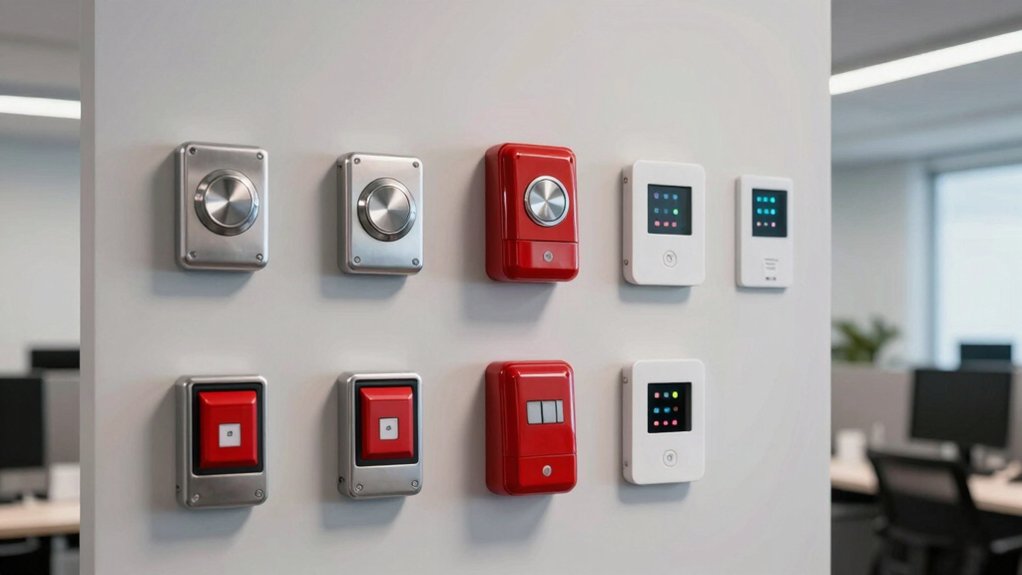

When you’re setting up workplace safety, you need to understand what panic buttons do and which types work best for your office. You’ll find options ranging from hands-free two-way communication systems to loud alarm sirens with extended range. Each choice offers different features—GPS tracking, wireless alerts, battery life, and integration with existing security systems. Selecting the right panic button depends on your specific workplace layout and safety priorities.
| Panic Button Bluetooth Emergency Alert with 2-Way Calls |

| Most Feature-Rich | Alert Method: GPS location via text, email, push notifications; 2-way calls | Range/Connectivity: Bluetooth via smartphone app | Power Source: Rechargeable battery; up to 42 days | VIEW LATEST PRICE | Read Our Analysis |
| Panic Button |

| Best Novelty Gift | Alert Method: Two calming sequences with lights | Range/Connectivity: N/A (local stress relief only) | Power Source: 2 AAA batteries (included) | VIEW LATEST PRICE | Read Our Analysis |
| Panic Button Alarm System with Remote Control & USB Charging |

| Best Multi-Unit System | Alert Method: 120 dB siren with strobe light | Range/Connectivity: Wireless; 500 feet maximum | Power Source: Hybrid (battery and USB charging); 30-day battery life | VIEW LATEST PRICE | Read Our Analysis |
| SimpliSafe Panic Button for Home Security System |

| Best Home Integration | Alert Method: Audible or silent alarm; medical/fire alerts | Range/Connectivity: Compatible with Gen 3 home security system | Power Source: Long-lasting battery; up to 5 years | VIEW LATEST PRICE | Read Our Analysis |
| CallToU Caregiver Pager Wireless Call Button System |
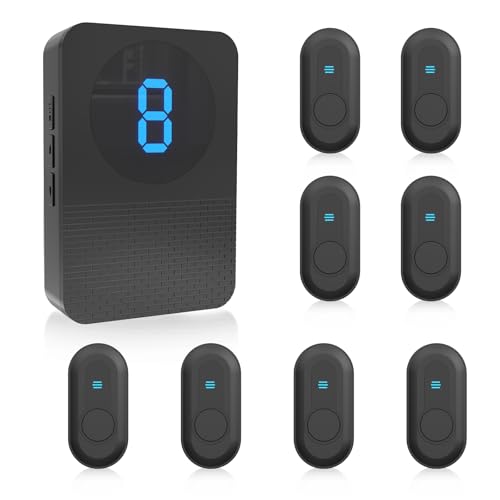
| Best for Caregiving | Alert Method: 55 ringtones; up to 110 dB adjustable volume | Range/Connectivity: Wireless; 500 feet maximum | Power Source: 1 AAA battery (included) | VIEW LATEST PRICE | Read Our Analysis |
| Panic Button Alarm Siren for Home & Business Security |

| Budget Siren Option | Alert Method: 120 dB siren with red strobe light | Range/Connectivity: Wireless; 500 feet maximum | Power Source: Alkaline battery or Type-C charging; up to 30 days | VIEW LATEST PRICE | Read Our Analysis |
| Ring Panic Button Sensor with Amazon Sidewalk |
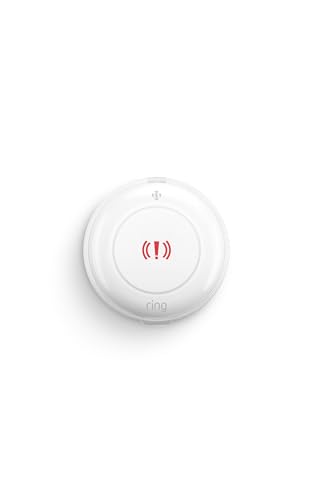
| Best Smart Home | Alert Method: Alert to emergency contacts; professional monitoring available | Range/Connectivity: Amazon Sidewalk or Z-Wave connectivity | Power Source: 2 CR2032 coin cell batteries; up to 3 years | VIEW LATEST PRICE | Read Our Analysis |
More Details on Our Top Picks
Panic Button Bluetooth Emergency Alert with 2-Way Calls
Looking for a wearable device that lets you call for help instantly without fumbling with your phone? The Silent Beacon SB2.0 panic button offers five customizable alert modes to match your safety needs. Press the button to send your real-time GPS location and trigger alerts via text, email, and push notifications to your chosen contacts. The built-in speaker and microphone enable hands-free two-way calls directly from the device. With IPX4 water resistance, a 42-day battery life, and no monthly fees, you get reliable emergency communication. The compact wearable clips to your keychain or attaches to a wristband for discreet personal protection in offices, vehicles, or fieldwork situations.
- Alert Method:GPS location via text, email, push notifications; 2-way calls
- Range/Connectivity:Bluetooth via smartphone app
- Power Source:Rechargeable battery; up to 42 days
- Installation/Setup:Wearable device with clip and wristband
- Waterproof/Durability Rating:IPX4 water resistant
- Intended Use Environment:Workers, families, offices; personal safety
- Additional Feature:Real-time GPS location sharing
- Additional Feature:5 customizable alert modes
- Additional Feature:42-day battery life
Panic Button
When you’re seeking a stress-relief tool designed specifically for office environments, the Funtime Gifts Panic Button offers a straightforward solution for employees and teams who need immediate calming support during work hours. This compact red device measures 2.09 by 1.7 by 0.93 inches and weighs 83 grams, making it portable for desks or vehicles. The unit runs on two included AAA batteries and features two distinct calming sequences with illuminated feedback. You can mount it securely using the supplied Velcro attachment to your dashboard, desk, or wall. When you press the button, it activates either sequence to help reduce stress and improve mood quickly during demanding workdays.
- Alert Method:Two calming sequences with lights
- Range/Connectivity:N/A (local stress relief only)
- Power Source:2 AAA batteries (included)
- Installation/Setup:Velcro mounting for dashboard, desk, or wall
- Waterproof/Durability Rating:Not specified
- Intended Use Environment:Office, home, or gag gifting
- Additional Feature:Two calming stress-relief sequences
- Additional Feature:Button lights up visually
- Additional Feature:Suitable for ages 3+
Panic Button Alarm System with Remote Control & USB Charging
For offices that need reliable emergency alerts across multiple locations, the taoctee Panic Button Alarm System delivers dual-siren coverage with four wireless buttons spanning up to 500 feet. You’ll get two 120 dB strobe sirens and four alarm buttons for strategic placement throughout your facility. Setup requires no assembly—simply position the sirens and install batteries or connect USB power. Adjust volume from 0–120 dB and alarm duration from 30 seconds to 10 minutes based on your needs. The water-resistant buttons work indoors and outdoors, offering 30-day average battery life. This hybrid power system ensures continuous operation whether you’re using batteries or external charging.
- Alert Method:120 dB siren with strobe light
- Range/Connectivity:Wireless; 500 feet maximum
- Power Source:Hybrid (battery and USB charging); 30-day battery life
- Installation/Setup:No assembly required; simple placement
- Waterproof/Durability Rating:360-degree waterproof button
- Intended Use Environment:Home, office, school, store, warehouse, bank, hotel, business, hospital
- Additional Feature:120 dB maximum siren sound
- Additional Feature:500-foot wireless range
- Additional Feature:4 alarm buttons included
SimpliSafe Panic Button for Home Security System
The SimpliSafe Panic Button works best if you need quick access to emergency help from a fixed location in your home. You’ll install it using the peel-and-stick method or included hardware, then configure it through the SimpliSafe App. The button triggers an instant alarm with one press, sending alerts to professional monitors if you’ve purchased their monitoring plan. You can customize the response: choose audible or silent alarms, or set medical and fire alerts instead. The device’s battery lasts up to five years depending on usage frequency. Compatible only with SimpliSafe Gen 3 systems, this button provides straightforward emergency activation from bedside tables or other accessible spots throughout your home.
- Alert Method:Audible or silent alarm; medical/fire alerts
- Range/Connectivity:Compatible with Gen 3 home security system
- Power Source:Long-lasting battery; up to 5 years
- Installation/Setup:Peel and stick or hardware installation
- Waterproof/Durability Rating:Not specified
- Intended Use Environment:Home security system integration
- Additional Feature:Audible or silent alarm options
- Additional Feature:Medical and fire alerts
- Additional Feature:5-year battery life
CallToU Caregiver Pager Wireless Call Button System
Looking to equip your office with a panic button system that works without installation hassles? The CallToU Caregiver Pager offers wireless alert capability across 500 feet with no wiring required. Simply plug in the receiver and position call buttons at key locations. Each button pairs with a unique number for quick identification. The system delivers 55 ringtone options at volumes up to 110 dB, ensuring alerts reach staff immediately. The waterproof buttons run on AAA batteries and mount easily on surfaces. You can expand coverage by adding receivers or buttons as needed, making this system scalable for multi-floor offices or facilities.
- Alert Method:55 ringtones; up to 110 dB adjustable volume
- Range/Connectivity:Wireless; 500 feet maximum
- Power Source:1 AAA battery (included)
- Installation/Setup:Pre-paired; easy mount to surfaces
- Waterproof/Durability Rating:IP65 waterproof
- Intended Use Environment:Elderly care, clinics, nursing homes, hospitals
- Additional Feature:55 customizable ringtone options
- Additional Feature:Unique number identification per button
- Additional Feature:9-unit set configuration
Panic Button Alarm Siren for Home & Business Security
Remote panic button alarm sirens work best in environments where you need immediate, audible alerts across large areas—offices, warehouses, banks, schools, and retail shops frequently rely on them. This taoctee model (RC-P7) pairs with wireless panic buttons to deliver 120 dB maximum sound coverage up to 500 feet. You’ll adjust volume from 0–120 dB and set alarm duration between 30 seconds and 10 minutes based on your facility’s needs. The siren features a red strobe light for visual alerts. Power it via Type-C charging or alkaline batteries lasting 30 days continuously. Installation requires connecting panic buttons to the siren unit. Its compact 2.36 x 3.35 x 4.33 inch design fits various locations without obstruction.
- Alert Method:120 dB siren with red strobe light
- Range/Connectivity:Wireless; 500 feet maximum
- Power Source:Alkaline battery or Type-C charging; up to 30 days
- Installation/Setup:Simple placement; must connect with panic buttons
- Waterproof/Durability Rating:Not specified
- Intended Use Environment:Home, office, school, store, warehouse, bank, hotel, business, hospital
- Additional Feature:Red strobe light activation
- Additional Feature:Adjustable 30-second to 10-minute duration
- Additional Feature:Type-C charging port included
Ring Panic Button Sensor with Amazon Sidewalk
Ring’s Panic Button Sensor works best for offices that already use Amazon Sidewalk or want a wireless panic solution without installing a base station. This compact device measures 2.42 x 0.81 inches and runs on two included CR2032 batteries lasting up to three years. You’ll mount it on any surface within Sidewalk range, avoiding water and flames. The sensor connects through Amazon Sidewalk’s neighborhood network, ensuring coverage even if your wifi fails. For emergency response, you can subscribe to Professional Monitoring available across all 50 states and Canada. Note that monitoring licenses, permit fees, and false alarm charges vary by jurisdiction.
- Alert Method:Alert to emergency contacts; professional monitoring available
- Range/Connectivity:Amazon Sidewalk or Z-Wave connectivity
- Power Source:2 CR2032 coin cell batteries; up to 3 years
- Installation/Setup:Surface placement or mount; no base station needed
- Waterproof/Durability Rating:Not specified
- Intended Use Environment:Residential; professional monitoring for emergency response
- Additional Feature:Amazon Sidewalk neighborhood network connectivity
- Additional Feature:Professional monitoring available separately
- Additional Feature:Up to 3-year battery life
Factors to Consider When Choosing Panic Buttons for Offices
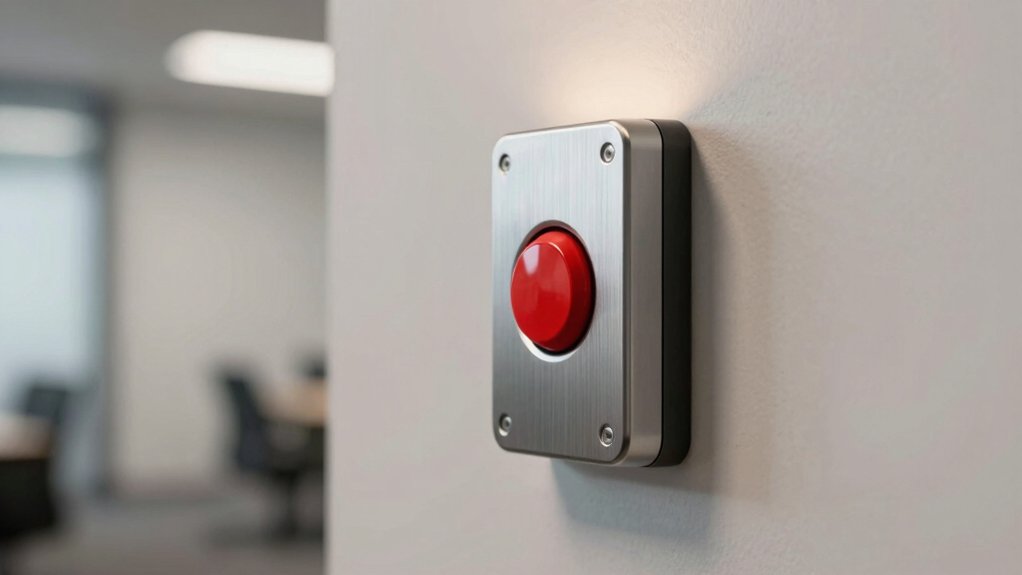
When selecting a panic button for your office, you’ll need to evaluate your budget constraints alongside the system’s connectivity range to ensure coverage throughout your building. Consider the installation difficulty, customization options for different alert modes, and whether the device can withstand your office’s environmental conditions, including temperature fluctuations and humidity exposure. These five factors—cost, range, setup complexity, alert flexibility, and durability—form the foundation for choosing a system that matches your specific workplace safety requirements.
Budget And Cost Considerations
How much should you actually spend on panic buttons for your office? Start by comparing upfront costs: basic panic buttons may cost nothing monthly, while integrated systems with professional monitoring require ongoing fees that stack up over time. Next, calculate total expenses across several years to see the real impact. Request bulk pricing quotes from vendors if you’re deploying multiple units, as enterprise discounts notably reduce per-device costs. Then factor in installation fees and professional monitoring setup. Finally, account for future expansion or replacement expenses in your budget. Additional receivers, extended ranges, and extra buttons add to your total investment. Break down the full cost picture before purchasing to ensure you’re investing appropriately for your office’s specific security needs and size.
Connectivity And Range Requirements
What coverage area does your office actually need? Map your facility’s layout and measure distances from potential button locations to your monitoring station. Most wireless systems reach up to 500 feet, but larger spaces require additional base stations or repeaters. Check your system’s specifications against your building’s square footage and layout, accounting for walls and obstacles that reduce signal strength.
Next, verify network compatibility with your existing infrastructure—Wi-Fi, Bluetooth, Zigbee, Z-Wave, or Amazon Sidewalk systems. Confirm whether buttons require pairing with hubs or gateways for operation. Finally, assess power requirements: battery-only systems, external power options, or hybrid setups. Hybrid systems maintain connectivity during outages, critical for emergency reliability. Request expandable connectivity options so you can add buttons and receivers as your safety needs grow.
Installation And Setup Complexity
Installation complexity shouldn’t derail your panic button deployment—you’ll want to prioritize systems that minimize setup time and technical barriers in your office environment. Choose wireless or plug-and-play options to avoid complex wiring and construction work. Verify that components arrive pre-paired and include quick-start instructions for rapid configuration. Check whether the system requires a centralized hub or operates independently, as this affects installation scope. Confirm mounting flexibility—wall, desk, or lanyard options—so you can position buttons where staff need them most. Review whether you can easily add additional buttons or sensors later without reinstalling the entire system. Look for vendors providing clear setup guides and minimal tools required. This approach reduces downtime and keeps your deployment on schedule.
Alert Customization And Modes
When you’re selecting a panic button system, the alert modes and customization options you choose will directly shape how your office responds to different safety situations. You can configure multiple alert modes including Emergency for immediate threats, Silent mode to notify security without alerting nearby individuals, Check-In for wellness verification, and Low Battery warnings. Decide which recipients receive alerts—emergency contacts, security personnel, or supervisors—and select transmission methods like text, email, push notifications, or app alerts. You should also enable real-time GPS location sharing to help responders reach the incident site quickly. Two-way communication features with built-in speakers and microphones allow you to coordinate directly with responders during emergencies. Match these customization options to your specific office risks and response protocols.
Durability And Weather Resistance
How well can your panic button system withstand the daily demands of an active office environment? You’ll want to prioritize IP-rated designs—look for IPX4 ratings or higher to protect against water splashes and humidity exposure. Select devices with rugged, sealed enclosures that resist dust and grime in high-traffic areas. Check the power solution carefully; choose long-lasting batteries or USB charging options to reduce maintenance frequency. Verify that materials resist corrosion and that connectors are waterproof, especially if your office uses cleaning liquids nearby. Finally, confirm the alarm includes a reliable mounting method—clips, wall mounts, or lanyards—that securely fits your desk, wall, or workstation placement. These durability features ensure your panic button remains functional and dependable throughout daily office operations.
Battery Life And Power Options
What’ll determine whether your panic button stays operational during an emergency? Your power source choice. You’ll find three main options: battery-only models, rechargeable designs, and hybrid systems combining both.
Battery-only panic buttons use replaceable AAA or coin cells lasting months to years, requiring minimal maintenance. Alkaline batteries typically support 30 days of continuous use for sirens or remote buttons, depending on alert frequency and volume. Rechargeable models offer multi-week to multi-month lifecycles, reducing replacement costs but demanding regular charging schedules. Hybrid systems use USB or DC charging alongside batteries, ensuring operation continues without frequent changes.
Match your choice to your office’s usage patterns. High-alert environments need reliable power backups. Select battery-only for low-frequency use, rechargeable for consistent daily operation, or hybrid systems for critical applications requiring zero downtime.
Integration With Existing Systems
Beyond selecting the right power source, you’ll need to confirm your panic button works seamlessly with the security infrastructure you’ve already built. Check whether the button supports your current protocols—RF, Bluetooth, Wi-Fi, or Z-Wave/Thread. Verify it integrates with your monitoring system to enable real-time alerting and automatic dispatch to security personnel or emergency services. Review API availability for custom integrations with your existing software dashboards and incident reporting tools. Confirm the button triggers multi-channel alerts through text, email, and push notifications. Assess scalability across multiple offices or zones, ensuring role-based access and centralized policy management. Finally, validate that user permissions and contact lists synchronize properly with your current system to prevent communication gaps during emergencies.
Sound Level And Visibility Features
When you’re evaluating panic buttons, you’ll want to prioritize sound level and visibility features that guarantee staff and responders can recognize an emergency quickly. Choose systems offering adjustable sound levels from 0 to 120 dB, allowing you to match alert intensity to your office layout and noise environment. Pair audio alarms with red flashing strobe lights to enhance visibility, especially in areas with ambient noise or poor lighting. Select systems with duration control settings ranging from 30 seconds to 10 minutes, enabling you to adjust alarm length based on incident severity. Verify that your chosen panic button combines loud sirens with high-visibility strobes so nearby employees and emergency responders immediately identify the emergency location and respond appropriately.
Final Thoughts
You’ll want to assess your office’s specific security needs before selecting a panic button system. Evaluate coverage area, alert method preferences, and integration requirements with existing security infrastructure. Test devices for reliability and ease of use during emergencies. Ensure staff receives proper training on activation procedures. Choose systems with redundant communication channels and battery backups. Install buttons in accessible locations throughout your workplace for maximum protection.

Meet Ry, “TechGuru,” a 36-year-old technology enthusiast with a deep passion for tech innovations. With extensive experience, he specializes in gaming hardware and software, and has expertise in gadgets, custom PCs, and audio.
Besides writing about tech and reviewing new products, he enjoys traveling, hiking, and photography. Committed to keeping up with the latest industry trends, he aims to guide readers in making informed tech decisions.