
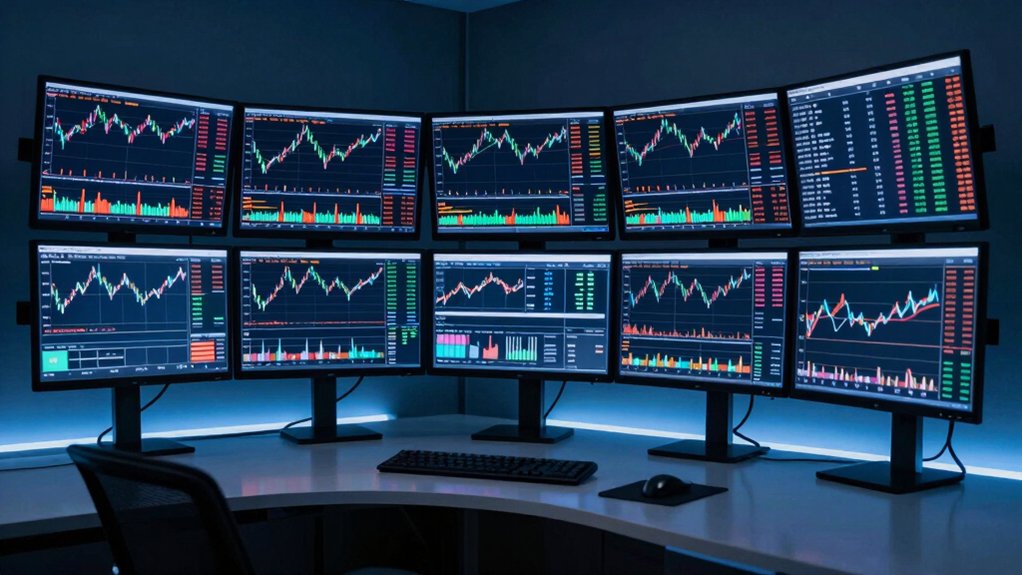

When you’re trading markets, your monitor setup directly impacts your decision-making speed and accuracy. You need displays that deliver sharp visuals, fast response times, and the ability to track multiple data streams simultaneously. The right monitor reduces eye strain during long sessions and eliminates lag that could cost you money. But selecting from dozens of options isn’t straightforward—you’ll want to understand what specs actually matter and which models traders trust.
| Samsung 27″ Essential S3 Curved Gaming Monitor (LS27D366GANXZA) |

| Budget Gaming Monitor | Resolution: 1920 x 1080 (FHD) | Refresh Rate: 100 Hz | Screen Size: 27 inches | VIEW LATEST PRICE | Read Our Analysis |
| Samsung 34″ ViewFinity S50GC Ultra-WQHD Monitor |

| Professional Ultrawide Choice | Resolution: 3440 x 1440 (Ultra WQHD) | Refresh Rate: 100 Hz | Screen Size: 34 inches | VIEW LATEST PRICE | Read Our Analysis |
| Philips 221V8LB 22 inch Full HD Monitor |

| Value-Focused Performer | Resolution: 1920 x 1080 (FHD) | Refresh Rate: 100 Hz | Screen Size: 22 inches | VIEW LATEST PRICE | Read Our Analysis |
| Sceptre 34-Inch Curved Ultrawide WQHD Monitor (C345B-QUT168) |

| Immersive Ultrawide Gaming | Resolution: 3440 x 1440 (WQHD) | Refresh Rate: 165-180 Hz | Screen Size: 34 inches | VIEW LATEST PRICE | Read Our Analysis |
| Kado Dual 24″ Curved Computer Monitors (C24X) |

| Dual-Monitor Hybrid Setup | Resolution: 1920 x 1080 (FHD) | Refresh Rate: 75 Hz | Screen Size: 24 inches (dual setup) | VIEW LATEST PRICE | Read Our Analysis |
| Acer 27 Inch FHD Monitor KB272 120Hz IPS |

| Smooth 120Hz IPS | Resolution: 1920 x 1080 (FHD) | Refresh Rate: 120 Hz | Screen Size: 27 inches | VIEW LATEST PRICE | Read Our Analysis |
| Samsung 49″ Curved Ultrawide QHD Computer Monitor |
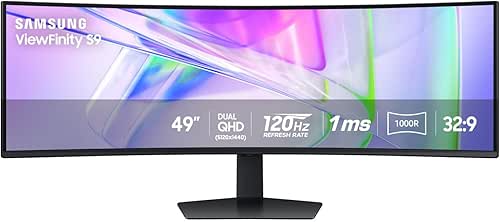
| Ultimate Panoramic Workstation | Resolution: Dual QHD (32:9 aspect ratio) | Refresh Rate: 120 Hz | Screen Size: 49 inches | VIEW LATEST PRICE | Read Our Analysis |
More Details on Our Top Picks
Samsung 27″ Essential S3 Curved Gaming Monitor (LS27D366GANXZA)
Why would a trader choose the Samsung 27″ Essential S3 over standard office monitors? You’ll benefit from its 27-inch curved 1920×1080 display, which reduces eye strain during extended trading sessions. The 100Hz refresh rate minimizes motion blur when tracking fast-moving charts and data. You’ll appreciate the TÜV-certified eye comfort technology, flicker-free display, and blue light filter—essential for protecting your vision during long market hours. The monitor includes HDMI and VGA inputs for connecting multiple devices. Its 4ms response time keeps your visual feed sharp. At 8.4 pounds with adjustable color settings and game mode for enhanced contrast, you’ll see price movements and details clearly without fatigue.
- Resolution:1920 x 1080 (FHD)
- Refresh Rate:100 Hz
- Screen Size:27 inches
- Curved Display:Yes (1800R)
- Eye Comfort Technology:Blue Light Filter, Flicker-Free, TÜV-certified Advanced Eye Comfort
- Connectivity Ports:HDMI, D-sub (VGA)
- Additional Feature:Game Mode with color adjustment
- Additional Feature:Advanced Eye Comfort TÜV certified
- Additional Feature:4ms typical response time
Samsung 34″ ViewFinity S50GC Ultra-WQHD Monitor
If you’re managing multiple data streams simultaneously, Samsung’s 34″ ViewFinity S50GC delivers the screen real estate you need without cluttering your desk with multiple monitors. The 3440 x 1440 ultra-wide resolution displays two standard screens’ worth of information side-by-side. Use Picture-by-Picture mode to monitor two data sources independently, or Picture-in-Picture to overlay windows. The 100 Hz refresh rate and 5 ms response time ensure smooth data scrolling and chart updates. AMD FreeSync eliminates screen tearing during rapid market movements. With two HDMI ports and one DisplayPort, you’ll connect trading platforms, news feeds, and analytics tools simultaneously without switching cables.
- Resolution:3440 x 1440 (Ultra WQHD)
- Refresh Rate:100 Hz
- Screen Size:34 inches
- Curved Display:No
- Eye Comfort Technology:Eye Saver Mode, TÜV-certified Intelligent Eye Care, Flicker-Free
- Connectivity Ports:2x HDMI 2.2, 1x DisplayPort 1.2
- Additional Feature:Picture-by-Picture/Picture-in-Picture capability
- Additional Feature:Ambient light sensor brightness adjustment
- Additional Feature:3440 x 1440 ultrawide resolution
Philips 221V8LB 22 inch Full HD Monitor
The Philips 221V8LB delivers reliable performance for traders who prioritize sharp image clarity and consistent color accuracy without premium pricing. Its 22-inch Full HD display provides a 1920×1080 resolution suitable for monitoring multiple data streams. The VA panel produces deep blacks and bright whites, enhancing chart readability. With a 100Hz refresh rate and Adaptive-Sync technology, you’ll experience smooth motion when tracking price movements. The monitor includes one HDMI and one VGA port for flexible connectivity. Its 178-degree viewing angles ensure consistent color accuracy from different positions. LowBlue Mode reduces eye strain during extended trading sessions. You’ll receive a 4-year advance replacement warranty for equipment protection.
- Resolution:1920 x 1080 (FHD)
- Refresh Rate:100 Hz
- Screen Size:22 inches
- Curved Display:No
- Eye Comfort Technology:LowBlue Mode
- Connectivity Ports:HDMI, VGA
- Additional Feature:VA panel with deep blacks
- Additional Feature:4-Year Advance Replacement Warranty
- Additional Feature:LowBlue Mode eye protection
Sceptre 34-Inch Curved Ultrawide WQHD Monitor (C345B-QUT168)
For traders who need to monitor multiple data streams simultaneously, Sceptre’s 34-inch curved ultrawide delivers the screen real estate you’re looking for without requiring a dual-monitor setup. The 3440 × 1440 resolution provides 5 million pixels across a 21:9 aspect ratio, giving you ample space for charts, news feeds, and trading platforms side-by-side. The 1ms MPRT response time ensures rapid action clarity during fast-moving markets. With 99% sRGB color coverage, you’ll see detailed imagery accurately. Dual DisplayPort connections allow flexible setup configurations. The 165Hz refresh rate variant handles smooth price movements. Machine Black finish with LED backlighting fits professional trading environments.
- Resolution:3440 x 1440 (WQHD)
- Refresh Rate:165-180 Hz
- Screen Size:34 inches
- Curved Display:Yes (curved ultrawide)
- Eye Comfort Technology:Not specified
- Connectivity Ports:2x DisplayPort
- Additional Feature:99% sRGB color coverage
- Additional Feature:1ms MPRT response time
- Additional Feature:Luminous backcover LED lighting
Kado Dual 24″ Curved Computer Monitors (C24X)
Looking to expand your trading desk without sacrificing desk space? The Kado Dual 24″ Curved Monitors (C24X) offer a practical solution with two 1920×1080 displays in a single package. Each monitor features a 1500R curve that reduces eye strain during extended trading sessions. The 75Hz refresh rate and 3ms response time deliver smooth performance for monitoring multiple data streams simultaneously. Built-in speakers eliminate cable clutter, while VESA mounting enables flexible desk arrangement. FreeSync technology provides adaptive sync capabilities, and the 99% sRGB color gamut ensures accurate color representation for chart analysis. The matte finish reduces glare from overhead lighting, critical for day traders monitoring screens continuously.
- Resolution:1920 x 1080 (FHD)
- Refresh Rate:75 Hz
- Screen Size:24 inches (dual setup)
- Curved Display:Yes (1500R)
- Eye Comfort Technology:Blue Light Filter, Flicker-Free
- Connectivity Ports:HDMI, component output
- Additional Feature:Dual monitor 2-pack bundle
- Additional Feature:Built-in speakers (both units)
- Additional Feature:1500R curve reduces eye strain
Acer 27 Inch FHD Monitor KB272 120Hz IPS
Want a monitor that won’t strain your eyes during long trading sessions while delivering the smooth performance you need for multiple data streams? The Acer KB272 offers a 27-inch IPS display with 1920×1080 resolution, providing ample screen real estate for charts and data. Its 120Hz refresh rate ensures smooth scrolling through market updates, while the 1ms response time eliminates lag. The monitor includes eye protection features to reduce fatigue during extended use. With 99% sRGB color accuracy and FreeSync compatibility, you’ll see reliable colors and tear-free visuals. HDMI and VGA ports allow flexible connectivity to your trading setup.
- Resolution:1920 x 1080 (FHD)
- Refresh Rate:120 Hz
- Screen Size:27 inches
- Curved Display:No
- Eye Comfort Technology:Eye protection features
- Connectivity Ports:HDMI, VGA
- Additional Feature:3-year parts and labor warranty
- Additional Feature:99% sRGB color accuracy
- Additional Feature:1ms VRB response time
Samsung 49″ Curved Ultrawide QHD Computer Monitor
The Samsung 49″ Curved Ultrawide QHD monitor delivers the expansive screen real estate that active traders need to monitor multiple data streams simultaneously. Its 32:9 aspect ratio and dual QHD resolution let you display several trading platforms, charts, and news feeds without switching windows. The 120Hz refresh rate ensures smooth scrolling when tracking fast-moving markets. Connect your devices using the built-in docking station with DisplayPort, HDMI, and USB-C inputs. The USB-C port supplies 90W charging, reducing cable clutter on your desk. The height-adjustable stand positions the curved display at comfortable viewing angles for extended trading sessions.
- Resolution:Dual QHD (32:9 aspect ratio)
- Refresh Rate:120 Hz
- Screen Size:49 inches
- Curved Display:Yes (1000R)
- Eye Comfort Technology:Not specified
- Connectivity Ports:DisplayPort, 2x HDMI, USB, USB-C
- Additional Feature:Built-in monitor docking station
- Additional Feature:USB-C with 90W charging
- Additional Feature:32:9 panoramic aspect ratio
Factors to Consider When Choosing Monitors for Trading
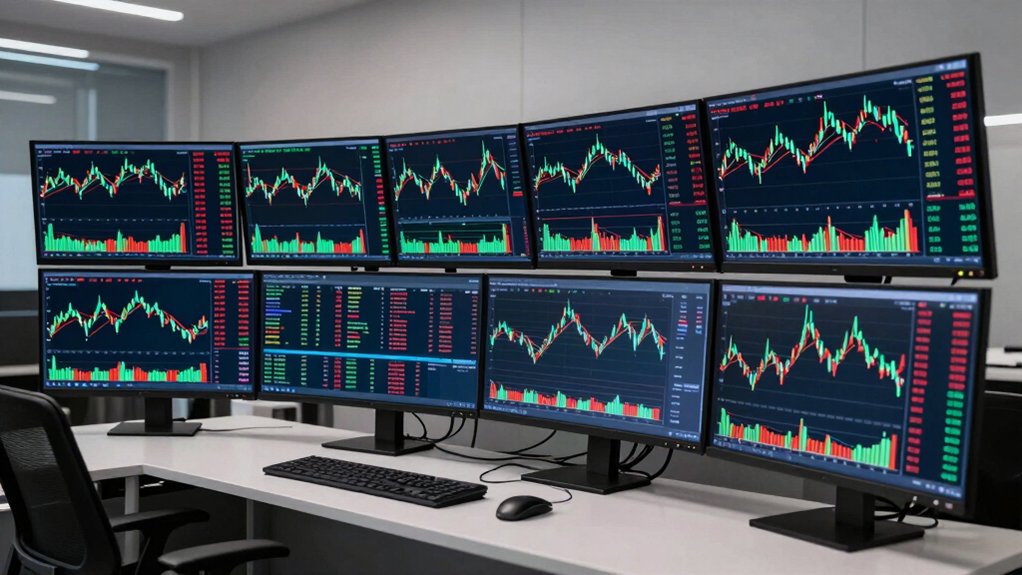
When selecting a trading monitor, you’ll need to evaluate five critical factors that directly impact your trading performance and efficiency. First, assess screen real estate to determine how many charts and data windows you can display simultaneously, then examine resolution and clarity standards to ensure you can read price data without eye strain, check refresh rate performance to confirm smooth price movement tracking, verify color accuracy so you can distinguish between different data visualizations, and finally review connectivity options to connect multiple monitors and trading platforms without compatibility issues. By systematically working through each factor in this order, you’ll identify the monitor specifications that match your specific trading setup and workflow requirements.
Screen Real Estate Matters
How much workspace you need on your monitor directly affects your trading efficiency and decision-making speed. A larger screen lets you display multiple charts, price feeds, and news tickers simultaneously without overlapping windows. Ultrawide monitors with 32:9 aspect ratios provide extensive horizontal space for side-by-side comparisons, eliminating constant panel switching. Higher resolution on large screens sharpens price charts and technical indicators, helping you spot patterns faster and analyze data more precisely. Dual monitors approximate this extended workspace but create visible bezels between screens. A single ultrawide monitor offers seamless viewing and simpler window management. Balance screen size with your desk space and seating distance to avoid excessive head turning during long trading sessions.
Resolution and Clarity Standards
What resolution truly matters for your trading monitor? You’ll want at least 1080p FHD for basic chart reading, but 1440p QHD or 4K delivers sharper text and clearer indicators that reduce eye strain during extended sessions. Higher pixel density improves detail recognition, enabling faster, more accurate trading decisions. Choose 4K or QHD panels when monitoring multiple data streams simultaneously, as the enhanced clarity helps you process complex information quickly. If you’re using multiple monitors, prioritize resolution over sheer screen size—a 1080p display loses clarity when scaled too large. Pair your resolution choice with a 60–120 Hz refresh rate to ensure rapidly changing market data renders smoothly, supporting real-time decision-making without lag or visual distortion.
Refresh Rate Performance Needs
Why does refresh rate matter so much for trading monitors? You’ll want a higher refresh rate because it reduces perceived lag when watching price charts update. A baseline 60 Hz monitor works, but upgrading to 100 Hz or 120 Hz gives you smoother visual feedback during fast market movements. This matters because you’re tracking rapid price changes and need quick cursor responsiveness when entering orders. Look for monitors with low response times—ideally 1 ms or better—to minimize motion blur when panning charts quickly. Confirm your GPU can sustain the advertised refresh rate to avoid frame skipping during live data streams. Check that your trading platform and data feed support the higher refresh rate you’re purchasing. This ensures you’re not paying for performance you can’t actually use.
Color Accuracy for Analysis
Color accuracy directly affects your ability to distinguish between chart elements, trend lines, and data visualizations during analysis sessions. You’ll want to prioritize monitors with high color gamut coverage—aim for at least 72% sRGB or higher DCI-P3 coverage to guarantee precise color reproduction. Check the monitor’s color fidelity metrics, which measure how accurately colors display across your entire workspace. Wide viewing angles of 178°/178° prevent color shifts when you’re viewing from different positions, maintaining consistent analysis results. Consider features like HDR and contrast ratios above 3000:1, which enhance detail in charts with subtle tonal variations. These specifications combine to support accurate price data interpretation and reliable decision-making during your trading sessions.
Connectivity Options and Flexibility
Once you’ve locked in color accuracy for chart analysis, you’ll need to examine the physical and digital connections your monitor offers to support your trading setup. Check for multiple input options like HDMI, DisplayPort, and VGA to connect different devices and accommodate legacy equipment. USB-C docking capabilities streamline your workflow by consolidating power delivery and data transfer through a single cable, reducing desktop clutter. Built-in hub functionality lets you attach peripherals directly to your monitor rather than your computer, freeing up ports. Wide aspect ratios such as 21:9 expand your viewing space, allowing you to display multiple data sources simultaneously. These connectivity features directly impact how efficiently you manage multiple trading platforms and information streams throughout your trading day.
Eye Comfort During Long Sessions
How can you protect your vision while monitoring charts and data for hours at a time? Look for monitors with TÜV-certified Advanced Eye Comfort and Flicker-Free technology, which reduce strain during extended trading sessions. Choose displays offering 100–120 Hz refresh rates to smooth cursor movement and scrolling, minimizing visual fatigue. Select monitors equipped with ambient light sensors and Eye Saver mode that automatically adjust brightness and color temperature based on your environment. Opt for matte or anti-glare finishes to eliminate reflections from overhead lighting and windows. Verify the monitor provides consistent color accuracy and wide viewing angles of at least 178°, allowing stable image quality across multi-monitor setups without forcing frequent eye adjustments or head repositioning.
Multi-Monitor Setup Compatibility
What’s the foundation of a successful multi-monitor trading setup? Matching your monitors’ specifications and physical design. First, verify that each monitor has VESA mounting support so you can attach them to a compatible stand or arm for stable alignment. Second, choose monitors with thin bezels to minimize gaps between screens, creating a seamless workspace for your trading dashboards. Third, ensure all monitors have the same refresh rate—60 to 120 Hz—to reduce perceived lag when scrolling real-time data across displays. Fourth, confirm consistent color accuracy and wide viewing angles of at least 178° horizontal and vertical so charts remain legible from different positions. Finally, consider monitors with Picture-by-Picture or Picture-in-Picture features, allowing you to monitor multiple data sources efficiently.
Final Thoughts
You’ll want to select monitors matching your specific trading needs. Evaluate your workspace size and decide between single ultrawide displays or multi-monitor setups. Prioritize 100–120 Hz refresh rates, 1 ms response times, and accurate color reproduction. Verify connectivity options match your equipment. Check VESA compatibility for mounting. Test viewing angles before purchasing. Calibrate your final setup for optimal/optimal clarity when analyzing market data across multiple information streams simultaneously.

Meet Ry, “TechGuru,” a 36-year-old technology enthusiast with a deep passion for tech innovations. With extensive experience, he specializes in gaming hardware and software, and has expertise in gadgets, custom PCs, and audio.
Besides writing about tech and reviewing new products, he enjoys traveling, hiking, and photography. Committed to keeping up with the latest industry trends, he aims to guide readers in making informed tech decisions.