
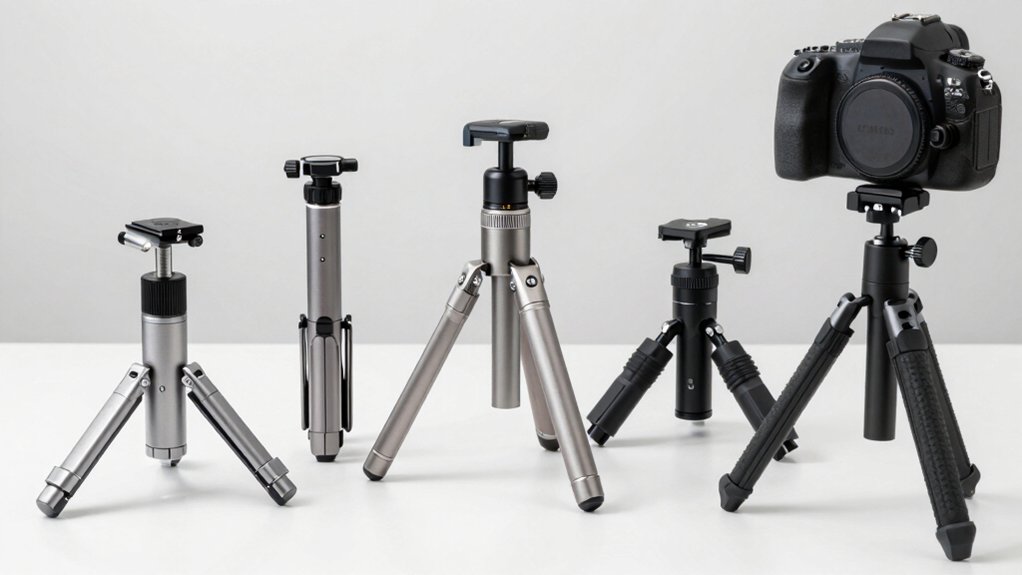

You need a reliable iPhone tripod to film steady video content, but choosing the right model requires understanding what features matter most. Height, phone clamp durability, remote range, and mounting flexibility all affect your recording quality. Different tripods serve different purposes—some work best for stationary interviews, while others transform into handheld selfie sticks for mobile vlogging. Here’s how to evaluate the top options available.
| EUCOS 62″ Phone Tripod with Selfie Stick Remote |

| Professional Studio Grade | Maximum Height: 62 inches | Phone Compatibility Width: 2.2″ to 3.6″ wide | Rotation Capability: 360° phone holder rotation | VIEW LATEST PRICE | Read Our Analysis |
| 64″ Tripod for Phone & Camera with Remote |
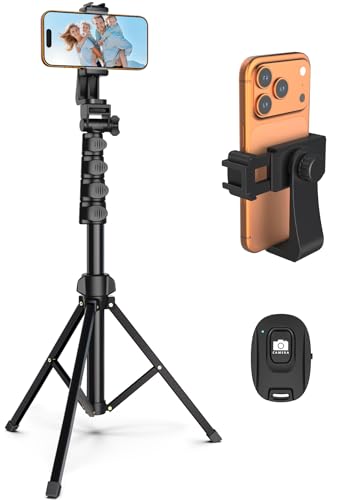
| Best Value | Maximum Height: 64 inches | Phone Compatibility Width: Multiple phone sizes | Rotation Capability: 360° rotation holder; 210° rotation head | VIEW LATEST PRICE | Read Our Analysis |
| SENSYNE 62″ Phone Tripod & Selfie Stick with Remote |

| Most Versatile | Maximum Height: 62 inches | Phone Compatibility Width: 2.8″ to 5.7″ inches | Rotation Capability: 360° rotation | VIEW LATEST PRICE | Read Our Analysis |
| TONEOF 68″ Magnetic Selfie Stick Tripod with Remote |
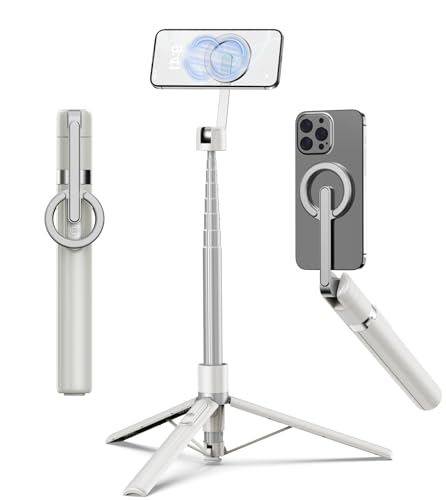
| Best for Travel | Maximum Height: 68 inches | Phone Compatibility Width: MagSafe-enabled devices (iPhone 12+) with metal ring adapter | Rotation Capability: 360° horizontal rotation; 200° vertical tilt | VIEW LATEST PRICE | Read Our Analysis |
| 66″ Phone Tripod with Remote & Clamp Mount |
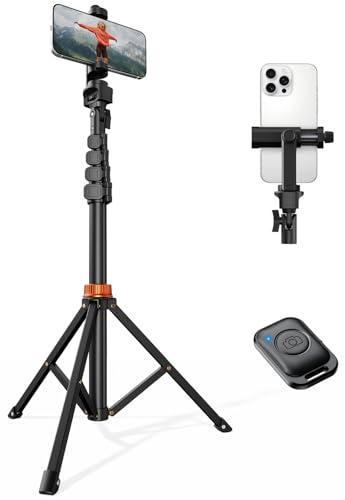
| Most Expandable | Maximum Height: 66 inches | Phone Compatibility Width: 2.2″ to 3.6″ wide | Rotation Capability: 360° rotatable phone mount; portrait/landscape/45° angle switching | VIEW LATEST PRICE | Read Our Analysis |
More Details on Our Top Picks
EUCOS 62″ Phone Tripod with Selfie Stick Remote
Are you looking for a tripod that transforms between a traditional stand and a selfie stick without sacrificing stability? The EUCOS 62” tripod delivers both functions in one compact unit. You’ll extend it to full height for stationary shots or collapse it into a handheld selfie stick for mobile recording. The studio-grade phone holder accommodates devices 2.2″ to 3.6″ wide, securing your iPhone firmly. You’ll operate the wireless remote from up to 33 feet away, capturing footage without touching your phone. The modified nylon construction resists weather damage and maintains rigidity during extended use. The built-in cold shoe lets you attach lights or microphones, expanding your creative capabilities. A lifetime defect warranty protects your investment.
- Maximum Height:62 inches
- Phone Compatibility Width:2.2″ to 3.6″ wide
- Rotation Capability:360° phone holder rotation
- Remote Control:Wireless remote with 33 ft range
- Material Construction:Modified Nylon PA6/6
- Included Accessories:Phone holder, wireless remote, cold shoe slot
- Additional Feature:Lifetime defect protection guarantee
- Additional Feature:Cold shoe for accessories
- Additional Feature:33 ft remote range
64″ Tripod for Phone & Camera with Remote
If you’re looking for a tripod that adjusts from 17″ to 64” in height while offering flexible shooting angles, the 64″ Tripod for Phone & Camera with Remote delivers the adjustability and stability you’ll need for consistent video recording. The aluminum alloy and stainless steel construction keeps your device secure during filming. You’ll appreciate the 210-degree rotation head and 360-degree phone holder, which let you capture shots from multiple angles without repositioning the tripod. The included wireless remote connects directly to your phone, enabling hands-free recording. The easy lock mechanism ensures quick setup, and the tripod works with various phone and camera models, making it practical for both travel and home use.
- Maximum Height:64 inches
- Phone Compatibility Width:Multiple phone sizes
- Rotation Capability:360° rotation holder; 210° rotation head
- Remote Control:Wireless remote included
- Material Construction:Aluminum alloy and stainless steel
- Included Accessories:Phone holder, wireless remote
- Additional Feature:Premium aluminum/stainless steel
- Additional Feature:210-degree rotation head
- Additional Feature:17″ minimum height
SENSYNE 62″ Phone Tripod & Selfie Stick with Remote
You’ll want the SENSYNE 62” Phone Tripod & Selfie Stick with Remote if you’re recording content across multiple formats and need flexibility without buying separate equipment. Extend the tripod to 62 inches for overhead shots or lower it for eye-level recording. Rotate the phone holder 360 degrees to switch between vertical and horizontal orientations. The universal holder accommodates phones from 2.8 to 5.7 inches. Use the wireless remote shutter to start and stop recording hands-free. The 1/4 screw mount also connects digital cameras, action cameras, and webcams. You’ll receive professional support for 12 months after purchase.
- Maximum Height:62 inches
- Phone Compatibility Width:2.8″ to 5.7″ inches
- Rotation Capability:360° rotation
- Remote Control:Wireless remote shutter
- Material Construction:Not specified
- Included Accessories:Universal phone holder, adapter, wireless remote
- Additional Feature:1/4 screw mount compatible
- Additional Feature:12-month professional support
- Additional Feature:Vertical/horizontal orientation
TONEOF 68″ Magnetic Selfie Stick Tripod with Remote
Content creators who need portability without sacrificing height and stability will find the TONEOF 68” Magnetic Selfie Stick Tripod especially useful. The aluminum construction extends from 11 to 68 inches, accommodating various recording angles. The magnetic holder securely attaches MagSafe-compatible devices; use the included metal ring for non-magnetic phones. Rotate the mount 360 degrees horizontally and tilt it 200 degrees vertically to frame shots precisely. The detachable remote enables hands-free recording. At 320 grams, it folds to 11 inches for easy transport. A 12-month warranty and Amazon’s 30-day return policy provide purchase security.
- Maximum Height:68 inches
- Phone Compatibility Width:MagSafe-enabled devices (iPhone 12+) with metal ring adapter
- Rotation Capability:360° horizontal rotation; 200° vertical tilt
- Remote Control:Rechargeable wireless remote
- Material Construction:Aluminum alloy with magnetic holder
- Included Accessories:Metal ring, rechargeable remote, magnetic holder
- Additional Feature:MagSafe magnetic compatibility
- Additional Feature:Rechargeable remote included
- Additional Feature:200-degree vertical tilt
66″ Phone Tripod with Remote & Clamp Mount
Are you recording solo content and struggling to keep your phone steady while operating the camera yourself? This 66-inch aluminum tripod solves that problem. The steel-reinforced base provides stability for overhead shots and full-body portraits. Mount your phone using the universal clamp that fits devices 2.2 to 3.6 inches wide, then rotate it 360 degrees to switch between portrait and landscape orientations. Use the included wireless Bluetooth remote with 10-meter range to start and stop recording without touching your phone. The 1/4 screw mount lets you attach ring lights or LED panels. You also get 36 months of technical support included.
- Maximum Height:66 inches
- Phone Compatibility Width:2.2″ to 3.6″ wide
- Rotation Capability:360° rotatable phone mount; portrait/landscape/45° angle switching
- Remote Control:Wireless Bluetooth remote with 10m range
- Material Construction:Aluminum with steel reinforcement
- Included Accessories:Phone mount, wireless remote, cold-shoe slot
- Additional Feature:Cold-shoe slot included
- Additional Feature:36 months technical support
- Additional Feature:10m Bluetooth remote range
Factors to Consider When Choosing an iPhone Tripod for Video Recording
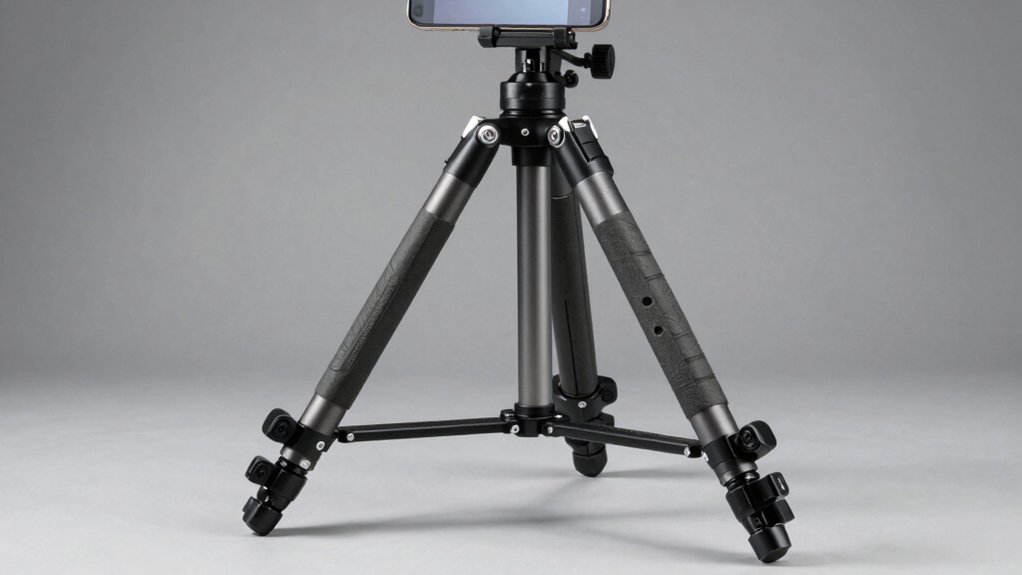
When you’re selecting an iPhone tripod, you’ll need to evaluate five key factors: stability and build quality to ensure your phone stays secure during recording, height adjustment range to frame your shots properly, phone compatibility and mounting options that fit your device, remote control functionality for hands-free operation, and material durability if you’re filming outdoors in varying weather conditions. Start by assessing where you’ll record most often—studio, outdoor, or mixed environments—then check each tripod’s specifications against your specific needs. This approach helps you narrow down options quickly and find a tripod that performs reliably for your content creation goals.
Stability And Build Quality
Why does your iPhone tripod wobble during recording, and how can you fix it? Stability depends on your tripod’s materials and construction. Choose models made from aluminum alloy or reinforced polymers, which resist tipping and movement. Check the base design—wider legs and broader supports create a rock-solid stance on uneven surfaces. Examine the locking mechanisms. Secure locks at each joint prevent wobble when you shoot from elevated angles. Look for tripods with 1/4-inch mounting screws that connect your phone rigidly without vibration transfer. Test the maximum height; taller tripods with reliable locks reduce camera shake at awkward angles. Select models with quick-release clamps to minimize hand movement during setup. These features work together to eliminate blur and keep your footage steady throughout recording.
Height Adjustment Range
Once you’ve locked down a stable tripod, you’ll want to control how high or low your iPhone sits, since the height you choose shapes your entire shot’s perspective. Most tripods range from 11 to 17 inches at minimum height, letting you capture close-ups and low-angle shots without repositioning your setup. Maximum heights typically reach 62 to 68 inches, providing adequate reach for standing shots and group footage. The 64–66 inch models offer balanced flexibility for most recording scenarios while maintaining stability. A wide adjustment range supports multiple shooting styles—tabletop content, eye-level interviews, overhead angles, and full-body videography—all from one tripod. Check your tripod’s minimum and maximum heights against your primary shooting needs before purchasing.
Phone Compatibility And Mounting
How does your iPhone actually attach to a tripod? You’ll encounter three primary mounting options. First, standard phone holders use adjustable clips with a compatible width range (typically 2.2″–3.6″ or wider). Check your iPhone’s width against the tripod’s specifications before purchasing. Second, universal holders attach via 1/4″ screws to various rigs, offering broader device compatibility. Third, magnetic mounts require MagSafe compatibility or metal rings for non-magnetic phones. Beyond attachment, consider rotation capabilities. Many holders feature 360° rotation, allowing you to switch between portrait and landscape orientations instantly. Additionally, some tripods include cold shoes or accessory slots for mounting lights or microphones. Verify that your chosen tripod accommodates your specific iPhone model and supports any additional equipment you’ll use.
Remote Control Functionality
When you’re recording video from a distance, a wireless remote becomes essential for capturing shots without touching your iPhone’s screen. Look for remotes with a tested range of at least 10 meters to operate your tripod safely from afar. Choose models that pair quickly and reliably with your iPhone, establishing instant connections when powered on. Verify the remote supports both still photo capture and video start/stop functions for maximum shooting flexibility. Check whether the remote uses rechargeable batteries or disposables; rechargeable options reduce long-term costs and environmental waste. Confirm the remote’s compatibility with your tripod’s mounting system and phone holder orientation. These specifications ensure seamless operation across all your recording scenarios without requiring physical interaction with your device.
Material Durability For Outdoors
Most outdoor iPhone tripods fail because their materials can’t handle weather exposure, so you’ll want to prioritize construction materials that resist environmental damage. Look for tripods made from reinforced nylon PA6/6 or aluminum alloy, which withstand sun, rain, and temperature fluctuations. Check product descriptions for “all-weather durable” labeling and high crush/shear resistance ratings that maintain stability on uneven surfaces. Examine the joints, locks, and clamps—these components should use rugged metals or reinforced plastics to resist corrosion and wear. Verify that your tripod’s remote and accessories carry outdoor-use ratings and function reliably across varying temperatures and lighting conditions. Choose builds with rigid-flexible balance to prevent sagging or wobble when extended to full height during outdoor wind exposure.
Rotation And Angle Flexibility
Why does your tripod’s rotation range matter? It determines how many angles you can capture without moving the entire tripod. Look for models offering 360-degree rotation and adjustable tilt up to 200 degrees for maximum framing options. Check for a wide rotation head, typically around 210 degrees, to maximize viewing angles without repositioning equipment.
Ensure the tripod supports both vertical and horizontal orientations for flexible shot composition. Confirm the mount allows quick switching between portrait and landscape modes with secure locking flanges to prevent accidental shifts during recording.
Select a model with a 360-degree rotatable phone holder to maintain precise alignment when changing shooting angles. This feature prevents your device from tilting unexpectedly as you adjust positioning, ensuring consistent framing throughout your video shoot.
Portability And Travel Design
Once you’ve secured a tripod with excellent rotation and angle flexibility, you’ll want to verify it’ll actually fit in your camera bag or travel case. Check the collapsed length—models that fold to around 11 inches pack easily into most luggage. Prioritize lightweight materials like aluminum or high-strength composites to reduce carrying fatigue during extended travel days. Look for multi-section telescoping designs that maintain stability while staying compact when retracted. Consider tripods with built-in remote or mobile app control so you won’t need to handle the device constantly during on-the-go filming. Select models that convert to handheld selfie sticks or feature removable heads for added flexibility. These design choices ensure your tripod won’t become a burden during your travels.
Accessory Mounting Capabilities
Your iPhone tripod’s mounting system determines what additional equipment you can attach for professional-quality video recording. Look for tripods with a standard 1/4-inch screw mount, which connects fill lights, ring lights, and external cameras. Cold shoe slots accommodate microphones and lighting accessories simultaneously. Consider MagSafe-compatible designs for quick attachment and removal without tools. Universal phone holders paired with 1/4 screw mounts let you switch between iPhones, action cameras, and webcams. Check the rotational head capabilities—models offering 210–360-degree rotation and tilt functions position your accessories at precise angles for optimal framing. Evaluate your recording setup before purchasing. If you plan to use external lights and microphones together, choose a tripod offering multiple mounting points. This flexibility streamlines your workflow and eliminates equipment compatibility issues.
Final Thoughts
You’ll want to select a tripod based on your specific filming needs. Choose models with 62″ to 66″ heights for standard shooting, or 68″ for elevated angles. Prioritize sturdy aluminum construction and 360-degree phone holders for stability. Verify the remote range meets your distance requirements—up to 33 feet works for most situations. Check that 1/4″ mounts fit your additional equipment like lights or microphones before purchasing.

Meet Ry, “TechGuru,” a 36-year-old technology enthusiast with a deep passion for tech innovations. With extensive experience, he specializes in gaming hardware and software, and has expertise in gadgets, custom PCs, and audio.
Besides writing about tech and reviewing new products, he enjoys traveling, hiking, and photography. Committed to keeping up with the latest industry trends, he aims to guide readers in making informed tech decisions.