
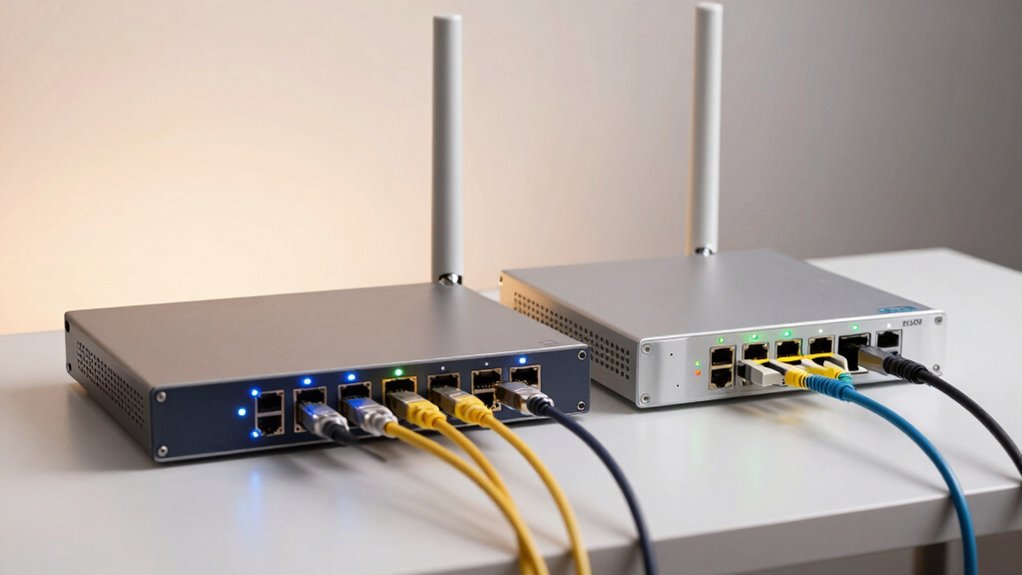

You’re choosing between routers that protect your data in different ways. The TP-Link Archer AX55 strengthens your home network with built-in security features and VPN support. The GL.iNet GL-BE3600 prioritizes portable travel protection with multiple VPN protocols. Before you decide which fits your needs, you’ll want to understand how speed, security options, and coverage differ between them.
| TP-Link Archer AX55 Dual-Band Wi-Fi 6 Router |

| Best for Home Networks | VPN Capability: VPN server and VPN client support | Wi-Fi Standard: Wi-Fi 6 | 5 GHz Speed: 2402 Mbps | VIEW LATEST PRICE | Read Our Analysis |
| GL.iNet GL-BE3600 Portable Wi-Fi 7 Travel Router |

| Best for Travel | VPN Capability: OpenVPN and WireGuard pre-installed; 30+ VPN provider compatible | Wi-Fi Standard: Wi-Fi 7 | 5 GHz Speed: 2882 Mbps | VIEW LATEST PRICE | Read Our Analysis |
More Details on Our Top Picks
TP-Link Archer AX55 Dual-Band Wi-Fi 6 Router
Are you looking for a router that combines strong Wi-Fi 6 speeds with built-in VPN protection without breaking your budget? The TP-Link Archer AX55 delivers dual-band performance at 2402 Mbps on 5 GHz and 574 Mbps on 2.4 GHz. It supports both VPN server and client modes, letting you secure your network traffic directly from your router. The device includes four external antennas with beamforming for reliable coverage throughout your home. HomeShield provides basic security features: network scanning, IoT device identification, and parental controls. Setup works with major ISPs when paired with a modem. Contact TP-Link support at 1-866-225-8139 for assistance.
- VPN Capability:VPN server and VPN client support
- Wi-Fi Standard:Wi-Fi 6
- 5 GHz Speed:2402 Mbps
- Security Features:TP-Link HomeShield with network/IoT protection and parental controls
- Design Type:Stationary home router with four external antennas
- Device Coverage:Extended home coverage via beamforming and four high-gain antennas
- Additional Feature:Alexa voice control compatibility
- Additional Feature:HomeShield IoT device identification
- Additional Feature:Target Wake Time battery optimization
GL.iNet GL-BE3600 Portable Wi-Fi 7 Travel Router
If you’re traveling internationally and need a compact router that doesn’t compromise on security, the GL.iNet GL-BE3600 delivers VPN protection and Wi-Fi 7 speeds in a device small enough to fit in your carry-on. The router supports OpenVPN and WireGuard with 30+ VPN providers pre-compatible. You’ll toggle VPN on or off directly from the touchscreen, switch providers instantly, or run VPN server and client simultaneously for remote access. WireGuard reaches 540 Mbps speeds, while OpenVPN handles 100 Mbps. You’ll access dual-band Wi-Fi 7 (2.4 GHz and 5 GHz), two 2.5G Ethernet ports, and WPA3 encryption. The device includes a 30-day return guarantee and two-year warranty.
- VPN Capability:OpenVPN and WireGuard pre-installed; 30+ VPN provider compatible
- Wi-Fi Standard:Wi-Fi 7
- 5 GHz Speed:2882 Mbps
- Security Features:WPA3, DNS over HTTPS/TLS, AdGuard Home option
- Design Type:Portable travel router with retractable antenna
- Device Coverage:Indoor coverage for 120+ devices
- Additional Feature:Touchscreen QR code connectivity
- Additional Feature:VPN cascading dual capability
- Additional Feature:OpenWrt firmware customization support
Factors to Consider When Choosing a Router With VPN Built in
When selecting a router with built-in VPN, you’ll need to evaluate VPN speed and performance to ensure your internet doesn’t slow down significantly, compare the security protocols each router offers to match your protection needs, and verify that coverage and device support align with your home or travel setup. Next, assess the ease of setup and use by checking whether you can configure the VPN quickly without technical expertise, and consider travel portability and flexibility if you plan to move the router between locations or use it internationally. These five factors will help you narrow down which router actually delivers the data protection and functionality you require.
VPN Speed And Performance
You’ll want to understand how VPN speed actually works on a router before making your purchase decision. Your router’s CPU and encryption overhead directly limit throughput compared to standard internet speeds. Check whether manufacturers list separate speeds for OpenVPN and WireGuard, since WireGuard typically performs faster. Examine the router’s CPU core count and memory capacity—these factors closely impact sustained performance under multiple connections. Look for routers with dedicated VPN acceleration hardware, which reduces encryption burden on the processor. Review firmware optimization details, as well-optimized systems handle concurrent VPN connections more efficiently. Compare real-world VPN speeds rather than theoretical maximums. Test the specific VPN protocol you’ll use most frequently before purchasing.
Security Protocol Options
Which VPN protocols does your router support? You’ll typically find OpenVPN and WireGuard as your main options. OpenVPN offers broad compatibility across devices and networks, making it reliable for most users. WireGuard provides faster speeds and lower latency due to its streamlined design, making it better for bandwidth-heavy activities. When selecting a router, check which protocols it supports based on your needs. If you prioritize speed and modern performance, prioritize WireGuard. If you need maximum compatibility with older devices or specific network requirements, OpenVPN serves you better. Additionally, verify that your router supports DNS over HTTPS or TLS to encrypt your DNS queries. These security features work alongside your chosen protocol to fully protect your data in transit across all connected devices.
Coverage And Device Support
The scope of your router’s coverage and device support directly determines whether your VPN-protected network actually serves all your devices effectively. Check the router’s band specifications—dual-band or tri-band models provide faster speeds across larger areas. Verify antenna count and type; more antennas typically deliver stronger signal penetration through walls and floors. Review concurrent connection limits to ensure the router handles all your devices simultaneously without performance drops. Confirm compatibility with your devices’ operating systems, whether iOS, Android, Windows, or Linux. Examine port availability—you’ll need sufficient wireless capacity and wired ports for devices requiring stable, hardwired connections. Test coverage range in your specific environment, as walls and interference affect actual performance beyond manufacturer specs.
Ease Of Setup And Use
How straightforward is the initial VPN configuration on your router? You’ll want a model offering guided setup wizards that walk you through each step without requiring technical knowledge. Look for routers with pre-installed VPN protocols like OpenVPN or WireGuard already loaded, eliminating manual downloads. Check whether the interface includes a user-friendly dashboard where you can toggle VPN on or off with a single click and switch between profiles easily. Verify that the router provides clear quick-start documentation specific to your devices—phones, laptops, tablets. Confirm VPN features don’t require additional subscription fees beyond your initial purchase. Test how many concurrent connections the router supports simultaneously. Finally, determine whether setup takes minutes or hours by reviewing manufacturer timelines and customer reviews detailing actual configuration experiences.
Travel Portability And Flexibility
Once you’ve confirmed your router’s setup simplicity, you’ll want to assess whether it actually works when you’re traveling internationally. Compact, lightweight routers fit easily into carry-on luggage without taking up valuable space. Check that your router supports multiple regional plug types—US, UK, EU, and AU—so you won’t need separate adapters. Dual-band or tri-band configurations ensure reliable connections across different countries. USB 3.0 ports and 2.5G Ethernet options let you quickly tether devices or connect to hotel networks. Touchscreen controls enable you to switch VPN providers or toggle protection on and off without complicated menus. OpenWrt-based firmware allows you to access local resources remotely while maintaining security. These features collectively ensure your router performs effectively wherever you travel.
Final Thoughts
You’ll choose between the TP-Link Archer AX55 for home use or the GL.iNet GL-BE3600 for travel. Evaluate your needs: prioritize coverage and parental controls at home, or portability and simultaneous VPN client-server operation while traveling. Check that your devices support the router’s security protocols and Wi-Fi standard. Set up your preferred VPN provider, test connection speeds, then configure your network settings accordingly.

Meet Ry, “TechGuru,” a 36-year-old technology enthusiast with a deep passion for tech innovations. With extensive experience, he specializes in gaming hardware and software, and has expertise in gadgets, custom PCs, and audio.
Besides writing about tech and reviewing new products, he enjoys traveling, hiking, and photography. Committed to keeping up with the latest industry trends, he aims to guide readers in making informed tech decisions.