
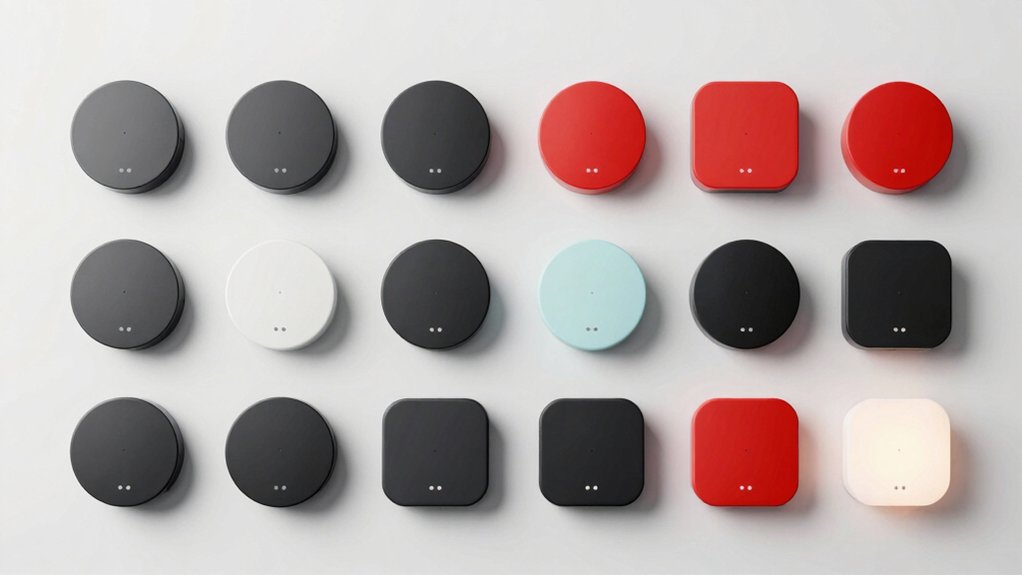

You’re constantly interrupted during focused work, which tanks your productivity and derails your train of thought. Wireless busy lights solve this by displaying your availability status—red for busy, green for available—so colleagues know when to approach you. These devices range from simple USB-powered desk lamps to Bluetooth-enabled smart indicators with remote controls. The right choice depends on your workspace setup, range requirements, and power preferences. Understanding your options helps you pick the model that actually fits your needs.
| EverBrite LED Tap Light with Remote Control (3-Pack) |

| Best Versatile Lighting | Primary Function: Ambient/accent lighting with remote control | Power Source: 9 AAA batteries | Color Options: 13 colors (cool white + 12 RGB) | VIEW LATEST PRICE | Read Our Analysis |
| Switch Pro Wireless LED Status Light Conference Room Indicator |

| Professional Conference Rooms | Primary Function: Conference room status indicator | Power Source: 1 Lithium-Ion battery | Color Options: 4 colors (red, green, yellow, blue) | VIEW LATEST PRICE | Read Our Analysis |
| BusyBox S Smart Bluetooth Do Not Disturb Sign |

| Content Creator Essential | Primary Function: Do Not Disturb/status sign with notifications | Power Source: 5,000 or 10,000 mAh rechargeable battery | Color Options: Multiple colors with customization | VIEW LATEST PRICE | Read Our Analysis |
| Clip Busy Light USB Cable Do Not Disturb Indicator |

| Budget-Friendly Pick | Primary Function: Availability indicator for office | Power Source: USB corded electric | Color Options: Red and green only | VIEW LATEST PRICE | Read Our Analysis |
| Kuando Busylight UC Omega Presence Light & Ringer |

| Best Platform Integration | Primary Function: Presence light with call/chat alerts | Power Source: USB-powered (9-foot cable) | Color Options: Green, red, plus platform-dependent colors | VIEW LATEST PRICE | Read Our Analysis |
| EverBrite LED Tap Light with RGB Colors (3-Pack) |

| Best Value Pack | Primary Function: Ambient/accent lighting with remote control | Power Source: 9 AAA batteries | Color Options: 12 RGB colors plus white | VIEW LATEST PRICE | Read Our Analysis |
| Luxafor Flag LED USB Busy Light Indicator |

| Most Customizable | Primary Function: USB busy light availability indicator | Power Source: USB-C/USB powered (no batteries) | Color Options: Customizable colors (red/green presets) | VIEW LATEST PRICE | Read Our Analysis |
| Busylight UC Omega Plus USB Status Indicator Light |

| Best Compact Design | Primary Function: Status indicator light for UC platforms | Power Source: USB plug-and-play | Color Options: Green, red, plus platform-dependent colors | VIEW LATEST PRICE | Read Our Analysis |
| Cube 2 App-Free LED Busy Light for Offices |

| App-Free Control | Primary Function: App-free rotating status light | Power Source: Rechargeable USB-C battery (90 hours) | Color Options: 4 colors (red, green, yellow, blue) | VIEW LATEST PRICE | Read Our Analysis |
| Wireless LED Busy Light Indicator for Office Desk |

| Budget Gaming Pick | Primary Function: Wireless traffic-light status indicator | Power Source: USB-powered | Color Options: Red, yellow, green | VIEW LATEST PRICE | Read Our Analysis |
| Cadrim LED Puck Lights with Wireless Remote Control |
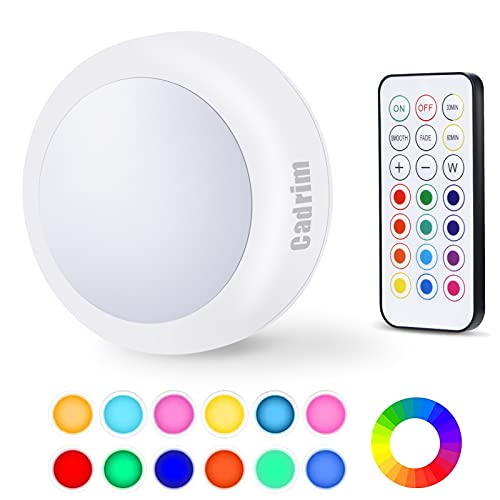
| Best Under-Cabinet | Primary Function: Under-cabinet/accent lighting with remote | Power Source: Batteries (type not specified) | Color Options: 13 colors (white plus 12 RGB) | VIEW LATEST PRICE | Read Our Analysis |
| LED Busy Light Status Indicator for Office Desk |

| Sleek & Dimmable | Primary Function: Desk status indicator for focus | Power Source: Rechargeable battery with Type-C charging | Color Options: Green and red only | VIEW LATEST PRICE | Read Our Analysis |
| Borelor LED Cube Light 16 Color Changing Mood Lamp |

| Best Ambient Mood | Primary Function: Mood/decorative lighting cube | Power Source: Rechargeable built-in battery | Color Options: 16 color-changing options | VIEW LATEST PRICE | Read Our Analysis |
| Busy Light USB Powered Wireless Desk Lamp Status Indicator |
| Most Portable | Primary Function: USB-powered wireless status indicator | Power Source: USB-powered | Color Options: Multiple color options (specific colors not stated) | VIEW LATEST PRICE | Read Our Analysis |
| Busy Light LED Indicator Do Not Disturb Office Desk |
| Best Battery Life | Primary Function: Do Not Disturb status light | Power Source: Battery-powered with Type-C charging | Color Options: Red and green only | VIEW LATEST PRICE | Read Our Analysis |
More Details on Our Top Picks
EverBrite LED Tap Light with Remote Control (3-Pack)
If you’re looking for wireless lights that won’t clutter your space or require complex installation, the EverBrite LED Tap Light offers a straightforward solution with multiple control and mounting options. Each 3-pack includes 9 AAA batteries, so you’re ready to install immediately. Mount using the built-in magnet on metal surfaces, the adhesive bracket on any wall, or the back hook for hanging. Control brightness up to 100 lumens via remote or manual button press. The remote reaches up to 20 feet and offers 13 colors: cool white plus 12 RGB options. Manually, you access four preset colors. Set 30 or 60-minute timers through the remote. Use white light for security in bedrooms and bathrooms or RGB colors for events and holidays.
- Primary Function:Ambient/accent lighting with remote control
- Power Source:9 AAA batteries
- Color Options:13 colors (cool white + 12 RGB)
- Control Method:Remote control or manual button press
- Mounting/Installation:Magnetic, stick-on adhesive, or hanging hook
- Brightness/Intensity Control:Adjustable brightness up to 100 lumens
- Additional Feature:30/60-minute auto-off timer
- Additional Feature:Triple mounting options (magnetic/adhesive/hanging)
- Additional Feature:20 ft remote control range
Switch Pro Wireless LED Status Light Conference Room Indicator
Want a simple way to communicate room availability without installing software or running cables? The Switch Pro Wireless LED Status Light delivers exactly that. This cylindrical LED indicator uses four colors—red, green, yellow, and blue—to signal room status instantly. You control it remotely from up to 80 meters away, making updates quick and effortless. The device runs on a single Lithium-Ion battery, requires no setup, and mounts anywhere using its included magnet or adhesive surface mount. Weighing just 0.19 kilograms, it fits desks, cabinets, or doorways. A 2-year warranty backs your purchase, ensuring reliable performance for busy workspaces.
- Primary Function:Conference room status indicator
- Power Source:1 Lithium-Ion battery
- Color Options:4 colors (red, green, yellow, blue)
- Control Method:Remote controller (up to 80 meters)
- Mounting/Installation:Surface mount with discreet magnet
- Brightness/Intensity Control:LED light (brightness not specified)
- Additional Feature:80-meter wireless control range
- Additional Feature:Universal 4-color status coding
- Additional Feature:2-year manufacturer warranty
BusyBox S Smart Bluetooth Do Not Disturb Sign
The BusyBox S is built for content creators, streamers, and work-from-home professionals who need to signal their availability without leaving their desk. This Bluetooth-enabled sign displays six pre-loaded messages and runs on either a 5,000 mAh battery (40+ hours) or 10,000 mAh option (160+ hours). You customize colors and brightness through the mobile app, set calendar integrations with Google Calendar or Siri, and group multiple signs across your workspace. The portrait-oriented LED display measures 8.5 by 3.5 inches, weighs under one pound, and recharges via USB-C. Touch controls let you switch messages instantly during calls or recordings.
- Primary Function:Do Not Disturb/status sign with notifications
- Power Source:5,000 or 10,000 mAh rechargeable battery
- Color Options:Multiple colors with customization
- Control Method:App-based control with Bluetooth
- Mounting/Installation:Portrait wall-mounted with adhesive
- Brightness/Intensity Control:Brightness adjustable via app
- Additional Feature:40+ to 160+ hours runtime
- Additional Feature:Auto call detection (Android)
- Additional Feature:Google Calendar/Siri integration ready
Clip Busy Light USB Cable Do Not Disturb Indicator
Office workers who struggle with constant interruptions during deep work sessions will find the iTalkes Clip Busy Light especially effective because it communicates your availability status instantly to colleagues without requiring them to ask. The device uses a red light to signal you’re processing cases or on calls, while green indicates you’re idle and available. Install it by attaching the metal clip to borders under 30 mm—your desk, door, or wall. The 59-inch USB cable connects to power, and you control the green light manually when needed. Position it near your PC or in your workspace so colleagues see your status clearly from a distance.
- Primary Function:Availability indicator for office
- Power Source:USB corded electric
- Color Options:Red and green only
- Control Method:Manual clip placement (no active control)
- Mounting/Installation:Metal clip for borders under 30mm
- Brightness/Intensity Control:LED light (brightness not adjustable)
- Additional Feature:59-inch USB power cable
- Additional Feature:Adjustable metal clip mounting
- Additional Feature:3-year manufacturer warranty
Kuando Busylight UC Omega Presence Light & Ringer
If you’re juggling multiple UC platforms like Microsoft Teams, Zoom, and Webex simultaneously, you’ll benefit from the Kuando Busylight UC Omega’s 3-in-1 design that displays your availability status, alerts you to incoming calls and chats, and rings with one of eight built-in ringtones. The round device shows green when you’re available and red when you’re busy. Install the free Busylight Software or kuandoHUB software to sync with your platforms and control the light automatically. Mount it on your desk using the double-sided adhesive, connect the 9-foot USB cable, and configure your UC platform integration. The device weighs about 3 ounces and includes a 1-year warranty.
- Primary Function:Presence light with call/chat alerts
- Power Source:USB-powered (9-foot cable)
- Color Options:Green, red, plus platform-dependent colors
- Control Method:Free software for UC platforms
- Mounting/Installation:Double-sided adhesive mounting
- Brightness/Intensity Control:LED light (brightness not adjustable)
- Additional Feature:Built-in ringer with 8 ringtones
- Additional Feature:Multi-platform UC software compatibility
- Additional Feature:9-foot attached USB cable
EverBrite LED Tap Light with RGB Colors (3-Pack)
Looking for wireless lights that won’t clutter your desk or require complicated installation? The EverBrite LED Tap Light offers you remote control and touch activation across three separate units. Install them using adhesive tape—no tools needed. You’ll get 80 lumens of brightness with 12 RGB color options, preset colors, and flash or fade modes. Control each light remotely up to 20 feet away or press the dome button directly. Set 30 or 60-minute automatic shutoff timers to conserve energy. Place these lights in closets, bedrooms, cabinets, or hallways. Each pack includes batteries and a remote control for immediate use across multiple locations.
- Primary Function:Ambient/accent lighting with remote control
- Power Source:9 AAA batteries
- Color Options:12 RGB colors plus white
- Control Method:Remote control or dome button touch
- Mounting/Installation:Stick-on adhesive (no tools required)
- Brightness/Intensity Control:80 lumens, adjustable brightness
- Additional Feature:Flash/fade color animation modes
- Additional Feature:80 lumens brightness output
- Additional Feature:Preset + 12 RGB colors
Luxafor Flag LED USB Busy Light Indicator
The Luxafor Flag works best for remote workers and office employees who want a simple, effective way to signal their availability without cluttering their desk. This USB-powered device connects via included cable and mounts magnetically on your monitor or desk. The LED changes colors—red for busy, green for available—controlled through free Mac or PC software. You can customize colors to match your preferences and integrate with email or calendar services through its API. At 0.5W maximum power with no batteries needed, it operates reliably throughout your workday, requiring only a standard USB connection.
- Primary Function:USB busy light availability indicator
- Power Source:USB-C/USB powered (no batteries)
- Color Options:Customizable colors (red/green presets)
- Control Method:Free software (Mac/PC)
- Mounting/Installation:Magnetic adhesive mount
- Brightness/Intensity Control:0.5W LED (brightness not adjustable)
- Additional Feature:API access for custom integrations
- Additional Feature:Hundreds of supported service integrations
- Additional Feature:USB-C or USB powered
Busylight UC Omega Plus USB Status Indicator Light
Want a compact status light that works across multiple communication platforms without complex setup? The Busylight UC Omega Plus delivers this functionality through a straightforward USB connection. Install the device by plugging it into any available USB port, then attach it to your monitor, desk, or wall using the included magnetic attachment or metal plates. The light displays your status across Microsoft Teams, Zoom, Webex, Cisco Jabber, and RingCentral with color-coded signals: green indicates availability, red signals busy status. The compact 3.8-centimeter design remains visible without creating distraction. Use this indicator in offices, open-plan spaces, or hybrid work environments to reduce interruptions and support focus. The two-year warranty covers your investment.
- Primary Function:Status indicator light for UC platforms
- Power Source:USB plug-and-play
- Color Options:Green, red, plus platform-dependent colors
- Control Method:Free software with multiple platform support
- Mounting/Installation:Magnetic attachment with metal plates
- Brightness/Intensity Control:LED light (brightness not adjustable)
- Additional Feature:Magnetic attachment with metal plates
- Additional Feature:2-year warranty with fast support
- Additional Feature:Multi-platform UC compatibility support
Cube 2 App-Free LED Busy Light for Offices
If you’re tired of fielding interruptions while trying to focus, you’ll appreciate the Luxafor Cube 2‘s straightforward approach to signaling your availability. Rotate the cube to change its color: red indicates you’re busy, green shows you’re available, and yellow or blue convey other messages. Place it on your desk, in a meeting room, or attach it outside a meeting room using the included magnet. The device runs for 90 hours on a single USB-C charge and enters sleep mode when laid face-up. No app required—just rotate and display your status instantly to colleagues.
- Primary Function:App-free rotating status light
- Power Source:Rechargeable USB-C battery (90 hours)
- Color Options:4 colors (red, green, yellow, blue)
- Control Method:Manual rotation (app-free)
- Mounting/Installation:Desk, meeting room, or magnetic mount
- Brightness/Intensity Control:Dimmable with power-saver mode
- Additional Feature:Rotate-to-change color control
- Additional Feature:90-hour battery runtime
- Additional Feature:USB-C rechargeable power
Wireless LED Busy Light Indicator for Office Desk
A wireless LED busy light with red, yellow, and green indicators communicates your availability status without requiring verbal explanations. You’ll plug this USB-powered device into your laptop or monitor using its universal connector—no wiring needed. The traffic-light system lets colleagues and family members instantly recognize when you’re unavailable (red), partially available (yellow), or free (green). The dimmable LED feature adjusts brightness to match your workspace lighting. Use it during video conferences, focused work sessions, or gaming to establish clear boundaries. Mount it on your desk or door for maximum visibility. This straightforward setup takes seconds and requires no app installation, making it immediately functional in any home office or shared workspace.
- Primary Function:Wireless traffic-light status indicator
- Power Source:USB-powered
- Color Options:Red, yellow, green
- Control Method:App or software control
- Mounting/Installation:Door or desk mounted (magnet included)
- Brightness/Intensity Control:Dimmable feature
- Additional Feature:Traffic-light status coding system
- Additional Feature:Dimmable LED feature included
- Additional Feature:Universal USB plug-and-play
Cadrim LED Puck Lights with Wireless Remote Control
The Cadrim LED Puck Lights work best for you if you need flexible lighting in kitchens, closets, hallways, or display cabinets without installing permanent fixtures. These compact lights produce 55 lumens and feature 13 color options controlled via remote. You can adjust brightness across 10 levels using the +/− buttons for single or long presses. The lights include an automatic shutoff timer set for 30 or 60 minutes, resuming from your last selected setting when reactivated. Simply tap the light or use the wireless remote for ON/OFF control. The long-lasting LEDs require no replacement, and installation takes minimal effort across various spaces.
- Primary Function:Under-cabinet/accent lighting with remote
- Power Source:Batteries (type not specified)
- Color Options:13 colors (white plus 12 RGB)
- Control Method:Wireless remote control or tap
- Mounting/Installation:Adhesive or placement (method not detailed)
- Brightness/Intensity Control:55 lumens with 10-level dimming
- Additional Feature:10-level dimming adjustment
- Additional Feature:13 color options available
- Additional Feature:30/60-minute auto-off timer
LED Busy Light Status Indicator for Office Desk
Looking to minimize workplace interruptions while maintaining a professional appearance at your desk? This LED busy light uses touch-sensitive buttons on its base to switch between green (available) and red (busy) status instantly. You’ll adjust brightness by long-pressing the buttons, letting you customize the light’s intensity for your environment. The compact, smooth design fits seamlessly into any office setup without taking up valuable desk space. Charging happens through either the original adapter or a Type-C phone charger cable, offering flexible power options. Note that you cannot change your status while the device is charging. This tool works equally well in traditional offices and remote work spaces, clearly communicating your availability to colleagues and reducing unnecessary interruptions.
- Primary Function:Desk status indicator for focus
- Power Source:Rechargeable battery with Type-C charging
- Color Options:Green and red only
- Control Method:Touch-sensitive buttons on base
- Mounting/Installation:Surface mount on desk
- Brightness/Intensity Control:Dimmable via long press
- Additional Feature:Touch-sensitive button base control
- Additional Feature:Type-C phone charger compatible
- Additional Feature:Dimmable brightness via long-press
Borelor LED Cube Light 16 Color Changing Mood Lamp
Want a wireless status indicator that doubles as ambient lighting? The Borelor LED Cube Light offers 16 color options and four light modes—Flash, Strobe, Fade, and Smooth—controlled via remote or bottom switch. You’ll charge it fully in 1–2 hours for 8–10 hours of runtime. Set red to signal you’re busy, then switch to green when available. The IP65-rated polyethylene cube works indoors and outdoors without immersion. Dimmable brightness lets you adjust intensity to match your focus needs. One remote controls multiple units simultaneously, making it practical for shared workspaces or home offices.
- Primary Function:Mood/decorative lighting cube
- Power Source:Rechargeable built-in battery
- Color Options:16 color-changing options
- Control Method:Remote control or bottom ON/OFF switch
- Mounting/Installation:Freestanding (cordless, no mounting needed)
- Brightness/Intensity Control:Dimmable single-color option
- Additional Feature:IP65 waterproof rating
- Additional Feature:8-10 hour battery runtime
- Additional Feature:4 light animation modes
Busy Light USB Powered Wireless Desk Lamp Status Indicator
If you’re juggling remote work, video calls, and focused study sessions, you’ll need a desk lamp that does double duty as a status indicator. This USB-powered wireless lamp combines task lighting with a clear “Do Not Disturb” signal through visible colors or lights. Position it on your desk where coworkers or clients can easily see it during video conferences. The compact, portable design fits any workspace—home office, shared desk, or conference room. Simply plug it into a USB port, and you’ve eliminated desk clutter while establishing professional boundaries. Use the color changes to communicate your availability instantly, helping teammates respect your focus time without interruption.
- Primary Function:USB-powered wireless status indicator
- Power Source:USB-powered
- Color Options:Multiple color options (specific colors not stated)
- Control Method:Likely software/app control (not specified)
- Mounting/Installation:Desk/table placement (portable)
- Brightness/Intensity Control:Brightness adjustable (method not specified)
- Additional Feature:Multifunctional desk lamp lighting
- Additional Feature:Lightweight portable design
- Additional Feature:Clear “Do Not Disturb” functionality
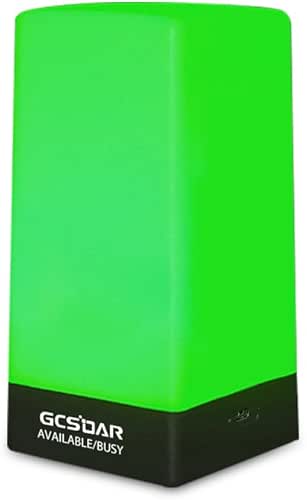
Busy Light LED Indicator Do Not Disturb Office Desk
The GCSOAR GR-Busylight serves professionals who need a simple, battery-powered solution to signal their availability without disrupting your workspace. This compact LED indicator displays two status colors: green means you’re available, and red signals you’re busy. You control the status by touching the induction button on the base. The device runs on batteries and holds a charge for two consecutive days after one hour of charging via Type-C. Measuring 1.5L x 1.5W x 5H inches, it mounts on your desk or monitor discreetly. The matte finish and metal-plastic construction blend seamlessly into office environments while consuming minimal power at 5 watts maximum.
- Primary Function:Do Not Disturb status light
- Power Source:Battery-powered with Type-C charging
- Color Options:Red and green only
- Control Method:Touch induction button on base
- Mounting/Installation:Surface mount on desk
- Brightness/Intensity Control:Dimmable design
- Additional Feature:Type-C charging interface included
- Additional Feature:Two-day runtime from one-hour charge
- Additional Feature:6-month manufacturer warranty
Factors to Consider When Choosing Wireless Busy Lights for Office
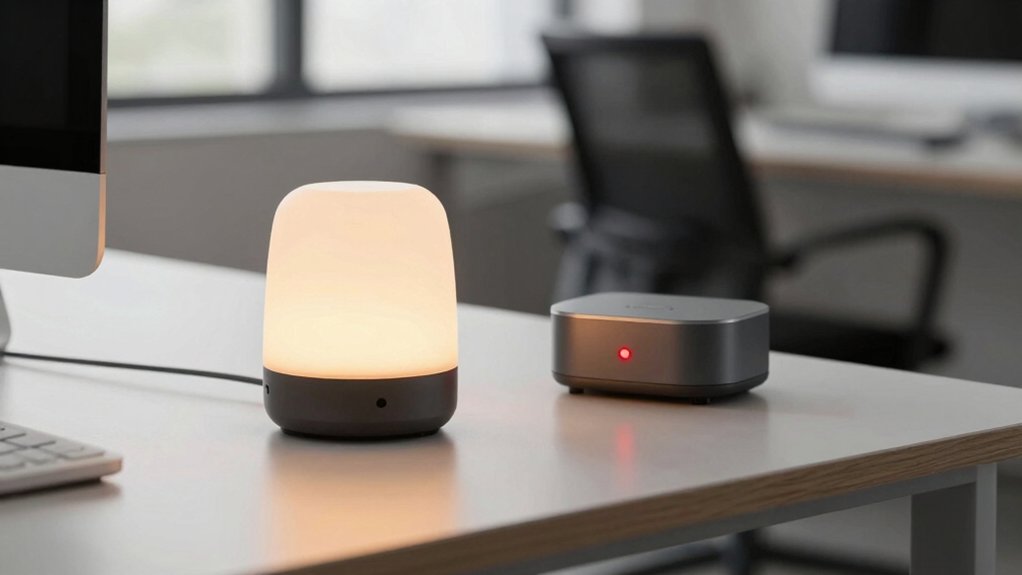
When selecting a wireless busy light for your office, you’ll need to evaluate five key factors that directly affect how well the device serves your needs. First, consider color coding and status signals to ensure your team can instantly recognize your availability, then assess the power source and battery life so you won’t face frequent recharging interruptions. Next, examine the installation and mounting options available for your workspace, check the software integration and compatibility with your existing communication tools, and finally determine the range and control distance required for your office layout.
Color Coding And Status Signals
Most wireless busy lights rely on a standard color system to communicate your availability to colleagues, and you’ll want to understand what each color means before you buy. Red signals that you’re busy or in a meeting, while green indicates you’re available and idle. Yellow or amber represents a transitional state, suggesting limited availability. Blue conveys additional statuses specific to your UC platform. Verify the exact color-to-status mapping for your system, since different platforms assign colors differently. For example, one platform might use blue for “do-not-disturb” while another uses it for “in-call.” Ensure consistency across all your devices to prevent sending mixed signals. Check your integration documentation to confirm how each color aligns with your platform’s specific states before selecting a device.
Power Source And Battery Life
Your choice between battery-powered and USB-powered busy lights directly affects where you can place the device and how often you’ll need to maintain it. Battery-powered models offer flexibility—you can position them anywhere without cord constraints, though you’ll replace or recharge batteries regularly. USB-powered options eliminate battery maintenance but require proximity to power sources and desk space for cables. Rechargeable variants with USB-C charging provide a middle ground, delivering runtimes from dozens to hundreds of hours depending on capacity. Check runtime specifications carefully; some models include auto-off features that conserve power during idle periods. Consider your work environment and maintenance tolerance before deciding. Battery life directly impacts operational costs and uptime, so evaluate whether continuous power access or portability matters more for your setup.
Installation And Mounting Options
How you’ll mount your busy light determines where it can go and how stable it’ll remain during your workday. You have three primary installation methods to choose from. Magnetic mounting lets you attach the light directly to metal surfaces like filing cabinets or desk frames without tools. Adhesive strips offer quick placement on walls or smooth surfaces. Brackets and clips work for edge mounting on desks or shelves. Consider dual-mounting options that combine magnet and clip features, giving you flexibility as your office layout changes. Evaluate the durability of mounting hardware—metal magnets and sturdy brackets prevent detachment during regular use. Check magnetic surface compatibility to confirm where you can position your light. Select the installation method that matches your workspace setup and provides reliable, tool-free attachment.
Software Integration And Compatibility
Once you’ve secured your busy light’s physical placement, you’ll want to contemplate how it connects with your existing work tools and platforms. Check whether the device requires dedicated software, a hardware remote, or app-based control. Verify compatibility with your primary UC platform—Teams, Zoom, Webex, Cisco Jabber, or RingCentral—since some lights need Busylight software or kuandoHUB for cross-platform functionality. Determine if auto-calendar integration suits your workflow; Google Calendar and Microsoft Outlook options automatically display your meeting status without manual adjustments. For USB-powered models, confirm plug-and-play capability across your desktops. Review API access availability if you’ll need custom workflows. Compare software ecosystems carefully: some devices operate independently via hardware controls, while others integrate advanced third-party services like DeskTime for enhanced functionality.
Range And Control Distance
Because wireless busy lights operate across different technologies and office layouts, you’ll need to evaluate the control range that matches your workspace size and setup. Short-range models around 20 feet work well for individual desks or nearby workstations. Longer-range options extending to 80 meters suit larger open-plan spaces where you need control from multiple areas. Check whether your light uses a remote controller with defined signal reach or relies on battery or USB power with no remote function. Consider your mounting method too—magnetic or surface mounts let you position lights closer to users or across adjacent work areas, which affects practical control distance. Match the range to your actual workflow needs to avoid purchasing excessive capability or insufficient coverage.
Final Thoughts
You’ll improve your focus by selecting a busy light that matches your workspace and needs. Choose USB-powered models for permanent desk setups or rechargeable options for flexibility. Match the range to your environment—short-range for individual desks, longer-range for open offices. Test the light’s brightness and color visibility in your specific lighting conditions. Set clear status protocols with your team so everyone understands what each color means.

Meet Ry, “TechGuru,” a 36-year-old technology enthusiast with a deep passion for tech innovations. With extensive experience, he specializes in gaming hardware and software, and has expertise in gadgets, custom PCs, and audio.
Besides writing about tech and reviewing new products, he enjoys traveling, hiking, and photography. Committed to keeping up with the latest industry trends, he aims to guide readers in making informed tech decisions.