

You can transform any room into a theater by selecting the right pull-down projector screen. The key is understanding what features matter: screen size, mounting options, fabric quality, and certifications that ensure image quality and durability. You’ll find six standout models ranging from 72 to 120 inches, each with specific advantages. But before you choose, you need to know which factors determine the best fit for your space.
| Pyle 72-Inch Manual Pull Down Projector Screen |

| Compact & Affordable | Screen Size: 72-inch | Aspect Ratio: Not specified | Mount Options: Ceiling or wall mount | VIEW LATEST PRICE | Read Our Analysis |
| Elite Screens 100-Inch Manual Pull Down Projector Screen |
| Premium 100-Inch | Screen Size: 100-inch | Aspect Ratio: 16:9 | Mount Options: Wall or ceiling mount with optional L-brackets | VIEW LATEST PRICE | Read Our Analysis |
| VIVOHOME 100 Inch Pull Down Projector Screen 4K HD |

| Best Versatility | Screen Size: 100-inch | Aspect Ratio: 16:9 | Mount Options: Wall or ceiling mount | VIEW LATEST PRICE | Read Our Analysis |
| Akia Screens 100-Inch Manual Pull Down Projector Screen (AK-M100V1) |

| Professional Grade | Screen Size: 100-inch | Aspect Ratio: 4:3 (supports 16:9 and 16:10) | Mount Options: Wall or ceiling mount | VIEW LATEST PRICE | Read Our Analysis |
| VIVOHOME 120 Inch Pull Down Projector Screen 4K HD |

| Largest Screen | Screen Size: 120-inch | Aspect Ratio: 1:1 | Mount Options: Wall or ceiling mount | VIEW LATEST PRICE | Read Our Analysis |
| 72 inch Portable Projector Screen 4K HD |
| Most Portable | Screen Size: 72-inch | Aspect Ratio: 16:9 | Mount Options: Portable wall mount (no drilling) | VIEW LATEST PRICE | Read Our Analysis |
More Details on Our Top Picks
Pyle 72-Inch Manual Pull Down Projector Screen
If you’re setting up a home theater in a small office, apartment, or classroom, the Pyle 72-Inch Manual Pull Down Projector Screen offers a practical solution with its matte white projection surface and auto-locking pull-down mechanism. The screen measures 42.5″ x 56.6″ and features a thick 4.0mm fabric that resists sagging and warping over time. You can mount it to your ceiling or wall using the dual mounting loops, giving you flexibility for your space. The matte white surface delivers sharp images with vibrant colors, while black masking borders enhance contrast and focus. The auto-locking mechanism lets you adjust the screen height to your preferred viewing position. Since the fabric produces no odor or off-gassing, you can use it safely in any indoor environment without concerns about chemical smells.
- Screen Size:72-inch
- Aspect Ratio:Not specified
- Mount Options:Ceiling or wall mount
- Operation Mechanism:Auto-locking pull-down mechanism
- Surface Material & Gain:Matte white 4.0mm fabric
- Certifications & Warranties:4.0mm durable fabric; no chemical odor
- Additional Feature:Thick 4.0mm durable fabric
- Additional Feature:Black masking borders included
- Additional Feature:No odor or off-gassing
Elite Screens 100-Inch Manual Pull Down Projector Screen
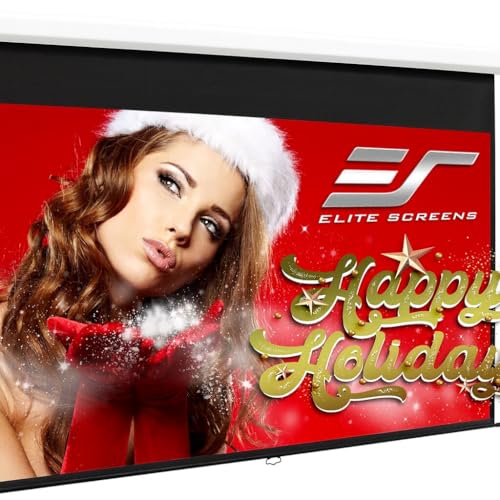
Are you setting up a home theater but want to avoid permanent installation and costly equipment? The Elite Screens 100-Inch Manual Pull Down Projector Screen offers a practical solution. This screen features a 16:9 aspect ratio with a 1.1 gain rating and MaxWhite 2 material compatible with 4K and 8K projectors. The auto-lock mechanism allows you to adjust height at 2-inch intervals for optimal viewing. Installation takes minimal time without requiring professional help. The screen holds a 180-degree viewing angle, meaning viewers positioned at various room locations see consistent image quality. Elite Screens backs this product with a 2-year warranty and lifetime technical support. Greenguard Gold certification confirms the materials meet strict environmental standards.
- Screen Size:100-inch
- Aspect Ratio:16:9
- Mount Options:Wall or ceiling mount with optional L-brackets
- Operation Mechanism:2-inch interval auto-lock mechanism
- Surface Material & Gain:MaxWhite 2 with 1.1 gain
- Certifications & Warranties:Greenguard Gold Certified; 2-3 year warranty; lifetime tech support
- Additional Feature:8K/4K Ultra HD capable
- Additional Feature:2-Year/3-Year ENR-G warranty
- Additional Feature:Lifetime professional tech support
VIVOHOME 100 Inch Pull Down Projector Screen 4K HD
The VIVOHOME 100-inch pull-down screen works best if you’re setting up a home theater, classroom, meeting room, or gaming space where you need a large, professional-quality display without permanent installation. The 87-by-49-inch display uses a 16:9 format suitable for most content. You’ll mount it to your wall or ceiling using the included brackets, then operate the manual retractable mechanism to raise and lower the screen as needed. The self-locking feature keeps it positioned at your preferred height. The 3-layer waterproof PVC fabric resists wrinkles and handles humidity changes, while the matte white surface delivers bright, uniform images with reduced glare across a 160-degree viewing angle. You can view from 8 to 10 feet away for optimal picture quality. Setup requires minimal assembly, and you’ll wipe the surface clean for maintenance.
- Screen Size:100-inch
- Aspect Ratio:16:9
- Mount Options:Wall or ceiling mount
- Operation Mechanism:Self-locking manual retractable mechanism
- Surface Material & Gain:Matte white 3-layer waterproof PVC fabric
- Certifications & Warranties:CE, GCC, ROHS certified; BSCI-certified facilities
- Additional Feature:3-layer waterproof PVC fabric
- Additional Feature:Indoor and outdoor suitable
- Additional Feature:Wipe-clean flat surface
Akia Screens 100-Inch Manual Pull Down Projector Screen (AK-M100V1)
For classrooms, offices, and home theaters using standard projectors, Akia’s 100-inch manual pull-down screen delivers ISF-certified color accuracy and reliable performance. The MAXWHITE 2 surface provides 1.1 gain with a 180-degree viewing angle, ensuring clear images across your entire audience. You’ll install it on walls or ceilings using included hardware. The auto-locking pull-down mechanism lets you position the screen at multiple heights, then secure it in place. A lanyard provides easy reach and control. The fully black-backed design minimizes light reflection. GREENGUARD Gold certification guarantees low chemical emissions for safe indoor air quality. Akia backs the screen with lifetime technical support through email, chat, or phone, plus a one-year manufacturer warranty.
- Screen Size:100-inch
- Aspect Ratio:4:3 (supports 16:9 and 16:10)
- Mount Options:Wall or ceiling mount
- Operation Mechanism:Manual auto-locking pull-down system
- Surface Material & Gain:MAXWHITE 2 with 1.1 gain
- Certifications & Warranties:GREENGUARD Gold Certified; 1-year warranty; lifetime tech support
- Additional Feature:ISF Certified color accuracy
- Additional Feature:Black-backed surface design
- Additional Feature:Lifetime email/phone support
VIVOHOME 120 Inch Pull Down Projector Screen 4K HD
Looking to set up a home theater in a room that’s 8–10 feet wide? The VIVOHOME 120-inch pull-down screen delivers 4K HD support with a 1:1 aspect ratio and 160° viewing angle. You’ll mount it to your wall or ceiling using the included bracket system. The 3-layer waterproof PVC fabric resists creases and temperature changes, while its matte white surface minimizes glare. The self-locking mechanism lets you position the screen at any height and hold it steady. Setup takes minimal effort, though you’ll need to provide your own screws. The screen’s wipe-clean surface maintains professional quality long-term, supporting 3D, 1080P, 4K, and 8K formats for an immersive theater experience.
- Screen Size:120-inch
- Aspect Ratio:1:1
- Mount Options:Wall or ceiling mount
- Operation Mechanism:Self-locking manual retractable mechanism
- Surface Material & Gain:Matte white 3-layer waterproof PVC fabric
- Certifications & Warranties:CE, GCC, ROHS certified; BSCI-certified facilities
- Additional Feature:Largest 120-inch diagonal display
- Additional Feature:Holds position at any height
- Additional Feature:Metal transport protection casing
72 inch Portable Projector Screen 4K HD
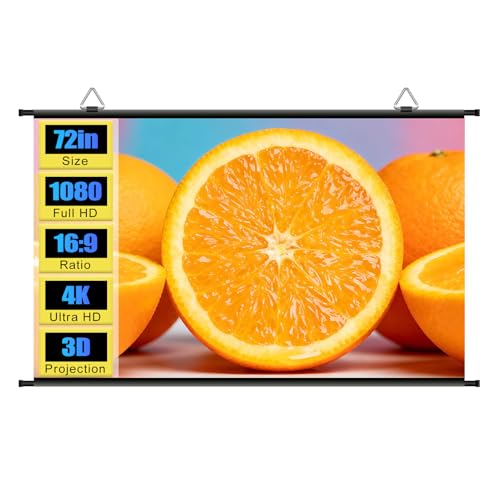
Want a projector screen you can set up anywhere without tools or professional installation? The 72 Inch Portable Projector Screen delivers 4K HD quality with a 16:9 aspect ratio and 62×36 viewing area. Metal support poles stretch the screen tight for proper edge alignment while self-adhesive hooks attach to smooth walls or glass surfaces. Assembly takes about ten minutes solo with no drilling required. The anti-glare, waterproof coating produces sharp visuals and vibrant colors in various environments—home theaters, bedrooms, offices, backyards, classrooms, or outdoors. Roll up the lightweight screen for compact storage that fits in backpacks or suitcases, then unroll it for reuse whenever needed.
- Screen Size:72-inch
- Aspect Ratio:16:9
- Mount Options:Portable wall mount (no drilling)
- Operation Mechanism:Stretch-tight metal poles (fixed, no pull-down)
- Surface Material & Gain:Anti-glare waterproof coating on seamless surface
- Certifications & Warranties:4K anti-glare waterproof coating; portable design
- Additional Feature:Ultra-lightweight portable design
- Additional Feature:Self-adhesive hook attachment
- Additional Feature:Solo assembly in 10 minutes
Factors to Consider When Choosing Pull Down Projector Screens
When you’re selecting a pull down projector screen, you’ll need to evaluate five key factors that directly affect your viewing experience and installation success. First, measure your room’s dimensions and seating distance to determine the right screen size, then assess the projection surface quality to ensure sharp image clarity, check the mounting options to confirm they fit your wall type, examine the material durability for long-term use, and verify that the screen works with your specific projector model. Each of these considerations builds on the others, so addressing them in this order—from size to compatibility—will guide you toward the best choice for your space.
Screen Size and Viewing Distance
How do you know which screen size will work best in your room? Start by measuring your seating distance from where you’ll place the screen. Then multiply that distance by 0.4 to 0.67 to find your ideal screen diagonal. For example, if you sit 10 feet away, you’ll want a screen between 40 and 67 inches.
Next, verify the screen’s viewable dimensions match your room. A 72-inch screen displays 42.5″ x 56.6″, while a 100-inch 16:9 screen shows 87.4″ x 49.2″. Confirm these measurements fit your wall without requiring excessive head-turning.
Finally, check that your seating distance aligns with your content resolution. Standard HD and 4K content work best when viewers sit 1.5 to 2.5 times the screen diagonal away, ensuring image clarity and an immersive experience.
Projection Surface Quality
The projection surface you choose affects brightness, color accuracy, contrast, and viewing angles—all critical to your home theater’s performance. Higher-gain surfaces (like 1.1 gain) deliver brighter images but narrow your viewing angles slightly. If you watch from multiple positions, select matte white surfaces instead; they reduce glare and maintain accurate colors under ambient lighting. Look for ISF-certified or GREENGUARD-certified surfaces, which guarantee controlled color accuracy and safer indoor air quality during extended use. Choose screens with fully black-backed designs to minimize light bleed and boost contrast in non-dark rooms. Select 3-layer PVC material with anti-wrinkle properties to prevent creasing and maintain a flat, uniform image over years of use.
Installation and Mounting Options
Because you’ll want your screen positioned correctly for optimal viewing, you should first decide between wall and ceiling mounting based on your room layout and projector placement. Wall mounting works best in rooms where you want to preserve ceiling space, while ceiling mounting suits rooms with limited wall area. Check your screen’s hardware—some models include built-in brackets, while others require separate L-brackets or screws. Verify that your chosen location can support the screen’s weight and installation requirements. Review the mounting loops or brackets your screen offers to ensure compatibility with your walls or ceiling material. Consider whether you need an auto-locking mechanism for adjustable height control during use. Finally, confirm any compatibility restrictions, such as avoiding ultra-short-throw projector setups, before finalizing your installation plan.
Durability and Material Construction
Several key features’ll determine whether your pull-down projector screen holds up over months and years of use. Check the fabric thickness—aim for 3.0–4.0 mm with quality backing that resists warping and creasing. Look for a water-resistant PVC surface or similar durable coating that withstands regular handling and environmental exposure. Examine the frame construction carefully; stable metal casing prevents sagging and maintains consistent height positioning. Verify the pull-down mechanism includes self-locking technology to keep the screen secure at your desired height. Test whether coatings wipe clean easily without leaving marks or damage. Strong protective casing around the frame reduces transport and mounting damage. These material choices directly affect how long your screen performs at professional quality without deterioration.
Compatibility With Projector Types
How compatible is your projector with a pull-down screen? You need to match three key specifications. First, identify your projector’s throw distance—standard long-throw models require different screen distances than ultra short-throw projectors. Second, check your projector’s resolution support. Most screens handle 1080p and 4K signals, but verify your projector outputs these formats. Third, confirm aspect ratio compatibility. Your projector produces either 16:9, 16:10, or 4:3 images, so select a screen matching that ratio to avoid black bars or distortion. Finally, review any certification requirements. ISF-certified screens optimize color accuracy for specific projector types, while Greenguard certification ensures air quality compatibility for your room setup. Cross-reference these four factors against your projector’s specifications before purchasing.
Viewing Angle and Image Performance
Once you’ve confirmed your projector’s compatibility with a pull-down screen, you’ll need to evaluate how well the screen delivers images to your entire viewing area. A higher viewing angle of 160° to 180° ensures that viewers seated off-center still see clear, sharp images without color distortion or brightness loss. Check your screen’s gain rating—a 1.1 gain surface provides uniform brightness and enhanced contrast across the entire display. Matte white surfaces reduce glare and maintain consistent color accuracy regardless of room lighting conditions. For maximum image quality, pair your screen with 4K or 8K Ultra HD projectors to maximize sharpness and detail. Front projection surfaces with full-back backing preserve brightness and prevent light from bleeding through from behind the screen.
Certifications and Air Quality Standards
When selecting a pull-down projector screen, you’ll want to verify that the product carries relevant certifications that guarantee both safety and quality. Check for Greenguard or Greenguard Gold certifications, which confirm low chemical emissions and safer indoor air quality. Greenguard Gold (UL 2818) enforces stricter emission limits than standard Greenguard. Look for ISO 9001 certification, indicating the manufacturer maintains solid quality management standards. Verify ISF certification on screen surfaces for color accuracy and consistent image fidelity. Finally, confirm CE, GCC, and ROHS compliance to ensure the materials and manufacturing processes meet international safety and environmental standards. These certifications collectively protect your health while ensuring reliable screen performance in your home theater setup.
Final Thoughts
When you’re selecting a pull-down projector screen, you’ll want to match the size to your room and viewing distance. Check that it has durable fabric with anti-warp backing, auto-lock height adjustment, and wall or ceiling mounting options. You should verify it meets GREENGUARD Gold and ISF certifications for quality assurance. Finally, confirm the gain rating and viewing angle suit your space before purchasing.

Meet Ry, “TechGuru,” a 36-year-old technology enthusiast with a deep passion for tech innovations. With extensive experience, he specializes in gaming hardware and software, and has expertise in gadgets, custom PCs, and audio.
Besides writing about tech and reviewing new products, he enjoys traveling, hiking, and photography. Committed to keeping up with the latest industry trends, he aims to guide readers in making informed tech decisions.