
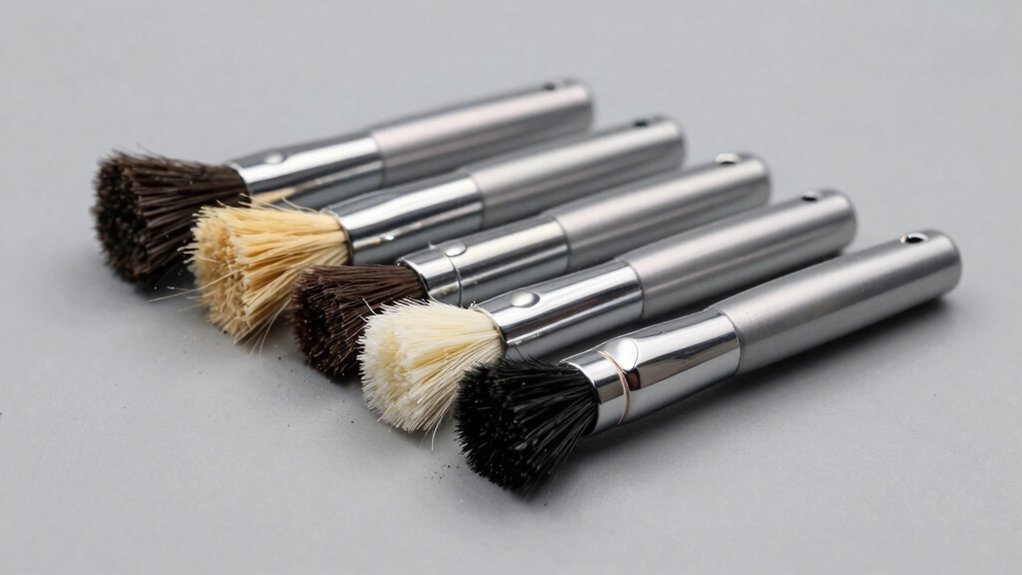

When you’re cleaning your PC components, you’ll encounter dust in tight spaces around keyboards, circuit boards, and fans—areas where regular cloths can’t reach effectively. Using standard brushes risks static discharge that can damage sensitive electronics. You need ESD-safe brushes designed specifically to prevent this hazard. Understanding your options helps you select the right tool for your maintenance needs, but several critical factors determine which brush actually performs best for your setup.
| uxcell Anti Static ESD Brush for Electronics Repair (4-Pack) |

| Best Starter Set | Quantity Included: 4 brushes | Anti-Static Protection: PVC handle releases charges to ground | Handle Material: PVC with wave grip | VIEW LATEST PRICE | Read Our Analysis |
| Small Portable Anti-Static Cleaning Brush Kit (Set of 8) |

| Most Versatile Kit | Quantity Included: 8 brushes (plus tweezers and key puller) | Anti-Static Protection: Anti-static construction | Handle Material: Plastic (multiple shapes) | VIEW LATEST PRICE | Read Our Analysis |
| 3D Printer Tool Cleaning Kit with 10 Brushes & ESD Case |

| Professional Travel Kit | Quantity Included: 10 brushes | Anti-Static Protection: Anti-static bristles | Handle Material: Not specified | VIEW LATEST PRICE | Read Our Analysis |
| 8Pcs ESD Anti Static Brush Set for Phone Repair |

| Best Phone Repair | Quantity Included: 8 brushes | Anti-Static Protection: ESD safe synthetic fiber | Handle Material: Plastic | VIEW LATEST PRICE | Read Our Analysis |
| Anti Static ESD Cleaning Brush Kit with Tweezers |

| Most Complete Bundle | Quantity Included: 8 brushes (plus 6 tweezers, 4 cloths, 1 air blower) | Anti-Static Protection: ESD safe brushes | Handle Material: Plastic | VIEW LATEST PRICE | Read Our Analysis |
More Details on Our Top Picks
uxcell Anti Static ESD Brush for Electronics Repair (4-Pack)
Are you working with sensitive computer components and worried about static electricity damaging your equipment? The uxcell Anti Static ESD Brush 4-pack provides a reliable solution. Each brush features a PVC handle that safely grounds static charges, protecting delicate circuit boards and components from damage. The nylon bristles measure 15x30mm and extend 170mm in total length, allowing you to reach confined spaces effectively. Use these brushes to clean PCB boards, keyboards, and electronic components without generating harmful static discharge. The wave-textured handle prevents slipping during use. Purchase this four-pack to equip your workspace with multiple brushes for different cleaning tasks and locations.
- Quantity Included:4 brushes
- Anti-Static Protection:PVC handle releases charges to ground
- Handle Material:PVC with wave grip
- Bristle Material:Nylon
- Primary Use Cases:PCB boards, keyboards, electronics repair
- Portability/Storage:Portable with plastic handles
- Additional Feature:Wave handle non-slip grip
- Additional Feature:Temperature resistant nylon bristles
- Additional Feature:Medium grit standard bristles
Small Portable Anti-Static Cleaning Brush Kit (Set of 8)
If you’re managing multiple computers, keyboards, or electronic components and need versatile tools in one compact package, this eight-piece anti-static brush kit delivers the variety you’re looking for. The set includes round-handle brushes for accessing tight spaces like CPU fans and camera lenses, a flat-handle brush designed for PCB and circuit board cleaning, and a heavy-duty crank brush for scrubbing grout. You’ll also get anti-static tweezers and a key puller. The kit weighs only 68 grams, making it easily portable. Use the round brushes on controllers and sewing machines, the flat brush on electronic components, and the scraper brush on tough stains or car air vents. Pair these tools with compressed air for optimal dust removal.
- Quantity Included:8 brushes (plus tweezers and key puller)
- Anti-Static Protection:Anti-static construction
- Handle Material:Plastic (multiple shapes)
- Bristle Material:Nylon
- Primary Use Cases:Keyboards, computer components, CPU fans, camera cleaning
- Portability/Storage:Lightweight (68g); portable kit
- Additional Feature:Multiple handle shape varieties
- Additional Feature:Includes anti-static tweezers
- Additional Feature:Lightweight 68 grams
3D Printer Tool Cleaning Kit with 10 Brushes & ESD Case
Tech repair professionals and electronics enthusiasts who work with sensitive components need a cleaning solution that won’t introduce static damage during maintenance. The 3D Printer Tool Cleaning Kit with 10 Brushes offers an organized approach to equipment care. You’ll find ten brushes in varying sizes and stiffness levels, each featuring anti-static bristles that protect delicate circuits and components. The included EVA case keeps your tools organized and portable for on-site work or travel. The zippered mesh bag ensures quick access while maintaining order. You can tackle keyboards, motherboards, camera lenses, and cooling fans with confidence, knowing the bristles won’t scratch or damage sensitive surfaces. This kit provides everything you need for thorough, safe equipment maintenance.
- Quantity Included:10 brushes
- Anti-Static Protection:Anti-static bristles
- Handle Material:Not specified
- Bristle Material:Anti-static bristles
- Primary Use Cases:Keyboards, motherboards, fans, cameras, sensitive electronics
- Portability/Storage:EVA case with zippered mesh bag
- Additional Feature:EVA case with zippered mesh
- Additional Feature:Range of bristle stiffness levels
- Additional Feature:Travel-ready portable organization
8Pcs ESD Anti Static Brush Set for Phone Repair
You’ll find the 8Pcs ESD Anti Static Brush Set from COHK designed specifically for anyone working on sensitive electronics like phones, tablets, and circuit boards where static discharge poses a real risk. This set includes eight different-sized brushes with synthetic fiber bristles and plastic handles that won’t damage glass, plastic, or metal surfaces. The medium-firmness brushes work well for dusting delicate components and performing detailed cleaning on PCBs and BGA repairs. Each brush is reusable, making this a cost-effective solution for regular maintenance tasks. The complete set weighs just 0.1 pounds, so it’s portable for technicians who move between workstations. Users rate this product 4.5 out of 5 stars based on numerous reviews, confirming its reliability for professional phone repair work.
- Quantity Included:8 brushes
- Anti-Static Protection:ESD safe synthetic fiber
- Handle Material:Plastic
- Bristle Material:Synthetic fiber
- Primary Use Cases:Mobile phones, tablets, PCBs, BGA repair
- Portability/Storage:Compact set (95g)
- Additional Feature:Synthetic fiber construction
- Additional Feature:Glass/plastic/metal surface safe
- Additional Feature:Medium firmness reusable brushes
Anti Static ESD Cleaning Brush Kit with Tweezers
The KOOWIN Anti Static ESD Cleaning Brush Kit with Tweezers stands out as the best choice for anyone who needs to clean delicate electronics without risking static damage. You’ll receive eight ESD-safe brushes, six anti-static tweezers, four microfiber cloths, and one air blow cleaner. Use the brushes on PCBs, keyboards, and computer vents. Deploy the tweezers for fine electronics work and jewelry repair, avoiding magnetic pieces with metal tweezers. Apply the microfiber cloths to screens and lenses without leaving streaks. The air blow cleaner handles camera lenses and hard-to-reach slots effectively. This comprehensive kit covers all your electronics cleaning needs in one affordable package.
- Quantity Included:8 brushes (plus 6 tweezers, 4 cloths, 1 air blower)
- Anti-Static Protection:ESD safe brushes
- Handle Material:Plastic
- Bristle Material:Anti-static bristles
- Primary Use Cases:Keyboards, computers, PCBs, camera lenses, electronics
- Portability/Storage:All-in-one kit format
- Additional Feature:Includes air blow cleaner
- Additional Feature:Microfiber lens cleaning cloths
- Additional Feature:30-day return guarantee
Factors to Consider When Choosing an ESD Safe Cleaning Brush for PC
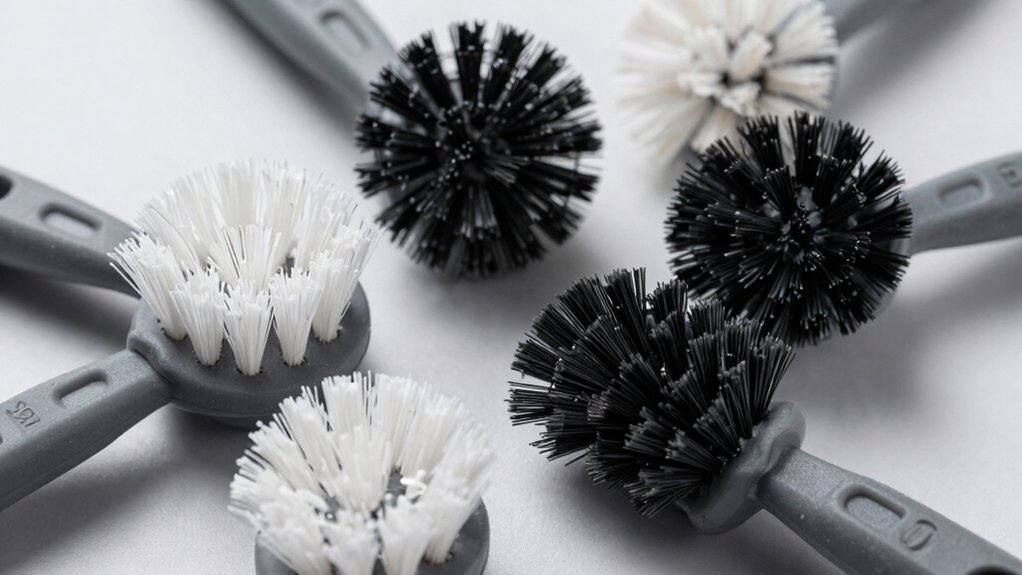
When you’re selecting an ESD safe cleaning brush for your PC, you’ll want to evaluate five key factors: the bristle type and firmness for your specific components, the anti-static protection features that prevent electrical discharge damage, the handle design and grip that lets you work comfortably in tight spaces, the brush size and versatility needed for different parts, and the durability and material quality to ensure long-term reliability. Start by identifying which components you’ll clean most often—delicate circuit boards need softer bristles, while dust filters can handle firmer brushes—then verify that your chosen brush carries proper ESD ratings or conductive materials. Finally, check the handle ergonomics and overall construction quality to confirm the brush will withstand repeated use without degrading or losing its anti-static properties.
Bristle Type And Firmness
How do you know which bristle type and firmness will work best for your PC cleaning needs?
Start by selecting anti-static bristles to minimize charge buildup on sensitive components. Next, match bristle firmness to your target surfaces: use soft bristles for delicate keyboard switches and PCB traces, medium firmness for general dust removal, and stiff bristles for stubborn grime in accessible areas. Consider the bristle dimensions—smaller 15×30 mm brushes reach embedded dust on circuit boards, while larger sizes cover broader surfaces. Check temperature resistance ratings if you’re cleaning near heat-generating components to prevent bristle degradation. Finally, having multiple firmness levels in your brush set lets you select the appropriate tool for each component’s fragility and debris type.
Anti-Static Protection Features
Once you’ve matched bristle firmness to your cleaning targets, you’ll want to verify that your brush actually protects against static discharge—the real purpose of an ESD safe brush. Check for static-dissipating handles made from materials like PVC, which ground electrical buildup during use. Examine the bristle construction; medium-grit nylon bristles remove dust effectively without generating extra static electricity. Look for grounding pathways that create a safe charge-release route. Verify non-slip grips and compatibility features that maintain consistent static protection throughout detailed cleaning tasks. Avoid mixing anti-static brushes with non-anti-static ones—some sets include yellow bristles for general use that you’ll keep separate from sensitive electronics. This separation prevents unwanted static introduction to your PC components and circuit boards.
Handle Design And Grip
Three key handle features—design style, material composition, and physical dimensions—directly affect your control and comfort during PC cleaning.
Select from round, flat, or crank handle designs based on the angles you need to access. Round handles suit general cleaning, while flat designs provide stability for detailed work. Crank handles reach tight spaces effectively.
Choose anti-static PVC or plastic handles that dissipate electrical charges safely. These materials protect sensitive components from damage during brushing.
Opt for handles measuring around 6.7 inches (170 mm). This length lets you access confined areas without sacrificing maneuverability or control.
Wave or ergonomic grip patterns prevent slipping during extended use. Lightweight builds—approximately 68 grams—reduce hand fatigue when cleaning for long periods.
Match handle specifications to your cleaning tasks and personal preferences for optimal performance.
Brush Size And Versatility
When selecting an ESD safe cleaning brush for your PC, you’ll want to contemplate both the brush’s physical dimensions and its range of applications. Brush length typically ranges around 170 mm, affecting your reach into tight spaces like CPU fans and PCBs. Bristle area dimensions of 0.6 x 1.2 inches determine precision on delicate components. Choose multiple shapes—round, flat, and crank designs—to access different areas effectively. Varying bristle hardness lets you clean broad surfaces without damaging sensitive electronics. A mixed set accommodates both macro cleaning tasks and micro-dust removal in crevices. This approach eliminates repeated tool swapping during maintenance sessions. Pair your brush selection with a travel case or mesh bag for organized, portable on-site cleaning capability.
Durability And Material Quality
Most quality ESD safe brushes combine nylon bristles with PVC handles to create a non-conductive system that won’t transfer static charge to your components. When evaluating durability, examine how bristles attach to the handle—sturdily mounted bristles resist shedding during repeated use. Check that the handle itself resists bending under pressure, as reinforced construction prevents warping over time. Medium-grit nylon bristles offer effective dust removal without scratching sensitive surfaces. Look for brushes that maintain bristle integrity after multiple cleanings, reducing particle residue on delicate electronics. Verify the material is non-magnetic to prevent interference with hardware. A well-constructed ESD brush outlasts cheaper alternatives, making the initial investment worthwhile for long-term PC maintenance.
Final Thoughts
You’ll protect your PC components by selecting an ESD-safe brush that matches your cleaning needs. Choose nylon bristles with non-conductive handles to prevent static damage. Consider brush shape—round for tight spaces, flat for broad surfaces, crank for hard-to-reach areas. Buy a kit with tweezers and microfiber cloths for comprehensive maintenance. Verify bristle durability and secure attachments before purchasing. Store brushes properly to maintain effectiveness and prevent damage to your equipment.

Meet Ry, “TechGuru,” a 36-year-old technology enthusiast with a deep passion for tech innovations. With extensive experience, he specializes in gaming hardware and software, and has expertise in gadgets, custom PCs, and audio.
Besides writing about tech and reviewing new products, he enjoys traveling, hiking, and photography. Committed to keeping up with the latest industry trends, he aims to guide readers in making informed tech decisions.