
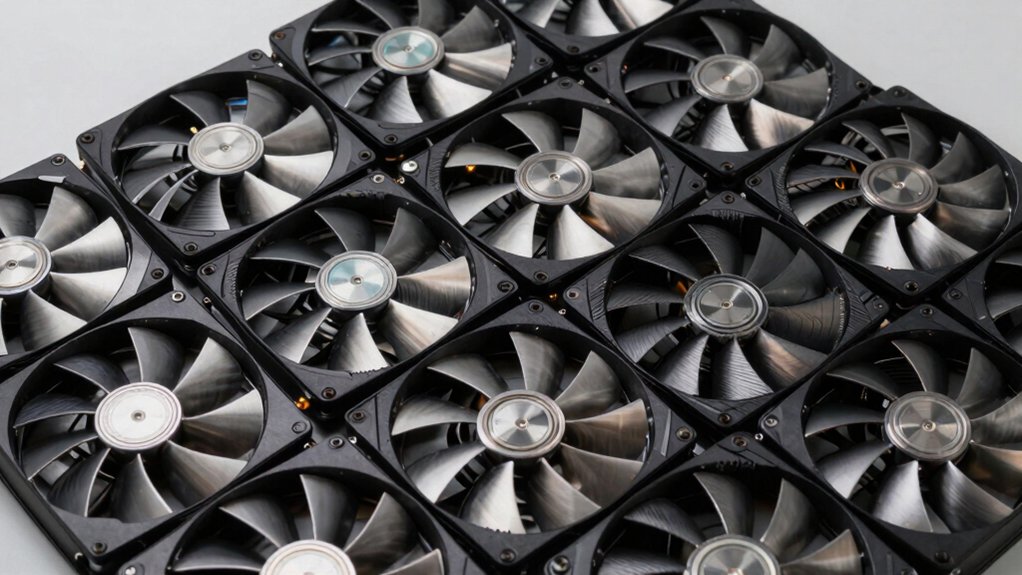

You need high static pressure fans when you’re cooling a dense radiator or working in a restricted airflow case. These fans push air through tight spaces that standard models can’t handle. You’ll want to look for 4–6 mmH2O static pressure ratings, PWM control, and reliable bearings. The options range from budget-friendly to premium, each with distinct advantages that’ll determine your cooling performance. Here’s what separates the best from the rest.
| ARCTIC P12 Pro 120mm PWM Fan |

| Best Overall | Fan Size: 120mm | Speed Range (RPM): 600–3000 RPM | Bearing Type: Fluid Dynamic Bearing (FDB) | VIEW LATEST PRICE | Read Our Analysis |
| ARCTIC P14 Pro PST 5 Pack Premium Fan |

| Best Value Pack | Fan Size: 140mm | Speed Range (RPM): 400–2500 RPM | Bearing Type: Fluid Dynamic Bearing (FDB) | VIEW LATEST PRICE | Read Our Analysis |
| ID-COOLING AT-120-K 120mm High Static Pressure Fan |

| Budget Pick | Fan Size: 120mm | Speed Range (RPM): Up to 3000 RPM | Bearing Type: Dual Ball Bearing | VIEW LATEST PRICE | Read Our Analysis |
| CORSAIR RS120 120mm PWM Fan Single Pack Black |

| Best Daisy-Chain | Fan Size: 120mm | Speed Range (RPM): Up to 2100 RPM | Bearing Type: Magnetic Dome | VIEW LATEST PRICE | Read Our Analysis |
| ARCTIC P14 Max 140mm PC Case Fan PWM |

| Most Powerful | Fan Size: 140mm | Speed Range (RPM): 400–2800 RPM | Bearing Type: Fluid Dynamic Bearing | VIEW LATEST PRICE | Read Our Analysis |
| ARCTIC P9 Max 92mm PWM PC Case Fan |

| Extreme Performance | Fan Size: 92mm | Speed Range (RPM): 450–4300 RPM | Bearing Type: Fluid Dynamic Bearing | VIEW LATEST PRICE | Read Our Analysis |
| Wathai 80mm High Static Pressure PWM Fan 12V |

| Compact Powerhouse | Fan Size: 80mm | Speed Range (RPM): Up to 5500 RPM | Bearing Type: Dual Ball Bearing | VIEW LATEST PRICE | Read Our Analysis |
| GDSTIME 120mm Computer Fan with Variable Speed Controller |
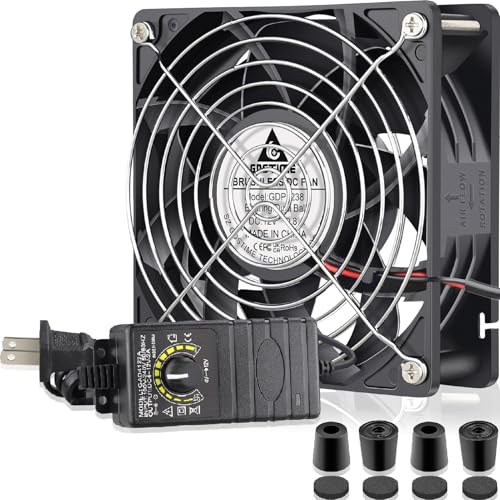
| Most Versatile | Fan Size: 120mm | Speed Range (RPM): Up to 4000 RPM | Bearing Type: Dual Ball-Bearing | VIEW LATEST PRICE | Read Our Analysis |
| MACH140 140mm PWM Quiet PC Case Fan |

| Premium Build Quality | Fan Size: 140mm | Speed Range (RPM): 500–2200 RPM | Bearing Type: Hybrid Hydraulic Bearing | VIEW LATEST PRICE | Read Our Analysis |
| Thermalright TL-M12Q X3 120mm PC Case Fans (3-Pack) |

| Best RGB Lighting | Fan Size: 120mm | Speed Range (RPM): Up to 2000 RPM | Bearing Type: Standard bearing (not specified) | VIEW LATEST PRICE | Read Our Analysis |
More Details on Our Top Picks
ARCTIC P12 Pro 120mm PWM Fan
If you’re building a high-performance cooling system that needs to push air through dense radiators or restrictive mesh panels, the ARCTIC P12 Pro 120mm PWM Fan is the choice you’ll want to contemplate. This fan operates between 600–3000 RPM with PWM control, allowing you to adjust speed via a standard 4-pin connector. The high static pressure design penetrates dense structures efficiently, making it reliable for demanding cooling applications. Its fluid dynamic bearing minimizes noise while reducing vibrations for long-term durability. The redesigned rotor blades balance performance and low-noise operation, performing effectively even at reduced speeds. You’ll appreciate the complete fan stop feature at less than 5% PWM, which saves energy during idle periods.
- Fan Size:120mm
- Speed Range (RPM):600–3000 RPM
- Bearing Type:Fluid Dynamic Bearing (FDB)
- PWM Control:4-pin PWM, stops below 5%
- Static Pressure:High static pressure (unspecified value)
- Noise Level:Low/quiet (unspecified dB)
- Additional Feature:Complete stop below 5% PWM
- Additional Feature:Redesigned rotor blade design
- Additional Feature:Automatic precision balancing
ARCTIC P14 Pro PST 5 Pack Premium Fan
The ARCTIC P14 Pro PST 5 Pack works best for builders who need reliable cooling in demanding setups with dense radiators, narrow ventilation panels, or mesh structures. You’ll control these 140mm fans via PWM, adjusting speeds from 400 to 2500 RPM to match your cooling demands. The included Y-cable splitter lets you connect multiple fans to one header. Each fan stops completely below 5% PWM, reducing power consumption during low-load periods. Fluid Dynamic Bearing technology minimizes noise and vibration while extending the fan’s lifespan. Precise manufacturing ensures smooth operation and balanced performance, making these fans reliable choices for high-pressure cooling applications.
- Fan Size:140mm
- Speed Range (RPM):400–2500 RPM
- Bearing Type:Fluid Dynamic Bearing (FDB)
- PWM Control:4-pin PWM, stops below 5%
- Static Pressure:High static pressure (unspecified value)
- Noise Level:Low/quiet (unspecified dB)
- Additional Feature:Y-Cable splitter included
- Additional Feature:Five-fan bundle pack
- Additional Feature:Complete stop below 5% PWM
ID-COOLING AT-120-K 120mm High Static Pressure Fan
Need a fan that’ll push air through tight spaces without losing cooling power? The ID-COOLING AT-120-K delivers 5.04 mmH2O static pressure with an 83 CFM airflow rate, making it suitable for radiators, tower heatsinks, and filtered cases. Its dual ball bearing and closed-loop motor maintain stable RPM under resistance. The rectifying ring blade design reduces turbulence while directing airflow vertically. The 0RPM mode silences the fan at low loads and activates automatically when cooling demand increases. Operating at 36.5 dB, it reaches 3000 RPM maximum. You’ll get a 4-pin connector, mounting screws, and a 3-year warranty with this fan.
- Fan Size:120mm
- Speed Range (RPM):Up to 3000 RPM
- Bearing Type:Dual Ball Bearing
- PWM Control:4-pin PWM
- Static Pressure:5.04 mmH2O
- Noise Level:36.5 dB
- Additional Feature:Smart 0RPM silent mode
- Additional Feature:Closed-loop motor stability
- Additional Feature:Rectifying ring blade design
CORSAIR RS120 120mm PWM Fan Single Pack Black
Corsair’s RS120 delivers high static pressure performance for builders who need reliable cooling on radiators and restrictive CPU coolers. This 120mm fan produces 4.15 mm-H2O static pressure, making it effective for dense cooling arrays. You’ll connect the 4-pin PWM header directly to your motherboard, then daisy-chain additional RS120 fans through a single connection for coordinated control. The Magnetic Dome bearing reduces friction, extending fan lifespan while operating quietly at 36 decibels. Zero RPM mode activates at low loads for silent operation. You receive a five-year warranty covering manufacturing defects, supporting long-term reliability in demanding builds.
- Fan Size:120mm
- Speed Range (RPM):Up to 2100 RPM
- Bearing Type:Magnetic Dome
- PWM Control:4-pin PWM daisy-chain capable
- Static Pressure:4.15 mm-H2O
- Noise Level:36 dB
- Additional Feature:Daisy-chain multiple fans
- Additional Feature:AirGuide anti-vortex technology
- Additional Feature:Magnetic dome bearing
ARCTIC P14 Max 140mm PC Case Fan PWM
ARCTIC’s P14 Max delivers the cooling power you need if you’re building a system that demands high static pressure performance across radiators, heat sinks, and restrictive cases. The 140mm fan operates between 400–2800 RPM via PWM control, with infinitely variable speeds above 3% PWM input. Its closed ring fan wheel minimizes vibration at high speeds while maintaining consistent static pressure under resistance. The fluid dynamic bearing ensures long-term reliability and silent operation at low speeds. You’ll benefit from the fan’s 0dB mode for noise reduction and its proven performance in high-resistance cooling scenarios where standard fans underperform.
- Fan Size:140mm
- Speed Range (RPM):400–2800 RPM
- Bearing Type:Fluid Dynamic Bearing
- PWM Control:4-pin PWM, stops below 3%
- Static Pressure:High static pressure (unspecified value)
- Noise Level:Silent at low speeds (unspecified dB)
- Additional Feature:Closed ring fan wheel
- Additional Feature:CO2 neutral company
- Additional Feature:25 years experience/support
ARCTIC P9 Max 92mm PWM PC Case Fan
For builders who need reliable cooling in space-constrained systems, the P9 Max delivers high static pressure performance in a compact 92mm form factor. The fan operates between 450-4300 RPM with PWM control, allowing you to adjust speeds infinitely above 5% for precise cooling management. Its fluid dynamic bearing ensures quiet operation at low speeds while maintaining powerful performance at maximum settings. You’ll achieve 58.25 CFM airflow and 6.17 mmH₂O static pressure, making it suitable for heat sinks and radiators where air resistance requires efficient cooling. The 4-pin connector enables direct motherboard integration for automatic temperature-based speed control.
- Fan Size:92mm
- Speed Range (RPM):450–4300 RPM
- Bearing Type:Fluid Dynamic Bearing
- PWM Control:4-pin PWM, stops below 5%
- Static Pressure:6.17 mmH₂O
- Noise Level:Unspecified
- Additional Feature:Highest RPM range available
- Additional Feature:4300 RPM maximum speed
- Additional Feature:Smallest fan size option
Wathai 80mm High Static Pressure PWM Fan 12V
When you’re building a system that demands reliable cooling in tight spaces—whether you’re upgrading a CPU cooler, GPU setup, or server enclosure—the Wathai 80mm High Static Pressure PWM Fan delivers the performance you need. This fan pushes 72.6 CFM at 5500 RPM with a 47 dBA noise level, making it suitable for dense cooling paths like radiator fins. The dual ball bearing design extends operational lifespan, while the 4-pin PWM connector lets you adjust speed through BIOS settings for temperature-triggered cooling. At 12V and 0.6A power draw, it integrates easily into existing systems. The fan operates reliably between -10 and 75°C, covering typical desktop and server environments. Its compact 80x80x38mm form factor fits standard case mounting locations.
- Fan Size:80mm
- Speed Range (RPM):Up to 5500 RPM
- Bearing Type:Dual Ball Bearing
- PWM Control:4-pin PWM
- Static Pressure:High static pressure (unspecified value)
- Noise Level:47 dBA
- Additional Feature:Dual ball bearing construction
- Additional Feature:Wide temperature operating range
- Additional Feature:80mm compact size
GDSTIME 120mm Computer Fan with Variable Speed Controller
The GDSTIME 120mm fan stands out if you’re looking for a high static pressure cooler that handles restricted airflow environments without requiring permanent speed settings. You’ll get up to 173 CFM airflow with 0.77 In H2O static pressure, making it effective for radiators and heatsinks. The included variable speed controller lets you adjust performance from 4V to 12V using a fine-tuning knob, so you control noise levels between whisper-quiet and 50 dBA maximum. Its dual ball-bearing brushless motor lasts up to 50,000 hours. Mount it using the provided screws, rubber feet, and metal grills. The AC/DC adapter powers everything with a 7.7-foot cable and 5.5×2.1mm connector.
- Fan Size:120mm
- Speed Range (RPM):Up to 4000 RPM
- Bearing Type:Dual Ball-Bearing
- PWM Control:Variable speed controller with knob
- Static Pressure:0.77 In H2O
- Noise Level:Up to 50 dBA at full speed
- Additional Feature:Variable speed controller included
- Additional Feature:Up to 173 CFM airflow
- Additional Feature:Extensive mounting hardware kit
MACH140 140mm PWM Quiet PC Case Fan
Builders who prioritize quiet cooling without sacrificing performance will find the MACH140 140mm PWM fan engineered specifically for low-noise operation across its full 500-2200 RPM range. The fan delivers 129 CFM airflow with 5.91 mmAq air pressure using a 3-phase, 10-pole motor with closed-loop control. LCP blades reinforced with 40% glass fiber resist warping at high speeds while maintaining structural integrity. A Porite Corporation Hybrid Hydraulic Bearing from Japan ensures durability backed by a 6-year warranty. The transparent motor window displays precision M-winding technology, and switchable white LEDs offer visibility customization. You can personalize side panels using provided 3D-printable files for modding flexibility.
- Fan Size:140mm
- Speed Range (RPM):500–2200 RPM
- Bearing Type:Hybrid Hydraulic Bearing
- PWM Control:PWM control (details not specified)
- Static Pressure:5.91 mmAq
- Noise Level:Quiet operation (unspecified dB)
- Additional Feature:LCP glass fiber blades
- Additional Feature:Switchable white LED lighting
- Additional Feature:6-year warranty coverage
Thermalright TL-M12Q X3 120mm PC Case Fans (3-Pack)
Looking to upgrade your PC’s cooling system without wrestling with complex wiring? The Thermalright TL-M12Q X3 offers you three 120mm fans with daisy-chain connections that simplify installation. Each fan operates at 2000 RPM, delivering 68.9 CFM airflow while maintaining a quiet 28.2-decibel noise level. The PWM speed control lets you adjust fan performance based on your system’s thermal demands. ARGB lighting with an infinity mirror effect enhances your build’s visual presentation. You’ll connect these fans using 4-pin connectors, then link them together to reduce cable clutter. This three-pack setup works effectively for case intake, exhaust, or radiator mounting in desktop configurations requiring balanced cooling and aesthetics.
- Fan Size:120mm
- Speed Range (RPM):Up to 2000 RPM
- Bearing Type:Standard bearing (not specified)
- PWM Control:4-pin PWM daisy-chain capable
- Static Pressure:High static pressure (unspecified value)
- Noise Level:28.2 dB
- Additional Feature:ARGB infinity mirror lighting
- Additional Feature:Daisy-chain connection simplicity
- Additional Feature:Three-fan bundle pack
Factors to Consider When Choosing High Static Pressure PC Fans
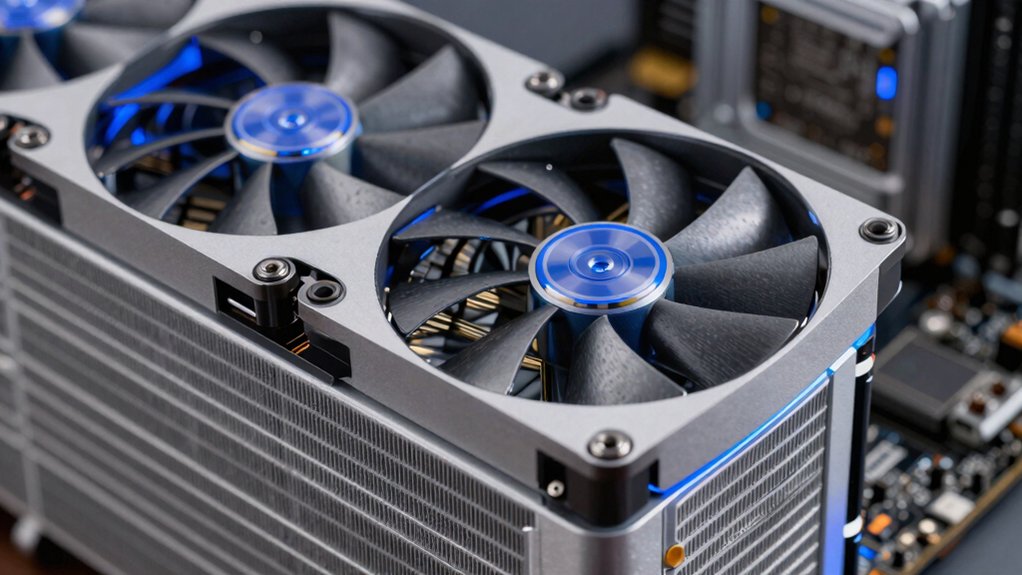
When selecting high static pressure PC fans, you’ll need to verify radiator and heatsink compatibility by checking mounting sizes and clearance space, evaluate RPM range and speed control options to match your cooling demands, and examine bearing types—such as ball or sleeve bearings—since they directly affect fan lifespan and reliability. Next, compare noise level performance across your shortlisted fans by reviewing decibel ratings and fan curves, then cross-reference the airflow and static pressure specifications (measured in CFM and mmH2O) to ensure the fan meets your specific cooling requirements without exceeding your noise tolerance.
Radiator and Heatsink Compatibility
Because radiators and heatsinks contain tightly packed fins that restrict airflow, you’ll need fans with adequate static pressure to push air through these dense arrays effectively. For 120mm radiators, select fans rated between 4–6 mmH2O. For densely packed radiators, aim for 5–6 mmH2O to ensure consistent cooling performance.
Check your radiator’s specifications and fin density before purchasing fans. Match the static pressure rating to your exact setup—undersized pressure ratings result in reduced heat transfer efficiency.
Consider the bearing type and blade design. Fluid dynamic or dual ball bearings provide stable pressure under radiator resistance. Look for rectifying ring blades and anti-vortex features that minimize turbulence, improving radiator-side performance.
PWM-controlled fans let you adjust speed to maintain required static pressure while reducing noise as conditions change.
RPM Range and Speed Control
Once you’ve matched your fan’s static pressure to your radiator or heatsink, you’ll need to control how hard that fan works through adjustable speed settings. PWM fans offer infinitely variable speeds through 4-pin connectors, allowing you to adjust RPM anywhere within your fan’s rated range—typically from idle speeds up to 2500–3000 RPM maximum. Higher RPM generates greater static pressure and airflow but increases noise accordingly. Some fans stop completely at very low PWM signals (below 5%), enabling silent zero-RPM operation during idle periods. Advanced high-static-pressure designs maintain stable RPM under resistance, ensuring consistent performance across all speed adjustments. Match your speed setting to your cooling needs: use lower speeds for quiet operation and higher speeds when temperatures demand maximum pressure and airflow.
Bearing Type and Longevity
How do you know which bearing type will keep your high-static-pressure fan running reliably for years? You’ll find three main options: Fluid Dynamic Bearing (FDB), dual ball bearing, and magnetic dome bearing designs. FDB fans self-lubricate and minimize noise in dense radiator setups where sustained pressure demands durability. Dual ball bearing designs withstand resistance exceptionally well, maintaining consistent airflow through extended use. Magnetic dome bearings reduce friction and operate quietly under high static pressures. When selecting your fan, prioritize bearing type based on your cooling demands. Pair your bearing choice with continuous manufacturing and automatic balancing features that lower vibration. Advanced blade designs further support bearing longevity by reducing turbulence. Match bearing type to your specific radiator configuration for optimal performance and lifespan.
Noise Level Performance
When you’re selecting a high static pressure fan, you’ll quickly discover that increased static pressure comes with a trade-off: higher noise output at the same RPM. To manage this, consider fans with 4-pin PWM control, which automatically adjusts speed to match your cooling needs, reducing noise during low-demand periods. Choose dual ball bearing or fluid dynamic bearing designs, as these maintain consistent RPM and minimize vibration. Look for optimized rotor and rectifying ring blade geometries that balance high static pressure with reduced turbulence. Additionally, select fans featuring zero RPM or smart idle modes that keep noise minimal when cooling demand is low, then deliver full static pressure performance when temperatures spike.
Airflow and Static Pressure Ratings
Beyond managing noise, you’ll need to understand the two core performance metrics that determine whether a fan actually works for your setup: airflow and static pressure. Airflow, measured in CFM (cubic feet per minute), tells you how much air the fan moves in open conditions. Static pressure, measured in mmH2O, indicates how forcefully that air pushes through resistance like radiators or dust filters. Higher static pressure typically means lower absolute airflow at the same RPM—this is the trade-off. Check both ratings on product specs: pair them against your radiator’s density and case filtration level. Dense radiators demand higher static pressure; open cases prioritize maximum CFM. Match the fan’s maximum RPM capability to your cooling demands, then verify the pressure rating suits your specific obstruction level.
PWM Connector and Daisy-Chain Options
Why does your fan control method matter as much as the fan itself? PWM connectors give you precise speed control across your fan’s RPM range—typically 400–2800 RPM or 600–3000 RPM depending on the model. You adjust fan speed dynamically by changing the PWM signal, matching cooling demand to system load.
Daisy-chain compatibility simplifies multi-fan setups by letting you control several fans from a single PWM header, reducing cable clutter. Match your fans’ PWM curves and chain compatibility to ensure predictable performance. Some models support zero-RPM modes, stopping automatically when cooling demand drops below a threshold. Verify each fan’s specific PWM behavior—for example, some stop below 5% PWM—so your radiator or dense-louver configuration operates exactly as intended.
Blade Design and Efficiency
Because blade geometry directly controls how air moves through obstructions like radiator fins, you’ll find that optimized rotor blade shapes generate higher static pressure at the same RPM compared to standard designs. Rectifying ring blades reduce turbulence and stabilize airflow through dense radiators by directing air more efficiently. When selecting a fan, verify that the blade design balances performance across low and high speeds while maintaining noise levels. High static-pressure blades require precise manufacturing and automatic balancing to function properly. The bearing design and rotor balance work together with blade geometry to minimize vibrations that reduce effective pressure at speed. Check specifications for fans combining optimized blade shapes with quality bearings for consistent static pressure performance throughout the fan’s operating range.
Warranty and Support Coverage
How much protection does your investment actually get? Check the warranty length first—look for ranges between 3 and 5 years, as longer coverage suggests greater durability confidence. Review what’s covered: verify whether the warranty includes both parts and labor, and confirm whether accidental damage or misuse are excluded. Read the fine print on operating conditions, including RPM limits and PWM control specifications. Note any restrictions on overheating or improper mounting that void coverage. Beyond the warranty period, investigate spare parts availability and direct customer support options. Compare vendors’ post-warranty commitments carefully. A comprehensive warranty combined with accessible support ensures you’re protected throughout your fan’s lifespan and can resolve issues quickly when problems arise.
Final Thoughts
You’ll want to match your fan choice to your specific cooling needs. Start by checking your radiator’s fin density and case airflow restrictions. Then select fans offering 4–6 mmH2O static pressure with appropriate CFM ratings. Verify 4-pin PWM compatibility with your motherboard. Consider bearing type and noise levels for your setup. Compare the reviewed options—ARCTIC P14 Pro PST, ID-COOLING AT-120-K, and Thermalright TL-M12Q X3 rank highest for performance and reliability.

Meet Ry, “TechGuru,” a 36-year-old technology enthusiast with a deep passion for tech innovations. With extensive experience, he specializes in gaming hardware and software, and has expertise in gadgets, custom PCs, and audio.
Besides writing about tech and reviewing new products, he enjoys traveling, hiking, and photography. Committed to keeping up with the latest industry trends, he aims to guide readers in making informed tech decisions.