
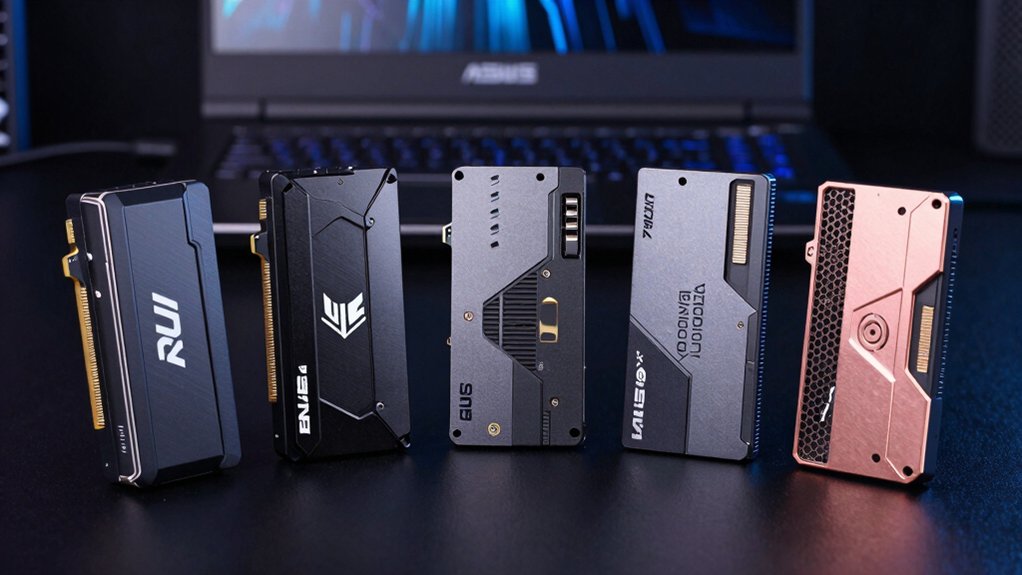

If you’re upgrading your ASUS TUF F15’s storage, you’ll want to know which SSDs deliver the speed and durability your gaming demands. You’ve got options ranging from high-performance Gen4 drives to budget-friendly Gen3 alternatives, plus an unexpected expansion method that doesn’t require replacing your existing drive. Here’s what actually matters when you’re choosing.
| WD_Black SN7100 1TB NVMe SSD Gen4 PCIe |

| Peak Gaming Performance | Form Factor: M.2 2280 | Interface Type: PCIe Gen4 NVMe | Storage Capacity: 1TB | VIEW LATEST PRICE | Read Our Analysis |
| Aiibe X16Plus 1TB NVMe M.2 SSD PCIe 4.0 |
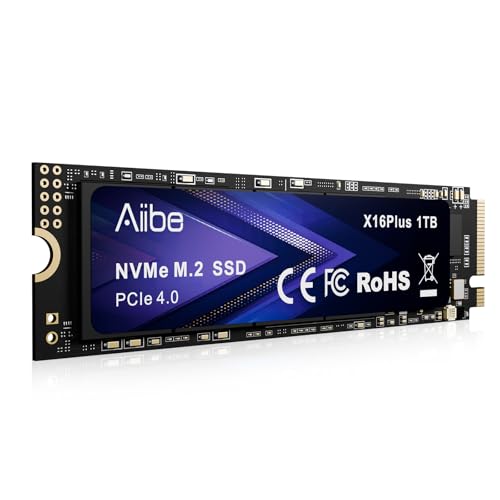
| Best Value Gen4 | Form Factor: M.2 2280 | Interface Type: PCIe 4.0 NVMe | Storage Capacity: 1TB | VIEW LATEST PRICE | Read Our Analysis |
| KOOTION 512GB PCIe 3.0 NVMe M.2 Internal SSD |

| Budget-Friendly Upgrade | Form Factor: M.2 2280 | Interface Type: PCIe 3.0 NVMe | Storage Capacity: 512GB | VIEW LATEST PRICE | Read Our Analysis |
| Fleshy Leaf 2.5″ SSD HDD Caddy Bracket for ASUS TUF |

| Essential Hardware Accessory | Form Factor: 2.5″ SATA | Interface Type: SATA | Storage Capacity: N/A (caddy bracket only) | VIEW LATEST PRICE | Read Our Analysis |
| Crucial P3 1TB PCIe Gen3 NVMe SSD |

| Reliable Everyday Drive | Form Factor: M.2 2280 | Interface Type: PCIe Gen3 NVMe | Storage Capacity: 1TB | VIEW LATEST PRICE | Read Our Analysis |
More Details on Our Top Picks
WD_Black SN7100 1TB NVMe SSD Gen4 PCIe
Want faster load times and better performance in your ASUS TUF F15 without replacing the entire laptop? The WD_Black SN7100 1TB delivers read speeds up to 7,250 MB/s and write speeds up to 6,900 MB/s, giving you 35% faster performance than the previous generation. This M.2 2280 drive fits directly into your laptop’s PCIe Gen4 slot. Install it by powering down, removing the bottom panel, and inserting the drive into the available M.2 slot at a 30-degree angle. Press down and secure with the included screw. The drive supports large game libraries and reduces load times significantly for competitive gaming. You’ll notice immediate improvements when launching games and transferring files.
- Form Factor:M.2 2280
- Interface Type:PCIe Gen4 NVMe
- Storage Capacity:1TB
- Read Speed:7,250 MB/s
- Write Speed:6,900 MB/s
- Warranty:3-year limited
- Additional Feature:35% faster than previous generation
- Additional Feature:Dashboard software optimization available
- Additional Feature:Built for handheld gaming devices
Aiibe X16Plus 1TB NVMe M.2 SSD PCIe 4.0
If you’re looking to eliminate sluggish load times in your ASUS TUF F15, the Aiibe X16Plus delivers the speed you need with its PCIe 4.0 interface and read speeds up to 7450 MB/s. This 1TB M.2 2280 SSD writes at 6800 MB/s, making it suitable for gaming and video editing tasks. The drive fits directly into your laptop’s M.2 slot without additional adapters. You’ll receive the SSD, an installation kit, and a manual. The aluminum enclosure resists heat buildup during extended use. Aiibe backs this drive with a one-year warranty and screens every unit before shipping to ensure data safety and reliability.
- Form Factor:M.2 2280
- Interface Type:PCIe 4.0 NVMe
- Storage Capacity:1TB
- Read Speed:7,450 MB/s
- Write Speed:6,800 MB/s
- Warranty:1-year
- Additional Feature:Includes installation kit
- Additional Feature:Aluminum enclosure design
- Additional Feature:Ultra performance for 4K rendering
KOOTION 512GB PCIe 3.0 NVMe M.2 Internal SSD
Budget-conscious gamers looking to upgrade their ASUS TUF F15 without breaking the bank should consider the KOOTION 512GB PCIe 3.0 NVMe M.2 Internal SSD. This drive delivers read speeds up to 3500 MB/s and write speeds up to 3000 MB/s, accelerating your application load times and system responsiveness. The M.2 2280 form factor fits directly into your laptop’s compatible slot. You’ll benefit from 3D NAND flash technology that provides enhanced reliability without moving parts, making it shockproof and durable. The drive consumes less power and generates minimal heat, improving overall system efficiency. Installation includes a kit with everything you need. This option balances affordability with solid performance for gaming, multitasking, and content creation.
- Form Factor:M.2 2280
- Interface Type:PCIe 3.0 NVMe
- Storage Capacity:512GB
- Read Speed:3,500 MB/s
- Write Speed:3,000 MB/s
- Warranty:Lifetime technology support
- Additional Feature:Lifetime technology support
- Additional Feature:Shockproof with no moving parts
- Additional Feature:Lower heat generation design
Fleshy Leaf 2.5″ SSD HDD Caddy Bracket for ASUS TUF
Those upgrading an ASUS TUF Gaming F15 with a second storage drive need this caddy bracket to replace the laptop’s original 2.5″ hard drive bay. The package includes a hard drive cable, caddy bracket, two rubber rails, and four screws. You’ll install a 2.5″ SATA SSD or HDD up to 7.0 mm thick. Before purchasing, verify the part number matches your specific model—F15 FX506, A15, FA506, FA506IV, FA506IU, or FA706. Contact the seller if you need clarification on compatibility. Once installed, you’ll double your storage capacity without replacing your primary drive.
- Form Factor:2.5″ SATA
- Interface Type:SATA
- Storage Capacity:N/A (caddy bracket only)
- Read Speed:N/A (caddy bracket only)
- Write Speed:N/A (caddy bracket only)
- Warranty:Product warranty available
- Additional Feature:Compatible with multiple ASUS models
- Additional Feature:Includes rubber rail dampeners
- Additional Feature:Supports drives up to 7mm
Crucial P3 1TB PCIe Gen3 NVMe SSD
Looking for a straightforward upgrade that’ll handle everyday gaming and work tasks without breaking your budget? The Crucial P3 1TB delivers solid performance with sequential read speeds up to 3,500 MB/s and write speeds to 3,000 MB/s. You’ll get fast boot times, quick app launches, and smooth file transfers across your ASUS TUF F15. This M.2 NVMe Gen3 drive uses Micron 3D NAND technology and includes a 5-year limited warranty. Installation requires opening your laptop, locating the M.2 slot, and inserting the drive at a 30-degree angle until it clicks. You’ll also receive Acronis True Image software for cloning your existing drive, simplifying the migration process markedly.
- Form Factor:M.2 2280
- Interface Type:PCIe Gen3 NVMe
- Storage Capacity:1TB
- Read Speed:3,500 MB/s
- Write Speed:3,000 MB/s
- Warranty:5-year limited
- Additional Feature:Acronis True Image software included
- Additional Feature:1.5 million hours MTTF rated
- Additional Feature:Adobe Creative Cloud subscription included
Factors to Consider When Choosing an SSD for ASUS TUF F15
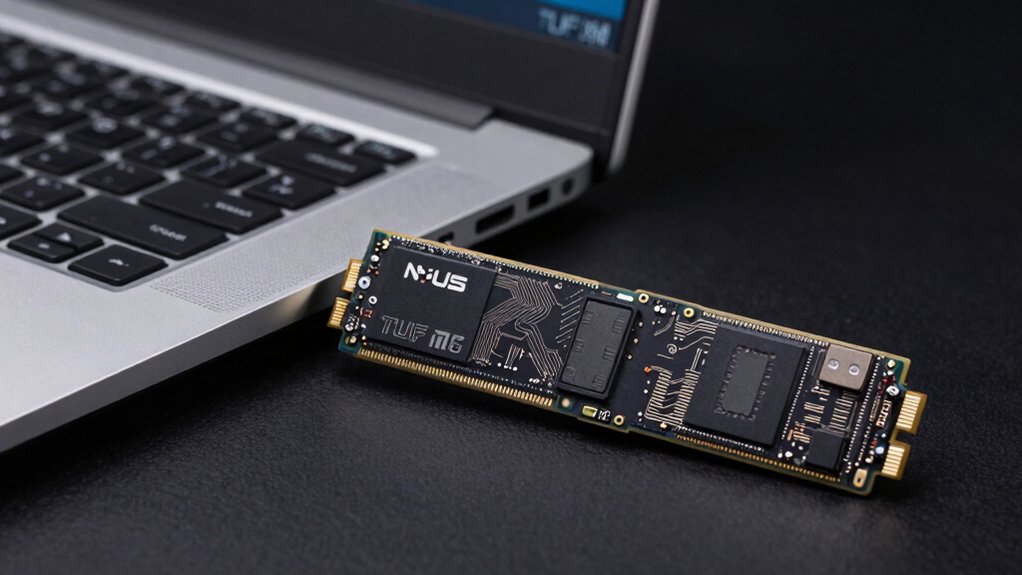
You’ll need to verify that your SSD uses the M.2 2280 form factor, which is the standard slot in the ASUS TUF F15, and check that it’s an NVMe drive compatible with PCIe Gen3 or Gen4 protocols. You should compare read/write speeds (measured in MB/s), storage capacity between 512GB and 2TB based on your game library size, and power consumption ratings to ensure your laptop’s battery life doesn’t suffer considerably. You’ll also want to confirm the manufacturer offers at least a three-year warranty and has a solid reputation for reliability, since gaming puts sustained stress on storage components.
Form Factor And Compatibility
What’s the first thing you need to know before buying an SSD for your ASUS TUF F15? You must verify the form factor. Your laptop requires an M.2 2280 drive—that’s 22mm wide and 80mm long. This size fits your drive bay properly. Next, confirm the drive uses NVMe, not SATA, since NVMe delivers the performance you need. Choose either PCIe Gen3 x4 or Gen4 x4 for optimal speed and compatibility. Before purchasing, check your drive’s height: some 7mm and 9.5mm drives won’t fit depending on your specific TUF F15 configuration. Finally, if you’re considering newer Gen4 drives, verify your BIOS supports them. Checking these compatibility points prevents buying incompatible hardware.
Speed And Performance Metrics
Since your ASUS TUF F15 supports both PCIe Gen3 and Gen4 NVMe drives, you’ll need to understand how speed differences affect your gaming experience. Gen4 drives deliver up to 7,250 MB/s read and 6,900 MB/s write speeds, while Gen3 options max out around 3,500 MB/s read and 3,000 MB/s write. For large game libraries and load-intensive tasks, Gen4 provides faster sustained throughput and quicker load times. Gen3 drives still handle everyday multitasking and gaming adequately. Beyond raw speed numbers, consider the drive’s controller efficiency, firmware optimizations, and endurance rating. These factors determine sustained performance during extended gaming sessions and overall power efficiency, making them equally important as sequential speed metrics when selecting your upgrade.
Storage Capacity Requirements
How much storage capacity do you actually need for your ASUS TUF F15? Start by counting your AAA games and large media files. If you’re a casual user storing only the OS and applications, 512 GB works, though you’ll manage space frequently. For most gamers, 1 TB strikes the right balance between capacity and cost, accommodating multiple AAA titles without constant deletions. If you maintain an extensive game library or work with 4K video projects, choose 2 TB to avoid regular reorganization. Plan ahead by selecting a drive with extra headroom beyond your immediate needs. This approach prevents you from outgrowing your storage within months and minimizes future upgrade costs.
Power Efficiency Considerations
When you’re selecting an SSD for your ASUS TUF F15, you’ll need to balance performance gains against power consumption, since every watt your drive uses directly cuts into battery life during gaming sessions. Compare sequential read and write speeds alongside power efficiency metrics listed in product specifications. PCIe Gen4 drives often deliver higher performance with similar or better efficiency than Gen3 models when you choose SKUs with enhanced power claims. Check whether the drive supports reduced power states suitable for laptops and verify real-world power-per-operation data. For your TUF F15, prioritize 1–2 TB Gen4 SSDs that combine high throughput with low idle and active power consumption. Review firmware updates that optimize power delivery alongside PCIe Gen4 support to maximize battery endurance during extended gaming.
Durability And Warranty Coverage
What separates a solid SSD investment from a risky one? Warranty coverage and durability metrics. Check the manufacturer’s MTBF rating—aim for drives rated 1.5 million hours or higher. Next, verify the warranty period; five-year warranties indicate stronger confidence than shorter terms. Review what failures the warranty actually covers, as coverage varies by manufacturer. Look at TBW ratings, which measure total bytes written before failure; gaming workloads demand drives rated 300+ TBW. Examine heat tolerance specifications since the TUF F15 generates sustained thermal load. Finally, confirm the drive has no moving parts and meets shock resistance standards. Cross-reference these metrics across your top candidates before purchasing to ensure your upgrade survives years of intensive gaming and daily use.
Final Thoughts
You’ll maximize your ASUS TUF F15’s performance by selecting an SSD that matches your needs. Choose the WD_Black SN7100 for speed, the Aiibe X16Plus for balanced performance, or the Crucial P3 for budget gaming. Install your primary drive in the M.2 slot, then add the 2.5″ caddy for extra storage. Verify compatibility before purchasing, then follow your laptop’s manual for safe installation.

Meet Ry, “TechGuru,” a 36-year-old technology enthusiast with a deep passion for tech innovations. With extensive experience, he specializes in gaming hardware and software, and has expertise in gadgets, custom PCs, and audio.
Besides writing about tech and reviewing new products, he enjoys traveling, hiking, and photography. Committed to keeping up with the latest industry trends, he aims to guide readers in making informed tech decisions.