
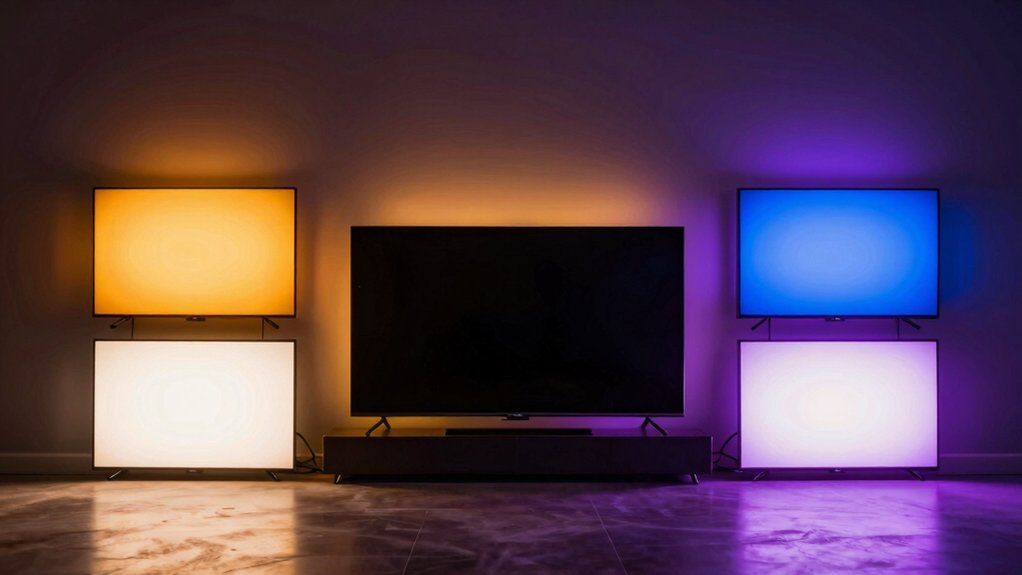

You want your TV viewing to match theater-quality lighting without complicated installation. TV backlights sync with your screen’s colors, reducing eye strain while adding depth to your space. Your options range from simple USB-powered strips to advanced systems with app control and voice commands. Each setup offers different features—some prioritize easy installation, while others deliver premium camera syncing and edge correction. To pick the right backlight for your needs, you’ll need to evaluate several key factors first.
| KANTUTOE LED TV Backlight Lights with RGB & Bluetooth Control |

| Best Budget Option | Control Methods: Remote control, Bluetooth app, button control | LED Strip Length: 16.4 feet | TV Compatibility Range: 45–75 inches | VIEW LATEST PRICE | Read Our Analysis |
| Govee TV Backlight 3 Lite RGBICW LED Strip Lights |

| Best Camera Sync | Control Methods: Govee Home app, voice control (Alexa/Google Assistant), Bluetooth, Wi-Fi | LED Strip Length: 11.8 feet | TV Compatibility Range: 55–65 inches | VIEW LATEST PRICE | Read Our Analysis |
| FFJ TV LED Backlight RGB Lights with App Control |

| Best All-Around Value | Control Methods: Smart uLamp app, sensor-based syncing | LED Strip Length: 14.7 feet | TV Compatibility Range: 55–65 inches | VIEW LATEST PRICE | Read Our Analysis |
| Govee TV Backlight 3 Lite RGBICW LED Strip Lights |

| Best for Large TVs | Control Methods: Govee Home app, voice control (Alexa/Google Assistant) | LED Strip Length: 16.4 feet | TV Compatibility Range: 75–85 inches | VIEW LATEST PRICE | Read Our Analysis |
| KANTUTOE TV LED Backlight with Smart App Control |

| Best Advanced Features | Control Methods: Smart app control, built-in camera syncing | LED Strip Length: 13.7 feet | TV Compatibility Range: 45–65 inches | VIEW LATEST PRICE | Read Our Analysis |
More Details on Our Top Picks
KANTUTOE LED TV Backlight Lights with RGB & Bluetooth Control
If you’re looking for an affordable backlight that offers extensive color options and multiple control methods, the KANTUTOE LED TV Backlight Lights delivers these features in a single package. This 16.4-foot strip fits TVs between 45 and 75 inches. You control the lights three ways: via remote, smartphone app, or button controls. The strip produces 16 million color variations and syncs with music through a built-in microphone, adjusting colors to match the audio. Installation requires removing the adhesive backing and pressing the strip along your TV’s rear edges. Power the unit through USB connection rated at 5V. The product operates at low heat and carries a one-year warranty with a 30-day Amazon return window.
- Control Methods:Remote control, Bluetooth app, button control
- LED Strip Length:16.4 feet
- TV Compatibility Range:45–75 inches
- Color Technology:16 million RGB colors
- Power Specifications:5V USB powered, 5W
- Installation Type:Adhesive foam backing, no tools required
- Additional Feature:Music sync with built-in microphone
- Additional Feature:16 million color options
- Additional Feature:Extremely low heat output
Govee TV Backlight 3 Lite RGBICW LED Strip Lights
The Govee TV Backlight 3 Lite works best for viewers who want synchronized lighting that matches their on-screen content without complicated setup. Install the 11.8-foot RGBICW strip around your 55–65 inch TV using the adhesive backing. Connect the camera to your TV’s top, then link the control box to power. Download the Govee Home app, enable DreamView syncing, and the camera captures your screen’s colors in real time. Toggle black bar elimination or blank screen detection as needed. Control lighting through the app or voice commands with Alexa and Google Assistant. The fish-eye correction function sharpens edge accuracy, delivering immersive ambient lighting across your viewing space.
- Control Methods:Govee Home app, voice control (Alexa/Google Assistant), Bluetooth, Wi-Fi
- LED Strip Length:11.8 feet
- TV Compatibility Range:55–65 inches
- Color Technology:RGBICW (4-in-1 lamp bead with warm white)
- Power Specifications:12V DC, 24W
- Installation Type:Adhesive with gravitational camera hanging design
- Additional Feature:Fish-eye correction function
- Additional Feature:Up to 7 sub-devices sync
- Additional Feature:4-in-1 lamp bead technology
FFJ TV LED Backlight RGB Lights with App Control
FFJ’s TV LED Backlight RGB Lights deliver an immersive visual experience by syncing color-changing lights to your screen, making it ideal if you’re setting up a home theater, gaming station, or festive display for 55–65 inch TVs. The 14.7 ft cuttable light strip attaches to your TV’s back while you clip the sensor to the top center. You’ll control 24 dynamic scenes and 6 music-synchronized effects through the uLamp app, adjusting brightness and color saturation to match your environment. Installation takes minutes. The premium full-color LEDs last up to 50,000 hours. Note that backlighting works best in dark rooms and won’t function effectively in bright spaces. The system requires 12V power and Bluetooth connectivity. You’ll receive the LED string, adapter, sensor, buckles, and quick guide.
- Control Methods:Smart uLamp app, sensor-based syncing
- LED Strip Length:14.7 feet
- TV Compatibility Range:55–65 inches
- Color Technology:Full-color RGB with adjustable brightness/saturation
- Power Specifications:12V, 24W
- Installation Type:Clip sensor to TV, adhesive strip backing with mounting clips
- Additional Feature:50,000 hour LED longevity
- Additional Feature:24 dynamic light scenes
- Additional Feature:Automatic on/off detection
Govee TV Backlight 3 Lite RGBICW LED Strip Lights
Looking for a backlight that’ll capture every color shift on your screen without the hassle of complex setup? The Govee TV Backlight 3 Lite delivers real-time color matching using upgraded Envisual Technology with fish-eye correction for 75-85 inch TVs. You’ll install the 16.4 ft RGBICW strip using its gravitational camera design and adhesive backing, which prevents wobble on ultra-thin displays. Control lighting through the Govee Home app, Alexa, or Google Assistant. The strip syncs with up to seven sub-devices, creating a 360° immersive effect. Features include scene modes, black bar exclusion, and blank screen detection to optimize your viewing experience during movies and gaming.
- Control Methods:Govee Home app, voice control (Alexa/Google Assistant)
- LED Strip Length:16.4 feet
- TV Compatibility Range:75–85 inches
- Color Technology:RGBICW (4-in-1 lamp bead with warm white)
- Power Specifications:12V DC
- Installation Type:Adhesive with gravitational camera hanging design
- Additional Feature:360° immersive view creation
- Additional Feature:Upgraded Envisual Technology
- Additional Feature:Black bar exclusion option
KANTUTOE TV LED Backlight with Smart App Control
If you want your TV lighting to shift colors in real time as you watch, this backlight syncs with your screen through a built-in camera that captures on-screen content and mirrors those colors instantly around your TV’s edges. The 13.7-foot LED strip fits 45–65 inch TVs and monitors with adjustable coverage across all edges. You’ll control brightness, color, and effects through the smart app, selecting from Movie, Game, Music, or Relax modes. The strip installs easily using strong adhesive backing and included mounting clips. You get lag-free color recognition that responds to your content without delay, plus music-reactive lighting for ambient modes. The one-year warranty covers defects during normal indoor use.
- Control Methods:Smart app control, built-in camera syncing
- LED Strip Length:13.7 feet
- TV Compatibility Range:45–65 inches
- Color Technology:Multicolor with real-time camera sync
- Power Specifications:Power adapter included (12V implied)
- Installation Type:Strong adhesive backing with mounting clips
- Additional Feature:Real-time, lag-free recognition
- Additional Feature:Multiple ambient modes included
- Additional Feature:Adjustable camera positioning
Factors to Consider When Choosing TV Backlights
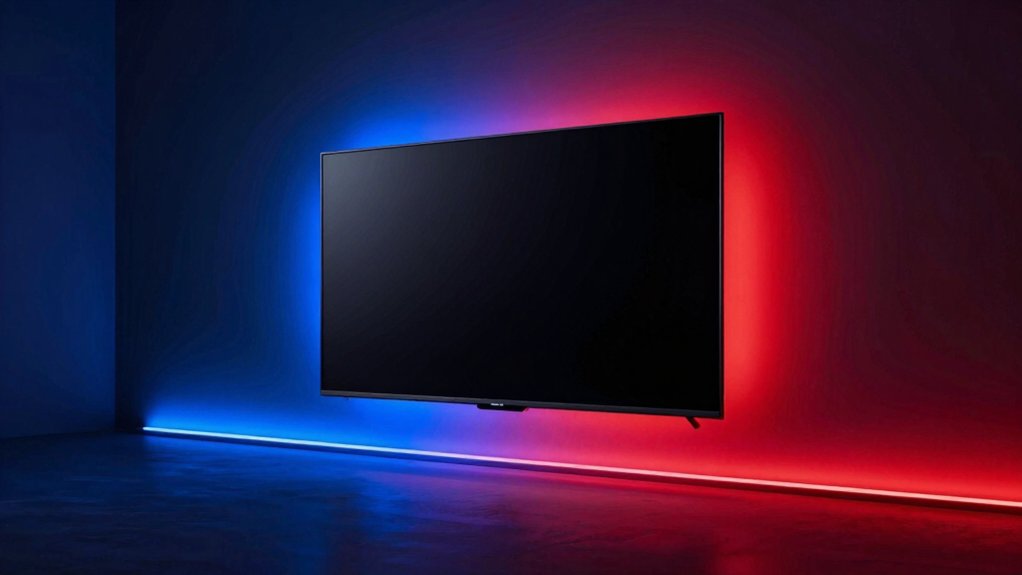
When selecting a TV backlight, you’ll need to evaluate five key factors: first, confirm the backlight fits your screen size by measuring your TV’s dimensions and checking the product’s compatibility range; second, assess the color quality and range to ensure the backlight produces the brightness and hue variety you want, whether you prefer RGB options or single-color models; third, decide which control options work best for you, such as remote controls, smartphone apps, or voice commands. You should also examine installation ease by reviewing whether the backlight requires adhesive strips, clips, or professional setup, then estimate the time needed for your skill level. Finally, check the power requirements and energy efficiency ratings to understand how much electricity the backlight consumes and whether it’ll significantly impact your energy costs.
Screen Size Compatibility
How do you know which backlight kit will actually fit your TV? Start by checking your screen size, then match it to the kit’s specified compatibility range. Most kits target specific ranges like 45–75 inches or 55–65 inches. For TVs 75 inches and larger, select kits with longer strips—typically 16.4 feet—to cover edges completely without gaps. Smaller TVs need shorter lengths and may benefit from flexible, cuttable strips that you can trim to exact dimensions. Next, verify camera or sensor placement aligns with your TV’s size for accurate color matching. Finally, if your TV has ultra-thin bezels or edge-to-edge displays, confirm the mounting design—whether gravity-based or adhesive—can secure firmly to your specific form factor.
Color Quality And Range
Color accuracy matters most when you’re selecting a backlight kit, so you’ll want to prioritize strips that offer RGB or RGBICW technology—these deliver up to 16.7 million colors and ensure smooth gradients across your screen. RGBICW strips combine RGB with warm white channels, producing more natural whites and improving color accuracy for skin tones and realistic scenes. Look for backlights with fish-eye correction and color-capture features that match on-screen content precisely, reducing edge color mismatches. Choose strips with a wider color temperature range to enhance white tone quality. Finally, select backlights offering dynamic color-control through apps or voice commands, allowing you to adjust hue, saturation, and brightness precisely across different content types and maintain consistent quality throughout your viewing experience.
Control Options Available
What control method works best for your setup depends on your preferences and existing smart home devices. You can choose from three primary options. First, use smartphone apps to customize scenes, adjust brightness, and match colors to your screen content in real time. Second, operate your backlight with a physical remote control for direct, hands-on adjustments. Third, enable voice control through Alexa or Google Assistant if your kit supports it. Many advanced systems require a dedicated control box or hub to access these features fully. Consider your smart home ecosystem before purchasing. If you already use Alexa, select a compatible kit. If you prefer app-based control, verify the smartphone application’s user interface. Some models combine all three methods, offering maximum flexibility for different situations and user preferences.
Installation Ease And Setup
Installation ease markedly impacts your overall experience with TV backlights, so you’ll want to evaluate several key factors before making your purchase. First, examine the mounting hardware included in your kit. Adhesive backing works best for flat surfaces, while mounting clips suit curved TVs. Verify that gravity-hanging camera designs or magnetic systems reduce wobble during installation. Next, check power connectivity options—USB connections offer simplicity, whereas Wi-Fi setup requires router configuration. Review whether the kit includes all components: LED strip, power adapter, controller, and any sensors. Confirm compatibility with your TV’s size and shape to ensure proper edge coverage. Finally, assess alignment features that minimize misalignment. These practical considerations streamline your setup process and prevent costly mistakes or additional purchases.
Power Requirements And Efficiency
How much power your TV backlight actually needs depends on several interconnected factors you’ll need to evaluate before purchase. Most LED strips run on 5V–12V DC power supplies consuming 5–24 watts depending on length and density. Longer strips spanning 11.8–16.4 feet require more power than shorter options. Higher pixel density also increases power draw. Your color choice matters: cooler whites and full RGB setups demand more current than single-color alternatives. If you’re using USB power, verify your port supplies sufficient current—typically 1–2.5A for stable operation. Check your TV’s USB specifications before connecting. Higher power models generate more heat, so ensure adequate ventilation in your installation space to maintain performance and extend the backlight’s lifespan.
Synchronization Technology Features
Beyond ensuring your backlight has adequate power, you’ll want to evaluate how well it syncs with your TV’s display. Camera-based systems capture live video frames to match LED colors with on-screen content in real time. Check whether your backlight uses RGBICW LED chips, which display multiple colors simultaneously for accurate color reproduction. Verify that your system includes fish-eye correction to improve accuracy at screen borders and reduce color lag. Review the control options available—apps or voice commands let you adjust scene modes and sensitivity settings. Confirm blank-screen detection is included so lighting adjusts when your TV powers off. Test whether multiple devices can link together for 360° immersion. These synchronization features directly impact how well your backlight mirrors your content and enhances your viewing experience.
Durability And Warranty Coverage
When you’re evaluating TV backlights for long-term satisfaction, durability and warranty coverage shouldn’t take a backseat to flashy features. First, check for a standard one-year warranty that covers defects and performance issues. Next, review the return policy—most retailers offer 30-day returns if the product underperforms. Third, verify LED longevity ratings; look for models rated up to 50,000 hours of operation to ensure extended lifespan. Fourth, confirm the construction materials and waterproofing specifications. Most TV backlights are designed for indoor use only and lack water resistance, so avoid damp environments. Finally, inspect included components like adhesives, mounting clips, and control boxes. Quality mounting aids directly impact installation durability and long-term stability behind your screen.
Budget And Value Proposition
To find the best value in TV backlights, you’ll need to compare both the upfront cost and long-term expenses across different product categories. Calculate the price per foot for strips ranging from 11.8 to 16.4 feet, accounting for total installation costs. Evaluate whether premium features like RGBICW color options, camera syncing, and app control justify their higher prices for your specific needs. Basic RGB backlights cost less but offer fewer customization options. Consider power requirements—USB-powered models eliminate adapter expenses, while 12V DC systems may require additional purchases. Assess bundled packages that include cameras and control boxes against buying components separately. Factor warranty length and return policies into your decision. Determine expected lifespan versus replacement frequency to calculate true ownership costs accurately.
Final Thoughts
You’ve now reviewed five top TV backlights with different features and price points. Select one based on your setup: choose USB-powered models for easy installation, or 12V systems for advanced app controls and voice syncing. Check warranty coverage and kit completeness before buying. Install your backlight by positioning strips along your TV’s edges, connecting power, and syncing to your device or camera for immersive viewing.

Meet Ry, “TechGuru,” a 36-year-old technology enthusiast with a deep passion for tech innovations. With extensive experience, he specializes in gaming hardware and software, and has expertise in gadgets, custom PCs, and audio.
Besides writing about tech and reviewing new products, he enjoys traveling, hiking, and photography. Committed to keeping up with the latest industry trends, he aims to guide readers in making informed tech decisions.