
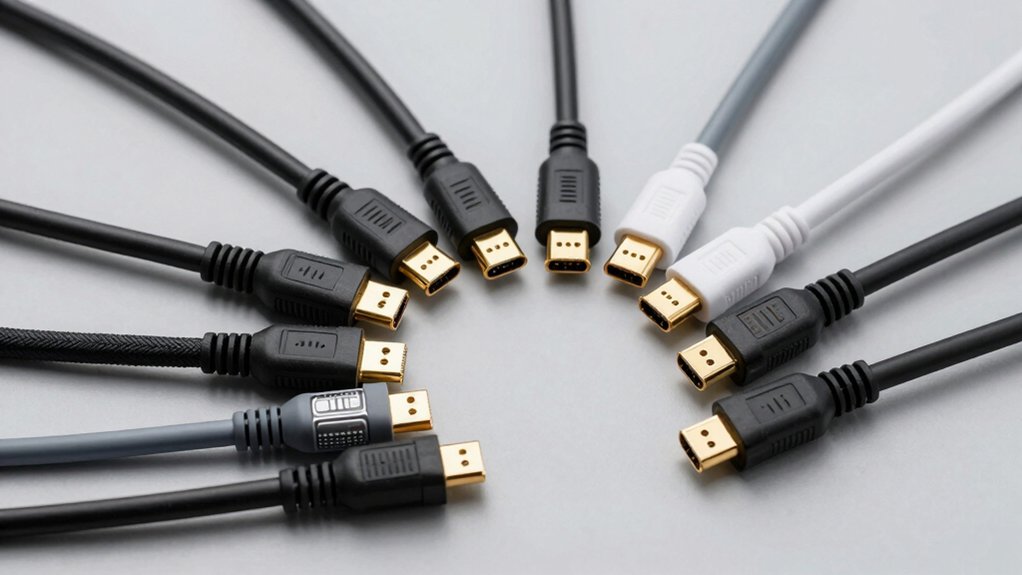

When you’re setting up a projector, you need an HDMI cable that won’t disconnect mid-presentation. The right cable handles bandwidth demands, resists physical wear, and maintains stable signal across different room layouts. You’ll find options ranging from compact 6-foot braided cables to 100-foot fiber-optic runs, each with specific strengths. Understanding what each type offers—and which features matter most for your setup—determines whether your connection holds up.
| Highwings Ultra High Speed HDMI Cable 48Gbps 8K |

| Best For 8K | Maximum Resolution Support: 8K@60Hz / 4K@120Hz | Cable Length: 6.6 ft (2M) | Bandwidth/Data Transfer Rate: 48 Gbps | VIEW LATEST PRICE | Read Our Analysis |
| Highwings 4K HDMI 2.0 Cable 15FT Braided |

| Best Budget Pick | Maximum Resolution Support: 4K@60Hz | Cable Length: 15 ft (4.5M) | Bandwidth/Data Transfer Rate: 18 Gbps | VIEW LATEST PRICE | Read Our Analysis |
| BENFEI HDMI to VGA Cable (6 Feet) |

| Best VGA Adapter | Maximum Resolution Support: 1080p (1920×1080) | Cable Length: 6 ft | Bandwidth/Data Transfer Rate: N/A (analog conversion) | VIEW LATEST PRICE | Read Our Analysis |
| Snowkids 8K Certified HDMI 2.1 Cable 10 ft |

| Best Certified Cable | Maximum Resolution Support: 8K@60Hz / 4K@120Hz | Cable Length: 10 ft | Bandwidth/Data Transfer Rate: 48 Gbps | VIEW LATEST PRICE | Read Our Analysis |
| UANTIN USB-C to HDMI Cable 4K High-Speed |

| Best USB-C Option | Maximum Resolution Support: 4K@30Hz | Cable Length: 6 ft | Bandwidth/Data Transfer Rate: 4K@30Hz capability | VIEW LATEST PRICE | Read Our Analysis |
| PowerBear 4K HDMI Cable 10 ft Braided Nylon |
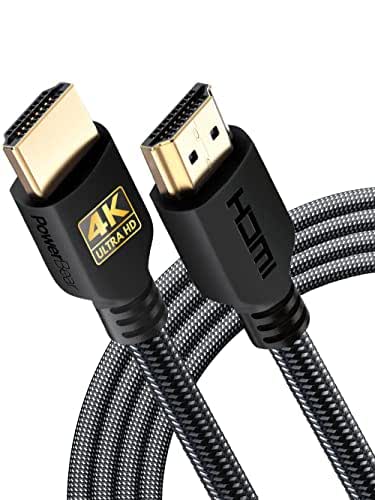
| Best Overall Value | Maximum Resolution Support: 4K@60Hz | Cable Length: 10 ft | Bandwidth/Data Transfer Rate: 18 Gbps | VIEW LATEST PRICE | Read Our Analysis |
| Certified 10K 8K HDMI 2.1 Cable 10 FT |

| Best Future-Proof | Maximum Resolution Support: 10K@60Hz / 8K@60Hz / 4K@240Hz | Cable Length: 10 ft | Bandwidth/Data Transfer Rate: 48 Gbps | VIEW LATEST PRICE | Read Our Analysis |
| Anker 8K HDMI Cable 48 Gbps Ultra High-Speed (6FT) |

| Most Durable | Maximum Resolution Support: 8K@60Hz / 4K@120Hz | Cable Length: 6 ft | Bandwidth/Data Transfer Rate: 48 Gbps | VIEW LATEST PRICE | Read Our Analysis |
| 4K HDMI Cable 100 ft Fiber Optic |

| Best Long Distance | Maximum Resolution Support: 4K@60Hz | Cable Length: 100 ft | Bandwidth/Data Transfer Rate: 18 Gbps | VIEW LATEST PRICE | Read Our Analysis |
More Details on Our Top Picks
Highwings Ultra High Speed HDMI Cable 48Gbps 8K
Looking for a projector cable that supports the latest high-resolution displays and gaming systems? The Highwings Ultra High Speed HDMI Cable delivers 48Gbps data transfer, supporting 8K@60Hz and 4K@120Hz resolution. The 2-meter braided cord features reinforced anti-bending connectors and military-grade nylon construction for durability. It’s backward compatible with HDMI 2.0b through 1.1 versions, works with PS5, Roku TV, and Blu-ray players, and includes HDCP 2.2/2.3 protection. The cable supports HDR10 and DTS:X audio. You’ll receive lifetime support and a 30-day return guarantee through Amazon.
- Maximum Resolution Support:8K@60Hz / 4K@120Hz
- Cable Length:6.6 ft (2M)
- Bandwidth/Data Transfer Rate:48 Gbps
- Build Material:Military-grade nylon braid
- Warranty:Lifetime support
- Connector Type:HDMI 2.1 Male-to-Male (19-pin)
- Additional Feature:8K@60Hz and 4K@120Hz support
- Additional Feature:Military-grade tensile nylon braid
- Additional Feature:Lifetime support included
Highwings 4K HDMI 2.0 Cable 15FT Braided
If you’re connecting a projector to a 4K media player, gaming console, or streaming device across a longer room distance, the Highwings 4K HDMI 2.0 Cable delivers the bandwidth you’ll need without signal degradation. This 15-foot braided cable supports 4K resolution at 60Hz with 18 Gbps bandwidth, making it suitable for PS5, PS4, and 4K projectors. The gold-plated connectors and SR joint design prevent connection failures and cracking. The braided exterior withstands over 15,000 bends, ensuring durability through repeated use and repositioning. Since it’s backwards compatible with earlier HDMI versions and requires no driver installation, you’ll achieve plug-and-play setup immediately. The cable supports Ethernet, ARC, and HDCP 2.2, giving you full feature access across compatible devices.
- Maximum Resolution Support:4K@60Hz
- Cable Length:15 ft (4.5M)
- Bandwidth/Data Transfer Rate:18 Gbps
- Build Material:Braided outer with SR joint
- Warranty:Product warranty (details on page)
- Connector Type:HDMI 2.0 Male-to-Male (gold-plated)
- Additional Feature:SR joint prevents cracking
- Additional Feature:Withstands 15,000+ bends
- Additional Feature:Ethernet and ARC support
BENFEI HDMI to VGA Cable (6 Feet)
The BENFEI HDMI to VGA Cable works best for you if you’re connecting a computer or laptop to a projector or monitor that only has a VGA port. This uni-directional cable transmits HDMI digital signals to VGA analog format, supporting resolutions up to 1920×1080 at 60Hz. The gold-plated connector resists corrosion and improves signal quality. Its compact 6-foot design fits easily in bags for presentations. The built-in IC chip handles the conversion automatically. You’ll get reliable performance with most computers, desktops, and older projectors. However, avoid using it with PS4, MacBook Pro, or Blu-ray players, as these devices have incompatible low-power HDMI ports. Benfei backs this cable with an 18-month warranty.
- Maximum Resolution Support:1080p (1920×1080)
- Cable Length:6 ft
- Bandwidth/Data Transfer Rate:N/A (analog conversion)
- Build Material:Gold-plated HDMI connector with molded strain relief
- Warranty:18-month warranty
- Connector Type:HDMI to VGA Male-to-Male (uni-directional)
- Additional Feature:Built-in advanced IC chip
- Additional Feature:Up to 1080p resolution support
- Additional Feature:18-month unconditional warranty
Snowkids 8K Certified HDMI 2.1 Cable 10 ft
Want a projector cable that handles the latest video standards without compatibility issues? The Snowkids 8K Certified HDMI 2.1 Cable delivers 48Gbps bandwidth to support 8K@60Hz and 4K@120Hz resolutions. Its 24K gold-plated connectors resist corrosion while the military-grade nylon braiding withstands 25,000 flex cycles, ensuring durability in frequent setups. The 10-foot length provides adequate reach between projectors and source devices. Anti-slip strips on the connectors prevent accidental disconnection. This cable works with projectors, laptops, gaming consoles, and Blu-ray players while maintaining backward compatibility with older HDMI versions, making it a reliable choice for both home theater and professional installations.
- Maximum Resolution Support:8K@60Hz / 4K@120Hz
- Cable Length:10 ft
- Bandwidth/Data Transfer Rate:48 Gbps
- Build Material:Military-grade nylon braid with 24K gold-plated ports
- Warranty:Not specified
- Connector Type:HDMI 2.1 Male-to-Male (19-pin)
- Additional Feature:24K gold-plated ports
- Additional Feature:Withstands 25,000 flex cycles
- Additional Feature:40 anti-slip connector strips
UANTIN USB-C to HDMI Cable 4K High-Speed
You’ll find this cable especially valuable if you’re using a modern MacBook, iPad Pro, Galaxy smartphone, or Surface device and need to connect directly to a projector without relying on Wi‑Fi. This 6-foot USB-C to HDMI cable delivers 4K resolution at 30Hz, supporting one or two displays simultaneously. Simply plug it into your device’s USB-C port and connect the HDMI end to your projector—no drivers required. The aluminum housing with gold-plated connectors ensures reliable signal transmission. The cable supports all USB-C devices with DisplayPort Alt Mode compatibility, making it universally compatible across brands. A 24-month warranty and responsive customer support protect your investment.
- Maximum Resolution Support:4K@30Hz
- Cable Length:6 ft
- Bandwidth/Data Transfer Rate:4K@30Hz capability
- Build Material:Aluminum housing with nylon braid
- Warranty:24-month hassle-free warranty
- Connector Type:USB-C to HDMI Male
- Additional Feature:Thunderbolt 3/4/5 compatible
- Additional Feature:One-piece aluminum housing
- Additional Feature:12-hour response customer support
PowerBear 4K HDMI Cable 10 ft Braided Nylon
If you’re setting up a home theater system or office presentation setup that requires reliable 4K video transmission over a 10-foot distance, PowerBear’s braided nylon HDMI cable delivers the performance you need. This male-to-male cable supports 4K @ 60Hz, 2K, and 1080p resolutions with 18 Gbps data transfer speeds. The gold-plated connectors resist corrosion, while the triple tin shield and double braided nylon construction protect against interference. It’s backwards compatible with HDMI 1.3 through 2.0a versions and supports ARC, Ethernet, HDR, and 48-bit color depth. You can connect it to projectors, TVs, gaming consoles, Blu-ray players, and computers without compatibility concerns. The CL3 fire safety rating makes it suitable for permanent installation.
- Maximum Resolution Support:4K@60Hz
- Cable Length:10 ft
- Bandwidth/Data Transfer Rate:18 Gbps
- Build Material:Double braided nylon with gold-plated connectors
- Warranty:Not specified
- Connector Type:HDMI Male-to-Male (gold-plated)
- Additional Feature:Triple tin shield construction
- Additional Feature:48 bit/px color depth
- Additional Feature:CL3 fire safety rated
Certified 10K 8K HDMI 2.1 Cable 10 FT
For projector setups requiring maximum resolution and refresh rate support, this Ultra High Speed HDMI 2.1 cable delivers the bandwidth you need in a 10-foot length. The cable supports 10K 60Hz, 8K 60Hz, and 4K 240Hz performance with 48Gbps bandwidth capability. Its nylon braided construction resists tangling and damage during installation. The certified design includes eARC, Dolby Vision, HDR10+, and variable refresh rate support, making it compatible with PS5 Pro, Mac Mini M1–M5, RTX5090, and all major streaming devices. Connect one end to your projector’s HDMI port and the other to your source device, then configure your display settings to activate advanced features like Dolby Atmos.
- Maximum Resolution Support:10K@60Hz / 8K@60Hz / 4K@240Hz
- Cable Length:10 ft
- Bandwidth/Data Transfer Rate:48 Gbps
- Build Material:Nylon braided with 24K gold-plated ports
- Warranty:Not specified
- Connector Type:HDMI 2.1 Male-to-Male (24K gold-plated)
- Additional Feature:Supports 10K@60Hz resolution
- Additional Feature:Dynamic HDR and Dolby Vision
- Additional Feature:Certified with Ethernet included
Anker 8K HDMI Cable 48 Gbps Ultra High-Speed (6FT)
The Anker 8K HDMI Cable is built for users who need cutting-edge video performance without compromising durability. This 6-foot cable delivers 48 Gbps bandwidth, supporting 8K@60Hz and 4K@120Hz resolutions for projectors and multiple devices. You’ll experience smooth visuals with reduced lag during streaming and transfers. The cable withstands up to 1,000 bends throughout its lifespan, minimizing replacement costs. It’s compatible with PlayStation 5, Xbox, Samsung TVs, tablets, laptops, and projectors. You receive an 18-month warranty and customer support with your purchase, ensuring long-term reliability for your setup.
- Maximum Resolution Support:8K@60Hz / 4K@120Hz
- Cable Length:6 ft
- Bandwidth/Data Transfer Rate:48 Gbps
- Build Material:Durable construction (withstands 1,000 bends)
- Warranty:18-month warranty
- Connector Type:HDMI Male-to-Male
- Additional Feature:Withstands up to 1,000 bends
- Additional Feature:18-month warranty included
- Additional Feature:Compatible with multiple devices
4K HDMI Cable 100 ft Fiber Optic
Need a 4K HDMI cable that transmits video signals over a long distance without losing quality? The KIMTABO 100 ft fiber optic HDMI cable delivers 18Gbps bandwidth, supporting 4K at 60Hz without signal degradation. Its fiber core eliminates attenuation and interference, making it ideal for projectors requiring extended cable runs. The slim 4.8mm diameter fits tight spaces easily. Gold-plated connectors and a zinc shell ensure durability. This uni-directional active cable includes HDCP 2.2 and HDR10 support, compatible with most devices. Installation requires connecting the HDMI end to your source device and projector, then powering the active electronics via included adapter. Customer ratings of 4.6/5 from 621 reviews confirm reliable performance across various setups.
- Maximum Resolution Support:4K@60Hz
- Cable Length:100 ft
- Bandwidth/Data Transfer Rate:18 Gbps
- Build Material:Fiber optic core with gold-plated connectors
- Warranty:Not specified
- Connector Type:HDMI Male-to-Male (20-pin, gold-plated)
- Additional Feature:Fiber optic core transmission
- Additional Feature:German chipset technology
- Additional Feature:4.8mm slim diameter cable
Factors to Consider When Choosing HDMI Cords for Projectors
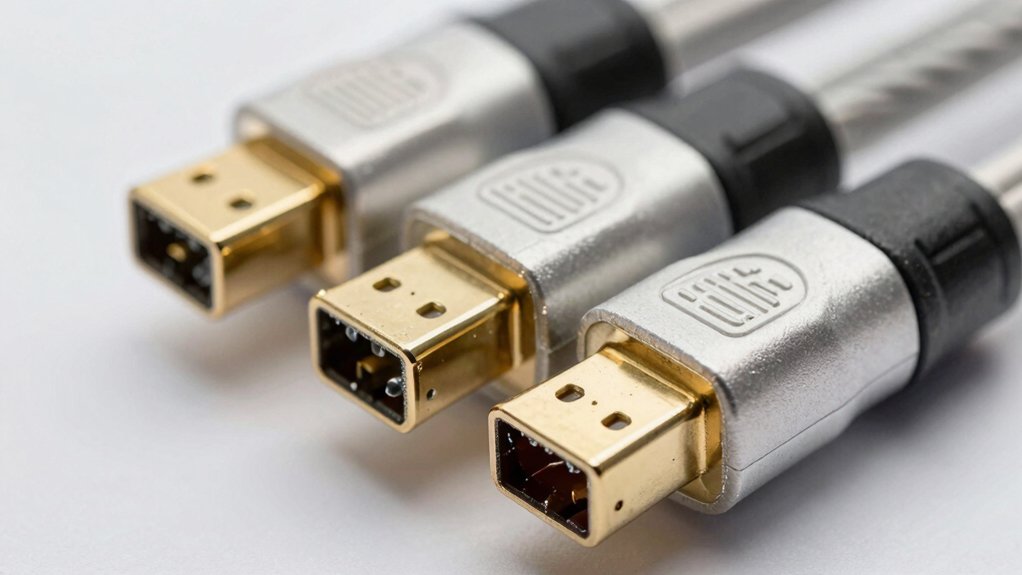
When selecting an HDMI cord for your projector, you’ll need to evaluate five key factors: resolution and refresh rate (which determine the video quality your cable must support), cable length requirements (based on the distance between your source device and projector), durability and build quality (to ensure the cable withstands repeated use and environmental conditions), connector type compatibility (to confirm the cable fits both your projector and source device), and bandwidth and data transfer capacity (which must match or exceed your resolution and refresh rate needs). Start by identifying your projector’s maximum resolution and refresh rate specifications, then measure the distance you need the cable to span to avoid purchasing a cord that’s too short or unnecessarily long. Finally, check your projector’s connector ports and your source device’s output ports to confirm compatibility before making your final selection.
Resolution and Refresh Rate
How do you know which HDMI cable will actually deliver the picture quality your projector can produce? Start by checking your projector’s maximum resolution and refresh rate specifications. For 4K projectors at 60 Hz, you’ll need cables supporting at least 18 Gbps bandwidth. If your projector handles 4K at 120 Hz or higher frame rates, select cables rated for those speeds. For 8K or 10K projectors, you must use HDMI 2.1 cables with 48 Gbps bandwidth to avoid signal compression. Next, verify your source device matches these capabilities—a 4K Blu-ray player or gaming console won’t benefit from oversized cables. Match the cable specification to both devices, then purchase accordingly. Cable length matters too; longer runs require certified high-speed cables to maintain signal integrity.
Cable Length Requirements
What’s the right HDMI cable length for your projector setup? First, measure the distance from your source device to the projector. Standard runs typically range from 6 feet to 25 feet, though some installations require 100 feet or more.
For shorter distances under 25 feet, high-quality cables rated for 18 Gbps or 48 Gbps work well and support 4K/60Hz or 8K/60Hz respectively. For longer runs beyond 50 feet, use fiber optic or active cables to prevent signal degradation and attenuation.
Match your cable length to your room layout exactly—avoid excess slack that causes tangling and interference. If you’re running 4K@120Hz or 8K/60Hz, verify your cable’s HDMI 2.1 certification supports that bandwidth at your chosen length.
Durability and Build Quality
Once you’ve selected the right cable length for your projector setup, you’ll want to ensure that cable can withstand years of use without failing. Look for HDMI cables with braided nylon exteriors and reinforced tails that resist bending and wear. Choose models tested for high flex endurance, rated for 15,000 or more bend cycles. Verify that connectors feature gold plating to prevent corrosion and maintain signal integrity. Inspect the cable for molded strain relief and anti-slip strips at connection points to reduce fatigue and accidental disconnection. Before purchasing, confirm durability certifications or lab-tested performance claims. These features indicate long-term reliability and protect your investment in quality projection equipment.
Connector Type Compatibility
Why you’re choosing the right connector type matters more than you might think—it’s the foundation of a working connection between your projector and source device. You need to verify that your HDMI cable uses an HDMI A male-to-male connector, which matches both your projector’s port and your source device’s output port. Check your projector’s manual or specifications to confirm the exact HDMI port version it supports. Most modern projectors use standard HDMI A ports, but some specialized equipment may differ. Once you’ve identified your projector’s requirements, measure your cable length and confirm the connector fits snugly without forcing it. A properly matched connector eliminates connection failures and signal loss before bandwidth or version compatibility issues arise.
Bandwidth and Data Transfer
How much bandwidth your HDMI cable provides directly determines the resolution and refresh rate your projector can display. HDMI 2.1 cables deliver up to 48 Gbps, supporting 8K@60Hz and 4K@120Hz, while HDMI 2.0 cables max out at 18 Gbps for 4K@60Hz. Match your cable’s bandwidth to your projector’s input capabilities to avoid bottlenecks or reduced frame rates. Insufficient bandwidth prevents enabling advanced features like HDR10+, VRR, and eARC on your projector. For longer cable runs exceeding 50 feet, consider fiber-optic HDMI cables, which maintain signal integrity and consistent bandwidth over extended distances, reducing attenuation that constrains data transfer.
Signal Transmission Technology
Beyond bandwidth, you’ll want to evaluate the actual transmission technology built into your HDMI cable, as it directly affects signal quality and compatibility with your projector. Standard copper HDMI cables work well for shorter distances under 25 feet, but they’re susceptible to signal degradation and electromagnetic interference over longer runs. Fiber-optic HDMI cables offer a superior alternative for extended distances, using light pulses through fiber cores to maintain 4K/60Hz or higher without attenuation. Choose fiber-optic if you’re running cables more than 50 feet. Additionally, examine cable construction: braided nylon jackets, gold-plated connectors, and reinforced connector tails prevent physical damage and maintain signal integrity. These features become essential when installing permanent projector setups where cable replacement is inconvenient.
Backward Compatibility Standards
When you’re selecting an HDMI cable for your projector, understanding backward compatibility standards is essential because newer cables won’t deliver their full capabilities if your projector only supports an older HDMI version. Check your projector’s manual to identify which HDMI version it accepts—1.4, 2.0, or 2.1. Purchase cables that explicitly list compatibility with your projector’s standard to avoid handshake or resolution failures. A 2.1 cable works with older projectors, but you’ll only access the features your projector supports. If your content requires HDCP 2.2 protection, verify the cable meets that standard. Remember that backward compatibility doesn’t guarantee HDR formats or variable refresh rate support; confirm your projector includes those capabilities separately before purchasing premium cables.
Heat Dissipation Features
Why does your HDMI cable’s construction matter for projector setups? Heat dissipation directly affects cable longevity and connection stability. Choose cables with nylon braided jackets and reinforced tails to reduce wear-related heat during extended use. Select higher-quality options featuring triple tin or copper shielding, which minimize signal loss and heat buildup from repeated connections. Keep cable runs appropriately sized, since longer lengths increase resistance and generate excess heat at connectors. Consider 8K/48Gbps-rated cables designed for high-performance transmission with superior thermal handling under heavy data throughput. For in-wall installations, specify CL3-rated cables that meet safety standards addressing heat dissipation in enclosed spaces. These construction features work together to maintain stable projector performance while preventing heat-related failures.
Final Thoughts
You’ll want to match your HDMI cable to your projector’s needs. For 4K content, grab an HDMI 2.0 cable. If you’re running 8K or need future-proofing, choose HDMI 2.1 48Gbps. For distances over 50 feet, use fiber-optic cables. Always verify your projector’s input specs, check cable length requirements, and pick braided options for durability. Confirm warranty coverage before purchasing.

Meet Ry, “TechGuru,” a 36-year-old technology enthusiast with a deep passion for tech innovations. With extensive experience, he specializes in gaming hardware and software, and has expertise in gadgets, custom PCs, and audio.
Besides writing about tech and reviewing new products, he enjoys traveling, hiking, and photography. Committed to keeping up with the latest industry trends, he aims to guide readers in making informed tech decisions.