
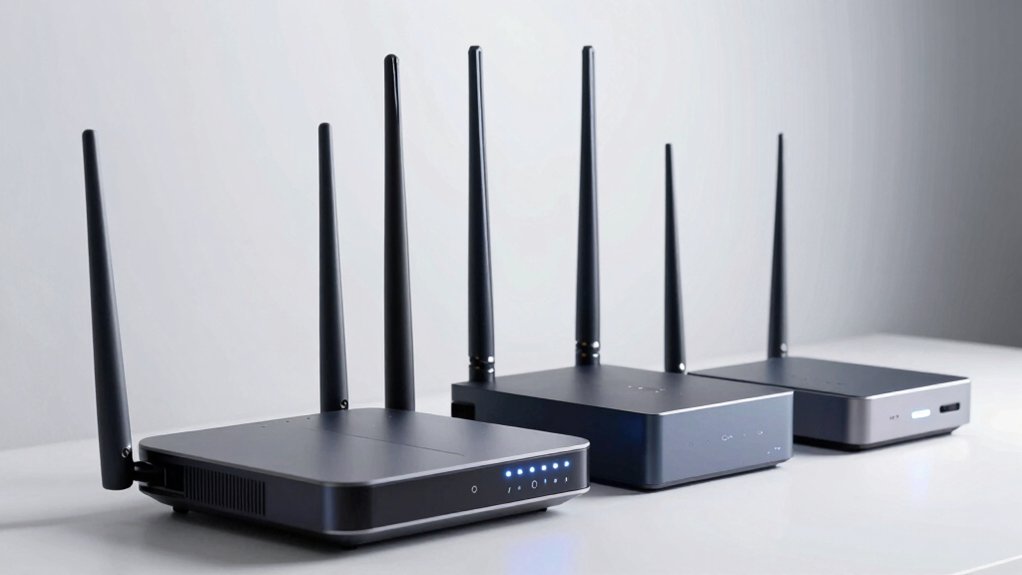

When you’re aiming for genuine 1000 Mbps performance, you’ll need to move beyond basic routers. You should prioritize Wi-Fi 6 or 7 models that combine MU-MIMO, OFDMA, and strong Gigabit ports. Your setup also requires a separate modem and quality cabling. But which specific router matches your needs, your budget, and your home setup?
| TP-Link AX1800 WiFi 6 Router (Archer AX21) |

| Best Value | WiFi Standard: WiFi 6 (802.11ax) | Total Wireless Speed: 1.8 Gbps (1200 Mbps 5GHz + 574 Mbps 2.4GHz) | Band Configuration: Dual-band | VIEW LATEST PRICE | Read Our Analysis |
| TP-Link Archer AX55 Dual-Band Wi-Fi 6 Router |

| Best Overall | WiFi Standard: WiFi 6 (802.11ax) | Total Wireless Speed: 2.976 Gbps (2402 Mbps 5GHz + 574 Mbps 2.4GHz) | Band Configuration: Dual-band | VIEW LATEST PRICE | Read Our Analysis |
| TP-Link Archer A8 AC1900 Smart WiFi Router |

| Budget-Friendly Pick | WiFi Standard: WiFi 5 (802.11ac) | Total Wireless Speed: 1.9 Gbps (1300 Mbps 5GHz + 600 Mbps 2.4GHz) | Band Configuration: Dual-band | VIEW LATEST PRICE | Read Our Analysis |
| U-SPEED AC1200 WiFi Router Dual Band Wireless |

| Best For Beginners | WiFi Standard: WiFi 5 (802.11ac) | Total Wireless Speed: 1.2 Gbps (867 Mbps 5GHz + 300 Mbps 2.4GHz) | Band Configuration: Dual-band | VIEW LATEST PRICE | Read Our Analysis |
| NETGEAR WiFi 6 Router AX1800 (R6700AX) |

| Reliable Performance | WiFi Standard: WiFi 6 (802.11ax) | Total Wireless Speed: 1.8 Gbps total | Band Configuration: Dual-band | VIEW LATEST PRICE | Read Our Analysis |
| Tenda AC1200 Smart WiFi Router with Dual Band |

| Best Budget Option | WiFi Standard: WiFi 5 (802.11ac) | Total Wireless Speed: 1.2 Gbps (867 Mbps 5GHz + 300 Mbps 2.4GHz) | Band Configuration: Dual-band | VIEW LATEST PRICE | Read Our Analysis |
| TP-Link BE6500 WiFi 7 Router with Dual 2.5Gbps Ports |

| Future-Ready Choice | WiFi Standard: WiFi 7 | Total Wireless Speed: 6.452 Gbps (5764 Mbps 5GHz + 688 Mbps 2.4GHz) | Band Configuration: Dual-band | VIEW LATEST PRICE | Read Our Analysis |
| NETGEAR Nighthawk WiFi 7 Router (BE9300) |

| Premium Performance | WiFi Standard: WiFi 7 | Total Wireless Speed: 9.3 Gbps | Band Configuration: Tri-band | VIEW LATEST PRICE | Read Our Analysis |
| NETGEAR Nighthawk WiFi 7 Router (RS90) |

| Best Mid-Range | WiFi Standard: WiFi 7 | Total Wireless Speed: 3.6 Gbps | Band Configuration: Dual-band | VIEW LATEST PRICE | Read Our Analysis |
| Tenda WiFi 6 Router AX1500 Dual Band (RX2Pro) |

| Best Coverage | WiFi Standard: WiFi 6 (802.11ax) | Total Wireless Speed: 1.501 Gbps (1201 Mbps 5GHz + 300 Mbps 2.4GHz) | Band Configuration: Dual-band | VIEW LATEST PRICE | Read Our Analysis |
More Details on Our Top Picks
TP-Link AX1800 WiFi 6 Router (Archer AX21)
The TP-Link AX1800 WiFi 6 Router (Archer AX21) delivers strong performance for users who need reliable speeds without premium pricing. This dual-band WiFi 6 router offers up to 1200 Mbps on 5 GHz and 574 Mbps on 2.4 GHz. Four high-gain antennas with Beamforming focus signal to distant devices. The router works with all major ISPs like Comcast, Verizon, and Charter. To maximize performance, update firmware through the Tether app. The device supports VPN servers and includes advanced security features as a CISA pledge signatory. Expert support is available at 1-866-225-8139. You’ll need a separate modem for internet access.
- WiFi Standard:WiFi 6 (802.11ax)
- Total Wireless Speed:1.8 Gbps (1200 Mbps 5GHz + 574 Mbps 2.4GHz)
- Band Configuration:Dual-band
- Coverage Area:Not specified
- Simultaneous Device Support:Not specified
- Security Features:VPN Server, CISA Secure-by-Design pledge
- Additional Feature:CISA Secure-by-Design pledge signatory
- Additional Feature:OpenVPN and PPTP VPN support
- Additional Feature:Beamforming with high-gain antennas
TP-Link Archer AX55 Dual-Band Wi-Fi 6 Router
Looking for a router that delivers Wi-Fi 6 performance without breaking your budget? The TP-Link Archer AX55 offers 2402 Mbps on 5 GHz and 574 Mbps on 2.4 GHz, exceeding the 1000 Mbps threshold you need. Its OFDMA and MU-MIMO technologies handle multiple devices simultaneously while reducing latency. Four high-gain external antennas with beamforming extend coverage throughout your home. The router includes VPN support, HomeShield security features, and Alexa compatibility. Its cooling design prevents throttling during sustained use. Compatible with major ISPs, you’ll need a modem for most connections. Contact support at +1 866-225-8139 for setup assistance or visit TP-Link’s website for detailed information.
- WiFi Standard:WiFi 6 (802.11ax)
- Total Wireless Speed:2.976 Gbps (2402 Mbps 5GHz + 574 Mbps 2.4GHz)
- Band Configuration:Dual-band
- Coverage Area:Not specified
- Simultaneous Device Support:Not specified
- Security Features:HomeShield security service, VPN client/server
- Additional Feature:Alexa voice control compatibility
- Additional Feature:HomeShield IoT protection service
- Additional Feature:Target Wake Time battery optimization
TP-Link Archer A8 AC1900 Smart WiFi Router
Need solid dual-band coverage without breaking your budget? The TP-Link Archer A8 AC1900 delivers up to 600 Mbps on 2.4 GHz and 1,300 Mbps on 5 GHz, though it falls short of the 1000 Mbps threshold for sustained speeds. You get MU-MIMO technology, beamforming for stable connections, and coverage up to 1,200 square feet. The router includes four Gigabit LAN ports plus one WAN port for wired connections. Features include parental controls, guest WiFi, QoS, and OneMesh compatibility. Note: this model lacks USB and VPN support. Consider upgrading to the Archer A9 if you need those features.
- WiFi Standard:WiFi 5 (802.11ac)
- Total Wireless Speed:1.9 Gbps (1300 Mbps 5GHz + 600 Mbps 2.4GHz)
- Band Configuration:Dual-band
- Coverage Area:1,200 sq ft
- Simultaneous Device Support:Not specified
- Security Features:WPA2-PSK, firewall, parental controls
- Additional Feature:OneMesh extender compatibility
- Additional Feature:1,200 sq ft coverage area
- Additional Feature:3 internal fixed antennas
U-SPEED AC1200 WiFi Router Dual Band Wireless
Want a router that handles multiple devices without slowing down? The U-SPEED AC1200 delivers 1200 Mbps across dual bands: 300 Mbps on 2.4GHz and 867 Mbps on 5GHz. MU-MIMO technology lets multiple devices connect simultaneously without performance drops. You’ll get four Gigabit Ethernet ports for wired connections and flexible operating modes—Router, Bridge, or Repeater. Setup takes minutes through the web interface or WPS button. The four 5dBi antennas with Beamforming extend coverage throughout your home. WPA2-PSK security protects your network. Parental controls and guest Wi-Fi networks add management options for households with diverse needs.
- WiFi Standard:WiFi 5 (802.11ac)
- Total Wireless Speed:1.2 Gbps (867 Mbps 5GHz + 300 Mbps 2.4GHz)
- Band Configuration:Dual-band
- Coverage Area:Home coverage (area not specified)
- Simultaneous Device Support:Not specified
- Security Features:WPA2-PSK, parental controls, guest network
- Additional Feature:Three operational modes available
- Additional Feature:EasyMesh support for expansion
- Additional Feature:30-day voluntary return policy
NETGEAR WiFi 6 Router AX1800 (R6700AX)
The NETGEAR WiFi 6 Router AX1800 (R6700AX) works best for small to medium homes covering up to 1,500 square feet where you’re connecting up to 20 devices simultaneously. This router delivers AX1800 Gigabit speeds using WiFi 6 technology, enabling uninterrupted streaming, HD video gaming, and web conferencing. You’ll get four 1 Gig Ethernet ports for wired connections to computers, game consoles, and storage drives. The dual-core 880 MHz processor handles concurrent applications smoothly. Remember you’ll need a separate cable modem with coax inputs; this router isn’t a modem itself. Setup requires an Ethernet cable and power adapter included in the package. Security includes WPA2 and WPA3 protocols plus NETGEAR Armor protection. The NETGEAR Genie app lets you control your network remotely.
- WiFi Standard:WiFi 6 (802.11ax)
- Total Wireless Speed:1.8 Gbps total
- Band Configuration:Dual-band
- Coverage Area:1,500 sq ft
- Simultaneous Device Support:Up to 20 devices
- Security Features:WPA2/WPA3, NETGEAR Armor
- Additional Feature:NETGEAR Armor security included
- Additional Feature:Covers 1,500 sq ft area
- Additional Feature:Dual-core 880 MHz processor
Tenda AC1200 Smart WiFi Router with Dual Band
If you’re setting up a home network without the budget for premium equipment, Tenda’s AC1200 Smart WiFi Router delivers dual-band wireless speeds up to 1.2 Gbps—combining 867 Mbps on the 5 GHz band and 300 Mbps on the 2.4 GHz band—making it suitable for households managing multiple connected devices simultaneously. The router features four 6 dBi antennas with beamforming technology to strengthen signal coverage throughout your space. Use the Tenda Wi-Fi app to configure your network, monitor activity, and manage connected devices. The unit includes four 100 Mbps Ethernet ports for wired connections and supports MU-MIMO technology, allowing multiple devices to connect without performance drops. Built-in parental controls let you schedule internet access by device, while guest mode provides secure network sharing for visitors.
- WiFi Standard:WiFi 5 (802.11ac)
- Total Wireless Speed:1.2 Gbps (867 Mbps 5GHz + 300 Mbps 2.4GHz)
- Band Configuration:Dual-band
- Coverage Area:Home use (area not specified)
- Simultaneous Device Support:Not specified
- Security Features:Guest network, internet security features, IPv6
- Additional Feature:3-year manufacturer warranty included
- Additional Feature:Access Point Mode conversion capability
- Additional Feature:IPv6 support enabled
TP-Link BE6500 WiFi 7 Router with Dual 2.5Gbps Ports
Looking for a router that handles multiple high-bandwidth activities simultaneously? The TP-Link BE6500 delivers Wi-Fi 7 technology with speeds up to 5764 Mbps on 5GHz and 688 Mbps on 2.4GHz. You’ll get dual 2.5 Gbps ports for wired connections, supporting up to 90 devices at once. Coverage extends to 2,400 square feet, making it suitable for larger homes. Set it up through the Tether app or web interface. The router includes HomeShield security features, parental controls, and VPN support. You can expand coverage with EasyMesh-compatible devices for seamless whole-home connectivity. This router suits remote workers, gamers, and streaming enthusiasts needing reliable, fast performance.
- WiFi Standard:WiFi 7
- Total Wireless Speed:6.452 Gbps (5764 Mbps 5GHz + 688 Mbps 2.4GHz)
- Band Configuration:Dual-band
- Coverage Area:2,400 sq ft
- Simultaneous Device Support:Up to 90 devices
- Security Features:HomeShield protection, VPN client/server, Secure-by-Design
- Additional Feature:Dual 2.5 Gbps wired ports
- Additional Feature:Supports 90 devices simultaneously
- Additional Feature:Multi-Link Operation (MLO) technology
NETGEAR Nighthawk WiFi 7 Router (BE9300)
Want a router that handles multiple high-bandwidth activities simultaneously without slowing down? The NETGEAR Nighthawk WiFi 7 Router (BE9300) delivers 9.3Gbps wireless speeds—2.4x faster than WiFi 6—making it suitable for gaming, streaming, and video conferencing. Its tri-band design covers up to 2,500 square feet and supports 100 devices. The router includes a 2.5 Gigabit internet port for multi-gig speeds and works with any internet service provider. Note that you’ll need a separate cable modem to connect to your internet service. The device features built-in security with NETGEAR Armor’s 30-day trial protecting against hackers and malware. You’ll manage it easily through the Nighthawk app for straightforward setup and configuration.
- WiFi Standard:WiFi 7
- Total Wireless Speed:9.3 Gbps
- Band Configuration:Tri-band
- Coverage Area:2,500 sq ft
- Simultaneous Device Support:Up to 100 devices
- Security Features:NETGEAR Armor security suite
- Additional Feature:Tri-Band WiFi 7 design
- Additional Feature:2.5 Gigabit internet port
- Additional Feature:Covers 2,500 sq ft area
NETGEAR Nighthawk WiFi 7 Router (RS90)
The NETGEAR Nighthawk WiFi 7 Router (RS90) works best for you if you need a router that handles multiple devices without slowing down and covers a large home without extra equipment. This dual-band router delivers WiFi 7 speeds up to 3.6 Gbps, making it 1.2x faster than WiFi 6 models. It covers up to 2,000 square feet and supports 50 devices simultaneously. The 2.5 Gig internet port connects to your existing modem. Setup happens through the Nighthawk app, where you’ll also manage security features like WPA3 protection and automatic firmware updates. NETGEAR Armor provides additional threat protection with a 30-day trial included.
- WiFi Standard:WiFi 7
- Total Wireless Speed:3.6 Gbps
- Band Configuration:Dual-band
- Coverage Area:2,000 sq ft
- Simultaneous Device Support:Up to 50 devices
- Security Features:NETGEAR Armor, WPA2/WPA3, automatic updates
- Additional Feature:2.5 Gig internet port included
- Additional Feature:Covers 2,000 sq ft area
- Additional Feature:Supports 50 devices maximum
Tenda WiFi 6 Router AX1500 Dual Band (RX2Pro)
If you’re setting up a medium to large home and need reliable whole-home coverage without breaking your budget, the Tenda RX2Pro delivers Wi-Fi 6 speeds up to 1501 Mbps through its dual-band setup (300 Mbps on 2.4 GHz and 1201 Mbps on 5 GHz). The router’s five 6dBi antennas and signal enhancement module provide strong transmission and reception. You’ll benefit from MU-MIMO and OFDMA technology, which reduce latency and improve network efficiency. Four Gigabit Ethernet ports support wired connections for devices requiring stable, fast internet. The Tenda app lets you monitor and manage your network remotely, while parental controls help you regulate children’s online access. WPA3 security protects your network privacy effectively.
- WiFi Standard:WiFi 6 (802.11ax)
- Total Wireless Speed:1.501 Gbps (1201 Mbps 5GHz + 300 Mbps 2.4GHz)
- Band Configuration:Dual-band
- Coverage Area:Medium to large households (area not specified)
- Simultaneous Device Support:Not specified
- Security Features:WPA3 security, parental control
- Additional Feature:WPA3 enhanced security protocol
- Additional Feature:Automatic channel/band switching optimization
- Additional Feature:5 external 6dBi antennas
Factors to Consider When Choosing Routers for 1000 Mbps
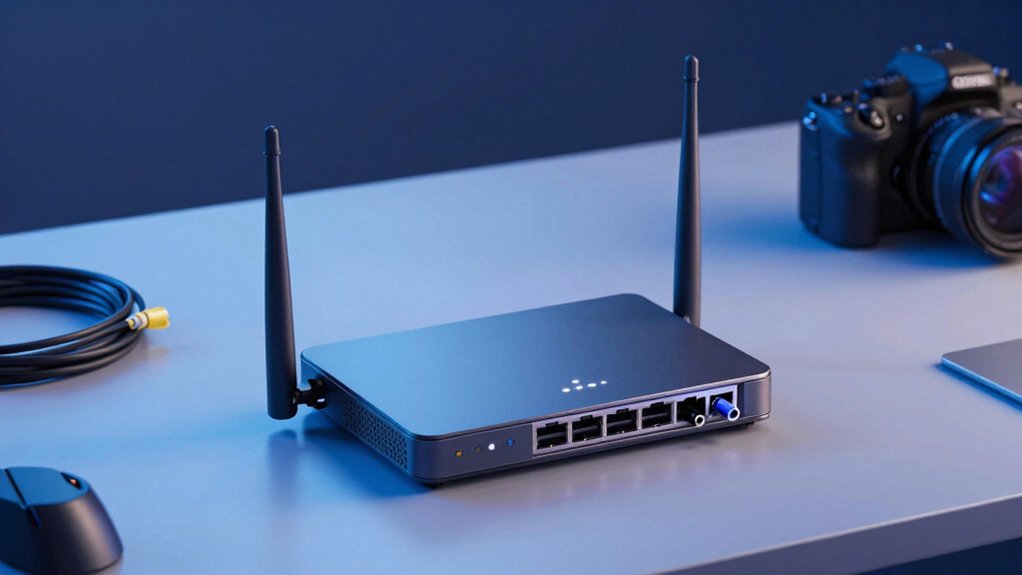
When you’re selecting a router for 1000 Mbps speeds, you’ll need to evaluate WiFi 6 technology for faster data transmission, check dual-band performance capabilities to handle multiple devices, and verify that wired ports support gigabit speeds. Next, examine antenna quality and coverage range to ensure signals reach all areas of your space, and review the security features available to protect your network from unauthorized access. These factors work together to determine whether a router can actually sustain the speeds you’re paying for.
WiFi 6 Technology Advantages
Since you’re looking for routers that’ll handle 1000 Mbps speeds reliably, understanding WiFi 6 (802.11ax) technology is essential because it directly impacts how well your router performs with multiple devices. WiFi 6 uses OFDMA to divide channels into smaller subchannels, allowing your router to serve multiple devices simultaneously without slowing down. MU-MIMO technology further improves efficiency by letting several devices transmit at once, reducing latency across your network. Four-stream configurations deliver higher aggregate speeds necessary for 1000 Mbps performance. Beamforming focuses signals toward your connected devices, strengthening range through obstacles. Target Wake Time (TWT) scheduling extends device battery life by managing sleep periods intelligently. These features combine to create faster, more stable connections across your entire network when you need them.
Dual-Band Performance Capabilities
How does a dual-band router help you achieve 1000 Mbps speeds? A dual-band router splits your traffic between 2.4 GHz and 5 GHz bands, allowing each to operate independently. You’ll want your 5 GHz band delivering at least 1200 Mbps to approach full 1000 Mbps speeds, while the 2.4 GHz band handles devices farther away with lower throughput demands. Position devices requiring high speed close to your router on the 5 GHz band. Place devices needing coverage over distance on the 2.4 GHz band. Check your router’s specifications to confirm 5 GHz performance capabilities. Look for models with OFDMA and MU-MIMO technology to reduce device contention. Verify your backhaul supports adequate bandwidth transfer. This setup ensures reliable, fast wireless performance throughout your space.
Wired Port Speed Requirements
Your router’s Ethernet ports are critical to achieving 1000 Mbps speeds because they’re the direct connection between your modem, router, and wired devices—and they can’t exceed their rated capacity. You’ll need at least 1 Gbps (1000 Mbps) support on both the WAN and LAN ports to avoid bottlenecks. A router with 4 Gigabit Ethernet ports allows multiple wired devices to each reach up to 1 Gbps simultaneously under optimal conditions. To maximize performance, use Cat 5e or Cat 6 Ethernet cables between your modem, router, and connected devices. Some advanced routers offer link aggregation options that combine multiple ports for increased total bandwidth, though this requires compatible equipment and ISP support to deliver actual benefits.
Antenna Quality And Coverage
When you’re aiming for consistent 1000 Mbps performance throughout your home, antenna quality directly affects how far and how reliably your router delivers that speed. Look for routers with four external antennas featuring beamforming technology, which focuses the signal toward your devices rather than broadcasting uniformly in all directions. Higher antenna gain, measured in dBi, strengthens coverage in distant rooms and reduces dead zones. Wi-Fi 6 and Wi-Fi 7 routers with multiple high-gain antennas maintain stable performance across larger spaces better than single-antenna models. For homes exceeding typical coverage ranges, consider mesh systems that combine multiple antenna-equipped units. Check the router’s specifications for antenna configuration and beamforming capabilities before purchasing to ensure 1000 Mbps speeds reach every area you need.
Security Features And Protection
Since you’re investing in a high-speed 1000 Mbps router, you’ll want to protect your network with strong security features that match your connection’s capability. Check that your router supports WPA3 or WPA2 encryption standards, which secure your data across the network. Look for built-in security suites like TP-Link HomeShield or NETGEAR Armor that provide network scanning and parental controls. Verify the router has a firewall enabled by default. Enable VPN server and client capabilities to establish secure remote access for connected devices. Set up automatic firmware updates through the router’s management app—Tether or Nighthawk app, for example—so vulnerabilities get patched promptly. Regular updates reduce security exposure on high-speed connections and keep your IoT devices protected.
Modem Compatibility Considerations
Most consumer routers you’ll find are router-only devices, which means you’ll need a separate modem to connect to your internet service provider. Before you buy, verify your router works with your specific ISP—whether you use cable, fiber, or DSL service matters. Check the product description for explicit statements like “Modem required” or “Modem not included” to avoid gaps. If you’re upgrading to 1000 Mbps service, confirm the router has gigabit WAN/LAN ports (1 Gbps minimum) to prevent bottlenecks. For multi-gig speeds exceeding 1 Gbps, prioritize routers with 2.5 Gbps ports or link aggregation support. Ask your ISP which modems they approve, then cross-reference that modem model against router compatibility lists provided by the manufacturer.
Device Capacity And Scalability
After you’ve confirmed your router’s modem compatibility and port capabilities, you’ll need to evaluate how well it handles multiple devices on your network. Look for routers supporting MU-MIMO and OFDMA technologies, which distribute bandwidth efficiently across many connected devices without saturating your 1 Gbps link. Choose multi-band Wi-Fi 6 or Wi-Fi 7 models to separate traffic across different frequencies and reduce congestion. Verify the router has adequate processing power and cooling to prevent throttling during sustained high-speed activity. Check specifications for beamforming capability, which directs signals to specific devices and improves reliability. Consider routers with multi-gig Ethernet ports like 2.5 Gbps options for future upgrades. These features ensure your network remains responsive as you add more devices over time.
Processor Power For Throughput
Why does your router’s processor matter when you’re paying for a 1000 Mbps connection? Your processor handles data routing between devices and your internet line. A slower CPU creates bottlenecks that cap your actual speeds below what you’re paying for.
Look for routers with quad-core processors running at least 1.5 GHz. These handle multiple devices without slowing down. Dual-core options work only if you have fewer connected devices.
Check the RAM specification—at least 512 MB supports stable performance under heavy load. More RAM prevents your router from dropping speeds during peak usage.
Review the firmware update history. Fast hardware means nothing if the software can’t optimize data flow efficiently. Choose routers with regular firmware updates and strong processor support.
Final Thoughts
You’ll achieve 1000 Mbps performance by selecting routers with Wi-Fi 6 or 7, MU-MIMO, and OFDMA technology. Pair your choice with a separate modem and Cat 6 cables for optimal speeds. TP-Link AX1800 offers affordable reliability, while NETGEAR Nighthawk BE9300 delivers tri-band performance. Install your router centrally, away from obstacles, and configure it properly to reach maximum throughput.

Meet Ry, “TechGuru,” a 36-year-old technology enthusiast with a deep passion for tech innovations. With extensive experience, he specializes in gaming hardware and software, and has expertise in gadgets, custom PCs, and audio.
Besides writing about tech and reviewing new products, he enjoys traveling, hiking, and photography. Committed to keeping up with the latest industry trends, he aims to guide readers in making informed tech decisions.