
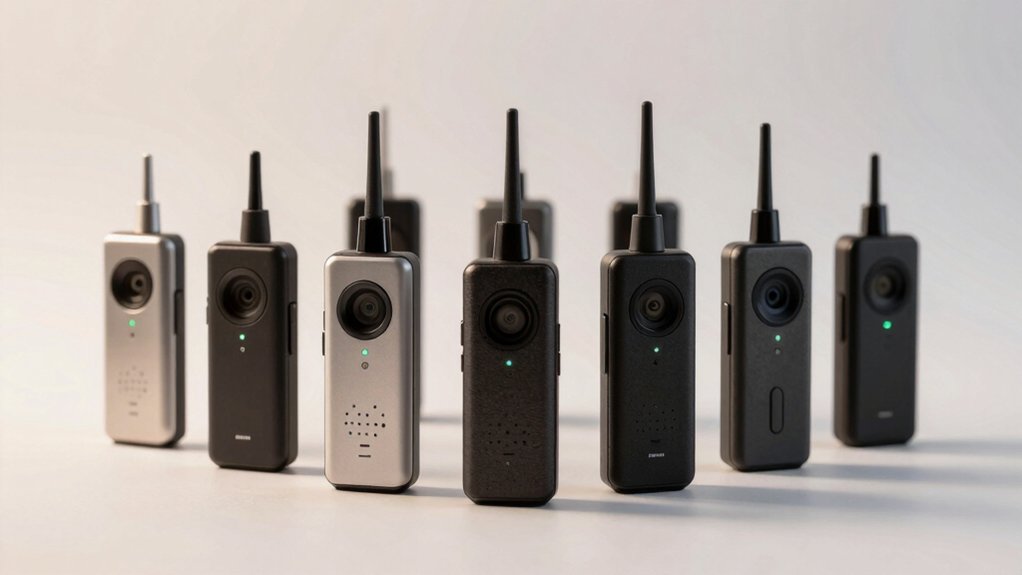

When you’re shopping for a TV adapter that connects to your hearing aids, you’ll need to match it with your specific hearing aid brand—Oticon, Phonak, Signia, and others each have their own compatibility requirements. You should also check whether the adapter supports modern Bluetooth standards like Auracast or classic pairing, uses low-latency codecs, and connects to your TV through optical or aux cables. But what separates adapters that actually work from those that frustrate you?
| Otto Tech Oticon ConnectLine Adapter TV 3.0 |

| Best for Oticon Users | Connection Type: Optical and wireless | Wireless Range: Not specified | Hearing Aid Compatibility: Oticon More, Real, Opn, Engage, Siya, Xceed | VIEW LATEST PRICE | Read Our Analysis |
| Oticon TV Adapter 3.0 for Hearing Aids |

| Most Compatible Oticon | Connection Type: Wireless streaming (unspecified connection type) | Wireless Range: Up to 15 meters | Hearing Aid Compatibility: Oticon Intent, More, OPN, Engage, Siya, Xceed, Real, Own, Zircon, Play PX | VIEW LATEST PRICE | Read Our Analysis |
| Avantree Audikast 4 Bluetooth TV Transmitter for Headphones |

| Future-Ready Technology | Connection Type: Optical (TOSLINK) and 3.5mm AUX | Wireless Range: Not specified | Hearing Aid Compatibility: Auracast-enabled hearing aids only | VIEW LATEST PRICE | Read Our Analysis |
| Oticon ConnectLine TV 3.0 for Oticon Opn |

| Premium Oticon Choice | Connection Type: Wireless connection to hearing aids; TOSLINK and RCA to TV | Wireless Range: Up to 15 meters | Hearing Aid Compatibility: Oticon Opn, Engage, Siya, Xceed | VIEW LATEST PRICE | Read Our Analysis |
| HomeSpot BA210 v2 Auracast Bluetooth Transmitter |

| Longest Range Option | Connection Type: Optical (Toslink), 3.5mm, and RCA inputs | Wireless Range: Up to 50 meters line-of-sight; 15-25 meters indoors | Hearing Aid Compatibility: Hearing aids with Auracast support; various brands | VIEW LATEST PRICE | Read Our Analysis |
| Avantree Audikast 4HA TV Transmitter for Hearing Aids |
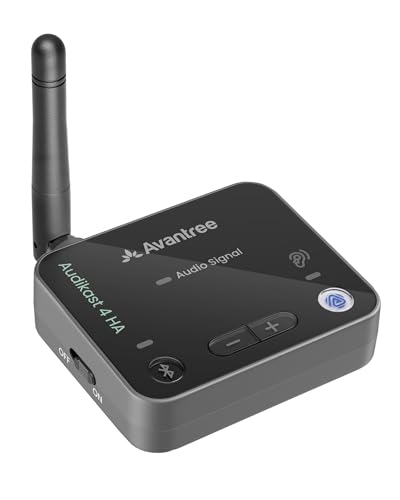
| Advanced Auracast Features | Connection Type: Optical or AUX output | Wireless Range: Not specified | Hearing Aid Compatibility: Auracast-enabled hearing aids only | VIEW LATEST PRICE | Read Our Analysis |
| Phonak TV Connector Wireless Bluetooth Audio Streaming Device |

| Best for Phonak Users | Connection Type: Optical (TOSLINK) or 3.5mm audio cable | Wireless Range: Up to 15 meters (50 feet) | Hearing Aid Compatibility: Phonak Marvel, Paradise, Lumity, Audéo, Naída, Bolero, Life, Infinio, Unitron | VIEW LATEST PRICE | Read Our Analysis |
| Bluetooth V5.3 Transmitter Receiver USB Adapter |

| Budget-Friendly Pick | Connection Type: 3.5mm or headphone jack (TX mode for TV) | Wireless Range: Up to 10 meters | Hearing Aid Compatibility: Any Bluetooth hearing aids (compatibility varies) | VIEW LATEST PRICE | Read Our Analysis |
| T-Connect Tele-Coil Neckloop for Hearing Aids |
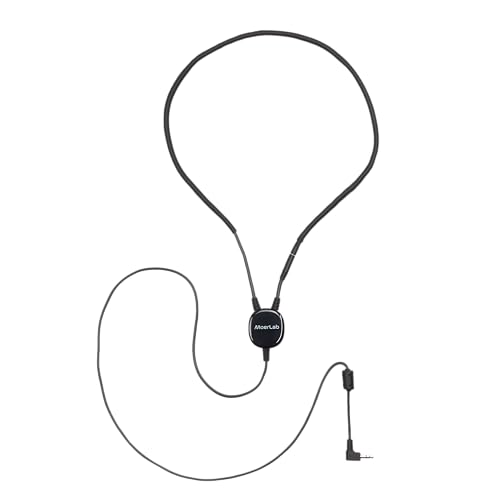
| Alternative T-Coil Solution | Connection Type: 3.5mm stereo plug | Wireless Range: Not applicable (wired neckloop) | Hearing Aid Compatibility: Hearing aids and cochlear implants with T-Coil | VIEW LATEST PRICE | Read Our Analysis |
More Details on Our Top Picks
Otto Tech Oticon ConnectLine Adapter TV 3.0
Are you an Oticon hearing aid user looking to stream TV audio directly to your devices? The Otto Tech Oticon ConnectLine Adapter TV 3.0 connects to your television through an optical or wireless connection. This adapter works with Oticon More, Real, Opn, Engage, Siya, and Xceed hearing aids. You’ll control it using iOS, Android, Google Assistant, or Amazon Alexa. The device outputs audio in stereo surround sound with 5.1 channel configuration. You can stream from Spotify and Pandora directly to your hearing aids. Setup involves connecting the adapter to your TV’s optical port, then pairing it wirelessly with your hearing aids. Amazon offers a 30-day return guarantee if you’re unsatisfied.
- Connection Type:Optical and wireless
- Wireless Range:Not specified
- Hearing Aid Compatibility:Oticon More, Real, Opn, Engage, Siya, Xceed
- Audio Streaming Technology:Wireless audio streaming
- Setup Complexity:Requires pairing with hearing aids
- Included Accessories:Not specified beyond basic functionality
- Additional Feature:5.1 Surround Sound Audio
- Additional Feature:Spotify & Pandora Integration
- Additional Feature:30-Day Amazon Return Guarantee
Oticon TV Adapter 3.0 for Hearing Aids
If you’re an Oticon hearing aid user seeking wireless TV streaming without headphones or earbuds, the Oticon TV Adapter 3.0 delivers direct audio transmission to your devices. Setup requires plugging the adapter into your TV’s audio output and pairing it with compatible models like Intent, More, OPN, Engage, Siya, Xceed, Real, Own, Zircon, and Play PX. Low latency technology ensures real-time synchronization. You’ll receive crystal-clear dialogue and sound effects up to 15 meters away, eliminating the need for volume repetition requests. This integration removes bulky accessories while giving you independent control over your listening experience.
- Connection Type:Wireless streaming (unspecified connection type)
- Wireless Range:Up to 15 meters
- Hearing Aid Compatibility:Oticon Intent, More, OPN, Engage, Siya, Xceed, Real, Own, Zircon, Play PX
- Audio Streaming Technology:Direct wireless streaming to hearing aids
- Setup Complexity:Easy setup: plug into TV audio output, pair with hearing aids
- Included Accessories:Not specified (adapter only)
- Additional Feature:Low Latency Real-Time Sync
- Additional Feature:15-Meter Distant Listening
- Additional Feature:Crystal-Clear Dialogue Enhancement
Avantree Audikast 4 Bluetooth TV Transmitter for Headphones
The Avantree Audikast 4 works best for you if your TV has an optical (TOSLINK) or 3.5 mm AUX output and you want to stream audio privately to hearing aids or headphones while others watch at their preferred volume. This transmitter offers two listening modes: Auracast for compatible hearing aids and speakers, or Classic Bluetooth for regular headphones. Note that Classic Bluetooth connects only one device at a time. If you’re a hearing aid user, confirm your device supports Auracast broadcast audio before purchasing. Check your TV’s connectivity options first—HDMI-only TVs won’t work, and soundbar passthrough setups aren’t supported.
- Connection Type:Optical (TOSLINK) and 3.5mm AUX
- Wireless Range:Not specified
- Hearing Aid Compatibility:Auracast-enabled hearing aids only
- Audio Streaming Technology:Auracast and Classic Bluetooth modes
- Setup Complexity:Check TV compatibility before purchase; confirm Auracast support
- Included Accessories:Device only; requires separate cables
- Additional Feature:aptX Adaptive & HD Support
- Additional Feature:Two Listening Modes Available
- Additional Feature:Auracast Broadcast Audio Ready
Oticon ConnectLine TV 3.0 for Oticon Opn
Oticon’s ConnectLine TV 3.0 works best for you if you’re wearing Oticon Opn, Engage, Siya, or Xceed hearing aids and want to control your TV audio independently from everyone else in the room. Place the adapter on a flat surface near your TV, then connect it to mains power and your TV using the included TOSLINK, RCA, or mini jack adapter. The device pairs wirelessly with your hearing aids via direct connection, operating within a 15-meter range. You’ll adjust sound directly from your hearing aids while your TV’s volume stays separate for other viewers. All necessary cables come included, making setup straightforward.
- Connection Type:Wireless connection to hearing aids; TOSLINK and RCA to TV
- Wireless Range:Up to 15 meters
- Hearing Aid Compatibility:Oticon Opn, Engage, Siya, Xceed
- Audio Streaming Technology:Direct wireless connection to hearing aids
- Setup Complexity:Place near TV, connect to mains and audio source
- Included Accessories:TV adapter, UK power supply, TOSLINK, RCA cable, smart adapter, mini jack adapter, instruction manual
- Additional Feature:Complete Installation Cable Package
- Additional Feature:Independent Volume Control Feature
- Additional Feature:Mains-Powered Direct Connection
HomeSpot BA210 v2 Auracast Bluetooth Transmitter
Looking for a transmitter that broadcasts audio to multiple hearing aids and Bluetooth devices simultaneously? The HomeSpot BA210 v2 delivers this capability using Auracast technology. Connect your TV’s optical output, RCA cables, or 3.5mm input to the transmitter. Set your TV’s audio format to PCM—Dolby and DTS formats don’t work. Use the QK CastTool app to configure broadcast settings and hearing aid volume levels. The device transmits up to 330 feet in open air and 50–80 feet indoors, reaching multiple compatible hearing aids and Galaxy Buds at once. This approach eliminates the need for individual device connections.
- Connection Type:Optical (Toslink), 3.5mm, and RCA inputs
- Wireless Range:Up to 50 meters line-of-sight; 15-25 meters indoors
- Hearing Aid Compatibility:Hearing aids with Auracast support; various brands
- Audio Streaming Technology:Auracast broadcast audio and standard Bluetooth A2DP
- Setup Complexity:QK CastTool app configuration available; supports multiple inputs
- Included Accessories:Optical (Toslink), 3.5mm AUX, and RCA cables; USB Type C
- Additional Feature:330-Foot Auracast Open Range
- Additional Feature:AptX Lossless Audio Technology
- Additional Feature:QK CastTool App Configuration
Avantree Audikast 4HA TV Transmitter for Hearing Aids
If you’ve got Auracast-enabled hearing aids, Avantree’s Audikast 4HA is the adapter you’re looking for because it streams TV audio directly to your devices without requiring a separate receiver. Connect the transmitter to your TV using either an optical or auxiliary input, then adjust the volume through your hearing aid or its companion app. Your TV speakers can stay on depending on your model’s settings. Before purchasing, verify your hearing aids are Auracast-compatible using the product images provided. Initial setup requires joining the Auracast broadcast through your hearing aid app. The device supports firmware updates via USB-C, ensuring compatibility as Auracast technology develops.
- Connection Type:Optical or AUX output
- Wireless Range:Not specified
- Hearing Aid Compatibility:Auracast-enabled hearing aids only
- Audio Streaming Technology:Auracast broadcast audio
- Setup Complexity:Requires joining Auracast broadcast through hearing aid app
- Included Accessories:Device with USB-C for firmware updates
- Additional Feature:USB-C Firmware Update Capability
- Additional Feature:Auracast-Only Hearing Aid Support
- Additional Feature:Companion App Volume Control
Phonak TV Connector Wireless Bluetooth Audio Streaming Device
For Phonak hearing aid users who want to stream TV audio directly to their devices without the hassle of manual setup, the Phonak TV Connector delivers a straightforward plug-and-play solution. Connect the device to your TV, computer, or stereo using the included optical or 3.5mm cable. Once plugged in, the connector automatically pairs with compatible Phonak hearing aids within 15 meters. You’ll receive crystal-clear stereo sound without delay or distortion, allowing you to adjust volume independently without disturbing others. The device uses disposable alkaline batteries and requires no manual pairing, making it ideal for users seeking simplicity and premium audio quality for home entertainment.
- Connection Type:Optical (TOSLINK) or 3.5mm audio cable
- Wireless Range:Up to 15 meters (50 feet)
- Hearing Aid Compatibility:Phonak Marvel, Paradise, Lumity, Audéo, Naída, Bolero, Life, Infinio, Unitron
- Audio Streaming Technology:Bluetooth wireless audio streaming
- Setup Complexity:Plug & Play; no manual pairing required; automatic reconnection
- Included Accessories:TV Connector, power adapter, optical cable, 3.5mm cable, user manual
- Additional Feature:Plug & Play Setup
- Additional Feature:Automatic Reconnection Feature
- Additional Feature:Balanced Stereo Sound Quality
Bluetooth V5.3 Transmitter Receiver USB Adapter
The Bysimilai H210 works best if you need a compact, plug-and-play adapter that’ll connect your TV to Bluetooth hearing aids without the hassle of internal batteries or complex setup. Set the device to transmitter mode (red light) by pressing the middle button, then connect it to your TV’s 3.5mm headphone jack using the USB port for power. Switch to receiver mode (blue light) when using it with car audio systems. The adapter supports Bluetooth 5.3 with backward compatibility to earlier versions, offering a 10-meter working range. You’ll appreciate its portability and straightforward pairing process—just ensure your hearing aids are in pairing mode and your smartphone’s Bluetooth is off if you encounter TX issues. The 365-day replacement policy provides reliable coverage.
- Connection Type:3.5mm or headphone jack (TX mode for TV)
- Wireless Range:Up to 10 meters
- Hearing Aid Compatibility:Any Bluetooth hearing aids (compatibility varies)
- Audio Streaming Technology:Bluetooth V5.3 with APTX Low Latency
- Setup Complexity:Plug and play; press button to switch TX/RX modes
- Included Accessories:USB adapter only; no cables included
- Additional Feature:Dual TX/RX Mode Operation
- Additional Feature:APTX Low Latency Technology
- Additional Feature:365-Day Replacement Policy
T-Connect Tele-Coil Neckloop for Hearing Aids
Magnetic induction technology makes the T-Connect Tele-Coil Neckloop your best choice if you’re wearing hearing aids or cochlear implants equipped with T-Coil capabilities. The neckloop converts audio into a stable magnetic field that your T-Coil device receives directly, eliminating background noise and feedback in public spaces. Connect the universal 3.5mm plug to your TV, theater system, FM receiver, or tour guide device. The low-impedance design ensures efficient signal delivery, while the built-in safety release keeps the lightweight neckloop secure during all-day wear. Use it in theaters, museums, churches, and classrooms where clear speech reception matters most.
- Connection Type:3.5mm stereo plug
- Wireless Range:Not applicable (wired neckloop)
- Hearing Aid Compatibility:Hearing aids and cochlear implants with T-Coil
- Audio Streaming Technology:Magnetic induction (tele-coil compatible)
- Setup Complexity:Direct 3.5mm connection to audio source; no pairing needed
- Included Accessories:Neckloop with 3.5mm plug; safety release feature
- Additional Feature:Magnetic Induction Technology
- Additional Feature:Universal 3.5mm Plug Compatible
- Additional Feature:Built-In Safety Release Design
Factors to Consider When Choosing TV Adapters for Hearing Aids
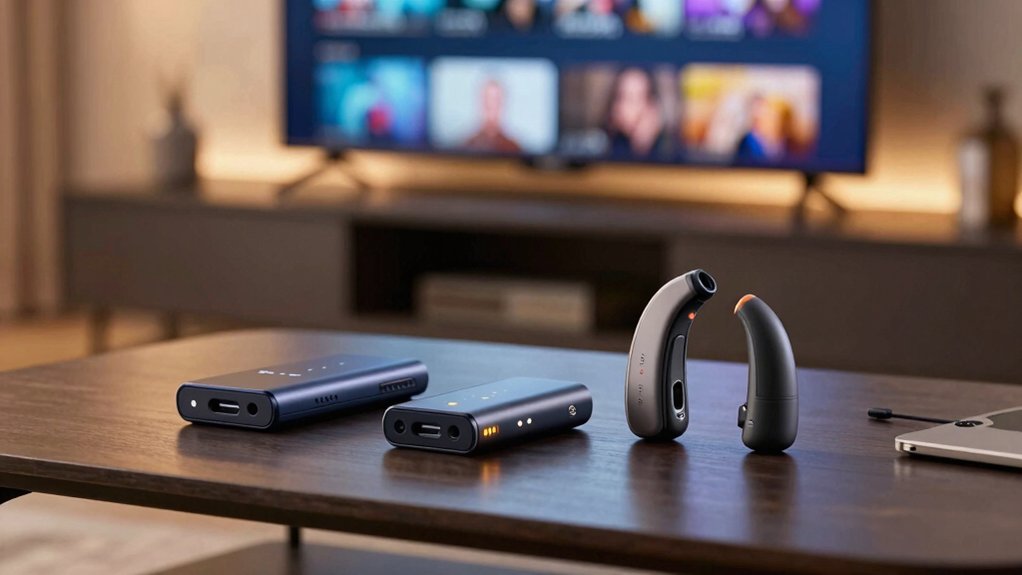
When selecting a TV adapter for your hearing aids, you’ll need to evaluate five key factors: hearing aid compatibility (ensuring the adapter works with your specific hearing aid model), wireless connectivity options (such as Bluetooth, 2.4GHz digital, or telecoil), and audio quality standards (checking for clear sound transmission without dropouts). Next, you’ll want to assess the setup and installation process, determining whether you can configure it yourself or need professional help, and verify the transmission range distance to ensure the signal reaches you reliably throughout your viewing space. These considerations will help you choose an adapter that fits your hearing aid model and your home environment.
Hearing Aid Compatibility
Before you buy a TV adapter for your hearing aids, you’ll need to verify compatibility with your specific hearing aid model and confirm that the adapter uses the right wireless technology for direct streaming. Check your hearing aid’s manual or manufacturer’s website to find compatible adapter models. If your hearing aids support Auracast, you have broader adapter options. Next, confirm the adapter connects directly to your hearing aids without requiring intermediary headphones. This ensures private, synchronized audio. Review the adapter’s supported streaming protocols—low-latency Bluetooth, Auracast, or LC3 minimize audio delay. Finally, verify your TV has the required audio output: optical/TOSLINK or 3.5 mm jack. Matching your TV’s outputs to the adapter’s inputs prevents compatibility issues and ensures seamless pairing.
Wireless Connectivity Options
Once you’ve confirmed your hearing aid model’s compatibility, you’ll need to evaluate the wireless connectivity technology that’ll connect your TV adapter to your hearing aids. Three main options exist: classic Bluetooth, Auracast (LE Audio), and proprietary wireless protocols. Classic Bluetooth connects one device at a time, making it suitable for individual listening. Auracast enables broadcast audio to multiple receivers simultaneously, allowing shared listening experiences with compatible hearing aids. Proprietary protocols offer direct wireless links optimized for specific hearing aid brands. Some adapters operate in dual-mode, supporting both Auracast and standard Bluetooth to accommodate various devices. Range typically spans 10–50 meters indoors depending on obstacles. Compare your household’s listening needs—solo or group—against each technology’s capabilities before selecting your adapter.
Audio Quality Standards
How does your TV adapter preserve sound clarity during transmission to your hearing aids? You’ll want to prioritize adapters that support high-fidelity codecs like aptX Adaptive, LC3, or AAC, which minimize delay and maintain audio detail for dialogue and effects. Check that your adapter outputs PCM stereo without compression artifacts, since Dolby and DTS pass-through may not work on all devices. Verify the physical connections—TOSLINK optical, 3.5mm AUX, or RCA—match your TV’s available outputs to maximize signal integrity. Finally, confirm your hearing aid model supports Auracast or direct streaming compatibility. These steps ensure synchronized, high-quality personal listening during TV viewing without lag or sound degradation.
Setup And Installation
What’s the first thing you should check before buying a TV adapter for your hearing aids? Verify compatibility with your specific hearing aid model by consulting the manufacturer’s documentation or contacting their support team directly.
Next, examine the connection options available. Confirm whether the adapter includes TOSLINK/optical or 3.5 mm cables, as these determine how you’ll connect to your TV. Check if the device requires firmware updates or software tools for configuration before setup begins.
Then review the pairing process. Look for plug-and-play systems that demand minimal technical knowledge, with straightforward steps: plug into your TV’s audio output and pair with your hearing aids wirelessly. Confirm auto-reconnection capabilities within your home’s range to ensure seamless listening when you move between rooms.
Transmission Range Distance
When you’re shopping for a TV adapter, the transmission range—the distance over which your adapter can reliably send audio to your hearing aids—directly affects where you can sit and move around your home while watching. Most standard Bluetooth transmitters reach 15 to 25 meters indoors, though walls and interference reduce this distance. If you need extended range, consider Auracast-enabled systems, which can transmit up to 100 meters in open air. Standard non-Auracast adapters typically support only one hearing aid at a time, while Auracast-compatible receivers allow multiple devices to connect simultaneously within range. Measure your viewing space and account for obstacles between your TV and seating areas when selecting an adapter that matches your home’s layout and needs.
Power Requirements
Before you buy a TV adapter, you’ll need to determine how it’ll receive power in your home setup. Check whether your adapter uses USB power from your TV’s port or requires a separate power adapter plugged into an outlet. USB-powered units offer simpler setup but depend on your TV’s available ports. Separate adapters provide more flexibility and don’t drain TV resources. Next, verify whether the device has a built-in battery for portability or relies entirely on external power. Consider your usage patterns—battery-equipped models let you move freely, while powered-only units stay stationary. Finally, review power-related controls like on/off switches and LED indicators that help you monitor and conserve energy during extended use.
Cable And Connector Types
Which connectors does your TV actually support? Check your TV’s audio output options first. You’ll typically find USB-C, 3.5mm AUX, RCA, or TOSLINK (optical) ports. Each connector type serves different purposes. USB-C provides modern digital connectivity. The 3.5mm AUX jack connects directly to hearing aids or neckloops without additional equipment. RCA connectors work with older audio systems. TOSLINK requires a digital audio path from your TV. Many adapters offer dual outputs—combining optical and 3.5mm—to handle both digital and analog connections. Before purchasing an adapter, identify which connectors your TV provides and which your hearing aid system needs. This prevents compatibility issues and eliminates the need for multiple adapters or cables. Some TV setups like HDMI-only or soundbar passthrough configurations may limit your options.
Long-Term Device Support
Your TV adapter won’t stay useful forever unless it can keep pace with evolving hearing aid technology and audio standards. Check whether the manufacturer offers firmware updates via USB-C or similar connections, allowing you to maintain compatibility as new TV interfaces emerge. Verify that the adapter supports open-standard audio protocols like LC3, AptX, or AAC—these ensure future hearing aids will work with your device. Confirm explicit support for major ecosystems including Oticon, Phonak, and Signia to avoid obsolescence. Look for longevity indicators such as modular components, replaceable cables, and published commitments to ongoing support beyond initial release. Ask manufacturers directly about their roadmap for upcoming Auracast and standard Bluetooth updates. These steps protect your investment and guarantee functionality as hearing aid technology advances.
Final Thoughts
You’ll want to match your adapter to your hearing aid brand first—Oticon, Phonak, or Signia models work best. Check that it supports your TV’s output (optical or 3.5mm jack). Pick a plug-and-play setup to avoid complicated pairing. Verify the range works for your room size. Test the latency and sound quality before committing. Review the compatibility list and firmware update options to ensure long-term reliability.

Meet Ry, “TechGuru,” a 36-year-old technology enthusiast with a deep passion for tech innovations. With extensive experience, he specializes in gaming hardware and software, and has expertise in gadgets, custom PCs, and audio.
Besides writing about tech and reviewing new products, he enjoys traveling, hiking, and photography. Committed to keeping up with the latest industry trends, he aims to guide readers in making informed tech decisions.