
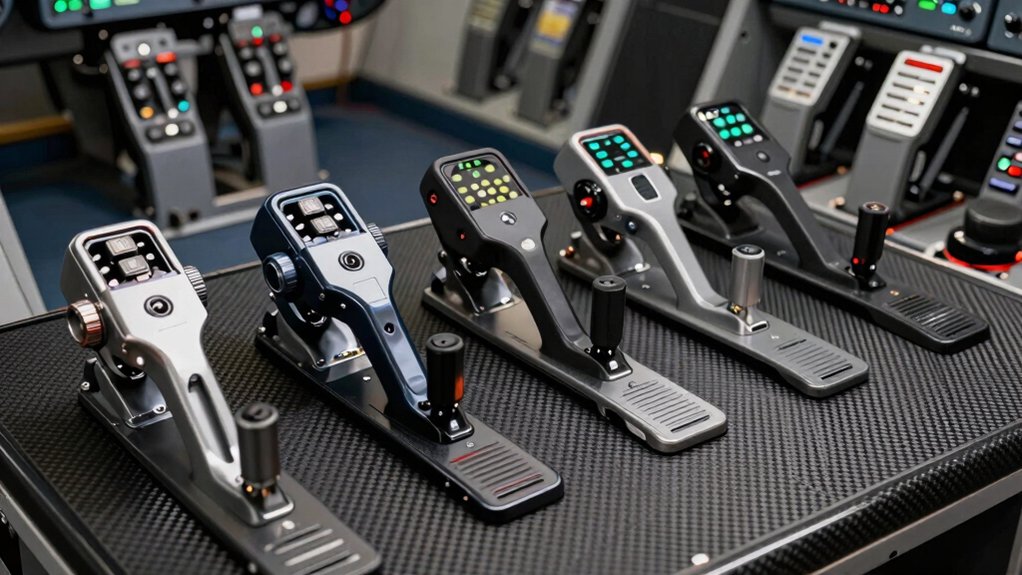

If you’re setting up a flight simulator setup on your PC, you’ll need to pick the right controller to match your flying style and budget. You can choose between basic joystick-and-throttle combos, precision flight sticks, rudder pedals, or full yoke systems. Each option offers different levels of control and realism. The seven controllers we’ve ranked deliver the features that serious flight simmers actually use—but which one fits your needs?
| Thrustmaster T-Flight Hotas One Flight Stick & Throttle Controller |

| Official & Expandable | Controller Type: Flight stick with detachable throttle | PC Compatibility: PC and Xbox Series X|S | Programmable Buttons: 14 action buttons | VIEW LATEST PRICE | Read Our Analysis |
| Thrustmaster T-Flight Hotas X (Compatible with PC) |

| Programmable & Customizable | Controller Type: Flight stick with detachable throttle | PC Compatibility: PC only | Programmable Buttons: 12 programmable buttons | VIEW LATEST PRICE | Read Our Analysis |
| Thrustmaster T-Flight Stick X (Compatible with Windows PC) |

| Budget-Friendly Pick | Controller Type: Flight stick with integrated throttle | PC Compatibility: PC and PlayStation 3 | Programmable Buttons: 12 programmable buttons | VIEW LATEST PRICE | Read Our Analysis |
| Thrustmaster T16000M FCS Flight Pack (Compatible with PC) |

| Most Complete Package | Controller Type: Flight stick with throttle and rudder pedals | PC Compatibility: PC (Windows 7, 8, Vista, 10) | Programmable Buttons: 16 action buttons | VIEW LATEST PRICE | Read Our Analysis |
| PXN 2113 USB Flight Simulator Joystick Controller with Vibration |

| Best Value Alternative | Controller Type: Flight stick with integrated throttle | PC Compatibility: PC (Windows 7, 8, 10, 11) | Programmable Buttons: 12 programmable buttons | VIEW LATEST PRICE | Read Our Analysis |
| Logitech G Pro Flight Rudder Pedals |

| Pedals-Only Specialist | Controller Type: Rudder pedals only | PC Compatibility: PC (Windows 7, 8, 8.1, 10) | Programmable Buttons: No buttons (pedals only) | VIEW LATEST PRICE | Read Our Analysis |
| Thrustmaster TCA Yoke Pack Boeing Edition Flight Simulator |

| Premium Professional Grade | Controller Type: Yoke with throttle quadrant | PC Compatibility: PC and Xbox Series X|S | Programmable Buttons: 35 action buttons | VIEW LATEST PRICE | Read Our Analysis |
More Details on Our Top Picks
Thrustmaster T-Flight Hotas One Flight Stick & Throttle Controller
If you’re flying Microsoft Flight Simulator 2024 on your PC or Xbox Series X|S, the Thrustmaster T-Flight Hotas One is your best match because it’s officially licensed for that platform and requires zero compatibility troubleshooting. The controller delivers 10-bit precision across five axes, including Z-axis rudder control, alongside 14 action buttons and a multidirectional hat switch. You’ll appreciate the detachable throttle design, which lets you position the stick and throttle together on your desk or use them separately on your lap. The dual rudder system provides two control methods: you can steer using the joystick’s Z-axis or engage the integrated rudder lever on the throttle. Adjustable joystick resistance accommodates your preference. If you need enhanced steering precision later, you can expand your setup with compatible TFRP rudder pedals.
- Controller Type:Flight stick with detachable throttle
- PC Compatibility:PC and Xbox Series X|S
- Programmable Buttons:14 action buttons
- Adjustment Options:Adjustable joystick resistance
- Connectivity:USB plug-and-play
- Control Axes:5 axes (including Z-axis rudder)
- Additional Feature:Detachable throttle design
- Additional Feature:Dual rudder system control
- Additional Feature:Xbox Series X|S compatible
Thrustmaster T-Flight Hotas X (Compatible with PC)
You’re looking for a flight controller that doesn’t require extensive setup before you start flying—the Thrustmaster T-Flight Hotas X delivers this right out of the box. Its pre-configured functions let you begin immediately without customization. The detachable throttle provides ergonomic control, while the weighted base ensures stability during flight sessions. You can program all 12 buttons and 5 axes to match your preferred controls. The joystick features adjustable resistance for precision, and a trigger handles brakes or rapid fire depending on your flight mode. The exclusive preset button lets you switch between different control programs during gameplay without pausing.
- Controller Type:Flight stick with detachable throttle
- PC Compatibility:PC only
- Programmable Buttons:12 programmable buttons
- Adjustment Options:Adjustable joystick resistance
- Connectivity:USB plug-and-play
- Control Axes:5 axes
- Additional Feature:Internal memory saves programming
- Additional Feature:Exclusive preset button switching
- Additional Feature:Weighted base stability
Thrustmaster T-Flight Stick X (Compatible with Windows PC)
The Thrustmaster T-Flight Stick X works best for flight simmers who want a reliable, budget-friendly controller with professional-grade precision without spending hundreds of dollars. This joystick features a weighted base for stability, an ergonomic throttle lever, and a rotating handle with a built-in locking system for rudder control. You’ll find twelve reprogrammable buttons, a multidirectional hat switch, and an airbrake trigger. The device plugs into your Windows PC via USB and installs instantly without additional software. Its adjustable resistance lets you customize sensitivity to your preferences, and internal memory stores your custom button mappings for quick access across different flight simulation games.
- Controller Type:Flight stick with integrated throttle
- PC Compatibility:PC and PlayStation 3
- Programmable Buttons:12 programmable buttons
- Adjustment Options:Adjustable joystick resistance
- Connectivity:USB plug-and-play
- Control Axes:5 axes (including rotating rudder control)
- Additional Feature:Integrated throttle lever included
- Additional Feature:Rotating handle rudder control
- Additional Feature:Internal memory for programming
Thrustmaster T16000M FCS Flight Pack (Compatible with PC)
Want a flight controller that works equally well for left- or right-handed users? The Thrustmaster T16000M FCS Flight Pack delivers a complete setup with a flight stick, throttle, and pedals. Three removable components let you configure the system for your preferred hand. The stick features 16 action buttons, an 8-way POV hat, and four independent axes including twist rudder control. H.E.A.R.T technology ensures precision and stability during extended use. Install the T.A.R.G.E.T software to create custom per-game mapping profiles tailored to specific flight simulators. Connect via USB to your Windows PC, and you’ll access professional-grade controls for both flight and space simulations.
- Controller Type:Flight stick with throttle and rudder pedals
- PC Compatibility:PC (Windows 7, 8, Vista, 10)
- Programmable Buttons:16 action buttons
- Adjustment Options:H.E.A.R.T precision technology
- Connectivity:USB wired
- Control Axes:4 independent axes (including twist rudder)
- Additional Feature:Includes flight stick, throttle, pedals
- Additional Feature:Ambidextrous left/right-handed design
- Additional Feature:H.E.A.R.T precision technology patented
PXN 2113 USB Flight Simulator Joystick Controller with Vibration
If you’re flying exclusively on Windows and want a single-hand joystick with throttle control built in, the PXN 2113 Pro delivers the core features flight simmers need at an accessible price point. The controller includes 4 axes, 12 programmable buttons, and an 8-way hat switch for precise control. Vibration feedback activates at 50% intensity or higher through the bottom switch. Four suction cups anchor it to smooth surfaces. Setup requires downloading the driver from the PXN website, installing it, then plugging in the USB connection. In Microsoft Flight Simulator, select GENERIC USB JOYSTICK and map inputs accordingly. Note that Force Feedback isn’t supported, and certain games like Ace Combat 7 remain incompatible with this model.
- Controller Type:Flight stick with integrated throttle
- PC Compatibility:PC (Windows 7, 8, 10, 11)
- Programmable Buttons:12 programmable buttons
- Adjustment Options:Custom software adjustments available
- Connectivity:USB wired
- Control Axes:4 axes
- Additional Feature:Vibration function with switch
- Additional Feature:Four suction cups included
- Additional Feature:Single-hand operation design
Logitech G Pro Flight Rudder Pedals
For flight simmers who want realistic foot-based aircraft control, Logitech’s G Pro Flight Rudder Pedals deliver self-centering mechanisms and differential toe brakes that let you command rudder and independent left/right braking exactly as real pilots do. You’ll adjust foot rests to match your size and use the adjustable tension dial to customize damping resistance. The pedals feature non-slip surfaces that keep them stable during intense maneuvers. With 9-bit rudder axis and 7-bit toe brake axis resolution, you’ll execute precise aircraft movements. Connect via USB 2.0 to Windows 7, 8, 8.1, or 10 systems. You can pair these pedals with the Saitek Pro Flight Yoke for comprehensive cockpit control, creating an immersive flight simulation setup.
- Controller Type:Rudder pedals only
- PC Compatibility:PC (Windows 7, 8, 8.1, 10)
- Programmable Buttons:No buttons (pedals only)
- Adjustment Options:Adjustable tension dial and foot rests
- Connectivity:USB 2.0
- Control Axes:2 axes (rudder and toe brake)
- Additional Feature:Self-centering rudder mechanism
- Additional Feature:Differential toe brakes independent
- Additional Feature:Adjustable damping tension dial
Thrustmaster TCA Yoke Pack Boeing Edition Flight Simulator
The Thrustmaster TCA Yoke Pack Boeing Edition suits flight simmers who want authentic Boeing 787 controls on their PC or Xbox Series X|S. This 1:1 scale replica features a pendular movement mechanism with 8.3-inch range, simulating realistic Dreamliner flight dynamics. The yoke includes an integrated throttle quadrant with Boeing autopilot functions for altitude, airspeed, and heading control. You’ll access 35 action buttons and 2 additional axes using magnetic technology. The all-metal internal structure ensures durability and balanced weight. Compatible with MSFS 2024 and other PC simulators, this bundle connects via USB. Connect optional Thrustmaster rudder pedals for complete cockpit setup. Weighing 5.4 pounds, this controller delivers professional-grade realism for serious flight enthusiasts.
- Controller Type:Yoke with throttle quadrant
- PC Compatibility:PC and Xbox Series X|S
- Programmable Buttons:35 action buttons
- Adjustment Options:Adjustable spring tension
- Connectivity:USB
- Control Axes:Multiple axes with magnetic technology
- Additional Feature:1:1 Boeing 787 scale
- Additional Feature:Pendular movement mechanism included
- Additional Feature:35 action buttons total
Factors to Consider When Choosing Airplane Controllers for PC
When you select an airplane controller for PC, you need to check compatibility with your flight simulator software, verify that the device’s precision matches your skill level, and confirm it offers customization options for your specific aircraft type. You should also evaluate the ergonomic design to ensure comfort during extended gaming sessions and inspect the build quality to determine whether the controller will withstand regular use over time. These five factors—compatibility, precision, programmability, ergonomics, and durability—form the foundation of choosing a controller that’ll meet your flight simulation needs.
Compatibility And Platform Support
How compatible is your controller with your setup? First, determine whether you need a PC-only device or a cross-platform model that works with Xbox Series X|S. Next, check the connection type: USB wired controllers plug directly into available ports, while wireless models require a receiver or Bluetooth capability. Verify your operating system supports the device—Windows 10 and 11 are standard, though some controllers support Windows 7 and 8. Review whether drivers or setup software are necessary for installation. Finally, confirm compatibility with your flight simulator, whether MSFS 2024 or another platform, and check if the manufacturer offers official licensing or expansion accessory support. These steps ensure seamless integration with your existing equipment.
Precision And Control Sensitivity
What separates a responsive controller from a frustrating one? Precision and control sensitivity. You’ll want a joystick with adjustable resistance that lets you fine-tune input for exact movements. Look for controllers offering high axis counts—more axes mean greater directional control. Integrated rudder and twist-axis features enhance real-world flight dynamics and accuracy.
Your controller’s base matters too. A weighted or stable base reduces unwanted drift during delicate maneuvers, improving consistency when executing precise movements. Internal memory and programmable buttons let you save per-game sensitivity profiles, so you can quickly switch settings between aircraft types without manual reconfiguration.
Use software mapping tools to adjust response curves and dead zones for each game. This optimization ensures your controller responds exactly as you need for different aircraft and flight scenarios.
Programmability And Customization Options
Beyond achieving precision with your physical setup, you’ll need a controller that lets you customize every button, axis, and function to match your flying style. Look for controllers with fully programmable buttons and axes that store profiles in internal memory, so your settings remain saved even when disconnected. Software suites like TARGET enable per-game mapping, allowing you to create custom profiles for different flight simulators and switch between them quickly during use. Check if your controller includes exclusive mapping buttons for rapid mid-flight scheme changes. For ambidextrous designs, verify that programmable controls remain accessible for left- or right-handed operation. Ensure independent programmability of throttles, rudder axes, and hat switches so you can tailor each component to specific aircraft requirements.
Ergonomic Design And Comfort
Why you’ll spend hours in your cockpit matters—your controller’s ergonomic design directly affects how comfortably you’ll fly and how long you can maintain precision without fatigue. Look for ambidextrous or ergonomic grips with wide hand-rests that reduce strain during extended sessions. Check that adjustable resistance or force-feedback features let you customize the feel to your preference. Verify the base has weighted construction or non-slip footing to prevent unwanted movement that forces your hand to compensate. Examine whether throttle and hat-switch layouts align naturally with your hand placement to avoid awkward finger reaches. Consider detachable or modular components like removable sticks and throttles, which allow you to position your hands and wrists comfortably for your specific setup.
Build Quality And Durability
Since you’ll rely on your controller for consistent, precise inputs during long flight sessions, you need to prioritize sturdy construction and materials that’ll withstand repeated use. Examine the chassis for solid metal internal structures rather than hollow plastic frames. Check the base for weighted design or non-slip surfaces to prevent sliding during intense maneuvers. Inspect joints and seams for reinforcement, as these areas wear first. Test trigger mechanisms, hats, and throttles for smooth operation without excessive looseness. Evaluate component materials—high-quality plastics and sealed controls resist degradation better than cheaper alternatives. Finally, review warranty coverage. Extended warranties typically indicate manufacturer confidence in durability. Compare service options across models to ensure you can access repairs or replacements if needed.
Expandability With Additional Components
Once you’ve secured a durable controller, plan for growth by choosing hardware that accommodates future add-ons like rudder pedals, throttle quadrants, or additional axis modules. Look for systems with detachable throttles or modular designs that expand through compatible accessories. Verify the manufacturer offers official support for expansion through documented accessory ecosystems. Check whether the system maintains calibration and mapping across multiple devices—centralized software mapping prevents reconfiguration headaches when you add components. Confirm that expansion remains plug-and-play rather than requiring complex reinitialization. Review available bundles that include upgrade paths or clearly show which components work together. This approach lets you build your cockpit progressively while preserving functionality and avoiding costly replacements.
Setup Complexity And Installation Time
When you’re choosing an airplane controller, the time you’ll spend setting it up directly affects how quickly you can start flying. Plug-and-play models let you connect and fly immediately, while modular systems require more assembly upfront but offer flexibility later. Some controllers need driver downloads and software configuration, especially for PC-specific setups. If you select a multi-component package with stick, throttle, and pedals, expect additional assembly time. However, pre-configured profiles and mapping software like T.A.R.G.E.T reduce tuning afterward. Check compatibility details first—USB connections and cross-platform support affect installation steps. Detachable components let you start basic and expand gradually, balancing quick initial setup with long-term customization options.
Budget And Value Proposition
How much you’ll spend on an airplane controller depends on which features matter most for your setup—and whether you’re buying a single stick or a complete multi-component system. Compare price bands across models to identify which features justify their cost increases. Bundle deals combining stick, throttle, and pedals often provide better value than purchasing components separately. Examine build quality indicators like metal construction and weighted bases, as these signal durability and justify higher prices. Check what software features come included—preloaded profiles and memory settings reduce your setup time substantially. Finally, evaluate compatibility coverage; controllers supporting both PC and console platforms offer better long-term value than PC-only options. Assess expansion availability too, since future add-ons determine whether your initial investment remains relevant as your simulation interests evolve.
Final Thoughts
You’ll want to evaluate your budget, flight sim preference, and setup space before deciding. Start by determining if you need a joystick-only option or a complete yoke system. Next, check compatibility with your specific games and PC. Finally, consider expandability—many Thrustmaster models allow you to add pedals or additional controls later. Match your choice to your current needs while leaving room for future upgrades.

Meet Ry, “TechGuru,” a 36-year-old technology enthusiast with a deep passion for tech innovations. With extensive experience, he specializes in gaming hardware and software, and has expertise in gadgets, custom PCs, and audio.
Besides writing about tech and reviewing new products, he enjoys traveling, hiking, and photography. Committed to keeping up with the latest industry trends, he aims to guide readers in making informed tech decisions.