
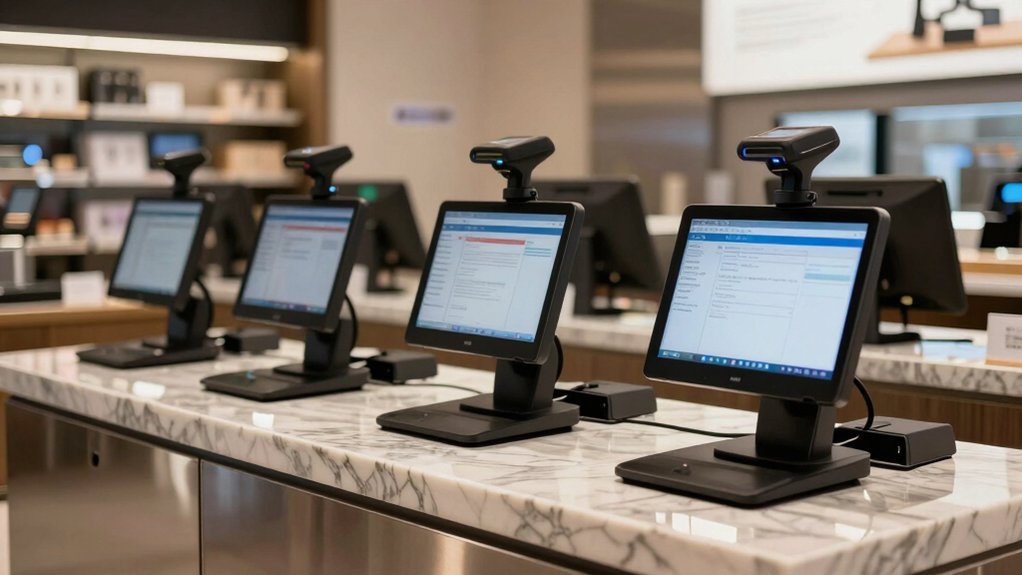

When you’re selecting a POS system with barcode scanning for your retail business, you’ll need to evaluate several key options that directly impact your checkout speed and sales accuracy. You can choose between wired USB scanners for stationary setups or wireless Bluetooth models for mobility across your store. Each system offers different features—from hands-free automatic scanning to 1D/2D barcode compatibility—that suit different business sizes. But which scanner truly matches your specific needs?
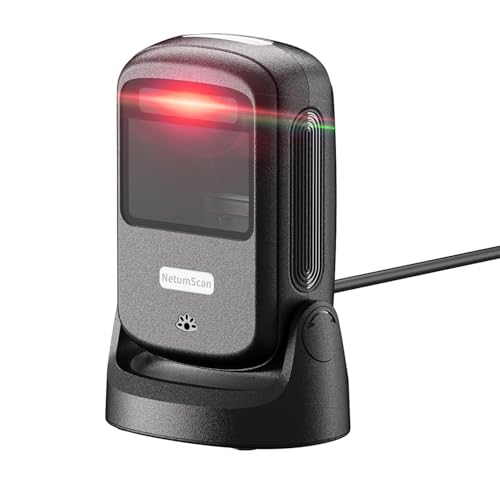
| NetumScan Automatic Desktop Barcode Scanner USB Wired |

| Best Omnidirectional Scanner | Barcode Type Support: 1D and 2D/QR barcodes | Connectivity Options: USB wired | Operating System Compatibility: Windows XP/7/8/10, Mac OS, Linux | VIEW LATEST PRICE | Read Our Analysis |
| ScanAvenger Wireless Bluetooth Barcode Scanner with Stand |
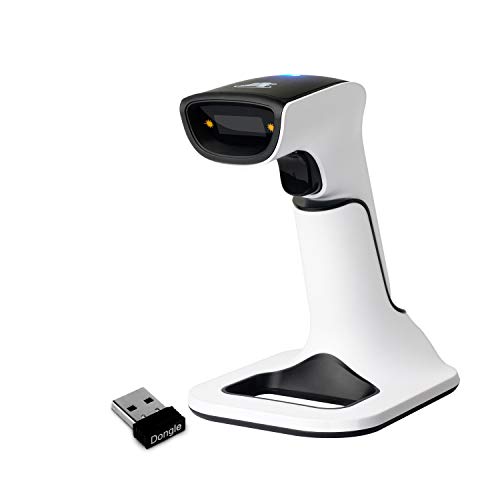
| Most Versatile Option | Barcode Type Support: 1D and 2D barcodes | Connectivity Options: Bluetooth, USB, Wi-Fi | Operating System Compatibility: Windows, Mac, Android, iOS | VIEW LATEST PRICE | Read Our Analysis |
| NetumScan Automatic Hands-Free Barcode Scanner 1D/2D USB |
| Best Budget-Friendly | Barcode Type Support: 1D and 2D barcodes | Connectivity Options: USB wired | Operating System Compatibility: Windows, Mac, Linux | VIEW LATEST PRICE | Read Our Analysis |
| NetumScan A6 Wireless Barcode Scanner 3-in-1 Bluetooth |

| Best Wireless Hybrid | Barcode Type Support: 1D and 2D/QR barcodes | Connectivity Options: Bluetooth, 2.4G, USB wired | Operating System Compatibility: Windows, Mac OS, Linux | VIEW LATEST PRICE | Read Our Analysis |
| NETUM Bluetooth Barcode Scanner (NT-1228BC) |
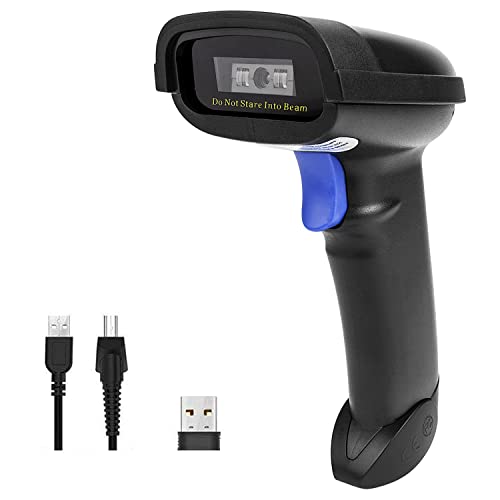
| Best High-Volume Scanning | Barcode Type Support: 1D and stacked barcodes | Connectivity Options: Bluetooth, 2.4G wireless, USB wired | Operating System Compatibility: Windows XP/7/8/10, Mac OS, Android, iOS, Linux | VIEW LATEST PRICE | Read Our Analysis |
More Details on Our Top Picks
NetumScan Automatic Desktop Barcode Scanner USB Wired
Are you running a retail operation where cashiers spend valuable time manually entering product codes or customers want to scan items themselves? The NetumScan Automatic Desktop Barcode Scanner eliminates this problem. This hands-free USB scanner reads 1D and 2D barcodes omnidirectionally without requiring trigger activation. Simply position it at your checkout counter; it automatically senses items and captures barcodes on labels, paper, and phone displays. The device plugs directly into your computer—no software installation needed. It’s compatible with Windows, Mac, and Linux systems. The anti-shock design and IP54 dust protection ensure durability in busy retail environments. You’ll improve checkout speed, reduce data entry errors, and free your staff’s hands for other tasks.
- Barcode Type Support:1D and 2D/QR barcodes
- Connectivity Options:USB wired
- Operating System Compatibility:Windows XP/7/8/10, Mac OS, Linux
- Scanning Mode:Automatic omnidirectional, hands-free, triggerless
- Power Source:USB powered with lithium metal battery
- Durability/Drop Protection:IP54 dust protection, anti-shock design, anti-vibration
- Additional Feature:Omnidirectional automatic scanning
- Additional Feature:Reads barcodes on displays
- Additional Feature:Motion-activated sleep mode
ScanAvenger Wireless Bluetooth Barcode Scanner with Stand
If you’re managing inventory across multiple checkout stations or need flexibility in how you scan items, the ScanAvenger Wireless Bluetooth Barcode Scanner with Stand offers a practical solution that works with most existing POS systems without requiring software downloads or proprietary hardware. The device scans both 1D and 2D codes, including UPC, QR codes, and Data Matrix formats. You’ll operate it in manual, continuous, or auto-sense mode depending on your workflow. The rechargeable Li-Ion battery charges through the included stand, and you can connect via Bluetooth, USB, or Wi-Fi. Vibration feedback alerts you in loud retail environments. With dimensions of 5.5 by 4.3 by 6.5 inches and weighing 1.1 pounds, you’ll find it portable enough for roaming inventory tasks while maintaining compatibility across Mac, Windows, Android, and iOS platforms.
- Barcode Type Support:1D and 2D barcodes
- Connectivity Options:Bluetooth, USB, Wi-Fi
- Operating System Compatibility:Windows, Mac, Android, iOS
- Scanning Mode:Manual, continuous, auto-sense
- Power Source:Rechargeable Li-Ion battery with stand charging
- Durability/Drop Protection:No drop protection specified
- Additional Feature:Stand-based wireless transmission
- Additional Feature:Lightning connector charging
- Additional Feature:Vibration feedback for noisy
NetumScan Automatic Hands-Free Barcode Scanner 1D/2D USB
The NetumScan Automatic Hands-Free Barcode Scanner stands out as an essential tool for retail operations that prioritize speed and accuracy at the checkout counter. This USB-wired device requires no driver installation and reads both 1D and 2D barcodes instantly through auto-sensing technology. You’ll benefit from its 1M CMOS sensor, which captures small or damaged barcodes reliably. The scanner’s adjustable angles—tilting +25° and -55°—let you position it for optimal scanning without repositioning items. Its industrial-grade construction withstands drops up to 4.92 feet, making it durable for high-traffic environments. Operating at 5 volts through standard USB connectivity, it integrates seamlessly with Windows, Mac, and Linux systems, reducing checkout delays and improving transaction efficiency.
- Barcode Type Support:1D and 2D barcodes
- Connectivity Options:USB wired
- Operating System Compatibility:Windows, Mac, Linux
- Scanning Mode:Automatic hands-free with auto-sensing
- Power Source:USB powered (5 volts)
- Durability/Drop Protection:4.92 feet drop protection, shock-absorbing system
- Additional Feature:Adjustable viewing angles (+25°/-55°)
- Additional Feature:4.92 feet drop protection
- Additional Feature:1M high-resolution CMOS sensor
NetumScan A6 Wireless Barcode Scanner 3-in-1 Bluetooth
Looking to eliminate the repetitive motion of picking up and putting down a scanner throughout your shift? The NetumScan A6 Wireless Barcode Scanner offers three connectivity options: Bluetooth, 2.4G, and USB wired. This omnidirectional desktop reader scans 1D and 2D/QR barcodes in any direction, reducing handling time. Its smart sensing automatically wakes the device on motion and enters sleep mode when idle, conserving battery life. The non-slip circular base keeps the scanner stable on compact counters. Compatible with Windows, Mac OS, and Linux systems, the A6 handles damaged, distorted, and colorful barcodes effectively, making it suitable for warehouses, supermarkets, and retail POS environments.
- Barcode Type Support:1D and 2D/QR barcodes
- Connectivity Options:Bluetooth, 2.4G, USB wired
- Operating System Compatibility:Windows, Mac OS, Linux
- Scanning Mode:Automatic omnidirectional, hands-free, motion-activated
- Power Source:Lithium-ion battery included
- Durability/Drop Protection:4.92 feet drop protection, anti-shock design, anti-vibration
- Additional Feature:Omnidirectional desktop reader
- Additional Feature:Circular non-slip base
- Additional Feature:Large item scanning capability
NETUM Bluetooth Barcode Scanner (NT-1228BC)
Retail operations that need a reliable, multi-platform scanner without costly hardware overhauls will find the NETUM NT-1228BC especially valuable. The device’s 2500-pixel CCD sensor rapidly decodes all 1D barcodes, including worn or damaged codes, and scans both paper and digital displays. You can configure custom prefixes, suffixes, and keyboard commands to match your POS workflow. With a 2600 mAh battery supporting 200,000 scans per charge, the scanner operates continuously for one month under typical conditions. Connect via Bluetooth, USB, or 2.4G wireless to Windows, Mac, Android, or iOS systems. Storage capacity reaches 100,000 barcodes for offline use.
- Barcode Type Support:1D and stacked barcodes
- Connectivity Options:Bluetooth, 2.4G wireless, USB wired
- Operating System Compatibility:Windows XP/7/8/10, Mac OS, Android, iOS, Linux
- Scanning Mode:Manual trigger, continuous, auto-sensing
- Power Source:2600 mAh lithium-metal battery
- Durability/Drop Protection:No drop protection specified
- Additional Feature:100,000 barcode storage capacity
- Additional Feature:200,000 scans per charge
- Additional Feature:Programmable prefixes/suffixes/keyboard keys
Factors to Consider When Choosing a POS System for Retail With Barcode Scanner
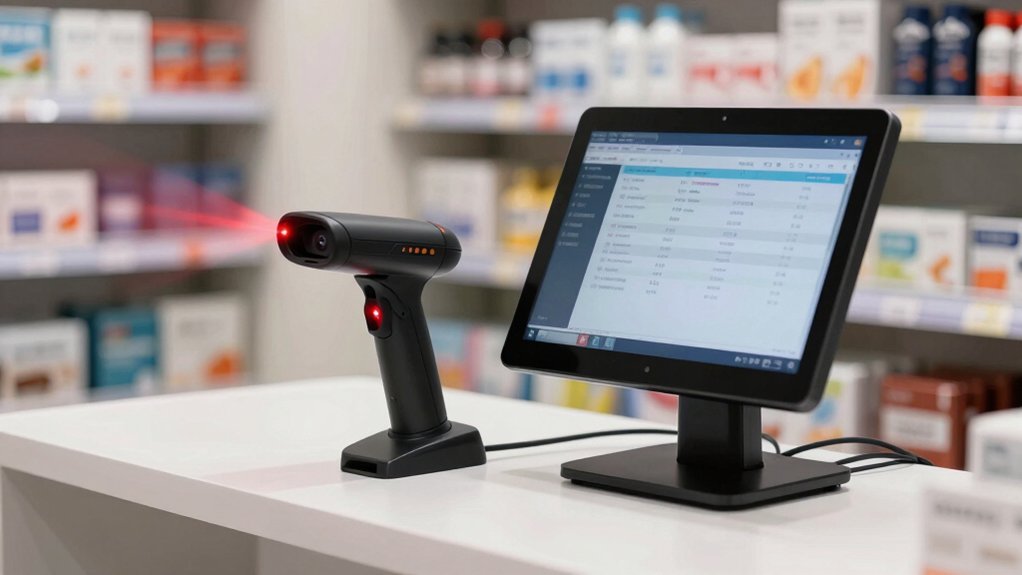
You’ll need to evaluate scanner compatibility and integration with your existing POS software, check what connectivity options—such as Bluetooth, USB, or wireless—fit your store layout, and confirm that the system supports your operating system, whether it’s Windows, iOS, or Android. Next, assess the scanning speed and accuracy rates to ensure quick checkout times and minimal errors during high-traffic periods. Finally, choose a scanner built for durability in high-volume retail environments, as frequent use and handling demand equipment that can withstand daily wear without performance decline.
Scanner Compatibility And Integration
What barcode formats does your store actually use? You’ll need to verify your scanner supports 1D codes, 2D/QR codes, Data Matrix, Aztec, or PDF417 formats to ensure universal decoding across your inventory.
Next, confirm your scanner’s connectivity matches your POS architecture. Check whether you need USB or Bluetooth compatibility and whether your system requires proprietary drivers or app integrations that could create conflicts.
Then, test cross-platform operability if you use multiple devices—Windows computers, Mac systems, Linux terminals, iOS tablets, or Android phones—for scanning tasks throughout your store.
Finally, verify your scanner works with your specific POS platform. Some scanners don’t support Square, Clover, or Shopify systems, so confirm compatibility before purchasing to guarantee seamless transaction capture.
Connectivity Options For Flexibility
How do you want your barcode scanners to connect to your POS system? You have three primary options: Bluetooth, USB wired, or wireless 2.4G/Wi-Fi connections. Each option offers distinct advantages for your retail layout.
Bluetooth provides flexibility without cables, allowing you to position scanners freely around your checkout area. USB wired connections deliver reliable, consistent performance for stationary setups. Wireless 2.4G/Wi-Fi options let you place scanners anywhere within range, useful for larger stores.
Consider your POS terminal’s location and your workflow when selecting connectivity. Stand-based charging with wireless transmission reduces docking requirements and keeps scanners powered throughout shifts. Verify that your chosen scanner’s connectivity type—HID, SPP, or BLE—matches your POS system’s specifications before purchasing, as compatibility varies significantly.
Operating System Support Requirements
Before selecting a POS system with barcode scanner integration, verify that both the system and scanner support the operating systems running on your retail devices. Check whether your chosen POS platform works on Windows, Mac OS, or Linux. Next, confirm the scanner’s driver requirements for your specific OS—some scanners work plug-and-play without additional software, while others need specific drivers installed. Review the manufacturer’s compatibility notes for any OS-specific limitations or restrictions with certain POS applications. If you operate multiple device types in your store, ensure cross-OS support exists so all terminals perform uniformly. Finally, test the barcode scanner on your actual POS system before full deployment to identify any unexpected compatibility issues and guarantee seamless operation.
Scanning Speed And Accuracy
When you’re evaluating barcode scanners for your POS system, scanning speed and accuracy should rank among your top priorities because they directly affect checkout efficiency and inventory management. Look for scanners with near-instant read times that decode both 1D and 2D codes quickly. Check the sensor quality to ensure it recognizes damaged, distorted, colorful, and reflective barcodes reliably. Choose models supporting multiple symbologies—UPC/EAN, Code128, Data Matrix, PDF417, and QR codes—to eliminate the need for code-specific adjustments. Consider auto-sensing and triggerless operation features, which maintain consistent throughput by scanning items automatically as they pass through the read zone. Advanced sensors required for 2D codes impact throughput in multi-code environments, so verify your scanner handles your specific barcode mix efficiently.
Durability For High-Volume Environments
While scanning speed and accuracy keep your checkout lines moving, durability ensures your barcode scanner survives the demands of a busy retail floor day after day. Look for scanners with industrial-grade anti-scratch finishes and shock-absorbing bodies that withstand frequent drops and heavy use. Check the drop resistance rating—select models tested from several feet high to endure accidental falls in high-traffic areas. Verify IP protection ratings of IP54 or higher to guard against dust and splashes in crowded spaces. Choose omnidirectional hands-free designs with stable, non-slip bases to reduce manual handling and support continuous scanning during peak hours. Ensure the scanner maintains a durable, consistent scanning rate and reliable auto-sensing that handles damaged, reflective, or poorly labeled barcodes with minimal re-scans.
Hands-Free Versus Handheld Design
Should you choose a hands-free scanner or stick with a handheld model? Consider your operation’s workflow first. Hands-free, desktop scanners work best for fixed checkout stations or inventory areas where you’re processing high volumes continuously. They feature auto-sensing and wake-on-motion technology, eliminating the need to manually trigger each scan. This design reduces user fatigue and speeds up transactions. Handheld scanners remain better if you need mobility—moving between aisles, storage areas, or multiple checkout stations. Evaluate your space constraints next. Hands-free models require dedicated counter space and stable, non-slip bases. Finally, assess your barcode variety. Many hands-free scanners read both 1D and 2D codes, plus damaged or reflective barcodes, making them reliable for cluttered retail environments. Match your choice to your actual daily operations.
Battery Life And Power Management
How long can your scanner operate before you need to recharge it? Battery capacity, measured in mAh, directly determines your uptime. Most wireless scanners handle 200,000 scans per charge, though warehouse and library models last multiple days. Choose between rechargeable Li-Ion or Li-metal batteries based on your shift length. Consider your charging method: stand-based charging reduces downtime, while USB charging offers flexibility. Review power management features like auto-sensing wake and sleep mode to extend battery life during idle periods. Operating mode matters too—Bluetooth, USB, and 2.4G wireless each consume different power levels. Match your scanner’s battery capacity to your daily scan volume and shift duration to avoid mid-shift recharging, which disrupts workflow and reduces sales.
Wireless Versus Wired Configuration
After you’ve determined your scanner’s battery capacity and power needs, you’ll face a fundamental choice: wireless or wired connectivity. Wired scanners deliver consistent power and stable connections, eliminating battery concerns and reducing dropout risks—ideal for high-volume retail environments where speed matters. However, they restrict mobility and create desk clutter with physical cables.
Wireless scanners using Bluetooth or 2.4G technology offer freedom to scan from distance or across counters without tethering. They support multiple transmission modes: manual, continuous, and auto-sense. The tradeoff involves charging intervals and potentially higher upfront costs. A 2600 mAh battery typically handles approximately 200,000 scans per charge.
Evaluate your workflow intensity, space constraints, and mobility requirements before deciding which configuration suits your retail operation best.
Final Thoughts
You’ll find that selecting the right POS system with barcode scanning depends on your specific retail needs. Choose wired scanners for stationary checkout stations where durability matters most. Pick wireless options if you need mobility across your store. Evaluate your barcode types—1D versus 2D—and verify cross-platform compatibility with your existing systems. Test multiple models before committing to ensure they match your volume and accuracy requirements.

Meet Ry, “TechGuru,” a 36-year-old technology enthusiast with a deep passion for tech innovations. With extensive experience, he specializes in gaming hardware and software, and has expertise in gadgets, custom PCs, and audio.
Besides writing about tech and reviewing new products, he enjoys traveling, hiking, and photography. Committed to keeping up with the latest industry trends, he aims to guide readers in making informed tech decisions.