
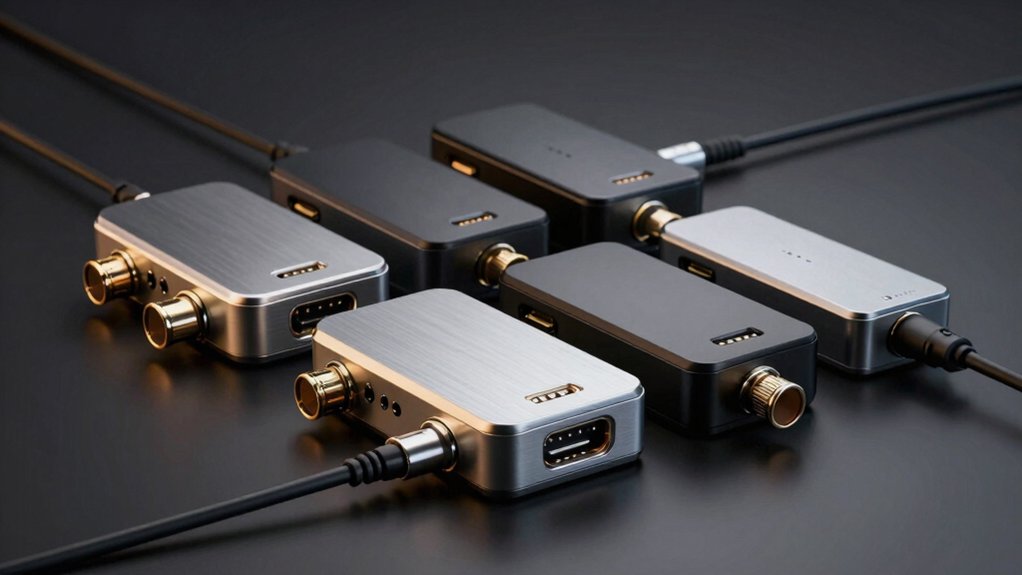

You need a reliable coax to HDMI converter when you’re connecting older equipment like security cameras, DVRs, or gaming consoles to modern displays. These converters handle the signal conversion from coaxial cables to HDMI, but not all perform equally. We’ve tested six models that consistently deliver stable video output with proper aspect ratio handling and audio support. Each option serves different setups—here’s what separates the ones that work from the rest.
| Coax BNC to HDMI Converter for Security Cameras |

| Best for Security Cameras | Conversion Direction: CVBS BNC to HDMI | Maximum Output Resolution: 1080P@50–60Hz | Video Format Support: PAL/NTSC (automatic detection) | VIEW LATEST PRICE | Read Our Analysis |
| HDMI to RF Modulator Converter for TV (HDM61) |

| Best Reverse Converter | Conversion Direction: HDMI to RF Coax | Maximum Output Resolution: 1080P | Video Format Support: NTSC only | VIEW LATEST PRICE | Read Our Analysis |
| Coax BNC to HDMI Video Converter for CCTV |

| Budget-Friendly Pick | Conversion Direction: CVBS BNC to HDMI | Maximum Output Resolution: 720P/1080P | Video Format Support: NTSC/PAL | VIEW LATEST PRICE | Read Our Analysis |
| BNC to HDMI Converter for DVR Surveillance Camera |

| Editor’s Choice | Conversion Direction: CVBS BNC to HDMI | Maximum Output Resolution: 1080P@50/60Hz | Video Format Support: PAL/NTSC (automatic detection) | VIEW LATEST PRICE | Read Our Analysis |
| HDM61 HDMI to Coax Adapter RF Converter |
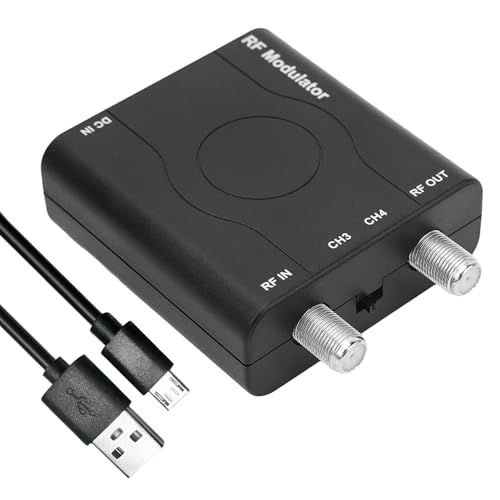
| Best RF Modulator | Conversion Direction: HDMI to RF Coax | Maximum Output Resolution: 1080P | Video Format Support: NTSC | VIEW LATEST PRICE | Read Our Analysis |
| HDMI RF Modulator Coax Converter for Gaming Consoles |

| Best for Gaming | Conversion Direction: HDMI to RF Coax | Maximum Output Resolution: 480P (approximate via RF) | Video Format Support: PAL-BG, PAL-DK, PAL-L, NTSC-M | VIEW LATEST PRICE | Read Our Analysis |
More Details on Our Top Picks
Coax BNC to HDMI Converter for Security Cameras
If you’re converting old security camera systems or DVRs to modern HDMI displays, the Meekwds Coax to HDMI Adapter handles the job reliably by converting CVBS BNC analog video signals directly to HDMI output. Connect the BNC cable first, then plug in the USB power cable, and finally attach your HDMI cable to your TV or monitor. The unit automatically detects PAL or NTSC signals, so you don’t need manual configuration. You can switch between 720P and 1080P resolutions at 50–60Hz and toggle between 4:3 and 16:9 aspect ratios based on your display’s needs. An auxiliary 3.5mm audio input lets you add sound alongside video. The adapter works with analog security cameras and DVRs but isn’t compatible with digital formats like AHD, TVI, or CVI systems.
- Conversion Direction:CVBS BNC to HDMI
- Maximum Output Resolution:1080P@50–60Hz
- Video Format Support:PAL/NTSC (automatic detection)
- Power Requirements:USB power cable included
- Audio Support:3.5mm auxiliary audio input
- Primary Use Case:Security camera/DVR to HDTV
- Additional Feature:Automatic PAL/NTSC detection
- Additional Feature:Flexible 4:3 and 16:9 aspect ratio
- Additional Feature:720P/1080P manual switch
HDMI to RF Modulator Converter for TV (HDM61)
The HDM61 HDMI to RF Modulator works best for anyone who needs to connect modern devices—like game consoles, streaming boxes, or laptops—to older televisions that only have coaxial RF inputs. You’ll plug your HDMI cable into the converter, then connect the RF output to your TV’s coax port. The device supports resolutions up to 1080P and outputs NTSC format on channels 3 or 4. It requires only a 5V power connection and needs no driver installation. The durable ABS housing makes it portable, and its professional-grade design ensures stable performance across various devices including DVD players and security systems.
- Conversion Direction:HDMI to RF Coax
- Maximum Output Resolution:1080P
- Video Format Support:NTSC only
- Power Requirements:DC 5V, 500mA (power cable included)
- Audio Support:HDMI audio (embedded)
- Primary Use Case:Home TV/game console to RF
- Additional Feature:Dual VHF channel output (CH3/CH4)
- Additional Feature:1080P PLL control technology
- Additional Feature:Plug and play, no drivers
Coax BNC to HDMI Video Converter for CCTV
You’ve got security cameras connected to a DVR system that only outputs through coax BNC connectors, but your monitor or TV accepts HDMI—and that’s where this converter solves your problem. This adapter converts analog CVBS signals from 480I NTSC or 576I PAL formats into 720P or 1080P HDMI output. Before purchasing, verify your camera supports CVBS output; it won’t work with HD-CVI, HD-TVI, or AHD cameras. Connect the power cable and BNC input first, then plug in the HDMI cable to your display. Switch your TV to HDMI input mode. You’ll need to supply your own power adapter, BNC cables, and HDMI cables separately.
- Conversion Direction:CVBS BNC to HDMI
- Maximum Output Resolution:720P/1080P
- Video Format Support:NTSC/PAL
- Power Requirements:USB power cable included
- Audio Support:Not specified
- Primary Use Case:CCTV/surveillance DVR to display
- Additional Feature:Metal construction housing
- Additional Feature:Single channel operation
- Additional Feature:480I to 720P/1080P upscaling
BNC to HDMI Converter for DVR Surveillance Camera
Want to connect an older DVR or CVBS surveillance camera directly to a modern monitor or projector? This BNC to HDMI converter handles that job. You’ll connect your coaxial cable from the camera or DVR to the female BNC input, then run an HDMI cable to your display. The adapter automatically detects PAL or NTSC signals and outputs up to 1080P video. It includes a 3.5mm audio port for adding sound. Important: this converter only works with CVBS cameras, not AHD, TVI, CVI, or SDI systems. The device requires no external power and operates continuously without overheating.
- Conversion Direction:CVBS BNC to HDMI
- Maximum Output Resolution:1080P@50/60Hz
- Video Format Support:PAL/NTSC (automatic detection)
- Power Requirements:No external power required
- Audio Support:3.5mm audio port
- Primary Use Case:DVR/surveillance to projector/monitor
- Additional Feature:3D motion/color optimization
- Additional Feature:Digital noise reduction technology
- Additional Feature:24-hour uninterrupted operation capable
HDM61 HDMI to Coax Adapter RF Converter
If you’re connecting modern HDMI devices to older televisions that only accept RF coax input, the HDM61 HDMI to Coax Adapter RF Converter works by converting your digital HDMI signal into an analog RF signal that transmits through standard coaxial cable to your TV’s antenna port. The device outputs NTSC format on channels CH3 or CH4, compatible with legacy analog televisions. Simply plug your HDMI source into the adapter, connect the coax cable to your TV’s antenna input using F-type connectors, and select the appropriate channel on your television. The HDM61 supports input resolutions from 480P to 1080P and requires no driver installation, making it ideal for schools, hotels, and institutional settings integrating modern equipment with existing RF-only systems.
- Conversion Direction:HDMI to RF Coax
- Maximum Output Resolution:1080P
- Video Format Support:NTSC
- Power Requirements:Power cable included
- Audio Support:Not specified
- Primary Use Case:Game console/modern device to legacy RF TV
- Additional Feature:ABS housing, durable construction
- Additional Feature:HDMI 1.4 and HDCP 1.4
- Additional Feature:75-85 dBuV output level
HDMI RF Modulator Coax Converter for Gaming Consoles
The AoeSpy TV03G HDMI RF Modulator works best for anyone who’s trying to connect modern gaming consoles—like PlayStation 5, Xbox One, or Nintendo Switch—to an older television that only has a coaxial input and no HDMI port. This device converts your HDMI signal into RF coaxial output on channel 3, allowing you to transmit video across long distances to multiple televisions simultaneously. Before purchasing, verify your TV supports one of these formats: PAL-BG, PAL-DK, PAL-L, or NTSC-M, as incompatible TVs won’t display any image. The remote control lets you adjust brightness, contrast, and amplitude for optimal picture quality. Note that RF transmission produces approximately 480p resolution, which is lower than modern HDMI standards. This converter works one direction only—HDMI to coax—and cannot reverse the signal back to HDMI.
- Conversion Direction:HDMI to RF Coax
- Maximum Output Resolution:480P (approximate via RF)
- Video Format Support:PAL-BG, PAL-DK, PAL-L, NTSC-M
- Power Requirements:Built-in power supply
- Audio Support:HDMI audio (embedded)
- Primary Use Case:Gaming consoles/streaming to older TV
- Additional Feature:Built-in remote control adjustment
- Additional Feature:Multi-format support (PAL/NTSC variants)
- Additional Feature:Long-distance RF transmission capability
Factors to Consider When Choosing a Coax to HDMI Converter
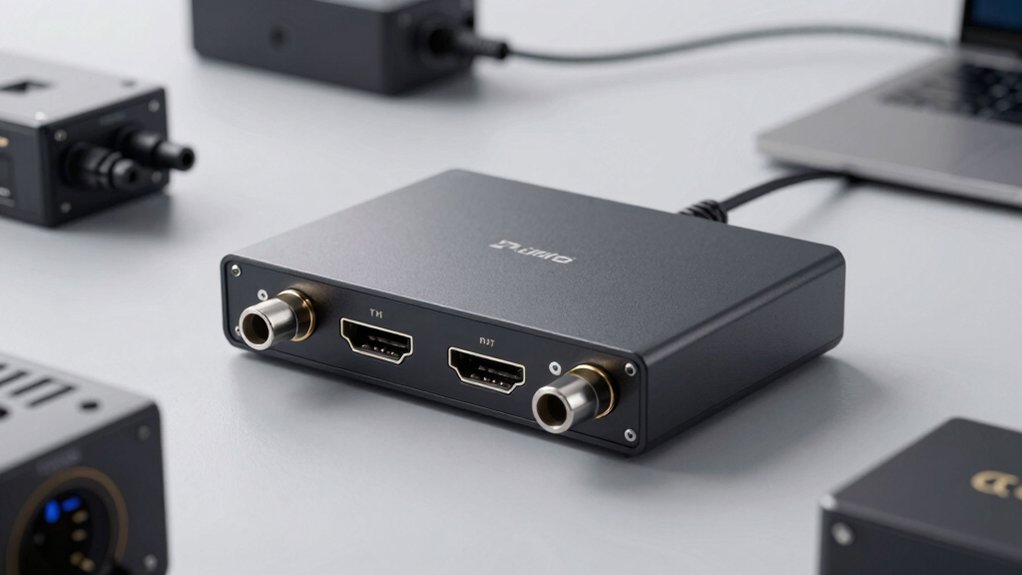
When you’re selecting a coax to HDMI converter, you’ll need to evaluate five key factors: input signal type compatibility (ensuring the converter accepts your cable box, antenna, or satellite signal), resolution and output quality (checking whether it supports 1080p or 4K based on your display), power requirements and setup (determining if it needs external power or USB connection), device connection options (verifying it has the ports you need for your TV and other equipment), and build quality and durability (assessing whether the materials and construction will last through regular use). Start by identifying what signal source you’re converting from, then match that source to a converter that handles that specific input type. Finally, confirm the converter’s output resolution matches your TV’s capabilities and review its port availability to ensure it connects properly to your existing devices.
Input Signal Type Compatibility
How’s your video source actually connected—is it sending a composite signal, RF feed, or something else entirely? Coax to HDMI converters accept CVBS (composite) BNC input specifically, not standard coax RF or antenna feeds. Before you buy, confirm your source outputs composite video through a BNC connector. If you’re using multi-mode cameras—HD-CVI, TVI, or AHD types—switch them to CVBS mode first for compatibility. The converter won’t recognize digital signals or RF feeds. Check whether your setup requires audio embedding; some converters include 3.5mm audio inputs for this. Once you verify composite output and set your camera mode correctly, the converter detects PAL or NTSC automatically and outputs at 720P or 1080P resolution.
Resolution and Output Quality
Once you’ve confirmed your composite video source and camera settings match the converter’s requirements, you’ll need to evaluate what resolution and output quality the converter can actually deliver. Most coax to HDMI converters support 720P and 1080P output with automatic PAL/NTSC detection. Check the unit’s specifications for maximum output resolution—typically listed as 1080P@50/60Hz or 720P@50/60Hz. You can switch between 4:3 and 16:9 aspect ratios to match your display and improve perceived quality. Keep in mind that analog CVBS input limits overall resolution since the source itself isn’t HD-capable. Direct HDMI connections deliver sharper output than RF coax transmission. Compare your converter’s quality against your display’s native resolution to ensure the best possible image clarity.
Power Requirements and Setup
Your coax-to-HDMI converter needs proper power and connection sequencing to function correctly. Most models require 5V DC power, drawing between 500mA and 1.5A depending on the unit. You’ll find two power options: USB power cables or separate external adapters. Check your converter’s specifications to determine which applies to your model.
Follow this connection sequence: first, plug in the power supply. Next, connect your BNC cables to the coax inputs. Then attach any auxiliary 3.5mm audio cables if your unit includes audio inputs. Finally, connect the HDMI output to your display. This order prevents signal issues and ensures stable operation. Skipping steps or reversing this sequence can cause connection failures or poor video quality.
Device Connection Options
What inputs and outputs does your setup require? Most coax to HDMI converters accept a CVBS BNC connector for video input and may include a 3.5mm auxiliary jack for audio. You’ll connect your analog camera or DVR’s coaxial cable to the BNC port first. Next, attach your audio source if needed. Then plug in the HDMI output cable leading to your display or monitor. Finally, connect the USB power cable and adapter. Some models demand a specific connection sequence—power and BNC connections before HDMI—to function properly. Verify your device supports only CVBS sources, as many converters don’t work with HD-CVI, TVI, AHD, or antenna signals. Check your equipment’s compatibility before purchasing to ensure seamless integration with your existing system.
Build Quality and Durability
Durability in a coax to HDMI converter hinges on three core construction elements: the housing material, port construction, and internal components. First, inspect the exterior casing for metal or sturdy materials that resist heat and wear during continuous operation. Second, examine port interfaces—verify the BNC input, HDMI output, and audio connections are secure and properly seated to prevent loose connections that degrade signal quality. Third, confirm the device specifies an operating temperature range and advertises low heat generation for 24-hour use. Finally, review included accessories and packaging. Adequate cables and proper packaging prevent forced strain on connectors during installation. Check product specifications for robust internal chips and connectors designed to reduce CVBS signal noise failures. These steps ensure your converter withstands extended daily use.
Automatic Format Detection Features
When you’re selecting a coax to HDMI converter, automatic format detection can save you from manual configuration headaches. Most converters automatically identify PAL and NTSC standards from your BNC coax source, then output matching resolutions like 720P or 1080P. However, you’ll need to verify your converter supports CVBS signals, since not all models handle HD-CVI, TVI, AHD, or SDI formats. For reliable detection, follow the correct connection sequence: power first, then BNC input, and finally HDMI output. If your converter has multi-mode options, switch to CVBS mode before connecting to ensure proper automatic detection. Check your specific model’s documentation to confirm supported output resolutions and input format compatibility.
Final Thoughts
You’ll find the right converter by matching your specific needs: choose CVBS-to-HDMI units for security cameras, HDMI-to-RF modulators for TV broadcast, or BNC adapters for DVR systems. Check your source’s output type and desired resolution before purchasing. Verify automatic PAL/NTSC detection capability. Connect your coax cable to the converter’s input, attach HDMI to your display, power on, and adjust aspect ratio settings as needed. Test the connection immediately after setup.

Meet Ry, “TechGuru,” a 36-year-old technology enthusiast with a deep passion for tech innovations. With extensive experience, he specializes in gaming hardware and software, and has expertise in gadgets, custom PCs, and audio.
Besides writing about tech and reviewing new products, he enjoys traveling, hiking, and photography. Committed to keeping up with the latest industry trends, he aims to guide readers in making informed tech decisions.