
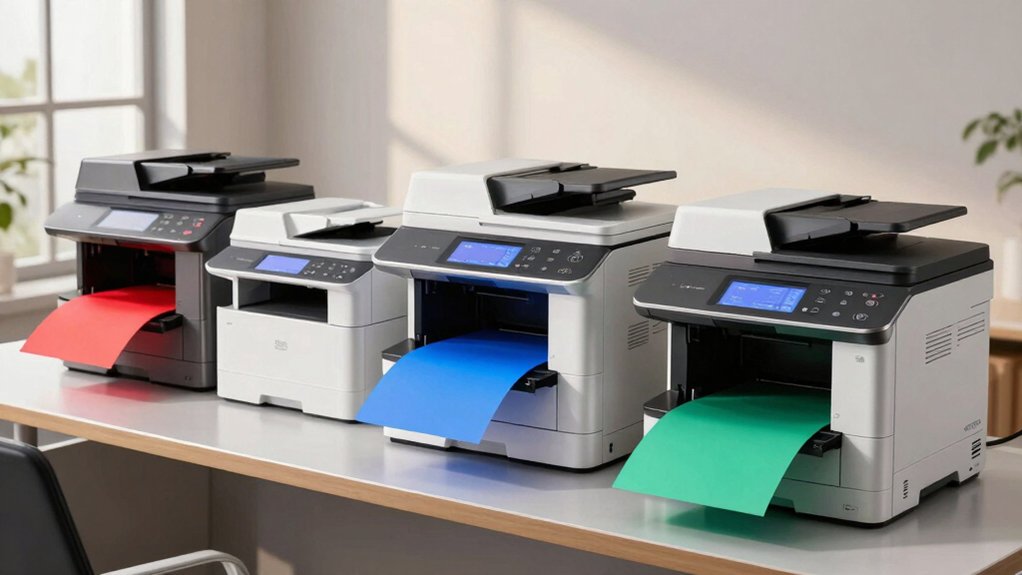

You need a multifunction printer that handles your office’s daily scanning, copying, and printing demands without slowing you down. The right color laser MFP combines speed, reliability, and connectivity to streamline your workflows. But choosing between models like HP’s lineup, Brother’s options, and Xerox’s offerings requires you to evaluate specific features that match your volume and budget. Here’s what separates the best performers.
| HP Color LaserJet Pro MFP 3301sdw All-in-One Printer |

| Best for Small Teams | Print Speed: Up to 26 ppm (color/black) | All-in-One Functions: Print, scan, copy | Wireless Connectivity: Wi-Fi and Ethernet | VIEW LATEST PRICE | Read Our Analysis |
| Brother MFC-L3720CDW Wireless Color Laser Printer |

| Smart Integration Leader | Print Speed: Up to 19 ppm | All-in-One Functions: Print, scan, copy | Wireless Connectivity: Dual-band wireless (2.4/5 GHz) and Wi-Fi Direct | VIEW LATEST PRICE | Read Our Analysis |
| HP Color LaserJet Pro MFP 4301fdw All-in-One Printer |
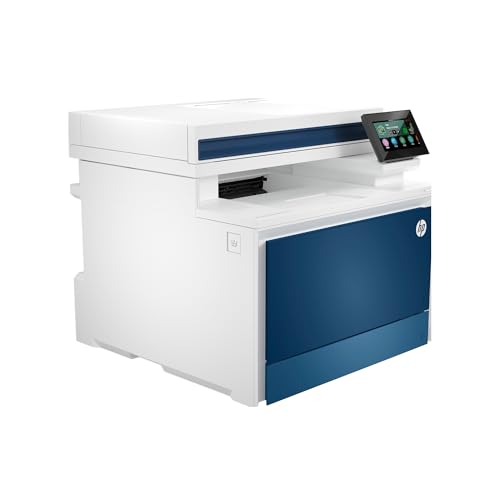
| Best Overall | Print Speed: Up to 35 ppm (color/black) | All-in-One Functions: Print, scan, copy, fax | Wireless Connectivity: Intelligent Wi-Fi and Ethernet | VIEW LATEST PRICE | Read Our Analysis |
| HP Color LaserJet Pro MFP 3301cdw Wireless Printer |

| Budget-Friendly Pick | Print Speed: Up to 26-30 ppm (color/black) | All-in-One Functions: Print, scan, copy, fax | Wireless Connectivity: Dual-band wireless | VIEW LATEST PRICE | Read Our Analysis |
| Xerox C235dni Wireless Color Laser Multifunction Printer |

| Compact & Quiet | Print Speed: Up to 24 ppm (color/black) | All-in-One Functions: Print, copy, scan, fax, email | Wireless Connectivity: Built-in Wi-Fi | VIEW LATEST PRICE | Read Our Analysis |
More Details on Our Top Picks
HP Color LaserJet Pro MFP 3301sdw All-in-One Printer
Why choose the HP Color LaserJet Pro MFP 3301sdw if you’re managing a small office team that needs professional color documents without breaking your budget? You’ll get print speeds up to 26 pages per minute for both color and black documents. The auto-duplex feature reduces paper use by printing on both sides automatically. Use the 250-sheet input tray to load your media once and print continuously. Connect via Wi-Fi or Ethernet to share the printer across your team’s devices. The built-in scanner and copier handle your document workflows in one machine, eliminating separate equipment purchases.
- Print Speed:Up to 26 ppm (color/black)
- All-in-One Functions:Print, scan, copy
- Wireless Connectivity:Wi-Fi and Ethernet
- Auto Duplex Printing:Yes, automatic two-sided printing
- Paper Tray Capacity:250-sheet input tray
- Security Features:HP Wolf Pro security with firmware updates
- Additional Feature:TerraJet toner technology
- Additional Feature:HP Wolf Pro security
- Additional Feature:600 x 600 dpi resolution
Brother MFC-L3720CDW Wireless Color Laser Printer
The Brother MFC-L3720CDW delivers the speed and connectivity you’ll need if you’re managing multiple printing demands across your office. Print up to 19 pages per minute with professional laser quality for business documents. Use dual-band wireless or Wi-Fi Direct to connect multiple devices simultaneously. The 50-sheet automatic document feeder and 250-sheet paper tray keep your workflow uninterrupted. Enable automatic duplex printing to reduce paper usage. Access the 3.5-inch touchscreen to customize 48 shortcuts for frequent tasks. Monitor toner levels and manage printing remotely through the companion app. Connect directly to Google Drive, Dropbox, or OneNote for streamlined document handling.
- Print Speed:Up to 19 ppm
- All-in-One Functions:Print, scan, copy
- Wireless Connectivity:Dual-band wireless (2.4/5 GHz) and Wi-Fi Direct
- Auto Duplex Printing:Yes, automatic duplex printing
- Paper Tray Capacity:250-sheet adjustable paper tray
- Security Features:Not specified
- Additional Feature:3.5 color touchscreen display
- Additional Feature:Cloud services integration (Google/Dropbox)
- Additional Feature:50-sheet auto document feeder
HP Color LaserJet Pro MFP 4301fdw All-in-One Printer
If you’re managing a small office team of up to 10 people and need one device to handle printing, scanning, copying, and faxing, the HP Color LaserJet Pro MFP 4301fdw delivers all four functions in a single machine. You’ll get color and black-and-white printing at 35 ppm, dual-sided auto duplex printing, and an automatic document feeder for efficient scanning and copying. Connect via Wi-Fi, Ethernet, USB, or Bluetooth to print from PCs, laptops, smartphones, and tablets across Microsoft, Mac, Android, and Chromebook ecosystems. The printer supports up to 300 sheets across two trays and handles envelopes, glossy photo paper, and plain paper up to 8.5 x 14 inches. HP Wolf Pro Security protects your data, and the one-year limited warranty covers defects.
- Print Speed:Up to 35 ppm (color/black)
- All-in-One Functions:Print, scan, copy, fax
- Wireless Connectivity:Intelligent Wi-Fi and Ethernet
- Auto Duplex Printing:Yes, auto duplex printing
- Paper Tray Capacity:300-sheet maximum capacity
- Security Features:HP Wolf Pro Security with customizable settings
- Additional Feature:Built-in Bluetooth connectivity
- Additional Feature:Fax capability included
- Additional Feature:35 ppm print speed
HP Color LaserJet Pro MFP 3301cdw Wireless Printer
Looking to equip your small office team with a reliable all-in-one printer that handles printing, scanning, copying, and faxing without slowing you down? The HP Color LaserJet Pro MFP 3301cdw delivers 26-30 pages per minute in both color and black-and-white. This wireless printer connects via dual-band connectivity and USB, letting you print directly from your smartphone using the HP APP. The 250-sheet input tray and auto document feeder streamline daily workflows. Built-in security features protect sensitive documents. Cartridge recycling at Staples reduces waste. The 90-day limited warranty covers basic protection for small teams seeking dependable, cost-effective color printing solutions.
- Print Speed:Up to 26-30 ppm (color/black)
- All-in-One Functions:Print, scan, copy, fax
- Wireless Connectivity:Dual-band wireless
- Auto Duplex Printing:Yes, auto duplex printing
- Paper Tray Capacity:250-sheet input tray
- Security Features:HP Wolf Pro Security with customizable tools
- Additional Feature:1200 x 1200 dpi resolution
- Additional Feature:Energy Star/EPEAT certified
- Additional Feature:Cartridge recycling program
Xerox C235dni Wireless Color Laser Multifunction Printer
Need a compact all-in-one printer that won’t demand IT support to get running? The Xerox C235dni delivers print, copy, scan, fax, and email capabilities at 24 ppm for both color and black & white. You’ll appreciate its 250-sheet paper capacity and automatic two-sided printing, which handle your daily workflows efficiently. The built-in Wi-Fi connects seamlessly to Apple AirPrint, Mopria, and Chromebook devices. Setup takes minutes through the Xerox Easy Assist App on your mobile device—no IT expertise required. Advanced security protects your data and documents from cyber threats. The intuitive Xerox Print and Scan Experience App auto-straightens images and crops receipts automatically, streamlining your tasks.
- Print Speed:Up to 24 ppm (color/black)
- All-in-One Functions:Print, copy, scan, fax, email
- Wireless Connectivity:Built-in Wi-Fi
- Auto Duplex Printing:Yes, automatic two-sided printing
- Paper Tray Capacity:250-sheet capacity
- Security Features:Advanced security features for data and device protection
- Additional Feature:Xerox Print Scan Experience
- Additional Feature:Compact, quiet design
- Additional Feature:1,500 pages monthly volume
Factors to Consider When Choosing a Color Laser MFP for Office
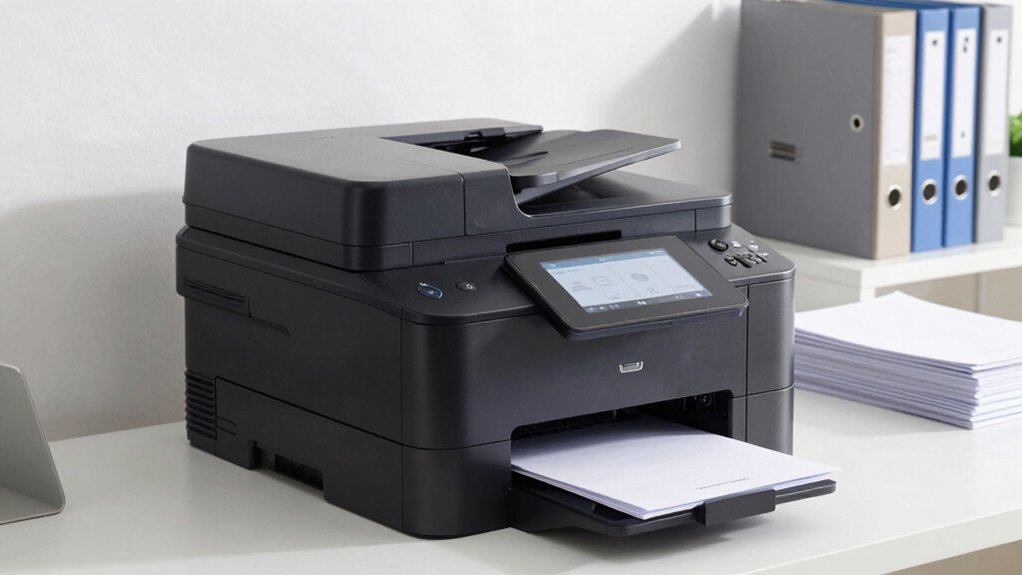
When you’re selecting a color laser MFP for your office, you’ll need to evaluate five key factors that directly affect performance and costs: print speed requirements that match your daily volume, connectivity options and mobile access for remote workers, built-in security and data protection features to safeguard sensitive documents, paper handling capacity to reduce refilling interruptions, and total cost of ownership including supplies and maintenance over several years. Each factor plays a specific role in determining whether a machine will actually improve your workflow or create bottlenecks that slow productivity. Understanding how these elements work together helps you choose an MFP that fits your office’s actual needs rather than paying for unnecessary features.
Print Speed Requirements
How much printing does your office actually do each month? Start by calculating your monthly volume to determine the speed you need. For busy offices, choose models with sustained color speeds of 30 ppm or higher to maintain consistent output. Standard ranges fall between 19 to 35 ppm for both color and black-and-white printing.
Compare devices carefully, as some differentiate between color and black speeds while others offer equal rates for both. Duplex printing further reduces total time on multi-page documents. Understand that real-world speeds vary based on document complexity, media type, and your printer settings. Select equipment that matches your actual workload requirements, ensuring your office maintains productivity without unnecessary expense on excess speed capacity.
Connectivity and Mobile Access
Your office’s printing setup must support multiple ways to connect devices and access documents remotely. Start by confirming dual-band Wi-Fi (2.4/5 GHz) and wired Ethernet availability for reliable connectivity across all devices. Next, verify mobile printing capabilities through AirPrint for Apple devices or Mopria for Android phones and tablets. Check for USB connectivity and Wi-Fi Direct features to enable direct printing without network access. Then evaluate cloud integration with Google Drive, Dropbox, or OneNote so you can store and retrieve scanned files from mobile devices seamlessly. Finally, confirm remote management tools let you monitor toner levels and manage printer settings through a mobile app, simplifying daily administration and reducing downtime across your office.
Security and Data Protection
What security features should you prioritize in a color laser MFP? Look for models with built-in security suites like HP Wolf Pro Security that offer customizable protection settings. Verify that the device uses original chips and circuitry to prevent tampering with security features. Check whether the MFP supports regular firmware updates, which address emerging threats and maintain protection over time. Select a model with dual-band wireless or self-resetting capabilities to strengthen network authentication and prevent unauthorized access. Confirm the device includes document protection, secure printing shortcuts, and access controls that restrict who can print or scan sensitive materials. These features work together to safeguard your office data and ensure only authorized personnel handle confidential information.
Paper Handling Capacity
Once you’ve secured your office data with proper protection features, you’ll want to ensure your color laser MFP can handle your daily printing and copying demands without constant paper reloading. Start by checking the input tray capacity—most standard office models offer 250-sheet trays, while higher-end options provide larger capacities. Next, evaluate your Auto Document Feeder (ADF) capacity, which typically ranges from 50 to 100+ sheets and directly impacts multi-page scanning speed. Calculate your total maximum paper capacity across all available trays to determine reload frequency during high-volume tasks. Consider whether duplex printing capability suits your needs, as two-sided printing reduces paper consumption. Finally, verify the maximum media size supported—usually up to 8.5 x 14 inches—to confirm the device handles your document range.
Total Cost of Ownership
Calculating the total cost of ownership requires you to add the device’s purchase price to all expenses you’ll incur over its operational life, including toner cartridges, maintenance, and security updates. Compare cost-per-page rates across models, as higher-yield cartridges reduce printing expenses over time despite upfront costs. Evaluate energy efficiency ratings like Energy Star to lower electricity consumption during daily use. Consider duplex printing and automatic document feeders, which decrease paper waste and labor hours considerably. Review warranty length and parts availability—longer warranties minimize unexpected service costs and downtime risks. Factor in firmware updates for security compliance. By examining these elements systematically, you’ll identify which color laser MFP delivers the lowest long-term expenses for your office’s specific printing volume and needs.
Final Thoughts
You’ll choose the right color laser MFP by comparing your office’s monthly page volume, required features like automatic document feeders, and total cost of ownership. Review each model’s speed, connectivity options, and security capabilities. Match the printer’s specifications to your specific workflow needs—scanning, copying, or faxing. Check energy ratings and warranty coverage. Test models if possible before purchasing. Your selection directly impacts daily productivity and operating costs.

Meet Ry, “TechGuru,” a 36-year-old technology enthusiast with a deep passion for tech innovations. With extensive experience, he specializes in gaming hardware and software, and has expertise in gadgets, custom PCs, and audio.
Besides writing about tech and reviewing new products, he enjoys traveling, hiking, and photography. Committed to keeping up with the latest industry trends, he aims to guide readers in making informed tech decisions.