
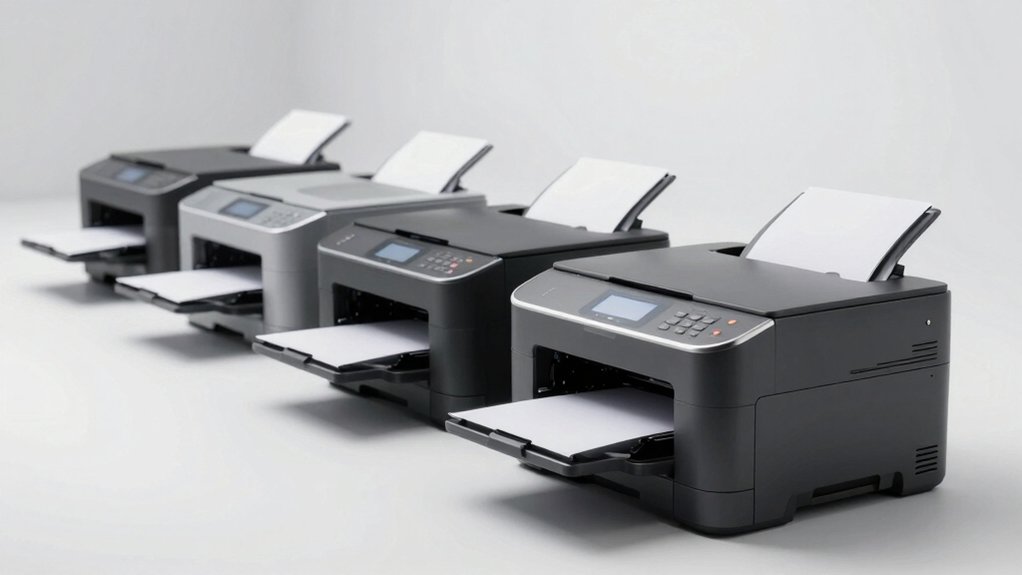

If you’re looking to upgrade your office setup, you’ll want a printer that handles high volume without draining your budget. Monochrome laser printers deliver fast output—typically 30 to 50 pages per minute—alongside low per-page costs and reliable paper handling. Brother and HP dominate this category with models offering wireless connectivity, automatic duplexing, and flexible configurations. But which one actually fits your workflow?
| Brother DCP-L2640DW Wireless Monochrome Laser Printer |

| Best Compact All-in-One | Print Speed: 36 ppm | Device Type: 3-in-1 (printer, scanner, copier) | Wireless Connectivity: Dual-band wireless (2.4GHz/5GHz) | VIEW LATEST PRICE | Read Our Analysis |
| Brother Professional Laser Printer HL-6210DW High-Speed 50ppm |

| Professional High-Speed | Print Speed: 50 ppm | Device Type: Printer only | Wireless Connectivity: Dual-band Wi-Fi | VIEW LATEST PRICE | Read Our Analysis |
| Brother HL-L2405W Wireless Monochrome Laser Printer |

| Best For Home Offices | Print Speed: 30 ppm | Device Type: Printer only | Wireless Connectivity: Dual-band wireless (2.4GHz/5GHz) | VIEW LATEST PRICE | Read Our Analysis |
| Brother MFC-L2820DW Wireless Monochrome All-in-One Laser Printer |

| Best Mid-Range All-in-One | Print Speed: 34–36 ppm | Device Type: 4-in-1 (printer, scanner, copier, fax) | Wireless Connectivity: Dual-band wireless (2.4GHz/5GHz) | VIEW LATEST PRICE | Read Our Analysis |
| Brother Professional Laser Printer All-in-One (MFC-L5915DW) |

| Best For High-Volume Scanning | Print Speed: 50 ppm | Device Type: 3-in-1 (printer, scanner, copier) | Wireless Connectivity: Dual-band wireless | VIEW LATEST PRICE | Read Our Analysis |
| HP LaserJet M110w Wireless Black & White Printer |

| Most Compact & Affordable | Print Speed: 21 ppm | Device Type: Printer only | Wireless Connectivity: Wireless with self-reset | VIEW LATEST PRICE | Read Our Analysis |
| Brother HL-L5210DW Monochrome Laser Printer with Wireless Networking |

| Best Business Workhorse | Print Speed: 48 ppm | Device Type: Printer only | Wireless Connectivity: Dual-band wireless | VIEW LATEST PRICE | Read Our Analysis |
| HP LaserJet M209dw Wireless Printer |

| Best Two-Sided Printing | Print Speed: 30 ppm | Device Type: Printer only | Wireless Connectivity: Dual-band Wi-Fi with self-reset | VIEW LATEST PRICE | Read Our Analysis |
More Details on Our Top Picks
Brother DCP-L2640DW Wireless Monochrome Laser Printer
Looking for a compact all-in-one printer that won’t dominate your office desk? The Brother DCP-L2640DW combines printing, scanning, and copying in one device. You’ll get print speeds up to 36 ppm and a 50-page auto document feeder for efficient batch processing. The 250-sheet paper tray reduces frequent refilling. Connect via dual-band wireless, Ethernet, or USB 2.0. Use the Brother Mobile Connect app to print and scan from your smartphone. The automatic duplex feature cuts paper usage in half. ENERGY STAR certification and Toner Save Mode lower operating costs. This 3-in-1 delivers practical functionality for small offices needing reliable monochrome output without taking up significant workspace.
- Print Speed:36 ppm
- Device Type:3-in-1 (printer, scanner, copier)
- Wireless Connectivity:Dual-band wireless (2.4GHz/5GHz)
- Automatic Duplex Printing:Yes
- Paper Tray Capacity:250 sheets
- Warranty & Support:1-year limited; online, call, live chat support
- Additional Feature:50-page auto document feeder
- Additional Feature:Scan speed up to 23.6 ipm
- Additional Feature:Alexa compatible printing
Brother Professional Laser Printer HL-6210DW High-Speed 50ppm
Need a printer that can handle high-volume document production without slowing down your workflow? The Brother HL-L6210DW delivers 50 pages per minute, cutting print time considerably for busy offices. You’ll appreciate the 520-sheet main tray capacity, which reduces frequent paper refills. Automatic duplex printing saves paper costs by default. Connect via Gigabit Ethernet or Wi-Fi to print from laptops, smartphones, and tablets. The ultra high-yield toner cartridge produces up to 18,000 pages, lowering your per-page printing costs. ENERGY STAR certification and Eco Mode features reduce power consumption. You get 1200 x 1200 dpi resolution for crisp, professional documents. This printer handles envelopes, labels, and custom media sizes up to legal dimensions, making it versatile for various office tasks.
- Print Speed:50 ppm
- Device Type:Printer only
- Wireless Connectivity:Dual-band Wi-Fi
- Automatic Duplex Printing:Yes
- Paper Tray Capacity:520 sheets (expandable to 1,660 with optional trays)
- Warranty & Support:1-year limited; online, live chat, phone support for life of product
- Additional Feature:Up to 18,000-page toner yield
- Additional Feature:Expandable to 1,660-sheet capacity
- Additional Feature:Triple Layer Security protection
Brother HL-L2405W Wireless Monochrome Laser Printer
If you’re setting up a home office or small workspace where you need straightforward, dependable printing without unnecessary features, the Brother HL-L2405W delivers exactly what you’re after. This compact printer handles 30 pages per minute with 1200 x 1200 dpi resolution. Connect via dual-band wireless or USB. The 250-sheet paper tray accommodates standard documents, while the manual feed slot accepts envelopes and specialty paper. Use the Brother Mobile Connect app to print remotely and track toner levels. Choose between standard TN830 or high-yield TN830XL cartridges. The optional Refresh EZ Print subscription automatically replenishes toner when supplies run low, streamlining your workflow.
- Print Speed:30 ppm
- Device Type:Printer only
- Wireless Connectivity:Dual-band wireless (2.4GHz/5GHz)
- Automatic Duplex Printing:Yes
- Paper Tray Capacity:250 sheets
- Warranty & Support:1-year limited; online, phone, live chat support for life of printer
- Additional Feature:Compact 7.2″ height design
- Additional Feature:Manual feed slot included
- Additional Feature:Refresh EZ Print Subscription
Brother MFC-L2820DW Wireless Monochrome All-in-One Laser Printer
The Brother MFC-L2820DW is built for small offices and individual workstations where space and budget matter equally. This 4-in-1 device prints, copies, scans, and faxes at 34–36 ppm, handling multi-page jobs with its 50-page auto feeder. You’ll appreciate the 250-sheet tray and automatic duplex printing, which reduces paper waste. Connect via dual-band wireless, Ethernet, or USB. The 2.7″ touchscreen lets you navigate easily, while the Brother Mobile Connect app enables remote printing and toner tracking. Standard TN830 toner or high-yield TN830XL options keep costs manageable, especially with the optional Refresh EZ Print Subscription offering savings.
- Print Speed:34–36 ppm
- Device Type:4-in-1 (printer, scanner, copier, fax)
- Wireless Connectivity:Dual-band wireless (2.4GHz/5GHz)
- Automatic Duplex Printing:Yes
- Paper Tray Capacity:250 sheets
- Warranty & Support:1-year limited; online, call, live chat support for life of printer
- Additional Feature:2.7″ touchscreen display
- Additional Feature:Cloud app integration (Drive/Dropbox)
- Additional Feature:Fax capability included
Brother Professional Laser Printer All-in-One (MFC-L5915DW)
For offices handling high-volume document workflows, the Brother MFC-L5915DW delivers the combination of speed and versatility you’ll need to maintain productivity. Print and copy at up to 50 pages per minute while utilizing the 70-page auto document feeder for efficient scanning at 56 images per minute. The ultra high-yield toner cartridge holds 18,000 pages, markedly reducing your supply costs. Connect via Gigabit Ethernet or dual-band wireless networking to share the device across your office. This monochrome all-in-one handles printing, scanning, and copying tasks in one machine, streamlining your document management.
- Print Speed:50 ppm
- Device Type:3-in-1 (printer, scanner, copier)
- Wireless Connectivity:Dual-band wireless
- Automatic Duplex Printing:Yes
- Paper Tray Capacity:70-page auto document feeder
- Warranty & Support:Standard warranty coverage (details not specified)
- Additional Feature:70-page auto document feeder
- Additional Feature:56 images per minute scanning
- Additional Feature:Single-pass two-sided scanning
HP LaserJet M110w Wireless Black & White Printer
Small teams working with 1-3 people will find the HP LaserJet M110w an ideal fit for their office needs. This compact wireless printer delivers 21 pages per minute and weighs just 8.34 pounds, fitting easily into small spaces. You’ll connect via WiFi or USB 2.0 to Windows, Mac, iOS, and Android devices. Use the HP Smart app to scan documents to the cloud and print from your smartphone or tablet. The printer supports single-sided printing on various media types up to 8.5 x 14 inches. Its Energy Star certification keeps power consumption low at 2.3 watts during standby, reducing operating costs for budget-conscious teams.
- Print Speed:21 ppm
- Device Type:Printer only
- Wireless Connectivity:Wireless with self-reset
- Automatic Duplex Printing:No (single-sided only)
- Paper Tray Capacity:Single sheet/manual feed
- Warranty & Support:1-year limited hardware warranty; customer service support
- Additional Feature:World’s smallest laser printer
- Additional Feature:8.34 lb ultra-compact weight
- Additional Feature:HP Smart app cloud scanning
Brother HL-L5210DW Monochrome Laser Printer with Wireless Networking
Brother’s HL-L5210DW delivers the connectivity and speed that mid-sized offices need to handle daily printing demands without slowing workflow. This monochrome laser printer produces up to 48 pages per minute and includes dual-band wireless networking plus Gigabit Ethernet for flexible connectivity options. The 250-sheet paper tray accommodates standard letter and legal sizes, while the multipurpose tray handles envelopes and custom media. Default duplex printing automatically prints on both sides to reduce paper waste. For toner economy, you’ll appreciate the included 3,000-page cartridge and optional super high-yield cartridges yielding 11,000 pages. Mobile printing and Alexa compatibility enable printing from various devices and voice commands. Triple Layer Security protects your network and documents.
- Print Speed:48 ppm
- Device Type:Printer only
- Wireless Connectivity:Dual-band wireless
- Automatic Duplex Printing:Yes
- Paper Tray Capacity:250 sheets (expandable to 1,390 with optional trays)
- Warranty & Support:1-year limited; online, live chat, phone support for life of product
- Additional Feature:11,000-page super high-yield toner
- Additional Feature:Expandable to 1,390-sheet capacity
- Additional Feature:Alexa compatible printing
HP LaserJet M209dw Wireless Printer
The HP LaserJet M209dw works best if you’re managing a small team of 1–5 people who need reliable black-and-white document printing without frequent maintenance. This printer delivers 30 pages per minute for single-sided printing and 19 pages per minute for automatic two-sided printing. Connect via dual-band Wi-Fi, USB, or Ethernet for flexible setup options. Use the HP Smart app to print from laptops, PCs, and smartphones. The printer supports plain paper, envelopes, labels, and card stock. Its OLED display, automatic duplex feature, and Energy Star certification make it efficient for daily office work. Built-in security protects against network attacks.
- Print Speed:30 ppm
- Device Type:Printer only
- Wireless Connectivity:Dual-band Wi-Fi with self-reset
- Automatic Duplex Printing:Yes
- Paper Tray Capacity:Single tray capacity
- Warranty & Support:Manufacturer limited warranty; Amazon return policy (30 days)
- Additional Feature:Auto duplex two-sided printing
- Additional Feature:19 ppm two-sided speed
- Additional Feature:Instant Ink eligible program
Factors to Consider When Choosing a Monochrome Laser Printer for Business
When selecting a monochrome laser printer for your business, you’ll need to evaluate print speed and volume capacity to match your daily workflow, calculate the total cost of ownership including toner and maintenance expenses, and confirm that connectivity and network integration options work with your existing systems. You should also assess paper handling capabilities and finishing features like duplex printing or stapling to determine if they’ll reduce your manual processing time. Finally, verify that the printer meets your security requirements and compliance standards, such as data encryption or audit logging, to protect sensitive documents.
Print Speed and Volume Capacity
How fast do you need your printer to work? Print speed, measured in pages per minute (ppm), directly determines your output capacity. For high-volume environments, choose models offering 40–50+ ppm to prevent bottlenecks during large print runs. Next, evaluate your monthly workload against the printer’s duty cycle and recommended page volume. This match prevents performance degradation under heavy use.
Consider duplex printing capability, which automatically prints both sides. This feature effectively doubles your usable output time while reducing paper consumption. However, single-sided jobs may appear slower.
Finally, examine input tray capacity. Large trays holding 250–520 pages reduce refill frequency substantially. Optional additional trays expand total volume capacity further. Calculate your typical monthly pages, then select a printer whose speed and capacity align with your actual demands.
Total Cost of Ownership
Beyond speed and capacity, you’ll need to calculate what a printer actually costs over its lifetime, not just its price tag. Factor in toner cartridge expenses by comparing standard-yield options (3,000 pages) against ultra-high-yield alternatives (18,000 pages). Higher-yield cartridges lower per-page costs despite steeper upfront prices. Next, evaluate paper capacity and optional trays—larger trays reduce refill frequency and office downtime. Check for ENERGY STAR certification and Eco Mode features, which decrease electricity consumption and operating expenses. Finally, review warranty length and support availability, as these directly impact repair and replacement costs. By analyzing these components systematically, you’ll identify the printer that delivers genuine savings rather than hidden expenses.
Connectivity and Network Integration
Your printer’s network capabilities directly determine how seamlessly it’ll integrate into your office environment and support your team’s workflow. Verify the printer includes built-in Gigabit Ethernet and dual-band Wi-Fi (2.4 GHz/5 GHz) for both wired and wireless connectivity options. Check that it’s compatible with mobile printing apps and cloud services, enabling employees to print and scan from smartphones and tablets. Confirm support for automatic duplexing over network connections to reduce paper waste across your office. Review security features like triple-layer encryption and secure connections to protect sensitive data during networked printing. Finally, evaluate network management capabilities such as remote management, toner tracking, and IT policy compatibility to ensure scalability as your business grows.
Paper Handling and Finishing Features
When evaluating paper handling capabilities, what matters most is whether the printer can accommodate your office’s volume and document variety without constant intervention. Start by checking for a high-capacity main tray holding at least 250 pages, with options to add extra trays as your workload grows. Next, confirm the printer includes a multi-purpose tray for envelopes, labels, and specialty media. Look for automatic duplex printing to cut paper consumption in half. Verify the automatic document feeder holds 50+ pages for efficient scanning and copying. Finally, confirm maximum media support reaches 8.5 x 14 inches to handle legal-sized documents. These features directly reduce downtime and streamline your document processing workflow.
Security and Compliance Standards
Since data breaches and unauthorized access pose significant risks to business operations, you’ll want to prioritize printers equipped with robust built-in security features like encryption, secure connections, and user authentication that protect your documents during printing and transmission. Look for models offering Triple Layer Security or comparable multi-layered network protection that guards devices, networks, and documents from threats. Verify that your chosen printer supports secure print release and job-level access controls, ensuring sensitive jobs release only to authorized users. Additionally, confirm compliance with ENERGY STAR and EPEAT Silver certifications, which demonstrate environmentally responsible design aligned with corporate governance standards. Finally, ensure the printer integrates with your managed IT policies, including firmware update controls and compatibility with business mobile and cloud printing applications for secure, centralized administration.
Final Thoughts
When you’re selecting a monochrome laser printer, you’ll want to evaluate your office’s monthly print volume, required features like automatic duplexing and scanning, and connectivity needs. Compare the per-page running costs across models by checking toner yields. Prioritize machines with Gigabit Ethernet and mobile printing capabilities. You’ll balance upfront investment against long-term savings, then choose based on your specific workflow demands and budget constraints.

Meet Ry, “TechGuru,” a 36-year-old technology enthusiast with a deep passion for tech innovations. With extensive experience, he specializes in gaming hardware and software, and has expertise in gadgets, custom PCs, and audio.
Besides writing about tech and reviewing new products, he enjoys traveling, hiking, and photography. Committed to keeping up with the latest industry trends, he aims to guide readers in making informed tech decisions.