
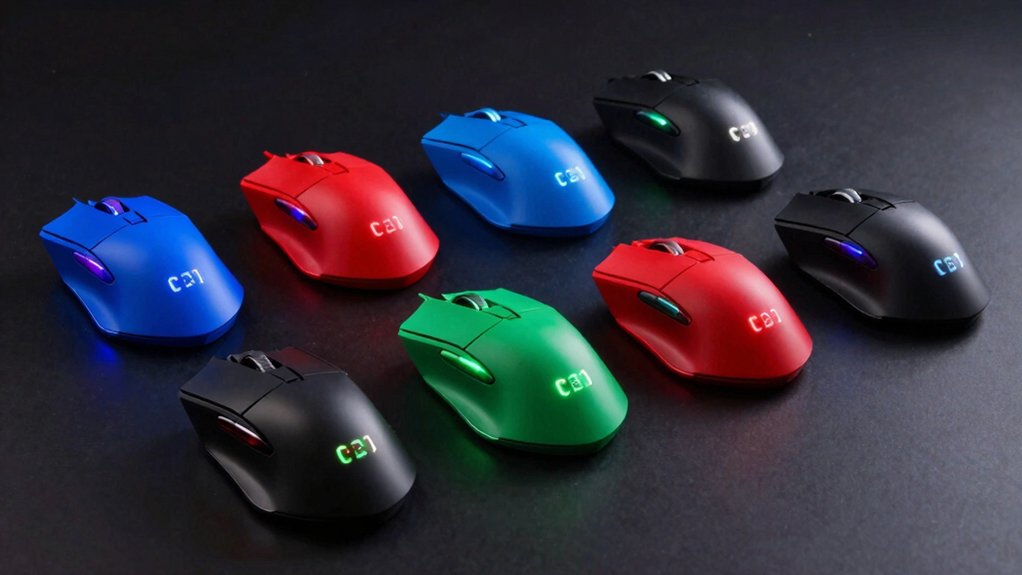

You need a gaming mouse with side buttons to execute macros, access in-game commands, and switch profiles without interrupting gameplay. The right choice depends on your grip style, DPI requirements, and whether you prefer wired or wireless connectivity. Eight standout models offer different advantages—from the Redragon M908’s 12 programmable buttons to the Razer Naga V2’s 19 customizable inputs. Understanding what each mouse delivers becomes essential when you’re selecting the one that fits your specific gaming needs.
| Redragon M908 Impact RGB MMO Gaming Mouse |

| MMO Powerhouse | Maximum DPI: 12,400 DPI | Programmable Buttons: 18 programmable buttons (12 side buttons) | Connectivity Type: Wired USB | VIEW LATEST PRICE | Read Our Analysis |
| Razer Naga V2 HyperSpeed Wireless MMO Gaming Mouse |

| Best Overall | Maximum DPI: 30,000 DPI (Focus Pro 30K sensor) | Programmable Buttons: 19 programmable buttons | Connectivity Type: Wireless (Bluetooth and 2.4 GHz HyperSpeed) | VIEW LATEST PRICE | Read Our Analysis |
| Redragon M612 Predator RGB Gaming Mouse 8000 DPI |

| Budget-Friendly Pick | Maximum DPI: 8,000 DPI | Programmable Buttons: 11 programmable buttons (2 side macro buttons) | Connectivity Type: Wired USB | VIEW LATEST PRICE | Read Our Analysis |
| Logitech G305 Lightspeed Wireless Gaming Mouse |

| Best Wireless | Maximum DPI: 12,000 DPI | Programmable Buttons: Not specified | Connectivity Type: Wireless LIGHTSPEED (2.4 GHz) | VIEW LATEST PRICE | Read Our Analysis |
| Acer Wireless Mouse 2.4GHz USB Receiver 6 Buttons |

| Everyday Essential | Maximum DPI: 1,600 DPI | Programmable Buttons: 6 buttons | Connectivity Type: Wireless 2.4 GHz | VIEW LATEST PRICE | Read Our Analysis |
| Redragon Wireless Gaming Mouse 16,000 DPI (M901P-KS) |

| Premium Performance | Maximum DPI: 16,000 DPI | Programmable Buttons: 16 programmable buttons (12 side buttons) | Connectivity Type: Wireless (rechargeable) with wired charging option | VIEW LATEST PRICE | Read Our Analysis |
| Corsair Scimitar RGB Elite Gaming Mouse (18,000 DPI) |

| Professional Grade | Maximum DPI: 18,000 DPI | Programmable Buttons: 17 programmable buttons (12 side buttons) | Connectivity Type: Wired USB | VIEW LATEST PRICE | Read Our Analysis |
| UtechSmart Venus Gaming Mouse RGB Wired 16400 DPI |

| Best Value | Maximum DPI: 16,400 DPI | Programmable Buttons: 12 side buttons (fully programmable) | Connectivity Type: Wired USB | VIEW LATEST PRICE | Read Our Analysis |
More Details on Our Top Picks
Redragon M908 Impact RGB MMO Gaming Mouse
If you’re playing MMOs or strategy games where you need quick access to multiple abilities and commands, the Redragon M908 Impact delivers the side-button setup you’re looking for. This mouse features 12 programmable side buttons designed specifically for MMO gameplay, allowing you to bind spells, abilities, and actions without interrupting your movement. The mouse also includes six default buttons and an 18-button total programmable layout through software. You can customize five separate memory profiles, each with dedicated RGB lighting colors to help you switch between setups. The 12,400 DPI optical sensor handles precision aiming, while the eight-piece weight tuning set lets you adjust comfort and control to your preference.
- Maximum DPI:12,400 DPI
- Programmable Buttons:18 programmable buttons (12 side buttons)
- Connectivity Type:Wired USB
- Battery/Power:USB powered (no battery required)
- Weight Customization:8-piece weight tuning set (2.4g each)
- Memory Profiles:5 memory profiles with dedicated light color
- Additional Feature:8-piece weight tuning set
- Additional Feature:16.8 million RGB colors
- Additional Feature:Gold-plated USB connector
Razer Naga V2 HyperSpeed Wireless MMO Gaming Mouse
The Razer Naga V2 HyperSpeed Wireless MMO Gaming Mouse stands out for MMO and MOBA players who need quick access to numerous in-game commands without reaching across the keyboard. You’ll gain access to 19 programmable buttons configured through the Razer Synapse App to assign spells, abilities, or macros. The Focus Pro 30K optical sensor tracks accurately on any surface, including glass. You can switch between Bluetooth (400-hour battery) and 2.4GHz HyperSpeed Wireless (250-hour battery) depending on your setup. The dual-mode scroll wheel offers rapid navigation or precision control. Position your wireless dongle on your desk at line of sight, roughly 30 centimeters away, avoiding USB 3.0 hubs and WiFi routers for optimal performance.
- Maximum DPI:30,000 DPI (Focus Pro 30K sensor)
- Programmable Buttons:19 programmable buttons
- Connectivity Type:Wireless (Bluetooth and 2.4 GHz HyperSpeed)
- Battery/Power:400 hours (Bluetooth) / 250 hours (HyperSpeed); includes AA battery
- Weight Customization:Not specified
- Memory Profiles:Not specified
- Additional Feature:HyperScroll technology dual mode
- Additional Feature:60 million click durability
- Additional Feature:400 hour Bluetooth battery
Redragon M612 Predator RGB Gaming Mouse 8000 DPI
Looking for a gaming mouse that combines programmable side buttons with extensive customization options? The Redragon M612 Predator RGB delivers exactly that. You’ll access two side macro buttons alongside nine additional programmable buttons, totaling eleven customizable inputs. Use the included software to reassign each button’s function and set DPI levels from 500 to 8000. The rapid-fire button enhances performance during competitive gaming. Its ergonomic claw-grip design features a frosted coating and rubber-textured side panel, reducing fatigue during extended sessions. Five RGB lighting modes complement your gaming setup while maintaining precision control.
- Maximum DPI:8,000 DPI
- Programmable Buttons:11 programmable buttons (2 side macro buttons)
- Connectivity Type:Wired USB
- Battery/Power:USB powered
- Weight Customization:Not specified
- Memory Profiles:Not specified
- Additional Feature:Rapid fire button included
- Additional Feature:Rubber-textured left side
- Additional Feature:5 backlit dynamic modes
Logitech G305 Lightspeed Wireless Gaming Mouse
Want a wireless gaming mouse that doesn’t compromise on battery life or performance? The G305 delivers both with its HERO sensor, which reaches 12,000 DPI and 400 IPS precision for competitive gaming. You’ll experience lag-free gameplay thanks to the 1 ms LIGHTSPEED wireless report rate. The mouse runs 250 hours on a single AA battery, or up to nine months in endurance mode via Logitech G HUB software. At 3.4 oz, it’s lightweight for quick movements and portability. You can store your gaming profiles on-board memory and use it on both PC and Mac. The nano receiver stores inside the mouse for travel convenience.
- Maximum DPI:12,000 DPI
- Programmable Buttons:Not specified
- Connectivity Type:Wireless LIGHTSPEED (2.4 GHz)
- Battery/Power:250 hours on one AA battery; endurance mode extends to 9 months
- Weight Customization:Not specified
- Memory Profiles:Onboard memory for storing settings/profiles
- Additional Feature:HERO sensor 10x efficiency
- Additional Feature:250 hour battery life
- Additional Feature:Nano receiver storage built-in
Acer Wireless Mouse 2.4GHz USB Receiver 6 Buttons
If you’re setting up a wireless mouse for your PC or laptop and want a straightforward plug-and-play experience, Acer’s 2.4GHz model delivers a stable connection up to 32 feet through its USB-A receiver without requiring driver installation. The mouse offers three DPI settings—800, 1200, and 1600—which you’ll adjust using the side buttons. You’ll know your current DPI level by counting the visual indicator flashes. Before using it, remove the film from the bottom and insert AAA batteries into the compartment where the USB receiver stores. Note that the side button won’t function on Mac systems, limiting this mouse’s suitability for Apple users prioritizing full button compatibility.
- Maximum DPI:1,600 DPI
- Programmable Buttons:6 buttons
- Connectivity Type:Wireless 2.4 GHz
- Battery/Power:AAA batteries (not included); smart sleep mode
- Weight Customization:Not specified
- Memory Profiles:Not specified
- Additional Feature:Visual DPI indicator light
- Additional Feature:10 million click durability
- Additional Feature:Smart sleep mode enabled
Redragon Wireless Gaming Mouse 16,000 DPI (M901P-KS)
The Redragon M901P-KS delivers 12 programmable side buttons—more than most gaming mice on the market—making it your best choice if you’re playing MMO, MOBA, or FPS games where quick macro execution matters. You’ll access the downloadable software to remap these buttons and create up to five custom profiles for different games. The mouse supports 16,000 DPI adjustment, letting you switch sensitivity on the fly during gameplay. Its rechargeable 1000mAh battery lasts 70 hours with RGB lighting off, so you can game for days without recharging. The optical sensor delivers 40G acceleration for responsive tracking, while the ergonomic right-handed design keeps your hand comfortable during extended sessions.
- Maximum DPI:16,000 DPI
- Programmable Buttons:16 programmable buttons (12 side buttons)
- Connectivity Type:Wireless (rechargeable) with wired charging option
- Battery/Power:Rechargeable 1000mAh battery; up to 70 hours (RGB off)
- Weight Customization:Not specified
- Memory Profiles:5 memory profiles with 2 working modes (one-click switch)
- Additional Feature:70 hour rechargeable battery
- Additional Feature:Two working mode switch
- Additional Feature:40G acceleration performance
Corsair Scimitar RGB Elite Gaming Mouse (18,000 DPI)
Need a mouse that’ll let you program dozens of commands without touching your keyboard? The Corsair Scimitar RGB Elite delivers exactly that with 17 fully programmable buttons. You can reposition 12 side buttons using the patented Key Slider Control System to match your hand size and grip preference. The native 18,000 DPI optical sensor provides precise tracking with 1 DPI increments. You’ll access the iCUE software to create macros and customize your setup, then save profiles directly onboard for portability. Built with 50 million click-rated Omron switches, this mouse withstands extended gaming sessions. It works across Windows, macOS, Linux, and gaming consoles.
- Maximum DPI:18,000 DPI
- Programmable Buttons:17 programmable buttons (12 side buttons)
- Connectivity Type:Wired USB
- Battery/Power:USB powered
- Weight Customization:Not specified
- Memory Profiles:Onboard profile storage
- Additional Feature:Key Slider repositioning system
- Additional Feature:50 million click switches
- Additional Feature:Multi-platform console compatibility
UtechSmart Venus Gaming Mouse RGB Wired 16400 DPI
Competitive gamers and MMO players who demand extensive customization options’ll find the UtechSmart Venus Gaming Mouse RGB Wired a solid match. This mouse features 12 programmable side buttons you can map to keyboard keys or combo commands through five distinct profiles. The 16400 DPI laser sensor with 12000 FPS delivers precision aiming, while the 1000 Hz polling rate ensures responsive tracking. You’ll adjust sensitivity between 200–16400 DPI to match your playstyle. Eight removable weights let you customize the mouse’s feel. The braided cable includes a gold-plated USB connector for durability, and TEFLON feet pads reduce friction during gameplay.
- Maximum DPI:16,400 DPI
- Programmable Buttons:12 side buttons (fully programmable)
- Connectivity Type:Wired USB
- Battery/Power:USB powered
- Weight Customization:8 adjustable weights (2.4g each)
- Memory Profiles:5 profiles with 5 LED RGB colors each
- Additional Feature:12000 FPS laser precision
- Additional Feature:Special Setting Switch button
- Additional Feature:Auto Fire button included
Factors to Consider When Choosing a Mouse With Side Buttons
When you’re selecting a mouse with side buttons, you’ll want to evaluate five key factors: button count and layout (how many side buttons and their positioning), programmability and customization (whether you can reassign functions to each button), ergonomic design fit (how comfortably the mouse sits in your hand during extended use), wireless versus wired connection (weighing convenience against potential latency), and DPI sensitivity range (the maximum speed settings available for different gaming scenarios). Start by determining how many side buttons you need for your games, then check if the manufacturer’s software lets you customize each button’s function to match your playstyle. Finally, test the mouse’s grip comfort and decide whether you prefer the reliability of a wired connection or the freedom of wireless, while confirming the DPI range supports both your fast-paced and precision-aiming activities.
Button Count And Layout
How many side buttons do you actually need, and where should they sit on your mouse? Start by identifying your primary game genre. MMO and MOBA players benefit from 12 or more buttons, while FPS gamers typically need only 6. Next, evaluate button placement. Symmetrical layouts suit various grip styles, while ergonomic designs optimize reach for your dominant hand. Consider the physical demands: more buttons require greater wrist and finger movement, increasing fatigue during extended sessions. Test button spacing to ensure you can activate each one without mis-presses during intense gameplay. Finally, verify that your mouse offers remappable buttons, allowing you to customize keybinds beyond factory settings. This flexibility expands both gaming and productivity applications.
Programmability And Customization
Why settle for a mouse with fixed button assignments when you can reprogram each side button to match your specific gaming needs? Check the manufacturer’s software to confirm macro editing capabilities. Most quality gaming mice let you assign keyboard shortcuts, complex command sequences, or rapid-fire actions to individual buttons. Create multiple profiles—at least five—so you can switch settings between different games or work tasks instantly. Store these profiles directly on the mouse’s onboard memory, eliminating dependency on external software. Assign distinct lighting colors to each profile for quick visual identification during gameplay. Test the software’s interface to ensure macro mapping is straightforward and intuitive. Verify that your mouse supports per-button customization without complicated workarounds or delays in execution.
Ergonomic Design Fit
Once you’ve programmed your side buttons to perfection, you’ll need a mouse shape that actually fits your hand and lets you reach those buttons comfortably during extended play sessions. Consider your grip style first—palm grip requires a larger, more contoured shape, while claw and fingertip grips work with smaller, narrower designs. Check whether the mouse suits your dominant hand, as left-handed options aren’t universal. Examine the thumb rest placement and finger grooves to ensure natural button access without overreaching. Look for textured surfaces and rubberized side grips that prevent slipping during rapid button presses. Finally, test the weight distribution and chassis contour to confirm the mouse maintains balance and reduces strain when repeatedly activating side macros throughout your gaming sessions.
Wireless Vs. Wired Connection
Because your connection type directly affects both your gameplay responsiveness and overall convenience, you’ll want to understand the trade-offs between wireless and wired mice before making your choice. Wired mice connect via USB, delivering zero latency and consistent power without battery concerns—ideal for competitive gaming. Wireless mice offer freedom from cables using either Bluetooth or 2.4 GHz dongles. Bluetooth expands device compatibility, while 2.4 GHz dongles typically provide lower latency in gaming setups. Battery life ranges from 250–400 hours depending on the model. Some wireless MMO mice include rechargeable batteries and switchable wired modes for uninterrupted play during charging. Evaluate your gaming environment, tournament requirements, and desk setup to determine which connection type supports your playstyle and side-button needs.
DPI Sensitivity Range
How does your cursor speed affect your gaming performance? DPI sensitivity range determines how many pixels your cursor moves per inch, directly impacting your aiming precision and reaction time. Standard gaming mice offer 400–8000 DPI, while high-end options reach 12,000–16,400 DPI for expansive displays.
Select a mouse with adjustable DPI presets like 500, 1000, 2000, and 3000 to switch quickly between tasks without software delays. Use software-based customization for finer, non-standard adjustments tailored to your preference. Ensure your side buttons can access DPI profile changes through hardware buttons or programmable macros for rapid in-game adjustments. Higher DPI ranges prove essential on high-resolution displays, enabling smaller on-screen movements without requiring extensive cursor travel.
Build Quality And Durability
Durability determines whether your gaming mouse’s side buttons’ll function reliably during competitive matches or fail when you need them most. Look for switches rated for 50 million+ clicks to withstand heavy use. Choose mice with reinforced mechanisms around the side button area—full-metal or high-quality polymer construction minimizes flex and improves long-term reliability. Check for braided USB cables that resist wear from frequent stretching. Examine the feet or pads; Teflon or PTFE materials maintain smooth operation without degradation over time. Consider modular designs with removable or replaceable side buttons, which extend your mouse’s lifespan after wear occurs. Prioritizing these construction features ensures your side buttons remain functional through extended gaming sessions and competitive play.
Final Thoughts
To choose your ideal side-button mouse, first assess your grip style—palm, claw, or fingertip—then match it to ergonomic designs. Next, determine your DPI needs; 12,000–16,400 suits most gamers. Consider wireless versus wired based on your setup. Check programmable button count: 6–19 options exist. Finally, verify on-board memory and macro editor compatibility with your games. Test multiple models if possible before purchasing.

Meet Ry, “TechGuru,” a 36-year-old technology enthusiast with a deep passion for tech innovations. With extensive experience, he specializes in gaming hardware and software, and has expertise in gadgets, custom PCs, and audio.
Besides writing about tech and reviewing new products, he enjoys traveling, hiking, and photography. Committed to keeping up with the latest industry trends, he aims to guide readers in making informed tech decisions.