
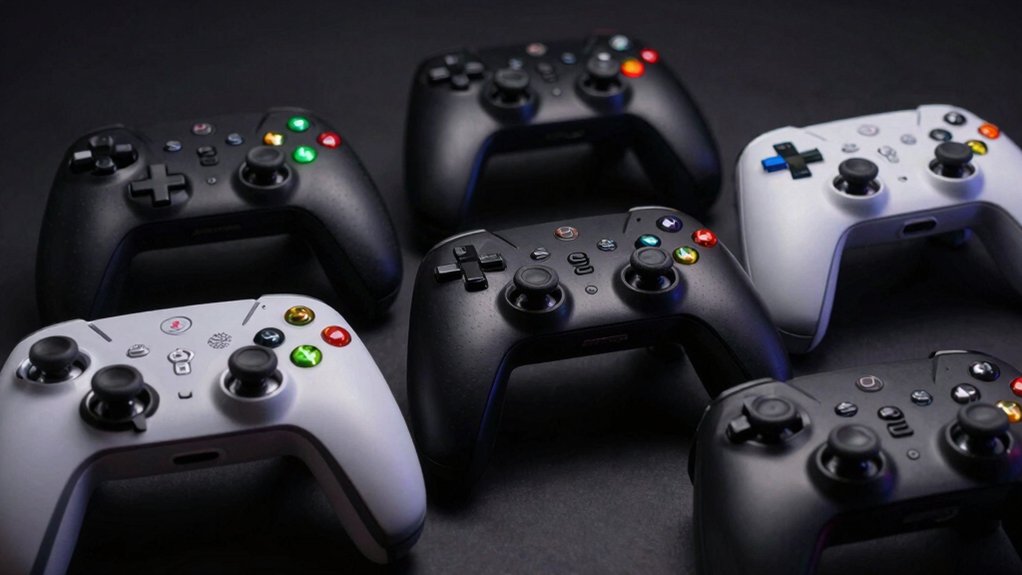

If you’re serious about improving your PC gaming performance, you need the right joystick. The market offers several solid options, each designed for different gaming styles and budgets. From flight simulators to farming games, you’ll find controllers with programmable buttons, vibration feedback, and customizable software. Understanding what features matter most for your specific games will help you make the right choice—and we’ll break down each option to show you exactly what sets them apart.
| Thrustmaster T16000M FCS (Compatible with PC) |

| Best for Precision | Controller Type: Flight stick | Programmable Buttons: 16 action buttons | Connectivity: USB corded | VIEW LATEST PRICE | Read Our Analysis |
| Logitech G F310 Wired Gamepad Controller |

| Best Value Pick | Controller Type: Gamepad | Programmable Buttons: 10 programmable buttons | Connectivity: USB corded (6-foot) | VIEW LATEST PRICE | Read Our Analysis |
| Thrustmaster T-Flight Hotas One Flight Stick Controller |

| Most Versatile | Controller Type: Flight stick with detachable throttle | Programmable Buttons: 14 programmable buttons | Connectivity: USB plug & play | VIEW LATEST PRICE | Read Our Analysis |
| PXN 2113 USB Flight Simulator Gaming Joystick with Vibration |

| Budget-Friendly Option | Controller Type: Flight stick with throttle control | Programmable Buttons: 12 programmable buttons | Connectivity: USB wired | VIEW LATEST PRICE | Read Our Analysis |
| Thrustmaster SimTask Farmstick 3-Axis Joystick Farm Simulation |

| Niche Specialist | Controller Type: 3-axis joystick | Programmable Buttons: Up to 33 action buttons | Connectivity: USB plug & play | VIEW LATEST PRICE | Read Our Analysis |
More Details on Our Top Picks
Thrustmaster T16000M FCS (Compatible with PC)
Are you a flight or space simulation enthusiast looking for a joystick that delivers precision and durability? The Thrustmaster T16000M FCS offers advanced features for serious players. This fully ambidextrous stick works with both left and right hands through removable components. You’ll access 16 action buttons with braille identification, an 8-way hat switch, and four independent axes including twist rudder control. The H.E.A.R.T technology maintains accuracy over extended use. You can customize controls using T.A.R.G.E.T software to create game-specific profiles. Simply connect via USB to your Windows PC, and you’re ready to fly.
- Controller Type:Flight stick
- Programmable Buttons:16 action buttons
- Connectivity:USB corded
- Windows Compatibility:Windows 10/8/7/Vista (32/64-bit)
- Hat Switch/D-Pad:8-way Point of View hat switch
- Warranty:One year
- Additional Feature:Fully ambidextrous design
- Additional Feature:H.E.A.R.T precision technology
- Additional Feature:Braille-style button identification
Logitech G F310 Wired Gamepad Controller
If you’re looking for a controller that works with both classic and modern PC games without requiring extensive setup, the Logitech G F310 brings console-style controls to your computer through a simple USB connection. The gamepad features ten programmable buttons and an eight-way D-pad for customization. You’ll install the profiler software to map keyboard and mouse functions to specific buttons, tailoring controls to your game preferences. Its rubber grips provide comfort during extended play sessions, and the six-foot cord allows you to sit at a comfortable distance from your monitor. The F310 supports Windows XP through Windows 7, plus Chrome OS and Android TV, making it versatile across multiple platforms.
- Controller Type:Gamepad
- Programmable Buttons:10 programmable buttons
- Connectivity:USB corded (6-foot)
- Windows Compatibility:Windows XP, Vista, 7
- Hat Switch/D-Pad:8-way programmable D-Pad
- Warranty:1 year limited hardware warranty
- Additional Feature:Rubber grip comfort design
- Additional Feature:6-foot cord length
- Additional Feature:Chrome OS/Android TV compatible
Thrustmaster T-Flight Hotas One Flight Stick Controller
The Thrustmaster T-Flight Hotas One works best for you if you’re looking for a realistic flight simulator setup that won’t require extensive technical knowledge to get running. Plug the USB connector into your PC or Xbox Series X|S, and you’re ready to fly. The ergonomic joystick features adjustable resistance, a responsive trigger, and fourteen programmable buttons for customizing controls. You’ll find built-in dual rudder control useful for taxiing and maneuvering aircraft. The detachable throttle lets you position components on your desk or lap based on your preference. For expanded functionality, you can purchase compatible TFRP rudder pedals separately to enhance precision further.
- Controller Type:Flight stick with detachable throttle
- Programmable Buttons:14 programmable buttons
- Connectivity:USB plug & play
- Windows Compatibility:Windows PC
- Hat Switch/D-Pad:Hat switch
- Warranty:Manufacturer’s warranty via customer service
- Additional Feature:Detachable throttle control
- Additional Feature:Xbox Series X|S compatible
- Additional Feature:Expandable with rudder pedals
PXN 2113 USB Flight Simulator Gaming Joystick with Vibration
Looking for a flight stick that’ll work straight out of the box on your Windows PC? The PXN-2113 Pro connects via USB and supports Windows 7 through 11. It features four axes, eight-way hat switch, twelve programmable buttons, and throttle control. The joystick includes four suction cups for desk stability. Enable vibration by adjusting the switch at the bottom to above 50% intensity. Install the optional driver from the PXN website for custom button mapping and calibration. In Microsoft Flight Simulator, select GENERIC USB JOYSTICK in settings and map inputs accordingly. Note that Force Feedback isn’t supported, and compatibility excludes Mac and gaming consoles.
- Controller Type:Flight stick with throttle control
- Programmable Buttons:12 programmable buttons
- Connectivity:USB wired
- Windows Compatibility:Windows 7/8/10/11
- Hat Switch/D-Pad:8-way hat switch
- Warranty:General warranty via product page
- Additional Feature:Vibration function feedback
- Additional Feature:Four suction cup stability
- Additional Feature:Rapid-fire trigger capability
Thrustmaster SimTask Farmstick 3-Axis Joystick Farm Simulation
Want to control farming equipment with the same precision as operating actual machinery? The Thrustmaster SimTask Farmstick delivers exactly that. This 3-axis joystick features 33 auto-mapped controls for Farming Simulator 22, letting you operate forklifts, cranes, and machinery with realistic precision. Two axes use H.E.A.R.T magnetic sensors for accurate movement. The ambidextrous design accommodates either hand and pairs with steering wheels or additional joysticks for full cockpit setups. Setup requires only USB connection—plug it in and start playing. The ergonomic layout mirrors modern tractor interiors, enhancing immersion during gameplay.
- Controller Type:3-axis joystick
- Programmable Buttons:Up to 33 action buttons
- Connectivity:USB plug & play
- Windows Compatibility:Windows 11/10
- Hat Switch/D-Pad:N/A (not included)
- Warranty:1 year
- Additional Feature:H.E.A.R.T magnetic sensors
- Additional Feature:33 total action buttons
- Additional Feature:Ambidextrous design capability
Factors to Consider When Choosing Gaming Joysticks for PC
You’ll need to verify that your chosen joystick works with your PC’s operating system and has the proper drivers available before purchasing. Next, you should examine the control layout and button configuration to match your gaming preferences, checking whether the design fits your hand comfortably and offers programmability for custom controls. Finally, you must evaluate the joystick’s precision technology, build quality, and durability to ensure it delivers accurate movements during gameplay and lasts through extended use.
Compatibility and System Requirements
What should you check before buying a gaming joystick for your PC? First, verify that the joystick supports your Windows version—whether you’re running Windows 7, 8, 10, or 11. Next, determine if you need PC-only support or console compatibility like Xbox. Check the USB connectivity type and whether it’s plug-and-play or requires driver installation. Confirm the device matches your system architecture: 32-bit or 64-bit. Review whether the joystick needs specific software for button mapping and advanced features. Finally, research compatibility with your target games or simulators, since some titles don’t support force feedback or certain hardware features. Taking these steps ensures your joystick functions properly without installation problems or performance issues.
Control Layout and Design
How does a joystick’s physical design affect your gaming performance? Your control layout directly impacts how quickly you’ll respond during gameplay. First, check whether you need ambidextrous designs with removable components—these let you switch between left- and right-handed configurations for comfortable control. Next, examine the D-Pad options: 8-way D-Pads provide quick directional input for enhanced navigation and micro-movements. Consider the number of programmable buttons available, ranging from 6 to 33 total, which enable you to customize complex control schemes for your specific games. Finally, evaluate modular features like detachable throttles or expandable pedal compatibility. These components support flexible setups tailored to your ergonomic needs and gameplay style.
Precision Technology and Accuracy
While control layout determines how you physically interact with your joystick, the sensors inside determine how accurately your inputs register in-game. Hall-effect sensors, often called H.E.A.R.T technology, use magnets instead of traditional potentiometers to track stick movement. This magnetic approach reduces drift—unwanted input changes when you’re not moving the stick—significantly extending your joystick’s accuracy lifespan.
Look for models with independent axes and high-resolution input capabilities. These allow each stick direction to register precise movements separately, essential for complex flight simulations or competitive gaming. Additionally, wired USB connections paired with dedicated software profiles enable you to map controls specifically for each game, minimizing input lag and maintaining consistent precision across different titles.
Button Configuration and Programmability
The number of programmable buttons on your joystick directly affects how efficiently you can control your games without reaching for a keyboard. Look for devices with 10, 12, or 16+ programmable inputs based on your game’s complexity. Check if your joystick supports per-game profile loading, which lets you automatically switch button layouts between titles. Verify whether remapping happens on the device itself or requires companion software. Consider additional input options like 8-way hat switches or thumbwheels for quick in-game actions. If you’re left-handed, confirm the button matrix reconfigures easily without losing functionality. Test how intuitive the customization process is—you’ll spend considerable time adjusting mappings, so straightforward software saves you frustration during gameplay.
Build Quality and Durability
Durability directly impacts how long your joystick’ll perform at peak level, making material construction your first consideration. Examine the housing for reinforced materials and metal components that withstand frequent use and extended gaming sessions. Check the joystick’s weight and balance—heavier sticks provide stability during precise input, though they reduce portability. Evaluate the gimbal and axis mechanisms; Hall-effect sensors and magnetic systems outperform traditional potentiometers in long-term accuracy and reliability. Inspect switch and button quality for consistent tactile feedback during repetitive actions. Finally, verify protective features like non-slip bases, cable strain relief, and vibration-damping mechanisms. These elements work together to prevent wear, maintain performance over time, and ensure your investment delivers consistent results across countless gaming sessions.
Final Thoughts
You’ve reviewed five joysticks that match different gaming needs. Pick based on your primary game type: flight simulators benefit from the Thrustmaster T-Flight Hotas One’s detachable throttle, while farming games require the Farmstick’s auto-mapped controls. Consider your budget, desk space, and whether you need PC-only or multi-platform compatibility. Test return policies before purchasing to ensure comfort during extended gaming sessions.

Meet Ry, “TechGuru,” a 36-year-old technology enthusiast with a deep passion for tech innovations. With extensive experience, he specializes in gaming hardware and software, and has expertise in gadgets, custom PCs, and audio.
Besides writing about tech and reviewing new products, he enjoys traveling, hiking, and photography. Committed to keeping up with the latest industry trends, he aims to guide readers in making informed tech decisions.