
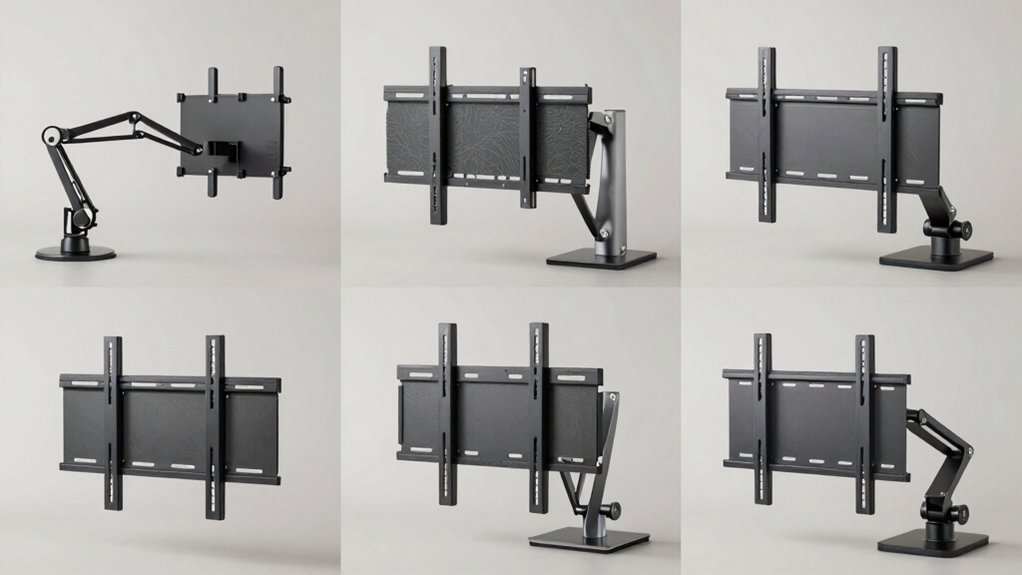

When you’re setting up a TV on your desk, you’ll need a mount that adapts to your specific space and equipment. The right desk mount keeps your screen stable, saves surface area, and lets you adjust your viewing angle without fussing with permanent installation. You’ve got several solid options available—each with different strengths depending on your TV size, desk thickness, and how much movement you want. Here’s what separates the best performers from the rest.
| VIVO Ultra Wide TV Desk Mount 55 inch (STAND-V155C) |

| Best for Large Screens | Screen Size Compatibility: 23″ to 55″ | Weight Capacity: Up to 66 lbs | Tilt Range: -15° to +15° | VIEW LATEST PRICE | Read Our Analysis |
| ErGear Single Monitor Arm for 13-34 Inch Screens |

| Most Adjustable | Screen Size Compatibility: 13″ to 34″ | Weight Capacity: Up to 19.8 lbs | Tilt Range: +80° to -50° | VIEW LATEST PRICE | Read Our Analysis |
| Universal Swivel TV Stand 19-43 Inch (HT02B-001) |
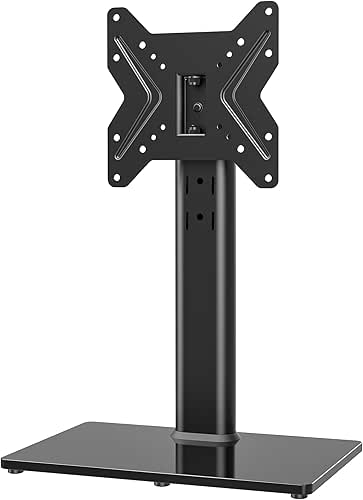
| Best Value | Screen Size Compatibility: 19″ to 43″ | Weight Capacity: Up to 99 lbs | Tilt Range: 4 height levels (no tilt specification) | VIEW LATEST PRICE | Read Our Analysis |
| WALI Heavy Duty Single Monitor Arm Mount |

| Best for Ultrawide | Screen Size Compatibility: 17″ to 49″ | Weight Capacity: Up to 33 lbs | Tilt Range: ±75° | VIEW LATEST PRICE | Read Our Analysis |
| VIVO Ultra Wide Monitor TV Desk Mount (STAND-V155D) |

| Best Space-Saving | Screen Size Compatibility: 32″ to 55″ | Weight Capacity: Up to 44 lbs | Tilt Range: +10° to -10° | VIEW LATEST PRICE | Read Our Analysis |
| WALI Single Monitor Mount Gas Spring Arm (GSMP001N) |

| Most Durable | Screen Size Compatibility: 13″ to 34″ | Weight Capacity: Up to 26.4 lbs (flat) / 19.8 lbs (curved) | Tilt Range: ±70° to -45° | VIEW LATEST PRICE | Read Our Analysis |
| HUANUO FlowLift Single Monitor Mount Arm (13-32 Inch) |

| Best for Budget | Screen Size Compatibility: 13″ to 32″ | Weight Capacity: 4.4 to 19.8 lbs | Tilt Range: -50° to +85° | VIEW LATEST PRICE | Read Our Analysis |
| Rfiver Height Adjustable TV Stand 37-86 Inch |

| Best Overall | Screen Size Compatibility: 37″ to 86″ | Weight Capacity: Up to 150 lbs | Tilt Range: 6 height levels (no tilt specification) | VIEW LATEST PRICE | Read Our Analysis |
More Details on Our Top Picks
VIVO Ultra Wide TV Desk Mount 55 inch (STAND-V155C)
Looking to set up a TV on your desk without drilling into the surface? The VIVO Ultra Wide TV Desk Mount supports screens from 23″ to 55″ and handles weights up to 66 lbs. You’ll choose between a heavy-duty C-clamp or optional grommet mount, both securing to surfaces up to 3.25 inches thick. The mount accommodates VESA patterns from 75x75mm to 400x400mm. Once installed, you can adjust height using the clamp-on bracket along the center pole. The full-motion design tilts from -15° to +15° and swivels -50° to +50°, reducing glare and improving ergonomic viewing angles. An integrated cable management system keeps your workspace organized and clean.
- Screen Size Compatibility:23″ to 55″
- Weight Capacity:Up to 66 lbs
- Tilt Range:-15° to +15°
- Swivel/Rotation Range:-50° to +50°
- Mounting Method:C-clamp or optional grommet
- Height Adjustability:Clamp-on bracket raises screen along center pole
- Additional Feature:Drill-free C-clamp mounting
- Additional Feature:Integrated cable management system
- Additional Feature:Full motion tilt capability
ErGear Single Monitor Arm for 13-34 Inch Screens
Need a monitor mount that adapts to nearly any desk setup without requiring tools? The ErGear Single Monitor Arm handles screens from 13 to 34 inches and supports up to 19.8 pounds. You’ll mount it using either a C-clamp for desks 0.39 to 2.56 inches thick or a grommet base for desks up to 2.95 inches thick. The arm extends 18.1 inches and adjusts height up to 17.5 inches, allowing you to position your screen at eye level. You can tilt the monitor plus 80 to minus 50 degrees, swivel it 90 degrees each direction, and rotate it a full 360 degrees. Setup takes three steps with no tools needed. The alloy steel construction includes cable management clips and carries a two-year warranty.
- Screen Size Compatibility:13″ to 34″
- Weight Capacity:Up to 19.8 lbs
- Tilt Range:+80° to -50°
- Swivel/Rotation Range:±90° swivel / 360° rotation
- Mounting Method:C-clamp (0.39″-2.56″) or grommet (0.39″-2.95″)
- Height Adjustability:Height adjust up to 17.5″
- Additional Feature:40% wider VESA head
- Additional Feature:20,000+ cycle durability tested
- Additional Feature:Tool-free setup in three
Universal Swivel TV Stand 19-43 Inch (HT02B-001)
The HT02B-001 works best if you want a tabletop mount that fits most standard TV sizes without requiring wall installation. This stand accommodates TVs from 19 to 43 inches and supports up to 99 pounds. Set it up in 15 minutes using included tools and screws. Adjust the height across four levels to match your viewing angle. Swivel the TV left or right up to 45 degrees for optimal positioning. The heavy-duty tempered glass base provides stable support on any table surface. Cable management features keep wires organized and hidden. Use this stand with major brands including Samsung, Sony, LG, and Vizio.
- Screen Size Compatibility:19″ to 43″
- Weight Capacity:Up to 99 lbs
- Tilt Range:4 height levels (no tilt specification)
- Swivel/Rotation Range:90° swivel (±45° left/right)
- Mounting Method:Tabletop free-standing base
- Height Adjustability:4 level height adjustment
- Additional Feature:8mm tempered glass base
- Additional Feature:15-minute quick assembly setup
- Additional Feature:90-degree swivel capability
WALI Heavy Duty Single Monitor Arm Mount
If you’re working with monitors ranging from 17 to 49 inches and want to reclaim valuable desk space, the WALI Heavy Duty Single Monitor Arm Mount delivers industrial-grade stability with straightforward installation. The mount supports up to 33 lbs and uses a gas spring system that prevents sagging once you position your screen. You’ll adjust the monitor using ±75° tilt, ±90° swivel, and 360° rotation for optimal viewing angles. The arm accommodates C-clamp and grommet bases, fitting desks between 0.39 and 1.96 inches thick. High-strength steel and aircraft-grade aluminum construction ensures durability for home offices and gaming setups. Built-in cable management routes wires through the arm, maintaining a clean workspace. You can elevate your screen up to 20.79 inches, reducing neck strain during extended work sessions.
- Screen Size Compatibility:17″ to 49″
- Weight Capacity:Up to 33 lbs
- Tilt Range:±75°
- Swivel/Rotation Range:±90° swivel / 360° rotation
- Mounting Method:C-clamp (0.39″-1.96″) or grommet base
- Height Adjustability:Elevates screen up to 20.79″
- Additional Feature:Zero-Drift gas spring stability
- Additional Feature:Up to 20.79 inches elevation
- Additional Feature:Aircraft-grade aluminum construction
VIVO Ultra Wide Monitor TV Desk Mount (STAND-V155D)
For workspace setups requiring both standard monitors and ultra-wide screens up to 55 inches, the VIVO STAND-V155D delivers flexible mounting with a solid steel construction that clamps directly to desks up to 1.7″ thick. You’ll find VESA compatibility spanning from 75x75mm to 400x400mm, accommodating most monitor models. The articulating arm tilts ±10°, swivels 200°, and levels ±3° for optimal viewing angles. Height adjustment reaches 22.1″ maximum, letting you position your screen precisely. You can fold the low-profile arm flat against the wall to save desk space, or use the included optional grommet mount for alternative installation. The mount supports up to 44 lbs, making it suitable for heavier ultra-wide displays.
- Screen Size Compatibility:32″ to 55″
- Weight Capacity:Up to 44 lbs
- Tilt Range:+10° to -10°
- Swivel/Rotation Range:200° swivel
- Mounting Method:C-clamp (up to 1.7″) or optional grommet
- Height Adjustability:Arm bracket adjustable; max center screen height 22.1″
- Additional Feature:Low profile flush-to-wall design
- Additional Feature:Arm folds completely flat
- Additional Feature:200-degree swivel range
WALI Single Monitor Mount Gas Spring Arm (GSMP001N)
Want a monitor mount that adjusts to nearly any position you need? The WALI Single Monitor Mount Gas Spring Arm works with screens from 13 to 34 inches and supports up to 26.4 lbs for flat displays. You’ll rotate your screen 360°, swivel it ±180°, and tilt it ±70° or −45° to find your ideal viewing angle. The gas spring lifts your monitor up to 17.3 inches above your desk, extending it as far as 19.3 inches outward. Installation uses either a clamp or grommet base, and setup takes minimal time. WALI backs this mount with a 10-year warranty and provides US-based support seven days weekly.
- Screen Size Compatibility:13″ to 34″
- Weight Capacity:Up to 26.4 lbs (flat) / 19.8 lbs (curved)
- Tilt Range:±70° to -45°
- Swivel/Rotation Range:±180° swivel / 360° rotation
- Mounting Method:C-clamp (0.39″-2.56″) or grommet (0.39″-2.95″)
- Height Adjustability:Gas spring elevate up to 17.3″
- Additional Feature:10-year warranty included
- Additional Feature:19.3-inch extension reach
- Additional Feature:Up to 17.3 inches elevation
HUANUO FlowLift Single Monitor Mount Arm (13-32 Inch)
The HUANUO FlowLift works best for you if you’re setting up a single monitor between 13 and 32 inches and want to free up desk space while keeping your screen at eye level. Installation takes about three minutes: affix the bracket to your table, attach your monitor to the VESA plate, then adjust tension based on your monitor’s weight. You’ll get full adjustability with tilt, swivel, and 360-degree rotation capabilities. The mount lifts your screen up to 39.6 centimeters from your desktop. Choose between C-clamp or grommet mounting options depending on your table type. Automotive-grade components and 20,000 motion tests ensure durability lasting over five years.
- Screen Size Compatibility:13″ to 32″
- Weight Capacity:4.4 to 19.8 lbs
- Tilt Range:-50° to +85°
- Swivel/Rotation Range:±90° swivel / 360° rotation
- Mounting Method:C-clamp or grommet base
- Height Adjustability:Screen lift up to 39.6 cm (15.6″)
- Additional Feature:1-piece quick setup design
- Additional Feature:Automotive-grade components used
- Additional Feature:80% sturdier construction
Rfiver Height Adjustable TV Stand 37-86 Inch
Looking to mount a large TV without drilling into walls or committing to permanent installation? The Rfiver Height Adjustable TV Stand works for screens from 37 to 86 inches and holds up to 150 pounds. Its double T-shaped steel construction with triangular support keeps your TV stable and prevents tilting. You’ll adjust the height across six levels, with each level adding 1.8 inches for a total reach of 8.9 inches. The stand includes sticky cable fasteners to organize wires and non-slip base pads that protect surfaces while preventing movement. Setup takes approximately fifteen minutes without requiring wall drilling, making it ideal for renters or flexible room arrangements.
- Screen Size Compatibility:37″ to 86″
- Weight Capacity:Up to 150 lbs
- Tilt Range:6 height levels (no tilt specification)
- Swivel/Rotation Range:No swivel/rotation
- Mounting Method:Tabletop free-standing base
- Height Adjustability:6 height levels (total 8.9″ adjustment)
- Additional Feature:Double T-shaped steel construction
- Additional Feature:6 adjustable height levels
- Additional Feature:Anti-tilt/shake safety design
Factors to Consider When Choosing a TV Desk Mount
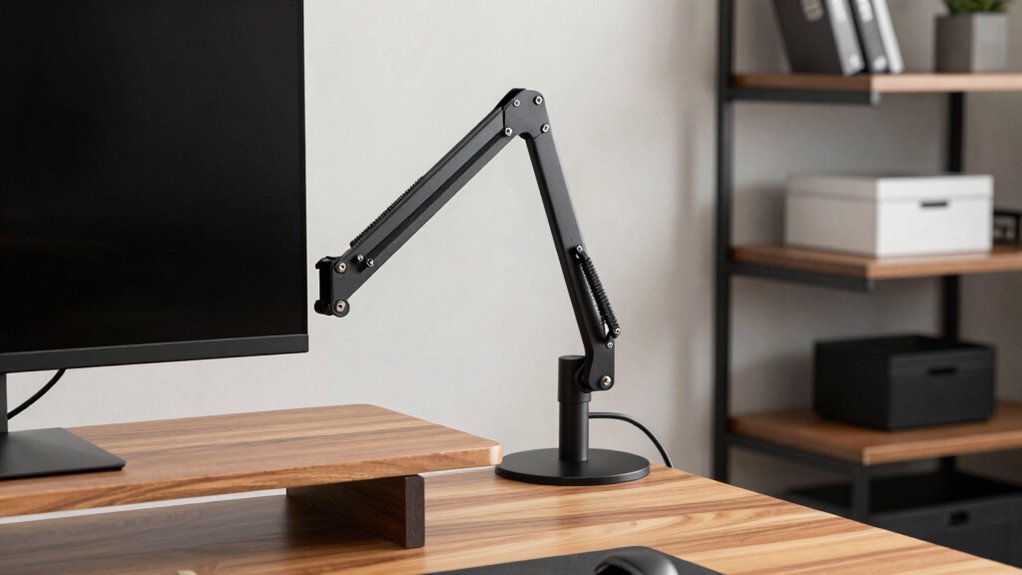
Before you buy a TV desk mount, you’ll need to verify your screen size falls within the mount’s compatibility range, check that the mount’s weight capacity exceeds your TV’s actual weight, and confirm your desk can accommodate the specific mounting method—whether that’s clamp-based, grommet, or adhesive options. Next, examine the mount’s adjustment range to ensure it offers the tilt, swivel, and height flexibility your setup requires, then review how the mount routes and organizes cables so they don’t create clutter or obstruct your view. These five factors work together to determine whether a particular mount will function properly in your workspace without damaging your equipment or desk.
Screen Size Compatibility
How do you know if a TV desk mount will actually work with your monitor? Start by checking the mount’s supported screen size range. Mounts typically cover ranges like 13–34 inches, 19–43 inches, or up to 55 inches. Measure your monitor’s screen diagonally and confirm it falls within that range. Next, verify the maximum weight rating matches your monitor’s actual weight. Most mounts support 19.8–66 lbs depending on the model. Check your monitor’s specifications for exact weight. Finally, compare your monitor’s VESA mounting pattern against the mount’s compatibility. VESA patterns range from 75×75 mm to 400×400 mm. Matching these three factors—size range, weight capacity, and VESA pattern—ensures your monitor will mount safely and securely without compatibility issues.
Weight Capacity Requirements
One of the most critical factors you’ll need to verify is whether your mount can actually support your monitor’s weight. Check your TV’s specifications for its exact weight, then compare it to the mount’s rated capacity. You must choose a mount rated equal to or higher than your display’s weight. Account for mounting hardware, which adds a few pounds to the total load. Consider dynamic stress from tilting, swiveling, and extending the arm—these movements temporarily increase the force on the mount beyond the static weight. Select a mount with extra capacity beyond your TV’s weight to accommodate future upgrades or accessories. This safety margin prevents sagging, misalignment, or catastrophic failure over time.
Desk Mounting Options
Once you’ve confirmed your mount can handle your TV’s weight, you’ll need to select the right desk mounting option for your specific setup. You have two primary choices: C-clamp or grommet base. C-clamps work best for desks up to 2–2.5 inches thick and require no drilling. They secure directly to your desk surface, making them ideal for temporary installations. Grommet bases accommodate thicker desks, up to about 2.95 inches, and require drilling through the surface. This option provides a cleaner appearance with no visible clamps underneath. Consider your desk material—solid wood or composite—and verify there’s no under-beam interference for stability. Heavy-duty clamps suit larger screens. Choose based on desk thickness, material, and whether you want permanent or removable installation.
Adjustment Range Flexibility
What movements do you need your TV mount to make throughout the day? You’ll want to evaluate tilt, swivel, and extension capabilities to match your viewing habits. Look for mounts offering wide tilt ranges, such as -50° to +85°, which accommodate different eye levels and reduce glare from windows or overhead lights. Check swivel options—typically ±90° to 360°—to rotate your screen for comfortable viewing from various seating positions. Verify extension reach up to 18–19 inches and height adjustment around 17–22 inches for proper eye-level alignment. Test how these adjustments work together: tilting down while extending the arm forward, for example, helps you maintain ergonomic positioning throughout your workday. These combined movements maximize comfort and screen accessibility without requiring you to reposition your entire desk setup.
Cable Management Solutions
After you’ve positioned your mount for optimal viewing angles and comfort, you’ll need to manage the cables that power and connect your TV to your desk setup. Choose a mount with integrated cable routing that runs wires through the arm or center pole to maintain a clean appearance. External clips and channels guide multiple cables—including HDMI, DisplayPort, power, USB, and audio—from your monitor to the base without tangling. Internal routing creates a flush, low-profile look that reduces desk clutter. Verify the mount accommodates your specific cable types and quantity before purchasing. Ensure cables have easy access for adjustments and maintenance. Proper routing also protects wires from snagging during height or angle adjustments, preventing damage and extending cable lifespan.
Final Thoughts
You’ll want to match your TV’s VESA pattern and weight capacity to your chosen mount. Check your desk’s thickness for C-clamp compatibility, or select a grommet base for wall mounting. Verify the mount supports your screen size range and offers full-motion capabilities. Install cable management during setup to keep wires organized. Select a model with sturdy construction and weight tolerance exceeding your TV’s specs for long-term stability.

Meet Ry, “TechGuru,” a 36-year-old technology enthusiast with a deep passion for tech innovations. With extensive experience, he specializes in gaming hardware and software, and has expertise in gadgets, custom PCs, and audio.
Besides writing about tech and reviewing new products, he enjoys traveling, hiking, and photography. Committed to keeping up with the latest industry trends, he aims to guide readers in making informed tech decisions.