
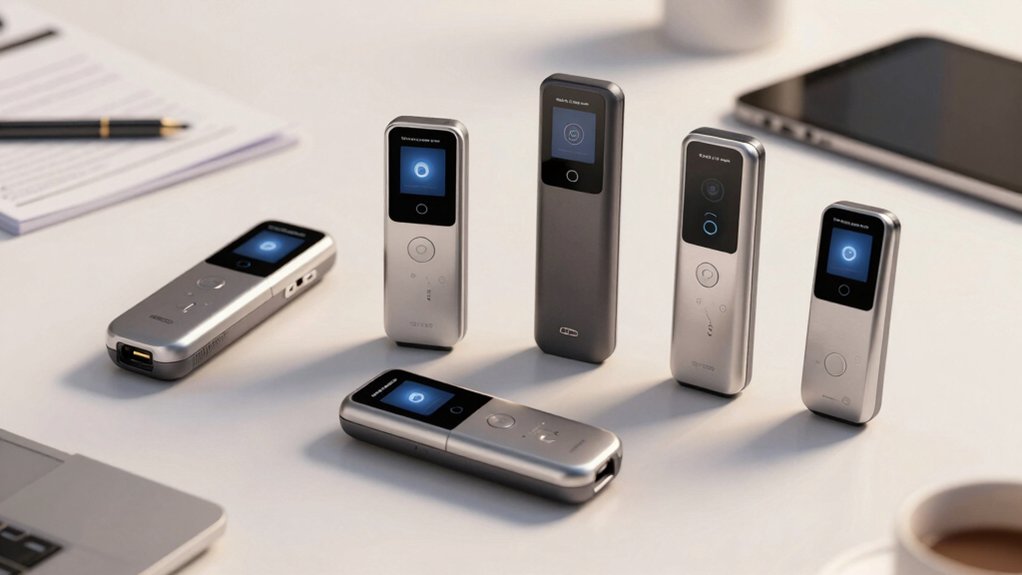

You’ve got two basic scanner categories to choose from: compact, portable models like the Brother DS-640 that run on USB power, or high-volume workhorses like the ScanSnap iX2500 that handle 45 pages per minute. Each type offers different benefits for your workflow. To find which scanner actually fits your needs, you’ll need to evaluate specific factors that separate effective tools from poor investments.
| Brother DS-640 Compact Mobile Document Scanner (Model: DS640) |

| Best For Travel | Scanning Speed: 16 pages per minute | OCR Capability: Included; converts to editable Word files | Connectivity Options: USB 3.0 (PC/laptop powered) | VIEW LATEST PRICE | Read Our Analysis |
| ScanSnap iX2500 Wireless Document & Photo Scanner |

| Best Overall | Scanning Speed: 45 pages per minute (duplex) | OCR Capability: Automatic document optimization | Connectivity Options: Wi-Fi 6, USB, USB-C | VIEW LATEST PRICE | Read Our Analysis |
| Epson Workforce ES-580W Wireless Document Scanner |

| Most Versatile | Scanning Speed: 35 pages per minute | OCR Capability: Create searchable PDFs; convert to editable Word/Excel | Connectivity Options: Wireless (Wi-Fi); USB; no computer needed | VIEW LATEST PRICE | Read Our Analysis |
| ScanSnap iX1300 Wireless Document & Photo Scanner |

| Best For Small Spaces | Scanning Speed: 30 pages per minute (duplex) | OCR Capability: Integrated in ScanSnap Home software | Connectivity Options: USB or Wi-Fi | VIEW LATEST PRICE | Read Our Analysis |
| Epson WorkForce ES-50 Portable Sheet-Fed Document Scanner for PC and Mac |

| Budget-Friendly Pick | Scanning Speed: Up to 5.5 seconds per page | OCR Capability: Nuance OCR for searchable PDFs and editable Word/Excel | Connectivity Options: USB powered (no external power) | VIEW LATEST PRICE | Read Our Analysis |
| Epson Workforce ES-400 II Color Duplex Document Scanner |

| Professional Grade | Scanning Speed: 35 pages per minute | OCR Capability: Creates searchable PDFs; convert to editable Word/Excel | Connectivity Options: USB connection | VIEW LATEST PRICE | Read Our Analysis |
| CZUR Shine Ultra Smart Portable Document Scanner |

| Best For Books | Scanning Speed: Approximately 1 second per page | OCR Capability: ABBYY OCR (180+ languages); outputs Word/Excel/PDF | Connectivity Options: USB document camera | VIEW LATEST PRICE | Read Our Analysis |
| Plustek Mobile Scanner S410 Plus Portable Document Scanner |

| Best Portable Option | Scanning Speed: Automatic/continuous (single-sheet) | OCR Capability: Built-in OCR; searchable PDF, Excel, Word formats | Connectivity Options: USB powered | VIEW LATEST PRICE | Read Our Analysis |
| TEEMI 2D Barcode Scanner with Smart Stand USB Wired |

| Best For Retail | Scanning Speed: 300,000 pixels scan rate | OCR Capability: Barcode decoding (1D, 2D formats) | Connectivity Options: USB plug-and-play | VIEW LATEST PRICE | Read Our Analysis |
| Epson RapidReceipt RR-600W Wireless Document Scanner |

| Best For Receipts | Scanning Speed: 35 pages per minute (duplex) | OCR Capability: ScanSmart AI PRO; searchable/editable PDFs | Connectivity Options: USB and Wi-Fi; PC-free scanning | VIEW LATEST PRICE | Read Our Analysis |
More Details on Our Top Picks
Brother DS-640 Compact Mobile Document Scanner (Model: DS640)
The Brother DS-640 is your best choice if you’re constantly scanning documents while traveling or working outside an office. This ultra-compact scanner weighs just 1.5 pounds and fits easily in your bag. It scans up to 16 pages per minute in color and black & white, handling documents up to 72 inches long. You’ll connect it directly to your PC or laptop via the included micro USB 3.0 cable—no outlet needed. The included OCR software converts scanned images into editable Word files, automatically removing backgrounds and enhancing text. You can route scans to files, email, or cloud services. Windows, Mac, and Linux all support this scanner through standard drivers.
- Scanning Speed:16 pages per minute
- OCR Capability:Included; converts to editable Word files
- Connectivity Options:USB 3.0 (PC/laptop powered)
- Cloud Integration:File, Image, OCR, Email, cloud services
- Document Handling Capacity:Single-sheet; up to 72 inches long
- Platform Compatibility:Windows, Mac, Linux
- Additional Feature:Ultra-compact pocket-sized design
- Additional Feature:Powered via USB cable only
- Additional Feature:Automatic color detection/adjustment
ScanSnap iX2500 Wireless Document & Photo Scanner
If you’re managing high-volume scanning tasks across multiple devices and locations, you’ll find the ScanSnap iX2500 delivers the speed and connectivity you need. This scanner processes 45 pages per minute double-sided with a 100-page document feeder, handling continuous workflows efficiently. Wi-Fi 6 connectivity lets you send scans directly to your PC, Mac, mobile devices, or cloud services without switching cables. The large touchscreen displays customizable profiles you create for different document types—receipts, business cards, photos, or contracts. Advanced sensors prevent paper jams and skew damage, while automatic file naming and organization reduce manual sorting work.
- Scanning Speed:45 pages per minute (duplex)
- OCR Capability:Automatic document optimization
- Connectivity Options:Wi-Fi 6, USB, USB-C
- Cloud Integration:Supports cloud services; drag-and-drop to apps
- Document Handling Capacity:100-page ADF
- Platform Compatibility:PC, Mac, mobile devices
- Additional Feature:100-page document feeder capacity
- Additional Feature:Built-in Wi-Fi 6 connectivity
- Additional Feature:Customizable shareable scan profiles
Epson Workforce ES-580W Wireless Document Scanner
For teams and individuals who need to digitize documents without staying tethered to a desktop computer, Epson’s Workforce ES-580W delivers wireless scanning directly to your smartphone, tablet, cloud storage, or USB drive. The scanner features a 100-sheet auto feeder and dual-sided single-pass scanning at 35 pages per minute, making it efficient for high-volume jobs. You’ll create searchable PDFs using OCR technology and convert scans into editable Word or Excel files. The 4.3-inch touchscreen lets you navigate settings easily. You can send files to Dropbox, Google Drive, OneDrive, or Evernote without a computer. Compatible with both PC and Mac systems, this scanner handles various paper types and sizes in one pass, designed for reliable daily use.
- Scanning Speed:35 pages per minute
- OCR Capability:Create searchable PDFs; convert to editable Word/Excel
- Connectivity Options:Wireless (Wi-Fi); USB; no computer needed
- Cloud Integration:Dropbox, Evernote, Google Drive, OneDrive
- Document Handling Capacity:100-sheet ADF
- Platform Compatibility:PC and Mac
- Additional Feature:No computer needed operation
- Additional Feature:100-sheet auto document feeder
- Additional Feature:Dual-sided single-pass scanning
ScanSnap iX1300 Wireless Document & Photo Scanner
Compact design meets powerful scanning capability in the iX1300, making it ideal if you’re managing limited desk space while handling diverse document types—from standard papers and photos to business cards, receipts, and plastic cards. You’ll scan at up to 30 pages per minute using dual-sided color scanning with automatic de-skew and blank-page removal. Connect via USB or Wi-Fi to send documents directly to your Mac, PC, mobile devices, or cloud storage. The included ScanSnap Home software organizes your scans automatically, managing receipts, business cards, and photos in one location. Setup requires no driver installation, letting you start scanning immediately with one-touch operation.
- Scanning Speed:30 pages per minute (duplex)
- OCR Capability:Integrated in ScanSnap Home software
- Connectivity Options:USB or Wi-Fi
- Cloud Integration:Cloud and local storage options
- Document Handling Capacity:50-sheet capacity
- Platform Compatibility:Windows 11/10, macOS Monterey+, iOS 16+, Android 10+, ChromeOS
- Additional Feature:Up to 600 DPI resolution
- Additional Feature:One-tap quick start operation
- Additional Feature:Exclusive quick menu drag-and-drop
Epson WorkForce ES-50 Portable Sheet-Fed Document Scanner for PC and Mac
The Epson WorkForce ES-50 works best for professionals and remote workers who need to digitize documents on the go without sacrificing speed or quality. This lightweight scanner weighs just 9.44 ounces and scans single pages in 5.5 seconds. It handles various document types, including IDs, receipts, and pages up to 8.5 x 72 inches. The scanner uses USB power only—no batteries needed. Included Nuance OCR software converts scans into searchable PDFs and editable Word or Excel files. The automatic feeding mode lets you scan multiple pages into one document. Epson ScanSmart Software manages scanning, reviewing, and saving tasks. The device connects to Windows and Mac computers via the included TWAIN driver, enabling cloud uploads and compatibility with imaging software.
- Scanning Speed:Up to 5.5 seconds per page
- OCR Capability:Nuance OCR for searchable PDFs and editable Word/Excel
- Connectivity Options:USB powered (no external power)
- Cloud Integration:Scan to cloud services
- Document Handling Capacity:Single-sheet; up to 8.5 x 72 inches
- Platform Compatibility:Windows and Mac
- Additional Feature:Scans extra-long pages (72″)
- Additional Feature:Lightest mobile single-sheet scanner
- Additional Feature:USB powered, battery-free operation
Epson Workforce ES-400 II Color Duplex Document Scanner
Need a scanner that processes high volumes of documents without slowing your workflow? The Epson Workforce ES-400 II handles 50-sheet batches at 35 pages per minute with duplex scanning capabilities. You’ll use the auto document feeder to load multiple pages, then let the scanner process both sides simultaneously. The built-in OCR converts your scans into searchable PDFs and editable Word or Excel files. Connect via USB to your PC or Mac, then access ScanSmart Software to preview, email, or upload directly to Dropbox, Google Drive, or OneDrive. Image processing features automatically crop pages, skip blanks, remove backgrounds, and correct skew, reducing manual editing time.
- Scanning Speed:35 pages per minute
- OCR Capability:Creates searchable PDFs; convert to editable Word/Excel
- Connectivity Options:USB connection
- Cloud Integration:Dropbox, Evernote, Google Drive, OneDrive
- Document Handling Capacity:50-sheet ADF
- Platform Compatibility:PC and Mac
- Additional Feature:50-sheet auto document feeder
- Additional Feature:Automatic background removal feature
- Additional Feature:Dirt detection and skew correction
CZUR Shine Ultra Smart Portable Document Scanner
If you’re scanning thin books and documents on a budget, the CZUR Shine Ultra Smart Portable Document Scanner combines a 13MP document camera with OCR capabilities in one compact device. You’ll capture A3 and A4 documents at 340 DPI resolution, scanning approximately one page per second. The patented flattening technology automatically straightens curved book pages during processing. Select from multiple output formats: JPG, PDF, searchable PDF, Word, or Excel files. You can also use it as a document camera for video conferencing through Zoom, Google Meet, or Skype. The height-adjustable design with foot pedal control makes operation convenient. Compatible with Windows XP through 11 and macOS 10.13 or later, this lightweight 4-pound scanner supports OCR in 180+ languages.
- Scanning Speed:Approximately 1 second per page
- OCR Capability:ABBYY OCR (180+ languages); outputs Word/Excel/PDF
- Connectivity Options:USB document camera
- Cloud Integration:Document camera compatible with Zoom, Google Meet, Skype
- Document Handling Capacity:A3/A4 capture size; designed for flat papers/books
- Platform Compatibility:Windows XP/7/8/10/11, macOS 10.13+
- Additional Feature:Patented curved book flattening
- Additional Feature:USB document camera functionality
- Additional Feature:180+ language OCR support
Plustek Mobile Scanner S410 Plus Portable Document Scanner
Looking to scan documents anywhere without carrying heavy equipment or dealing with battery concerns? The Plustek Mobile Scanner S410 Plus offers USB-powered operation, requiring no external batteries or power adapters. This sheet-fed scanner weighs under one pound and measures just 1.6 by 11.7 by 1.9 inches, fitting easily into bags or briefcases. The device handles Letter and Legal paper sizes, business cards, plastic ID cards, invoices, and receipts. Built-in OCR software converts scanned images into searchable PDFs, Excel files, or Word documents. Button-free operation means you feed documents through the scanner, and it automatically processes and saves files to your designated folders, computer, FTP, or shared network locations. The 2-year manufacturer warranty provides coverage.
- Scanning Speed:Automatic/continuous (single-sheet)
- OCR Capability:Built-in OCR; searchable PDF, Excel, Word formats
- Connectivity Options:USB powered
- Cloud Integration:Save to local computer, FTP, shared folders
- Document Handling Capacity:Single-sheet; Letter, Legal, business cards, ID cards
- Platform Compatibility:Windows 7/8/10/11
- Additional Feature:Button-free automatic scanning operation
- Additional Feature:Ultra-lightweight under 1lb
- Additional Feature:2-year manufacturer warranty included
TEEMI 2D Barcode Scanner with Smart Stand USB Wired
The TEEMI 2D Barcode Scanner with Smart Stand is your best choice for retail environments and point-of-sale systems because it combines hands-free scanning capability with versatile data formatting options. This USB wired scanner decodes 1D, 2D, and postal barcodes including QR codes and Data Matrix formats at 300,000 pixels per scan rate. You’ll benefit from its intellistand’s automatic presentation mode for hands-free operation or trigger mode when handheld. The scanner supports custom data formatting—you can insert or remove characters, add prefixes and suffixes, and parse complex data like driver licenses. Its durable design reduces downtime while improving checkout speed and productivity across retail operations.
- Scanning Speed:300,000 pixels scan rate
- OCR Capability:Barcode decoding (1D, 2D formats)
- Connectivity Options:USB plug-and-play
- Cloud Integration:No cloud integration (barcode scanner)
- Document Handling Capacity:Single handheld scanner (no ADF)
- Platform Compatibility:Windows, Mac, Linux
- Additional Feature:Omnidirectional barcode decoding capability
- Additional Feature:Hands-free presentation mode operation
- Additional Feature:Data parsing and formatting options
Epson RapidReceipt RR-600W Wireless Document Scanner
Struggling with piles of receipts and invoices that demand manual data entry? The Epson RapidReceipt RR-600W handles this problem directly. Load up to 100 pages into the automatic feeder and scan at 35 pages per minute—duplex scanning on both sides simultaneously. The ScanSmart AI PRO software converts scanned receipts and invoices into categorized digital data automatically. You can export this data directly to QuickBooks or TurboTax, eliminating manual entry steps. The 4.3-inch touchscreen lets you scan to email, cloud storage, or USB without a computer. Wi-Fi connectivity supports wireless operation, while the 600 dpi resolution ensures crisp, searchable PDFs. This approach reduces data entry time substantially for small businesses and accountants managing high document volumes.
- Scanning Speed:35 pages per minute (duplex)
- OCR Capability:ScanSmart AI PRO; searchable/editable PDFs
- Connectivity Options:USB and Wi-Fi; PC-free scanning
- Cloud Integration:Scan to email, cloud, or USB drive
- Document Handling Capacity:100-page ADF
- Platform Compatibility:Windows and macOS
- Additional Feature:ScanSmart AI PRO technology included
- Additional Feature:Export to QuickBooks/TurboTax capability
- Additional Feature:100-page automatic document feeder
Factors to Consider When Choosing OCR Scanners
When you’re selecting an OCR scanner, you’ll want to evaluate five key factors that directly impact your investment’s value: OCR accuracy and resolution determine how well the scanner captures text details, scanning speed and efficiency affect how quickly you’ll process documents, connectivity and compatibility ensure the device works with your existing systems, document handling capacity limits how many pages you can scan before reloading, and software integration features determine whether the scanner connects seamlessly with your current workflow. Start by identifying which factors matter most to your specific needs—for example, if you process high-volume receipts, prioritize speed and capacity, but if you work with small legal documents, accuracy becomes critical. Next, compare specifications across models to find the option that balances all five factors within your budget and operational requirements.
OCR Accuracy And Resolution
How much detail can your scanner actually capture from a document? Resolution directly determines OCR accuracy. Scanners operating at 600 dpi produce substantially more precise text recognition than those at 300 dpi, capturing finer details that OCR engines need to identify characters correctly.
You’ll also want to consider color depth and preprocessing features. Scanners offering de-skew, background removal, and blank-page deletion create cleaner source images before OCR processing begins, which improves recognition success rates.
When selecting a scanner for high-volume work, verify it maintains stable paper handling during multi-page and duplex scanning. Feed misalignment degrades OCR reliability, even at higher resolutions. Match your resolution choice to your document types: use 600 dpi for dense text, 300 dpi for standard documents.
Scanning Speed And Efficiency
Speed matters when you’re processing large document volumes, and you’ll want to evaluate scan rates alongside your actual workflow demands. Duplex scanners handle two-sided pages at 35–45 pages per minute, making them ideal for thick documents. Single-pass portable units reach 35 pages per minute while consuming less power and space. Check specifications at your standard conditions—letter size, 300 dpi—since color scans may run slower than monochrome. Auto-feeders holding 50–100 pages reduce manual stops, keeping throughput consistent. Pair fast scanning with OCR conversion to prevent bottlenecks; immediate conversion to searchable PDFs ensures your workflow stays efficient. Match scanner speed to your document load and integration needs rather than chasing maximum specifications alone.
Connectivity And Compatibility
Three connection types dominate the OCR scanner market: USB, USB-C, and wireless Wi-Fi—each offering different advantages depending on your setup. USB and USB-C provide direct connections to your computer, ensuring stable data transfer without network dependency. Wi-Fi connectivity, particularly Wi-Fi 6 models, enables faster scanning and cloud-based workflows from multiple locations. Check your scanner’s cross-platform compatibility with Windows, macOS, and mobile operating systems before purchasing. Verify that required drivers like TWAIN or WIA are available for your devices. Many scanners support direct cloud integration with Dropbox, Google Drive, OneDrive, and Evernote, eliminating intermediate steps. Some models offer PC-free scanning modes, allowing you to send documents directly to email or cloud storage without a computer connection.
Document Handling Capacity
Document handling capacity determines how much work your scanner can tackle before you need to reload or restart. Check the automatic document feeder (ADF) capacity, which typically ranges from 50 to 100 sheets. A larger ADF means fewer interruptions during scanning jobs. Next, verify if your scanner supports single-pass duplex scanning—this processes both sides simultaneously, doubling your effective throughput compared to two-pass scanning. For lengthy documents, look for extended-length scanning capability or long-document mode, which reduces the number of times you’ll need to restart the process. Consider your daily volume: high-volume environments benefit from larger ADF capacities and duplex functionality, while smaller operations may manage adequately with standard 50-sheet feeders.
Software Integration Features
While a scanner’s hardware matters, the software that powers it often determines whether you’ll save hours or waste them. Look for native management suites like ScanSmart or ScanSnap Home that organize, edit, and route scans directly to cloud storage, local folders, or third-party apps. Verify the scanner supports TWAIN or WIA drivers for compatibility with your existing document-management software. Advanced OCR should handle multiple languages and automatically name, sort, and extract data from documents. AI-enhanced features streamline categorization and export scans to financial or productivity applications. Check whether the software integrates with platforms you already use—Dropbox, Google Drive, or accounting systems—to eliminate manual transfer steps and create a seamless workflow from scan to processed file.
Final Thoughts
You’ll save considerable time by matching your scanner to your specific needs. If you need portability, choose the Brother DS-640 or Epson ES-50. For high-volume work, select the ScanSnap iX2500. If you want wireless connectivity, go with the Epson ES-580W or ScanSnap iX1300. Evaluate your budget, scanning volume, and required features before purchasing. Test OCR accuracy on your document types to ensure reliable data capture.

Meet Ry, “TechGuru,” a 36-year-old technology enthusiast with a deep passion for tech innovations. With extensive experience, he specializes in gaming hardware and software, and has expertise in gadgets, custom PCs, and audio.
Besides writing about tech and reviewing new products, he enjoys traveling, hiking, and photography. Committed to keeping up with the latest industry trends, he aims to guide readers in making informed tech decisions.