
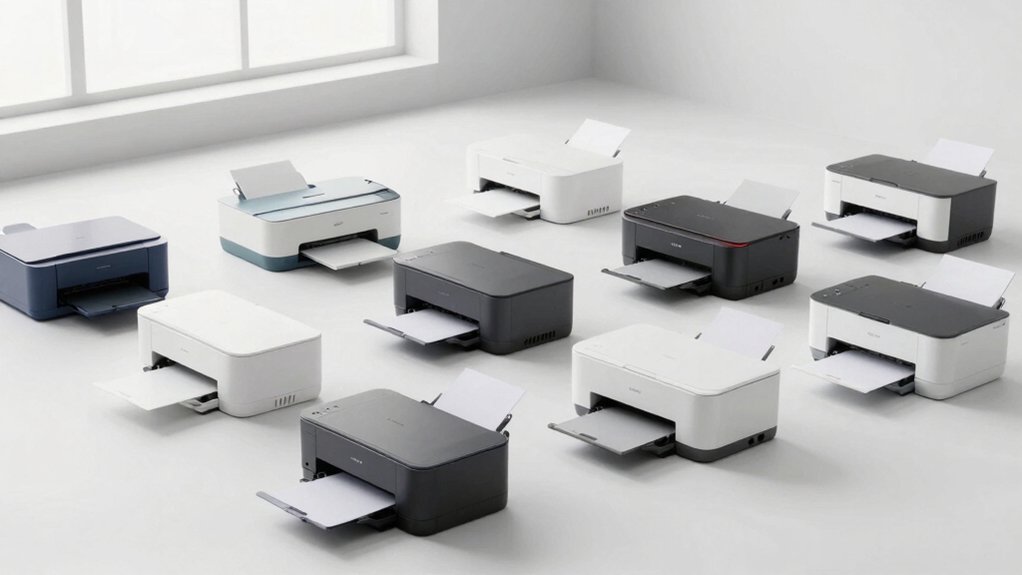

When you’re shopping for a home printer, you’ll want to focus on models that handle light document and photo printing without draining your budget. You can choose between inkjet printers for color flexibility or laser printers for speed and text quality. Each type offers specific advantages depending on your needs. Understanding what features matter most—like wireless connectivity, automatic duplex printing, or affordable ink costs—will help you find the right fit. The question is: which printer matches your actual usage?
| Canon PIXMA TS6520 Wireless Color Inkjet Printer |

| Best Overall | Printer Type: Inkjet (color) | All-in-One Functions: Print, scan, copy | Wireless Connectivity: Dual-band Wi-Fi (2.4GHz/5GHz) | VIEW LATEST PRICE | Read Our Analysis |
| HP DeskJet 2855e Wireless All-in-One Inkjet Printer (588S5A) |

| Budget-Friendly Pick | Printer Type: Inkjet (color) | All-in-One Functions: Print, scan, copy | Wireless Connectivity: Single-band Wi-Fi (2.4GHz) | VIEW LATEST PRICE | Read Our Analysis |
| Canon PIXMA TS4320 Wireless Color Inkjet Printer |

| Most Affordable | Printer Type: Inkjet (color) | All-in-One Functions: Print, scan, copy | Wireless Connectivity: Dual-band Wi-Fi (2.4GHz/5GHz) | VIEW LATEST PRICE | Read Our Analysis |
| HP Smart Tank 5101 Wireless All-in-One Printer |

| Best Value | Printer Type: Inkjet (color, refillable tank) | All-in-One Functions: Print, scan, copy | Wireless Connectivity: Wireless with USB 2.0 | VIEW LATEST PRICE | Read Our Analysis |
| Canon PIXMA TR4720 All-in-One Wireless Printer |

| Most Versatile | Printer Type: Inkjet (color) | All-in-One Functions: Print, scan, copy, fax | Wireless Connectivity: Wireless with USB connectivity | VIEW LATEST PRICE | Read Our Analysis |
| HP Envy 6155e Wireless All-in-One Inkjet Printer |
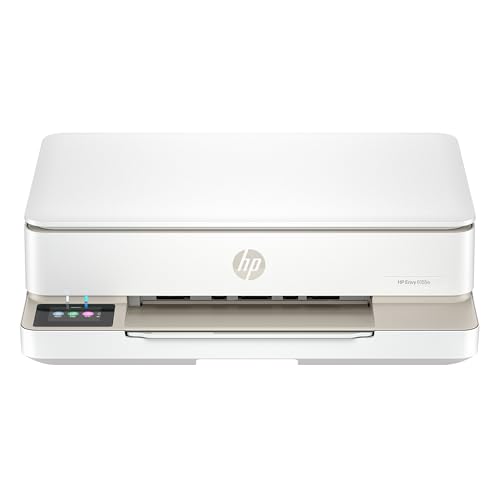
| Premium Choice | Printer Type: Inkjet (color) | All-in-One Functions: Print, scan, copy | Wireless Connectivity: Dual-band Wi-Fi (802.11a/b/g/n/ac) | VIEW LATEST PRICE | Read Our Analysis |
| Brother HL-L2405W Wireless Monochrome Laser Printer |

| Best for Documents | Printer Type: Laser (monochrome) | All-in-One Functions: Print only | Wireless Connectivity: Dual-band Wi-Fi (2.4GHz/5GHz) with USB 2.0 | VIEW LATEST PRICE | Read Our Analysis |
| HP LaserJet M110w Wireless Black & White Printer |

| Professional Grade | Printer Type: Laser (monochrome) | All-in-One Functions: Print only | Wireless Connectivity: Wireless with USB 2.0 | VIEW LATEST PRICE | Read Our Analysis |
| Canon PIXMA TR7120 Wireless Inkjet Printer |

| Best All-in-One | Printer Type: Inkjet (color) | All-in-One Functions: Print, scan, copy | Wireless Connectivity: Dual-band Wi-Fi (2.4GHz/5GHz) | VIEW LATEST PRICE | Read Our Analysis |
| Portable Wireless Thermal Printer for Travel (A285M) |

| Best for Travel | Printer Type: Thermal (monochrome) | All-in-One Functions: Print only | Wireless Connectivity: Bluetooth wireless with USB-C | VIEW LATEST PRICE | Read Our Analysis |
More Details on Our Top Picks
Canon PIXMA TS6520 Wireless Color Inkjet Printer
Why choose a printer that demands constant maintenance when you can have one that works reliably with minimal fuss? The Canon PIXMA TS6520 delivers dependable performance for occasional printing tasks. You’ll get sharp black text at 1200 x 1200 dpi and vibrant color output using the hybrid 2-cartridge ink system. The auto duplex feature prints both sides automatically, reducing paper waste and cutting workflow time. You can print, scan, and copy from your smartphone or computer through the Canon PRINT App, Apple AirPrint, or Mopria Print Service. Its compact design fits snugly into home offices, while the 1.42-inch OLED display provides straightforward navigation. This all-in-one printer handles documents and photos up to 8.5 by 11 inches with borderless printing capabilities. Setup takes minutes, and dual-band Wi-Fi ensures stable wireless connectivity throughout your home.
- Printer Type:Inkjet (color)
- All-in-One Functions:Print, scan, copy
- Wireless Connectivity:Dual-band Wi-Fi (2.4GHz/5GHz)
- Mobile Printing Support:Canon PRINT App, Apple AirPrint, Mopria
- Maximum Media Size:8.5″ x 11″
- Warranty Period:Limited warranty (duration unspecified)
- Additional Feature:1.42″ Monochrome OLED display
- Additional Feature:2-cartridge hybrid ink system
- Additional Feature:1200 x 1200 dpi color/black
HP DeskJet 2855e Wireless All-in-One Inkjet Printer (588S5A)
Looking for a budget-friendly pick that handles everyday home printing? The HP DeskJet 2855e delivers practical all-in-one functionality for your home office. You’ll get printing, scanning, and copying capabilities with print speeds reaching 7.5 ppm for black documents and 5.5 ppm for color. The 60-sheet input tray accommodates standard printing tasks without frequent refilling. You can print wirelessly through your home Wi-Fi network, and the HP app lets you scan, print, and copy directly from your smartphone. Three months of ink come included, reducing initial costs. This printer suits home tasks like letters, financial documents, and recipes, making it ideal for low-volume users prioritizing affordability and straightforward operation.
- Printer Type:Inkjet (color)
- All-in-One Functions:Print, scan, copy
- Wireless Connectivity:Single-band Wi-Fi (2.4GHz)
- Mobile Printing Support:HP App
- Maximum Media Size:Standard home (unspecified)
- Warranty Period:Limited warranty (duration unspecified)
- Additional Feature:3 months ink included
- Additional Feature:60-sheet input tray
- Additional Feature:7.5 ppm black print speed
Canon PIXMA TS4320 Wireless Color Inkjet Printer
The Canon PIXMA TS4320 delivers the most affordable all-in-one option for students and remote workers who need basic printing, copying, and scanning without extra features or complexity. You’ll get a compact printer with dual-band Wi-Fi that connects to your phone or computer through the Canon PRINT App or AirPrint. The 2-cartridge ink system produces sharp text and vibrant colors on documents and photos up to 8.5″ x 11″. Auto-duplex printing cuts paper use in half, and the flatbed scanner handles 600 x 600 dpi copies. Setup takes minutes, the 1-year warranty covers defects, and ENERGY STAR certification keeps power costs low at 21 watts.
- Printer Type:Inkjet (color)
- All-in-One Functions:Print, scan, copy
- Wireless Connectivity:Dual-band Wi-Fi (2.4GHz/5GHz)
- Mobile Printing Support:Canon PRINT App, Apple AirPrint, Mopria
- Maximum Media Size:8.5″ x 11″
- Warranty Period:1 year limited
- Additional Feature:EPEAT Silver; ENERGY STAR certified
- Additional Feature:600 x 600 dpi copy/scan
- Additional Feature:Budget-friendly compact design
HP Smart Tank 5101 Wireless All-in-One Printer
HP’s Smart Tank 5101 delivers exceptional value for home users who print occasionally but want to avoid cartridge costs. You’ll get two years of included Original HP Ink, eliminating frequent replacements. The mess-free refill system lets you add ink from bottles directly into tanks without squeezing or spilling. You can print, scan, and copy wirelessly from your smartphone, tablet, or computer. The printer supports various media types including plain paper, envelopes, and glossy photo paper. Setup takes minimal time, and maintenance requires little effort since the cartridge-free design reduces wear. AI-powered features automatically optimize layouts and remove unwanted content from your documents.
- Printer Type:Inkjet (color, refillable tank)
- All-in-One Functions:Print, scan, copy
- Wireless Connectivity:Wireless with USB 2.0
- Mobile Printing Support:HP App, Alexa, Android, iOS
- Maximum Media Size:Up to 8.5″ x 11″ (inferred)
- Warranty Period:2 years limited
- Additional Feature:2 years ink included
- Additional Feature:Mess-free bottle refill system
- Additional Feature:4800 x 1200 dpi max resolution
Canon PIXMA TR4720 All-in-One Wireless Printer
Need a single device that handles printing, copying, scanning, and faxing? The Canon PIXMA TR4720 delivers all four functions in one compact unit. You’ll print at 8.8 ipm for black documents and 4.4 ipm for color images with 4800 x 1200 dpi resolution. The auto document feeder holds 100 sheets, enabling batch scanning and copying without manual page feeding. You can print borderless photos in 4 x 6, 5 x 7, and 8.5 x 11 sizes. Connect via wireless or USB, then access mobile printing through your smartphone. The hybrid ink system uses two cartridges—Canon PG-275 and CL-276—with no subscription required. Power consumption stays minimal at 7 watts active and 0.8W standby. ENERGY STAR certification confirms efficiency for low-volume home printing.
- Printer Type:Inkjet (color)
- All-in-One Functions:Print, scan, copy, fax
- Wireless Connectivity:Wireless with USB connectivity
- Mobile Printing Support:Smartphone app, Alexa-enabled
- Maximum Media Size:8.5″ x 11″
- Warranty Period:1 year limited
- Additional Feature:Auto Document Feeder; 100-sheet capacity
- Additional Feature:Built-in fax functionality
- Additional Feature:4800 x 1200 dpi maximum resolution
HP Envy 6155e Wireless All-in-One Inkjet Printer
Looking for a premium choice that handles photo printing and everyday documents without breaking your budget? The HP Envy 6155e delivers reliable performance with its 10 ppm black-and-white and 7 ppm color printing speeds. You’ll appreciate the 2.4-inch touchscreen, dual-band Wi-Fi connectivity, and HP app access for remote printing from your devices. The flatbed scanner handles scan-to-email and scan-to-cloud functions efficiently. Duplex printing saves paper on regular documents. You get borderless photo printing in multiple sizes, including 4×6 and 5×5 formats. The 100-sheet input tray suits home use well. Include the 3-month Instant Ink trial with purchase, then decide whether monthly cartridge delivery fits your needs.
- Printer Type:Inkjet (color)
- All-in-One Functions:Print, scan, copy
- Wireless Connectivity:Dual-band Wi-Fi (802.11a/b/g/n/ac)
- Mobile Printing Support:HP App, iOS compatible
- Maximum Media Size:8.5″ x 11.7″
- Warranty Period:1 year limited (extendable to 2 years with HP+)
- Additional Feature:HP AI content removal technology
- Additional Feature:2.4-inch touchscreen display
- Additional Feature:Borderless photo printing capability
Brother HL-L2405W Wireless Monochrome Laser Printer
The Brother HL-L2405W handles routine document printing efficiently for home and office environments. This compact laser printer delivers monochrome output at 30 pages per minute with 1200 x 1200 dpi resolution. You’ll load documents into the 250-sheet paper tray or use the manual feed slot for envelopes and specialty paper. Connect via built-in dual-band wireless (2.4GHz/5GHz) or USB 2.0 to your device. Use the Brother Mobile Connect App to print remotely, track toner levels, and manage printing from your smartphone or tablet. For consumables, you’ll purchase TN830 standard or TN830XL high-yield toner cartridges. Consider the optional Refresh EZ Print Subscription for automatic toner replenishment and potential savings.
- Printer Type:Laser (monochrome)
- All-in-One Functions:Print only
- Wireless Connectivity:Dual-band Wi-Fi (2.4GHz/5GHz) with USB 2.0
- Mobile Printing Support:Brother Mobile Connect App
- Maximum Media Size:Up to 8.5″ x 14″
- Warranty Period:1 year limited
- Additional Feature:30 ppm print speed
- Additional Feature:250-sheet paper tray
- Additional Feature:Lifetime free online support
HP LaserJet M110w Wireless Black & White Printer
For small teams of 1–3 people, HP’s LaserJet M110w delivers professional-grade printing in a compact footprint. This wireless printer produces up to 21 pages per minute in black and white at 600 x 600 dpi resolution. You’ll appreciate its lightweight design at 8.34 pounds, fitting easily into cramped home offices. The M110w connects via Wi-Fi, USB 2.0, and mobile devices through AirPrint and the HP Smart app. It prints on plain paper, envelopes, cards, and labels up to 8.5 x 14 inches. Energy Star certification keeps power consumption minimal. You’ll receive a starter cartridge and one-year warranty with your purchase.
- Printer Type:Laser (monochrome)
- All-in-One Functions:Print only
- Wireless Connectivity:Wireless with USB 2.0
- Mobile Printing Support:HP Smart App, Alexa-compatible, AirPrint, Android
- Maximum Media Size:Up to 8.5″ x 14″
- Warranty Period:1 year limited
- Additional Feature:World’s smallest laser printer
- Additional Feature:21 ppm print speed
- Additional Feature:HP Auto-on/Off technology
Canon PIXMA TR7120 Wireless Inkjet Printer
Need a single device that handles printing, scanning, and copying without consuming your entire desk? The Canon PIXMA TR7120 delivers all three functions in a compact, stylish unit. Set it up quickly via dual-band Wi-Fi, then connect your smartphone using the Canon PRINT App, Apple AirPrint, or Mopria Print Service for direct mobile printing. Use the Auto Document Feeder to scan or copy multi-page documents efficiently. Print sharp text and vivid colors on photos and documents up to 8.5 x 11 inches with borderless options available. Enable automatic two-sided printing to reduce paper consumption. Monitor ink levels and printer status on the 1.42-inch OLED display. This affordable all-in-one works well for home users and hybrid workers managing moderate printing volumes.
- Printer Type:Inkjet (color)
- All-in-One Functions:Print, scan, copy
- Wireless Connectivity:Dual-band Wi-Fi (2.4GHz/5GHz)
- Mobile Printing Support:Canon PRINT App, Apple AirPrint, Mopria
- Maximum Media Size:Up to 8.5″ x 11″
- Warranty Period:Limited warranty (duration unspecified)
- Additional Feature:Auto Document Feeder included
- Additional Feature:1.42-inch OLED display
- Additional Feature:2-cartridge hybrid ink system
Portable Wireless Thermal Printer for Travel (A285M)
Ever find yourself needing to print documents while away from your desk? The A285M offers a compact solution weighing just 1.5 pounds. This inkless thermal printer connects via Bluetooth to smartphones and tablets or USB-C to laptops. It prints black-and-white documents, receipts, and boarding passes at 7 pages per minute on thermal paper in multiple widths. Setup requires installing the app, enabling Bluetooth, and selecting your paper size. The printer holds 160 pages and charges with a standard 5V 2A adapter. It’s ideal for mobile professionals, notaries, and travelers who need portable printing without carrying ink or toner supplies.
- Printer Type:Thermal (monochrome)
- All-in-One Functions:Print only
- Wireless Connectivity:Bluetooth wireless with USB-C
- Mobile Printing Support:Bluetooth app (iPhone/Android), USB-C for laptops
- Maximum Media Size:8.5″ x 11″ (US Letter), A4, or narrower widths
- Warranty Period:1 year limited
- Additional Feature:1.5 pounds ultra-portable
- Additional Feature:Inkless thermal printing technology
- Additional Feature:Bluetooth wireless connectivity
Factors to Consider When Choosing Printers for Low Volume Home Use
When you’re selecting a printer for low-volume home use, you’ll want to evaluate your print speed requirements based on how often you print, compare ink costs and page yield to determine your actual expenses per print job, check what wireless connectivity options (Wi-Fi, Bluetooth, or USB) match your devices, measure your available space to ensure the printer fits your desk or shelf, and review multi-function capabilities like scanning and copying to see if they’d reduce your need for separate devices. Each of these factors directly affects how well the printer will serve your specific situation, so prioritize them according to your household’s most pressing needs. For example, if you rarely print color documents, you might save money with a black-and-white model rather than paying for color ink cartridges you won’t use.
Print Speed Requirements
How fast should your home printer actually work? For low-volume home use, prioritize black-and-white speeds around 7–10 ppm and color speeds of 4–9 ppm. These speeds handle typical tasks like letters, worksheets, and photos without wasting ink on unnecessary velocity.
Skip devices advertising high peak speeds that underperform in real conditions due to Wi-Fi delays or driver overhead. Instead, focus on consistent performance during everyday printing.
Consider duplex printing capability, which effectively doubles your page output over time by printing both sides automatically. This reduces your total print count and saves time on multi-page documents.
Also evaluate whether the printer includes a document feeder or efficient scan/copy workflow. These features reduce overall job time, even when printing speed remains modest.
Ink Costs And Efficiency
What truly determines your printer’s affordability isn’t the upfront price—it’s the cost per page you’ll pay over months of use. Compare cartridge capacity against page yield to calculate your per-page expense. Printers with higher-yield cartridges deliver lower ongoing costs. Consider ink-tank or refillable systems, which use larger, inexpensive reservoirs instead of standard cartridges, significantly reducing per-page expenses. Hybrid ink systems balance sharp text and color output while optimizing pigment usage, improving both quality and efficiency. Enable auto duplex printing to cut paper costs and reduce overall print volume. Check starter ink levels—reliable initial amounts minimize early cartridge replacements. Track ink consumption regularly and select models with accessible refill options. These steps directly lower your total ink expenditure throughout ownership.
Wireless Connectivity Options
Beyond managing ink costs, you’ll want to ensure your printer connects easily to your devices without hassle. Dual-band Wi-Fi (2.4GHz/5GHz) offers more stable connections and performs better on busy networks than single-band 2.4GHz models. Check your printer’s specifications to confirm it supports dual-band technology.
Next, consider wireless apps like Canon PRINT or HP Smart, which let you print and scan directly from your smartphone without USB cables. Download the app compatible with your printer model before setup.
For initial configuration or backup connectivity, verify your printer supports Bluetooth or USB-C. These options help when Wi-Fi isn’t immediately available.
Finally, evaluate whether cloud printing features suit your needs. These capabilities streamline remote printing but aren’t essential for low-volume home use.
Space And Compact Design
Where’ll you put your printer in a home office or bedroom? Consider these space-saving features. Look for models under 18 inches wide and 6–7 inches tall that fit on desks or shelves without crowding your workspace. Choose printers with single-tray paper handling and flatbed scanners instead of bulky feeders or external accessories. All-in-one units offer duplex printing, reducing paper clutter while maintaining compact footprints. Check the weight—most space-conscious options weigh 8–15 pounds, allowing you to reposition them easily without assistance. Examine corner-case layouts like vertical or L-shaped designs that maximize desk real estate in smaller rooms. Measure your available space before purchasing to ensure the printer fits your specific location and workflow needs.
Multi-Function Capabilities
How can you handle printing, scanning, and copying tasks without cluttering your home office with separate devices? Multi-function printers combine these three capabilities in one unit, streamlining your workflow. Choose a model with an Auto Document Feeder (ADF) to automatically feed multiple pages, reducing manual handling. Duplex printing cuts paper usage by printing on both sides automatically. Look for scanner resolution of at least 600 x 600 dpi for clear document digitization. Verify the printer supports USB and wireless connectivity so you can print from smartphones, tablets, and laptops easily. Mobile printing apps further simplify sending files directly to your device. Check that the integrated display or setup interface is straightforward, allowing you to scan and copy without confusion. These features maximize efficiency in low-volume home environments.
Duplex And Paper Handling
What role does automatic duplex printing play in reducing your paper costs and simplifying your workflow? Auto-duplexing flips each sheet automatically, eliminating manual intervention and cutting paper consumption in half for most tasks. You’ll reload less frequently with a 100-sheet tray, which handles typical home printing without constant refilling.
Consider your scanner type when selecting a printer. A document feeder efficiently handles multi-page scans of double-sided originals, while a flatbed works for single pages. Match your duplex capability to your printing patterns—borderless printing may limit double-sided options on certain media sizes.
Evaluate tray capacity against your job frequency. Larger trays reduce interruptions during small batches, letting you maintain consistent workflow without stopping to add paper.
Display And User Interface
Once you’ve settled on paper handling and duplex capabilities, you’ll want to evaluate how you’ll actually control your printer day-to-day. A built-in display—whether a 1.42-inch monochrome OLED or LCD screen—lets you check ink levels, view error messages, and monitor wireless status directly on the printer. This eliminates the need to open software or apps for basic troubleshooting. Physical buttons and intuitive menus on the control panel simplify setup, duplex selection, and copying or scanning tasks without external devices. Without a display, you’ll depend entirely on mobile apps or computer software to initiate jobs and diagnose problems, which slows your workflow. For low-volume home use, a printer with a clear, readable screen and straightforward navigation reduces your learning curve significantly.
Warranty And Long-Term Support
When you’re investing in a home printer, you’ll want to understand what protection the manufacturer offers once you bring it home. Most home printers come with 1-year limited warranties covering hardware defects, though some models offer extended plans. Check what’s included: hardware repairs typically are covered, but consumables like ink cartridges and printheads often aren’t. Review your retailer’s return policy—most allow 30 days for returns. Look into manufacturer support channels: online resources, phone support, and live chat help you troubleshoot issues beyond the warranty period. If extended protection plans are available, compare enrollment costs against your expected usage. Verify regional availability and component limitations before purchasing, as some parts may have separate restrictions affecting long-term service eligibility.
Final Thoughts
You’ll find the right printer by matching your needs to these options. If you print photos regularly, choose the Canon PIXMA TS6520. For budget-conscious printing, pick the HP Smart Tank 5101. Need black-and-white documents only? Select the HP LaserJet M110w. Verify your space constraints, then check each model’s wireless capability and ink costs. Compare page-yield rates before deciding. Your choice depends on volume, color needs, and budget.

Meet Ry, “TechGuru,” a 36-year-old technology enthusiast with a deep passion for tech innovations. With extensive experience, he specializes in gaming hardware and software, and has expertise in gadgets, custom PCs, and audio.
Besides writing about tech and reviewing new products, he enjoys traveling, hiking, and photography. Committed to keeping up with the latest industry trends, he aims to guide readers in making informed tech decisions.