


If you’re paying for Spectrum internet but your modem can’t deliver the speeds you’re getting charged for, you’re wasting money. You’ll need to pick the right modem—one that matches your plan and actually supports modern speeds. DOCSIS 3.1 models offer future-proof performance, while combo units with built-in Wi-Fi 6 eliminate the need for a separate router. But which one fits your setup? Here’s what you need to know to choose correctly.
| ARRIS SURFboard SB8200 DOCSIS 3.1 Cable Modem |

| Best for Speed | DOCSIS Standard: DOCSIS 3.1 | Maximum Download Speed: Up to 2,000 Mbps | Ethernet Ports: Two 1 Gigabit ports | VIEW LATEST PRICE | Read Our Analysis |
| NETGEAR Cable Modem DOCSIS 3.0 (CM500) |

| Budget-Friendly Pick | DOCSIS Standard: DOCSIS 3.0 | Maximum Download Speed: Up to 343 Mbps | Ethernet Ports: One 1 Gigabit port | VIEW LATEST PRICE | Read Our Analysis |
| Hitron CODA56 Cable Internet Modem DOCSIS 3.1 |

| Best for Gaming | DOCSIS Standard: DOCSIS 3.1 | Maximum Download Speed: Up to 2.5 Gbps | Ethernet Ports: One 2.5 Gigabit port | VIEW LATEST PRICE | Read Our Analysis |
| NETGEAR Nighthawk Modem Router Combo WiFi 6 (CAX30) |

| All-in-One Solution | DOCSIS Standard: DOCSIS 3.1 | Maximum Download Speed: Up to 2.7 Gbps (WiFi 6) | Ethernet Ports: Four 1 Gigabit ports | VIEW LATEST PRICE | Read Our Analysis |
| Hitron CODA56 DOCSIS 3.1 Cable Modem 2.5 Gbps |

| Best Value | DOCSIS Standard: DOCSIS 3.1 | Maximum Download Speed: Up to 2.5 Gbps | Ethernet Ports: One 2.5 Gigabit port | VIEW LATEST PRICE | Read Our Analysis |
| ARRIS SB6183-RB Cable Modem DOCSIS 3.0 |

| Best for Budget Plans | DOCSIS Standard: DOCSIS 3.0 | Maximum Download Speed: Up to 686 Mbps | Ethernet Ports: One 1 Gigabit port | VIEW LATEST PRICE | Read Our Analysis |
| NETGEAR Nighthawk DOCSIS 3.1 Cable Modem (CM3000-1AZNAS) |

| Premium Performance | DOCSIS Standard: DOCSIS 3.1 | Maximum Download Speed: Up to 2.5 Gbps | Ethernet Ports: One 2.5 Gigabit port + two 1 Gigabit ports | VIEW LATEST PRICE | Read Our Analysis |
More Details on Our Top Picks
ARRIS SURFboard SB8200 DOCSIS 3.1 Cable Modem
Want faster internet without replacing your entire setup? The ARRIS SURFboard SB8200 DOCSIS 3.1 modem delivers speeds up to 2 Gbps, compatible with Spectrum and other major providers. Install it by connecting your cable line, powering it on, and activating it with your provider. Then attach your existing router for Wi-Fi coverage. The modem includes two Gigabit Ethernet ports for wired devices. Its compact design fits easily into your setup. You’ll need a separate router since this unit handles internet connection only, not wireless broadcasting. The included 2-year warranty covers defects.
- DOCSIS Standard:DOCSIS 3.1
- Maximum Download Speed:Up to 2,000 Mbps
- Ethernet Ports:Two 1 Gigabit ports
- WiFi/Modem Type:Modem only (router required)
- Warranty Length:2 years
- Spectrum Compatibility:Compatible
- Additional Feature:Supports up to 2 Gbps
- Additional Feature:Dual 1 Gigabit Ethernet ports
- Additional Feature:Compact, space-saving design
NETGEAR Cable Modem DOCSIS 3.0 (CM500)
The NETGEAR CM500 is your budget-friendly pick for replacing costly modem rental fees. This DOCSIS 3.0 modem delivers maximum speeds of 343 Mbps downstream and 123 Mbps upstream, supporting Spectrum plans effectively. You’ll connect it to your existing WiFi router using the included Ethernet cable. Setup requires only a power adapter and cable line connection. The modem features 16×4 channel bonding for stable performance. You get a 1-year warranty and straightforward compatibility with major providers. This model saves you approximately $168 annually compared to rental fees while maintaining reliable wired connectivity for your household internet needs.
- DOCSIS Standard:DOCSIS 3.0
- Maximum Download Speed:Up to 343 Mbps
- Ethernet Ports:One 1 Gigabit port
- WiFi/Modem Type:Modem only (router required)
- Warranty Length:1 year
- Spectrum Compatibility:Compatible
- Additional Feature:16×4 channel bonding
- Additional Feature:Saves up to $168/year
- Additional Feature:ISP-managed firmware updates
Hitron CODA56 Cable Internet Modem DOCSIS 3.1
If you’re gaming competitively or streaming 4K content, you’ll need a modem that can handle high-speed cable internet without lag. The Hitron CODA56 features DOCSIS 3.1 technology and a 2.5 Gbps Ethernet port, supporting Spectrum speeds up to 1 Gbps. You’ll need a separate WiFi router to distribute wireless connectivity throughout your home. Before purchasing, confirm your Spectrum plan meets the 1+ Gbps requirement and verify you own a compatible router. This modem eliminates monthly rental fees and includes warranty coverage plus technical support, making it a practical upgrade for faster cable internet service.
- DOCSIS Standard:DOCSIS 3.1
- Maximum Download Speed:Up to 2.5 Gbps
- Ethernet Ports:One 2.5 Gigabit port
- WiFi/Modem Type:Modem only (router required)
- Warranty Length:7-day support with warranty coverage
- Spectrum Compatibility:Compatible (1 Gbps plan supported)
- Additional Feature:2.5 Gbps Ethernet port
- Additional Feature:Low latency gaming optimized
- Additional Feature:30+ years brand expertise
NETGEAR Nighthawk Modem Router Combo WiFi 6 (CAX30)
You’ll want this all-in-one modem and router combo if you’re looking to eliminate equipment rental fees while upgrading your Spectrum setup. The CAX30 combines a DOCSIS 3.1 modem with WiFi 6 technology, delivering speeds up to AX2700. It covers up to 2,000 square feet and connects 25 devices simultaneously. Four gigabit Ethernet ports support port aggregation for faster wired connections. You’ll save approximately $168 annually in rental fees. The device includes NETGEAR Armor security software with a 30-day trial protecting against hackers, malware, and identity theft. Setup and management happen through the Nighthawk app, simplifying network administration for your home.
- DOCSIS Standard:DOCSIS 3.1
- Maximum Download Speed:Up to 2.7 Gbps (WiFi 6)
- Ethernet Ports:Four 1 Gigabit ports
- WiFi/Modem Type:Modem + WiFi 6 router combo
- Warranty Length:Not specified
- Spectrum Compatibility:Compatible
- Additional Feature:Integrated modem and router
- Additional Feature:Covers up to 2,000 sq.ft.
- Additional Feature:NETGEAR Armor security suite
Hitron CODA56 DOCSIS 3.1 Cable Modem 2.5 Gbps
Hitron’s CODA56 delivers strong value for Spectrum customers running gigabit plans who want to cut monthly modem rental fees. This modem supports Spectrum’s 1 Gbps service with a 2.5 Gbps Ethernet port. You’ll need to purchase a separate WiFi router with matching 2.5 Gbps capability to maximize speeds across multiple devices. Call your Spectrum representative to activate the modem before use. Without a router, only one device connects directly via Ethernet cable. The CODA56 handles 4K streaming and gaming with low latency. Verify Spectrum supports your customer-owned modem before purchasing.
- DOCSIS Standard:DOCSIS 3.1
- Maximum Download Speed:Up to 2.5 Gbps
- Ethernet Ports:One 2.5 Gigabit port
- WiFi/Modem Type:Modem only (router required)
- Warranty Length:7-day support with warranty coverage
- Spectrum Compatibility:Compatible (1 Gbps plan supported)
- Additional Feature:2.5 Gbps multi-gig capability
- Additional Feature:Optimized for 4K streaming
- Additional Feature:7-day technical support included
ARRIS SB6183-RB Cable Modem DOCSIS 3.0
Looking to cut your monthly cable bill without sacrificing speed? The ARRIS SB6183-RB works with Spectrum and other major cable providers. This modem supports DOCSIS 3.0 with 16×4 bonding, delivering speeds up to 686 Mbps downstream and 143 Mbps upstream—suitable for plans up to 400 Mbps. You’ll plug it in, then use the SURFboard Central App to activate it. The device features one Gigabit Ethernet port for direct connection to your router or wired devices. Since it lacks built-in Wi-Fi, you’ll need a separate router. At 16 ounces and measuring 5 by 2.13 by 5.25 inches, it fits easily in your setup. ARRIS provides one-year limited warranty and 24/7 support.
- DOCSIS Standard:DOCSIS 3.0
- Maximum Download Speed:Up to 686 Mbps
- Ethernet Ports:One 1 Gigabit port
- WiFi/Modem Type:Modem only (router required)
- Warranty Length:1 year
- Spectrum Compatibility:Compatible
- Additional Feature:686 Mbps max downstream
- Additional Feature:SURFboard Central App activation
- Additional Feature:1-year limited warranty included
NETGEAR Nighthawk DOCSIS 3.1 Cable Modem (CM3000-1AZNAS)
The NETGEAR Nighthawk CM3000-1AZNAS delivers premium performance for Spectrum users who need faster uploads and downloads. This DOCSIS 3.1 modem supports speeds up to 2.5 Gbps download and 1 Gbps upload, making it suitable for gaming, video conferencing, and large file transfers. It includes one 2.5 Gig Ethernet port and two Gigabit ports for flexible connectivity. The modem works with all major cable providers including Spectrum and pairs with NETGEAR WiFi routers for enhanced performance. Its future-proof design accommodates higher speeds as they become available. Setup requires connecting the included Ethernet cable and power adapter to your existing Spectrum service.
- DOCSIS Standard:DOCSIS 3.1
- Maximum Download Speed:Up to 2.5 Gbps
- Ethernet Ports:One 2.5 Gigabit port + two 1 Gigabit ports
- WiFi/Modem Type:Modem only (router required)
- Warranty Length:1 year
- Spectrum Compatibility:Compatible
- Additional Feature:2.5 Gbps download speeds
- Additional Feature:10x faster upload capability
- Additional Feature:Three Ethernet ports available
Factors to Consider When Choosing a Modem for Spectrum
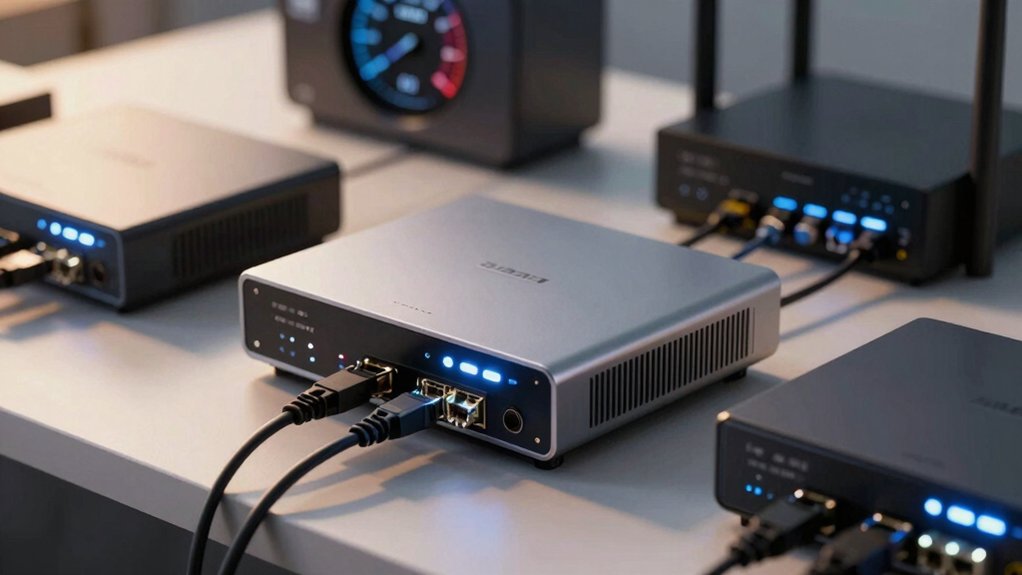
Before you purchase a modem for Spectrum, you’ll need to verify your internet speed tier, confirm DOCSIS 3.1 compatibility, check the number and type of ethernet ports you require, and decide whether you want a modem-only device or a combined modem-router unit. Next, you’ll cross-reference your chosen model against Spectrum’s official compatibility list to ensure it’ll work with your account and service plan without issues. Finally, review the specific features each modem offers—such as port configuration and processing power—to match your household’s devices and bandwidth demands.
Internet Speed Requirements
How does your Spectrum plan’s speed tier match your modem’s capabilities? You’ll need to verify your plan’s maximum downstream speed first. If you’re paying for speeds under 400 Mbps, a DOCSIS 3.0 modem will work, though you should still check Spectrum’s approved device list. For plans between 400 Mbps and 1 Gbps, choose a DOCSIS 3.1 modem to avoid bottlenecks and future-proof your setup. For higher-tier plans at 1 Gbps or above, you’ll need DOCSIS 3.1 with at least a 2.0 Gbps capable Ethernet port. Check your specific plan documents for the exact speed guarantee, then match that number to the modem’s listed specifications on Spectrum’s compatibility list before purchasing.
DOCSIS Standard Compatibility
Since DOCSIS standards directly determine your modem’s speed potential, you’ll want to understand the key differences before making a purchase. DOCSIS 3.1 modems support multi-gig speeds up to 2.5 Gbps, while DOCSIS 3.0 models max around 1 Gbps or less. If you’re subscribing to higher-tier Spectrum plans, choose a DOCSIS 3.1 modem with 32×8 or higher channel bonding for optimal performance. DOCSIS 3.1 modems work on DOCSIS 3.0 networks, though speeds will be limited to 3.0 capabilities. Verify your modem choice on Spectrum’s compatibility list—all customer-owned modems must be certified and tested on Spectrum’s network. Confirm whether you need a modem-only device or a combined modem-router unit based on your setup requirements.
Ethernet Port Configuration
Once you’ve confirmed your modem’s DOCSIS compatibility, you’ll need to evaluate its Ethernet ports, which directly affect how fast data travels from your modem to your devices and router. If you’re using a basic Spectrum plan, a single 1 Gigabit Ethernet port works fine. However, for faster tiers, you’ll want a 2.5 Gigabit port to avoid bottlenecking your speeds. Check whether your router and devices support 2.5 Gbps—if they don’t, you won’t gain the benefits of the faster port. Multiple Ethernet ports give you flexibility for connecting several devices or routers without needing additional equipment. If your modem has only one port, you’ll need a network switch to connect multiple devices simultaneously.
Modem-Only vs. Combo Units
When you’re shopping for a Spectrum-compatible modem, you’ll encounter two main options: modem-only devices that require a separate router, or combo units that combine modem and router functions into a single device. Modem-only devices offer greater flexibility because you can upgrade your router independently as Wi-Fi standards evolve, and you’ll avoid rental fees if you already own a router. Combo units simplify setup by reducing device count and handling everything in one unit, though they may limit your router upgrade options and futureproofing potential. For either choice, verify the device is DOCSIS 3.0 or 3.1 compatible and officially supported by Spectrum for activation. Consider your current equipment and future needs before deciding which option best suits your situation.
Provider Compatibility Verification
After you’ve decided whether you want a modem-only device or a combo unit, you’ll need to verify that your chosen modem will actually work with Spectrum’s network. Start by checking Spectrum’s official list of approved devices to confirm your modem is compatible. Next, verify the modem supports DOCSIS 3.0 or 3.1 with adequate channel bonding for your specific plan. Compare the modem’s maximum downstream and upstream speeds against your Spectrum plan’s speeds to ensure you’ll get the performance you’re paying for. Additionally, confirm the modem supports IPv4 and IPv6 protocols and meets Spectrum’s activation requirements. You can also look for CableLabs certification as an alternative verification method. These steps prevent activation issues and guarantee your modem will function properly on Spectrum’s network.
Monthly Rental Fee Savings
How much could you save by purchasing your own modem instead of renting from Spectrum? You’ll typically reduce your monthly costs by $8–12, depending on your plan and region. Calculate your payback period by dividing the modem’s purchase price by your monthly savings. Most customer-owned modems pay for themselves within 1–2 years. After that, you pocket the full rental fee savings every month. To maximize long-term savings, choose a DOCSIS 3.1 modem if you have a gigabit plan, rather than settling for older DOCSIS 3.0 models. Before purchasing, confirm Spectrum compatibility and understand activation requirements for your specific modem. This ensures you’ll access approved speeds and receive continued support without service interruptions or activation issues.
Warranty And Technical Support
Beyond calculating your savings, you’ll want to protect your investment by examining the warranty and support options that come with your modem. Check the warranty length—compare 1-year versus 2-year coverage to understand long-term protection. Confirm that technical support is included and verify availability windows, such as 8am–1am EST, for troubleshooting and activation help. Request manufacturer-provided setup guides and activation assistance to minimize installation issues. Verify whether the modem supports firmware updates or ISP-provided firmware management, as this affects ongoing compatibility with Spectrum’s network. Finally, review return policies and conditions carefully. Understanding these terms ensures you can resolve problems quickly and return the modem if it doesn’t perform as expected.
Final Thoughts
You’ll maximize your Spectrum internet speed by choosing a DOCSIS 3.1 modem that matches your plan’s speed tier. If you need Wi-Fi built in, go with the Nighthawk CAX30. For modem-only setups, pick the SB8200 or CODA56. Verify Spectrum compatibility before purchasing, confirm activation readiness, and ensure the device supports your subscribed speeds—especially for 1+ Gbps plans. Check your current router’s capabilities to decide between combo units and standalone modems.

Meet Ry, “TechGuru,” a 36-year-old technology enthusiast with a deep passion for tech innovations. With extensive experience, he specializes in gaming hardware and software, and has expertise in gadgets, custom PCs, and audio.
Besides writing about tech and reviewing new products, he enjoys traveling, hiking, and photography. Committed to keeping up with the latest industry trends, he aims to guide readers in making informed tech decisions.