
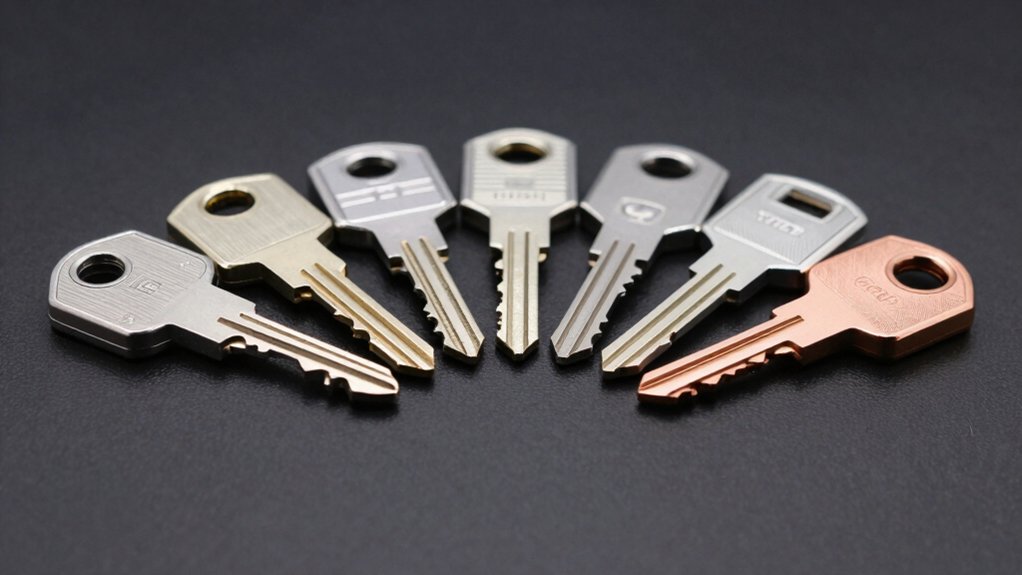

You need a USB security key to protect your accounts from hackers, but choosing the right one requires understanding what features matter most. Multi-protocol support, durability, and cross-device compatibility are essential, yet most people don’t know which keys offer all three. The difference between a basic key and an enterprise-grade one could determine whether your accounts stay secure. Let’s examine eight keys that actually deliver protection.
| Yubico Security Key C NFC Multi-Factor Authentication |

| Best Simplicity | Authentication Standards Supported: FIDO2/WebAuthn, FIDO U2F | Connectivity Options: USB-C, NFC | Operating System Compatibility: Windows, macOS, ChromeOS, Linux | VIEW LATEST PRICE | Read Our Analysis |
| Yubico YubiKey 5C NFC Multi-Factor Authentication Security Key |
| Most Versatile | Authentication Standards Supported: FIDO2/WebAuthn, FIDO U2F, Yubico OTP, OATH-TOTP/HOTP, Smart card (PIV), OpenPGP | Connectivity Options: USB-C, NFC | Operating System Compatibility: Windows, macOS, Linux (via compatible services) | VIEW LATEST PRICE | Read Our Analysis |
| Thetis Pro-A FIDO2 Security Key with USB & NFC |

| Best Budget Option | Authentication Standards Supported: FIDO2/Passkey, TOTP/HOTP | Connectivity Options: USB-A, NFC | Operating System Compatibility: Windows, macOS, Linux | VIEW LATEST PRICE | Read Our Analysis |
| Thetis Pro FIDO2 Security Key Two Factor Authentication |

| Best Dual Connectivity | Authentication Standards Supported: FIDO 2.0, NFC | Connectivity Options: USB-A, USB-C, NFC | Operating System Compatibility: Windows, macOS, Linux | VIEW LATEST PRICE | Read Our Analysis |
| Identiv uTrust FIDO2 NFC Security Key USB-C (FIDO FIDO2 U2F WebAuthn) |

| Best Enterprise Solution | Authentication Standards Supported: FIDO2, FIDO U2F, WebAuthn, HOTP | Connectivity Options: USB-C, NFC | Operating System Compatibility: Windows 10, macOS, Linux | VIEW LATEST PRICE | Read Our Analysis |
| FIDO2 Security Key USB Type-A Two Factor Authentication |
![FIDO2 Security Key [Folding Design] Thetis Universal Two Factor Authentication](https://m.media-amazon.com/images/I/319b82vXgEL._SL500_.jpg)
| Best Portability | Authentication Standards Supported: FIDO2, U2F, HOTP | Connectivity Options: USB-A | Operating System Compatibility: Windows, macOS, Linux, Chrome OS | VIEW LATEST PRICE | Read Our Analysis |
| Kingston Ironkey Vault Privacy 50 32GB USB Flash Drive |

| Best For Storage | Authentication Standards Supported: XTS-AES 256-bit encryption (not FIDO-based) | Connectivity Options: USB 3.2 Gen 1 (data storage only) | Operating System Compatibility: Cross-platform (USB storage device) | VIEW LATEST PRICE | Read Our Analysis |
| Thales SafeNet eToken FIDO2 Security Key USB-A |

| Best For Windows | Authentication Standards Supported: FIDO2, U2F | Connectivity Options: USB-A | Operating System Compatibility: Windows, Linux, USB-A devices | VIEW LATEST PRICE | Read Our Analysis |
More Details on Our Top Picks
Yubico Security Key C NFC Multi-Factor Authentication
Why settle for complicated security setups? The Yubico Security Key C NFC offers straightforward MFA protection for your accounts. This FIDO-certified key works with over 1,000 services including Google, Microsoft, and Apple. You’ll tap or insert the USB-C connector to authenticate—no batteries or internet required. The device resists water, crushing, and everyday damage, fitting easily on your keychain. It prevents phishing by requiring physical verification rather than relying on passwords alone. For uninterrupted access, purchase a primary key and a spare. The one-year warranty covers defects, and Amazon accepts returns within 30 days for damaged or unopened units.
- Authentication Standards Supported:FIDO2/WebAuthn, FIDO U2F
- Connectivity Options:USB-C, NFC
- Operating System Compatibility:Windows, macOS, ChromeOS, Linux
- Physical Durability:Waterproof, crush-resistant
- Power Requirements:No batteries required
- Primary Use Case:Phishing protection / MFA security key
- Additional Feature:No One-Time Password support
- Additional Feature:Works with 1000+ accounts
- Additional Feature:Keychain-friendly compact design
Yubico YubiKey 5C NFC Multi-Factor Authentication Security Key
The YubiKey 5C NFC is the most versatile security key for anyone protecting multiple accounts across different devices. You’ll plug it into your USB-C port or tap it via NFC on your phone to log in securely. It supports FIDO2, U2F, OATH, and smart card standards, so you can use it with Google, Microsoft, Apple, and 1,000+ other accounts. The key requires no batteries or internet connection. Buy two keys—one for daily use and one as backup—to prevent lockout if you lose the primary. The durable, waterproof design withstands daily wear.
- Authentication Standards Supported:FIDO2/WebAuthn, FIDO U2F, Yubico OTP, OATH-TOTP/HOTP, Smart card (PIV), OpenPGP
- Connectivity Options:USB-C, NFC
- Operating System Compatibility:Windows, macOS, Linux (via compatible services)
- Physical Durability:Waterproof, crush-resistant
- Power Requirements:No batteries required
- Primary Use Case:Phishing protection / Multi-method MFA security key
- Additional Feature:Supports Yubico OTP/OATH protocols
- Additional Feature:Smart card (PIV) capable
- Additional Feature:OpenPGP encryption support
Thetis Pro-A FIDO2 Security Key with USB & NFC
Looking for passwordless security without premium pricing? The Thetis Pro-A delivers FIDO2 authentication across USB-A and NFC connections, supporting Windows, macOS, Linux, iPhones, and Android devices. You’ll authenticate passwordlessly on Gmail, Facebook, GitHub, and Dropbox once those services support hardware keys. The rotating metal cover protects the device during daily use, and you’ll attach it to your keychain for portability. Since it requires no batteries or network connection, you maintain consistent access anywhere. For enterprise deployment, you can integrate it with management software suites. Before purchasing, verify that your specific services explicitly support hardware keys.
- Authentication Standards Supported:FIDO2/Passkey, TOTP/HOTP
- Connectivity Options:USB-A, NFC
- Operating System Compatibility:Windows, macOS, Linux
- Physical Durability:360° rotating metal cover, durable
- Power Requirements:No batteries required
- Primary Use Case:Passwordless login / Business-ready MFA
- Additional Feature:360° rotating metal cover
- Additional Feature:Enterprise deployment ready
- Additional Feature:Universal USB-A/NFC connectivity
Thetis Pro FIDO2 Security Key Two Factor Authentication
Thetis Pro’s dual USB-A and USB-C ports let you authenticate across your devices without carrying multiple keys. The 360° rotating metal cover protects the connector during daily use. You’ll get NFC authentication on mobile devices by aligning your phone’s NFC area and tapping to verify. Windows, MacOS, and Linux all support this key for Gmail, Facebook, Dropbox, and Github. The compact design fits on your keychain, and it requires no battery or network connection. Before purchasing, confirm your accounts support FIDO2 compatibility, as ID Austria requires FIDO2 Level 2, which this key doesn’t provide.
- Authentication Standards Supported:FIDO 2.0, NFC
- Connectivity Options:USB-A, USB-C, NFC
- Operating System Compatibility:Windows, macOS, Linux
- Physical Durability:360° rotating metal cover, water-resistant, crush-resistant
- Power Requirements:No battery or network required
- Primary Use Case:Two-factor authentication
- Additional Feature:Dual USB-A and USB-C
- Additional Feature:480 bytes per second speed
- Additional Feature:360° rotating metal cover
Identiv uTrust FIDO2 NFC Security Key USB-C (FIDO FIDO2 U2F WebAuthn)
Need enterprise-grade security that scales across your organization? The Identiv uTrust FIDO2 NFC Security Key USB-C replaces passwords with cryptographic authentication across Gmail, Facebook, Salesforce, and LinkedIn. This white USB-C key supports FIDO2, U2F, and WebAuthn protocols, eliminating phishing and password theft risks. You’ll register the device with your services, which generates a unique key pair—your public key goes to the service, your private key stays on the device. The key also enables NFC for contactless sign-on on compatible phones and tablets. For HOTP functionality, you’ll obtain your secret key from your backend and add it via the uTrust Key Manager tool. Best practice: maintain two keys—one primary and one backup. The device is 100% TAA compliant and carries a one-year warranty.
- Authentication Standards Supported:FIDO2, FIDO U2F, WebAuthn, HOTP
- Connectivity Options:USB-C, NFC
- Operating System Compatibility:Windows 10, macOS, Linux
- Physical Durability:Durable hardware construction
- Power Requirements:No external power required
- Primary Use Case:Passwordless login / Enterprise MFA
- Additional Feature:HOTP enabled on key
- Additional Feature:100% TAA compliant
- Additional Feature:uTrust Key Manager software included
FIDO2 Security Key USB Type-A Two Factor Authentication
The Thetis FIDO2 Security Key with its compact 360° rotating design excels for users who prioritize portability without sacrificing security. This USB Type-A key enables passwordless login across Windows, macOS, and Linux systems while protecting accounts on Gmail, Facebook, Dropbox, GitHub, and Salesforce. The built-in HOTP technology generates one-time passwords to prevent phishing and hacking attempts. Its aluminum alloy cover shields the USB connector when folded, protecting against drops and scratches. Enterprise users gain Windows Hello login capability through Azure Active Directory integration. The key’s ultra-portable dimensions and durable construction make it ideal for professionals requiring secure authentication on multiple devices throughout their workday.
- Authentication Standards Supported:FIDO2, U2F, HOTP
- Connectivity Options:USB-A
- Operating System Compatibility:Windows, macOS, Linux, Chrome OS
- Physical Durability:360° rotating aluminum alloy cover, shielded connector
- Power Requirements:No battery required
- Primary Use Case:Passwordless login / Two-factor authentication
- Additional Feature:Built-in HOTP technology
- Additional Feature:Windows Hello enterprise login
- Additional Feature:360° rotating aluminum cover
Kingston Ironkey Vault Privacy 50 32GB USB Flash Drive
Kingston’s IronKey Vault Privacy 50 excels for those prioritizing encrypted storage solutions. This 32GB USB drive uses FIPS 197-certified XTS-AES 256-bit hardware encryption to protect your files. You’ll benefit from brute force attack protection and BadUSB defense through digitally-signed firmware. Set up multiple passwords with dual read-only modes to control access levels. The drive offers read speeds up to 250 MB/s and write speeds to 180 MB/s via USB 3.2 Gen 1. You get a 5-year warranty, making this a reliable choice for securing sensitive data without relying on cloud storage.
- Authentication Standards Supported:XTS-AES 256-bit encryption (not FIDO-based)
- Connectivity Options:USB 3.2 Gen 1 (data storage only)
- Operating System Compatibility:Cross-platform (USB storage device)
- Physical Durability:Durable aluminum alloy casing
- Power Requirements:Powered via USB connection
- Primary Use Case:Encrypted data storage
- Additional Feature:XTS-AES 256-bit encryption
- Additional Feature:BadUSB protection firmware
- Additional Feature:250 MB/s read speed
Thales SafeNet eToken FIDO2 Security Key USB-A
Looking for straightforward passwordless authentication that works seamlessly across Windows environments? The Thales SafeNet eToken FIDO2 delivers phishing-resistant multi-factor authentication through a simple 4-digit PIN and presence detector. This USB-A key integrates with Microsoft, Google, and AWS platforms, protecting your web apps and Windows sessions. You’ll get FIDO2 Level 1 certification with U2F support, ensuring compatibility across devices with USB-A ports. The water-resistant design handles everyday use, while the 1-year warranty covers defects. Customer ratings sit at 3.9 stars, reflecting reliable performance for personal and professional accounts requiring secure access.
- Authentication Standards Supported:FIDO2, U2F
- Connectivity Options:USB-A
- Operating System Compatibility:Windows, Linux, USB-A devices
- Physical Durability:Water-resistant
- Power Requirements:USB-powered
- Primary Use Case:Phishing-resistant passwordless MFA
- Additional Feature:4-digit PIN passwordless authentication
- Additional Feature:Sensitive presence detector onboard
- Additional Feature:40 MB/s write speed
Factors to Consider When Choosing a USB Security Key
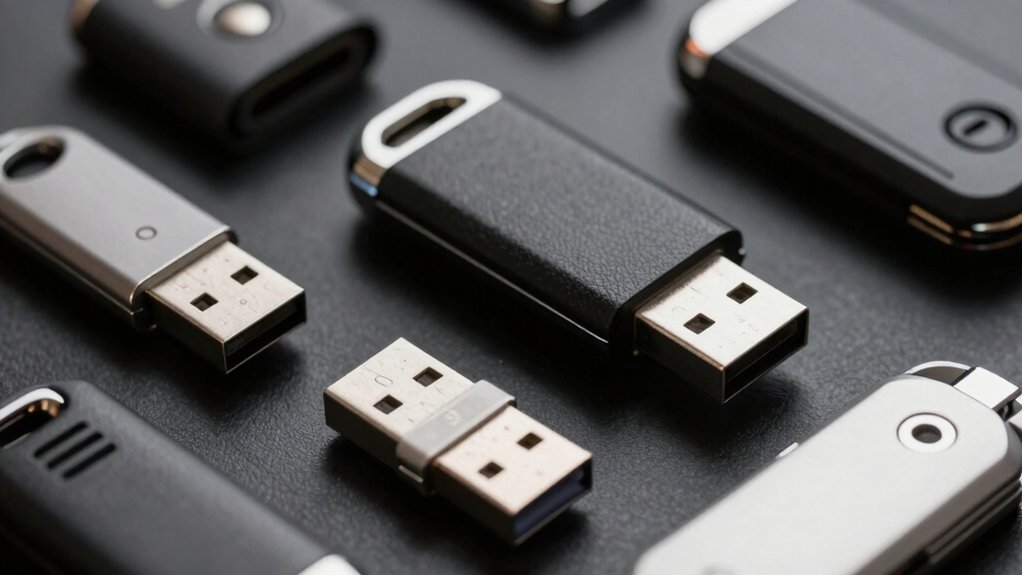
When you’re choosing a USB security key, you need to check compatibility with your accounts, verify that it supports the authentication protocols your services require, and assess the physical durability and design for your daily use. Next, determine which connectivity options you need—USB-A, USB-C, or both—based on your devices, and decide whether you’re buying for personal use or enterprise deployment since enterprise keys often include additional management features. These factors directly affect how well a security key will protect your accounts and integrate into your existing setup.
Compatibility With Your Accounts
How do you know if a security key will actually work with the accounts you use every day? Check your key’s supported protocols against each service’s requirements. Visit your email provider’s security settings and confirm they accept FIDO2 or U2F keys. Do the same for your cloud storage, password manager, and other critical accounts. Document which protocols each service supports—some offer only FIDO2, while others support multiple standards. Cross-reference your key’s specifications with this list. If your primary accounts don’t support your chosen key’s protocol, that key won’t protect them effectively. Contact your service providers if documentation is unclear. Prioritize keys compatible with your most-used accounts first, then verify backup options work with secondary services.
Authentication Protocol Support
Since different services rely on different authentication standards, you’ll need to understand which protocols your security key supports and which ones your accounts require. FIDO2/WebAuthn provides passwordless, phishing-resistant authentication across modern browsers and services. FIDO U2F ensures compatibility with older platforms still using legacy standards. HOTP/TOTP generates time- or event-based one-time codes for additional security when multi-protocol support is limited. Multi-protocol keys combining FIDO2/U2F with OTP or smart card options offer the broadest applicability. Before purchasing, check your key’s supported protocols against your accounts’ requirements. List the services you use most frequently, then verify which authentication methods each platform accepts. This approach prevents incompatibility issues and ensures your key works across your entire account ecosystem.
Physical Durability And Design
Your security key’s physical construction matters just as much as its authentication protocols. Look for keys with 360° rotating metal covers and aluminum alloy bodies that resist drops, scratches, and daily wear. Water resistance protects against moisture exposure and accidental spills. Choose compact, keychain-friendly designs that reduce misplacement risk. Examine the shell for tamper-resistant and crush-resistant materials that deter physical tampering. Verify that USB connectors are shielded or recessed when not in use, protecting them from bending or damage during transport. These durability features ensure your security key withstands both environmental hazards and intentional tampering attempts, maintaining its protective function over time.
Connectivity Options Available
What connectivity options does your security key need to support? You’ll find three main choices: USB-C, USB-A, and NFC. USB-C and USB-A require physical insertion into your device for authentication, while NFC enables tap-to-authenticate on mobile devices without insertion. Consider your device ecosystem when selecting. If you use multiple device types, choose a key with dual ports—both USB-C and USB-A—to maximize compatibility. Check whether your devices use USB 2.0 or USB 3.x interfaces, as this affects write and read speeds. NFC works best for smartphones and tablets. USB works universally across computers and older hosts. Most security keys require no batteries or internet connection, relying instead on hardware-based authentication through your chosen connectivity method.
Enterprise Versus Personal Use
Most security key decisions hinge on whether you’re protecting individual accounts or managing authentication across an entire organization. For personal use, you’ll want a single key with broad compatibility—USB-C or USB-A plus NFC—prioritizing portability and ease of use. You don’t need HOTP support or management tools. For enterprise deployments, you’ll require multi-protocol support including FIDO2, U2F, and PIV/OpenPGP. You’ll also need management tools for PIN management and bulk provisioning. Enterprises demand higher durability, hardware-backed security, and integration with identity providers and directory services. Both contexts benefit from purchasing two keys—a primary and a spare—but enterprises must enforce policy-driven key lifecycle, deployment, and recovery processes that personal users can skip entirely.
Backup Key Strategy
Ever wondered why security experts insist on maintaining a backup security key? You need a second key because your primary key can break, get lost, or be stolen. Store your backup key in a different physical location than your primary—ideally a safe deposit box or secure home safe. Both keys should support the same authentication standard, like FIDO2 or WebAuthn, so you can access all your accounts during recovery. Test your backup key regularly with your supported services to confirm it works properly. Consider purchasing keys with multiple connectivity options—USB-C, USB-A, and NFC—across both devices. This coverage ensures you’ll access your accounts from any device, regardless of available ports.
Final Thoughts
You’ve now reviewed eight leading USB security keys. Select one matching your devices—USB-A, USB-C, or NFC. Buy a primary key and backup key; store them separately. Test your chosen key with your accounts before relying on it fully. Update firmware regularly. Enable two-factor authentication across all important services. This layered approach substantially reduces your hacking risk.

Meet Ry, “TechGuru,” a 36-year-old technology enthusiast with a deep passion for tech innovations. With extensive experience, he specializes in gaming hardware and software, and has expertise in gadgets, custom PCs, and audio.
Besides writing about tech and reviewing new products, he enjoys traveling, hiking, and photography. Committed to keeping up with the latest industry trends, he aims to guide readers in making informed tech decisions.