
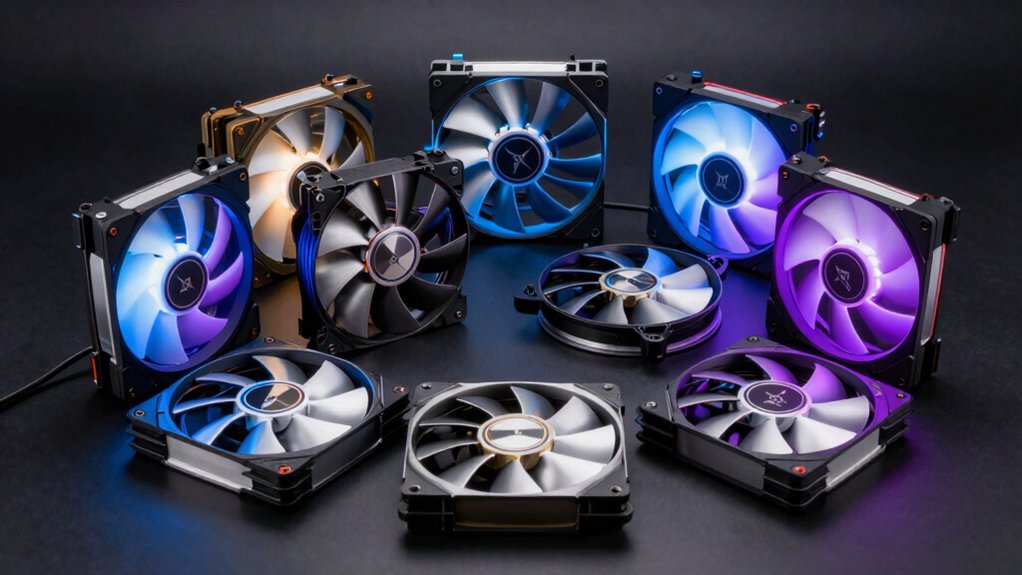

When you’re building or upgrading your PC, you’ll need to pick fans that match your specific cooling demands. You’ve got two main priorities: high static pressure fans for radiators and dense heatsinks, and strong airflow fans for case intake and exhaust. You’ll also want to balance noise levels with PWM control for automatic speed adjustments. But selecting the right combination requires understanding what each fan type actually does—and which models deliver on their promises.
| Thermalright TL-C12C-S 120mm ARGB CPU Cooler Fan (3-Pack) |
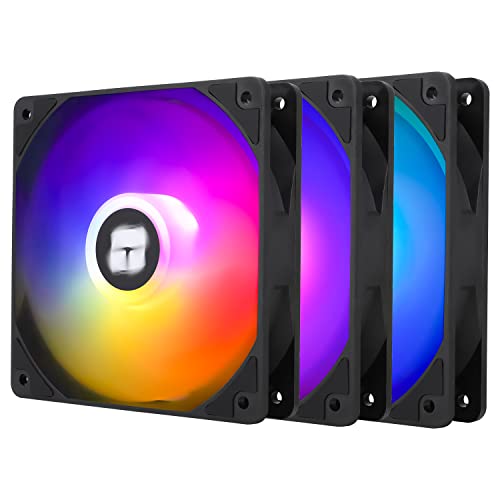
| Best RGB Aesthetics | Maximum RPM: 1550 RPM | Noise Level: ≤25.6 dBA | Fan Size: 120mm | VIEW LATEST PRICE | Read Our Analysis |
| Noctua NF-P12 redux-1700 PWM Cooling Fan (120mm) |

| Best Quietest Operation | Maximum RPM: 1700 RPM | Noise Level: 25.1 dB(A) | Fan Size: 120mm | VIEW LATEST PRICE | Read Our Analysis |
| CORSAIR RS120 120mm PWM Fans Triple Pack Black |

| Best High Performance | Maximum RPM: 2100 RPM | Noise Level: Low noise (not specified) | Fan Size: 120mm | VIEW LATEST PRICE | Read Our Analysis |
| upHere 360mm All-in-One Computer Case Fan (U3K3) |

| Best Cable Management | Maximum RPM: 1650 RPM | Noise Level: 25 dB(A) | Fan Size: 120mm (3-pack) | VIEW LATEST PRICE | Read Our Analysis |
| ASUS ROG Strix XF120 PWM Fan 120mm |

| Best Magnetic Levitation | Maximum RPM: 1800 RPM | Noise Level: 22.5 dB(A) | Fan Size: 120mm | VIEW LATEST PRICE | Read Our Analysis |
| ARCTIC P12 120mm PC Case Fans (5-Pack) |

| Best Value Pack | Maximum RPM: 1800 RPM | Noise Level: 0.3 Sone | Fan Size: 120mm | VIEW LATEST PRICE | Read Our Analysis |
| ARCTIC P8 Max 80mm PC Case Fan PWM-Controlled |

| Best High-Speed Cooling | Maximum RPM: 5000 RPM | Noise Level: 0.6 Sones | Fan Size: 80mm | VIEW LATEST PRICE | Read Our Analysis |
| Thermalright TL-P9W-S CPU Fan 92mm Silent Cooler |

| Best Compact Design | Maximum RPM: 2200 RPM | Noise Level: ≤23.85 dBA | Fan Size: 92mm | VIEW LATEST PRICE | Read Our Analysis |
More Details on Our Top Picks
Thermalright TL-C12C-S 120mm ARGB CPU Cooler Fan (3-Pack)
If you’re building a PC where RGB lighting matters as much as cooling performance, this three-pack delivers impressive LED aesthetics alongside functional thermal management. Each 120mm fan operates at 1550 RPM, producing 66.17 CFM airflow while maintaining noise levels at 25.6 dBA or lower. The S-FDB bearings reduce vibration and extend fan lifespan. Install these fans in your case or attach them to radiators for CPU cooling. Connect each fan’s 4-pin PWM header to your motherboard for automatic speed adjustment based on temperature. The 17 ARGB light modes sync through your motherboard’s RGB controller, creating unified lighting across your build.
- Maximum RPM:1550 RPM
- Noise Level:≤25.6 dBA
- Fan Size:120mm
- Power Connector Type:4-pin PWM
- Airflow:66.17 CFM
- Bearing Type:S-FDB Bearing
- Additional Feature:17 ARGB light modes
- Additional Feature:S-FDB bearing design
- Additional Feature:3-pack bundle included
Noctua NF-P12 redux-1700 PWM Cooling Fan (120mm)
Looking for a fan that delivers strong cooling performance without excessive noise? The Noctua NF-P12 redux-1700 PWM offers pressure-optimized blade design that produces high static pressure and strong airflow. You’ll get automatic motherboard speed control through its 4-pin PWM connector, meaning the fan runs quietly at idle and powers up when your system needs it. Install it in CPU coolers, radiators, or chassis ventilation slots. At 1700 RPM maximum, it produces 25.1 dB(A) noise—reasonable for its performance level. The fiberglass-reinforced PBT construction ensures durability. You’ll receive a 6-year manufacturer’s warranty and optional accessories like vibration mounts to reduce noise further.
- Maximum RPM:1700 RPM
- Noise Level:25.1 dB(A)
- Fan Size:120mm
- Power Connector Type:4-pin PWM
- Airflow:High CFM (not specified)
- Bearing Type:Not specified
- Additional Feature:6-year manufacturer warranty
- Additional Feature:Pressure-optimised blade design
- Additional Feature:Extensive accessory compatibility
CORSAIR RS120 120mm PWM Fans Triple Pack Black
The CORSAIR RS120 delivers high-performance cooling through daisy-chain PWM connectivity. You’ll connect multiple fans to a single 4-pin PWM connector, simplifying your wiring setup. These fans reach speeds up to 2,100 RPM and produce airflow of 72.8 CFM. With static pressure of 4.15 mm-H2O, they work well for radiators and obstructed areas. The Magnetic Dome bearing keeps noise low while reducing friction for extended lifespan. CORSAIR’s AirGuide technology directs airflow toward problem areas in your system. This triple pack gives you three fans, making them ideal for radiator installations or heatsink applications requiring reliable, quiet cooling performance.
- Maximum RPM:2100 RPM
- Noise Level:Low noise (not specified)
- Fan Size:120mm
- Power Connector Type:4-pin PWM
- Airflow:72.8 CFM
- Bearing Type:Magnetic Dome Bearing
- Additional Feature:Daisy-chain multiple fans
- Additional Feature:CORSAIR AirGuide technology
- Additional Feature:Magnetic Dome bearing
upHere 360mm All-in-One Computer Case Fan (U3K3)
upHere’s 360mm all-in-one unit excels for builders managing multiple fans. The daisy chain design links three 120mm fans through a single motherboard header, eliminating cable clutter and simplifying installation. You’ll achieve up to 64.61 CFM airflow for efficient heat dissipation. The PWM 4-pin interface enables precise speed control between 600–1650 RPM, letting you adjust cooling to your system’s needs. Hydraulic bearings keep noise at 25 dB(A) maximum. Eight pre-installed rubber pads absorb vibration, stabilizing the unit and reducing resonance. This configuration delivers reliable cooling without occupying multiple headers or requiring extensive cable management.
- Maximum RPM:1650 RPM
- Noise Level:25 dB(A)
- Fan Size:120mm (3-pack)
- Power Connector Type:4-pin PWM
- Airflow:64.61 CFM
- Bearing Type:Hydraulic Bearing
- Additional Feature:Daisy chain connector design
- Additional Feature:Pre-installed anti-vibration pads
- Additional Feature:Single motherboard header
ASUS ROG Strix XF120 PWM Fan 120mm
Want whisper-quiet cooling that won’t compromise your system’s performance? The ASUS ROG Strix XF120 delivers reliable airflow at just 22.5 dB(A) using MagLev bearing technology. This 120mm fan operates between 250–1800 RPM, allowing you to customize cooling curves through PWM control. You’ll get up to 62.5 CFM airflow and 3.07 mm H2O static pressure, making it suitable for radiators or CPU coolers. Anti-vibration pads minimize rattling, while aerodynamic blade design reduces turbulence. The fan spins down at 0% PWM for silent operation during light loads. With a 400,000-hour lifespan and 5-year warranty, you’re investing in long-term system stability.
- Maximum RPM:1800 RPM
- Noise Level:22.5 dB(A)
- Fan Size:120mm
- Power Connector Type:4-pin PWM
- Airflow:62.5 CFM
- Bearing Type:MagLev (Magnetic-Levitation)
- Additional Feature:MagLev magnetic-levitation bearings
- Additional Feature:400,000 hour lifespan
- Additional Feature:Whisper-quiet acoustic profile
ARCTIC P12 120mm PC Case Fans (5-Pack)
If you’re building or upgrading a system on a budget, ARCTIC’s P12 five-pack delivers value-oriented cooling without sacrificing performance. Each fan operates at 1800 RPM, producing 56.3 CFM of airflow with minimal noise at 0.3 Sone. The static pressure rating of 2.2 mmH₂O makes them suitable for heatsinks and radiators. These fans feature Fluid Dynamic Bearings from Germany, reducing friction and extending service life. They’re 120mm in size with standard 3-pin connectors, fitting most desktop PCs. At just 1.92 watts per fan, they’re energy-efficient. The six-year warranty provides long-term protection on your investment.
- Maximum RPM:1800 RPM
- Noise Level:0.3 Sone
- Fan Size:120mm
- Power Connector Type:3-pin
- Airflow:56.3 CFM
- Bearing Type:Fluid Dynamic Bearing
- Additional Feature:German alloy/lubricant bearing
- Additional Feature:Fluid Dynamic Bearing design
- Additional Feature:5-pack bundle included
ARCTIC P8 Max 80mm PC Case Fan PWM-Controlled
The ARCTIC P8 Max delivers high-speed cooling performance for systems that demand reliable thermal management under sustained load. This 80mm fan operates between 500–5000 RPM via PWM control, generating 40 CFM airflow with 0.6 Sones noise output. Its fluid dynamic bearing ensures quiet operation at low speeds while maintaining strength at maximum speed. You’ll install it using the 4-pin connector on your motherboard, which automatically adjusts fan speed based on system temperature. The fan suits heat sinks, radiators, and server racks where high static pressure handles air resistance effectively. ARCTIC backs this unit with a 6-year warranty and demonstrates 25 years of manufacturing experience.
- Maximum RPM:5000 RPM
- Noise Level:0.6 Sones
- Fan Size:80mm
- Power Connector Type:4-pin PWM
- Airflow:40 CFM
- Bearing Type:Fluid Dynamic Bearing
- Additional Feature:500–5000 RPM range
- Additional Feature:High static pressure design
- Additional Feature:Server rack compatible
Thermalright TL-P9W-S CPU Fan 92mm Silent Cooler
Seeking a compact cooling solution that doesn’t sacrifice performance? The Thermalright TL-P9W-S delivers efficient cooling in a 92mm form factor. This fan operates at speeds up to 2200 RPM, producing 32.77 CFM airflow while maintaining noise levels at 23.85 dBA or below. You’ll connect it via a 4-pin PWM header, allowing your motherboard to automatically adjust fan speed based on CPU temperature. The ARGB lighting integrates with your motherboard’s 3-pin ARGB header for synchronized color effects. Install the included soft silicone feet at each corner to reduce vibration and noise transmission. The 55cm cable provides adequate reach for most builds.
- Maximum RPM:2200 RPM
- Noise Level:≤23.85 dBA
- Fan Size:92mm
- Power Connector Type:4-pin PWM
- Airflow:32.77 CFM
- Bearing Type:Not specified
- Additional Feature:Soft silicone vibration dampening
- Additional Feature:Multiple ARGB lighting effects
- Additional Feature:Industrial PBT+PC housing
Factors to Consider When Choosing PC Fans Right Now
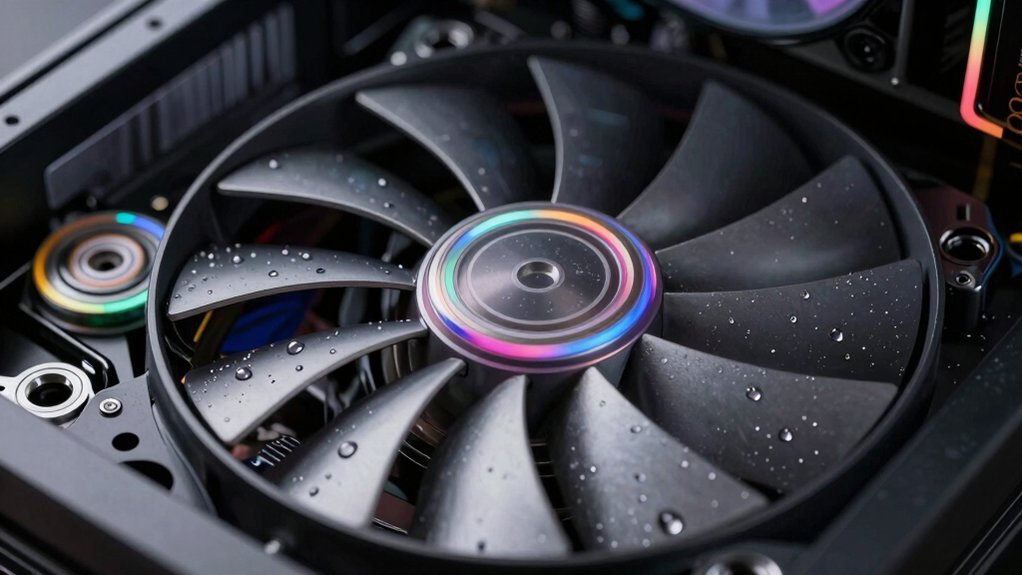
When you’re selecting a PC fan, you’ll need to evaluate five key specifications: airflow and static pressure (measured in CFM and mmH2O) determine how much air moves through your case and components, noise level performance (rated in decibels) tells you whether the fan will create distracting sound during use, and bearing type quality—such as ball, sleeve, or magnetic levitation—affects how long the fan lasts and how quietly it operates. You should also check the RPM speed range, which shows the fan’s minimum and maximum rotations per minute and impacts both cooling power and noise output, while power connector compatibility ensures the fan connects properly to your motherboard’s fan headers or power supply. Match these specifications to your specific cooling needs—whether you’re prioritizing maximum cooling for a high-performance build, silent operation for a quiet system, or a balance between the two—before making your purchase.
Airflow and Static Pressure
How do you know which fan spec matters most for your cooling setup? You need to evaluate two key metrics: airflow and static pressure. Airflow, measured in CFM, indicates how much air a fan moves per minute—higher CFM values work best for case cooling with minimal obstructions. Static pressure, measured in mm H2O, shows a fan’s ability to push air through dense components like radiators or heatsinks. For radiator or heatsink mounting, choose fans with static pressure above 2 mm H2O, even if their CFM is moderate. For general case cooling, prioritize higher CFM to maximize air movement. Select PWM-controlled fans to adjust both metrics dynamically based on temperature, ensuring efficient cooling across varying workloads.
Noise Level Performance
What noise level matters most for your build? Check your fan’s noise rating in dB(A) or Sones—most 120mm fans target 22–25 dB(A) at peak speed. Understand that PWM control lets you reduce fan speed during low-load situations, cutting noise when your system sits idle. This trade-off means accepting slightly lower airflow and static pressure when cooling demands are minimal.
Consider the bearing type your fan uses. Advanced bearings like magnetic or ball bearing variants reduce vibration-induced noise and deliver smoother operation across varying RPMs. Balance static pressure requirements against acoustic performance: higher static pressure designs often run at elevated RPMs, which increases noise output. Select a fan matching your cooling needs without unnecessarily high pressure ratings that’ll only amplify sound.
Bearing Type Quality
Your fan’s bearing type directly determines how quietly it’ll run, how long it’ll last, and how consistently it’ll perform under sustained load. Standard sleeve bearings cost less but wear faster and produce more noise over time. Fluid Dynamic Bearing (FDB) fans use sealed oil lubrication to reduce blade wobble and extend lifespan while maintaining quieter operation at higher speeds. Magnetic levitation (MagLev) bearings minimize surface contact, creating near-frictionless rotation that reduces wear and delivers the smoothest acoustics. When selecting a fan, prioritize FDB or MagLev options if your budget allows—they’ll maintain lower noise levels while spinning faster and staying more stable under continuous load than sleeve bearing alternatives.
RPM Speed Range
When you’re selecting a PC fan, the RPM speed range determines how fast the blades’ll spin and directly impacts both your system’s cooling performance and noise output. Standard 120mm fans typically operate between 600–1800 RPM, while high-performance models reach 2100–2200 RPM. Higher maximum RPM generates greater airflow and static pressure, making these fans ideal for radiators and dense heat sinks. However, increased RPM produces louder operation. Match your fan choice to your priorities: choose lower ranges for silent systems, higher ranges for maximum cooling capacity. Use PWM control to automatically adjust speed based on temperature, balancing cooling effectiveness with acceptable noise levels throughout normal operation.
Power Connector Compatibility
Beyond selecting the right RPM speed, you’ll need to match your fan’s power connector to your motherboard’s available headers. Most modern PC fans use 4-pin PWM connectors, which enable automatic speed control through your motherboard. Some older or budget fans use 3-pin connectors instead, operating at fixed speeds or requiring voltage control. Check your motherboard’s manual to identify which headers you have available. Verify that your power supply delivers the standard 12V DC that computer fans require. If you’re connecting multiple fans to one header, confirm your motherboard supports this setup. Some fans include daisy-chain connectors to simplify multi-fan connections. Match your fan’s connector type to your available header before purchasing to avoid compatibility issues.
Thermal Dissipation Efficiency
To keep your system cool effectively, you’ll need to evaluate how well a fan dissipates heat through two key measurements: static pressure and airflow. Static pressure, measured in mm H2O, determines whether air pushes through dense heatsinks and radiators. Airflow in CFM shows how much heat you’re removing from components. You’ll want both working together—high airflow alone won’t help if pressure can’t force air through restrictive cooling paths. Look for fans with PWM control, which adjusts speed based on temperature readings, so cooling increases only when needed. Consider blade design; pressure-optimized blades enhance performance under load. Finally, check bearing types like magnetic or fluid dynamic bearings, which sustain high-speed operation with minimal vibration while maintaining consistent efficiency over extended use.
Final Thoughts
You’ll want to select fans based on your specific cooling needs. Pick high static pressure models like the Thermalright or ARCTIC options for radiators and dense heatsinks. Choose high-CFM fans such as the CORSAIR or upHere units for case intake and exhaust. Ensure you’ve got PWM headers for automatic speed control and consider FDB or MagLev bearings for quieter operation. Match your fan count and type to your system’s layout.

Meet Ry, “TechGuru,” a 36-year-old technology enthusiast with a deep passion for tech innovations. With extensive experience, he specializes in gaming hardware and software, and has expertise in gadgets, custom PCs, and audio.
Besides writing about tech and reviewing new products, he enjoys traveling, hiking, and photography. Committed to keeping up with the latest industry trends, he aims to guide readers in making informed tech decisions.