
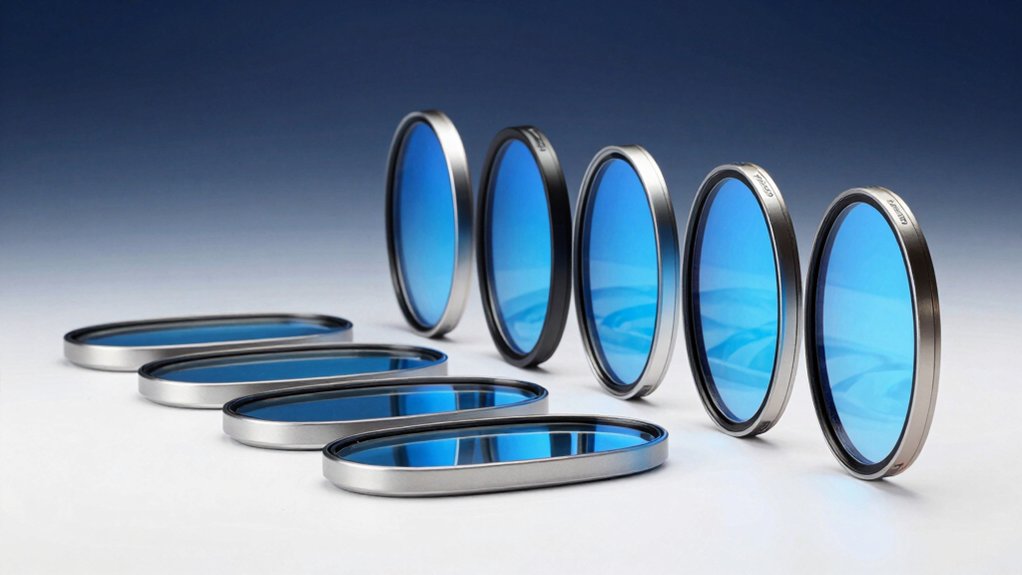

You spend hours staring at screens daily, and that blue light exposure strains your eyes and disrupts your sleep. Blue light filters protect your vision by blocking 75% to 90%+ of harmful light while maintaining color accuracy and brightness. You’ll find options for 23–24″ and 27–28″ monitors with easy installations and durable coatings. But which filter actually delivers the best protection for your specific setup?
| MOSISO 23-24 inch Blue Light Blocking Monitor Screen Protector |

| Eye Protection Leader | Blue Light Blocking Range: 420nm–460nm (45% reduction) | Monitor Size Compatibility: 23–24 inches | Material Composition: Acrylic | VIEW LATEST PRICE | Read Our Analysis |
| VizoBlueX Anti-Blue Light Filter for Computer Monitor |

| Best Sellers Pick | Blue Light Blocking Range: 380nm–480nm (100% multi-layer protection) | Monitor Size Compatibility: 23–24 inches | Material Composition: Plastic | VIEW LATEST PRICE | Read Our Analysis |
| ZYY Anti Blue Light Screen Protector for 23-24 Inch Monitor |

| Advanced Tech Protection | Blue Light Blocking Range: ≥90% blocking | Monitor Size Compatibility: 23–24 inches | Material Composition: Polycarbonate | VIEW LATEST PRICE | Read Our Analysis |
| Blue Light Filter for 23-24 Inch Computer Monitor |

| Best Overall Value | Blue Light Blocking Range: 380nm–495nm (75% reduction) | Monitor Size Compatibility: 23–24 inches | Material Composition: Acrylic | VIEW LATEST PRICE | Read Our Analysis |
| VizoBlueX Anti-Blue Light Filter for Computer Monitors |

| Premium Large Monitor | Blue Light Blocking Range: 380nm–480nm (multi-layer protection) | Monitor Size Compatibility: 27–28 inches | Material Composition: Plastic | VIEW LATEST PRICE | Read Our Analysis |
| Anti Blue Light Screen Filter for Desktop Monitor (21-22″) |
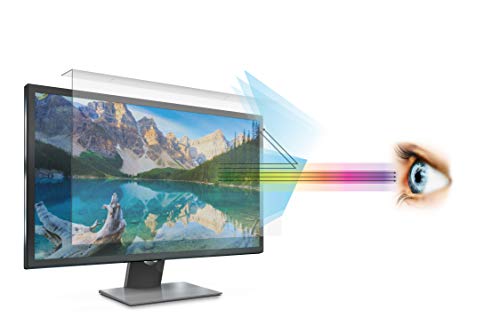
| Budget-Friendly Option | Blue Light Blocking Range: Excess harmful blue light blocked | Monitor Size Compatibility: 21–22 inches | Material Composition: Acrylic | VIEW LATEST PRICE | Read Our Analysis |
| 2 Pack Anti-Blue Light Screen Protector for Desktop Monitors |

| Best Multi-Pack Deal | Blue Light Blocking Range: Blue light blocking technology | Monitor Size Compatibility: 20–22 inches | Material Composition: Acrylic | VIEW LATEST PRICE | Read Our Analysis |
More Details on Our Top Picks
MOSISO 23-24 inch Blue Light Blocking Monitor Screen Protector
Need reliable eye protection for your desktop setup? The MOSISO screen protector filters 99% of harmful UV rays and reduces blue light (420nm–460nm wavelengths) by 45%, decreasing eye strain and fatigue during extended screen time. This acrylic panel fits 23, 23.6, 23.8, and 24-inch monitors, including iMac 24, Dell P Series, HP Pavilion, and Lenovo models. At 0.05 inches thick with 95% transparency, it won’t darken your display. Installation takes minutes: measure your monitor’s diagonal dimension first, then remove the protective films and hang the protector on your screen. The durable material resists dust, fingerprints, and scratches, making it suitable for office workers, programmers, and gamers.
- Blue Light Blocking Range:420nm–460nm (45% reduction)
- Monitor Size Compatibility:23–24 inches
- Material Composition:Acrylic
- Surface Hardness:Not specified
- Installation Type:Hanging (no adhesive)
- Included Accessories:None listed
- Additional Feature:Filters 99% harmful UV rays
- Additional Feature:45% HEV light reduction
- Additional Feature:Ultra-thin 0.05 inch design
VizoBlueX Anti-Blue Light Filter for Computer Monitor
If you’re working on a 23 to 24-inch desktop monitor, this top-ranked screen protector panel delivers the optical protection you need. The VizoBlueX 24AB blocks blue light wavelengths between 380 nm and 480 nm, reducing eye strain and fatigue during extended screen time. Its 9H hardness rating ensures durability against scratches and wear. Installation is straightforward: measure your screen diagonal, then attach the glossy panel to your LCD or LED monitor. The multi-layer design eliminates harmful UV spectrum while maintaining full color visibility. You’ll experience improved eye comfort and potentially better sleep patterns. Amazon offers a 30-day return guarantee for your peace of mind.
- Blue Light Blocking Range:380nm–480nm (100% multi-layer protection)
- Monitor Size Compatibility:23–24 inches
- Material Composition:Plastic
- Surface Hardness:9H
- Installation Type:Easy installation (method not specified)
- Included Accessories:None listed
- Additional Feature:9H hardness rating
- Additional Feature:100% multi-layer protection
- Additional Feature:30-day return guarantee
ZYY Anti Blue Light Screen Protector for 23-24 Inch Monitor
The ZYY screen protector delivers advanced tech protection for 23 to 24-inch monitors. This 2mm ultra-thin acrylic shield blocks blue light by 90% or more and filters harmful UV rays with 98% effectiveness. Installation uses a hanging design—simply remove both protective films and attach the protector to your monitor. The 5-layer optical system maintains high-resolution viewing while reducing eye strain during work, study, and gaming. Its 8H hardness rating provides scratch resistance, and the anti-fingerprint coating keeps the surface clean. The polycarbonate material resists water damage and explosion hazards, ensuring durability during daily use.
- Blue Light Blocking Range:≥90% blocking
- Monitor Size Compatibility:23–24 inches
- Material Composition:Polycarbonate
- Surface Hardness:8H
- Installation Type:Hanging design
- Included Accessories:Dry wipe, silicone kit
- Additional Feature:Japanese Fujimori nano-optical technology
- Additional Feature:5-layer optical engineering protection
- Additional Feature:Explosion-proof and waterproof
Blue Light Filter for 23-24 Inch Computer Monitor
Looking to protect your eyes without breaking the bank? The BSPROTE Blue Light Filter blocks 75% of harmful blue light and 99% of UV light, reducing eye strain effectively. This acrylic screen protector fits 23–24 inch monitors with dimensions of 21.2 inches wide by 13.4 inches high. Installation requires no tools: simply peel the protective film and hang it on your monitor using the included anti-slip strip. The 9H surface hardness protects against scratches and dust while maintaining 98% transmittance, so brightness stays unchanged. A lifetime replacement policy covers damage during use or receipt.
- Blue Light Blocking Range:380nm–495nm (75% reduction)
- Monitor Size Compatibility:23–24 inches
- Material Composition:Acrylic
- Surface Hardness:9H
- Installation Type:Hanging (no tools required)
- Included Accessories:Cleaning cloth
- Additional Feature:Blocks 75% harmful blue light
- Additional Feature:Lifetime replacement policy
- Additional Feature:98% transmittance brightness retention
VizoBlueX Anti-Blue Light Filter for Computer Monitors
VizoBlueX’s premium large monitor filter protects your eyes during extended screen sessions. This 27–28 inch filter fits most desktop monitors and televisions with dimensions of 24.8″ x 14.6″. The glossy panel blocks blue light wavelengths between 380–480 nanometers while maintaining your screen’s full color visibility. Installation is straightforward—simply position the filter over your monitor. The 7H hardness rating ensures durability, and the water-resistant coating protects against accidental spills. The filter reduces eye strain, computer vision syndrome, and fatigue while improving sleep quality. With its multi-layer protection against harmful HEV light and UV radiation, VizoBlueX offers practical relief for daily screen users.
- Blue Light Blocking Range:380nm–480nm (multi-layer protection)
- Monitor Size Compatibility:27–28 inches
- Material Composition:Plastic
- Surface Hardness:7H
- Installation Type:Easy installation (method not specified)
- Included Accessories:None listed
- Additional Feature:Water resistant design
- Additional Feature:Improves sleeping patterns
- Additional Feature:4.5/5 customer rating
Anti Blue Light Screen Filter for Desktop Monitor (21-22″)
EZ-Pro’s budget-friendly option fits 21 and 22-inch widescreen monitors without requiring adhesives or tools. The filter attaches directly to your monitor bezel and removes easily whenever needed. Its 9H hardness rating protects against scratches, and the smooth, clear acrylic construction blocks excess blue light effectively. Installation takes minutes: simply position the 19.3″ x 12.5″ panel on your screen. The package includes a cleaning cloth and blue light testing kit to verify performance. This solution works well for office workers, students, and gamers seeking affordable eye strain relief.
- Blue Light Blocking Range:Excess harmful blue light blocked
- Monitor Size Compatibility:21–22 inches
- Material Composition:Acrylic
- Surface Hardness:9H
- Installation Type:Attaches to bezel (no adhesive)
- Included Accessories:Installation guide, blue light testing kit, cleaning cloth
- Additional Feature:Includes blue light testing kit
- Additional Feature:U.S. based/Section 889 compliant
- Additional Feature:9H scratch-resistant hardness
2 Pack Anti-Blue Light Screen Protector for Desktop Monitors
If you’re working at a desktop for extended hours, you’ll find the Pozlle 2-pack anti-blue light screen protector offers the most value for multiple monitors. These protectors fit 20 to 22-inch screens with 16:9 or 16:10 aspect ratios, covering most standard monitors. Installation requires no adhesives—simply hang them using the block filter panel design. The 9H hardness acrylic material blocks blue light while preventing scratches, dust, and fingerprints. You’ll receive two protectors plus a microfiber cloth for maintenance. The glossy finish maintains display clarity without distortion. Pozlle backs this product with a lifetime replacement guarantee and money-back policy, ensuring your investment’s protection.
- Blue Light Blocking Range:Blue light blocking technology
- Monitor Size Compatibility:20–22 inches
- Material Composition:Acrylic
- Surface Hardness:9H
- Installation Type:Hanging-block design (no adhesive)
- Included Accessories:Microfiber cloth
- Additional Feature:2-pack value bundle
- Additional Feature:Lifetime replacement guarantee
- Additional Feature:Compatible with major brands
Factors to Consider When Choosing a Blue Light Filter for Computer Screen
When you’re choosing a blue light filter for your computer screen, you’ll want to evaluate five key factors: screen size compatibility to ensure the filter fits your monitor, blue light blocking performance to confirm it reduces harmful wavelengths effectively, material and durability to guarantee it’ll last through regular use, installation and ease so you can set it up without tools or complications, and eye protection benefits to verify it actually reduces strain and improves comfort during extended screen time. Start by measuring your monitor’s dimensions and checking the filter’s specifications, then research the percentage of blue light it blocks and read reviews about how well it holds up after weeks of use. Finally, compare installation methods—whether adhesive, magnetic, or frame-based—and look for certifications or testing data that demonstrate genuine eye protection rather than marketing claims.
Screen Size Compatibility
How do you know if a blue light filter will actually fit your monitor? Start by checking your monitor’s diagonal size—you’ll need a filter designed for the 23 to 24 inch range. Next, measure your screen’s width and height across the active display area, excluding the bezel. Most 23–24 inch monitors measure approximately 21.2–21.5 inches wide and 13.0–13.4 inches high. Verify the filter’s dimensions match these measurements. Check compatibility notes on the product to confirm it fits 23, 23.6, 23.8, or 24 inch diagonals. Ensure the filter’s designed for standard 16:9 widescreen monitors. If your monitor’s curved, confirm the filter accommodates that design. Mismatched sizes cause gaps or overhang, reducing effectiveness.
Blue Light Blocking Performance
The effectiveness of a blue light filter depends on its ability to block wavelengths in the 380–495 nm range, which is where you’ll find the most problematic blue light emitted by screens. Most quality filters block between 75% and 99% of blue light in this range. Some filters target narrower bands like 380–480 nm to reduce high-energy blue light while preserving color accuracy. When selecting a filter, check the blocking percentage and wavelength specifications. Look for models with UV filtration (98–99% or higher) included for comprehensive protection. Choose filters with scratch-resistant coatings rated 8H–9H hardness to maintain consistent performance over time. Multi-layer optical designs preserve color accuracy while blocking blue wavelengths effectively.
Material And Durability
What materials should you prioritize when selecting a blue light filter for your screen? Choose acrylic or polycarbonate options, which offer proven scratch resistance and durability. Check the hardness rating—look for 8H or 9H ratings to ensure strong protection against daily wear. These ratings indicate your filter resists scratches effectively over time. Next, consider the filter’s thickness; ultra-thin profiles around 0.05 inch maintain your screen’s brightness and natural feel without noticeable bulk. Evaluate additional protective features: anti-fingerprint coatings reduce smudges, water resistance prevents damage from spills, and explosion-proof properties add safety. High-transmission finishes preserve screen clarity while blocking blue light. Compare these specifications across products before purchasing to select a filter matching your durability needs and usage patterns.
Installation And Ease
When you’re selecting a blue light filter, installation simplicity should rank high on your priority list, since a complicated setup can frustrate you and potentially damage your monitor. Look for filters with hanging-on bezel designs or snap-fit mechanisms that require no tools or adhesives. Verify the filter matches your monitor’s diagonal measurement, excluding the frame, to ensure proper alignment and functionality. Check that the installation method allows easy removal and reattachment without leaving sticky residue or scratching your screen. Review whether the package includes an installation guide and cleaning cloth for setup verification. Confirm the filter won’t limit touchscreen functionality or significantly affect brightness and color accuracy once installed correctly.
Eye Protection Benefits
Once you’ve confirmed your filter installs securely without damaging your screen, you’ll want to evaluate its eye protection capabilities, which represent the primary reason for using a blue light filter in the first place. Check whether the filter blocks blue light in the 380–495 nm range, as this wavelength causes eye strain during prolonged screen use. Verify UV reduction ratings, which typically reach 98–99% for cumulative eye protection. Review product claims about reducing fatigue during computer work, gaming, or studying. Confirm the filter maintains high transmittance (90–98%) so it won’t darken your display or distort color accuracy. These factors directly determine how effectively your filter protects your eyes while preserving normal screen functionality and visual clarity.
Price And Warranty
Blue light filter pricing varies substantially across brands and retailers, so you’ll want to compare costs systematically while evaluating the warranty coverage that protects your investment. Check each listing for explicit warranty terms—some offer 30-day replacements, while others provide lifetime coverage or manufacturer warranties with unclear details. Review what’s included in the price: certain options bundle cleaning cloths and installation guides that add value beyond the base filter. Verify the seller’s return window, as most specify 30-day voluntary returns. Examine whether warranty registration is required and if customer service contact information is provided. Match the warranty period against your purchase timeline to ensure protection aligns with when you’ll need it most. Compare total cost against included support and bundled items to determine true value.
Final Thoughts
You’ll want to select a blue light filter that matches your monitor size—23–24″ or 27–28″—and blocks at least 75% of blue light. Check the installation method: tool-free hanging or bezel attachment work best. Confirm it preserves color accuracy and offers anti-glare features. Compare warranty lengths and durability ratings (9H–8H hardness). Once you’ve chosen, install it following the manufacturer’s instructions, then adjust your screen brightness to reduce eye strain during extended use.

Meet Ry, “TechGuru,” a 36-year-old technology enthusiast with a deep passion for tech innovations. With extensive experience, he specializes in gaming hardware and software, and has expertise in gadgets, custom PCs, and audio.
Besides writing about tech and reviewing new products, he enjoys traveling, hiking, and photography. Committed to keeping up with the latest industry trends, he aims to guide readers in making informed tech decisions.