
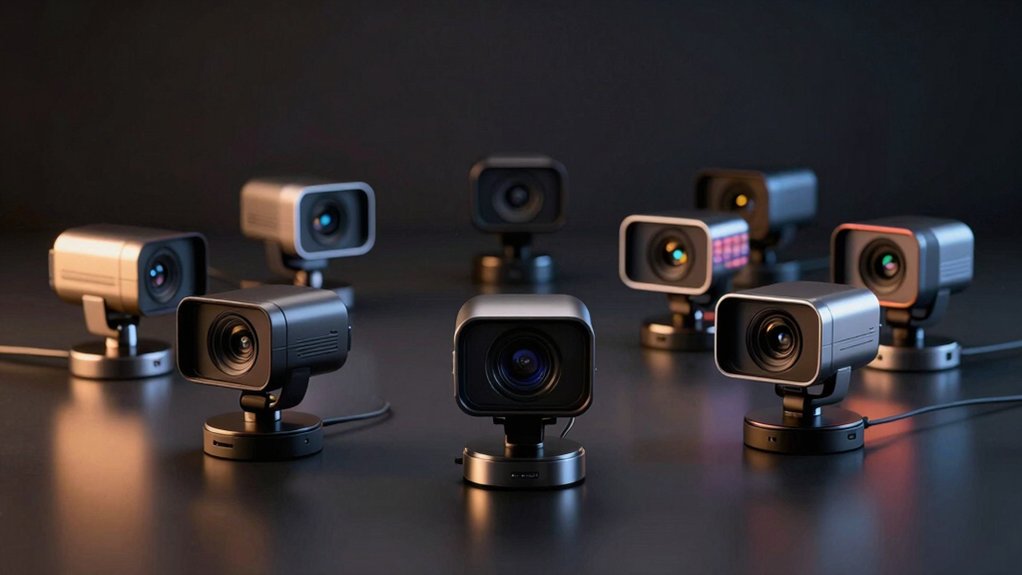

When you’re on video calls, poor lighting makes you look washed out or shadowy. Built-in ring lights solve this problem by providing consistent, flattering brightness directly from your webcam. You’ll find several options with different features—from basic two-mode lights to advanced tri-tone systems with stepless controls. Each model offers distinct advantages depending on your needs and budget. To pick the right one, you need to understand what separates these cameras and how their lighting features work.
| 4K Webcam with Ring Light and Privacy Cover |

| Best Overall | Video Resolution: 4K@30FPS / 1080P@60FPS | Ring Light Color Temperatures: White, natural, warm (3 temperatures) | Autofocus Technology: TOF autofocus | VIEW LATEST PRICE | Read Our Analysis |
| NexiGo N680E Pro 4K Webcam with Ring Light |

| Professional Grade | Video Resolution: 4K / 1080p@60FPS | Ring Light Color Temperatures: Tri-tone with stepless brightness | Autofocus Technology: PDAF autofocus | VIEW LATEST PRICE | Read Our Analysis |
| GUSGU 2K QHD Webcam with Microphone and Ring Light |

| Budget-Friendly Pick | Video Resolution: 2K QHD | Ring Light Color Temperatures: White and warm (2 modes) | Autofocus Technology: Not specified | VIEW LATEST PRICE | Read Our Analysis |
| NexiGo N930E Pro 4K Webcam with Ring Light |

| Best For Streamers | Video Resolution: 4K@30FPS / 1080p@60FPS | Ring Light Color Temperatures: White, natural, warm (3 temperatures) | Autofocus Technology: PDAF autofocus | VIEW LATEST PRICE | Read Our Analysis |
| 2K Webcam with Microphone Light & Privacy Cover |

| Best Value | Video Resolution: 2K (2560 x 1440p) | Ring Light Color Temperatures: Two modes with three brightness levels | Autofocus Technology: Autofocus / auto focus | VIEW LATEST PRICE | Read Our Analysis |
| EMEET S600L 4K Webcam with Ring Light |

| Most Versatile | Video Resolution: 4K@30FPS / 1080P@60FPS | Ring Light Color Temperatures: Cool white, warm white, natural white, ambient light (4 modes) | Autofocus Technology: PDAF autofocus (0.2s lock) | VIEW LATEST PRICE | Read Our Analysis |
| 2K Webcam with Microphone and Built-in Light |
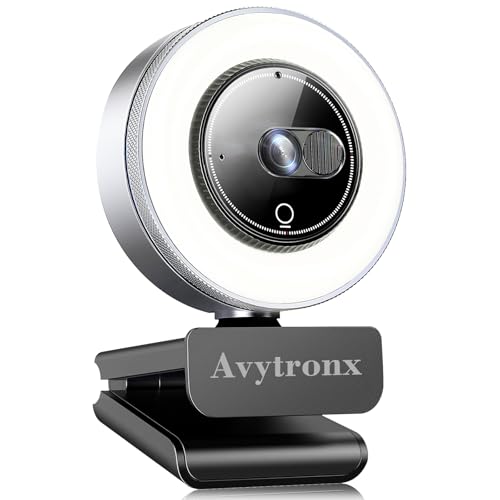
| Best For Remote Work | Video Resolution: 2K (2560 x 1440p) | Ring Light Color Temperatures: Three-level adjustable brightness | Autofocus Technology: Not specified | VIEW LATEST PRICE | Read Our Analysis |
More Details on Our Top Picks
4K Webcam with Ring Light and Privacy Cover
Do you need a webcam that handles both professional video calls and low-light situations without extra equipment? The 4K Webcam with Ring Light and Privacy Cover delivers 4K@30FPS video and 1080P@60FPS performance for sharp imagery. Adjust the built-in ring light‘s three color temperatures—white, natural, or warm—using the back sensor or outer ring to match your environment. The TOF autofocus locks onto your face quickly, while dual noise-canceling microphones reduce keyboard and HVAC sounds. Use the physical privacy cover when you’re not on camera. This USB plug-and-play device requires no driver installation and works with Windows, Mac OS, and Linux across Zoom, Teams, Skype, and other conferencing platforms.
- Video Resolution:4K@30FPS / 1080P@60FPS
- Ring Light Color Temperatures:White, natural, warm (3 temperatures)
- Autofocus Technology:TOF autofocus
- Microphone Type:Dual noise-canceling microphones
- Privacy Protection:Built-in privacy cover (physical block)
- Connectivity & Setup:USB plug-and-play; no drivers required
- Additional Feature:TOF autofocus for dynamic scenes
- Additional Feature:Wide 78-degree viewing angle
- Additional Feature:Digital image stabilization
NexiGo N680E Pro 4K Webcam with Ring Light
The NexiGo N680E Pro is a professional-grade 4K webcam designed for content creators and live streamers who need superior image quality and integrated lighting. Its Sony 1/2.5″ sensor captures 4K video while streaming at 1080p 60fps, ensuring clear output across platforms like Zoom and Teams. The built-in tri-tone ring light offers three color temperatures with stepless brightness control, letting you adjust lighting to match your environment. Dual noise-canceling microphones capture your voice clearly during calls and recordings. The privacy shutter covers the lens when you’re not streaming. Setup requires only a USB connection—no driver installation needed. Mount it on a tripod using the standard 1/4 mount, and you’re ready to broadcast.
- Video Resolution:4K / 1080p@60FPS
- Ring Light Color Temperatures:Tri-tone with stepless brightness
- Autofocus Technology:PDAF autofocus
- Microphone Type:Dual noise-canceling microphones
- Privacy Protection:Privacy shutter
- Connectivity & Setup:USB plug-and-play; no drivers needed
- Additional Feature:Premium coated lens reduces reflections
- Additional Feature:80° field of view
- Additional Feature:1/4 tripod mount standard
GUSGU 2K QHD Webcam with Microphone and Ring Light
Looking for affordable lighting during video calls? The GUSGU 2K QHD Webcam offers you a selfie ring light with three adjustable brightness levels and two light modes—white and warm. You’ll get a built-in microphone featuring CVC noise reduction to ensure clear audio during conferencing. The integrated privacy cover slides to block or show your lens without needing a separate cover. Setup requires only a USB plug-and-play connection to your desktop, laptop, or MacBook; no drivers needed. This webcam works with Zoom, Skype, Teams, YouTube, and Twitch, making it suitable for video conferencing and live broadcasting.
- Video Resolution:2K QHD
- Ring Light Color Temperatures:White and warm (2 modes)
- Autofocus Technology:Not specified
- Microphone Type:Built-in microphone with CVC noise reduction
- Privacy Protection:Integrated privacy cover (slide mechanism)
- Connectivity & Setup:Plug-and-play USB; no driver installation
- Additional Feature:2K QHD resolution clarity
- Additional Feature:Two adjustable brightness levels
- Additional Feature:Integrated slide privacy cover
NexiGo N930E Pro 4K Webcam with Ring Light
Want to stream 4K video without upgrading your entire setup? The NexiGo N930E Pro captures true 4K footage at 30FPS or 1080p at 60FPS, so you’ll get sharp detail regardless of your platform. Its Sony CMOS sensor and six-layer lens deliver improved light transmission and reduced glare. The built-in ring light offers three tone options—white, natural, and warm—with touch-sensor brightness control for adjusting lighting during calls. Dual noise-canceling microphones emphasize your voice while minimizing background noise. PDAF autofocus locks focus quickly and tracks movement smoothly. The camera connects via USB-A plug-and-play, works with Windows, macOS, and Chrome OS, and includes a privacy shutter for security.
- Video Resolution:4K@30FPS / 1080p@60FPS
- Ring Light Color Temperatures:White, natural, warm (3 temperatures)
- Autofocus Technology:PDAF autofocus
- Microphone Type:Dual noise-canceling microphones
- Privacy Protection:Built-in privacy shutter
- Connectivity & Setup:USB-A plug-and-play; USB-C adapter included
- Additional Feature:6-layer coated lens technology
- Additional Feature:Chrome OS 29+ compatible
- Additional Feature:Ultra-compact form factor
2K Webcam with Microphone Light & Privacy Cover
Need professional video quality without spending extra on separate lighting gear? The PixelForge 2K Webcam delivers 2560 x 1440p resolution with an integrated adjustable ring light featuring two modes and three brightness levels. You’ll get crystal-clear images for conferences, classes, and streaming. The built-in noise-canceling microphone captures clear audio by reducing background noise. A privacy cover slides over the lens when you’re not recording, protecting your security. Simply connect via USB to your Windows or Mac device—no drivers needed. It works immediately with Zoom, Google Meet, and Skype. The compact design weighs just 0.26 kg, making it portable for different setups.
- Video Resolution:2K (2560 x 1440p)
- Ring Light Color Temperatures:Two modes with three brightness levels
- Autofocus Technology:Autofocus / auto focus
- Microphone Type:Noise-canceling microphone
- Privacy Protection:Integrated privacy cover
- Connectivity & Setup:USB plug-and-play; no drivers needed
- Additional Feature:2560 x 1440p crystal-clear
- Additional Feature:Two lighting modes available
- Additional Feature:Ultra-compact portable design
EMEET S600L 4K Webcam with Ring Light
The EMEET S600L is the most versatile option for creators who stream across multiple platforms. You’ll capture true 4K video at 30 frames per second or smooth 1080P at 60 frames per second using the Samsung sensor. The built-in ring light offers four modes—Cool White, Warm White, Natural White, and Ambient Light—which you control by pressing the dial to switch modes and rotating it to adjust brightness. Dual microphones pick up clear audio within 10 feet. Connect via USB Type-C cable, and install EMEET STUDIO software to fine-tune image settings and light brightness. The camera mounts on monitors, desks, or tripods with 360° horizontal rotation and ±15° tilt adjustment.
- Video Resolution:4K@30FPS / 1080P@60FPS
- Ring Light Color Temperatures:Cool white, warm white, natural white, ambient light (4 modes)
- Autofocus Technology:PDAF autofocus (0.2s lock)
- Microphone Type:Dual microphones
- Privacy Protection:Built-in privacy cover (slide mechanism)
- Connectivity & Setup:USB 2.0 with Type-C cable; plug-and-play
- Additional Feature:AI-coordinated imaging synchronization
- Additional Feature:Four distinct lighting modes
- Additional Feature:360° horizontal rotation mounting
2K Webcam with Microphone and Built-in Light
If you’re working from home and struggling with poor lighting during video calls, this 2K webcam delivers the visual clarity and illumination you need without purchasing separate equipment. The 2560 x 1440p resolution ensures crisp video quality for remote work, streaming, and online classes. Its built-in ring light offers three adjustable brightness levels, providing soft, natural lighting for low-light environments. The noise-canceling microphone captures clear audio during meetings. A privacy cover slides over the lens when you’re not using the camera, protecting against unauthorized access. Setup takes seconds—simply plug the USB cable into your computer, and it works instantly with Windows, macOS, and Linux. It’s compatible with Zoom, Skype, and Teams, and mounts on monitors, laptops, or tripods.
- Video Resolution:2K (2560 x 1440p)
- Ring Light Color Temperatures:Three-level adjustable brightness
- Autofocus Technology:Not specified
- Microphone Type:Noise-canceling microphone
- Privacy Protection:Privacy cover (slide mechanism)
- Connectivity & Setup:Plug & play USB; no drivers needed
- Additional Feature:2560 x 1440p ultra HD
- Additional Feature:Three-level adjustable brightness
- Additional Feature:Linux compatibility included
Factors to Consider When Choosing a Webcam With Built-in Light
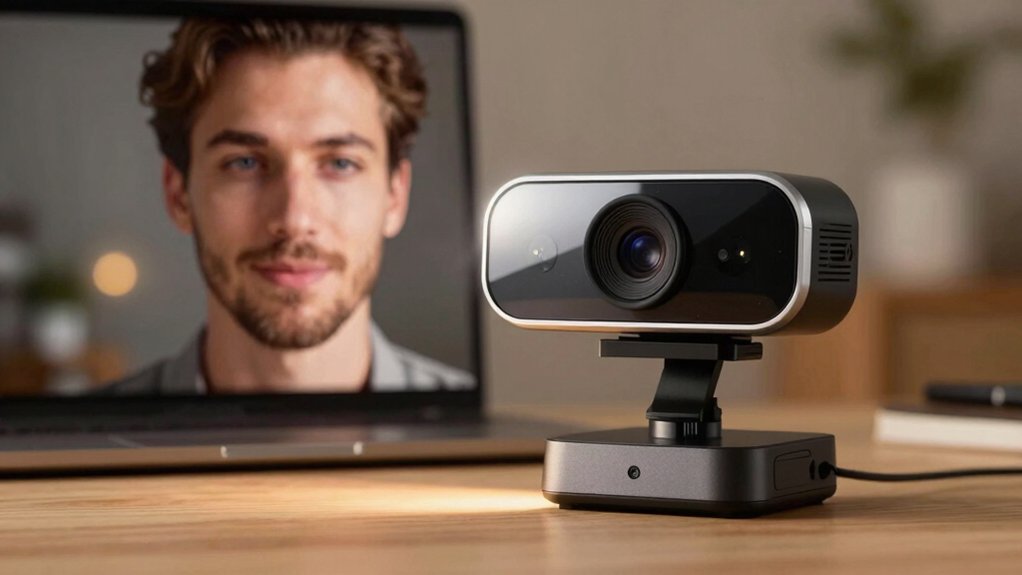
When you’re selecting a webcam with built-in light, you’ll need to evaluate resolution and video quality first, then examine the ring light’s features and modes to ensure it matches your lighting needs. Next, check the autofocus and image stabilization capabilities, since these features directly impact how sharp and steady your video appears during calls, along with assessing the audio capture quality to determine if you need an external microphone. Finally, confirm that the webcam’s compatibility matches your devices and operating system, and review the setup requirements to ensure installation fits your technical skill level.
Resolution and Video Quality
Several resolution options exist when you’re selecting a webcam with built-in light, and understanding how each performs will help you match your needs to your hardware. Standard 1080p webcams deliver reliable video for most video calls and require minimal bandwidth. 2K webcams provide 1440p resolution, offering noticeably sharper detail without demanding excessive data. 4K webcams capture maximum detail but may require you to choose between 4K@30FPS or 1080p@60FPS depending on your system’s capability. Check your software—whether OBS or your video conferencing platform—since it may limit the resolution your camera actually outputs. Sensor size and lens quality directly affect clarity and low-light performance. Digital stabilization and autofocus technologies impact sharpness when subjects move. Test your camera’s actual output resolution before purchasing to confirm it matches your setup’s capabilities.
Ring Light Features and Modes
How do you match your lighting to different environments during video calls? You’ll want a webcam with adjustable ring lights offering multiple color temperatures: white, natural, and warm. Each setting addresses different lighting conditions. Use white for bright spaces, natural for standard indoor settings, and warm for dim environments. Brightness control lets you fine-tune exposure. Physical dials, outer rings, or software controls provide adjustment options. Stepless brightness control gives you smooth dimming for precise exposure management without abrupt changes. These features work together to improve your skin tones and eliminate shadows, particularly in low-light situations. Some webcams include additional modes or decorative lighting effects when the camera’s off, adding versatility to your setup.
Autofocus and Image Stabilization
Since you’ll likely move or reposition yourself during video calls, you’ll want a webcam with reliable autofocus to keep your face sharp throughout. Look for models with PDAF (phase-detection autofocus) technology, which locks onto your subject within tenths of a second and maintains focus during movement. Some advanced webcams combine autofocus with AI-assisted imaging to coordinate focus with lighting and exposure, reducing focus hunting in varying light conditions.
Regarding image stabilization, most webcams use digital stabilization rather than optical. This approach helps reduce minor frame-to-frame jitter but won’t counteract significant motion. For desk work, digital stabilization typically suffices. Prioritize autofocus speed and accuracy over stabilization when selecting your webcam, since keeping yourself in sharp focus matters more for professional video calls.
Audio Capture Capabilities
Quality audio matters just as much as video during your calls, and built-in microphones on webcams with ring lights can deliver clear spoken audio if you know what to look for. Look for dual microphones paired with noise-canceling technology to reduce keyboard taps and HVAC sounds. Check the microphone pickup range—many models capture voices clearly within 10 feet. Consider AI or CVC noise reduction features, which suppress ambient sounds during calls and streaming. Verify that your chosen webcam uses standard audio codecs like AAC or PCM for compatibility with your conferencing platform. Confirm the built-in mic works effectively with your ring light setup to maintain consistent audio quality throughout video captures.
Compatibility and Setup Requirements
Once you’ve confirmed that your webcam delivers clear audio, you’ll want to verify it works seamlessly with your existing setup and software. Check that the webcam connects via USB plug-and-play without requiring driver installation across Windows, macOS, and Linux. Confirm compatibility with your primary video conferencing platforms—Zoom, Teams, Skype, Google Meet, and FaceTime—plus streaming services like OBS, YouTube, and Twitch. Review the mounting options available: look for a 1/4 tripod mount and USB-A connectivity with USB-C adapter support for flexible positioning. Determine whether you prefer software-free operation or if companion software like EMEET STUDIO suits your workflow for adjusting lighting and exposure settings. Finally, verify the webcam includes a privacy shutter for quick lens control.
Privacy and Security Features
How important is physical lens protection to your video conferencing setup? You should prioritize webcams with built-in privacy shutters that provide manual control independent of your computer’s software. These hardware-level shields prevent unauthorized lens access without relying on digital safeguards that hackers can potentially bypass. When selecting a webcam, verify it includes a physical shutter you can close quickly when you’re not actively recording. This mechanical barrier ensures your lens captures nothing when sealed, eliminating security vulnerabilities from software breaches. Check that the privacy mechanism operates smoothly and doesn’t obstruct the lens when open. Position your camera in a location where you can easily access the shutter during calls. Combining this hardware protection with other security practices creates a comprehensive defense strategy for your video conferencing environment.
Final Thoughts
You’ve reviewed seven webcams with built-in lights designed for video calls. To choose the right one, compare these key factors: resolution (2K or 4K), light features (ring light modes and brightness control), microphone quality, privacy options, and compatibility with your devices and software. Evaluate your budget and primary use—professional meetings, streaming, or casual calls. Select the model that matches your specific needs and setup requirements.

Meet Ry, “TechGuru,” a 36-year-old technology enthusiast with a deep passion for tech innovations. With extensive experience, he specializes in gaming hardware and software, and has expertise in gadgets, custom PCs, and audio.
Besides writing about tech and reviewing new products, he enjoys traveling, hiking, and photography. Committed to keeping up with the latest industry trends, he aims to guide readers in making informed tech decisions.