
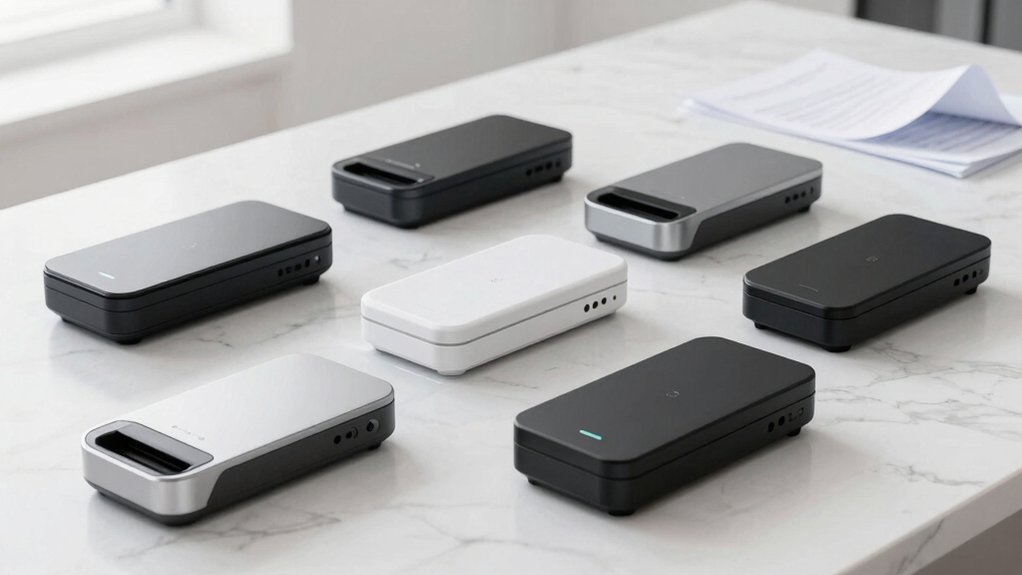

You need a scanner that fits your workflow, whether you’re handling single pages or stacks of documents. Portable scanners range from compact USB-powered models to devices with built-in feeders and advanced OCR capabilities. Each option offers different speeds, resolutions, and output formats. Before you choose, you’ll want to understand what features actually matter for your specific situation—and that’s where your decision gets clearer.
| Epson WorkForce ES-50 Portable Sheet-Fed Document Scanner for PC and Mac |

| Fastest Mobile Scanner | Scanning Resolution: Up to 600 dpi (via software) | Power Source: USB powered | Output Formats: PDF, searchable PDF, Word, Excel | VIEW LATEST PRICE | Read Our Analysis |
| Brother DS-640 Compact Mobile Document Scanner (Model: DS640) |

| Most Compact Design | Scanning Resolution: 300 dpi | Power Source: Micro USB 3.0 | Output Formats: File, Image, OCR, Email, Cloud | VIEW LATEST PRICE | Read Our Analysis |
| Canon imageFORMULA R10 Portable Document Scanner |

| Best Overall | Scanning Resolution: 600 dpi | Power Source: USB powered | Output Formats: Searchable PDF, JPEG | VIEW LATEST PRICE | Read Our Analysis |
| AOZBZ Portable Document Scanner 900DPI with 16GB SD Card |

| Budget-Friendly Pick | Scanning Resolution: Up to 900 dpi | Power Source: 2 watts (wall powered) | Output Formats: JPEG, PDF | VIEW LATEST PRICE | Read Our Analysis |
| Plustek Mobile Scanner S410 Plus Portable Document Scanner |

| Best For Automation | Scanning Resolution: 600 dpi | Power Source: USB powered | Output Formats: Searchable PDF, Excel, Word | VIEW LATEST PRICE | Read Our Analysis |
| Portable Scanner for Documents and Photos (900 DPI) |

| Best For Travel | Scanning Resolution: Up to 900 dpi | Power Source: 2 AA batteries | Output Formats: JPEG, PDF | VIEW LATEST PRICE | Read Our Analysis |
| Canon Canoscan Lide 300 Scanner (PDF AUTOSCAN Copy Send) |

| Professional Grade | Scanning Resolution: 2400 x 2400 dpi | Power Source: USB powered | Output Formats: PDF (searchable with OCR), cloud upload | VIEW LATEST PRICE | Read Our Analysis |
More Details on Our Top Picks
Epson WorkForce ES-50 Portable Sheet-Fed Document Scanner for PC and Mac
Looking for the fastest mobile scanner on the market? The Epson WorkForce ES-50 delivers. This lightweight, sheet-fed scanner processes single pages in just 5.5 seconds and weighs only 9.44 ounces. You’ll scan documents up to 8.5 x 72 inches, handling IDs and receipts without hassle. The scanner connects via USB—no batteries or external power needed. It works with both Windows and Mac systems. Use the included Epson ScanSmart Software to review and save your scans. Convert documents to searchable PDFs or editable Word and Excel files with Nuance OCR. You can scan multiple pages automatically into one file or send documents directly to the cloud. The package includes a USB cable and start guide.
- Scanning Resolution:Up to 600 dpi (via software)
- Power Source:USB powered
- Output Formats:PDF, searchable PDF, Word, Excel
- Document Size Capacity:Up to 8.5 x 72 inches
- Scanning Speed:Single page in 5.5 seconds
- Warranty:1-year limited
- Additional Feature:Scans extra-long pages (8.5×72″)
- Additional Feature:Automatic multi-page feeding
- Additional Feature:Lightweight 9.44 ounces
Brother DS-640 Compact Mobile Document Scanner (Model: DS640)
Want a scanner you’ll actually carry with you? The Brother DS-640 weighs just 1.5 pounds and fits in your bag or pocket. It scans documents, business cards, ID cards, and receipts at 16 pages per minute in both color and black-and-white. Connect it via USB to your computer or power it through a micro USB cable when no outlet’s available. The included software handles document management and OCR, converting scans into editable Word files. You’ll get automatic color detection, background removal, and text enhancement. It works on Windows, Mac, and Linux systems with 300 dpi resolution.
- Scanning Resolution:300 dpi
- Power Source:Micro USB 3.0
- Output Formats:File, Image, OCR, Email, Cloud
- Document Size Capacity:Up to 72 inches long
- Scanning Speed:Up to 16 ppm
- Warranty:1-year limited
- Additional Feature:Supports laminated/plastic cards
- Additional Feature:Automatic background removal
- Additional Feature:Micro USB 3.0 powered
Canon imageFORMULA R10 Portable Document Scanner
The Canon imageFORMula R10 stands out as the top choice for anyone who needs to digitize documents on the move. This USB-powered scanner weighs just 998 grams, making it ideal for home, office, or remote work. It delivers duplex scanning at 12 pages per minute with a 20-sheet automatic feeder, eliminating frequent manual feeding. You’ll get 600 dpi resolution in color, black-and-white, or grayscale, outputting searchable PDFs or JPEGs. The built-in software lets you preview, edit, and trim scans without installation. It works with Windows and Mac via USB, consumes only 2.5W of power, and includes one-year warranty with advanced exchange support.
- Scanning Resolution:600 dpi
- Power Source:USB powered
- Output Formats:Searchable PDF, JPEG
- Document Size Capacity:Standard sheet-fed (20-sheet feeder)
- Scanning Speed:Up to 12 ppm
- Warranty:1-year with advanced exchange
- Additional Feature:20-sheet automatic feeder
- Additional Feature:ENERGY STAR certified
- Additional Feature:Duplex color scanning
AOZBZ Portable Document Scanner 900DPI with 16GB SD Card
If you’re scanning documents regularly but don’t want to spend much, this budget-friendly pick delivers solid performance. The AOZBZ 900DPI handheld scanner captures A4 documents at three resolution levels: 300dpi, 600dpi, or 900dpi. To scan, switch on the device, select your color mode and resolution, then press the scan button until the green LED lights. The scanner automatically finishes after three minutes of inactivity. Files save as JPEG or PDF to the included 16GB microSD card, which supports up to 32GB expansion. It connects via USB 2.0 to Windows XP and newer or Mac OS 10.4 and above. You’ll appreciate the lightweight 170-gram design and two-year warranty backing your purchase.
- Scanning Resolution:Up to 900 dpi
- Power Source:2 watts (wall powered)
- Output Formats:JPEG, PDF
- Document Size Capacity:A4 size
- Scanning Speed:Auto-finish after 3 minutes idle
- Warranty:2-year manufacturer
- Additional Feature:Includes 16GB SD card
- Additional Feature:Handheld wand-style scanner
- Additional Feature:2-year warranty included
Plustek Mobile Scanner S410 Plus Portable Document Scanner
Plustek’s Mobile Scanner S410 Plus automates your document workflow through button-free scanning that processes and saves files without manual intervention. This lightweight, USB-powered device weighs under one pound, requiring no batteries or external power sources. It handles Letter, Legal, business cards, plastic ID cards, invoices, and receipts. The built-in OCR software converts scanned documents into editable, searchable formats including PDF, Excel, and Word files. You can save directly to your local computer, FTP servers, or shared folders. Compatible with Windows 7 through 11, this scanner operates at 600 DPI resolution using LED lighting and CIS sensor technology. The two-year manufacturer warranty and 30-day return guarantee provide purchase protection.
- Scanning Resolution:600 dpi
- Power Source:USB powered
- Output Formats:Searchable PDF, Excel, Word
- Document Size Capacity:Letter, Legal, A4
- Scanning Speed:Button-free automatic scanning
- Warranty:2-year manufacturer
- Additional Feature:Button-free automatic scanning
- Additional Feature:Saves to FTP/shared folders
- Additional Feature:Under 1 pound weight
Portable Scanner for Documents and Photos (900 DPI)
Need to digitize receipts, documents, and photos while you’re on the move? The Hczrc Portable Scanner (Model Hczrc-1) offers three resolution options—300, 600, and 900 DPI—to match your quality needs. Insert two AA batteries, connect via USB to your Windows or Mac computer, and you’re ready to scan without installing software. Press and hold the Scan button for two seconds to power on, then press once to capture images. Your scans save directly as JPEG or PDF files to the included 16 GB Micro SD card, which supports up to 32 GB. The LED light source ensures clear captures of documents up to A4 size. Weighing just 0.6 pounds, this scanner fits easily in briefcases or backpacks for business travel, legal work, or personal archiving.
- Scanning Resolution:Up to 900 dpi
- Power Source:2 AA batteries
- Output Formats:JPEG, PDF
- Document Size Capacity:A4 size
- Scanning Speed:Quick capture within seconds
- Warranty:Standard product warranty
- Additional Feature:No software installation required
- Additional Feature:Includes 16GB Micro card
- Additional Feature:Battery-powered operation
Canon Canoscan Lide 300 Scanner (PDF AUTOSCAN Copy Send)
The Canon CanoScan LiDE 300 delivers professional-grade scanning in a compact, portable device. You’ll scan documents and photos at 2400 x 2400 dpi optical resolution, producing sharp, detailed images. The Auto Scan Mode automatically adjusts settings based on your content type—documents, receipts, or business cards. Press the built-in PDF button to create editable, searchable PDFs with OCR technology included. You can upload scanned files directly to cloud services like OneDrive or Dropbox. The scanner completes jobs in ten seconds, and its four EZ buttons streamline your workflow. It weighs 3.6 pounds and fits easily in bags or on desks, making it ideal for mobile professionals needing reliable scanning solutions.
- Scanning Resolution:2400 x 2400 dpi
- Power Source:USB powered
- Output Formats:PDF (searchable with OCR), cloud upload
- Document Size Capacity:8.5 x 11.7 inches
- Scanning Speed:10-second fast scanning
- Warranty:1-year limited
- Additional Feature:Auto Scan Mode detection
- Additional Feature:4 EZ buttons
- Additional Feature:Cloud upload integration
Factors to Consider When Choosing a Portable Scanner for Documents
When you select a portable scanner, you’ll need to evaluate scanning speed and performance to match your workload, assess portability and physical design to ensure you can carry it comfortably to different locations, and check power requirements and connectivity options so the device works with your existing equipment and charging setup. These three factors directly affect how efficiently you’ll convert your paperwork into PDFs and whether the scanner fits into your daily routine. Prioritize the features that matter most to your specific document-handling needs before making your purchase decision.
Best Portable Scanner for Documents
How do you choose a portable scanner that’ll actually work for your document needs? Start by identifying your primary scanning tasks—receipts, contracts, business cards, or ID documents—because different scanners handle different media types. Next, check the scanning speed, measured in pages per minute, and verify the feeder capacity to minimize manual feeding. Examine whether the device offers USB power to eliminate carrying adapters. Confirm that it includes built-in OCR and produces searchable PDFs so you won’t need additional software. Finally, weigh the scanner’s physical dimensions and weight against your portability requirements. Prioritize models with duplex scanning capabilities when you need both sides captured simultaneously. These steps ensure you’ll select a scanner matching your specific workflow and mobility needs.
Factors to Consider When Choosing Portable Scanner for Documents
What specific scanning tasks’ll you handle most often? Start by identifying your primary needs. If you’re scanning long receipts or reports, prioritize maximum document length support up to 72 inches for continuous scanning without frequent feeding. Next, evaluate power requirements. USB-powered models offer portability for outlet-free locations, while wall power suits stationary setups. Then assess scan speed and feeder capacity. Quick on-the-go tasks need faster pages-per-minute rates, whereas bulk scanning benefits from 20-sheet feeders over single-sheet options. Check output formats and OCR capabilities for your workflow—searchable PDFs work for retrieval, while editable Word or Excel files support editing needs. Finally, verify cross-platform compatibility. Confirm Windows, Mac, and Linux support, plus TWAIN, WIA, or ICA driver availability for seamless software integration with your existing systems.
Scanning Speed And Performance
Scanning speed directly impacts how efficiently you’ll process documents, so you’ll want to evaluate pages per minute (ppm) ratings before selecting a portable scanner. Most portable models deliver 12–16 ppm for color or black-and-white scans. Duplex scanning capability—processing both sides in a single pass—significantly increases your effective throughput for multi-page documents, reducing total time considerably. Consider your optical resolution needs carefully; higher dpi improves image quality but won’t necessarily boost scanning speed, so balance detail requirements against performance goals. Auto-feed or batch scanning features minimize manual intervention, improving overall efficiency for larger jobs. Finally, verify power source options and data transfer methods. USB-powered scanners offer portability, while external power sources support extended, continuous scanning sessions without interruption.
Portability And Physical Design
When evaluating portable scanners, you’ll need to assess weight and dimensions as your first consideration, since these factors directly determine whether you can realistically carry the device in your bag or backpack. Models range from under one pound to three pounds, considerably affecting mobility. Look for slim, compact designs measuring approximately 10–12 inches long and under 2 inches thick for ideal pocketability. Check whether the scanner uses USB power, eliminating the need for external batteries or outlets during travel. Consider the trade-offs between handheld wand-type scanners, which prioritize extreme portability but handle fewer pages per session, and sheet-fed mini scanners, which offer easier batch scanning. Verify that lightweight materials don’t compromise durability and rigidity. These specifications directly impact your ability to scan documents consistently while traveling.
Power Requirements And Connectivity
How you’ll power your portable scanner and connect it to your devices fundamentally determines where and when you can use it effectively. USB-powered models require no external supply, letting you scan anywhere you have a computer. USB 2.0 or 3.0 connections work with most PCs and laptops, though some Macs need adapters. Battery-powered options give you complete freedom from outlets. Newer scanners use micro USB or USB-C, which match modern devices and chargers you likely already own. Energy consumption stays low at 2–5 watts during operation, dropping to 0.7–2.5 watts in standby mode. Before purchasing, check your devices’ ports and power availability in your typical scanning locations to ensure seamless workflow.
Software Features And Output Formats
Once you’ve confirmed your scanner’s power and connectivity options work for your setup, you’ll want to examine what the software can actually do with your scans. Check whether the scanner includes built-in OCR technology, which converts scanned images into searchable, editable text. Verify that the software supports multiple output formats like PDF, JPEG, and multi-page documents so you can consolidate scans into single files. Look for dedicated scanning software or TWAIN/WIA/ICA driver compatibility for smooth integration with your workflow. Assess automatic processing features including duplex scanning, auto-straighten, and bleed-through prevention that improve output quality. Additionally, evaluate cloud and network destinations—Scan to Cloud, Email, FTP—that allow you to store and share documents directly from the device without manual transfer steps.
Final Thoughts
You’ll find the right portable scanner by matching your needs to key features. Consider scan speed if you’re processing large batches. Check resolution requirements for document quality. Evaluate whether you need OCR for editable files or duplex scanning for efficiency. Compare USB power requirements and SD card storage options. Cross-reference software compatibility with your devices. Test cloud integration features if you work remotely. Select based on your budget and primary scanning tasks.

Meet Ry, “TechGuru,” a 36-year-old technology enthusiast with a deep passion for tech innovations. With extensive experience, he specializes in gaming hardware and software, and has expertise in gadgets, custom PCs, and audio.
Besides writing about tech and reviewing new products, he enjoys traveling, hiking, and photography. Committed to keeping up with the latest industry trends, he aims to guide readers in making informed tech decisions.