
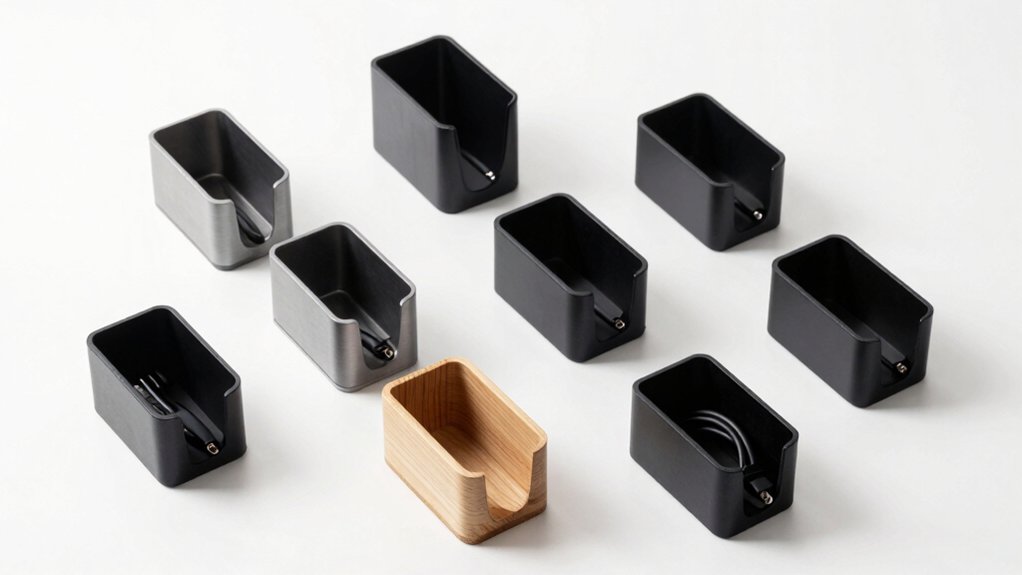

You can organize your workspace cables using under-desk cord holders that clamp, adhere, or mount to your desk. These organizers hold 10–15 lbs of cords and fit desks ranging from 0.4–2.4 inches thick. They include clips, ties, and pre-drilled holes to route cables neatly. Color options span white to black with breathable mesh designs. But which holder works best for your specific desk setup?
| Under Desk Cable Management Tray with Clamp Mount |

| Best No-Drill Option | Installation Type: Clamp mount (no drill) | Weight/Load Capacity: 15 lbs | Length/Size: 13.38″ L x 4.72″ W | VIEW LATEST PRICE | Read Our Analysis |
| Cinati Under Desk Cable Management Tray (White) |

| Best Warranty Coverage | Installation Type: Clamp mount (no drill) | Weight/Load Capacity: 10 lbs | Length/Size: 13.4″ L x 4.6″ W x 3.1″ H | VIEW LATEST PRICE | Read Our Analysis |
| Cable Management Under Desk Organizer (20 Pair) |

| Most Flexible Design | Installation Type: Adhesive pads (no drill) | Weight/Load Capacity: 15 lbs (per strap) | Length/Size: 20 pairs of fasteners | VIEW LATEST PRICE | Read Our Analysis |
| Cable Management Under Desk Metal Cord Organizer |

| Best for Large Desks | Installation Type: Clamp mount (no drill) | Weight/Load Capacity: 15 lbs | Length/Size: 25″ long | VIEW LATEST PRICE | Read Our Analysis |
| SOULWIT 50Pcs Self Adhesive Cable Management Clips |

| Budget-Friendly Pick | Installation Type: Self-adhesive clips (no drill) | Weight/Load Capacity: Multiple cables per clip | Length/Size: 50 clips | VIEW LATEST PRICE | Read Our Analysis |
| Yecaye Under Desk Cable Management Tray (2-Pack) |

| Best Value Bundle | Installation Type: Adhesive tape (no drill) | Weight/Load Capacity: 6 lbs | Length/Size: 31.5″ long (2-pack) | VIEW LATEST PRICE | Read Our Analysis |
| VIVO Under Desk 17 Inch Cable Management Tray |
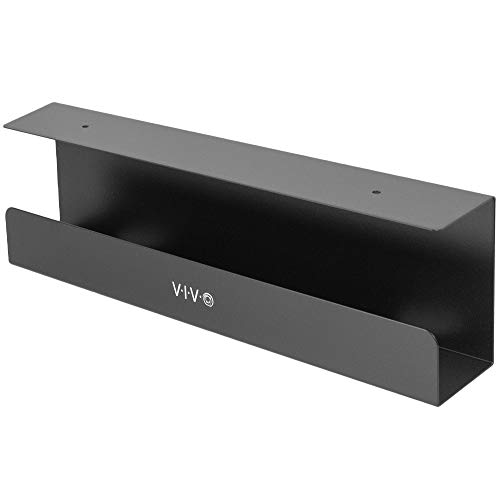
| Best Overall | Installation Type: Screw mount (under desk) | Weight/Load Capacity: 11 lbs | Length/Size: 17″ (16.5″ x 3″) | VIEW LATEST PRICE | Read Our Analysis |
| 2 Pack Under Desk Cable Management Tray |

| Best for Extra Capacity | Installation Type: Clamp mount (no drill) | Weight/Load Capacity: 10 lbs per tray | Length/Size: 31.4″ long (2-pack, 15.7″ each) | VIEW LATEST PRICE | Read Our Analysis |
More Details on Our Top Picks
Under Desk Cable Management Tray with Clamp Mount
The Under Desk Cable Management Tray with Clamp Mount is the top choice for anyone who wants to declutter their workspace without drilling holes in their desk. This carbon steel mesh tray holds up to 15 pounds and clamps onto flat desk edges between 0.4 and 2 inches thick. Install it in three minutes by positioning the side clips, passing them through the holes, and securing cables inside the basket. You can mount it inward or outward depending on your setup. The mesh design reduces dust buildup while rubber pads protect your desk surface. Two holes on each side allow cables to pass through, hiding cords, power strips, and transformers from view and eliminating tripping hazards.
- Installation Type:Clamp mount (no drill)
- Weight/Load Capacity:15 lbs
- Length/Size:13.38″ L x 4.72″ W
- Material:Carbon steel mesh
- Desk Compatibility:0.4-2″ flat edge desks
- Cord Organization Benefit:Hides cords, reduces tangling and tripping hazards
- Additional Feature:Mesh design reduces dust accumulation
- Additional Feature:Inward or outward installation possible
- Additional Feature:Rubber pads protect desk surface
Cinati Under Desk Cable Management Tray (White)
Cinati’s under-desk cable management tray works best for anyone who’s tired of tangled wires cluttering their workspace—and you’ll appreciate that it comes backed by a solid 2-year manufacturer’s warranty that covers defects. The sturdy metal tray measures 13.4 by 4.6 by 3.1 inches and clamps securely to desks between 0.4 and 2.4 inches thick without drilling. You’ll mount it using the included clamp, positioning it inward or outward based on your layout. The tray holds up to 10 pounds of cables, power cords, and outlet strips. Inside the box you’ll find four cable clips and six cable ties for organizing individual wires. Anti-scratch mats protect your desk surface during installation and daily use.
- Installation Type:Clamp mount (no drill)
- Weight/Load Capacity:10 lbs
- Length/Size:13.4″ L x 4.6″ W x 3.1″ H
- Material:Sturdy metal (powder coated)
- Desk Compatibility:0.4-2.4″ desk thickness
- Cord Organization Benefit:Organizes data cables and power cords
- Additional Feature:Includes 4 cable clips included
- Additional Feature:Fully welded sturdy metal construction
- Additional Feature:2-year manufacturer warranty included
Cable Management Under Desk Organizer (20 Pair)
How’re you managing multiple cables under your desk? This organizer offers 20 pairs of hook-and-loop fasteners to secure up to 15 cables per strap. Install the adhesive hooks on smooth surfaces like wood or glass, then wait two hours before loading cables. The flexible, segmented design fits tight corners and adjusts easily. Each strap features a self-locking mechanism that prevents slipping during use. The reinforced fasteners maintain security without loosening. When you’re done, remove the adhesive residue-free. This compact solution keeps wires tucked away neatly, transforming cluttered workspaces into organized areas.
- Installation Type:Adhesive pads (no drill)
- Weight/Load Capacity:15 lbs (per strap)
- Length/Size:20 pairs of fasteners
- Material:Hook-and-loop fasteners
- Desk Compatibility:Multiple surface types
- Cord Organization Benefit:Bundles up to 15 cables per strap
- Additional Feature:20 pairs hook-and-loop fasteners
- Additional Feature:Holds up to 15 cables
- Additional Feature:Residue-free adhesive removal
Cable Management Under Desk Metal Cord Organizer
Mzmaxy’s 25″ metal cord organizer suits anyone managing multiple cables across expansive work surfaces. You clamp it to desks 0.4″ to 2″ thick without drilling. The two-part assembly takes three minutes: join the sections with screws and position the unit on your desk edge. Route cables through the open side design inward or outward based on your setup. The mesh structure allows airflow, preventing overheating. Non-slip rubber pads protect your desk surface. You can reposition cables anytime as your workspace needs change, keeping sockets organized and reducing floor clutter effectively.
- Installation Type:Clamp mount (no drill)
- Weight/Load Capacity:15 lbs
- Length/Size:25″ long
- Material:Metal mesh
- Desk Compatibility:0.4-2″ desk thickness
- Cord Organization Benefit:Organizes cables and keeps workspace tidy
- Additional Feature:25 inches long two-part assembly
- Additional Feature:Ventilated mesh reduces dust buildup
- Additional Feature:Adjustable desk clamp included
SOULWIT 50Pcs Self Adhesive Cable Management Clips
If you’re drowning in tangled cords under your desk, here’s your budget-friendly pick for instant organization. These self-adhesive clips hold multiple cables simultaneously on clean surfaces like desks, walls, and cabinets. To install them, clean your surface thoroughly, peel the backing, and press firmly in place. Open the tab, insert your power cords, network cables, or audio cables, then close it securely. Made from eco-friendly Polyamide66 material, they’re anti-static and durable. The clips prevent cables from snagging your feet while creating a cleaner workspace appearance. With fifty pieces included, you’ll have enough coverage for comprehensive cable management throughout your office or home setup.
- Installation Type:Self-adhesive clips (no drill)
- Weight/Load Capacity:Multiple cables per clip
- Length/Size:50 clips
- Material:Polyamide66 (eco-friendly)
- Desk Compatibility:Multiple surfaces (wood, glass, metal)
- Cord Organization Benefit:Holds multiple cable types (power, ethernet, AV)
- Additional Feature:50 self-adhesive clip pack
- Additional Feature:Eco-friendly polyamide66 material construction
- Additional Feature:Works on multiple surface types
Yecaye Under Desk Cable Management Tray (2-Pack)
Need to wrangle multiple cables and power strips without drilling holes or making permanent changes? The Yecaye 2-Pack Cable Management Tray offers a solution using adhesive mounting. Each 31.5-inch tray holds power strips, surge protectors, and cables with a 6-pound capacity. Install the trays under your desk, behind it, or against walls by applying the included adhesive tape and waiting 24 hours before loading. The open-top design with sidewall cutouts lets you route cables through five pre-drilled holes per side. You’ll receive two trays, four cable holders, and six cable ties for comprehensive organization across multiple workstations or desk sections.
- Installation Type:Adhesive tape (no drill)
- Weight/Load Capacity:6 lbs
- Length/Size:31.5″ long (2-pack)
- Material:Hard PVC plastic
- Desk Compatibility:Smooth surfaces (not textured)
- Cord Organization Benefit:Routes cables with top opening and sidewall cutouts
- Additional Feature:2-pack bundle 31.5 inches long
- Additional Feature:2mm hard PVC plastic construction
- Additional Feature:Pre-drilled cutouts for routing
VIVO Under Desk 17 Inch Cable Management Tray
Looking to eliminate cable clutter from your workspace? The VIVO Under Desk 17 Inch Cable Management Tray offers a practical solution. This low-profile tray measures 16.5″ x 3″ and mounts underneath your desk using provided screws with mounting holes spaced 11″ apart. The sturdy metal construction supports up to 11 lbs without bending, accommodating power strips and cables safely. Its partially closed design hides cords while the front opening provides easy access when you need adjustments. Install it beneath wood or particle board surfaces to route ethernet wires and AV cables out of sight. The minimalist black design complements both home and office environments, promoting a cleaner, more organized workspace that reduces visual distractions and improves focus.
- Installation Type:Screw mount (under desk)
- Weight/Load Capacity:11 lbs
- Length/Size:17″ (16.5″ x 3″)
- Material:Sturdy metal
- Desk Compatibility:Wood or particle board desks
- Cord Organization Benefit:Routes and conceals AV cables and power strips
- Additional Feature:Mounting holes 11 inches apart
- Additional Feature:Partially closed design hides cords
- Additional Feature:Minimalist modern black aesthetic
2 Pack Under Desk Cable Management Tray
The 2 Pack Under Desk Cable Management Tray accommodates extra capacity for workspaces managing multiple power strips and device connections. Each tray measures 15.7 inches long and clamps directly to desks without drilling, supporting up to 10 pounds per unit. The sturdy metal construction resists rust and dust, ensuring durability during long-term use. You’ll receive two trays, four cable clips, and eight cable ties for organizing power cords and data cables. When aligned, they form a 31.4-inch continuous tray suitable for long power strips. The hollow curved design keeps wires off your floor and hidden from view. Two side openings allow you to mount the tray inward or outward, adapting to narrow desks or walls. Anti-scratch mats protect your desktop during installation and removal.
- Installation Type:Clamp mount (no drill)
- Weight/Load Capacity:10 lbs per tray
- Length/Size:31.4″ long (2-pack, 15.7″ each)
- Material:Metal (powder coated)
- Desk Compatibility:0.4-2.4″ desk thickness
- Cord Organization Benefit:Organizes data cables and power cords underneath desk
- Additional Feature:Forms extra-long 31.4 inch combined
- Additional Feature:Hollow curved cable organization design
- Additional Feature:Includes 4 clips, 8 ties
Factors to Consider When Choosing an Under Desk Cord Holder
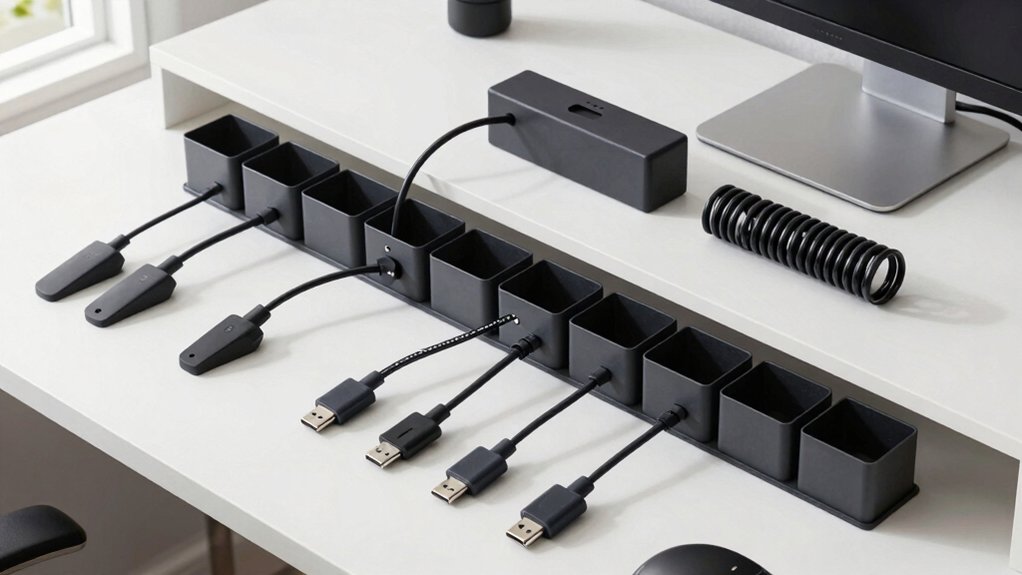
When selecting an under desk cord holder, you’ll want to evaluate five key factors: the installation method and how easily you can attach it to your desk, the weight capacity it can support for your cables and devices, whether it fits your desk’s thickness and material, the durability of its construction materials, and what cable organization features it offers. Start by measuring your desk thickness and checking the product specifications to confirm compatibility, then assess whether you prefer adhesive, clamp, or screw-based installation based on your desk type. Finally, review the weight limits and organizational slots or compartments to ensure the holder matches your current cable setup and future needs.
Installation Method and Ease
How you install your under-desk cord holder depends on which mounting method you choose, and that choice directly affects how quickly you can start organizing. Clamp-mount options require no drilling and attach in minutes by tightening to your desk edge. No tools needed. Adhesive-mounted trays demand patience—you’ll wait 24 hours for the adhesive to cure before loading cables, ensuring a secure bond. Consider your desk material and surface condition before selecting adhesive installation. Both methods offer inward or outward cable routing, letting you direct wires toward the front or back of your desk. Clamp designs include protective pads and anti-scratch features that safeguard your workspace. Side openings on trays accommodate power strips and adapters, streamlining your cable management setup.
Weight Capacity Requirements
Most under-desk cord holders range from 6 to 15 pounds per tray, so you’ll need to calculate your total cable weight before making a purchase. Add up the weight of your power strips, transformers, and cables to determine how much load you’re placing on the system. If you’re using a two-tray setup, multiply the per-tray capacity by two to find your total available capacity. Check product specifications carefully—some manufacturers list per-tray capacity while others provide total system capacity. Position heavier power bricks toward the tray’s center or along reinforced sections to prevent sagging. Consider future needs as well; if you plan to add devices later, choose a model with higher capacity or expandable options to accommodate growth without replacing your entire system.
Desk Compatibility and Thickness
Before you buy an under-desk cord holder, you’ll need to verify that it’ll fit your desk’s edge thickness, since most models specify compatible ranges from 0.4 inches to 2.0 inches. Some trays extend compatibility to 2.4 inches, but this may reduce clamp strength on thinner desks. Measure your desk edge thickness first, then match it against the product’s stated tolerance. Clamp-based mounts require flat edges to grip securely and prevent slippage, so check your desk design. Consider whether mesh or open-side designs work better for your setup, as they affect mounting direction and clearance. Finally, verify that the mounted holder won’t obstruct your desk legs or drawers, ensuring full functionality and workspace accessibility.
Material Quality and Durability
Once you’ve confirmed your desk will physically accommodate a cord holder, examine the materials that’ll keep it functional over time. Look for carbon steel or metal construction, which resists wear and supports weight without deforming. Check whether the product features powder coating or anti-corrosion treatments—these finishes minimize rust and dust buildup that degrades performance. Verify the load capacity rating, typically 10–15 lbs per tray, to confirm it handles power strips and multiple cables without sagging. Inspect the welds and clamps for durability, and confirm non-slip rubber pads protect your desk surface. Finally, prioritize recessed openings and reinforced sidewalls that withstand repeated cable passage and frequent adjustments. These material choices directly determine how long your cord holder remains functional and protective.
Cable Organization Features
How’ll you route multiple cables through a single cord holder without creating a tangled mess? Look for models with at least two pass-throughs per side to separate power cables from data cables. Mesh or open designs let you see what you’re organizing and allow air circulation around power bricks and adapters. Use included clips and ties to bundle similar cables together before routing them through the holder. Position larger items like surge protectors on lower trays, keeping lighter cables on upper sections. Check that the holder fits your desk edge thickness—most accommodate 0.4 to 2.4 inches. This approach prevents tangling, simplifies troubleshooting, and makes future adjustments faster. Adjustable mounting options let you customize placement based on your cable layout and desk configuration.
Space and Dimensions Needed
What measurements matter most when selecting an under-desk cord holder? Start by measuring your desk edge thickness, which typically ranges from 0.4 to 2 inches—this determines if a clamp will secure properly. Next, check the tray length, available in sizes from 13 to 31.5 inches, to confirm it fits your under-desk space without crowding. Measure the height and width clearance beneath your desk to ensure the holder doesn’t restrict leg room or foot movement. Determine whether you need a clamp installation or prefer no-drill mounting, as this affects required exposed space. Finally, verify that the holder has adequate side openings or 2–4 cable passage holes for routing multiple cables effectively. These measurements guarantee a functional fit.
Safety and Protection Benefits
Beyond fitting properly under your desk, a cord holder must also protect you and your workspace from cable-related hazards. Choose a design that keeps cables off the floor, reducing tripping risks. Select mesh or ventilated options to allow airflow around power bricks and adapters, preventing overheating. Look for inner or outward mounting choices that minimize dust buildup on cables and equipment. Verify the holder has built-in rubber pads or non-slip surfaces to protect your desk from scratches and shifting. These features prevent cable exposure that could create safety issues. By hiding data cables, outlet strips, and transformers from foot traffic, you eliminate accidental contact and damage risks, creating a safer workspace overall.
Long-Term Cost Value
Investing in a cord holder that’ll serve you well for years means prioritizing durability and build quality from the start. Choose models with high weight capacity and robust materials to withstand daily use without frequent replacement. Clamp-on or no-drill designs protect your desk surface, eliminating costly repair expenses. Select holders made from rust and dust-resistant materials to maintain performance and reduce cleaning needs. Larger internal spaces accommodate cable changes as your setup evolves, extending the product’s lifespan. Consider multi-pack or modular systems that scale with your growing device count, offering better value over time. These practical choices minimize replacement frequency and repair costs, delivering stronger long-term financial returns on your initial investment.
Final Thoughts
You’ve reviewed eight under-desk cord holders with different mounting styles. Choose clamp-mount trays for desks 0.4–2.4 inches thick, or select adhesive options for permanent installation. Consider your desk thickness, cable volume, and whether you need drilling. Verify weight capacity matches your cables. Install your chosen holder following manufacturer instructions, then organize cables using included clips and ties for a functional workspace.

Meet Ry, “TechGuru,” a 36-year-old technology enthusiast with a deep passion for tech innovations. With extensive experience, he specializes in gaming hardware and software, and has expertise in gadgets, custom PCs, and audio.
Besides writing about tech and reviewing new products, he enjoys traveling, hiking, and photography. Committed to keeping up with the latest industry trends, he aims to guide readers in making informed tech decisions.