
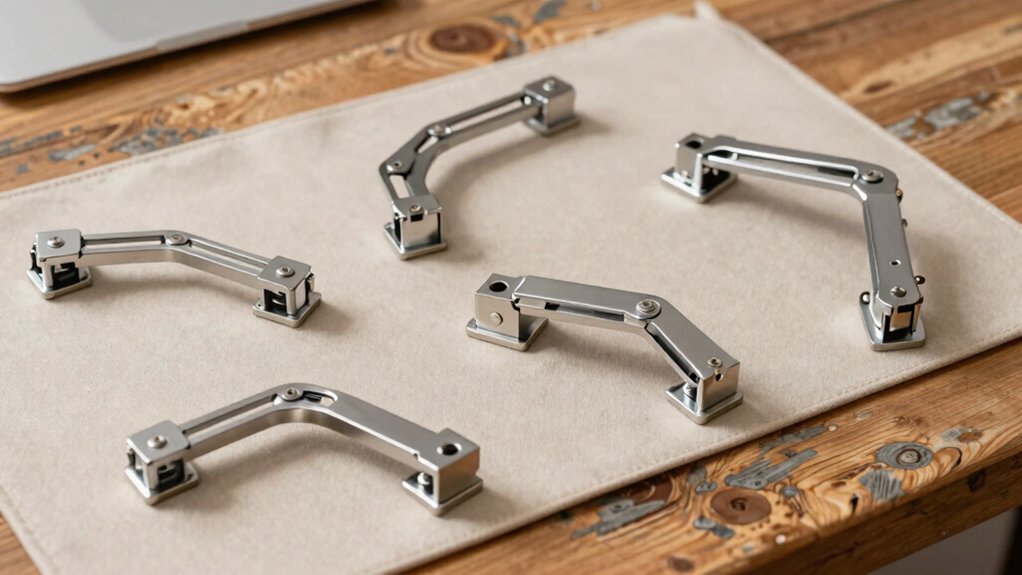

You’ll find that clamp-on keyboard trays solve a common desk problem: poor posture and wasted workspace. These devices mount directly under your desk using C-clamps, eliminating the need for drilling or permanent installation. They adjust to multiple angles, support significant weight, and fit most desk thicknesses. But choosing the right model depends on several key factors that’ll determine whether you get genuine ergonomic benefit or buyer’s remorse—and we’ll examine those next.
| VIVO Large Keyboard Tray Under Desk Mount (MOUNT-KB05E) |

| Best Overall | Tray Surface Size: 27 x 11 inches | Maximum Desk Thickness: 1.25 inches | Weight Capacity: Not specified | VIEW LATEST PRICE | Read Our Analysis |
| BONTEC KMT01 Under Desk Keyboard Tray with C-Clamp |

| Best Value | Tray Surface Size: 25.6 x 11.8 inches | Maximum Desk Thickness: 1.97 inches | Weight Capacity: 11 lbs | VIEW LATEST PRICE | Read Our Analysis |
| Ergonomic Under Desk Keyboard Tray with C-Clamp |

| Budget-Friendly Pick | Tray Surface Size: 25.6 x 11.8 inches | Maximum Desk Thickness: 2.76 inches | Weight Capacity: Not specified | VIEW LATEST PRICE | Read Our Analysis |
| VIVO Clamp-on Rotating Keyboard and Mouse Tray (MOUNT-KB04CB) |

| Best Rotating Design | Tray Surface Size: 22.8 x 9.8 inches | Maximum Desk Thickness: 2 inches | Weight Capacity: 11 lbs | VIEW LATEST PRICE | Read Our Analysis |
| XINLEI Under Desk Keyboard Tray with C-Clamp (DSF4) |

| Best Slide Mechanism | Tray Surface Size: 25.6 x 11.8 inches | Maximum Desk Thickness: 1.63 inches | Weight Capacity: Not specified | VIEW LATEST PRICE | Read Our Analysis |
| VIVO Large Clamp-on Keyboard and Mouse Tray (MOUNT-KB08V) |

| Most Adjustable | Tray Surface Size: 27 x 11 inches | Maximum Desk Thickness: 1.75 inches | Weight Capacity: 11 lbs | VIEW LATEST PRICE | Read Our Analysis |
| Keyboard Tray Under Desk with Adjustable C-Clamp |

| Best Color Options | Tray Surface Size: 25.6 x 11.8 inches | Maximum Desk Thickness: 2.76 inches | Weight Capacity: Not specified | VIEW LATEST PRICE | Read Our Analysis |
| PEGZONE Desk Extender Tray with Storage Drawer |
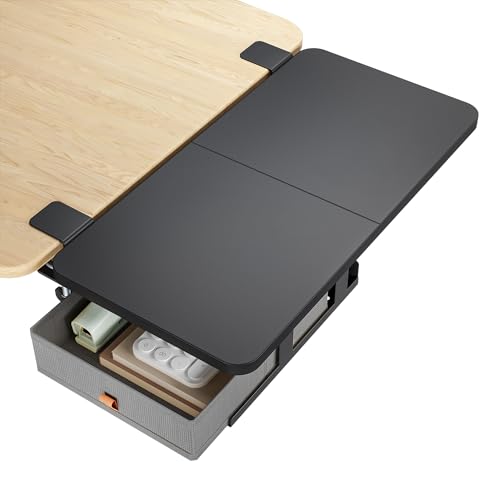
| Most Versatile | Tray Surface Size: 24 x 12 inches | Maximum Desk Thickness: 2.4 inches | Weight Capacity: 55 lbs | VIEW LATEST PRICE | Read Our Analysis |
| EHO Ergonomic C-Clamp Keyboard Tray Mount |

| Best Ergonomic Support | Tray Surface Size: Large surface area (full-size keyboard compatible) | Maximum Desk Thickness: 1.5 inches | Weight Capacity: 22 lbs | VIEW LATEST PRICE | Read Our Analysis |
| Under Desk Keyboard Tray with USB Hub |

| Best With Features | Tray Surface Size: 31 x 11.4 inches clearance | Maximum Desk Thickness: 1.5 inches | Weight Capacity: 11 lbs | VIEW LATEST PRICE | Read Our Analysis |
More Details on Our Top Picks
VIVO Large Keyboard Tray Under Desk Mount (MOUNT-KB05E)
The VIVO Large Keyboard Tray stands out for desk workers who need to reclaim workspace while maintaining ergonomic positioning. You’ll secure the 27-inch platform using sturdy C-clamps that attach without damaging your desk. The tray extends 8.5 inches from your desk edge, accommodating keyboards, mice, and small accessories. Installation takes minutes—simply position the clamps on desks up to 1.25 inches thick and tighten them. The adjustable design lets you customize your typing angle to reduce wrist and shoulder strain. You can’t use this on beveled-edge desktops. The alloy steel construction weighs 10.45 pounds, providing stability during daily use.
- Tray Surface Size:27 x 11 inches
- Maximum Desk Thickness:1.25 inches
- Weight Capacity:Not specified
- Extension Distance:8.5 inches
- Movement Type:Slide-out
- Material:Alloy steel
- Additional Feature:Patent pending design
- Additional Feature:Supports up to 1.25″ desks
- Additional Feature:Extends 8.5 inches maximum
BONTEC KMT01 Under Desk Keyboard Tray with C-Clamp
Looking for an affordable keyboard tray that installs without drilling? The BONTEC KMT01 uses sturdy C-clamps that fit desks up to 1.97 inches thick. Before installing, measure your desk’s underside—you’ll need at least 31.3 inches width and 11.4 inches depth. Position the tray’s clamps on a flat, unobstructed surface, then tighten them securely. The 25.6 x 11.8-inch platform holds up to 11 pounds and accommodates standard keyboards and mice. Protective pads prevent scratches during installation and use. Once mounted, you’ll gain valuable desk space while positioning your keyboard ergonomically to reduce wrist strain. This setup works well for offices, remote workstations, and gaming areas where space optimization matters.
- Tray Surface Size:25.6 x 11.8 inches
- Maximum Desk Thickness:1.97 inches
- Weight Capacity:11 lbs
- Extension Distance:Not specified
- Movement Type:Slide-out
- Material:MDF
- Additional Feature:MDF construction material
- Additional Feature:Supports up to 11 lbs
- Additional Feature:Fits desks up to 1.97″
Ergonomic Under Desk Keyboard Tray with C-Clamp
Desk workers who need space-saving ergonomic support without breaking the budget should consider this clamp-on keyboard tray as their best choice. The 25.6 x 11.8-inch surface accommodates your keyboard, mouse, and small accessories while promoting healthier typing angles that reduce wrist and shoulder strain. Dual adjustable C-clamps attach to desks up to 2.76 inches thick without drilling. The tray extends 7.8 inches from your desk edge with a built-in baffle preventing sliding. Reinforced clamps and non-slip pads protect your desk surface. Installation takes five minutes using included hardware. Before purchasing, measure your desk to ensure the 31.5-inch total clamp-to-clamp length fits your workspace.
- Tray Surface Size:25.6 x 11.8 inches
- Maximum Desk Thickness:2.76 inches
- Weight Capacity:Not specified
- Extension Distance:7.8 inches
- Movement Type:Slide-out
- Material:Not specified (metal clamps)
- Additional Feature:Built-in back baffle design
- Additional Feature:Dual adjustable C-clamps included
- Additional Feature:Five-minute installation time
VIVO Clamp-on Rotating Keyboard and Mouse Tray (MOUNT-KB04CB)
Want your keyboard tray to adjust to your workspace rather than forcing your workspace to adjust to it? The VIVO Clamp-on Rotating Keyboard and Mouse Tray delivers that flexibility. You’ll clamp this 23 x 10 inch tray to your desk using a single C-clamp, securing it firmly to surfaces up to 2 inches thick. The tray rotates a full 360 degrees, letting you position your keyboard and mouse at your ideal typing angle. You can also rotate it under your desk when you’re not typing, freeing up surface space. It holds up to 11 pounds, accommodating standard keyboards and mice. Installation takes minutes with included hardware and instructions.
- Tray Surface Size:22.8 x 9.8 inches
- Maximum Desk Thickness:2 inches
- Weight Capacity:11 lbs
- Extension Distance:Not specified
- Movement Type:360-degree rotation
- Material:Not specified
- Additional Feature:360-degree rotation capability
- Additional Feature:Rotates under desktop storage
- Additional Feature:Single clamp mounting system
XINLEI Under Desk Keyboard Tray with C-Clamp (DSF4)
Need a keyboard tray that slides smoothly without taking up desk real estate? The XINLEI DSF4 offers a 25.6″ x 11.8″ platform that extends up to 12.24 inches and retracts 7.75 inches using high-quality metal rails. You’ll install it using C-clamps that accommodate desks up to 1.63″ thick, avoiding damage to your surface. The tray’s back baffle prevents your keyboard from sliding off during use. Choose between screw mounting for thicker desktops or standard clamp installation. This setup accommodates keyboards, mice, and small accessories while maintaining ergonomic angles to reduce wrist and shoulder strain during extended work sessions.
- Tray Surface Size:25.6 x 11.8 inches
- Maximum Desk Thickness:1.63 inches
- Weight Capacity:Not specified
- Extension Distance:12.24 inches
- Movement Type:Slide-out
- Material:Metal
- Additional Feature:Two installation method options
- Additional Feature:High-quality metal rails
- Additional Feature:Screw mounting for thick desks
VIVO Large Clamp-on Keyboard and Mouse Tray (MOUNT-KB08V)
The VIVO MOUNT-KB08V offers the most adjustable positioning of any clamp-on tray, making it ideal for workers who need customized ergonomics. You’ll adjust height across 12 settings, ranging from 2 to 6.5 inches above your desk. The tray swings 165 degrees total, allowing you to position it forward or backward within an 8.6-inch range. Heavy-duty C-clamps secure the unit to desks up to 1.75 inches thick without surface damage. The 26.8-by-11-inch platform accommodates both keyboards and mice while supporting up to 11 pounds. Assembly requires minimal effort with included hardware and instructions.
- Tray Surface Size:27 x 11 inches
- Maximum Desk Thickness:1.75 inches
- Weight Capacity:11 lbs
- Extension Distance:8.6 inches
- Movement Type:Swing (165° total swing)
- Material:Particle board and steel
- Additional Feature:12-step height adjustment system
- Additional Feature:165-degree swing range
- Additional Feature:Integrated platform drawer included
Keyboard Tray Under Desk with Adjustable C-Clamp
For desk workers who prioritize ergonomic positioning without permanent desk modifications, this clamp-on keyboard tray offers durable white construction that’ll integrate seamlessly into most office setups. The 25.6-by-11.8-inch tray extends 7.8 inches from your desk edge, accommodating both keyboard and mouse. Heavy-duty C-clamps secure firmly to desks up to 2.76 inches thick, requiring no drilling. Installation takes minutes using included hardware. Check that your desk has a flat underside, measures at least 30 inches wide, and lacks curved edges or support beams. The smooth glide rail system operates quietly, while the back baffle prevents keyboard slipping. Non-slip pads ensure stability during use. Tuck the tray away when inactive to reclaim workspace.
- Tray Surface Size:25.6 x 11.8 inches
- Maximum Desk Thickness:2.76 inches
- Weight Capacity:Not specified
- Extension Distance:7.8 inches
- Movement Type:Slide-out
- Material:Sturdy construction material
- Additional Feature:Available in white color
- Additional Feature:Smooth glide rail system
- Additional Feature:Tucks away when not using
PEGZONE Desk Extender Tray with Storage Drawer
If you’re juggling keyboards, mice, paperwork, and office supplies across a cramped desk surface, PEGZONE’s most versatile clamp-on tray solves workspace congestion. This 24″ x 12″ medium-sized extender supports up to 55 pounds, accommodating laptops, printers, and equipment simultaneously. The built-in storage drawer securely holds pens, cables, and accessories, keeping your workspace organized. Installation takes minutes: clamp it to desks between 0.6 and 2.4 inches thick, positioning it on either the front or side. Mount it as an armrest, shelf, or keyboard tray depending on your layout. Choose from black, white, or walnut finishes. Avoid beveled or irregular desktop edges, and ensure your desk measures at least 22 inches wide for proper fit.
- Tray Surface Size:24 x 12 inches
- Maximum Desk Thickness:2.4 inches
- Weight Capacity:55 lbs
- Extension Distance:Not specified
- Movement Type:Fixed extension
- Material:Heavy-duty (material not specified)
- Additional Feature:Integrated storage drawer feature
- Additional Feature:Supports up to 55 lbs
- Additional Feature:Multifunctional desk extension use
EHO Ergonomic C-Clamp Keyboard Tray Mount
Desk workers seeking superior ergonomic support will find the EHO Ergonomic C-Clamp Keyboard Tray Mount delivers immediate relief through its thoughtfully engineered design. Installation requires no tools—simply use the padded C-clamps to secure the tray to desks up to 1.5 inches thick. The built-in wrist rest reduces strain while the ergonomic angle keeps your shoulders relaxed and neck aligned. Slide the tray smoothly in and out, extending up to 12.2 inches to match your reach needs. It supports up to 22 lbs, accommodating full-size keyboards, mice, and small accessories. This space-saving solution frees desk area for documents and essentials while maintaining a clean, professional appearance in any workspace.
- Tray Surface Size:Large surface area (full-size keyboard compatible)
- Maximum Desk Thickness:1.5 inches
- Weight Capacity:22 lbs
- Extension Distance:12.2 inches
- Movement Type:Slide-out
- Material:Not specified
- Additional Feature:Built-in ergonomic wrist rest
- Additional Feature:Supports up to 22 lbs
- Additional Feature:Works with curved edges
Under Desk Keyboard Tray with USB Hub
The WorkNest-KT keyboard tray combines ergonomic positioning with integrated connectivity, making it an excellent fit for remote workers and office employees who need cable management alongside proper wrist alignment. This model features a built-in USB-C to USB-A hub that supports four peripherals, eliminating the need for separate adapters. The five-cable management organizer keeps cords organized and accessible beneath your desk. Install the tray using adjustable C-clamps—no drilling required—on desks up to 1.5 inches thick. The durable metal frame supports up to 11 pounds without wobble. You’ll reclaim desktop space while reducing wrist, shoulder, and back strain through improved keyboard and mouse positioning.
- Tray Surface Size:31 x 11.4 inches clearance
- Maximum Desk Thickness:1.5 inches
- Weight Capacity:11 lbs
- Extension Distance:Adjustable (no specific distance listed)
- Movement Type:Slide-out
- Material:Metal frame
- Additional Feature:Built-in USB hub feature
- Additional Feature:Five-cable management organizer
- Additional Feature:USB-C to USB-A conversion
Factors to Consider When Choosing a Clamp on Keyboard Tray
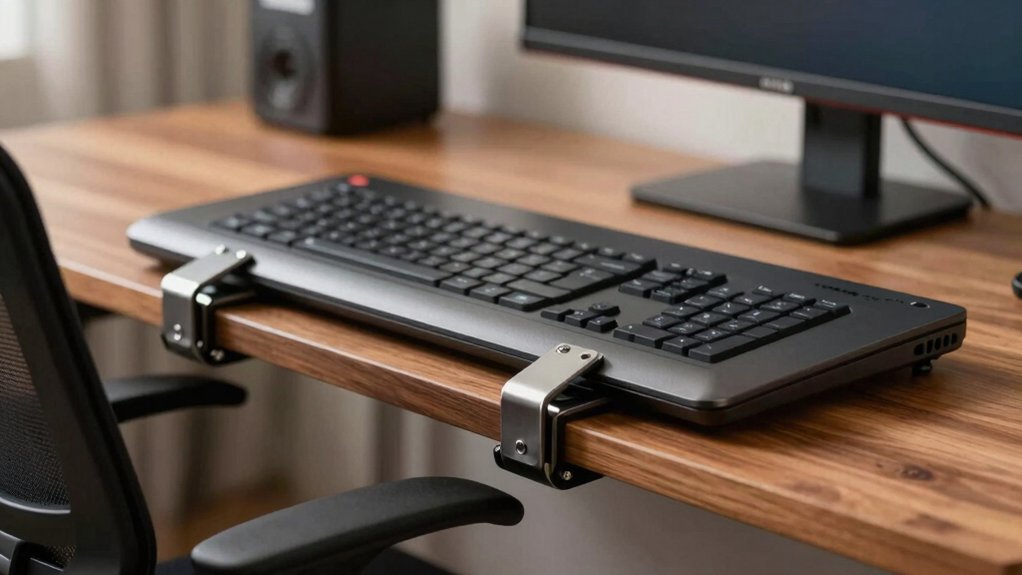
Before you purchase a clamp-on keyboard tray, you’ll need to evaluate five critical factors: desk thickness compatibility, weight capacity requirements, tray size and dimensions, installation and setup complexity, and ergonomic adjustment features. Start by measuring your desk’s thickness and edge structure to ensure the clamp fits securely, then determine how much weight your keyboard, mouse, and accessories will add to verify the tray can support the load without sagging or shifting. Finally, assess the tray’s size relative to your workspace, review the installation steps required, and confirm the tray offers height and angle adjustments to support your wrists and arms in a neutral position.
Desk Thickness Compatibility
How do you know if a clamp-on keyboard tray will actually fit your desk? First, measure your desk thickness from top to bottom. Most clamp-on trays accommodate desks between 1.5 and 2.76 inches thick, though some models max out at 1.97 or 2 inches. Check your specific tray’s specifications before purchasing. Next, examine your desk’s underside. Clamps require flat, unobstructed surfaces and won’t work on curved, beveled, or crossbar-equipped desks. Finally, verify the clamp-to-clamp length and measure the space beneath your desk. You’ll need enough clearance for the tray to slide fully without hitting support beams or structural elements. Taking these steps prevents compatibility issues and ensures secure installation.
Weight Capacity Requirements
What weight will your keyboard tray actually need to support? Start by weighing your keyboard and mouse together. Most standard keyboards weigh 2–5 lbs, while mice add minimal weight. Add another 1–2 lbs for small accessories like wrist rests or cable organizers. This gives you your total load.
Next, choose a tray with a weight capacity exceeding your total by at least 3–5 lbs for safety margin. Most clamp-on trays range from 9–22 lbs capacity. If your keyboard and mouse weigh 6 lbs combined, select a tray rated for at least 11 lbs.
Check whether the manufacturer lists capacity for the tray surface alone or includes accessories. Review clamp design specifications to ensure they prevent desk damage while maintaining stability under your expected load.
Tray Size And Dimensions
Measuring your desk space before selecting a keyboard tray guarantees you’ll get a model that fits your setup without interference. Most trays measure around 25.6 x 11.8 inches, with total lengths reaching 30 to 31.5 inches when clamps are included. Check your desk thickness—clamps typically accommodate 1.5 to 2.76 inches. The clamp-to-clamp distance usually spans 31.5 to 32.5 inches, so verify your desk width exceeds this measurement. Consider slide-out reach, which ranges from 7.8 to 12.24 inches, determining how far your keyboard extends from the desk edge. Examine tray depth and height specifications, as back supports or baffles prevent keyboard slipping during use. These dimensions directly impact comfort and workspace functionality.
Installation And Setup
Once you’ve confirmed your desk dimensions match the tray’s specifications, you’ll need to handle the actual installation, which determines whether your setup stays secure and damage-free. Most clamp-on trays use a no-drill C-clamp system that accommodates desks up to 2.76 inches thick, depending on the model. Position the clamp under your desk’s flat underside—curved or beveled edges won’t work. Attach the protective clamp pads first to prevent surface damage. Tighten the clamp evenly using the adjustment mechanism until the tray sits firmly without wobbling. The entire process typically takes minutes and requires no tools or drilling. Check that all hardware is included before starting, and follow the manufacturer’s instructions precisely for your specific model.
Ergonomic Adjustment Features
How well your keyboard tray supports your wrists and hands depends directly on its adjustment capabilities. Look for models offering swing or rotation features—typically 165 degrees—that let you angle your keyboard to match your natural hand position. Height adjustment with multi-step locking (12 steps or more) enables you to set the tray at your ideal wrist level for neutral posture. Built-in baffles on the back or front prevent your keyboard from sliding during typing. Check that glide rails operate smoothly and the tray extends far enough—between 7.8 and 12.24 inches—so you don’t overreach. Finally, verify the clamp uses non-slip pads to keep everything stable without damaging your desk surface.
Material Quality And Durability
The materials and construction of your keyboard tray directly determine how long it’ll last and how well it performs under daily use. Look for trays built with sturdy materials like alloy steel, metal frames, or particle board reinforced with steel. Check the stated weight capacity—typically 11–22 lbs—to ensure your keyboard, mouse, and accessories fit safely without strain. Examine the clamps carefully; thick, non-slip pads protect your desk surface and prevent shifting during work. Verify the overall construction by inspecting reinforced clamps and secure slide rails to minimize wobble. Choose trays with back/baffle designs and high-quality rails that resist wear, ensuring smooth, reliable extension over months and years of daily use.
Final Thoughts
You’ve reviewed ten clamp-on keyboard tray options designed for desk workers. Select based on your desk thickness, required platform size, and load capacity needs. Measure your desk edge, confirm it’s under 2 inches thick, and choose a model supporting your keyboard and mouse weight. Install the C-clamp securely, adjust the tray height and angle for comfort, and verify stability before placing equipment. This setup improves posture and reclaims workspace efficiently.

Meet Ry, “TechGuru,” a 36-year-old technology enthusiast with a deep passion for tech innovations. With extensive experience, he specializes in gaming hardware and software, and has expertise in gadgets, custom PCs, and audio.
Besides writing about tech and reviewing new products, he enjoys traveling, hiking, and photography. Committed to keeping up with the latest industry trends, he aims to guide readers in making informed tech decisions.