
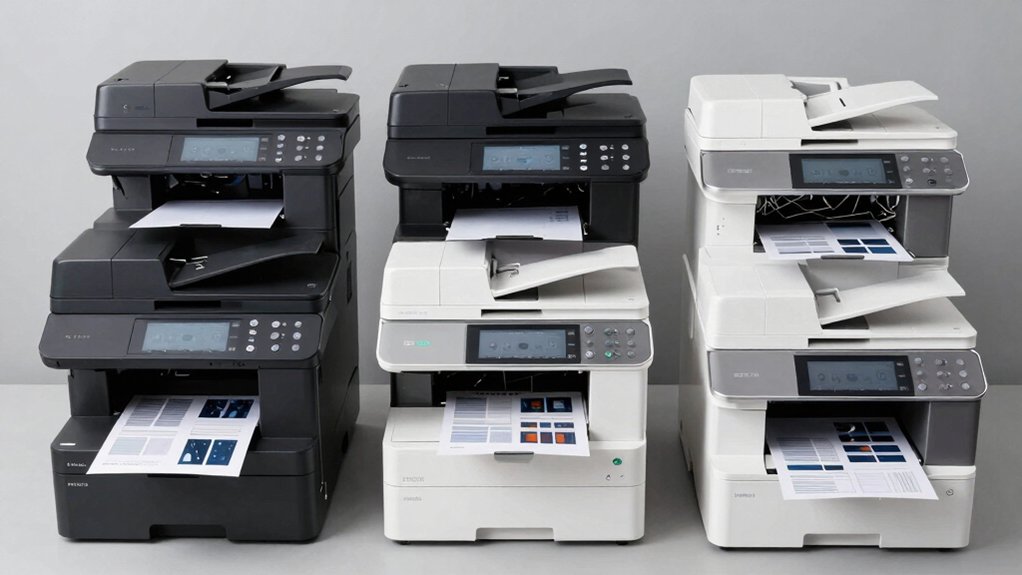

When you’re setting up a home or small office workspace, you’ll need a printer that handles printing, scanning, and copying without requiring separate machines. You’ve got several solid options across different price points and brands. Each printer offers distinct advantages depending on your volume needs, budget, and specific features you prioritize. To find the right fit, you’ll want to evaluate key factors first.
| Canon PIXMA TS6520 Wireless Color Inkjet Printer |

| Best For Families | Core Functions: Print, scan, copy | Wireless Connectivity: Dual-band Wi-Fi (2.4GHz/5GHz) | Automatic Duplex Printing: Yes | VIEW LATEST PRICE | Read Our Analysis |
| HP DeskJet 2855e Wireless All-in-One Inkjet Printer |

| Budget-Friendly Pick | Core Functions: Print, scan, copy | Wireless Connectivity: 2.4GHz Wi-Fi | Automatic Duplex Printing: No (single-sided only) | VIEW LATEST PRICE | Read Our Analysis |
| Canon PIXMA TS4320 Wireless Color Inkjet Printer |

| Most Compact | Core Functions: Print, scan, copy | Wireless Connectivity: Dual-band Wi-Fi (2.4GHz/5GHz) | Automatic Duplex Printing: Yes | VIEW LATEST PRICE | Read Our Analysis |
| HP Smart Tank 5000 Wireless All-in-One Printer |

| Lowest Cost-Per-Page | Core Functions: Print, scan, copy | Wireless Connectivity: Wireless + USB 2.0 | Automatic Duplex Printing: Auto/manual duplex | VIEW LATEST PRICE | Read Our Analysis |
| Canon PIXMA TR4720 All-in-One Wireless Printer |

| Best All-Rounder | Core Functions: Print, scan, copy, fax | Wireless Connectivity: Wi-Fi + USB | Automatic Duplex Printing: Yes | VIEW LATEST PRICE | Read Our Analysis |
| HP Envy 6155e Wireless All-in-One Inkjet Printer |
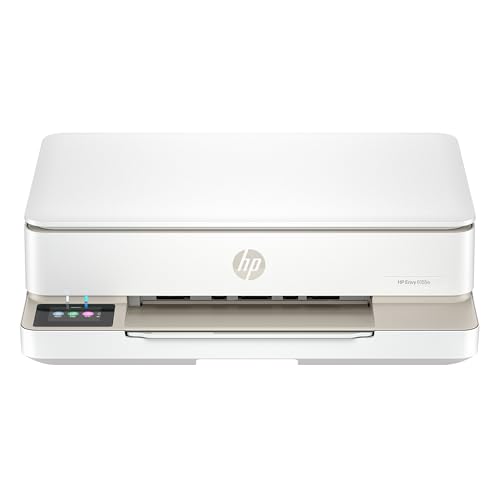
| Best Photo Printing | Core Functions: Print, scan, copy | Wireless Connectivity: Dual-band Wi-Fi (802.11a/b/g/n/ac) + USB 2.0 | Automatic Duplex Printing: Yes | VIEW LATEST PRICE | Read Our Analysis |
| Brother Work Smart 1360 Wireless Color Inkjet Printer |

| Fastest Performance | Core Functions: Print, scan, copy | Wireless Connectivity: Wireless network + USB | Automatic Duplex Printing: Yes | VIEW LATEST PRICE | Read Our Analysis |
| Epson EcoTank ET-2800 Wireless All-in-One Printer |

| Most Eco-Conscious | Core Functions: Print, scan, copy | Wireless Connectivity: Wi-Fi + USB | Automatic Duplex Printing: No | VIEW LATEST PRICE | Read Our Analysis |
| Epson Workforce Pro WF-3823 All-in-One Printer |
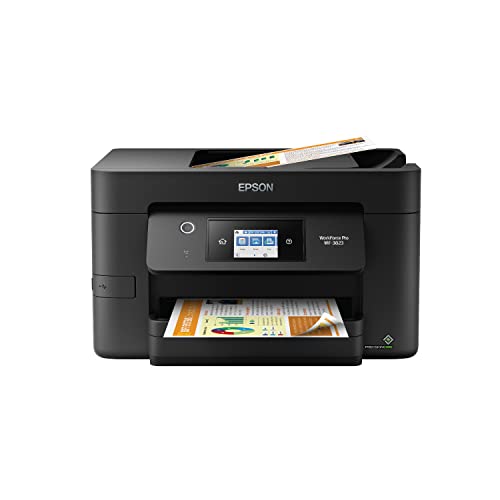
| Professional Grade | Core Functions: Print, scan, copy | Wireless Connectivity: Wireless, Wi-Fi Direct, Ethernet, BLE | Automatic Duplex Printing: Yes | VIEW LATEST PRICE | Read Our Analysis |
More Details on Our Top Picks
Canon PIXMA TS6520 Wireless Color Inkjet Printer
The Canon PIXMA TS6520 works well for families who need reliable printing, scanning, and copying in one compact device. You’ll connect it to your Wi-Fi network using dual-band connectivity, then download the Canon PRINT App to print from your smartphone or tablet. The 1.42″ OLED display lets you monitor ink levels and adjust settings directly on the printer. Auto duplex printing saves paper by printing on both sides automatically. You can scan documents using the flatbed scanner and copy them at up to 1200 x 1200 dpi resolution. The hybrid ink system produces sharp text and vivid colors, making it suitable for school projects and photos. Setup takes minutes, and the compact design fits any home workspace.
- Core Functions:Print, scan, copy
- Wireless Connectivity:Dual-band Wi-Fi (2.4GHz/5GHz)
- Automatic Duplex Printing:Yes
- Mobile Printing Support:Canon PRINT App, Apple AirPrint, Mopria
- Ink System Type:2-cartridge hybrid ink
- Warranty Period:Limited warranty
- Additional Feature:1.42″ OLED status display
- Additional Feature:Dual-band Wi-Fi (2.4GHz/5GHz)
- Additional Feature:Compact, stylish design
HP DeskJet 2855e Wireless All-in-One Inkjet Printer
For home offices on a tight budget, HP’s DeskJet 2855e offers an affordable all-in-one solution that prints, scans, and copies in color. You’ll get print speeds of 7.5 ppm for black documents and 5.5 ppm for color. The 60-sheet input tray handles standard jobs without frequent refilling. Connect via 2.4 GHz Wi-Fi to print from your smartphone, PC, or tablet using the HP App. HP’s AI technology removes unwanted content and optimizes layouts for web pages and emails. The printer includes a 3-month Instant Ink trial, which delivers ink before you run out; monthly fees apply after the trial unless cancelled.
- Core Functions:Print, scan, copy
- Wireless Connectivity:2.4GHz Wi-Fi
- Automatic Duplex Printing:No (single-sided only)
- Mobile Printing Support:HP App
- Ink System Type:Standard cartridges
- Warranty Period:Standard manufacturer warranty
- Additional Feature:HP AI unwanted content removal
- Additional Feature:3-month Instant Ink trial
- Additional Feature:60-sheet input tray
Canon PIXMA TS4320 Wireless Color Inkjet Printer
Looking for a printer that doesn’t consume your desk space? The Canon PIXMA TS4320 delivers compact all-in-one functionality with printing, scanning, and copying capabilities. Its 2-cartridge hybrid ink system produces crisp text and vivid photos up to 8.5″ x 11″. You’ll appreciate automatic two-sided printing, which reduces paper waste and accelerates workflow. Dual-band Wi-Fi (2.4GHz or 5GHz) enables reliable wireless printing from your smartphone or computer using Canon PRINT App, Apple AirPrint, or Mopria Print Service. Setup takes minutes—simply connect to your network and start printing immediately. The EPEAT Silver and ENERGY STAR certification makes this an eco-conscious choice. Canon backs it with a 1-year limited warranty, ensuring reliable performance for your home office needs.
- Core Functions:Print, scan, copy
- Wireless Connectivity:Dual-band Wi-Fi (2.4GHz/5GHz)
- Automatic Duplex Printing:Yes
- Mobile Printing Support:Canon PRINT App, Apple AirPrint, Mopria
- Ink System Type:2-cartridge hybrid ink
- Warranty Period:1-year limited warranty
- Additional Feature:EPEAT Silver certified
- Additional Feature:ENERGY STAR certified
- Additional Feature:Dual-band Wi-Fi connectivity
HP Smart Tank 5000 Wireless All-in-One Printer
Struggling with expensive ink cartridges eating into your budget? The HP Smart Tank 5000 eliminates this problem with its refillable ink tank system. You’ll receive two years of ink included, allowing thousands of pages before refilling. The mess-free refill bottles plug directly in without squeezing or spilling. Set up wireless connectivity on your laptop, smartphone, or tablet to print from anywhere. Use the touch screen or Alexa voice commands for direct control. The printer handles scanning, copying up to 99 pages, and duplex printing automatically. Print quality reaches 1200×1200 dpi for sharp text and 4800×1200 dpi for vibrant colors. HP’s AI technology removes unwanted content for cleaner results. This cartridge-free design reduces interruptions and delivers consistent performance for high-volume home and family printing needs.
- Core Functions:Print, scan, copy
- Wireless Connectivity:Wireless + USB 2.0
- Automatic Duplex Printing:Auto/manual duplex
- Mobile Printing Support:HP App, Alexa integration
- Ink System Type:High-capacity refillable ink tanks (cartridge-free)
- Warranty Period:2-year limited warranty
- Additional Feature:2 years ink included
- Additional Feature:Mess-free refill system
- Additional Feature:Alexa integration capable
Canon PIXMA TR4720 All-in-One Wireless Printer
The Canon PIXMA TR4720 handles printing, copying, scanning, and faxing all in one compact unit. You’ll use the 100-sheet auto document feeder for batch jobs, or the flatbed scanner for single items. Print speeds reach 8.8 ipm for black and 4.4 ipm for color at up to 4800 x 1200 dpi resolution. Connect via Wi-Fi or USB, then print directly from your smartphone using the Canon app. The hybrid ink system produces sharp black text and vibrant color photos. Auto 2-sided printing reduces paper use. You’ll pay minimal attention to ink levels thanks to Alexa integration for low-ink alerts and smart reorders—no subscription required.
- Core Functions:Print, scan, copy, fax
- Wireless Connectivity:Wi-Fi + USB
- Automatic Duplex Printing:Yes
- Mobile Printing Support:Canon PRINT App, Alexa integration
- Ink System Type:Hybrid ink
- Warranty Period:1-year limited warranty
- Additional Feature:Auto Document Feeder included
- Additional Feature:Built-in fax functionality
- Additional Feature:100-sheet front tray
HP Envy 6155e Wireless All-in-One Inkjet Printer
Want superior photo printing without the bulk of separate devices? The HP Envy 6155e combines printing, scanning, and copying in one compact machine. You’ll print borderless photos and documents at up to 10 ppm for black and 7 ppm for color. The 2.4-inch touchscreen lets you navigate functions easily. Connect via dual-band Wi-Fi to print from your smartphone or tablet using the HP App. The 100-sheet input tray handles standard paper sizes, plus envelopes and labels. Duplex printing saves paper automatically. You get three months of Instant Ink trial included, though subscription continues unless you cancel. The printer uses at least 60% recycled plastic and qualifies for HP’s recycling program, making it an environmentally conscious choice for home offices.
- Core Functions:Print, scan, copy
- Wireless Connectivity:Dual-band Wi-Fi (802.11a/b/g/n/ac) + USB 2.0
- Automatic Duplex Printing:Yes
- Mobile Printing Support:HP App, Instant Ink trial
- Ink System Type:Standard cartridges (HP 68)
- Warranty Period:1-year hardware warranty (extendable to 2 years with HP+)
- Additional Feature:Borderless photo printing
- Additional Feature:True-to-screen color printing
- Additional Feature:2.4″ color touchscreen
Brother Work Smart 1360 Wireless Color Inkjet Printer
If you’re running a home or small home office, you’ll want the Brother Work Smart 1360’s fastest performance—delivering up to 16 pages per minute in black and 9 pages per minute in color. This all-in-one printer handles printing, copying, and scanning in one compact unit. The automatic duplex feature prints on both sides of paper automatically, saving time and supplies. Connect via wireless network or USB, then use the Brother Mobile Connect app to manage tasks from your phone. You can print directly to cloud services like Google Drive, Dropbox, OneDrive, and Box. The 20-sheet automatic document feeder and 150-sheet paper tray handle most daily workflows. The 1.8-inch color display lets you navigate menus easily. Track ink usage with the Page Gauge monitor to avoid unexpected cartridge shortages.
- Core Functions:Print, scan, copy
- Wireless Connectivity:Wireless network + USB
- Automatic Duplex Printing:Yes
- Mobile Printing Support:Brother Mobile Connect app
- Ink System Type:LC501 Series inks
- Warranty Period:Standard manufacturer warranty
- Additional Feature:20-sheet Automatic Document Feeder
- Additional Feature:Cloud app integration
- Additional Feature:16 ppm black speed
Epson EcoTank ET-2800 Wireless All-in-One Printer
Looking for an eco-conscious printer that won’t drain your budget? The Epson EcoTank ET-2800 delivers printing, scanning, and copying without cartridge expenses. You’ll get up to 10 pages per minute for black-and-white documents and crisp 5760 x 1440 dpi resolution. The refillable ink tank system replaces approximately 80 cartridges, saving you up to 90% compared to traditional supplies. You can print up to 4,500 black pages or 7,500 color pages with each bottle set. Connect via Wi-Fi or USB, control printing through the mobile app, and manage documents across your devices. The compact design fits most home offices while supporting standard paper sizes up to 8.5 x 14 inches with a 100-sheet tray capacity.
- Core Functions:Print, scan, copy
- Wireless Connectivity:Wi-Fi + USB
- Automatic Duplex Printing:No
- Mobile Printing Support:Epson Smart Panel app
- Ink System Type:Refillable cartridge-free ink bottles
- Warranty Period:1-year limited warranty
- Additional Feature:Cartridge-free supertank system
- Additional Feature:Up to 90% savings
- Additional Feature:5760 x 1440 dpi resolution
Epson Workforce Pro WF-3823 All-in-One Printer
The Epson Workforce Pro WF-3823 is the professional-grade choice for small offices handling high-volume printing tasks. This inkjet printer delivers 21 ppm black and 11 ppm color speeds using PrecisionCore Heat-Free Technology and DURABrite Ultra inks. You’ll benefit from a 250-sheet paper capacity, 35-page automatic document feeder, and auto 2-sided printing for efficient workflows. The 2.7″ touchscreen and Epson Smart Panel app enable mobile printing and remote management. Connect via wireless, Wi-Fi Direct, or Ethernet networking. Security features include secure wireless protocols and Secure Data Erase functionality. This model prints at 4800 x 2400 dpi resolution and includes comprehensive security measures suitable for professional office environments.
- Core Functions:Print, scan, copy
- Wireless Connectivity:Wireless, Wi-Fi Direct, Ethernet, BLE
- Automatic Duplex Printing:Yes
- Mobile Printing Support:Epson Smart Panel app
- Ink System Type:DURABrite Ultra cartridges
- Warranty Period:1-year limited warranty
- Additional Feature:35-page Automatic Document Feeder
- Additional Feature:250-sheet paper tray
- Additional Feature:Secure Data Erase feature
Factors to Consider When Choosing an At Home Printer Scanner Copier
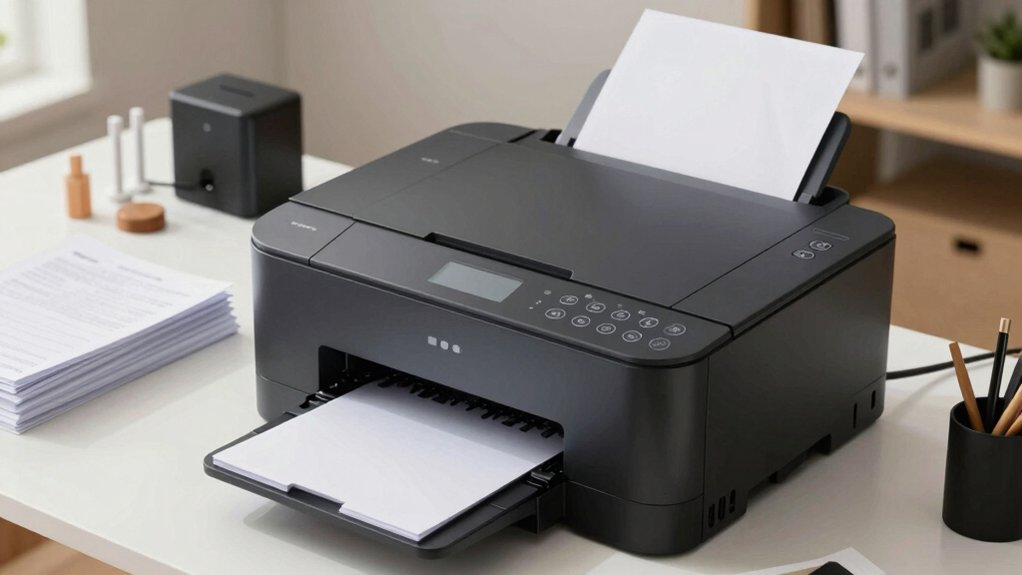
When selecting an at-home printer scanner copier, you’ll need to evaluate print speed and resolution to match your document quality needs, examine wireless connectivity options like Wi-Fi and Bluetooth for seamless device integration, and compare ink systems and their ongoing costs to determine your total cost of ownership. Print speed—measured in pages per minute (ppm)—and resolution quality in dots per inch (dpi) directly affect how quickly you produce documents and how sharp your images appear, so match these specs to your typical workload. Finally, choose between inkjet systems with individual cartridges, all-in-one tanks, or laser toner options, then calculate monthly supply costs by dividing cartridge price by the page yield to find the most economical choice for your printing volume.
Best at Home Printer Scanner Copier
What features matter most when you’re selecting an all-in-one printer for home use? Start by identifying your primary tasks: document printing, photo scanning, or copying. Next, evaluate duplex printing capability, which automatically prints both sides and reduces paper waste significantly. Consider the scanning function—flatbed scanners handle documents and photos effectively. Check wireless connectivity options like Wi-Fi and AirPrint, enabling printing from your smartphone or tablet without cables. Examine the control panel; touchscreen interfaces simplify navigation compared to basic LCD displays. Finally, assess ink systems carefully. Cartridge-based systems suit light users, while refillable tank models lower long-term costs for frequent printing. Compact designs fit limited spaces better. Compare these factors against your budget and workload requirements to select the best fit.
Factors to Consider When Choosing at Home Printer Scanner Copier
Beyond identifying your primary tasks, you’ll need to evaluate several concrete specifications to match a printer to your actual workflow. First, check print speed and resolution—examine whether 21 ppm black or 11 ppm color meets your document volume, and confirm resolution like 4800 x 2400 dpi suits your photo quality needs. Second, compare ink systems by reviewing cartridge costs versus refillable tanks, then calculate long-term expenses based on page yields. Third, verify connectivity options including Wi-Fi, USB, and mobile app compatibility with your devices. Fourth, assess media handling by checking tray capacity, supported paper sizes, auto document feeder capacity, and borderless printing features. Finally, determine if auto duplex printing aligns with your paper conservation goals and document processing habits.
Print Speed And Resolution
Two critical specifications—print speed and resolution—directly determine how quickly your printer produces documents and how sharp they’ll look. Print speed‘s measured in pages per minute (ppm), with most all-in-one printers delivering up to 21 ppm for black text and 11 ppm for color. Resolution, expressed in dots per inch (dpi), affects detail quality—higher dpi like 4800 x 2400 produces finer prints. You’ll notice color jobs take longer than monochrome documents since color output typically runs slower. Duplex printing doubles your effective throughput by printing both sides in one pass, cutting processing time for multi-page documents. Consider your ink cartridge configuration too, as replenishment intervals and drying times influence speed consistency during extended print runs.
Wireless Connectivity Options
How you’ll connect your all-in-one printer to your network depends on which wireless standards and protocols your model supports. Most printers offer dual-band Wi-Fi connectivity on both 2.4 GHz and 5 GHz frequencies, providing stable connections across multiple devices. However, some budget models operate on 2.4 GHz only, which may reduce reliability on crowded networks. You’ll benefit from built-in support for Apple AirPrint and Mopria, enabling direct printing from your smartphone or tablet without additional software. During setup, you’ll join your network through the printer’s app or on-device menu. Beyond standard Wi-Fi, consider models with cloud printing, wireless scanning, Wi-Fi Direct for device-to-printer connections, and Ethernet options for hardwired stability when needed.
Ink System And Costs
Once you’ve secured your printer’s wireless setup, you’ll want to examine the ink system, since this choice directly affects how much you’ll spend each month on supplies. Compare cartridge-based systems against cartridge-free refillable tanks like EcoTank or Smart Tank models. Cartridge-free systems come with substantial initial ink supplies, often yielding thousands of pages before requiring refills. Calculate your total cost of ownership by adding the printer’s upfront price to estimated yearly ink expenses. Check whether subscription programs like Instant Ink apply, as these alter per-page costs and may include ongoing fees after trial periods. Review refill methods—squeeze-free bottles reduce mess compared to standard cartridges. Finally, examine ink bottle capacities in milliliters to determine refill frequency and maintenance demands.
Paper Handling Capacity
What’s the actual paper capacity you’ll need for your home office? Start by checking your printer’s input tray capacity, which typically ranges from 50 to 100 sheets. If you scan or copy multiple pages regularly, look for models with automatic document feeders (ADFs) that hold 20 to 35 pages. Consider whether duplex printing matters—automatic two-sided printing reduces manual reloading and stretches your paper supply further. Next, verify media compatibility to ensure your printer handles your common paper sizes, from 4×6 photos to 8.5×11 sheets, plus any specialty media you need. Match these specifications to your actual workflow demands. This prevents constant reloading interruptions and keeps your office running efficiently without unnecessary downtime.
All-in-One Functionality
When you’re shopping for a printer, scanner, and copier, should you buy three separate devices or combine them into one? An all-in-one printer handles all three tasks in a single machine, which saves desk space and simplifies your workflow. You’ll gain access to integrated flatbed scanners for digitizing documents and photos directly. Many models include automatic document feeders (ADF) for scanning or copying multiple pages without manual feeding. Auto duplex printing reduces paper waste by printing on both sides automatically. Connectivity options like Wi-Fi and mobile apps let you print, scan, and copy from laptops, smartphones, and tablets seamlessly. This consolidation streamlines your office operations and eliminates the need to manage multiple devices.
Final Thoughts
You’ve reviewed nine reliable all-in-one printers across different price points and features. To choose the right one, you’ll need to identify your specific requirements: printing volume, color needs, scanning frequency, and budget. Compare the models’ specifications side-by-side, focusing on pages-per-minute, ink costs, and warranty coverage. Test-drive options at retailers if possible. Your selection should match your office’s actual demands, not theoretical capabilities.

Meet Ry, “TechGuru,” a 36-year-old technology enthusiast with a deep passion for tech innovations. With extensive experience, he specializes in gaming hardware and software, and has expertise in gadgets, custom PCs, and audio.
Besides writing about tech and reviewing new products, he enjoys traveling, hiking, and photography. Committed to keeping up with the latest industry trends, he aims to guide readers in making informed tech decisions.