
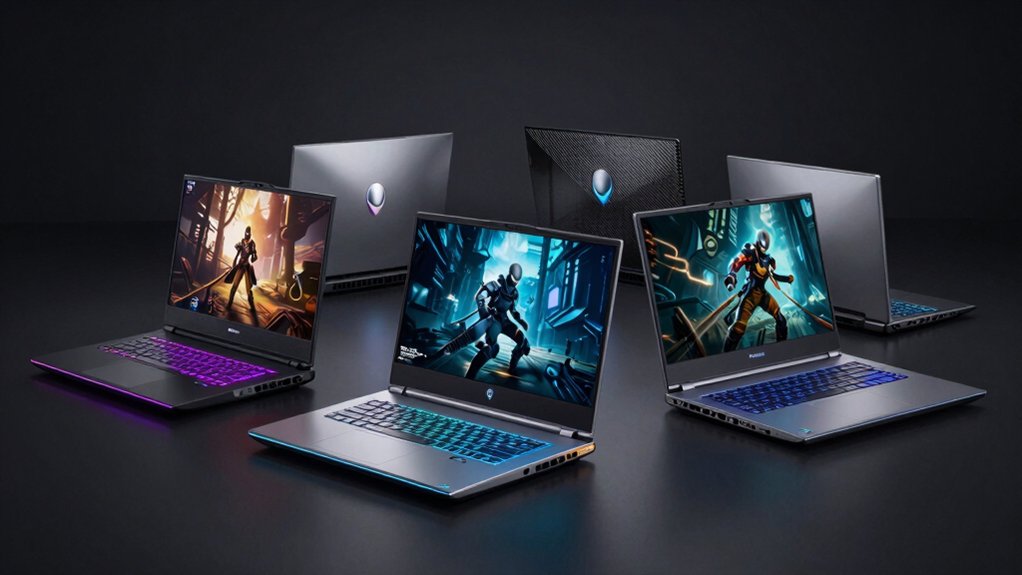

When you’re shopping for a high-performance gaming laptop, you’ll need to evaluate key specs like GPU power, display refresh rates, and cooling systems. Alienware offers several models that meet different budgets and performance needs. You can choose between 18-inch powerhouses with RTX 5080 GPUs or more portable 16-inch options with RTX 5060 or 5070Ti cards. To find your ideal match, you’ll want to compare their specific features and capabilities.
| Alienware Area-51 18-inch Gaming Laptop (RTX 5070) |

| Ultimate Performance Beast | GPU: NVIDIA GeForce RTX 5070 | Display Resolution: QHD+ 2560×1600 | Processor: Intel Core Ultra 9-275HX (24 cores, up to 5.4 GHz) | VIEW LATEST PRICE | Read Our Analysis |
| Alienware 18 Gaming Laptop RTX 5080 32GB |

| Best Overall Champion | GPU: NVIDIA GeForce RTX 5080 | Display Resolution: WQXGA 2560×1600 | Processor: Intel Core Ultra 9 (24 cores, up to 5.4 GHz) | VIEW LATEST PRICE | Read Our Analysis |
| Alienware 16 Aurora Gaming Laptop Intel RTX 5060 |

| Balanced Gaming Workhorse | GPU: NVIDIA GeForce RTX 5060 | Display Resolution: WQXGA 2560×1600 | Processor: Intel Core 7 240H (10 cores, up to 5.2 GHz) | VIEW LATEST PRICE | Read Our Analysis |
| Alienware 16 Aurora Gaming Laptop (QHD+ 120Hz) |

| Best Budget Option | GPU: NVIDIA GeForce RTX 5050 | Display Resolution: QHD+ 2560×1600 | Processor: Intel Core i7 240H (10 cores) | VIEW LATEST PRICE | Read Our Analysis |
| Alienware 16 Gaming Laptop with RTX 5070Ti |

| Premium Portable Powerhouse | GPU: NVIDIA GeForce RTX 5070 Ti | Display Resolution: WQXGA 2560×1600 | Processor: Intel Core Ultra 9-275HX (13th Gen, up to 5.4 GHz) | VIEW LATEST PRICE | Read Our Analysis |
More Details on Our Top Picks
Alienware Area-51 18-inch Gaming Laptop (RTX 5070)
Want an ultimate performance beast that doesn’t compromise on screen real estate? The Alienware Area-51 delivers with its 18-inch QHD+ display running 300 Hz at 3ms response time. You’re getting an Intel Core Ultra 9-275HX processor paired with an RTX 5070 GPU for demanding games and workloads. The system includes 32GB DDR5 RAM and 1TB SSD storage, supporting up to 64GB RAM if you upgrade later. You’ll find seven connectivity ports including Thunderbolt 4 and Wi-Fi 7. The Cryo-Chamber cooling system manages heat effectively during extended gaming sessions. At 9.1 pounds, it’s portable for a premium gaming laptop. You receive one year of onsite service coverage with your purchase.
- GPU:NVIDIA GeForce RTX 5070
- Display Resolution:QHD+ 2560×1600
- Processor:Intel Core Ultra 9-275HX (24 cores, up to 5.4 GHz)
- RAM:32 GB DDR5 (up to 64 GB supported)
- Storage:1 TB SSD
- Operating System:Windows 11 Home
- Additional Feature:Cryo-Chamber airflow cooling
- Additional Feature:18-inch QHD+ 300Hz display
- Additional Feature:Thunderbolt 4 dual connectivity
Alienware 18 Gaming Laptop RTX 5080 32GB
The Alienware 18 Area-51 AA18250 dominates the gaming laptop category through its combination of top-tier hardware and thermal engineering. You’ll experience high-performance gaming with its RTX 5080 GPU and Intel Core Ultra 9 processor reaching 5.4 GHz. The 32GB DDR5 memory and 2TB SSD handle demanding games and multitasking. Its 18-inch WQXGA display delivers 300 Hz refresh rates for smooth gameplay. The Cryo-Chamber cooling system increases airflow to prevent overheating during extended sessions. You get Thunderbolt 4 connectivity for external displays and storage expansion. This configuration delivers the performance needed for competitive gaming and professional workloads.
- GPU:NVIDIA GeForce RTX 5080
- Display Resolution:WQXGA 2560×1600
- Processor:Intel Core Ultra 9 (24 cores, up to 5.4 GHz)
- RAM:32 GB DDR5
- Storage:2 TB SSD
- Operating System:Windows 11 Home
- Additional Feature:Gorilla Glass AlienFX panel
- Additional Feature:2TB SSD storage capacity
- Additional Feature:Aurora borealis ambient lighting
Alienware 16 Aurora Gaming Laptop Intel RTX 5060
Seeking a balanced gaming workhorse that doesn’t sacrifice performance for portability? The Alienware 16 Aurora delivers solid gaming capability through its Intel Core 7 Series 240H processor and RTX 5060 graphics card. You’ll handle modern games at high settings with this 8GB GDDR7 GPU. The 16-inch WQXGA display at 120Hz provides sharp visuals at 2560 x 1600 resolution with 100% sRGB color accuracy. You get 32GB DDR5 RAM and 1TB SSD storage for smooth multitasking and fast load times. Two USB-C ports with speeds up to 10 Gbps enable quick data transfers. Wi-Fi 7 connectivity keeps your connection fast and stable during online gaming sessions.
- GPU:NVIDIA GeForce RTX 5060
- Display Resolution:WQXGA 2560×1600
- Processor:Intel Core 7 240H (10 cores, up to 5.2 GHz)
- RAM:32 GB DDR5
- Storage:1 TB SSD
- Operating System:Windows 11 Home
- Additional Feature:Anodized aluminum lid design
- Additional Feature:ComfortView Plus eye protection
- Additional Feature:100% sRGB color accuracy
Alienware 16 Aurora Gaming Laptop (QHD+ 120Hz)
Looking for a gaming laptop that delivers solid performance without breaking your budget? The Alienware 16 Aurora with QHD+ 120Hz display offers reliable gaming capabilities. You’ll get an Intel Core i7 10-core processor paired with an RTX 5050 GPU, handling most modern games smoothly. The 16-inch display features 2560×1600 resolution and 120Hz refresh rate for sharper visuals and faster gameplay. You’ll appreciate 16GB DDR5 RAM, upgradeable to 64GB for demanding tasks. The laptop weighs 5.5 pounds, making it reasonably portable. Wi-Fi 7 and multiple USB ports provide solid connectivity options. This model suits gaming, streaming, and creative work without premium pricing.
- GPU:NVIDIA GeForce RTX 5050
- Display Resolution:QHD+ 2560×1600
- Processor:Intel Core i7 240H (10 cores)
- RAM:16 GB DDR5 (upgradable to 64 GB)
- Storage:1 TB NVMe SSD
- Operating System:Windows 11 Home
- Additional Feature:Triple external monitor support
- Additional Feature:4K@60Hz expandability capable
- Additional Feature:Upgraded 3-year warranty included
Alienware 16 Gaming Laptop with RTX 5070Ti
Gamers demanding maximum frame rates and visual fidelity will find this premium portable powerhouse delivers the hardware you need. The Alienware 16 Area-51 pairs an Intel Core Ultra 9-275HX processor with an NVIDIA RTX 5070 Ti GPU, enabling high-performance gaming at the 240Hz display’s native 2560×1600 resolution. You get 32GB DDR5 RAM and 1TB SSD storage for smooth multitasking and fast load times. The Cryo-Chamber cooling design maintains prime temperatures during extended sessions. With Thunderbolt 4 connectivity and Wi-Fi 7, you’ll handle competitive gaming, content creation, and streaming without compromise.
- GPU:NVIDIA GeForce RTX 5070 Ti
- Display Resolution:WQXGA 2560×1600
- Processor:Intel Core Ultra 9-275HX (13th Gen, up to 5.4 GHz)
- RAM:32 GB DDR5
- Storage:1 TB SSD
- Operating System:Windows 11 Home
- Additional Feature:Cryo-Chamber elevated chassis
- Additional Feature:240Hz WQXGA matte display
- Additional Feature:Tensorized AI acceleration capability
Factors to Consider When Choosing an Alienware Gaming Laptop
When selecting an Alienware gaming laptop, you’ll need to evaluate five critical factors: display quality and refresh rate (which affects how smoothly games appear), processing power (the CPU that handles overall performance), graphics capabilities (the GPU that renders visuals), thermal management (cooling systems that prevent overheating), and battery life (how long you can use it unplugged). Each factor directly impacts your gaming experience and portability, so you should assess your priorities—whether you prioritize high frame rates, extended play sessions away from outlets, or maximum graphical fidelity—before making your purchase. Start by determining your budget and typical gaming scenarios, then compare Alienware models across these five areas to find the laptop that matches your specific needs.
Display Quality And Refresh
The performance of your gaming experience hinges considerably on your display’s capabilities. You should prioritize refresh rates of 300 Hz, which reduce motion blur and deliver smoother gameplay compared to standard 60–120 Hz displays. Next, select QHD+ resolution (2560×1600) for sharper images and increased screen real estate versus 1080p. An 18-inch or 16-inch panel at this resolution balances crisp visuals with an immersive field of view. Additionally, verify the display offers 300 Hz refresh rates paired with 3 ms response times to minimize ghosting and input lag during competitive play. Finally, confirm brightness reaches approximately 300 nits with 100% sRGB coverage, ensuring color accuracy and readability across different lighting environments.
Processing Power Requirements
How do you identify the processing specifications that’ll sustain your gaming performance? Start by checking the CPU core count and boost clock speeds. Look for 24-core Intel Core Ultra HX processors reaching 5.4 GHz, which handle demanding games and AI workloads effectively. Next, examine your GPU options: RTX 5070, 5080, or 5060 with Max-Q configurations balance graphics power and energy efficiency. Consider systems with integrated NPUs alongside your CPU and GPU, as this combination accelerates AI tasks and in-game features, improving responsiveness. Confirm your RAM configuration: 32 GB DDR5 at 6400 MHz supports smooth multitasking, with expansion options to 64 GB for large asset loads. Finally, verify thermal design features like Cryo-Chamber technology and enhanced airflow maintain sustained performance under heavy processing demands.
Graphics Performance Capabilities
What GPU tier matches your gaming demands? Your Alienware laptop offers options from RTX 5050/5060 to RTX 5080/5070/5070Ti, each tier delivering different performance levels. Entry-level GPUs handle 1080p gaming smoothly, while mid-range options like the RTX 5070 power 1440p gameplay at high settings. The RTX 5080 tackles demanding titles at 1600p with maximum graphics enabled. VRAM capacity—8GB to 16GB GDDR7—determines texture quality and scene complexity you can render. Pair your GPU choice with the 16-inch or 18-inch display: both feature 2560×1600 resolution and 300Hz refresh rates, maximizing frame delivery. Max-Q configurations optimize power efficiency without sacrificing performance. Match GPU specifications to your game library’s demands and desired resolution-settings combination.
Thermal Management Solutions
Keeping your GPU and CPU running cool during extended gaming sessions requires understanding how Alienware’s cooling architecture works. Most Alienware models feature a Cryo-Chamber design that raises the chassis off your desk, allowing air to flow underneath and around internal components. This elevated structure creates larger air intake paths that feed cooling directly to your CPU, GPU, and AI acceleration hardware. The bottom-placed airflow focus prevents heat from accumulating near ventilation openings. When selecting your laptop, verify the model includes these cooling features to reduce thermal throttling during sustained gaming. Check that your chosen Alienware has clear ventilation paths and adequate intake grilles. This design approach lets you maintain higher power limits while keeping temperatures stable throughout long gaming sessions.
Battery Life Expectations
When you’re evaluating an Alienware gaming laptop, you’ll need to understand that battery life depends on several interconnected factors rather than a single specification. First, check the battery capacity—models with 96 Wh batteries typically deliver longer unplugged runtimes than smaller options. Next, examine the display specs: higher refresh rates (like 300 Hz) and increased brightness consume significantly more power. Third, review the GPU technology; Max-Q designs improve efficiency during gaming workloads. Fourth, consider the processor integration—CPUs with built-in NPUs handle AI tasks more efficiently. Finally, recognize that actual battery life varies based on game intensity and power settings you select. Prioritize your usage patterns when weighing performance against endurance needs.
Port Connectivity Options
How you’ll connect peripherals, external displays, and charging devices depends on understanding what ports your Alienware laptop offers. Most models feature multiple USB-C ports with Thunderbolt 4 support, enabling simultaneous high-speed data transfer, power delivery, and external monitor connectivity through a single connection. You’ll also find standard HDMI outputs (1.4a or 2.1) for direct TV or monitor connection. USB-A ports in 3.2 Gen 1 and Gen 2 speeds accommodate traditional peripherals like external drives and mice. Some laptops provide up to eight total ports combined. For expandability, you can connect up to three external displays using HDMI and USB-C/Thunderbolt connections. Wi-Fi 7 and Bluetooth support wireless peripherals, reducing cable clutter. Evaluate your specific connectivity needs before selecting your model.
Final Thoughts
You’ve reviewed five high-performance Alienware laptops across different sizes and specs. To select the right model, match your needs to the specs: choose the 18-inch if you want maximum power and screen real estate, or pick the 16-inch for portability. Consider your GPU requirements—RTX 5070 or 5080 for demanding games, RTX 5060 for lighter titles. Evaluate your refresh rate preference: 300 Hz for competitive gaming, 120-240 Hz for standard play. Compare RAM and cooling features against your budget.

Meet Ry, “TechGuru,” a 36-year-old technology enthusiast with a deep passion for tech innovations. With extensive experience, he specializes in gaming hardware and software, and has expertise in gadgets, custom PCs, and audio.
Besides writing about tech and reviewing new products, he enjoys traveling, hiking, and photography. Committed to keeping up with the latest industry trends, he aims to guide readers in making informed tech decisions.