
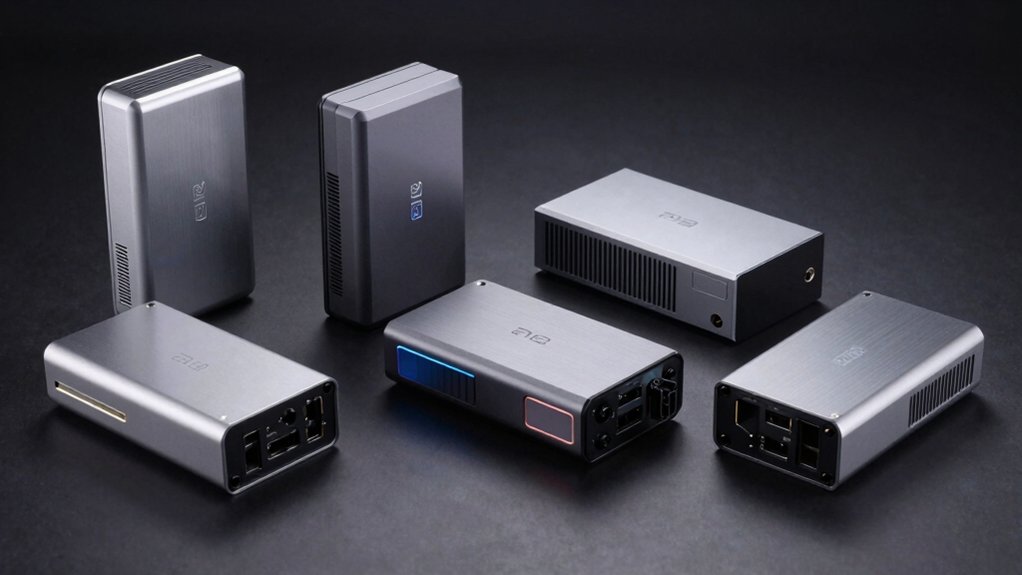

You’re looking to boost your laptop’s graphics performance, and an external GPU enclosure offers a practical solution. These devices connect via Thunderbolt or USB4, letting you add powerful desktop graphics to your portable setup. Your choice depends on your specific needs—portability, power output, GPU size compatibility, and budget all matter. Understanding these factors helps you select the right enclosure that actually matches your workflow.
| Razer Core X V2 External Graphics Enclosure eGPU |

| Best Overall Performance | Connection Interface: Thunderbolt 5/4, USB 4 | GPU Compatibility: NVIDIA/AMD desktop GPUs (up to 4-slot wide) | Power Supply: User-selected standard ATX PSU (not included) | VIEW LATEST PRICE | Read Our Analysis |
| PCIe 4.0 eGPU Dock with OCuLink Cable |

| Budget Compact Option | Connection Interface: OCuLink SFF-8612 | GPU Compatibility: NVIDIA RTX 4090, AMD RX 7900 XTX, various graphics cards | Power Supply: Standard ATX PSU (not included) | VIEW LATEST PRICE | Read Our Analysis |
| Sonnet Breakaway Box 850 T5 eGPU Enclosure |
| Professional Creator’s Choice | Connection Interface: Thunderbolt 5/4, USB4 | GPU Compatibility: NVIDIA GeForce RX50/40/30 Series, AMD Radeon RX 9000/7000/6000 Series | Power Supply: Built-in 850W power supply | VIEW LATEST PRICE | Read Our Analysis |
| ANQ-L336 Mini eGPU Enclosure Thunderbolt 3/4 USB4 |

| Portable Gaming Pick | Connection Interface: Thunderbolt 3/4, USB4 | GPU Compatibility: NVIDIA RTX 50-series, AMD 9000 series | Power Supply: ATX/SFX/FLEX/DC 12V PSU (not included) | VIEW LATEST PRICE | Read Our Analysis |
| AOOSTAR AG02 eGPU Dock with 800W PSU |

| Hot-Swap Convenience | Connection Interface: OCuLink + USB4 | GPU Compatibility: Most external graphics boards | Power Supply: Built-in 800W power supply | VIEW LATEST PRICE | Read Our Analysis |
More Details on Our Top Picks
Razer Core X V2 External Graphics Enclosure eGPU
Want to transform your laptop into a high-performance gaming machine? The Razer Core X V2 connects to your Thunderbolt 5, Thunderbolt 4, or USB 4 Windows laptop, delivering desktop-class graphics power. You’ll install an NVIDIA or AMD desktop GPU into the enclosure’s up to four-slot space, then add a standard ATX power supply you choose yourself. Connect the included Thunderbolt 5 cable, and your system’s ready—no restart required. The vented steel chassis with auto-adjusting 120mm fan keeps temperatures controlled. You can customize fan speeds through Razer Synapse. For best results, connect your external monitor directly to the GPU as a secondary display and update graphics drivers regularly.
- Connection Interface:Thunderbolt 5/4, USB 4
- GPU Compatibility:NVIDIA/AMD desktop GPUs (up to 4-slot wide)
- Power Supply:User-selected standard ATX PSU (not included)
- Cooling System:120mm fan with auto-adjustable speed
- Warranty:2-year manufacturer warranty
- Weight:5.06 kg (11.16 lbs)
- Additional Feature:Tool-free GPU installation
- Additional Feature:Customizable fan curve via Synapse
- Additional Feature:No restart required after connection
PCIe 4.0 eGPU Dock with OCuLink Cable
This budget compact option delivers PCIe 4.0 x4 performance for laptop and mini PC users who need external GPU connectivity without breaking the bank. The detachable OCuLink cable (50 cm) and enclosure support standard ATX power supplies and high-end graphics cards like the RTX 4090. Gold-plated PCB contacts ensure reliable conductivity, while advanced shielding minimizes electromagnetic interference. The flat, ultra-thin cable design (0.5 mm) offers portability and easy storage. Remember: you must power off your computer before unplugging the cable, as this interface doesn’t support hot plugging. Purchase your GPU and power supply separately.
- Connection Interface:OCuLink SFF-8612
- GPU Compatibility:NVIDIA RTX 4090, AMD RX 7900 XTX, various graphics cards
- Power Supply:Standard ATX PSU (not included)
- Cooling System:No active cooling mentioned
- Warranty:No warranty specified
- Weight:Not specified
- Additional Feature:Gold-plated PCB contacts
- Additional Feature:Ultra-thin flexible cable design
- Additional Feature:Multi-status LED indicators
Sonnet Breakaway Box 850 T5 eGPU Enclosure
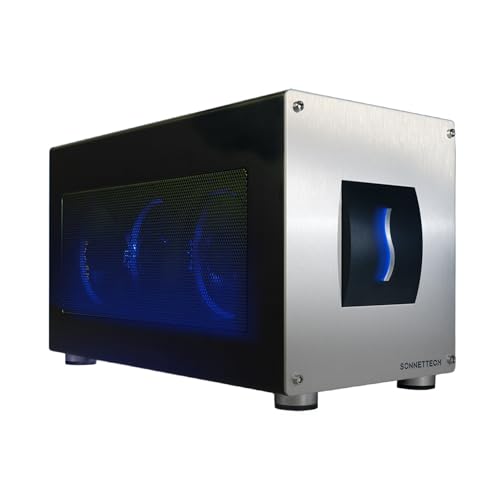
Looking for an eGPU enclosure that won’t compromise your workflow? The Sonnet Breakaway Box 850 T5 delivers 80 Gbps Thunderbolt 5 bandwidth to accelerate your Windows 11 computer. You’ll support triple-wide graphics cards from NVIDIA GeForce or AMD Radeon series while benefiting from an 850W power supply. The enclosure includes three USB Type-A ports, a 5 Gigabit Ethernet port, and a built-in Thunderbolt 5 dock for connectivity. Its alloy steel construction houses a temperature-controlled fan for reliable cooling. Weighing 14.1 pounds with dimensions of 15.75″ D x 8.25″ W x 9.75″ H, it fits desktop and laptop setups. The 2-year limited warranty covers your investment, making this a dependable choice for editing, rendering, and AI-driven applications.
- Connection Interface:Thunderbolt 5/4, USB4
- GPU Compatibility:NVIDIA GeForce RX50/40/30 Series, AMD Radeon RX 9000/7000/6000 Series
- Power Supply:Built-in 850W power supply
- Cooling System:Large variable-speed temperature-controlled fan
- Warranty:2-year limited warranty
- Weight:14.1 lbs (6.4 kg)
- Additional Feature:Built-in 5GbE Ethernet port
- Additional Feature:Triple-wide graphics card support
- Additional Feature:Integrated Thunderbolt 5 dock functionality
ANQ-L336 Mini eGPU Enclosure Thunderbolt 3/4 USB4
The ANQ-L336 stands as your portable gaming pick if you’re pairing an external GPU with a laptop or handheld device. This mini enclosure connects via Thunderbolt 3/4 or USB4, delivering 32Gbps data transfer speeds through PCIe 4.0 x4 connectivity. You’ll get a 10Gbps USB-A port and two Thunderbolt 4 ports for attaching peripherals. The enclosure supports NVIDIA and AMD GPUs, including AMD 9000 series cards. It accepts ATX, SFX, FLEX, and DC 12V power supplies and provides 85W PD fast charging. Weighing just 365 grams, it fits easily into your laptop bag for travel or stationary setups.
- Connection Interface:Thunderbolt 3/4, USB4
- GPU Compatibility:NVIDIA RTX 50-series, AMD 9000 series
- Power Supply:ATX/SFX/FLEX/DC 12V PSU (not included)
- Cooling System:No active cooling mentioned
- Warranty:1-year warranty
- Weight:365 grams (0.8 lbs)
- Additional Feature:Compact 365-gram form factor
- Additional Feature:85W fast charging capability
- Additional Feature:ROG Ally X Turbo Mode support
AOOSTAR AG02 eGPU Dock with 800W PSU
Want hot-swap convenience without the hassle of powering down your device? The AOOSTAR AG02 delivers an 800W power supply built directly into its compact aluminum frame, supporting GPUs up to 600W through three 8-pin connectors. Its OCuLink interface provides PCIe 4.0 x4 bandwidth at 64Gbps, compatible with most external graphics boards on the market. Note that you’ll need to power off before plugging or unplugging the OCuLink cable, then press the fixed lock switch to disconnect. The dock accommodates unlimited graphics card lengths and works with Windows 11 22H2 and macOS. Hot-swap functionality is available exclusively on TGX devices. The AG02 weighs just 1.5 kg and measures 22.5 x 11 x 6 cm, making it a portable solution for expanding your GPU capabilities.
- Connection Interface:OCuLink + USB4
- GPU Compatibility:Most external graphics boards
- Power Supply:Built-in 800W power supply
- Cooling System:No active cooling mentioned
- Warranty:12-month after-sales service
- Weight:1.5 kg (3.3 lbs)
- Additional Feature:Unlimited graphics card length
- Additional Feature:Open metal aluminum frame design
- Additional Feature:TGX hot-swap compatible
Factors to Consider When Choosing eGPU Enclosures
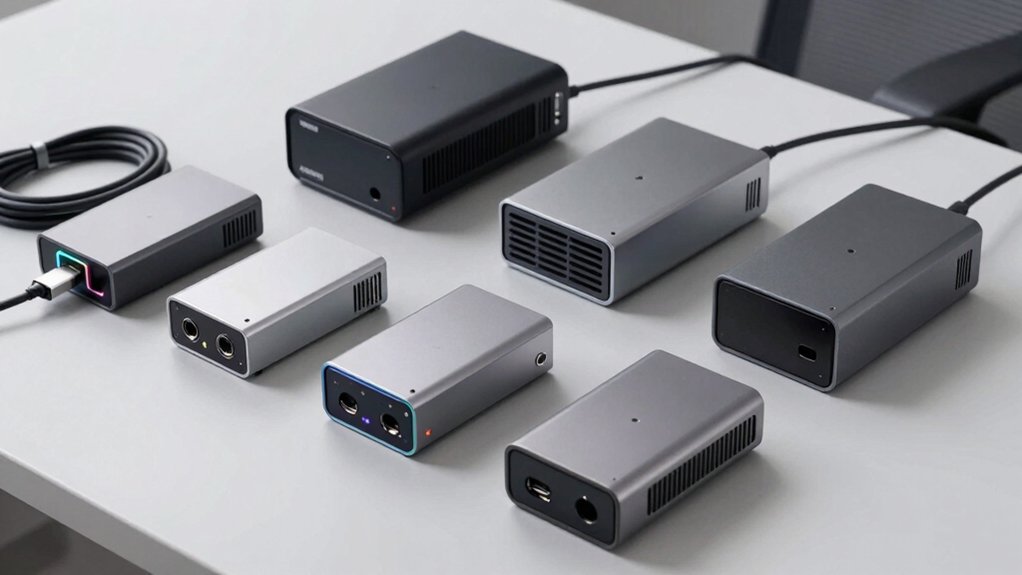
When you’re selecting an eGPU enclosure, you’ll need to evaluate five key factors that directly impact performance and usability. First, check the connectivity and bandwidth options (like Thunderbolt 3 or USB-C), the power supply wattage and GPU compatibility, the cooling system’s effectiveness, whether it’ll work with your specific device, and what room you have for future upgrades. Making these comparisons upfront prevents you from buying an enclosure that won’t meet your current needs or accommodate your plans to expand later.
Connectivity And Bandwidth Options
How does bandwidth affect your eGPU’s performance? Your enclosure’s connector type directly determines data transfer speed and GPU capability. Thunderbolt 5 and USB4 deliver up to 80 Gbps bandwidth, supporting high-speed connections between your host device and GPU enclosure. Many enclosures use PCIe 4.0 x4 via OCuLink interfaces, which provide 64 Gbps—sufficient for most external GPUs. When selecting an enclosure, verify the connector matches your laptop or desktop ports. Some models include built-in Thunderbolt docks or USB-A ports, expanding your peripheral connectivity beyond the GPU link alone. Check whether your chosen enclosure supports hot-plug functionality; several require powering off your host before disconnecting or swapping components. Match your bandwidth needs to your GPU’s requirements for optimal performance.
Power Supply And GPU Support
Your enclosure’s power supply capacity and GPU compatibility determine whether your setup’ll actually work and perform reliably. First, check your GPU’s power requirements—high-end cards demand 300W or more. Next, match your enclosure type: fixed PSU models offer 800W or 850W built-in, while PSU-agnostic enclosures let you install standard ATX units. Verify GPU dimensions against slot width limits; some enclosures fit 4-slot cards, others only triple-wide configurations. If your dock ships without a PSU, confirm your desktop PSU can handle the additional GPU load. Finally, understand hot-plug behaviors—OCulink docks have limitations on safe GPU swapping. Cross-reference your specific GPU model, enclosure specifications, and available power before purchasing to avoid incompatibility issues.
Cooling Performance And Design
Why does cooling matter in your eGPU enclosure choice? Heat directly impacts GPU performance and lifespan. Look for enclosures with larger vented steel or alloy chassis and dedicated high-CFM fans, like 120 mm models with auto-temperature curves. These features prevent throttling during extended gaming or rendering sessions. Check that the internal layout separates your GPU from power components to avoid cross-component heat transfer. Verify the enclosure includes active cooling like variable-speed fans or integrated heatsinks. Ensure your power supply has adequate wattage and that the enclosure provides sufficient thermal headroom. Consider how additional features—network ports, USB passthrough—generate extra heat and demand improved airflow planning. Prioritize cooling specifications over aesthetics when making your selection.
Compatibility With Your Device
Once you’ve confirmed your enclosure has adequate cooling, the next step is verifying it’ll actually work with your specific device. Check your laptop or mini PC’s connection ports—you’ll need Thunderbolt 5, Thunderbolt 4, or USB4 compatibility for a valid PCIe connection. Next, confirm your operating system supports eGPU functionality. macOS users should verify compatibility, as Apple Silicon M1+ models have limited eGPU support with certain enclosures. Then examine your GPU’s physical dimensions and power requirements against the enclosure’s slot width capacity and PSU wattage rating. Clarify whether your enclosure includes a power supply or if you’ll provide your own. Finally, understand hot-plug limitations—some interfaces like OCuLink require you to power down before disconnecting.
Expandability And Future Upgrades
How much longer do you want your eGPU enclosure to remain useful? Check whether the enclosure supports swapping GPUs and allows you to install your own power supply. Modular designs let you upgrade without replacing the entire chassis. Verify the PCIe generation—PCIe 4.0 x4 supports higher-bandwidth GPUs better than older versions. Examine the docking interface: Thunderbolt 4, Thunderbolt 5, OCuLink, and USB4 each offer different bandwidth capabilities that may limit future GPU performance. Finally, confirm the built-in power supply wattage. An 850W PSU handles more powerful GPUs than an 800W model. If you can’t upgrade the PSU internally, look for enclosures that accept external power options. These factors determine whether your investment remains viable as GPU technology advances.
Price And Value Proposition
Most eGPU enclosures range from $300 to $1,500 or more, and you’ll need to evaluate what you’re actually getting for that investment. Start by checking the PSU capacity and GPU compatibility, since some enclosures require separate purchases that increase total cost. Next, examine integrated features like 5GbE connectivity or multiple USB and Thunderbolt ports, which add practical value beyond graphics performance. Then verify compatibility with your laptop’s connection type—Thunderbolt version, OCulink, or USB4—because mismatched standards won’t deliver expected performance gains. Finally, review warranty terms and return policies to understand potential RMA costs or restocking fees. These factors directly determine whether you’re getting genuine value or overpaying for features you won’t use.
Final Thoughts
You’ve reviewed five strong eGPU enclosures covering different needs. Match your choice to your priorities: pick the Razer Core X V2 for upgradability, the Sonnet Breakaway Box 850 T5 for power and docking features, or the AOOSTAR AG02 and ANQ-L336 for portability. Consider your GPU size, power requirements, connection type, and budget. Check compatibility with your laptop before purchasing to ensure proper performance and functionality.

Meet Ry, “TechGuru,” a 36-year-old technology enthusiast with a deep passion for tech innovations. With extensive experience, he specializes in gaming hardware and software, and has expertise in gadgets, custom PCs, and audio.
Besides writing about tech and reviewing new products, he enjoys traveling, hiking, and photography. Committed to keeping up with the latest industry trends, he aims to guide readers in making informed tech decisions.