
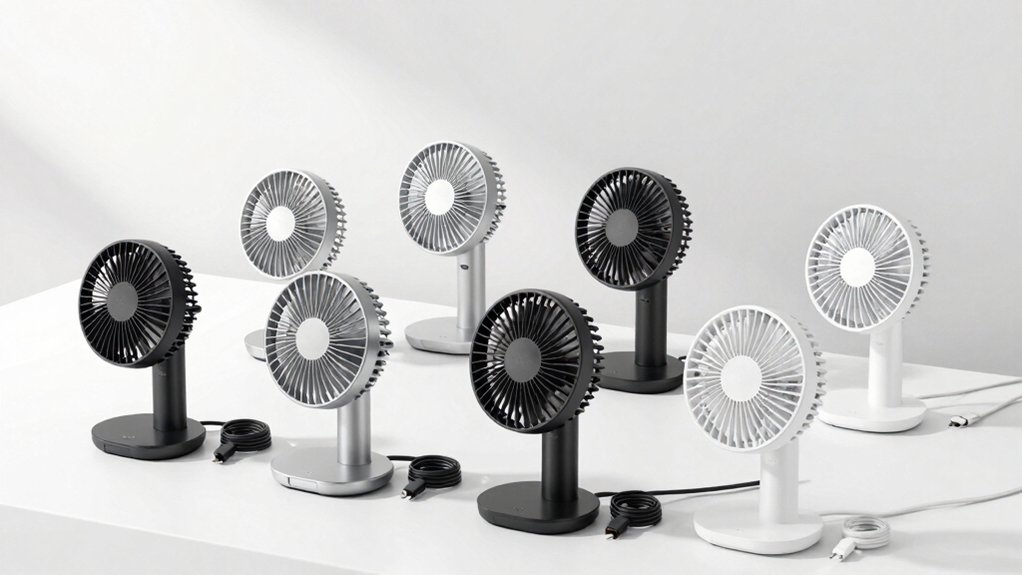

When you’re looking for a portable desk fan that keeps you cool throughout your workday, you’ll need to consider battery capacity, charging options, and portability features. You can choose from models with 4000mAh to 10000mAh batteries that run up to 25 hours on a single charge. Each option offers different speed settings, adjustable heads, and display types—but which combination truly fits your needs?
| Otlonpe Portable Desk Fan 4000mAh Rechargeable USB Powered |

| Best For Travel | Battery Capacity: 4000mAh | Runtime (Maximum Hours): Up to 23 hours | Noise Level: Under 35 dB | VIEW LATEST PRICE | Read Our Analysis |
| WHATOOK Small Desk Fan 5000mAh Rechargeable Battery |

| Most Versatile Control | Battery Capacity: 5000mAh | Runtime (Maximum Hours): Up to 25 hours | Noise Level: 28 dB | VIEW LATEST PRICE | Read Our Analysis |
| YOSHENMO Desk Fan with Digital Display & Rechargeable Battery |

| Quietest Operation | Battery Capacity: 4000mAh | Runtime (Maximum Hours): Up to 9.5 hours | Noise Level: Whisper-quiet (specific dB not stated) | VIEW LATEST PRICE | Read Our Analysis |
| Warmco 10000mAh Portable Travel Fan with Digital Display |

| Longest Battery Life | Battery Capacity: 10000mAh | Runtime (Maximum Hours): Up to 24 hours | Noise Level: Under 40 dB | VIEW LATEST PRICE | Read Our Analysis |
| KIMMOO Rechargeable USB Desk Fan with Digital Display |

| Best For Families | Battery Capacity: Not specified | Runtime (Maximum Hours): 8.5 hours | Noise Level: 35 dB at Speed 1 | VIEW LATEST PRICE | Read Our Analysis |
| WHATOOK Desk Fan 2 Pack Rechargeable Portable |

| Best Value 2-Pack | Battery Capacity: 5000mAh | Runtime (Maximum Hours): Up to 25 hours | Noise Level: Under 30 dB | VIEW LATEST PRICE | Read Our Analysis |
| DIGIX Portable Rechargeable Desk Fan with LED Display |
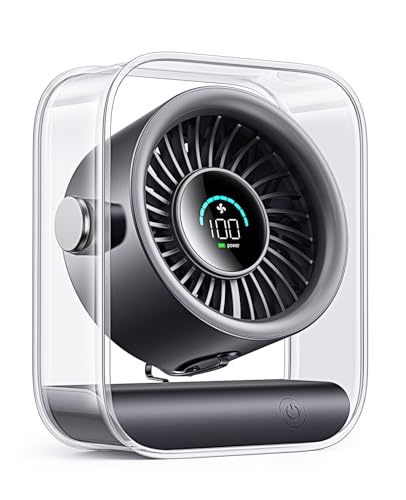
| Editor’s Choice | Battery Capacity: 3000mAh | Runtime (Maximum Hours): 8.5 hours | Noise Level: Under 26 dB | VIEW LATEST PRICE | Read Our Analysis |
More Details on Our Top Picks
Otlonpe Portable Desk Fan 4000mAh Rechargeable USB Powered
If you’re frequently on the move, the Otlonpe Portable Desk Fan delivers dependable cooling in a compact 6.5-inch design. The 4000mAh battery provides up to 23 hours of runtime on a single charge, or you can use USB mode for continuous operation. You’ll adjust wind speed across four settings to match your comfort level. The fan weighs just 9.3 ounces and folds for easy transport. Detachable components simplify cleaning. Operating under 35 decibels, it won’t disturb your workspace. The USB Type-C connector charges quickly, and the foldable bracket accommodates various table positions.
- Battery Capacity:4000mAh
- Runtime (Maximum Hours):Up to 23 hours
- Noise Level:Under 35 dB
- Adjustable Speed Settings:4-speed adjustable wind
- Tilt/Directional Adjustment:Adjustable tilt
- Charging Method:USB Type-C
- Additional Feature:Detachable frame for easy cleaning
- Additional Feature:Foldable bracket design
- Additional Feature:Emergency charging function
WHATOOK Small Desk Fan 5000mAh Rechargeable Battery
Want a fan that adapts to your exact cooling needs? The WHATOOK Small Desk Fan gives you 100 wind speeds across 100 power levels to customize airflow precisely. Its 5000mAh battery runs for 25 hours, keeping you cool throughout extended workdays. Adjust the fan 180 degrees to direct air where you need it most. The USB-rechargeable design lets you operate it while charging, eliminating downtime. At just 28 decibels, the fan runs quietly with silent gears on lower settings L1-L20. Its compact tabletop size fits bedrooms, home offices, and workspaces. The durable ABS material construction ensures safety with no sharp gaps. An LED display shows remaining battery power after each airflow adjustment, so you’ll always know when to recharge.
- Battery Capacity:5000mAh
- Runtime (Maximum Hours):Up to 25 hours
- Noise Level:28 dB
- Adjustable Speed Settings:100 wind speeds
- Tilt/Directional Adjustment:180-degree adjustable angle
- Charging Method:USB rechargeable
- Additional Feature:100 wind speed levels
- Additional Feature:LED power display
- Additional Feature:Operates while charging
YOSHENMO Desk Fan with Digital Display & Rechargeable Battery
You need a desk fan that operates quietly while delivering powerful cooling. The YOSHENMO Desk Fan combines advanced noise-reduction technology with a powerful motor reaching 116,000 RPM, generating airflow that increases by 1,200 RPM. You get 100 adjustable speeds from 1–100, letting you customize airflow for your specific needs. The built-in 4000 mAh battery provides 3–10 hours of continuous operation, charging fully in approximately 3.5 hours. A digital display shows your selected speed even in dark environments, and the memory function recalls your last setting automatically. The 105° adjustable tilt and wall-mounted design make it suitable for bedrooms, offices, and travel scenarios.
- Battery Capacity:4000mAh
- Runtime (Maximum Hours):Up to 9.5 hours
- Noise Level:Whisper-quiet (specific dB not stated)
- Adjustable Speed Settings:100 adjustable speeds (1-100)
- Tilt/Directional Adjustment:105° adjustable tilt
- Charging Method:USB rechargeable
- Additional Feature:No-hole wall-mounting design
- Additional Feature:105° adjustable tilt
- Additional Feature:3-second cooling wind
Warmco 10000mAh Portable Travel Fan with Digital Display
The Warmco fan’s 10000mAh battery delivers the longest battery life in its category, running up to 24 hours on the lowest speed setting. You’ll get 10 hours on the highest speed. Its ultra-slim design measures just 1.61 inches thick and weighs 0.89 pounds, making it genuinely portable. The foldable stand lets you position it flexibly and store it compactly. Operating under 40 dB, the brushless motor runs whisper-quiet for bedrooms and offices. The digital display shows your exact battery percentage and current speed so you monitor power levels. With USB-C input and output supporting 5V/2.4A, you can recharge the fan or use it as backup power for your phone. The included 2-in-1 cable simplifies charging.
- Battery Capacity:10000mAh
- Runtime (Maximum Hours):Up to 24 hours
- Noise Level:Under 40 dB
- Adjustable Speed Settings:4 adjustable speeds
- Tilt/Directional Adjustment:Foldable stand for flexible positioning
- Charging Method:USB-C input and output
- Additional Feature:USB-C input and output
- Additional Feature:Phone backup power capability
- Additional Feature:7-inch blade diameter
KIMMOO Rechargeable USB Desk Fan with Digital Display
KIMMOO’s rechargeable desk fan combines safety features with powerful cooling, making it ideal for families with young children or pets. You’ll control wind intensity across 100 customizable levels, adjusting RPM from 2000–2900 for your preferred airflow. The dual guard rail design protects against accidental contact. Set it to Speed 1 for 35dB ultra-quiet operation, or increase power for rapid room circulation. The LED display shows real-time battery status and settings. You’ll charge it fully in 2.5 hours using the included 5V/2A adapter, then enjoy 8.5 continuous cooling hours. Its 90-degree rotation and compact 0.92-pound design let you position it precisely on desks or transport it anywhere.
- Battery Capacity:Not specified
- Runtime (Maximum Hours):8.5 hours
- Noise Level:35 dB at Speed 1
- Adjustable Speed Settings:100-speed customizable control (1-100)
- Tilt/Directional Adjustment:90° rotating
- Charging Method:5V/2A USB adapter
- Additional Feature:Dual guard rail safety
- Additional Feature:200% turbo power boost
- Additional Feature:90° rotating head
WHATOOK Desk Fan 2 Pack Rechargeable Portable
For anyone needing dual cooling solutions across multiple spaces, this 2-pack delivers practical value without compromise. You’ll control each fan through 100 stepless speeds, adjusting from light sleep settings (L1-20) to powerful outdoor cooling (L80-100). The 5000mAh battery runs continuously for 25 hours per charge. A smart LED display shows your exact speed selection and remaining battery percentage. Operation stays whisper-quiet below 30dB, making these fans suitable for sleep and work environments. The foldable stand adjusts 180 degrees for desktop positioning or hanging. Premium ABS material resists odors, and dense safety grilles protect fingers. You’ll appreciate the slim profile for packing into backpacks during commutes and travel.
- Battery Capacity:5000mAh
- Runtime (Maximum Hours):Up to 25 hours
- Noise Level:Under 30 dB
- Adjustable Speed Settings:100 speeds stepless control
- Tilt/Directional Adjustment:180° adjustment
- Charging Method:USB rechargeable
- Additional Feature:Two-pack bundle option
- Additional Feature:Foldable stand with adjustment
- Additional Feature:Brushless motor technology
DIGIX Portable Rechargeable Desk Fan with LED Display
Need a fan that works anywhere without hunting for outlets? The DIGIX Portable Rechargeable Desk Fan delivers cordless cooling with its 3000mAh USB-C battery, providing 8.5 hours of runtime. Adjust airflow using 100 speeds—press the button to increase or hold to decrease settings. The 90° rotating head directs air upward or downward as needed. Monitor battery percentage and speed on the smart LED display for precise control. Operation runs whisper-quiet at under 26dB, suitable for offices and bedrooms. The fan weighs 1.2 pounds with a compact design fitting desks, nightstands, and travel bags. Charge fully in 2.5 hours using any USB-C charger. Dual safety grilles protect children and pets.
- Battery Capacity:3000mAh
- Runtime (Maximum Hours):8.5 hours
- Noise Level:Under 26 dB
- Adjustable Speed Settings:100-speed control
- Tilt/Directional Adjustment:90° adjustable head
- Charging Method:USB-C rechargeable
- Additional Feature:3-year warranty coverage
- Additional Feature:100-speed cycle control
- Additional Feature:Dual-layer safety grille
Factors to Consider When Choosing a Rechargeable Portable Desk Fan
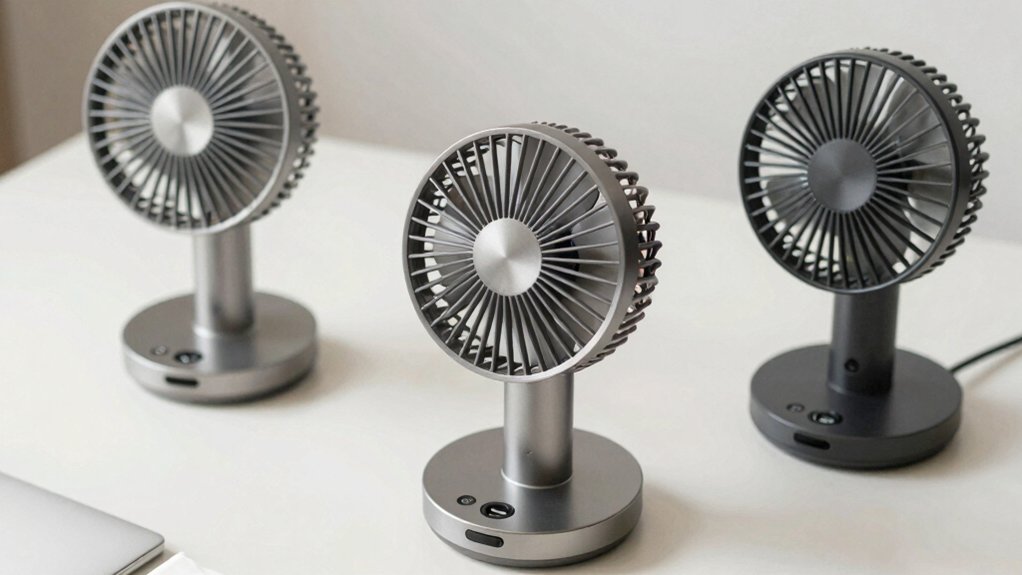
Before you buy a rechargeable portable desk fan, you’ll need to evaluate five key factors that directly affect your satisfaction with the product. First, check the battery capacity measured in mAh (milliamp-hours) and the runtime hours it provides, then examine the noise level in decibels to ensure it won’t disturb your work, assess the fan’s weight and dimensions for portability, review the speed settings available, and compare charging times and whether the fan uses USB or wall charging. Making these comparisons across different models will help you select a fan that matches your cooling needs, budget, and usage environment.
Battery Capacity and Runtime
How much runtime do you actually need from a portable desk fan? Battery capacity, measured in mAh, directly determines how long your fan operates between charges. Higher mAh ratings—such as 5000 mAh versus 2000 mAh—extend runtime substantially. However, fan speed affects battery drain: higher speeds consume power faster than lower speeds. Many models advertise fixed runtimes ranging from 8 to 25 hours depending on the speed setting and battery configuration you select. USB-C charging capability influences how quickly you can recharge and use the fan again. To monitor remaining runtime and plan your unplugged usage, choose a model with a built-in battery display. This feature prevents unexpected shutdowns during work hours.
Noise Level Considerations
Most rechargeable portable desk fans operate between 26 and 40 decibels, with many models claiming “whisper-quiet” performance through brushless motors and sound-dampening design. When selecting a fan, identify your noise tolerance and intended environment. For sleep or study spaces, prioritize fans rated at 26–28 decibels, which match library-quiet levels. Check product specifications for measured noise figures rather than marketing claims alone. Many fans feature adjustable speed controls—look for models with 100-speed settings or low-speed modes (L1-L20) that let you find your quietest comfortable setting. Test the fan at maximum speed to understand worst-case noise, then adjust downward for typical use. Comparing decibel ratings across models helps you match performance with your noise preferences before purchasing.
Portability and Design
Once you’ve identified a fan that meets your noise requirements, the next step is evaluating how well it’ll travel with you. Check the fan’s weight first—you want something under 1.0 kg so you can carry it without strain. Examine its thickness and overall dimensions; a slim profile around 1.5 inches thick fits easily into bags or on small desks. Look for a foldable stand or compact chassis that reduces bulk during transport. Verify the blade diameter stays between 6–7 inches for portability without sacrificing airflow. Confirm the power source allows USB-C charging or multi-source options, letting you operate the fan away from outlets. Finally, check that the head adjusts 90° or 180° so you can direct airflow efficiently in different spaces and positions.
Speed Control Options
Evaluate the fan’s speed control mechanism to match your comfort preferences and environment. You’ll encounter two primary options: fixed levels or continuous adjustment. Fixed-level fans offer preset speeds, such as 4 or 10 discrete steps, giving you straightforward choices without complexity. Continuous fans let you adjust speed anywhere within a 1–100 range, providing precise customization. Check the RPM range; wider ranges up to 2900 RPM deliver flexibility for gentle breezes or strong airflow depending on your needs. Look for models with LED or digital displays showing your current speed setting and battery percentage. Consider control features like ramping behavior, where holding the button adjusts speed gradually, or memory functions that recall your last-used setting. Select the mechanism that fits your usage patterns and preference for control simplicity or precision.
Charging Time and Methods
Your portable desk fan’s charging time and method directly affect how you’ll use it daily. Most models with USB-C fast charging require 2.5 to 3.5 hours for a complete charge. Check your fan’s battery capacity in mAh, since higher capacities deliver longer runtime—anywhere from several to tens of hours depending on speed settings. Some fans support simultaneous USB charging and operation, letting you maintain airflow while recharging. This feature prevents downtime during work hours. Additionally, USB-C input/output capability allows you to charge other devices from your fan’s battery, adding versatility. Digital displays showing real-time battery percentage help you plan recharges strategically. Before purchasing, verify the charging method matches your available cables and outlets to ensure convenient daily use.
Safety Features and Materials
How do you guarantee a portable desk fan won’t harm you or those around you? Start by choosing fans with dense safety grills that prevent finger access, protecting children and pets from blade contact. Select models with ABS plastic construction, which resists odors and withstands daily use without degrading. Next, prioritize 90° or 180° adjustability so you direct airflow safely away from electrical outlets and power cords. Look for digital displays that clearly show charging status and power levels, helping you avoid overcharging and battery damage. Finally, verify that your fan carries certifications like CE, FCC, or RoHS markings, which confirm it meets established safety and emission standards. These certifications indicate the manufacturer tested the product for electrical safety and environmental compliance.
Display and User Interface
A digital display on your portable desk fan serves as your control center for real-time monitoring and adjustment. You’ll track battery level and current speed settings simultaneously, enabling precise power management throughout the day. Most models show remaining battery hours—ranging from 6 to 25 hours depending on your chosen wind speed. Clear numeric indicators for speed levels, whether labeled 1–100 or L1–L20, let you make exact adjustments and repeat your preferred cooling performance. Some fans include memory functions that recall your last setting after powering off, saving you time during daily use. USB-C charging ports typically accompany the display, with full recharge times averaging 2–3.5 hours. These interface features combine to give you straightforward control and reliable feedback on your fan’s status.
Final Thoughts
You’ll want to pick a fan based on your specific needs. Compare battery capacity—4000mAh for light use, 10000mAh for all-day operation. Check adjustment features like head tilt and speed settings. Verify USB-C charging compatibility with your devices. Consider portability by examining weight, foldability, and thickness. Review safety certifications and construction materials. Test runtime claims against your actual usage patterns before purchasing.

Meet Ry, “TechGuru,” a 36-year-old technology enthusiast with a deep passion for tech innovations. With extensive experience, he specializes in gaming hardware and software, and has expertise in gadgets, custom PCs, and audio.
Besides writing about tech and reviewing new products, he enjoys traveling, hiking, and photography. Committed to keeping up with the latest industry trends, he aims to guide readers in making informed tech decisions.