
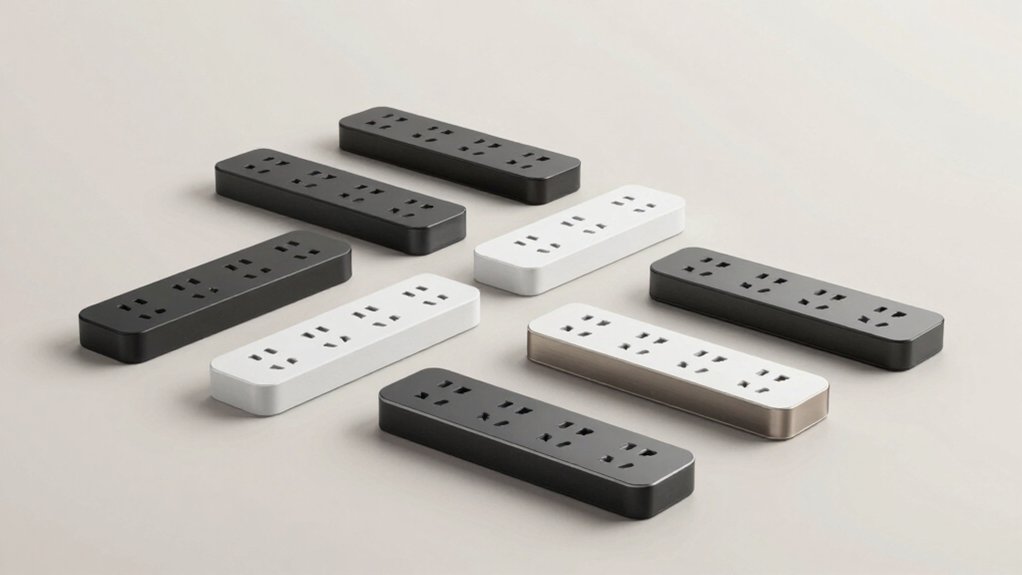

You’re tired of tangled cords and visible power strips cluttering your space. Ultra-flat designs solve this problem by fitting snugly behind furniture, desks, and appliances where standard strips can’t reach. These strips combine slim plugs (0.31–0.35 inches thick) with surge protection and USB charging options. Understanding the key features you need—outlet placement, cord length, and safety certifications—helps you choose the right one for your specific situation.
| Addtam Flat Plug Power Strip with 12 AC Outlets (5Ft) |
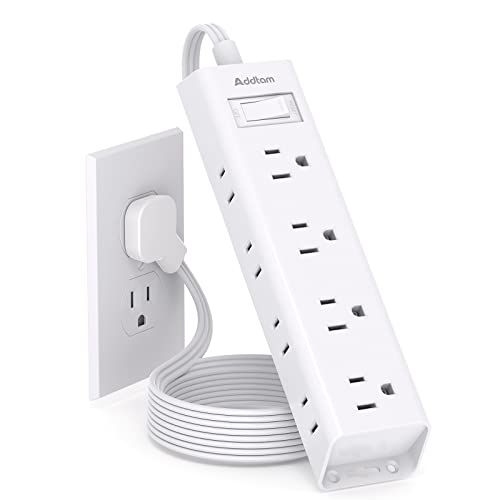
| Most Versatile | Total Outlet Count: 12 AC outlets | Cord Length: 5 feet | Surge Protection Rating: Multi-safety protection (no joules specified) | VIEW LATEST PRICE | Read Our Analysis |
| Anker Power Strip Surge Protector with USB Ports |

| Best With USB | Total Outlet Count: 6 AC outlets + 4 USB ports | Cord Length: Flat plug (length not specified) | Surge Protection Rating: 300J | VIEW LATEST PRICE | Read Our Analysis |
| CABOCASA 3FT Ultra Flat Extension Cord Power Strip |

| Child-Safe Design | Total Outlet Count: 3 AC outlets | Cord Length: 3 feet | Surge Protection Rating: No surge protection | VIEW LATEST PRICE | Read Our Analysis |
| TESSAN Dual Surge Protector Power Strip with USB |

| Surge Protection Leader | Total Outlet Count: 8 AC outlets + 4 USB ports | Cord Length: 5 feet | Surge Protection Rating: 2100J | VIEW LATEST PRICE | Read Our Analysis |
| TROND 6ft Flat Extension Cord with 360° Rotating Plug |

| Best Rotating Plug | Total Outlet Count: 3 AC outlets | Cord Length: 6 feet | Surge Protection Rating: No surge protection | VIEW LATEST PRICE | Read Our Analysis |
| HANYCONY 5ft Power Strip with 4 USB Ports |

| Compact Travel Pick | Total Outlet Count: 4 AC outlets + 4 USB ports | Cord Length: 5 feet | Surge Protection Rating: No surge protection | VIEW LATEST PRICE | Read Our Analysis |
| Anker Surge Protector Power Strip with USB Ports |

| Best Overall | Total Outlet Count: 12 AC outlets + 3 USB ports | Cord Length: 5 feet | Surge Protection Rating: 2100J | VIEW LATEST PRICE | Read Our Analysis |
| Extension Cord 15 ft Power Strip with 6 Outlets |

| Longest Reach | Total Outlet Count: 6 AC outlets + 4 USB ports | Cord Length: 15 feet | Surge Protection Rating: Overload protection with circuit breaker | VIEW LATEST PRICE | Read Our Analysis |
More Details on Our Top Picks
Addtam Flat Plug Power Strip with 12 AC Outlets (5Ft)
Need to charge multiple devices without cluttering your space? The Addtam Flat Plug Power Strip offers a practical solution with its 0.35-inch ultra-slim design that fits behind furniture, beds, and refrigerators. You get twelve AC outlets arranged on three sides, letting you connect twelve devices simultaneously without blocking adapters. The 5-foot pure copper extension cord supports 15A current capacity. Mount it on walls or desks using the included four screws for secure installation. Multi-safety protections guard against overload, short circuits, and overcurrent. Auto-shutoff activates when power exceeds rated limits, protecting your devices. ETL and UL certifications confirm safety standards. This lightweight, compact design works for offices, dorms, kitchens, and travel.
- Total Outlet Count:12 AC outlets
- Cord Length:5 feet
- Surge Protection Rating:Multi-safety protection (no joules specified)
- USB Charging Ports:None
- Max Power Rating:15A capacity
- Mounting Options:Wall and desk mounting with 4 screws
- Additional Feature:3-sided outlet configuration
- Additional Feature:Pure copper extension cord
- Additional Feature:Auto-shutoff overload protection
Anker Power Strip Surge Protector with USB Ports
The Anker 10-in-1 power hub excels when you’re juggling multiple devices across USB and AC outlets. This flat plug design measures 6.29 × 3.13 × 1.22 inches, fitting easily behind furniture without blocking access. You get 6 AC outlets, 2 USB-A ports, and 2 USB-C ports delivering up to 20W total charging power. The 300J surge protection shields connected equipment with a $200,000 guarantee. Its foldable, tangle-free cord stores neatly when not in use. The 18-month warranty covers defects, and customer service handles issues promptly. Deploy this hub on desks, dorms, or home offices where you need reliable multi-device power management.
- Total Outlet Count:6 AC outlets + 4 USB ports
- Cord Length:Flat plug (length not specified)
- Surge Protection Rating:300J
- USB Charging Ports:2 USB-A + 2 USB-C (20W total)
- Max Power Rating:Not specified
- Mounting Options:Not specified
- Additional Feature:Foldable, tangle-free design
- Additional Feature:$200,000 connected equipment guarantee
- Additional Feature:18-month warranty included
CABOCASA 3FT Ultra Flat Extension Cord Power Strip
Looking for a power strip that won’t create tripping hazards or clutter around your outlets? The CABOCASA 3FT Ultra Flat Extension Cord Power Strip delivers a slim design that blends seamlessly with wall fixtures. You get three standard outlets, a 36-inch cord, and a grounded three-prong plug. The ultra-flat design reduces bulk behind furniture. A detachable outlet cover concealer provides child safety protection. Installation requires no tools—simply plug it in. The strip handles up to 13 amps at 125 volts for 1625 watts maximum power. ETL certification confirms safety compliance. You’ll receive a one-year warranty from CABOCASA, and the product qualifies for a 30-day return guarantee.
- Total Outlet Count:3 AC outlets
- Cord Length:3 feet
- Surge Protection Rating:No surge protection
- USB Charging Ports:None
- Max Power Rating:1625W (13A/125V)
- Mounting Options:No tools required; optional with cover
- Additional Feature:Detachable outlet cover concealer
- Additional Feature:Child-proof safety design
- Additional Feature:No tools required installation
TESSAN Dual Surge Protector Power Strip with USB
TESSAN’s dual surge protection system converts one outlet into eight AC outlets and four USB ports, making it ideal for anyone who needs to power multiple devices in tight spaces. The 20W USB-C fast charger delivers rapid charging for smartphones, while USB-A ports provide 12W per port. Mount the unit on walls or workbenches using the two included holes, or position it behind furniture with the ultra-thin 0.31-inch flat head and 45° right-angle design. The 5-foot extension cord reaches distant outlets without obstruction. Four rubber feet stabilize the strip on any surface. Auto-shutoff protection activates during overloads, safeguarding your devices from electrical damage while you charge up to twelve items simultaneously.
- Total Outlet Count:8 AC outlets + 4 USB ports
- Cord Length:5 feet
- Surge Protection Rating:2100J
- USB Charging Ports:2 USB-A + 2 USB-C (20W max)
- Max Power Rating:1250W (8 AC outlets)
- Mounting Options:2 wall-mount holes; 4 rubber feet
- Additional Feature:45° right-angle plug design
- Additional Feature:2100J dual surge protection
- Additional Feature:4 rubber feet included
TROND 6ft Flat Extension Cord with 360° Rotating Plug
Need a power solution that fits behind furniture without awkward angles? The TROND 6ft flat extension cord solves this problem with its patented 360° rotating plug. This rotating mechanism lets you connect to wall outlets from any direction, eliminating the need to move furniture or use adapter extensions. The three-outlet power cube spreads connections across different sides, preventing bulky plugs from blocking adjacent outlets. You’ll get 13A capacity at 1625W maximum, suitable for microwaves, laptops, and televisions. The cord includes a Velcro tie for organizing cable runs. ETL certification and flame-retardant construction ensure safe indoor use in home offices or tight spaces.
- Total Outlet Count:3 AC outlets
- Cord Length:6 feet
- Surge Protection Rating:No surge protection
- USB Charging Ports:None
- Max Power Rating:1625W (13A/125V)
- Mounting Options:Velcro tie for cable management
- Additional Feature:Patented 360° rotating plug
- Additional Feature:Velcro cable management tie
- Additional Feature:UL94 V-0 flame-retardant
HANYCONY 5ft Power Strip with 4 USB Ports
The HANYCONY’s ultra-slim 0.35-inch flat plug makes it your compact travel pick. Its 45° right-angle design fits flush against walls, hiding behind furniture without blocking other outlets. You’ll charge eight devices simultaneously using four AC outlets and four USB ports—two USB-C (5V/3A) and two USB-A (5V/2.4A). The outlets arrange strategically to prevent blocking each other, accommodating phones, laptops, and hairdryers. ETL certification and multiple safety protections guard against overload, short circuits, and overheating. The flame-retardant PC shell withstands extreme temperatures. This 5-foot power strip works well in dorms, offices, and bedrooms, though cruise ship travelers should note it lacks surge protection, meeting maritime regulations.
- Total Outlet Count:4 AC outlets + 4 USB ports
- Cord Length:5 feet
- Surge Protection Rating:No surge protection
- USB Charging Ports:2 USB-A + 2 USB-C (5V/3A + 5V/2.4A)
- Max Power Rating:1875W (15A/4 AC outlets)
- Mounting Options:Not specified
- Additional Feature:45° right-angle design
- Additional Feature:Flame-retardant to 1382°F
- Additional Feature:Cruise ship compatible option
Anker Surge Protector Power Strip with USB Ports
Anker’s surge protector delivers thorough charging and protection that outperforms competing models. You’ll find 12 AC outlets plus 3 USB ports—including a 20W USB-C port that charges your iPhone 15 from 0–50% in roughly 26 minutes. The 5-foot flat extension cord fits behind furniture without creating bulges. An 8-Point Safety System protects your devices through surge protection, fire resistance, and overload protection. The optimized outlet spacing accommodates larger plugs without blocking adjacent outlets. You receive mounting screws for wall installation, an 18-month warranty, and a lifetime $200,000 connected equipment warranty. This configuration makes it ideal for managing multiple devices in tight spaces behind beds, desks, or entertainment centers.
- Total Outlet Count:12 AC outlets + 3 USB ports
- Cord Length:5 feet
- Surge Protection Rating:2100J
- USB Charging Ports:2 USB-A + 1 USB-C (20W)
- Max Power Rating:Not specified
- Mounting Options:2 mounting screws included
- Additional Feature:8-point safety system
- Additional Feature:20W fast charging capability
- Additional Feature:Extra space between outlets
Extension Cord 15 ft Power Strip with 6 Outlets
If you’re working in spaces where outlets sit far from your desk or equipment, this 15-foot extension cord power strip offers the longest reach among flat-plug options. The flat plug design angles at 45 degrees to prevent blocking wall receptacles, fitting snugly behind furniture and bookshelves. You get six outlets plus four USB ports with Smart IC technology that automatically adjusts power delivery to your devices. Mount it horizontally or vertically using the included template and screws on walls, counters, or workbenches. The circuit breaker with reset switch provides overload protection up to 1250W, automatically shutting down when exceeded. This setup works across 100-240V, making it suitable for dorms, offices, and apartments where you need extended reach and multiple charging options.
- Total Outlet Count:6 AC outlets + 4 USB ports
- Cord Length:15 feet
- Surge Protection Rating:Overload protection with circuit breaker
- USB Charging Ports:4 USB ports (5V/3.1A total)
- Max Power Rating:1250W
- Mounting Options:2 screws with mounting template; horizontal or vertical installation
- Additional Feature:15-foot extended reach length
- Additional Feature:Smart IC auto-detection charging
- Additional Feature:OFF/RESET circuit breaker switch
Factors to Consider When Choosing a Power Strip That Lays Flat
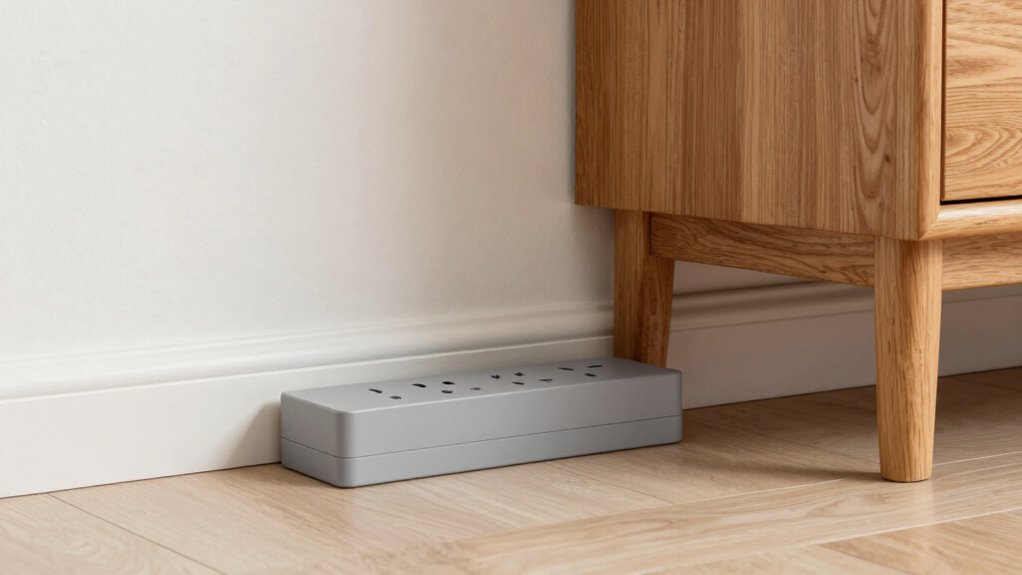
When you’re selecting a flat power strip, you’ll need to evaluate five key factors: the number of outlets and their spacing (so your plugs don’t block each other), the cord length that fits your room layout, the surge protection rating in joules (which shields your devices from power spikes), whether you need USB ports for charging phones and tablets, and the safety certifications like UL or ETL that confirm the strip meets electrical safety standards. Start by measuring the distance from your outlet to where you want to place the power strip, then count how many devices you’ll plug in simultaneously and note their plug sizes to ensure they’ll fit without crowding. Finally, check the product specifications for surge protection levels and any built-in safety features like overload switches before making your purchase.
Outlet Quantity And Spacing
Two critical factors determine whether a flat power strip will actually work in your cramped spaces: the total number of outlets and how much room exists between them. Count your devices first—phones, chargers, lamps, and other electronics you’ll plug in simultaneously. Most flat power strips offer 6 to 12 outlets, converting a single wall socket into multiple usable ports. Next, examine outlet spacing on the product specifications. Widely spaced outlets prevent bulky power bricks from blocking adjacent ports. Look for models with three-sided or multi-directional outlet layouts, which distribute plugs across different sides rather than cramming them in one line. This design reduces interference and lets you connect larger adapters without losing access to neighboring outlets. Choose a strip matching both your device count and spacing needs.
Cord Length Requirements
How far is your nearest wall outlet from where you need to place your devices? Measure the distance to determine your required cord length. Standard flat power strips offer 3 to 6 feet of cord, which suits most furniture arrangements without creating excess clutter. A 5-foot cord reaches moderate distances while remaining manageable. Choose 6 feet if your outlet sits farther away or you need flexibility in device placement. For larger rooms or desks, consider models with 6 to 15-foot options that maintain a low profile. Avoid excessively long cords, as they increase tangling risks and workspace clutter. Match your cord length to your actual outlet distance—longer cords than necessary create unnecessary mess behind and around furniture.
Surge Protection Ratings
What level of surge protection do your devices actually need? Check the joule rating, which measures how much energy a surge protector absorbs. Higher ratings like 2100J offer longer-lasting protection than lower ones like 300J, especially if you experience frequent voltage spikes. Next, verify the auto-shutoff feature—this triggers during overload to protect both your devices and the strip itself. Look for dual surge protection or multiple mechanisms covering overload, short-circuit, and over-current situations for enhanced safety. Finally, match the rated maximum load in watts or amps to your connected devices’ total power draw. This alignment ensures effective protection during peak usage. Review these specifications before purchasing to guarantee your flat power strip adequately protects your electronics.
USB Charging Capabilities
Why settle for using separate wall adapters when you can charge multiple devices from a single flat power strip? When selecting a flat power strip, evaluate its USB port configuration first. Check whether it offers USB-A ports (typically 12W per port at 2.4A) or USB-C ports (up to 20W for fast charging). Some models combine both port types, giving you flexibility for different devices. Review the combined USB output throughput—for example, 20W USB-C plus multiple USB-A ports—to ensure sufficient power for simultaneous charging. Verify that USB ports are integrated without blocking adjacent outlets when larger plugs are inserted. Match the port types to your devices’ charging requirements before purchasing to maximize charging efficiency and convenience.
Safety Certifications And Standards
When you’re evaluating a flat power strip, checking for official safety certifications should be your first step. Look for ETL or UL listings on the product and documentation to confirm compliance with standardized safety tests. Next, examine the surge protection rating—higher joule ratings like 2100J or 300J provide greater protection against voltage spikes. Verify that the strip includes overcurrent, overload, and short-circuit protections with auto-shutoff features to safeguard your connected equipment. Finally, confirm the materials meet fire safety standards by checking for flame-retardant construction and approved insulation ratings such as UL94 V-0. These certifications and standards directly impact how well your flat power strip protects your devices from electrical hazards while remaining safely hidden behind furniture.
Mounting And Installation Options
Once you’ve confirmed that your flat power strip meets all safety certifications, you’ll want to focus on how you’ll actually install and position it in your space. Check whether your model includes wall-mount holes or screw fixation points at both ends for secure installation. If you’re mounting behind furniture, use the provided hardware to anchor the strip firmly and prevent shifting. For under-desk placement, verify that rubber feet provide adequate grip on smooth surfaces. Consider cord length—five to six feet offers flexibility for routing behind obstacles. Position outlets toward the rear or side to keep adapters from blocking neighboring sockets. Finally, ensure your installation method doesn’t create tension on the power cord or create fire hazards near heat sources.
Plug Design And Thickness
How you choose a plug design directly affects whether your flat power strip will actually fit behind furniture or stay hidden along your baseboards. Ultra-flat plugs measure 0.31–0.35 inches thick, allowing them to compress against walls without creating noticeable bumps. Consider angled or right-angle plug orientations, which redirect cord direction and prevent blocking adjacent outlets. You’ll find that 45° angles work best for tight corner spaces, while right-angle designs suit baseboards perfectly. Check whether the model includes a detachable or closable outlet cover—this feature enhances safety when the plug sits flush against walls. Match your plug choice to your furniture layout and outlet location before purchasing, ensuring the power strip remains truly hidden and functional.
Device Compatibility And Wattage
What devices do you plan to plug in, and what’s their combined power demand? Check your devices’ wattage or amperage ratings—typically listed as 13A/125V or 1625W on the label or manual. Add these together to guarantee your power strip’s maximum load rating exceeds the total. Next, identify your USB needs. Count how many phones, tablets, or laptops you’ll charge simultaneously, then verify the strip offers adequate USB output—for example, USB-C PD up to 20W or USB-A at 12W per port. Match the outlet and USB port configuration to your device count and types. This prevents overloading the strip, reduces fire risk, and guarantees each device charges at its proper speed without the strip overheating or tripping.
Final Thoughts
You’ve reviewed eight flat power strips designed to fit behind furniture. Choose based on your outlet count needs, cord length, and USB requirements. Verify surge protection ratings meet your devices’ demands. Check for ETL/UL certification to ensure safety. Install your selected strip using provided mounting hardware, then route the cord discreetly behind furniture. Test all outlets and USB ports before connecting valuable electronics.

Meet Ry, “TechGuru,” a 36-year-old technology enthusiast with a deep passion for tech innovations. With extensive experience, he specializes in gaming hardware and software, and has expertise in gadgets, custom PCs, and audio.
Besides writing about tech and reviewing new products, he enjoys traveling, hiking, and photography. Committed to keeping up with the latest industry trends, he aims to guide readers in making informed tech decisions.